Customer Ratings & Reviews




- Model:
- 17U70N-R.AAS7U1
- SKU:
- 6411997
Rating by feature
- Value
Rating 4.4 out of 5 stars
- Quality
Rating 4.6 out of 5 stars
- Ease of Use
Rating 4.5 out of 5 stars
Customers are saying
Customers consistently note the Ultra PC 17" Laptop's impressive screen quality, describing it as excellent for streaming. They also appreciate its fast performance, deeming it more than capable for work applications. Furthermore, its lightweight design and above-average battery life are highly praised. However, some customers express dissatisfaction with the laptop's speakers.
This summary was generated by AI based on customer reviews.
- Pros mentioned:Battery life, Screen

Good mid-range laptop
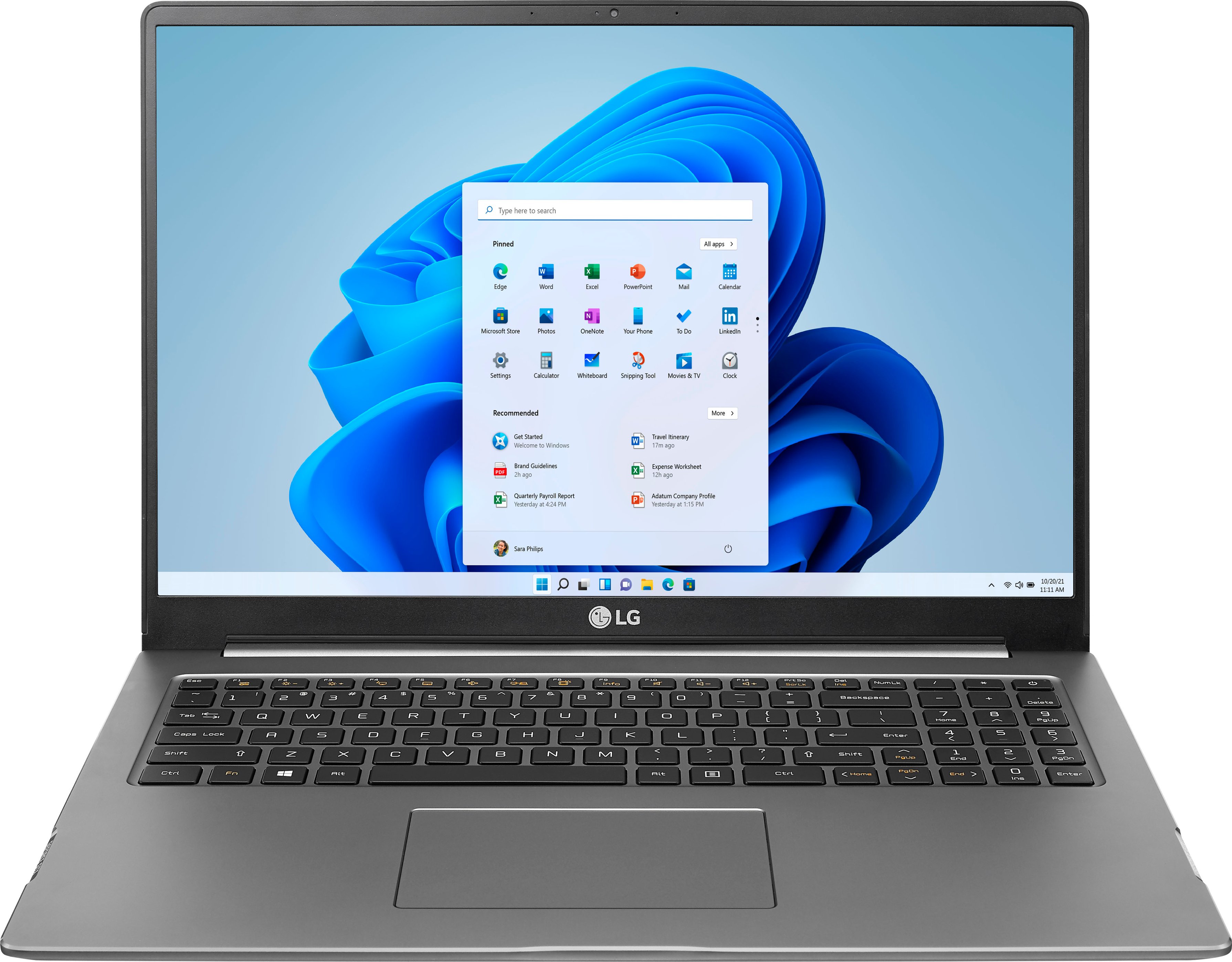
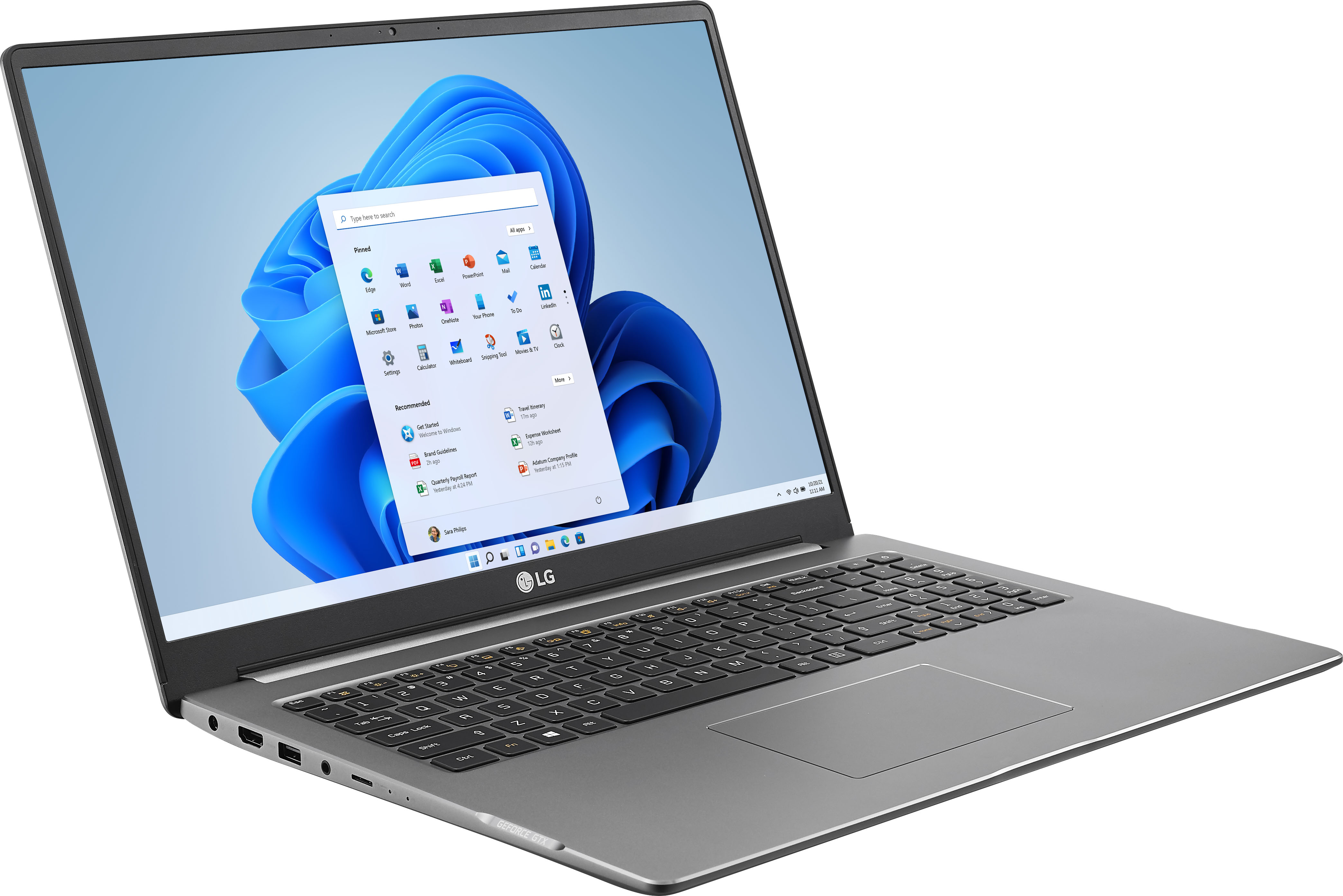
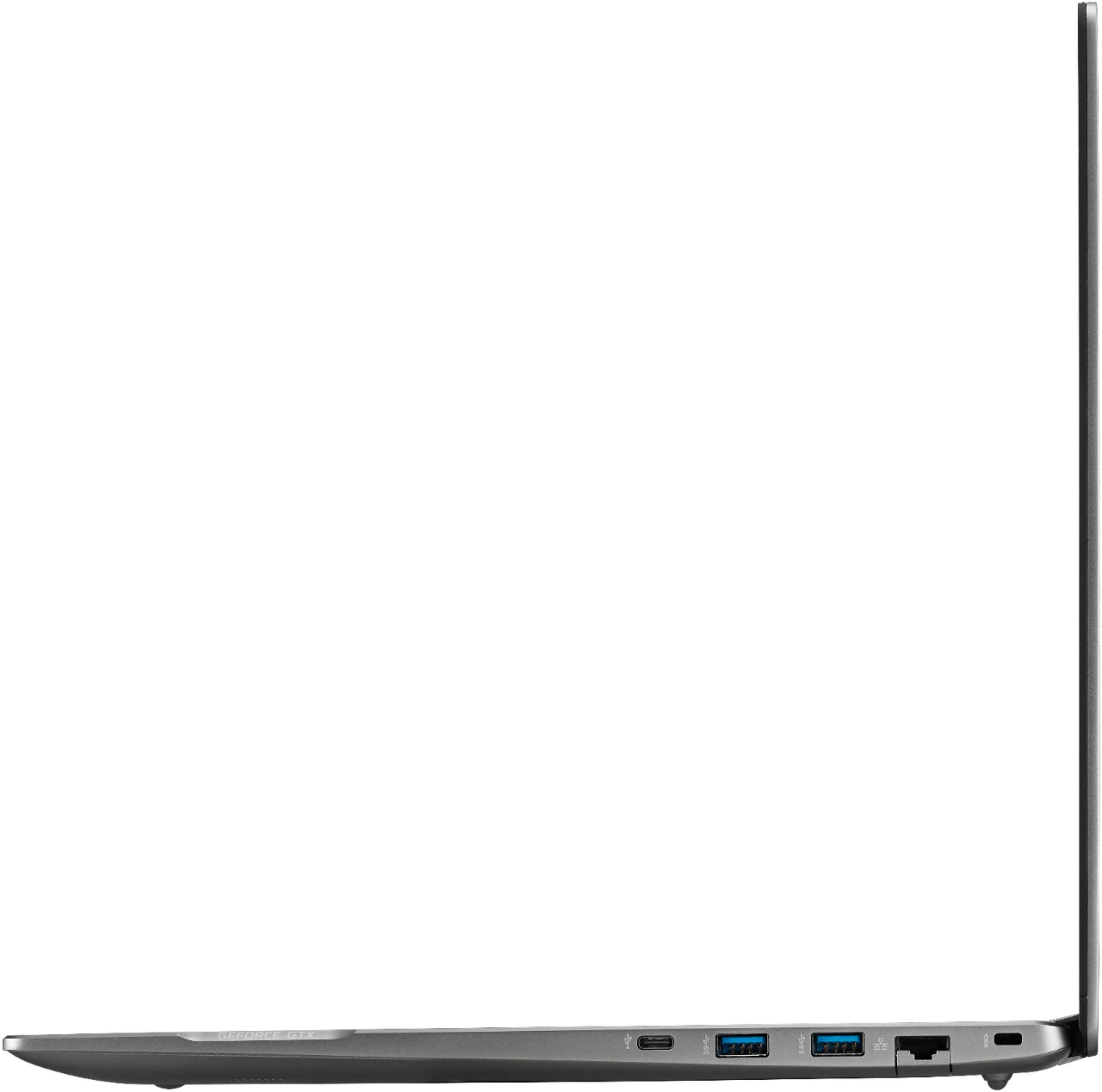
|Posted .This reviewer received promo considerations or sweepstakes entry for writing a review.1st impressions Right out of the box this is impressive. Large display, sleek design, lightweight, plenty of ports (although micro SD, really LG?), clean appearance. Set-up Setting this PC up was a breeze and pretty fast. Not sure if it is because I have a Microsoft account and that made the set-up faster, but it wasn't long before I was up and running. Startup is quick and responsive, no waiting around for the computer to get to the welcome screen. Shutting down is just as fast. Using the laptop My main use is for this laptop is to edit photos using Adobe's Lightroom and Photoshop while away from my main computer. With the Nvidia GTX 1650 processor inside it makes this laptop capable enough to handle the task. This screen is nice and clear. It has 99% sRGB color spectrum which is good for editing photos. I calibrated it right out of the box and found that it was set a little warmer than I liked, but after color calibration it was right where I needed it to be. While setting up everything I noticed that the GTX 1650 is only for rendering, it is not the main video card in the system, slightly disappointed with that as it is advertised with that as the graphics card in the PC. This is not a major issue for my personal use as this is not going to be a system that I play games on. I am using the laptop to write this review and notice that the trackpad gets in the way while typing. Your right-hand rests on it while typing and can lead to false taps. The trackpad can be shut off with a simple key combination of pressing the Fn + F5 keys, although this works well it can get annoying. I added a wireless mouse to help avoid this issue. The trackpad otherwise is a joy to use, plenty of gestures to support many different actions. I only found out about it after going into the setting of Windows and discovered all the different gestures that can be performed. The backlite keyboard is useful in lower light situations. However, it only has three setting. Low, high or off as well as one color, wish it was RGB. The keyboard itself is nice and has a condensed number pad, although the number pad is very close to the standard key and is a bit smaller than a standard one on a full-size keyboard. It does function well and is a welcome addition to any laptop. LG didn't overload this with bloatware, this is welcomed. Although, they did include some software that is very limited. I wish this wasn't included. A complete suite from CyberLink that has a lot of the features disabled unless you buy the full versions. The software allows you to edit photos, videos and audio as well as color grade. Although these are ok they are very limited in what you can do. It would have been better if they didn't include it and saved the disk space. Battery life is average. After about 2 hours of full run time it got down to 54% with approx. 3.75 hours left of run time. If it is in sleep mode, I am sure you will get the 16 hours of battery life that is advertised. I would say expect about 6 hours of full use. There are plenty of ports on this laptop. 1 USB 2.0 type A, 2 USB 3.0 type A and 1 USB-C. Combination headphone/mic jack, power port, Ethernet port and the worst decision of ports being a micro SD card slot. There is space on the side to a full sided SD card slot, but LG decided to put in a micro slot instead. Unless you use drones and GoPro cameras exclusively this port is useless. Not that it is a deal breaker as you can use an external card reader, but it would have been nice to not have to have extras in the mix to get lost or use an available USB port for other things like an external hard drive. I guess you could always plug a camera in directly and off-load the card that way. Sound quality from the downward facing speakers is less than stellar. There is plenty of real estate on the top for the speakers to have been placed. The sound quality can be compared to that of a Childs toy. Although for serious work involving sound you are most likely going to be using headphones. As for heat this does have nice cooling features where there are two fans inside. I am guessing one is for the CPU and the other is for the GTX. There is virtually zero heat produced for basic tasks like checking email, web browsing, writing documents, etc. Certain functions of the keyboard are only displayed briefly on the screen to know they are turned on or off. For instance, the caps lock key. Unless you start typing in a document you aren't sure if it is turned on or off, the same goes for the number lock key there is no visible notification on the keyboard that lights up to know these are turned on. The only key that has a constant light on it is the power button. How hard would it have been to put LED's in those two keys instead of having to press the key and have an overlay come on the screen informing that the state of the function is on or off. Overall this is a pretty powerful and quite capable computer. With great functionality. I have had no problems with the work I have done on it. It appears that you can install a second SSD and upgrade the memory, if that is something that you are comfortable doing yourself. These are things that I plan on doing soon. As I like to have all programs and apps on the main drive and data on the second drive. Also, more memory helps with how many programs you can have open at once.
I would recommend this to a friend - Pros mentioned:Screen, WeightCons mentioned:Lack of thunderbolt 3
A cheaper slightly fatter Gram. And ok with that.
|Posted .This reviewer received promo considerations or sweepstakes entry for writing a review.My daily driver is a Surface Pro for it portability, but the screen is small. When I'm at home I want a larger screen. I have 17" Alienware which is beast and blazing fast for pretty much anything I want to throw at it, but for casual use while sitting with it in my lap on the couch that monster gets uncomfortable pretty quick. The Gram would be almost 2lbs lighter, but at 4.3lbs for a 17" Laptop it's easily lappable. This is essentially a slightly fatter Gram, similar specs with a Core i5 and smaller NVMe SSD BUT with superior graphics. Pretty much everything else is the same. 2 big things this laptop is missing, which I would have loved to see is windows hello cameras (or at least a fingerprint scanner) and thunderbolt3 which are missing from this laptop, but I assume LG intentionally reserved those features for the gram. Think Toyota Camry vs Avalon. A gaming machine this is not, but for media consumption and the majority of office work this laptop is fully capable. I do not mind the lack of the Core i7 and prefer the more energy efficient i5. 512GB NVMe is fast and enough space for casual use and with a blank bank I can slap another m.2 NVMe in there at a reasonable cost. 16GB of DDR4 memory perfect for heavy tab hopping browsing and multitask productivity. I dont see myself needing more during the life of this laptop. Great screen resolution (2560x1600) on a 16:10 aspect ratio is perfect for me on a 17" laptop screen. It seems the LG Gram got all the hype for it's incredible package, but for a little less money you get a potent large format laptop that is still portable and doesnt get uncomfortable whilst using it over the downparts.
I would recommend this to a friend Screen has different tone from left to right
||Posted . Owned for 2 weeks when reviewed.This reviewer received promo considerations or sweepstakes entry for writing a review.The overall computer is great, bought it on sale at $999. Great value. However, screen has different tones from left to right. Exchange but problem continues.
No, I would not recommend this to a friendBrand response from LGAnswers
Posted .Thank you for taking time to review this product. We are continuously working to improve the quality of our products and anticipate market demands that drive customer satisfaction. Your feedback is especially important to us and your concerns will be shared with our product team. We apologize for any inconvenience this caused. ^Venette

Not happy with shipping
||Posted . Owned for 1 week when reviewed.This reviewer received promo considerations or sweepstakes entry for writing a review.Didn't get when expected. And may have Bern cancelled
I would recommend this to a friendBrand response from LGAnswers
Posted .We are sorry to hear that your unit did not meet your needs/expectations. This is not the quality we expect from our products.We are continuously working to improve the quality of our products and anticipate market demands that drive customer satisfaction. If you ever have any questions please reach out to our support team on Twitter via @LGUSSupport or on Facebook at https://www.facebook.com/LGUSA/. To speak with an agent via phone, you can call 800.243.0000 We apologize for any inconvenience this caused. ^Venette
- Pros mentioned:Fast, Weight
Fast Processor & Overall Speed
|Posted .This reviewer received promo considerations or sweepstakes entry for writing a review.I’m very pleased with this laptop. Even before opening the box, you notice how light it is. For it’s size, it’s amazing how little weight it adds to a large brief case. Yet it is very sturdy because of the aluminum body. Due to the SSD even turning it on for the first time was super fast. Setup was very fast; maybe 6 minutes or so. It linked quickly to my Microsoft account, at which point I installed Microsoft 365. Software updates started with little to no intervention. Perhaps I haven’t use a new PC/laptop in a while, but this laptop deserves ‘Ultra PC’ in its name; it’s just blazing fast. I very much appreciate the selection of ports. I know for a while, the trend has been to offer as few ports as possible, to help with weight and size. I personally, have a laptop for full functionality, whether I’m watching a YouTube video on the laptop itself, or if I’m streaming it into a friend’s home theater system. In any event, the screen resolution is perfect; streamed movies have a lot of dimension and depth. I would have liked to see fingerprint recognition, although access to the computer is fast due to the SSD. I know there are higher models than this, but I would have really liked to see a higher drive capacity. This laptop shines with its Intel Core i5 processor. The performance is better than any PC I’ve experienced. I was on a Zoom meeting for my local school board. I simultaneously had the live YouTube presentation open of the same meeting, as well as a Word document, an Excel spreadsheet, and email. There did not appear to be any issues with either live meeting running at the same time, nor the speed of the apps. I am impressed, and would highly recommend this to anyone. I look forward to using my laptop to help my kids during the school year, as we are starting out at least, in all-online instruction.
I would recommend this to a friend - Pros mentioned:Fast, Screen
Glad I purchased!
Posted .This reviewer received promo considerations or sweepstakes entry for writing a review.This computer continues to meet all my needs years after purchase. I use photo editing software with raw files, a live camera viewing software application, can have multiple tabs open and everything still runs pretty smoothly. I'm also still impressed by the speed it has due to the SSD, takes seconds to start up, it's my first upgrade after having always used hard drive laptops. The display is beautiful and large and the keyboard buttons aren't the satisfying type like the ones they used to make but it's easy to type once you get used to it. It's been a great purchase, I'd definitely still recommend it to friends and family in 2023.
I would recommend this to a friend Great light 17" laptop but beware, it's not Gram
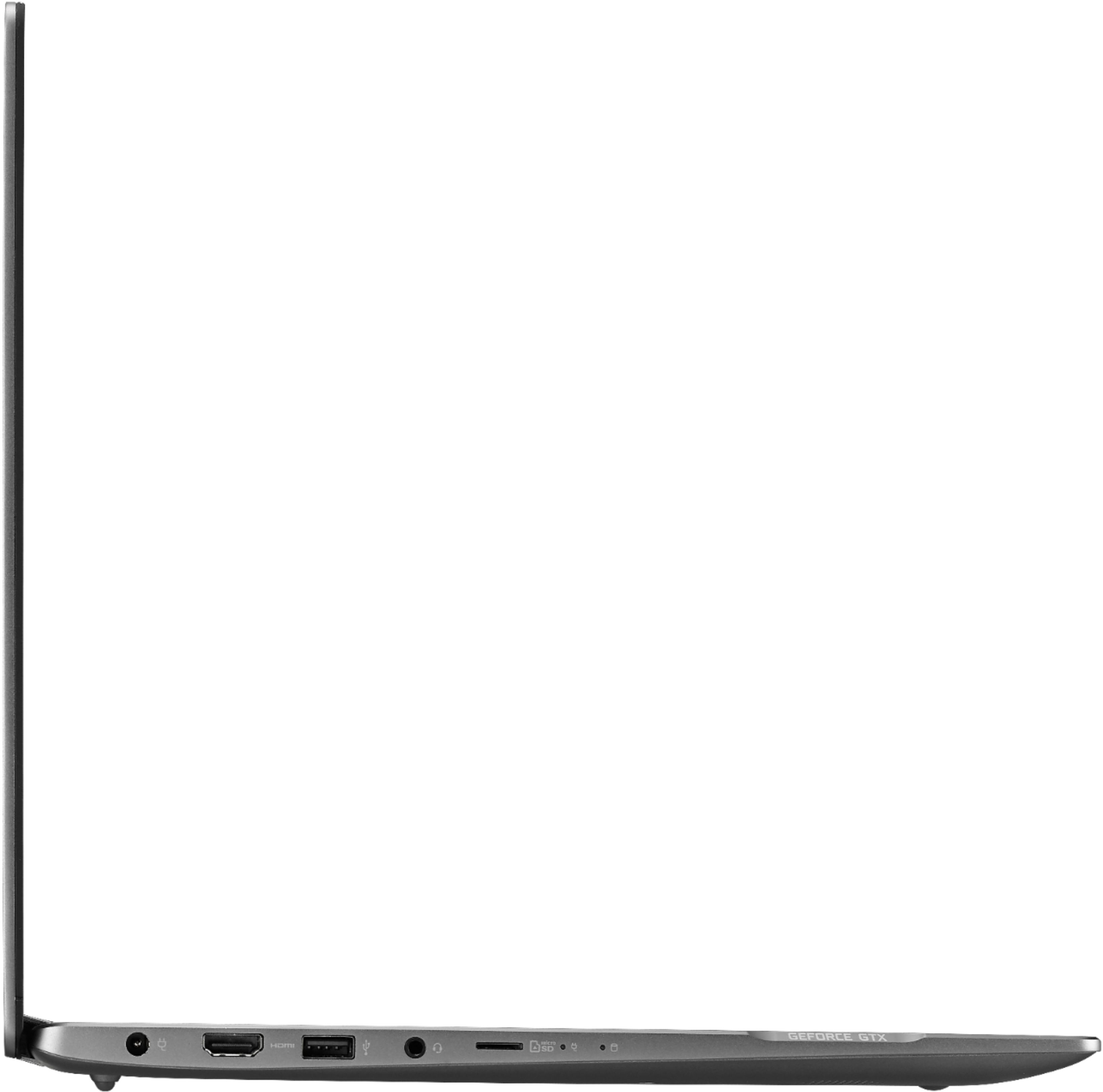
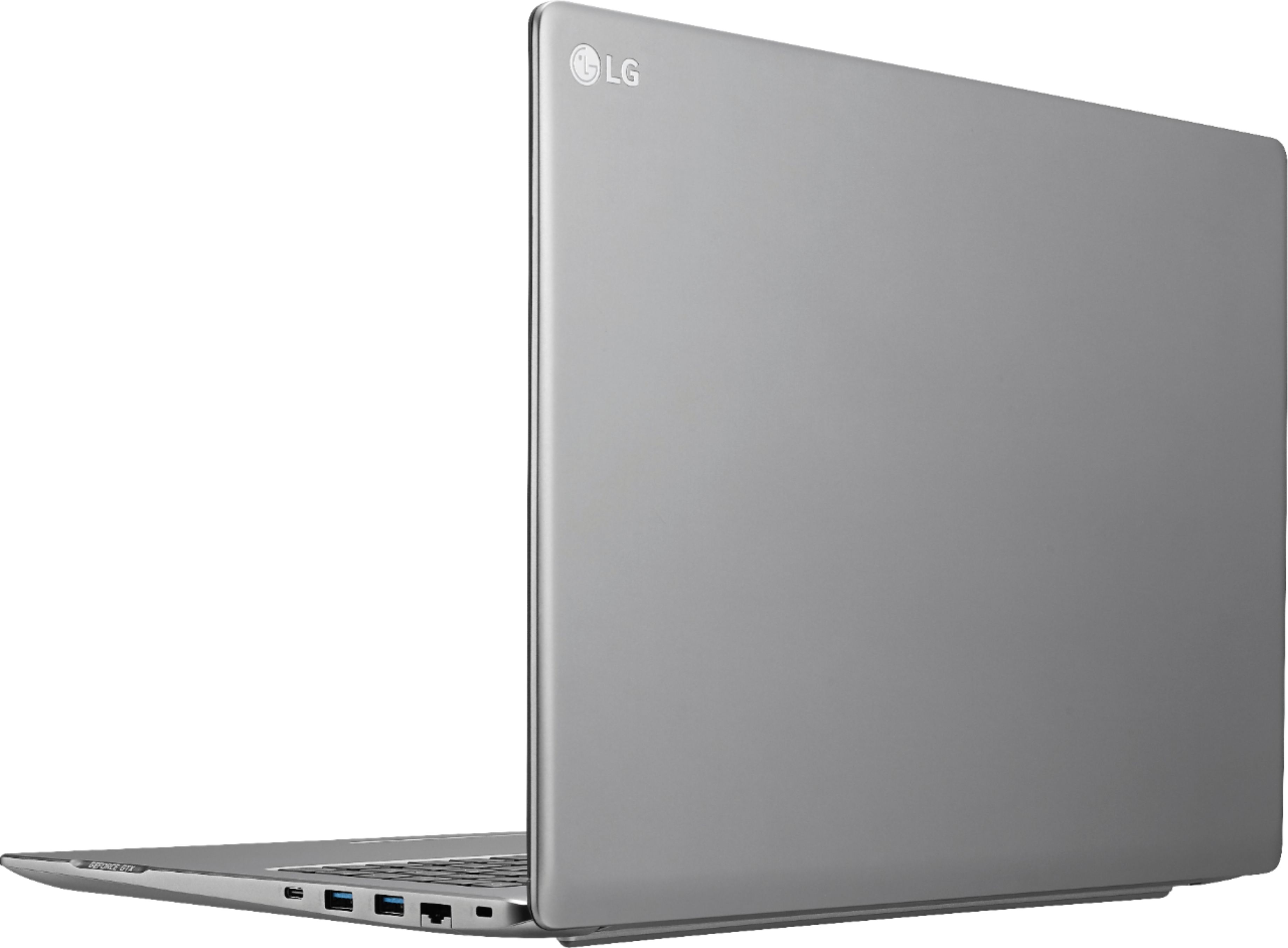
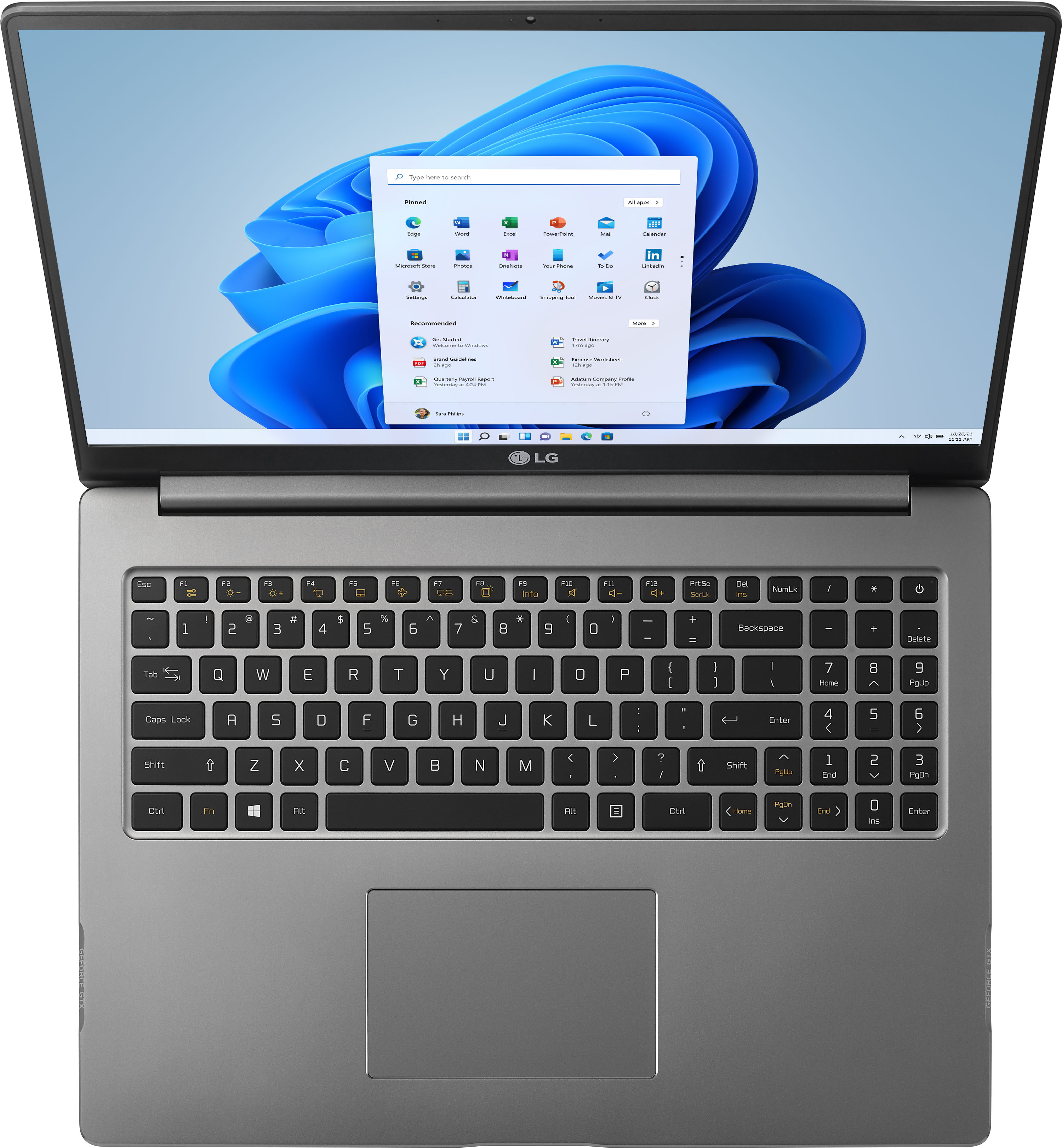
|Posted .This reviewer received promo considerations or sweepstakes entry for writing a review.Weight: At 4.3 lbs, it’s over a pound heavier than LG Gram. It’s still lighter than the average 17” laptop without compromising build quality. Battery Life: From my real world test, which consisted of internet browsing, streaming videos on YouTube, using MS Office, and having my phone connected via Bluetooth for the "Your Phone" app / 40% brightness / Wi-Fi On / Bluetooth On / 75% volume, I got 8.5 hours. It kicked into Battery Saver mode after 7 hours, which means CPU becomes slower and screen is dimmer for the last 1.5 hours. However, I didn't notice any slowdown from the regular tasks I previously mentioned while in Battery Saver mode. While gaming, playing Final Fantasy VII on Steam / 40% brightness / Wi-Fi On / Bluetooth On - using a DualShock 4 controller wirelessly / 75% brightness, I got 4 hours. But note that gaming will vary greatly depending on the game and your settings. While gaming, playing Rez Infite in VR, max settings / Samsung Headset Odyssey+ with its motion controller / and all the other settings the same as my other tests, I got less than 2 hours. Design: Very clean dark silver aluminum with minimal branding. It looks very professional, and to me, attractive. The casing is not a fingerprint magnet. The build feels sturdy and I don’t hear any creaks or feel anything loose while using it. The keyboard’s keys feel nice to type on with no real noise or durability issues. However, the layout may be a bother to some. Unlike most other laptops with numpads and arrow keys, this laptop does NOT isolate them from the QWERTY side of the keyboard. This may make finding the arrow keys tricky and result in typos. The numpad layout is also unconventional. The period (.) button is on the top as opposed to being on the bottom where it’s normally found. If you’re a constant numbers cruncher you may find this extremely annoying, especially if you use more than one computer regularly. The NumLk key is placed normally where the Del key would be above the Backspace key. There is NO biometric security on this laptop for Windows Hello. No fingerprint reader. No facial recognition of any kind. Fan/Cooling: It uses fans and the vents are on the bottom of the laptop. There is a warning sticker on the bottom of the laptop that says to use it on a flat surface. This is to prevent the vents from being blocked. There are feet underneath the laptop that raise it above a flat surface so it gives the vents room to ventilate. The laptop stays cool while on the default Balanced power and surprisingly very quiet! It's actually silent most of the time. At its hardest, the noise is not very obtrusive - sort of like white noise. It never sounds like a vaccuum or jet engine. Camera: An LG HD 720p Webcam, with a max of 30fps. Photo quality is a measly 0.9MP (1280x720). Interesting to note is that while the display is 16:10, the camera only records/takes pictures in 16:9 aspect ratio. Windows’ Camera app does take advantage of that extra height space by having the recording time shown in the empty black space below your video instead of the usual overlay on top of your video for 16:9 displays. While the camera is only 720p and not intended for serious picture taking or video recording, it does an admirable job in producing accurate colors, better than some other laptops I’ve used. However, it performs poorly in low and indoor lighting (75W equivalent lighting is what I used in my test). You’ll see a lot of noise. When used in abundant natural light though, the noise is reduced dramatically and video/picture quality looks decent. Ports/Connections: -Right side of the laptop- * Kensington lock * RJ45 ethernet - to accommodate the slim design, the opening of the port widens from the bottom’s spring-based flap. The cable still holds in place when gently tugged, but if violently pulled, I imagine the bottom flap is going to break off and you’ll lose use of the wired ethernet port since there will be nothing from the bottom to hold it in place. It’s very nice to have it *ON* the laptop instead of needing a dongle and still keep a slim design. * 2 x USB 3.1 Type A (the typical rectangular port) * 1 x USB 3.1 Gen 2 Type C (the elliptical port) – Thunderbolt 3 not supported. Laptop cannot be charged over USB-C -Left side of the laptop- * DC-In power * Full-size HDMI 2.0 port – Outputs up to 4096 x 2160. HDR output not supported. * 1 x USB 2.0 – This is an interesting decision. USB 2 is dramatically slower than USB 3. However, I have come across some older devices (like USB display adapters) that have conflicts when plugged into a USB 3 port. In that respect, it’s appreciated. On the other hand, you don’t have a USB 3 port on the left side of the laptop, which is where the HDMI port is. This makes using a VR headset somewhat annoying. You’d want to keep this port strictly for peripherals like a mouse’s wireless dongle, so you free up the USB 3 ports for thumbdrives and such that actually take advantage of that speed. If you’re using a wired mouse though and you’re right-handed, this may be inconvenient. For a lefty, it’s perfect. * Headphone Out/Microphone In combo jack – tested this with my phone’s included headphones’ inline microphone. Both the headphone audio and microphone input worked. * MicroSD slot – I don’t have any MicroSD cards fast enough to test its limits. I tested a Samsung 64GB PRO Class 10 Micro SDXC with advertised speeds of up to 90MB/s Read, 80MB/s Write. I got 87MB/s Read, 75MB/s Write with the slot. The microSD card ejects from the slot with a spring mechanism. The card sticks out exactly 1mm from the laptop when inserted into the slot. Display: 17.0” diagonal display (no touchscreen) 2560 x 1600 native resolution IPS LED panel – good viewing angles when you need to stand up or share the screen with someone beside you that’s not looking directly in front of the screen. The screen can fold back up to 130° Very bright panel at 100%. Factory default brightness is 40%, which is actually still usable. Graphics/Gaming: It has 2- *Intel UHD Graphics 620 (integrated GPU) *Nvidia Geforce GTX 1650 (discrete GPU) By default, the laptop will auto-select the GPU used. This means the laptop will mainly use the integrated GPU, which is fine, and great for battery life. To use the discrete GPU to its fullest potential though, you’ll need to have the laptop plugged in with the power adaptor. Discrete GPU may get throttled while on battery. It handles 4k video fine, even you use dual display on the Intel GPU. It also handles 3D gaming well. While plugged in to power, using Rise of the Tomb Raider's in-game benchmark tool, I was able to get around 60fps with the High setting / DirectX 12 mode On / 1920 x 1200 resolution. While on battery, using the same benchmark tool and settings, I got 30fps; a similar experience when the same game is played on a standard PS4. What I found most surprising is that it handles VR gaming as well. I used a Samsung Odyssey+ to test VR and it worked perfectly. Connecting it to the laptop is slightly annoying though because the HDMI port and the USB 3 ports are on complete opposite sides of the laptop. The cable allows them to just reach the ports but with little room for give. Remember, the USB port on the HDMI side is a USB 2 port and CANNOT be used for VR headsets. I tested a 4K VR video using GizmoVR, with the power plugged in, and it played flawlessly with no skipping or pauses. I used GizmoVR’s browser to watch YouTube videos in fullscreen VR, and again, no issues. With 4K VR video: GPU utilization: 42% VRAM usage: 2.4/4.0GB GPU temperature: 67°C CPU utilization: 25% RAM: 7.7/15.8GB For VR gaming, unfortunately I only had one to test: Rez Infinite Again to my surprise, I was able to play it perfectly with maxed out graphics settings except the resolution (didn’t feel necessary since they would exceed my headset’s capability). With Rez Infinite playing: GPU utilization: 58% VRAM usage: 1.2/4.0 GB GPU temperature: 78°C CPU utilization: 25% RAM: 7.6/15.8GB Note: This was actually the hottest I’ve actually had the laptop felt. This was because I had the laptop plugged in to power and using high quality settings. The empty strip area above the keyboard was hot to touch. When used on battery, I was still able to use VR. The GPU temperature was 10° cooler while on battery. The laptop never felt hot the way it did while plugged in. Mileage will vary depending on the game but I can safely say it will handle the VR game under the lowest settings easily. Sound: Speaker grills are underneath laptop. Sound is average. They're not toy speakers but they're nothing special. About the same as the average laptop. Work performance: It comes with, as of this writing (7/24/2020), a current generation Intel i5 quad-core processor of the U series, so it's not a budget processor like the Atom, Celeron, or Y series. And it shows. I experienced no slowdown for regular MS Office and Internet browsing tasks using Firefox and 8 extensions enabled, including ad-blocking, which means that extension is working for as long as the browser is open. With 16GB of RAM, I had no issues of slowdown while having over 15 tabs open in Firefox while having other programs like Word, SnagIt 2019, Steam, and File Explorer open and running all at once. Virtualization is enabled by default. I was able to run VMware Workstation 15 Pro and get a virtual machine up and running. Disk performance: The laptop uses a Samsung MZVLB512HBJQ 512GB NVMe interface SSD, using PCIe 3.0 x4. It's VERY fast. Using CrystalDiskMark 8 Beta 3 I got the following results- Read | Write (in MB/s) SEQ1M Q8T1- 3405.42 | 2981.90 SEQ1M Q1T1- 1625.97 | 1759.62 RND4K Q32T1- 489.01 | 427.01 RND4K Q1T1- 48.41 | 154.22
I would recommend this to a friend- Pros mentioned:Battery life, Weight
Stylish
|Posted .This reviewer received promo considerations or sweepstakes entry for writing a review.The LG Gram laptop is the lightest, sleekest, and stylish computer I have ever owned. It is super lightweight and yet very sturdy. The set-up was effortless and quick, just like the start-up and shutdown. The screen graphics are average but good enough for people who like to dabble in photoshop and video editing. The display is a non-touch. The sound quality is average. The battery life, which lasts almost nine hours, is pretty good for a seventeen-inch screen. The trackpad and fingerprint sensor are adequate, and the port selections are convenient. They include the barrel plug, a USB and Micro SD slots. I am still working on the gauging the gaming performance of this LG Gram Notebook. I hope to do that in the coming days.
I would recommend this to a friendBrand response from LGAnswers
Posted .Thank you for taking the time to review our product. LG absolutely cares and we confidently stand behind our products. We are continuously working to improve the quality of our products and anticipate market demands that drive customer satisfaction. Your feedback is especially important to us and your concerns will be shared with our product team. ^Daphane
- Cons mentioned:Lack of driver updates
Beware of Phony Warranty, No update Drivers, and n
Posted .This reviewer received promo considerations or sweepstakes entry for writing a review.After service, driver support and warranty are where the problems are with LG laptops. I learnt all this the hard way. Warranty is void on this computer the moment you open the back cover to upgrade your SSD or RAM. The laptop has expandable slots, but you are forbidden to expand as the warranty becomes void. Technical Support advised me to expand after the warranty expires! Go Figure! Also, if there is a problem with the laptop, you need to send it with the SSD inside to their Michigan repair center, and it will take ten business days for them to ship your laptop back. If you want to remove the SSD (it contains all your information and passwords), before sending a defective laptop, warranty is again void. I learn't all this by speaking with their call center agent What they are doing is illegal in the United States. This is a violation of Magnuson-Moss Warrany Act. Companies can't void a consumer's warranty or deny warranty coverage solely because the consumer uses a part made by someone else or gets someone not authorized by the company to perform service on the product. There should be a way Amazon forces these companies to clearly state the warranty of their products on Amazon's website for their customers benefit. 1. Update drivers are not present on LG Website. 2. Customer wait times are horrible when you call technical support. Email support is non existent. You cannot reply back to the email, technical support will send you. You will be directed to a chatbot, that doesn't even automatically take you to the right division in LG - In this case computers. This Computers division is not even listed on the LG chatbot support website! 3. Computer has a Windows App called LG Update Center, where you can update drivers, software etc for the laptop. The issue is, they don't tell you the release date, release notes, or anything about the update on the App. 4. When I emailed technical support about this issue (was trying to update the BIOS, and I asked the release date of the bios, as it wasn't present in the LG Update Center App), they directed me to go to Phoenix Bios website and download from there directly the latest drivers. Problem is Phoenix bios makes you install spamware and charges your credit card. Do not install the biosagentplus spamware. You will waste another one day cleaning up the LG computer. In short, After service doesn't exist. Warranty is useless. Company is good at making Washing Machines and Dryers and they tried to make Cell-Phones, and failed. Now they are trying to make laptops, and don't have a clue of how to go about software updates, customer support and Warranty issues.
No, I would not recommend this to a friendBrand response from LGAnswers
Posted .We hate to hear you are dissatisfied with your unit's performance.If you'd like to discuss more, please reach out to our Customer Support Team on Twitter via @LGUSSupport or on Facebook at https://www.facebook.com/LGUSA/. To speak with an agent via phone, you can call 800.243.0000 We apologize for any inconvenience this caused. ^Venette
Better than the Gram 17
Posted .This reviewer received promo considerations or sweepstakes entry for writing a review.This machine is often confused with the Gram 17 series. #This machine is made of aluminium and hence sturdy, heavier and stronger while the Gram is made of a Magnesium alloy. #These have a built in graphic card and good for gaming and heavy processing while Gram have no discrete graphics. #Both have same 72whr good battery life & awesome retina display. #The gram have Thunderbolt feature along with Finger print reader while the UltraPC 17U70N does not. #The keyboard & trackpad & internal speakers are design flaws in both the models.They will not make you happy but you can live with them. #The 17U70N has an ethernet port and 2 physical DDR4 slots which can upgrade upto 64gb, while the gram has 8GB built in Ram and a single slot of DDR4 ram available to upgrade. #Both machines have 2 NVME SSD slots & the Wifi card cannot be upgraded.The 17U70N has 802.11ax/Wifi6+BT5.0 while the 2018 17z990 has 802.11ac/WiFi5+BT4.0. #The gram series is expensive and good only for light media consumption and office work.The 17U70N has 2 fans and built in DDR5 graphics card. I have used both the 17z990 & the 17u70n machines and i like the LG Ultra PC.
I would recommend this to a friend- Pros mentioned:Fast
Nice gaming laptop
|Posted .This reviewer received promo considerations or sweepstakes entry for writing a review.I got this laptop for pc gaming and it hasn't disappointed me yet. The graphics card is great, and there is no compromise on speed or download. It's also a great computer to do all of your everyday tasks on. I have no complaints so far!
I would recommend this to a friend

















