Customer Ratings & Reviews
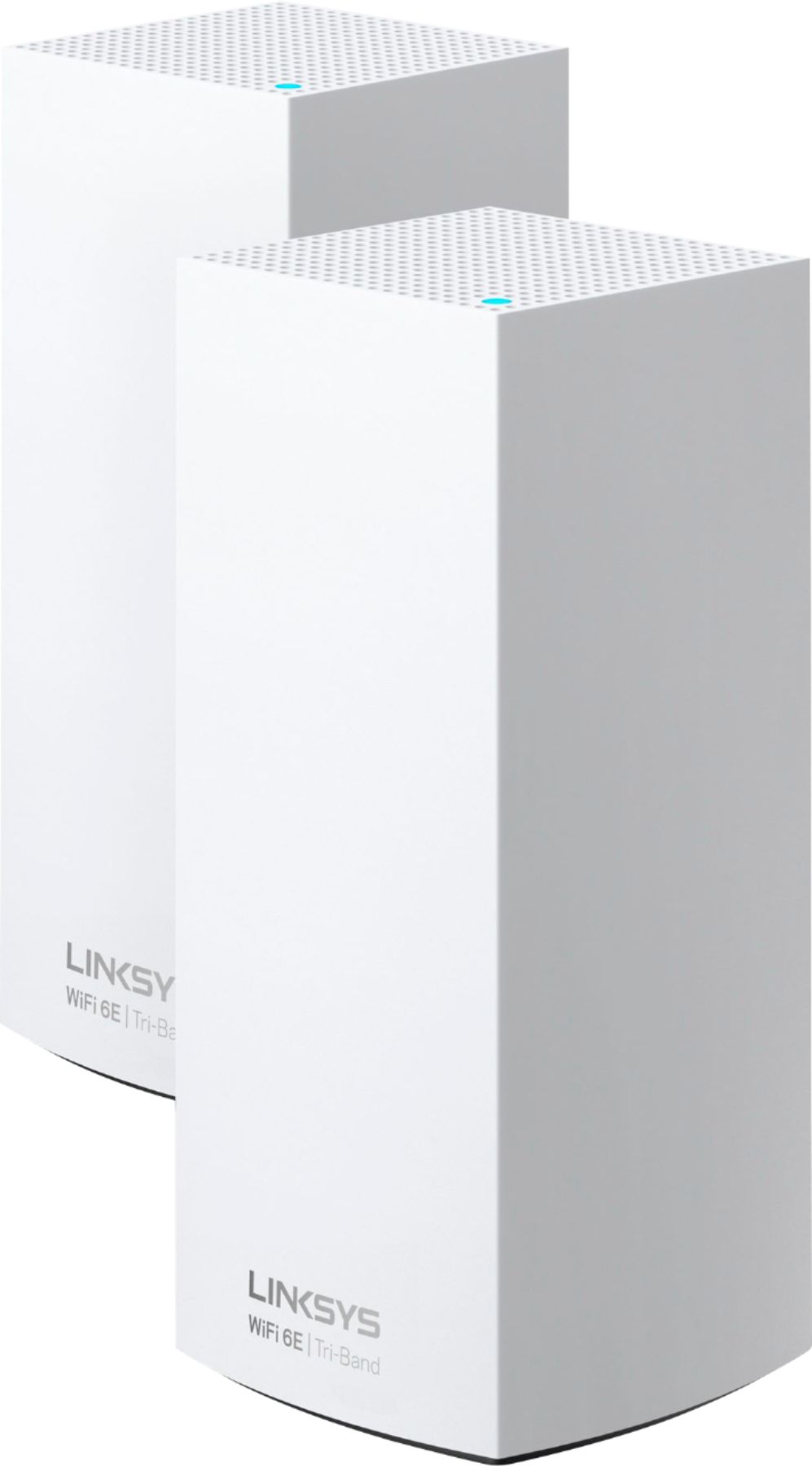
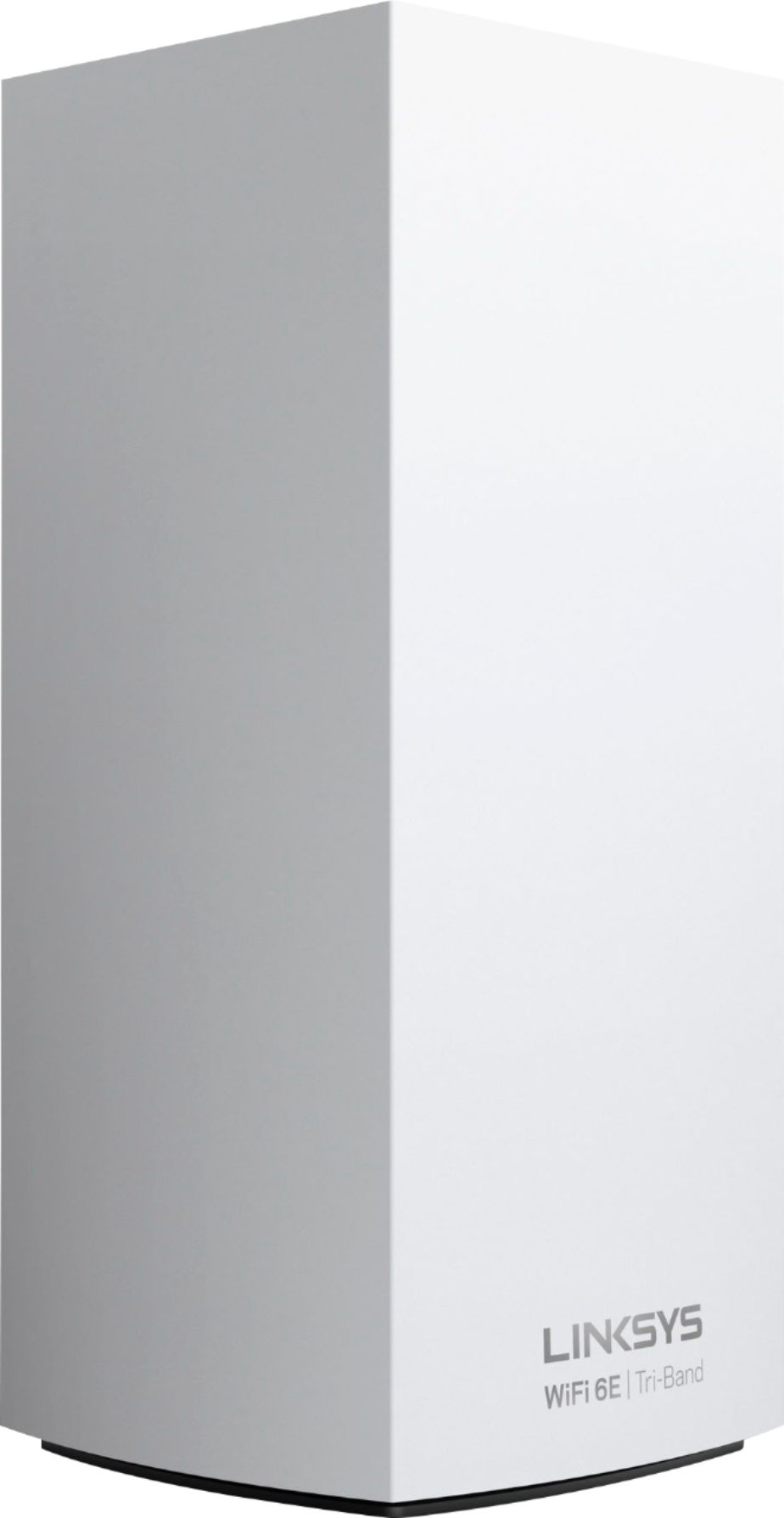





- Model:
- MX8502
- SKU:
- 6464509
Rating by feature
- Setup
Rating 4.3 out of 5 stars
- Range
Rating 4.2 out of 5 stars
- Signal Strength
Rating 4.2 out of 5 stars
Customers are saying
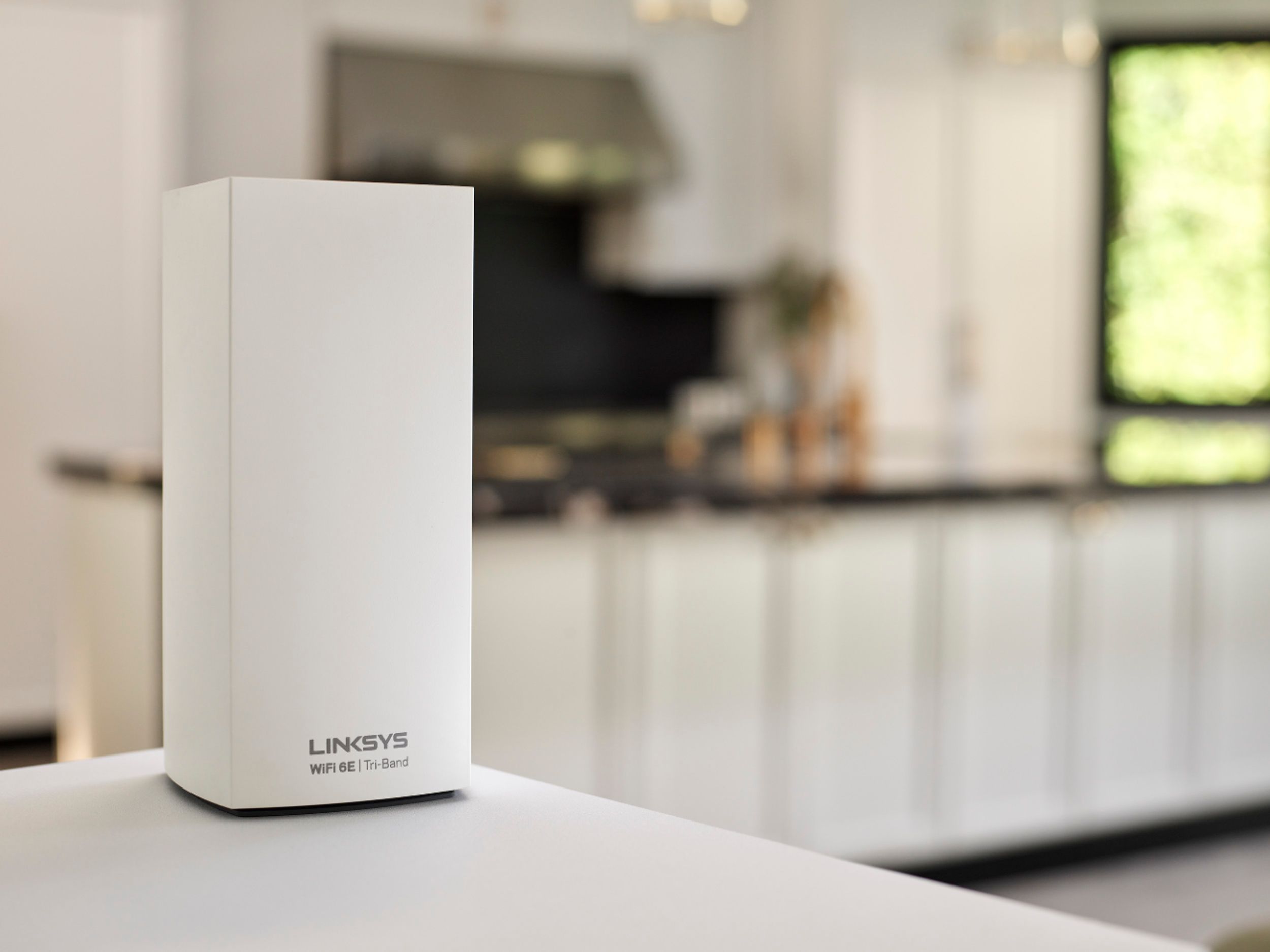
Customers regard the Atlas Max AXE8400 Tri-Band Mesh Wi-Fi 6E System as easy to use and set up, with many praising its performance and extended range. Positive feedback frequently highlights strong signal strength and excellent coverage throughout their homes. However, some customers find the price to be high and have reported occasional connectivity issues with certain nodes.
This summary was generated by AI based on customer reviews.
- Pros mentioned:Speed
Enhanced traffic support for an automated home.
||Posted . Owned for 1 month when reviewed.This reviewer received promo considerations or sweepstakes entry for writing a review.Simple setup and placement of each node on the property. Purchased this system to go for a mesh Apple Network to Wi-Fi 6E to compliment my fiber to house internet provider. Better security, IOT speed as well as up and down connection speeds.
I would recommend this to a friend - Cons mentioned:Price
BUY ANOTHER BRAND!
||Posted . Owned for 2 months when reviewed.This reviewer received promo considerations or sweepstakes entry for writing a review.Complete junk! New and advanced system and my 6 year old Linksys velop system out performs this! What a complete waste of 900 plus dollars! Do not buy! Save your money and buy something else! JUNK JUNK JUNK!!! One star is even too much…
No, I would not recommend this to a friendBrand response from Linksys Staff
Posted .Hi, James,
Allow us to help, so we can check the router and see what we can do to improve its performance. Just email us at [email protected] along with the helpful details, your contact information, and a link to this review.
We hope to hear from you soon.
Regards,
Rosalyn
Linksys Support
Good but price is to much for what you get..
||Posted . Owned for 1 week when reviewed.This reviewer received promo considerations or sweepstakes entry for writing a review.Pretty good.. but don't think it's worth the price it is.. I'm coming from a nighthawk r8500 which was good in it's day but needed something that could handle the speeds from my Frontier FiOS FiberOptic gig plan.. 940down/880up. And cover my house which is 2 story 3800sq ft. The reason I only gave 3 stars is because signal speeds drop significantly from main node to 2nd and third nodes.. I had to rearrange where main node is to receive the highest speeds on the areas I mainly want the fastest speeds.. but to compare the main node gets 708down/228up and 2nd node gets 110down/54up and 3rd node gets 75down/25up.. now not bad.. but if I'm connected to main node with my Samsung s21 ultra and walk to the second or third node before it switches over to those nodes in those areas and do a speed test I get faster speeds from main node.. so I think Linksys needs to improve speeds on these mesh WiFi system from node to nodes.. I'm sure it's a software improvement they can do to fix this issue.. but for the price you pay .. it should be consistent speeds from node to node..
I would recommend this to a friendBrand response from Linksys Staff
Posted .Hi DonJavi,
Thank you for sharing your feedback.
The internet speed can be affected by interference. If the nodes are too far or have too many obstructions between them, then you may experience a slower connection. To isolate this, we suggest that you try to bring them closer and check if the speed improves.
Should you need further assistance, feel free to email us at [email protected]. Please include the link to this post as a reference.
We hope to hear from you soon.
Regards,
Thaddeus
Linksys Support
- Pros mentioned:Performance, Range, Setup

WOW!, what a difference, that’s what I call speed!
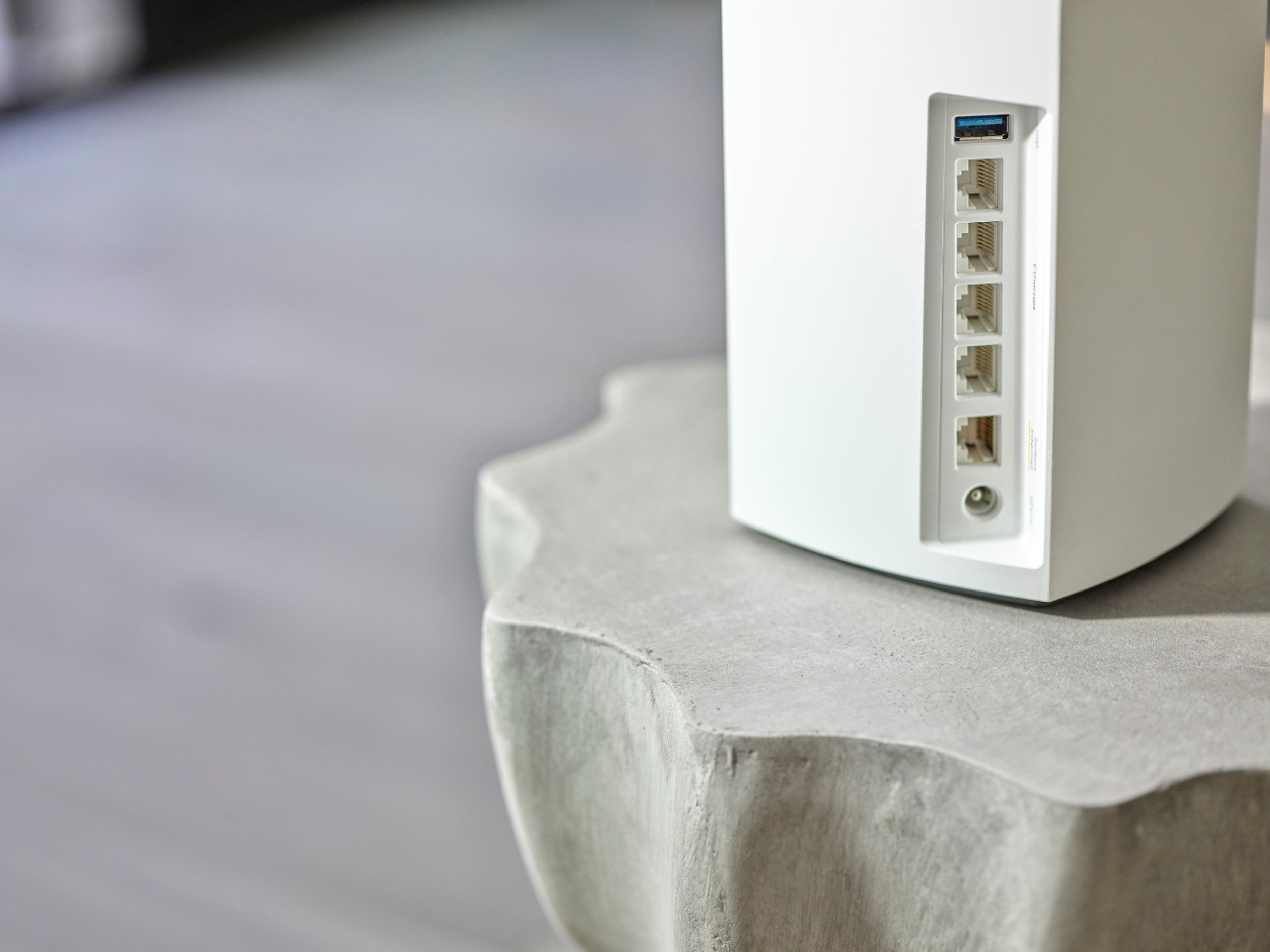
|Posted .This reviewer received promo considerations or sweepstakes entry for writing a review.I don’t pay for the fastest internet service, so I was really curious about how much performance my wifi network will get with this Linksys wifi router. With my old router, a 2 unit set, main router and a satellite, I was getting a decent performance, however with 2 or more people were watching Netflix or making zoom meetings, then the performance decreased noticeably and even the satellite restarted from time to time. But with this unit, WOW!, the difference on the performance is way better, I cannot see so far any lag with the connection on the streaming devices, and I have counted 30 devices connected to the routers using the Linksys app. I have had people connected to Zoom meetings while at the same time other are surfing internet and others are watching Netflix, so what I have conclude is that the throughput within the nodes is excellent. From the main routers to the satellite nodes, the whole backhaul communication is well designed, I dont see any performance degradation connectivity on any of the connected devices. Setup is easy. I used an iphone and I strongly recommend to install the app Linksys and perform the setup from the app. Once it is installed, create an account, then setup a new product, it is going to use Bluetooth connectivity in order to start the setup, you have to enable Bluetooth on your phone. You can start with any of the 3, but just one, (the other 2 you will add them later) connect your router to the Ethernet connection provided by you modem. The light on top of the router will be solid purple when is ready to start the setup, blinking purple while the setup is in progress, and solid blue when the node is online and everything is working, the same for the satellite nodes. When there is no internet or there is something wrong with the Modem, the light will turn red. On the app you just follow the instructions step by step. After the device is found, it will ask you for the local device admin pw, then your SSID and pw for your Wifi network. With all that done you will have your Wifi network ready. Now, the next is what I consider the beauty of this 3 units system, you can setup each one individually, either as a Satellite or main routers, or if you want to setup the 3 system as a whole, the app allows you to configure different SSIDs for each radio transmitter. In my case I have configured everything with the default options. So basically the statements included in the manual were true: The setup will not take longer than 15 or 20 minutes, (if you add the other 2 nodes will take a little longer the whole setup process but nothing crazy) and for sure you will immediately notice a performance increase and stability in your streaming devices. So, adding the other 2 routers as satellites was very simple. In the app, look for setup device, and then click in “add another node” to the system, just follow the instructions, and will not take longer that 8 minutes to finish the inclusion of each node. When I setup each node, I did it close to the main node, and after they were linked, I moved them to the location I want them to cover the Wifi signal. In my case I have the main node upstairs, in the loft, the 2nd node downstairs in the dining room and the 3rd node in the living room. What I have noticed, and this information I have got from the app, which is a great tool, is that each “satellite” will connect to the unit that has the strongest signal, it is a very clever system. Besides the 2.5 and 5Ghz, this unit supports 6ghz spectrum, which is prepared for the future devices that will start using it. Another cool thing is that each unit has 1 USB 3.0 port for direct storage access on the network, the Ethernet main port for the Internet connectivity, and 4 Ethernet ports, this is a very good improvement over other systems, because one of the satellites that I located in the living room is the one were I physically connected the TV, game console, soundbar and Roku, even if the 4 devices supports Wifi connectivity I feel more reliable to have them physically connected through Ethernet cable to the satellite. The app is another great tool, easy to use and navigate, you can see all your connected devices, which frequency spectrum they are using, you can restart the Velop system in case you need to, and another nice feature the app has is the ability to allow the nodes to perform channel finder on the fly, which will find less congested Wifi channels, this option is under Wifi settings/advance. This is a very useful tool that will allow the Linksys to improve your network, without restarting the whole system, as it happen with other brands. You will feel extremely satisfied with the overall performance of the system and you will notice immediately how stable the internet access is on your connected devices. Not to mention the fact that with the Linksys app you have full control of your entire wifi network (parental control,guest access,firmware upgrades,etc). I highly recommend this WIFI Router set.
I would recommend this to a friend Worth the Money and More!!!
||Posted .This reviewer received promo considerations or sweepstakes entry for writing a review.I don't have any CONS , All Plus+. I have had 1 GIG service for 1 year and rarely got over 200MBPS. I now get my full GIG, and rare do I see the test speed go under 600 MPBS via wifi. I am getting at least 700+ Via WIFI and 900+ on wired/hardlined. Set up was easy once I plugged in the first Router, the other two synced up quickly. It took a little longer than normal for me as I did not own a mesh system previously. I had to think about location, decide how I wanted to run my wired systems. I will say the biggest plus was the 4 extra plug-ins. My house was Prewired with CAT6 for every room and not only do a have a monster Home Wifi system I now have every room hardwired as well.
I would recommend this to a friend- Pros mentioned:Speed
Best Router Ever
||Posted . Owned for less than 1 week when reviewed.This reviewer received promo considerations or sweepstakes entry for writing a review.I’m glad I made the upgrade. This is much better than the router I was using previously. There was a significant increase in speed once it was up and running.
I would recommend this to a friend - Pros mentioned:Ease of use
Easy
||Posted . Owned for 3 weeks when reviewed.This reviewer received promo considerations or sweepstakes entry for writing a review.It was the easiest setup.of a router I've ever done. Downloaded app to phone, followed directions in the app and it worked. I have a very good signal everywhere in and outside my home.
I would recommend this to a friend Great but expensive
||Posted . Owned for 2 months when reviewed.This reviewer received promo considerations or sweepstakes entry for writing a review.I have 1 Gb service. Ethernet and WiFi give me 600-700Mb download using a 2.5Gb modem. Coverage stated by manufacturer would only be tree in a giant bubble. Single story house. 2700 sq ft. I have 7 mech router boxes to get coverage with “no blind spots”.
I would recommend this to a friend- Pros mentioned:Performance
I recommend the system for the future and for now
||Posted . Owned for 1 month when reviewed.This reviewer received promo considerations or sweepstakes entry for writing a review.I had the Orbi system For six months and it kept disconnecting since I have purchased the Lynksys atlas tri-band I’ve had not a problem I recommend the system for the future and for now
I would recommend this to a friend - Pros mentioned:Speed
Great performance with a steep price tag(worth it)
||Posted . Owned for 1 month when reviewed.This reviewer received promo considerations or sweepstakes entry for writing a review.It took a little bit to get it setup, but once it was up and running it has been fast and reliable. I have the three units using a wired back haul and would strongly recommend that if possible.
I would recommend this to a friend Great total solution for WiFi
||Posted . Owned for 1 month when reviewed.This reviewer received promo considerations or sweepstakes entry for writing a review.The online documentation leaves out a couple critical details for set up. However, the online support from Linksys/Belkin is superb. I contacted then on thanksgiving and had someone assisting in less than a minute. Buying this model comes with a dedicated support group. The only negative is that to use all 3 in a wired configuration, they have to be connected in series or "daisy chain". Not many homes have 2 Ethernet cables ran to each wall jack, which limits the type of network you can configure. Still works good w/ the 3rd node over wireless. My speed test doubled for up and down after replacing an old WRT1900. Would love to see these have wall mount options.
I would recommend this to a friendAbout Time for 100+ Devices over WiFi
||Posted . Owned for 1 month when reviewed.This reviewer received promo considerations or sweepstakes entry for writing a review.If you are having issues with IP Addressing 40+ devices on your network this is a definite improvement.. I have approximately 76 wifi devices and we had drop outs all the time. Although this is a pricy option i decided to give it a shot (Worse case you can just refund it). Honestly this addressed the issue i had. Everything connects NO ISSUES and better connectivity to all my devices. I was glad to see my last Mesh A6600 were not trash as they too can be a node for the Med 6E (obviously not the same speeds but they do work)
I would recommend this to a friend- Pros mentioned:Setup
great mesh WiFi system
||Posted . Owned for 1 month when reviewed.This reviewer received promo considerations or sweepstakes entry for writing a review.Great mesh WiFi system. Easy to setup. Had issue with iPhone dropping, called Linksys and tech helped adjust settings so this is no longer an issue.
I would recommend this to a friend - Pros mentioned:Ease of use
Best router so far
||Posted . Owned for 4 months when reviewed.This reviewer received promo considerations or sweepstakes entry for writing a review.Coverage is amazing and you can turn any satellite into a wired AP just by plugging in an Ethernet cable; system automatically configured itself.
I would recommend this to a friend The Future
||Posted . Owned for 3 weeks when reviewed.This reviewer received promo considerations or sweepstakes entry for writing a review.Works seamlessly with my older Velop nodes and increasing my internet speeds significantly. Can’t wait for more electronics to support wifi 6E to take full advantage!
I would recommend this to a friend- Pros mentioned:Speed
Great but lacking key features
||Posted . Owned for 1 week when reviewed.This reviewer received promo considerations or sweepstakes entry for writing a review.Extremely easy to configure and it works well. I am getting great speeds, but the system is lacking features that many other models off. One key one is the ability to back up the configuration.
I would recommend this to a friend - Pros mentioned:Ease of use
Great Mesh WiFi System!
||Posted . Owned for 1 month when reviewed.This reviewer received promo considerations or sweepstakes entry for writing a review.Just set up a few days ago, as this was a Christmas Gift. So far so good. Easy to set up on your phone. All 3 connected forming the Mesh Network.
I would recommend this to a friend So far, so good (first)
||Posted . Owned for less than 1 week when reviewed.This reviewer received promo considerations or sweepstakes entry for writing a review.Replacing a AX4200 Wifi 6 Velop set up that I purchased back in November. I did tests before and after and the Atlas Max is significantly more powerful than the unit I am replacing. Its super expensive so I am glad! I can use my old AX4200 routers as child notes to improve my Wifi conditions overall. The set up is great, but needs a bit of patience.
I would recommend this to a friend- Cons mentioned:Connection
Excited and then disappointed!
||Posted . Owned for less than 1 week when reviewed.This reviewer received promo considerations or sweepstakes entry for writing a review.No improvement in speed over Arris Surfboard Max Pro. I moved away from a Wifi 5 Velop mesh network due to intermittent connection drops at nodes and sometimes with node that is the main router after one of their updates. I would have thought fixed in the new AXE8400 system. it is not. Several intermittent disconnects at nodes or routers during the day, then they come right back up. There is no rhyme or reason with the disconnects as it just happens. Linksys touts that this will work with older Velop systems. Well, it will but only if you dumb down to level of the old nodes.
No, I would not recommend this to a friendBrand response from Linksys Staff
Posted .Hi BoeingGeo,
We certainly understand you wanting our Velop devices to work as expected, especially the new Linksys Atlas Max6E (MX8503). Allow us to go over your setup so we have this further examined. Please reach out to us through email at [email protected] along with the link to this post and your contact details. Our Escalation Engineers will take it from there.
Regards,
Lance
Linksys Support
Should have heeded reviews and waites to purchase
||Posted . Owned for 1 week when reviewed.This reviewer received promo considerations or sweepstakes entry for writing a review.We recently upgraded our existing linksys system to the latest release. At this point i would recommend you hold off for a bit until they improve the connectivity and range. After the initial install we had steady and strong internet for the first few days. Now, for the past week we lose connectivity twenty tines a day as the node transitions to blinking red for a couple minutes before returning to blue. We have a small home (1,800 sqft) and the nodes are within 15 feet of each other (literally a room apart) and we cannot maintain connection. I have rebooted the system more times than i can count. I have moved nodes multiple times, even testing them by placing them on the floor in line of sight. Still we constantly lose connectivity. We did not have these issues with our last system. Because we invested so much we have gone too far to turn back now, we just spent another 500.00 for an additional node hoping that will help. My wife works primarily from home and these constant interruptions have disrupted her work as well as our everyday use. Plus the constant stoppage and ring of death 5-10 times during a movie is soooo frustrating. I know, first world problems. So frustrating!
No, I would not recommend this to a friendBrand response from Linksys Staff
Posted .Hi, Eric,
It's odd that the Velop System is giving you such challenges when it comes to connection stability after the initial set up and firmware update. We can try a reset and reconfigure to see if it can stabilize the performance. Let us know how it goes by sending an email at [email protected] with your contact details and the link to this review for our reference. Our Escalation Engineers would like to lend a hand forward.
Regards,
Carl
Linksys Support