The vast majority of our reviews come from verified purchases. Reviews from customers may include My Best Buy members, employees, and Tech Insider Network members (as tagged). Select reviewers may receive discounted products, promotional considerations or entries into drawings for honest, helpful reviews.
Page 6 Showing 101-120 of 919 reviews
Rated 5 out of 5 stars
Great mouse with a ton of advanced features.
|
Posted .
This reviewer received promo considerations or sweepstakes entry for writing a review.
This is a great mouse for gaming or even just for working. It suits all my needs and has some awesome functions that my other basic mouse didn’t have.
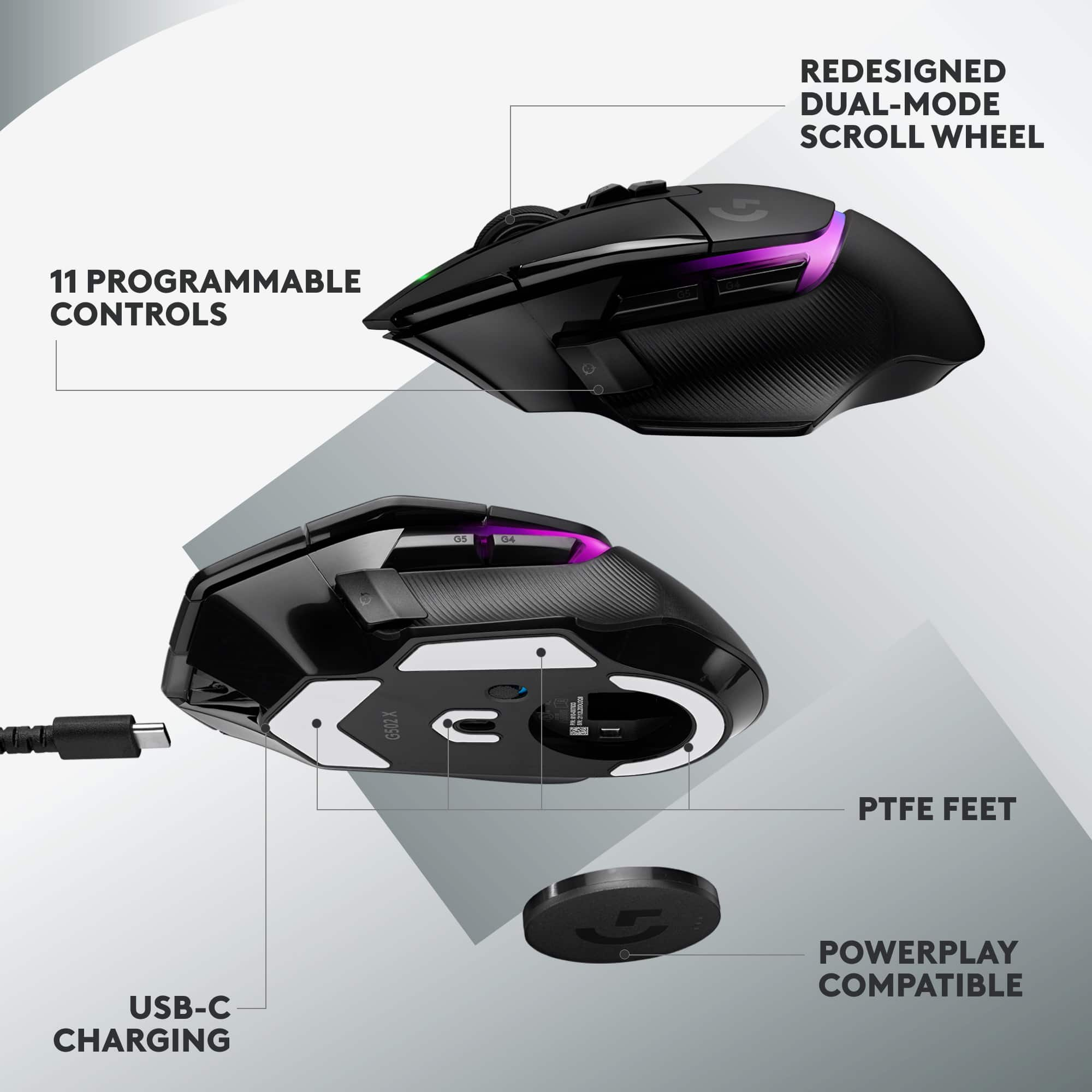
The mouse connects via a USB A dongle and does not have BlueTooth. Windows and Mac will let it function like a normal mouse once you plug it in, but you need to download the Logitech G Hub for the more advanced features. Installing the software was easy and I didn’t have any problems with the install. Charging the mouse is done with a USB A to USB C cable.
The G Hub software does make it easy to set your functions. The Hub allows you to create different profiles so that you can assign them easily with the G Hub app. One awesome feature is the ability to switch it to on board mode which stores your settings on the device instead of having to connect with the G Hub to change anything. I currently have this off, but nice to know this feature is here.
Settings with the software include changing your DPI settings where you can adjust the DPI and even remove the settings that you don’t want. By default, the profile that comes with the mouse has 800, 1200, 1600, 2400, and 3200 DPI. You can only set a maximum of 5 speeds total on the mouse.
Assigments allows you to customize the mouse with Windows/Mac commands, Keys, Actions for Discord, Overworld, and OBS, Macros, and System settings for launching applications. I admittedly didn’t use too many of these advanced features, mainly just the OS commands. If you had these options on another gaming mouse, you should be able to use them here.
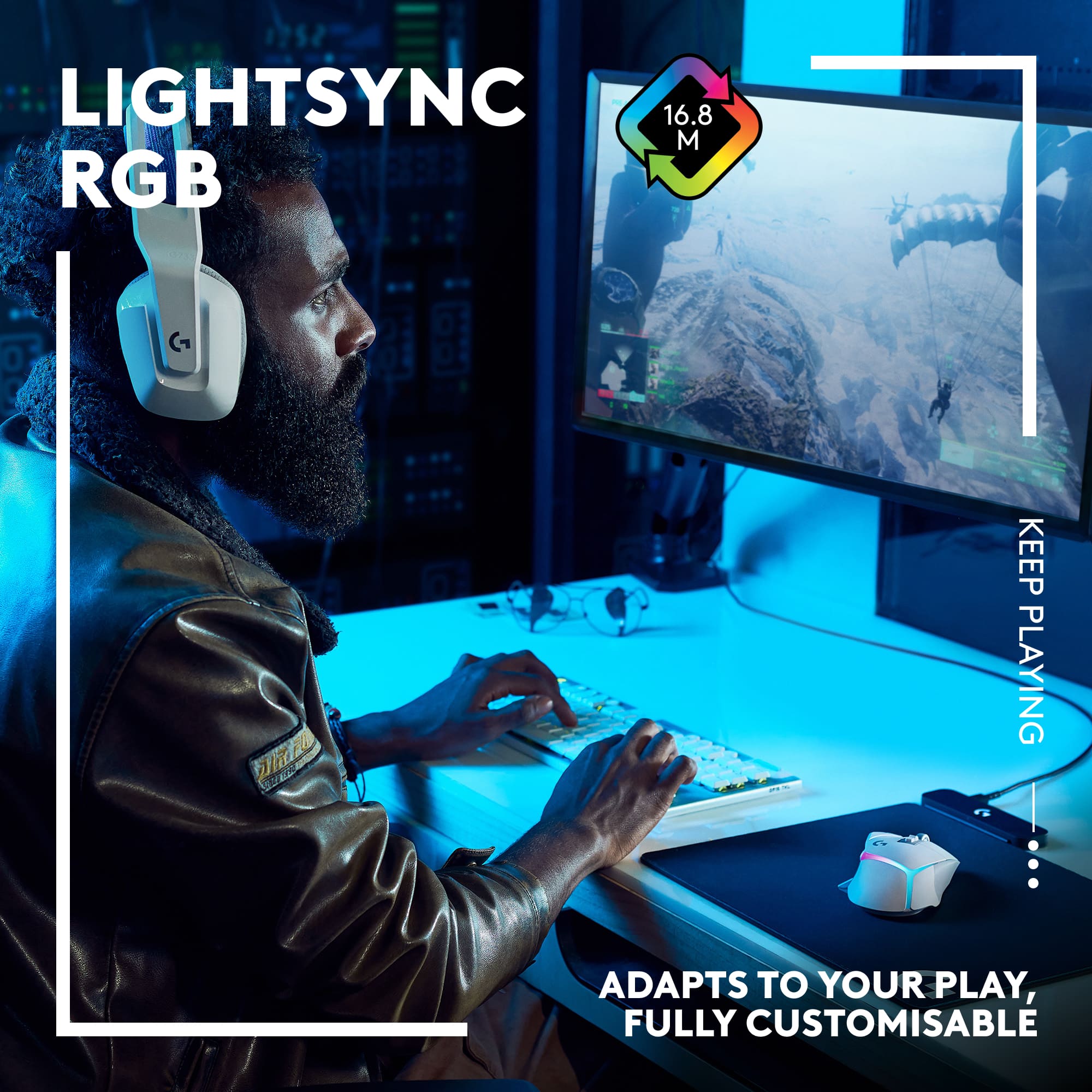
You can change the Lightsync LED to specific colors, animations, brightness, and this will also display your battery life once you change these settings. Even with adjusting the brightness down to a much lower setting the LEDs are still bright enough. There are a few animations like Breathing, Pulsar Point, Ocean Wave, Color Wave, and even a fixed color setting if you don’t want anything highly animated. Obviously these settings will affect the battery life, so for you this will vary.
Settings in the G Hub include power consumption and how long it will take for the mouse to full charge. Here you can also check for firmware updates along with an inactivity light setting when the mouse is idle.
The scroll wheel took a little getting used to for me because it is much faster compared to my other mouse. You can click a button to give it a mechanical scroll which I prefer not to use, but have for certain situations where I wanted to be mindful of my scrolling.
Overall, I am very happy with this mouse. The clicks of the mouse button don’t sound like you’re clicking on a toy and is overall quieter than my other regular mouse. It’s not too loud and not too quiet. I’ve had this mouse for about 5 days and still have plenty of battery power left. You can still use the mouse when it’s charging as well, which is another plus in my opinion.
This reviewer received promo considerations or sweepstakes entry for writing a review.
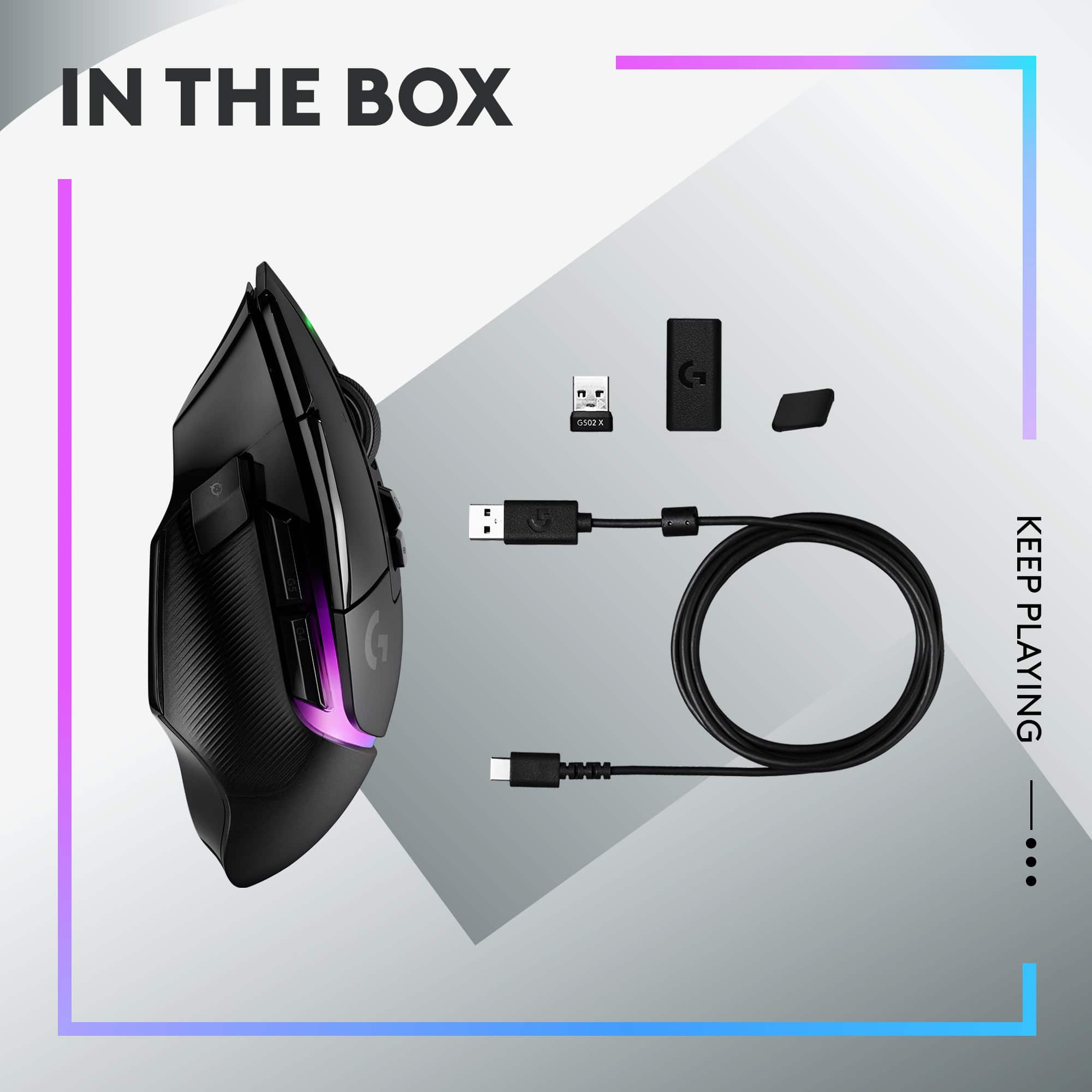
Just unboxed the Logitech G502 x plus Lightspeed wireless gaming mouse. It comes with the mouse, wireless dongle/receiver, USB/A to USB/C charging cable, user’s guide, and a USB/A female to USB/C female coupler/adapter. Oh, and a sticker and a ‘cool’ shift button cover.
First off, this thing fits my hand beautifully. I always seem to press the thumb button, and this has a replaceable magnetic cover that eliminates that button. It works great for me. When I first connected it wirelessly to my PC, I was a bit bummed by the scroll wheel. It’s called Hyperfast scroll and is smooth and zoomed down a webpage. I prefer a slower drop and a click. Well, this mouse has a button on top that does just that. You can choose between the two actions and use what works best based on the task at hand. Nice!
If you’re like me, you probably already have the G Hub installed, if not surf over to the manufacturer’s website and download the app. Through the app, you have 5 onboard memory slots, different wave effects, battery level indicator and battery life. At max charge, the app states approximately 39 hours. The app also keeps the mouse up to date with firmware revisions. Currently, mine is on breathing effect w/ an ocean wave. I’ll post a pic or two.
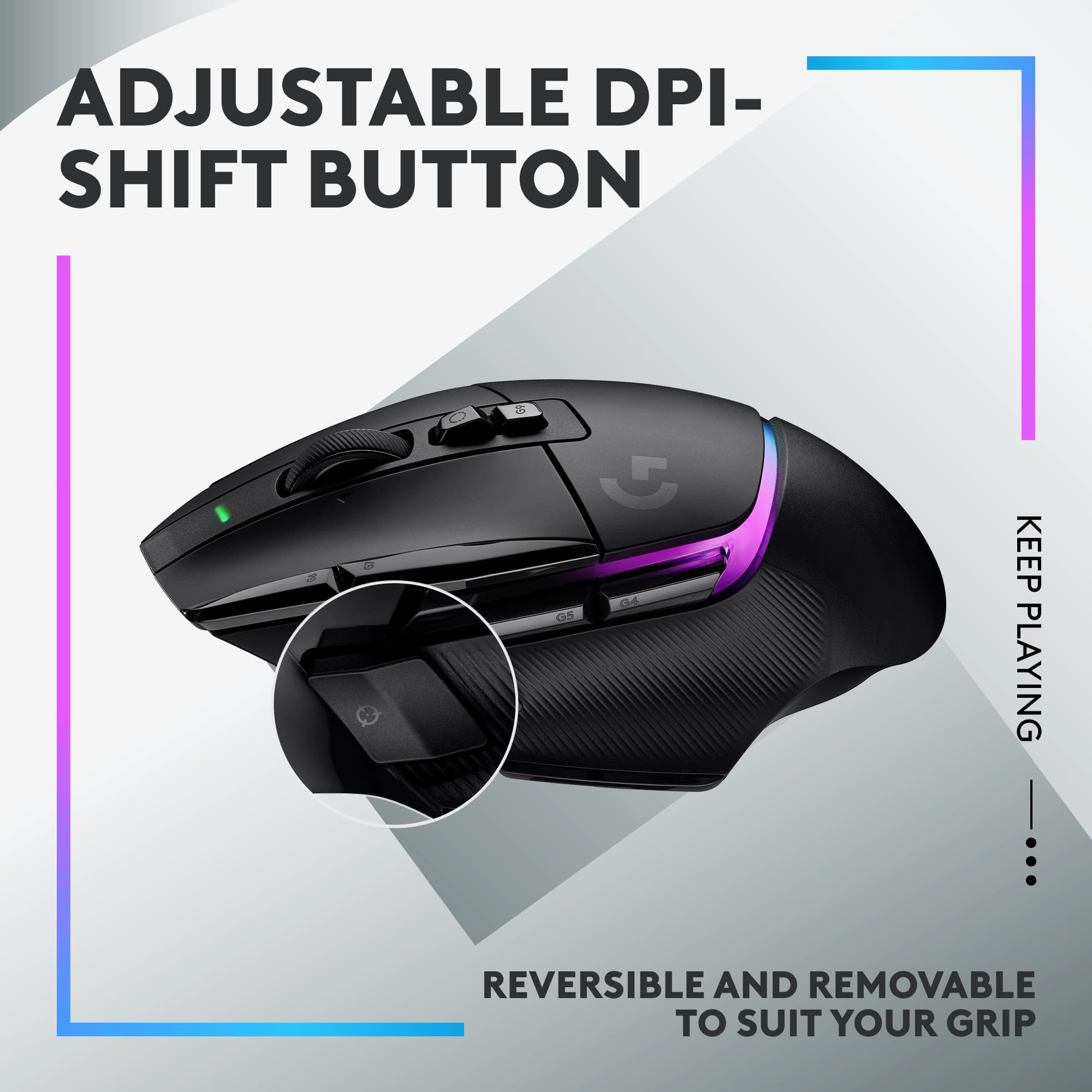
The Lightspeed wireless and Hero 25k sensors make this mouse track beautifully. For an old dude like me, I have the active DPI Speed at 1600. You have the option to set it at 800, 1200, 1600, 2400, and 3200. There is a DPI Shift button that will allow temporary alterations or/and it can be used to shift assignments to one or all the keys on the mouse as long as you hold the button down.
So overall, this mouse is very comfortable for me to use. I have average to large hands, and I have zero issues with the size. I love the left thumb delete cap and I can always replace it with the button if I choose to make it operable again. The box states there are 13 programmable controls. I’m not sure exactly how, but if it states it, I’m sure it’s possible. This mouse is probably a bit more than I need for the type of games I play, but like I stated, I’m very happy with it and how well it scrolls across dual screens. I’d have no problem recommending this to anyone looking for a great wireless gaming mouse.
This reviewer received promo considerations or sweepstakes entry for writing a review.
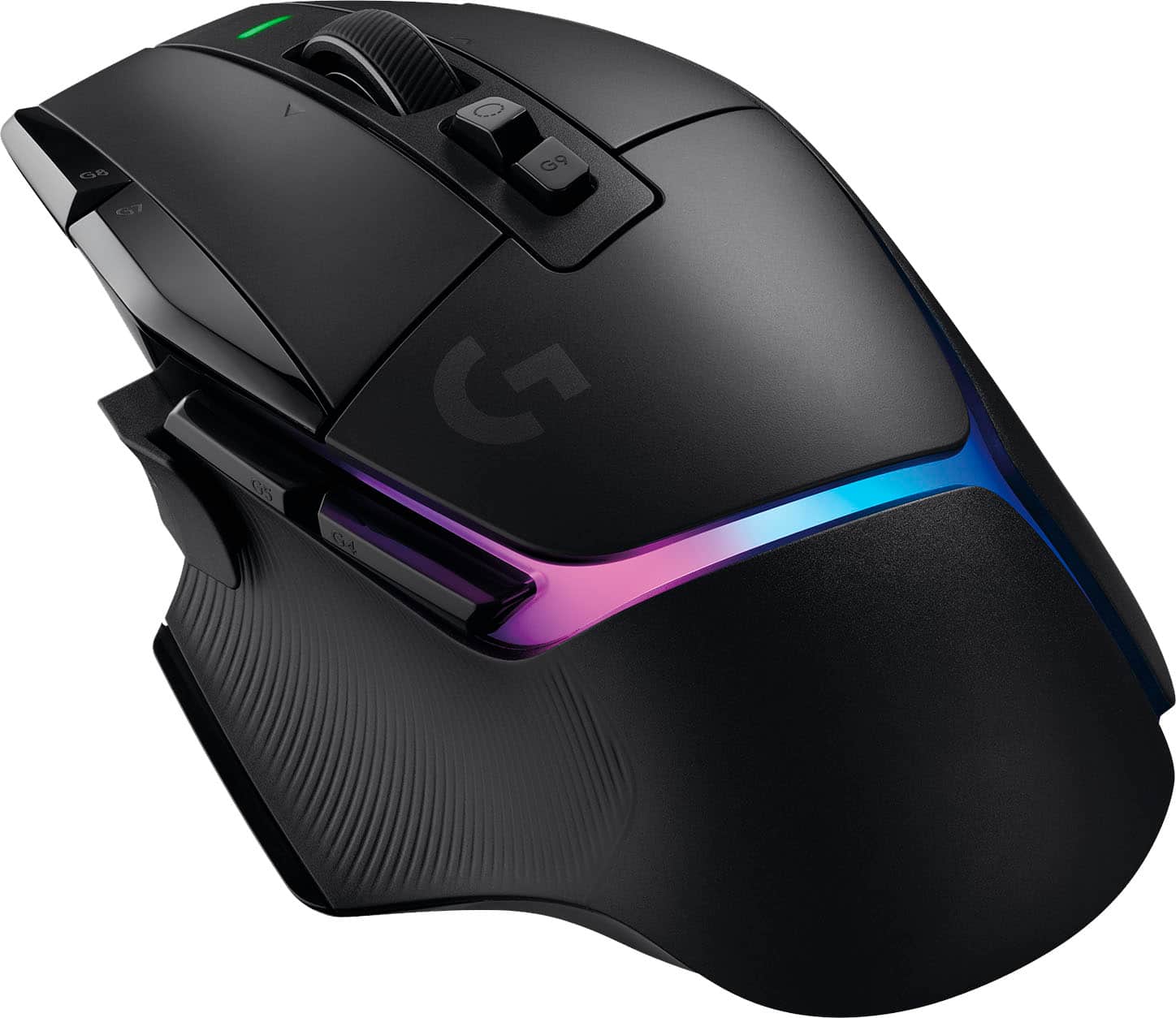
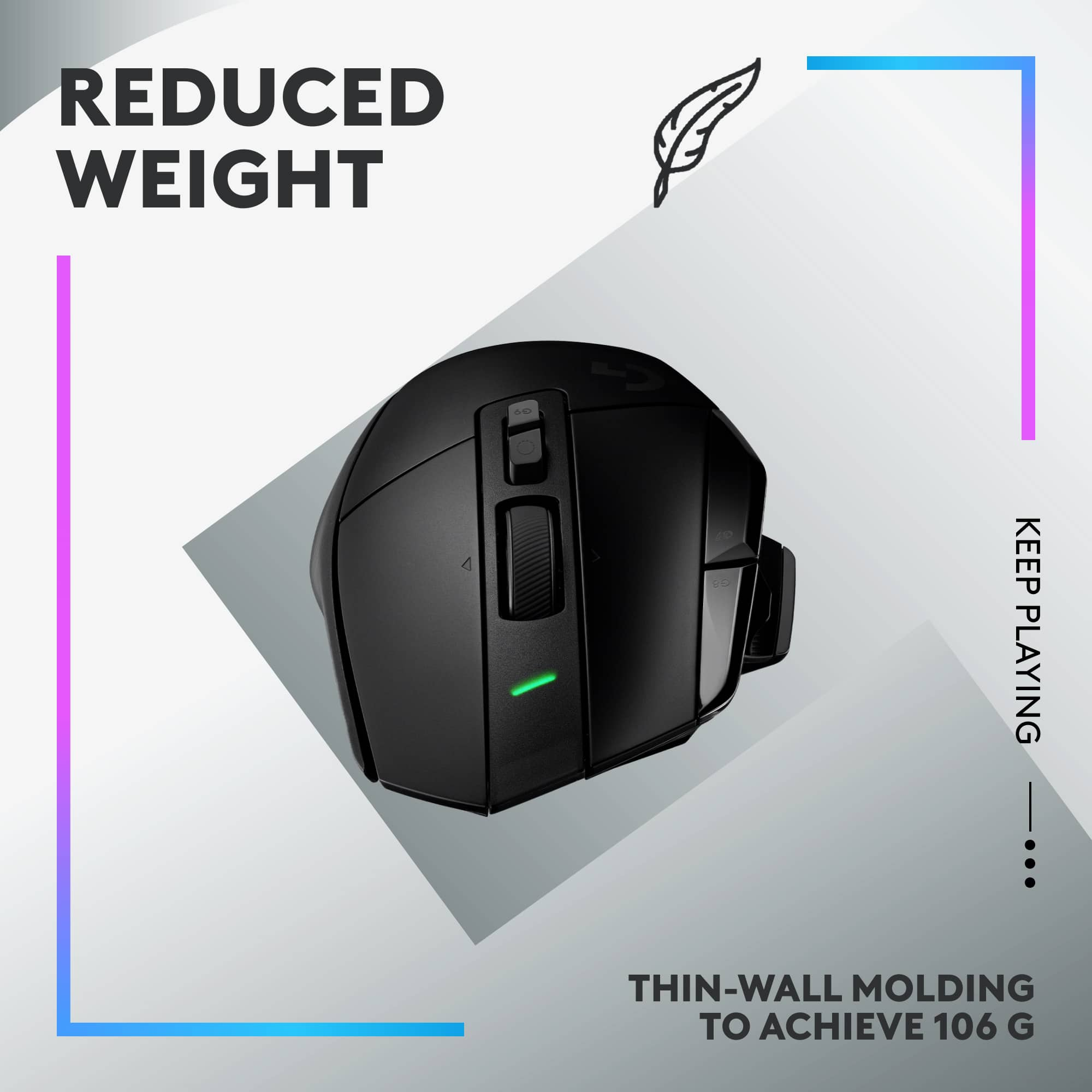
Is the venerable 502 improved? Yes! The 502 X Plus is a better 502. The first thing you'll notice is the weight, much lighter than the original, but still feels solid in the hand. The scroll wheel is improved, it's not as clunky and rolls smoother. The feel and texture of the wheel is better in scroll or fly mode. The clicks are a little louder and sound more metallic with the new switch mechanism. The shape is about the same, so not much different there. There are slight differences in the looks, but it feels the same. The lighting has changed, but it's always under your hand. USB-C charging and a long battery life. The DPI switch button is changeable. From direction to type. I like the original insert as it sticks out more and was easier for my thumb to use. With the small insert, which sits flush with the side of the mouse, my thumb kept bumping the side buttons. So, the original insert works better for me. The underside has the same pop out circle to put the USB receiver in for storage.
Setup is plug and play. Just take the receiver and plug it into a USB port. It’ll work with generic mouse settings. With G-Hub software, you can unlock all of the options on the mouse. Make sure your G-Hub software is up to date or the mouse will not register with the software. Once G-Hub finds the mouse it walks you through a basic setup. Then at the mouse setup screen you have access to DPI settings, lighting, and what button presses do. Whether to use mouse memory, or custom game settings. The software lets you customize away. You have 13 buttons and can customize most. Lighting effects to DPI settings. The HERO sensor is still up to 25K DPI and the mouse is as responsive as a wired mouse. I had no problems testing it out in games. The lighting changed from the G to a light that crosses the back of the mouse. You can set colors and effects from G-Hub.
This mouse is an improvement over the 502, the weight alone is a big difference. All of the functions you would expect from a Logitech G mouse are there when you the G-Hub. The clicks are solid, and the wheel works better. Everything is smooth in operation. The pictures compare the 502 X Plus to the original 502 wireless. The 502 X Plus is always on the right.
This reviewer received promo considerations or sweepstakes entry for writing a review.
Great mouse!!! Nice functionality with lots of cool color patterns. Easy to use and program. It can be used wirelessly or wired. The thumb button it’s really nice, especially while gaming. Myself and other family members also bought this. Highly recommend!
Thank you so much for your fantastic review of the G502 X PLUS LIGHTSPEED Wireless Optical Gaming Mouse!
Rated 5 out of 5 stars
The absolute BEST mouse you can find on the PC!!
|
Posted .
This reviewer received promo considerations or sweepstakes entry for writing a review.
I owned the original Logitech G502 and I absolutely loved it. However, in time, it seemed to get less and less of a charge and eventually it would only last a day. I then switched to the ASUS ROG Chakram, which is a heavier mouse, but has a joystick on it that I thought I would utilize in some games. As it turned out I did not really find much use for that and so when I saw this I thought I would love to try it. The fact that it has really cool RGB (yes I'm one of those folks who love RGB) then that was a deal clincher for me.
Getting the Logitech G502 X, for those who have had the original, will seem very familiar. The ergonomics are a little better and you get the really, really awesome light on the mouse which is the best RGB integration into a mouse that I have seen yet. And believe it or not it really does not shorten the battery life much either.
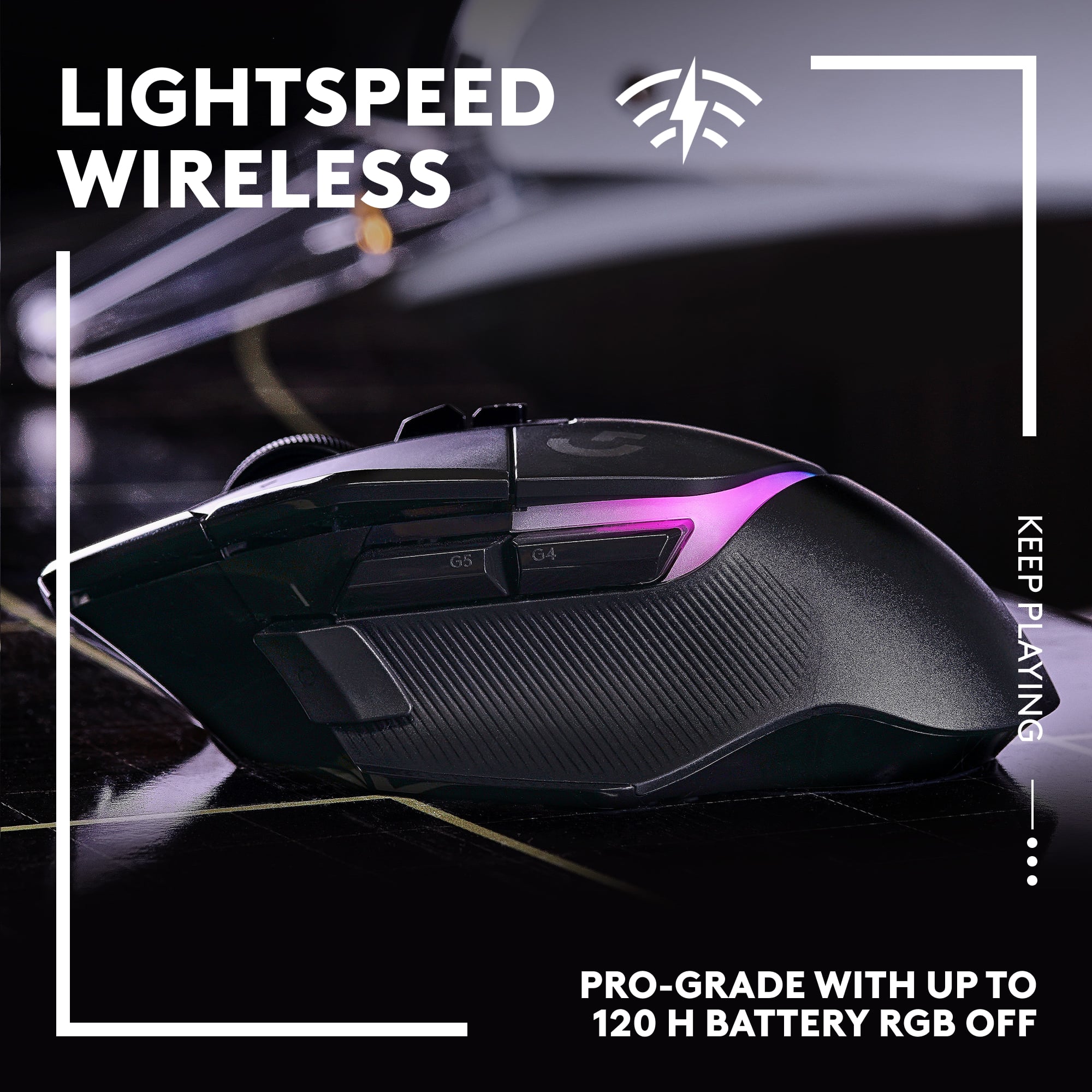
Speaking of battery life, the mouse, when fully charged, says it will give about 39 hours. I have found so far that, surprisingly, it is actually pretty close to that. I believe I am at about 30 hours now and I am at 26% left. You can adjust how long the light stays on, how bright it is, how long until the light dims, etc so Logitech gives you very fine control over the RGB. You can even turn it off if you're one of those boring and stodgy people who don't like fun.
All in all I have been using the G502 X for a week and let me tell you, it lives up to the original G502's claim to the greatest mouse ever. I'd be remiss if I didn't mention the absurdly cool, free spinning, mouse wheel, which allows you to move up and down very fast or very finely. It is the cap on an already great mouse. New users may find it a little odd, my wife kept spinning too far, but you can get used to it pretty quick.
All in all, perfect ergonomics, fantastic RGB lighting, strong battery life, complete customization of the lights and buttons, this mouse is the clear cut winner and the best mouse a PC gamer, or even just a PC user, can buy right now. As good as the ASUS ROG Chakram is this is better. A CLEAR CUT BEST MOUSE ON THE PC.
This reviewer received promo considerations or sweepstakes entry for writing a review.
I have finally stumbled across an absolutely killer gaming mouse that has left me with 0 complaints. The mouse is light, comfortable, ergonomic, and has plenty of buttons which can all be fully customizable with macros - or productivity shortcuts. There is rubber on the sides, but smooth textures where no grip is needed.
I absolutely love the DPI shift button. Not only is it more convenient than the typical DPI selector button, but the shape can be adjusted - or it can be capped off which essentially removes the button. I have fairly small hands and thanks to the physical button options - I am able to reach it without issue.
I also love the option to spin the mouse wheel freely in hyperfast mode, or quickly switch to a ratcheted mode for more precise (and tactile) scrolling. The button is easy to reach and actuate. I also find that tilting the mouse wheel to the left and right is more responsive than most other gaming mice - to the point where I can actually use the feature without worry of accidental activation.
So far the battery life has been excellent, but I very much appreciate that Logitech has created a Powerplay wireless charging mat that can keep the mouse charged indefinitely. The wireless charging mouse-pad is pretty expensive (at over $100), but it’s a cool and useful option.
The mouse isn’t overloaded with macro buttons, but every button it does have is well within reach and is simple to modify/customize with the Logitech G Hub. And, because the mouse can save multiple profiles, I find myself using the G502X for work - changing the buttons from macros over to productivity shortcuts.
The mouse does not have Bluetooth connectivity as an option, but the USB-A Lightspeed pro-grade wireless adapter can be stored securely inside of the mouse - so travel is simple and swapping to a new device/computer is quick and easy.
This reviewer received promo considerations or sweepstakes entry for writing a review.
I'm a fan of Logitech mice and an overall fan of Logitech in general. This mouse comes with a crazy high price tag and at first glance offers a lot of bells and whistles in return. After using it for gaming for a week, I'm not sure if how I use the mouse is worthy of that price tag.
I've really never met a Logitech mouse I didn't like and if you take the price out of the equation then that still holds true for the G502 X Plus. What do you get with this mouse that you don't get with other gaming mice? For starters, the overall look is really cool. Rich satin black body with gloss black trim. Very sharp. The lighting affect is really nice and you're able to customize the colors any way you like. You can literally choose from any color you want and what's more, you can save different setups to use whenever you want to. You can also save the setups for select games you play. I was able to save a setup for DOOM Eternal, and I can customize the button assignments for the game and the color I want to use. What's more, you can actually save the setup to the mouse itself so the settings you save will be there if you take your mouse with you. Ok, so that's pretty cool.
The super slick inserts on the bottom side work really well and the mouse does slide amazingly well. There's an on/off button as well on the bottom. As far as the buttons are concerned, you have the standard left, right and mouse wheel (also a button). On the left top side there are also two additional buttons along side the left mouse button. These are assignable, but their default is to raise and lower the DPI mouse movement amount. The mouse wheel has a button behind it that lets you switch from a ratcheting to free spinning wheel. Behind that is an additional button that allows you to cycle through your saved color scheme/button assignments. But wait, there's more. There are also the two side buttons for your thumb and a DPI Shift button in front of your thumb. I found the top left buttons useful for gaming, but try as I might, I just couldn't find a use for switching my movement DPI let alone using the shift button to temporarily change my DPI. While playing, I found the shift button to be extremely annoying, and I was inadvertently hitting it all the time until I used the extra button included in the package. The alternate button really just amounts to a cover for the button, if you don't want to use it. Thankfully, this was included. Now I have more thumb space. But even with that being said, I was constantly hitting the side two mouse buttons when I didn't mean to. I think this is because they're just big. It would have been better if they were half the size so you could find them when you needed them but otherwise, you didn't have to change your grip to avoid hitting them. While I like the mouse wheel rubber texture, the wheel itself is still plastic which doesn't allow for a great spin in free wheel mode. It would have been much better if it was a metal wheel with a little weight to it. I have other Logitech mice that have metal wheels and they work so much better than the plastic ones. They also give the mouse a more high end look which is something a mouse in this price range should have.
The charge lasts quite a while, I've only needed to charge it up once since I got it. I does come with an awesome charging cable. USB-C to USB-A. It's a very flexible rubber material and it's six feet long. They also include a USB-A to USB-C adapter if you need it along with a G logo sticker and some quick start guides. The app has to be downloaded from the Logitech site however you're on your own to find it. There are also nothing in the way of instructions on how to use the app. It took me some time to get used to the way it worked and how to save my setups. Instructions would have been nice. All in all, it's a smooth mouse with plenty of customization options. If you have small hands I think you might like this mouse better than a person who has larger hands.
Thank you for your fantastic feedback! We’re glad you’re enjoying the customizable lighting and versatile connectivity of the G502 X PLUS. Your enthusiasm truly inspires us!
Rated 5 out of 5 stars
UP Your Game With The G502 X Gaming Mouse
|
Posted .
This reviewer received promo considerations or sweepstakes entry for writing a review.
FIRST IMPRESSIONS:
The Logitech G502 X PLUS LIGHTSPEED Wireless Gaming Mouse sets the new standard for wireless gaming. This powerhouse fits beautifully in my large hand. The feel is one of extreme quality & great comfort.
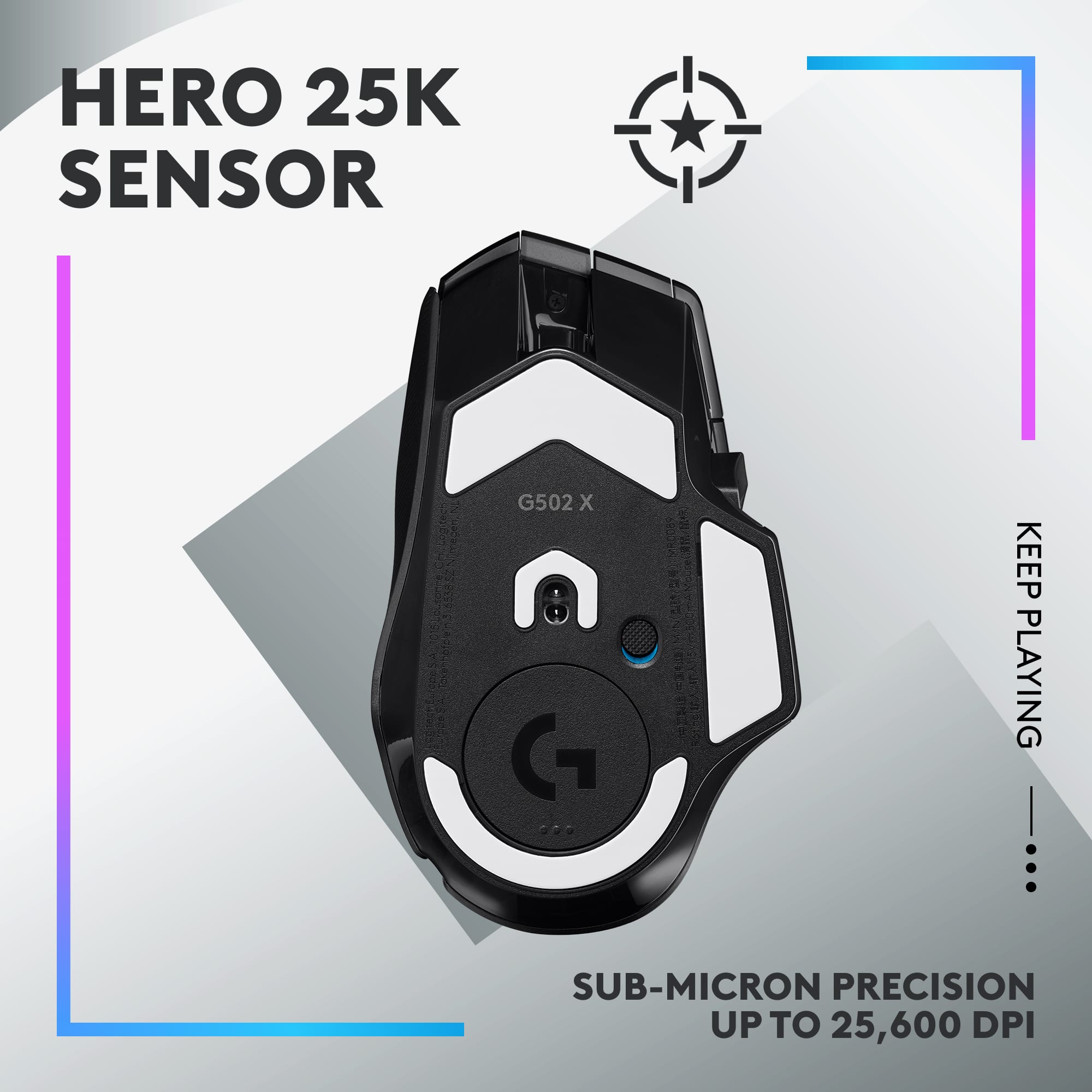
Featuring an industry-leading 25,600 DPI, absolutely no delayed response is detectable. There is no click latency. You will feel the equivalent response of a wired top-of-the-line gaming mouse, with the phenomenal convenience of wireless.
The G502X PLUS features a number of programmable buttons. These are accessible by the Logitech G Hub.
My "Go To" Gaming Mouse is the highly regarded Logitech G502, until today. My new favorite, the new G502X PLUS, tops the G502's performance in several ways, with a price increase of only $10.
IMPROVEMENTS OVER THE G502:
1- Lighter weight.
2- 68% faster time elapsed between the dispatch & the completion time.
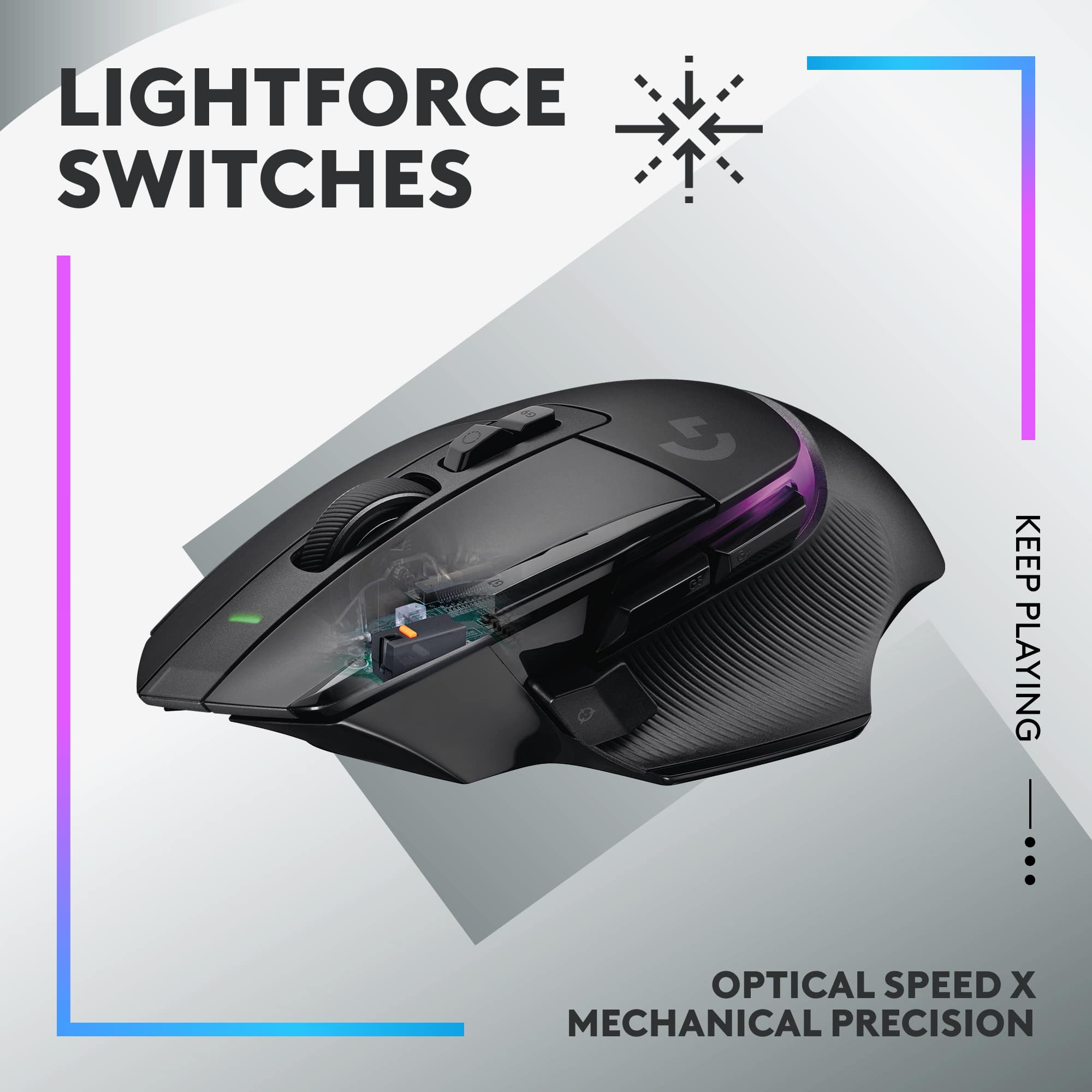
3- Improved hybrid optical mouse switches that produce faster speed & longer life
4- Longer Battery Life
5- Improved RGB LED display (configurable)
OPTIONAL BENEFIT:
Simply add the optional Logitech POWERPLAY Charging Coin (snaps in the bottom) to tie in with the optional POWERPLAY always-charging mouse pad to maintain the internal rechargeable battery effortlessly.
CONCLUSION:
A Wireless Gaming Mouse simply does not get any better than the G502 PLUS. It earns my HIGHEST RECOMMENDATION.
This reviewer received promo considerations or sweepstakes entry for writing a review.
Awesome mouse. Very lightweight and comfortable to use. I had the original G502 Hero years back but ended up losing it in a move and went with a different brand in the interim. Feels good to be back.
The only downsides are the software and LED placement could be improved since your hand obscures it for the most part.
Unfortunately this one does not come with weights but I will be using tungsten putty.
Thanks for the great review! We’re thrilled our product is meeting your expectations. Your support helps us continue to innovate and improve.
Rated 5 out of 5 stars
These are great
|
|
Posted . Owned for 9 months when reviewed.
This reviewer received promo considerations or sweepstakes entry for writing a review.
Outstanding gaming mouse. The HERO 25K sensor is extremely precise, and the wireless performance is flawless—no lag, no dropouts. The button layout is versatile, and everything feels responsive and well thought out.
Build quality is excellent, RGB is clean without being overdone, and it’s comfortable for long gaming sessions. It strikes a great balance between performance, customization, and reliability.
Bottom line: A top-tier wireless gaming mouse that delivers precision, comfort, and premium quality.
Thanks for taking the time to share your experience. We’re delighted the Logitech G502 X PLUS LIGHTSPEED Wireless Gaming Mouse is working well for you. Your feedback means a lot.
Rated 4 out of 5 stars
Nice Update to the G502 Line
|
Posted .
This reviewer received promo considerations or sweepstakes entry for writing a review.
Nice update to the 502 mouse line. I had access to a 502 Lightspeed tfor comparison. The overall look and feel is very close to that of the 502 Lightspeed, with some minor updates.
The good
The new Teflon pads on the G502 X Plus make for even smoother mouse movement. It felt more responsive in my opinion. I really liked the new shift button as it’s a little more of a reach on the older mouse with my thumb so I probably would not use it, but it’s an easy reach on the G502 X Plus so I am playing with how to best use it. I also think the main buttons have a better ‘click’ to them.
The not so good
I like the older bar display for what resolution setting your currently using, With more use I may get used to the color coding on the X Plus, but a quick glance on the G502 Lightspeed and I always knew where I was. For the five settings the lowest is white, then orange, blue, yellow and finally purple. I would have preferred a more natural progression from light to darker colors. I also looked for a way to change the colors in the G Hub settings, but so far haven’t found a way to do it. Maybe the software can be updated in a future release.
Weight. The mouse is light, but I liked the feel of the older G502 Lightspeed with all of the weights installed. I think the difference is about an ounce heavier. More about personal preference, but maybe the next update will include the adjustable weighting option.
Overall I think this is a great update to the G502 line and the only reason for the 4 stars is around how the DPI resolution is now displayed on the mouse.
This reviewer received promo considerations or sweepstakes entry for writing a review.
This thing is incredible. The click sound is super loud, but it feels "reinforced" if that makes sense... also, it hasn't had any trouble clicking, whereas earlier Logitech mice (which don't have loud click sounds) historically HAVE had trouble clicking. My guess is that they've done their best to fix the problem... but it does result in the mouse being loud. Just keep that in mind
Hey! It’s great to know our product is working as intended. Your review helps us improve and evolve. Thank you for your continued support.
Rated 5 out of 5 stars
One of the best
|
|
Posted . Owned for 1 month when reviewed.
This reviewer received promo considerations or sweepstakes entry for writing a review.
Great gaming mouse with plenty of buttons. The app is a little bit tricky to configure but once you figure out how it works it's actually pretty simple. I've used the wired and wireless versions of this series of mouse and I keep coming back to them.
It’s great to hear your experience has been positive. Your feedback helps us refine and improve our products. Thanks for choosing Logitech!
Rated 5 out of 5 stars
The mouse you've needed all along!
Posted .
This reviewer received promo considerations or sweepstakes entry for writing a review.
This mouse is spectacular!! Runs smooth on almost any surface, laser is pin point accurate, love the weight of it. Its super comfortable, tons of buttons! Its rechargeable and the battery life is excellent. I honestly can't say enough great things about it!!
We're thrilled to hear that you're loving the Logitech G502 X PLUS LIGHTSPEED! Your positive feedback about its performance, comfort, and battery life is truly appreciated. We're glad it's enhancing your gaming experience. Thank you for choosing Logitech!
Rated 5 out of 5 stars
Great Gaming mouse
|
|
Posted . Owned for 11 months when reviewed.
This reviewer received promo considerations or sweepstakes entry for writing a review.
Best mouse I’ve ever bought. Good quality, great hand feel.
We’re so happy to hear that our product is working well for you. Your review helps us understand what we’re doing right and where we can grow. Thank you for being part of the Logitech community and for taking the time to share your thoughts.
Rated 5 out of 5 stars
Great Gaming Mouse
|
|
Posted . Owned for 2 weeks when reviewed.
This reviewer received promo considerations or sweepstakes entry for writing a review.
Feels like a sleeker version of the G502 Hero I've had for years. Very light and very responsive feedback. Was hesitant to get a wireless mouse for gaming but it's honestly the best decision I've made. Runs great with the new G Hub software too.
We appreciate your support and are happy to hear the product is serving you well. Your feedback helps us improve every step of the way.
Rated 5 out of 5 stars
Perfect
|
|
Posted . Owned for 11 months when reviewed.
This reviewer received promo considerations or sweepstakes entry for writing a review.
Perfect ergonomics. Extremely durable. The new longer G7 button makes it easier to click with with middle knuckle of index finger instead of having to curl it up.
Thanks for the insightful review! It’s great to hear the G502 X PLUS LIGHTSPEED is hitting the mark with its ergonomic design and durability. That detail about the longer G7 button improving comfort and accessibility is especially helpful—sounds like a thoughtful upgrade for serious gamers. Appreciate you sharing your experience!
Rated 5 out of 5 stars
SOOO GOOOD!
|
|
Posted . Owned for 3 weeks when reviewed.
This reviewer received promo considerations or sweepstakes entry for writing a review.
The Logitech G502 X PLUS is an outstanding wireless gaming mouse that seamlessly combines cutting-edge technology with a user-friendly design. With its HERO 25K sensor, this mouse delivers exceptional precision and responsiveness, making it a top choice for gamers who demand the best performance.
One of the standout features of the G502 X PLUS is its HERO 25K sensor, which offers a DPI range of up to 25,600. This level of sensitivity ensures that every movement is tracked with remarkable accuracy, allowing for pinpoint precision in competitive gaming. Whether you’re engaging in fast-paced FPS battles or exploring expansive open worlds, the sensor’s performance is simply stellar.
The design of the G502 X PLUS is another highlight. It maintains the classic ergonomic shape that the G502 series is known for, providing excellent comfort during long gaming sessions. The textured grips and well-placed buttons make it easy to maneuver, allowing for quick actions without sacrificing control. The customizable weight system lets you tailor the mouse to your preference, ensuring the perfect balance for your playstyle.
Wireless connectivity through LIGHTSPEED technology is a game-changer. The G502 X PLUS boasts a lightning-fast response time with virtually no lag, allowing for uninterrupted gameplay. The battery life is impressive as well, offering up to 120 hours on a single charge, so you can focus on your game without worrying about running out of power.
Logitech’s G HUB software enhances the experience by providing robust customization options. You can easily program the 13 customizable buttons to suit your gaming needs, set DPI levels, and create profiles for different games. This level of personalization is invaluable for gamers looking to optimize their setup.
Aesthetically, the G502 X PLUS has a sleek, modern design that looks great in any gaming setup. The customizable RGB lighting adds a nice touch, allowing you to match the mouse with your other peripherals.
Overall, the Logitech G502 X PLUS LIGHTSPEED Wireless Gaming Mouse is a phenomenal choice for gamers who want performance, comfort, and customization in one package. Its combination of advanced features and ergonomic design makes it a top contender in the gaming mouse market. If you’re serious about gaming and looking for a mouse that can keep up with your skills, the G502 X PLUS is definitely worth your consideration!
We're thrilled to hear that you're so impressed with the Logitech G502 X PLUS! Your detailed review highlights its exceptional performance, comfort, and customization options. Thank you for choosing Logitech and sharing your positive experience.