Customer Ratings & Reviews
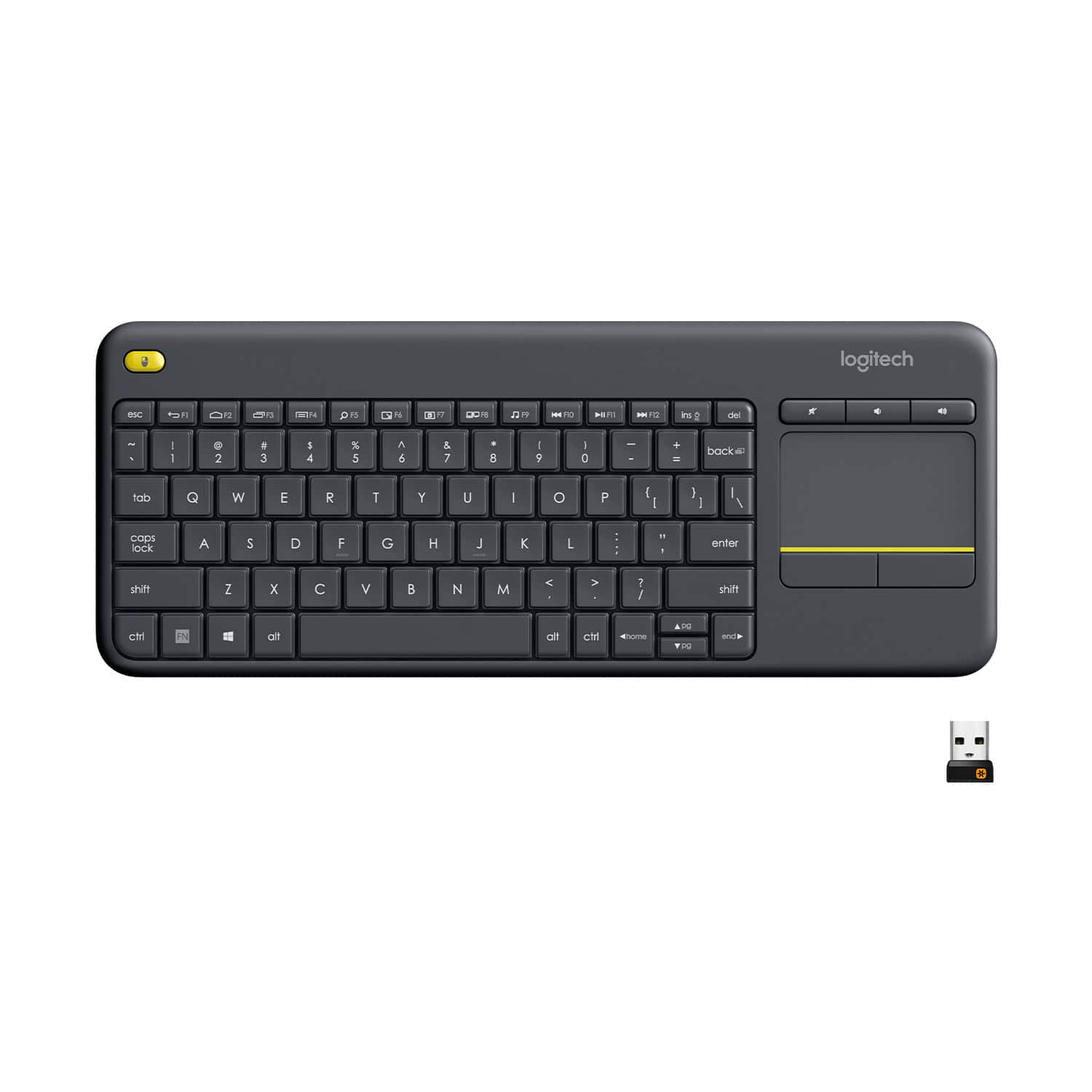
![Built-in touchpad logitech ins PC del + = back } ] I / POINT SCROLL enter shift](https://pisces.bbystatic.com/image2/BestBuy_US/images/products/9b5a0d6f-631a-4c6c-a7bf-e65b20135ee8.jpg)

- Model:
- 920-007119
- SKU:
- 7575039
Rating by feature
- Value
Rating 4.7 out of 5 stars
- Quality
Rating 4.5 out of 5 stars
- Ease of Use
Rating 4.6 out of 5 stars
to a friend
Customers are saying
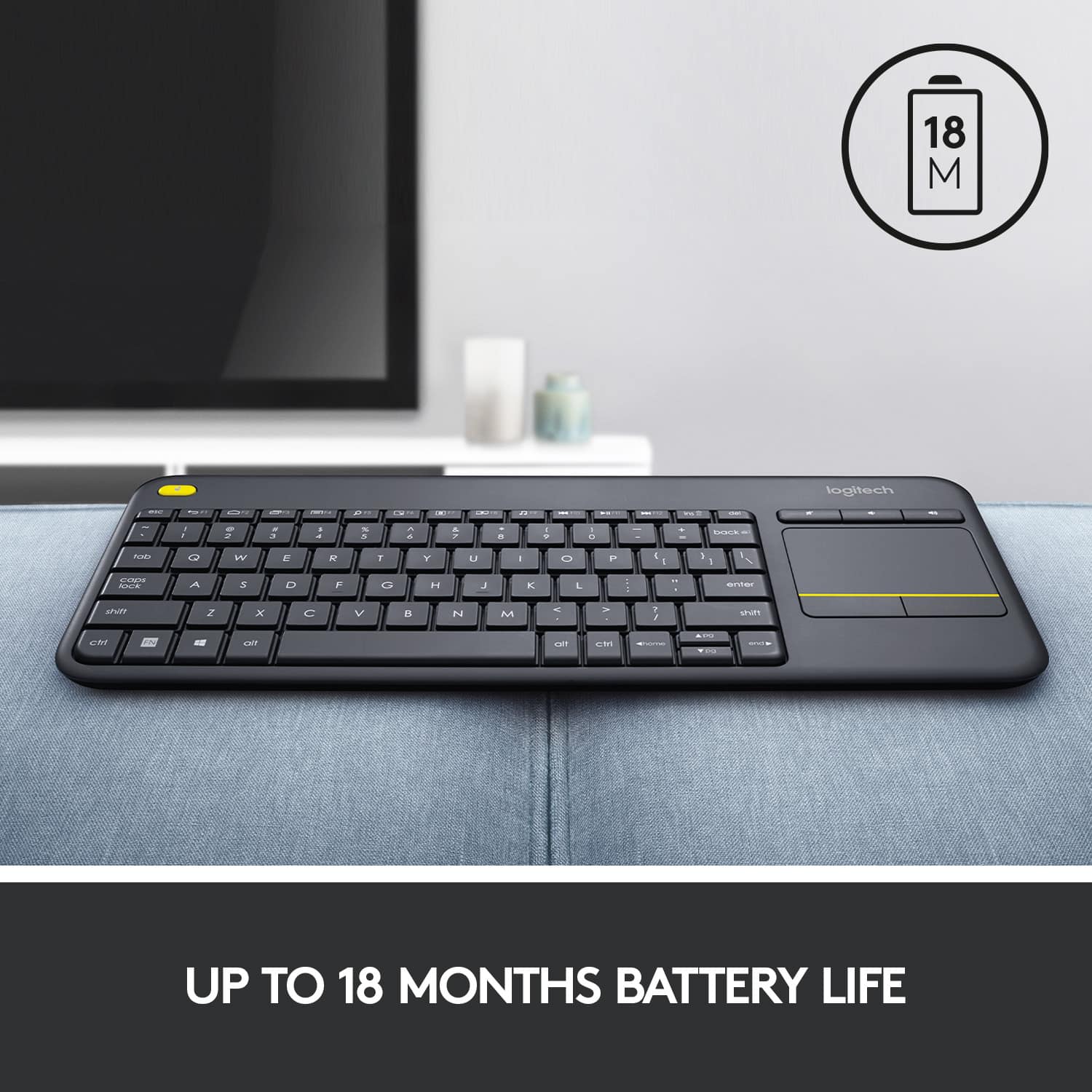
Customers appreciate the K400 Plus TKL Wireless Membrane Keyboard for its ease of use, convenient touchpad, and compact size. Many users also value its wireless connectivity, overall performance, and good battery life. While the keyboard is generally well-received, some users have reported experiencing lag.
This summary was generated by AI based on customer reviews.
Good Keyboard with mousepad
||Posted . Owned for 1 month when reviewed.This reviewer received promo considerations or sweepstakes entry for writing a review.This is second of this keyboard I have purchased. Batteries last a long time. Mouse pad works well. I wish they made a Bluetooth capable version with lighted keys.
I would recommend this to a friendBrand response from Logitech
Posted .Thanks for your kind words! We’re proud to know our product is meeting your needs. Your support keeps us motivated.

Works great!
||Posted . Owned for 3 weeks when reviewed.This reviewer received promo considerations or sweepstakes entry for writing a review.Using this with my M1 Mac mini and it works amazingly. I have no issues connecting and it usually fires right up powering on the computer. I make sure to leave the keyboard off after every use as to save the already long battery life. I wanted something I could browse the inter web with while sitting back relaxing. The trackpad combo is just what I was looking for.
I would recommend this to a friendWonderful little keyboard
||Posted . Owned for 1 month when reviewed.This reviewer received promo considerations or sweepstakes entry for writing a review.I love it it works wonderful its compact and does what it needs to do
I would recommend this to a friendBrand response from Logitech
Posted .We appreciate you taking the time to share your experience. Knowing our product is working well for you makes all the difference. Thanks for being with Logitech.
Great for couch surfing
||Posted . Owned for 11 months when reviewed.This reviewer received promo considerations or sweepstakes entry for writing a review.I bought this to go with a Dell Optiplex Chromebox I bought off eBay. The main purpose was couch surfing, so my basic requirements were: 1: Wireless 2: Integrated trackpad It obviously meets those two requirements and the unit works fine. Would I want to write a novel with it? Absolutely not. Is it adequate for light usage such as couch surfing and the like? Yes. Complaints: 1: A bit too small. Would like to see it with just slightly larger keys and better key travel (i.e. be suitable for actual typing) 2: A bit on the cheap side with feel, especially with the mouse buttons. But overall, and especially if you catch it on sale, it's a very good value.
I would recommend this to a friendBrand response from Logitech
Posted .The Logitech K400 Plus is a good budget-friendly wireless keyboard with a trackpad. It's great for light usage like couch surfing, but it might not be ideal for heavy typing.
Portable keyboard
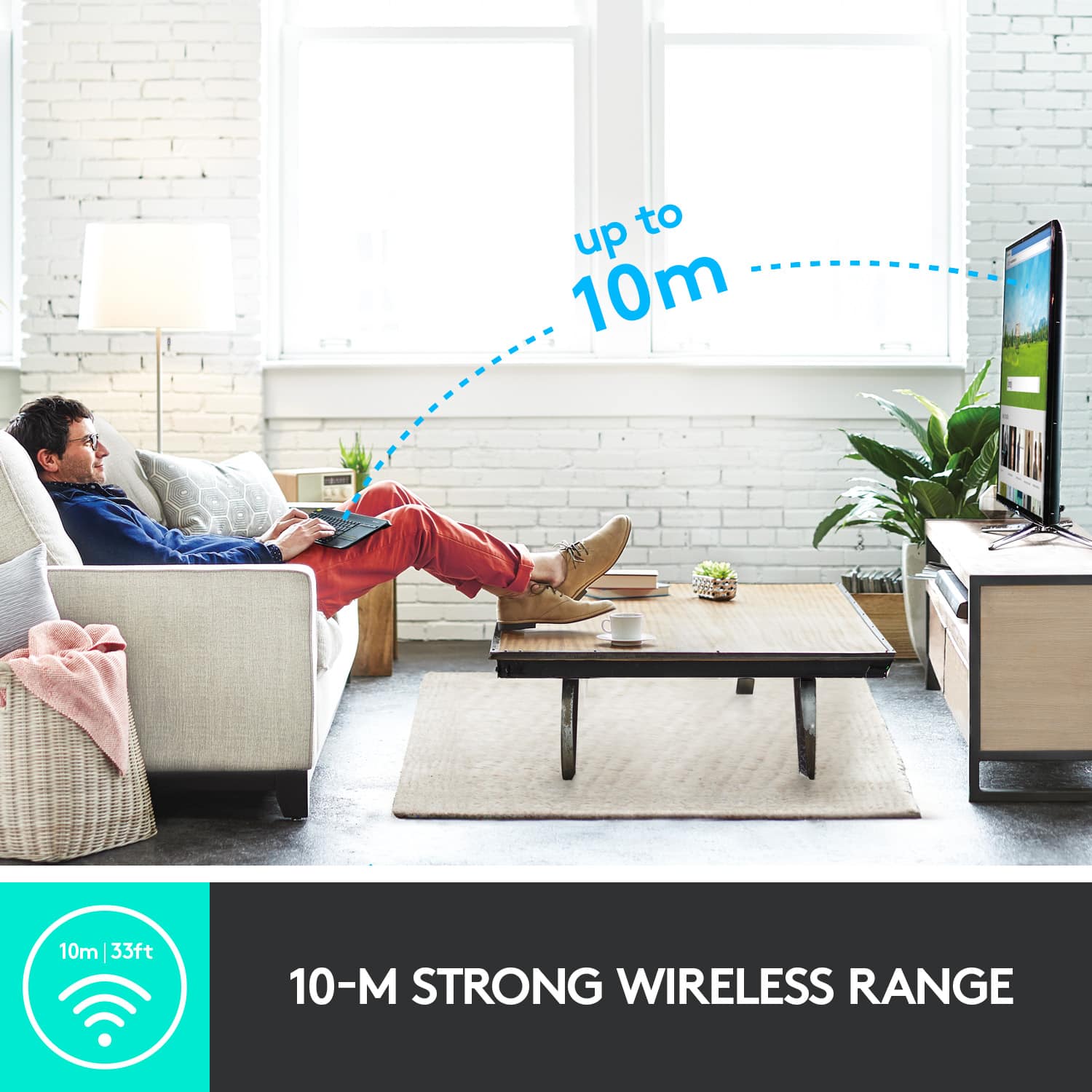
||Posted . Owned for 3 weeks when reviewed.This reviewer received promo considerations or sweepstakes entry for writing a review.Its a remote keyboard that can go to range of 10 meters ( 32.8 ft.) It easy to work with . Its lite , nothing hard to deal with. You probably can work on your tv i never did. But it am the old school, tablets, chromebook. Laptop,
I would recommend this to a friendGreat size and perfect for my Shield
||Posted .This reviewer received promo considerations or sweepstakes entry for writing a review.I bought this to use on my Nvidia Shield. It recognized it right off and sure helps when you you need to type passwords or look up you tube videos. The mouse pad feature works well, however the left and right buttons don't work the same on the shield as they would on a computer. You have to move curser to what you want to click on then press enter button, not a big deal but kinda awkward. So 4 stars for that. But its small enough for coffee table and does the job, and works pretty far away.
I would recommend this to a friendSmall Keyboard, Big Performance
||Posted .This reviewer received promo considerations or sweepstakes entry for writing a review.I recently got the Logitech K400 Plus TKL wireless keyboard, and it’s been a fantastic addition to my setup. The compact tenkeyless design is perfect for saving desk space while still being comfortable to type on. Typing feels smooth and responsive, and the wireless connection is rock solid with no lag. The built-in touchpad is a game-changer, especially when controlling my HTPC or media center—it’s precise and easy to use, so I can navigate without needing a separate mouse. Battery life has been excellent so far, and the overall build feels sturdy and well-made. It’s simple, reliable, and extremely convenient. For anyone who wants a compact wireless keyboard with a built-in touchpad, this is an excellent choice—I couldn’t be happier with it!
I would recommend this to a friendBrand response from Logitech
Posted .Thanks for sharing such a thoughtful review! The K400 Plus TKL really shines in setups where space and convenience matter. That built-in touchpad is such a smart feature for HTPC users, and it’s great to hear the wireless connection and battery life are holding strong. Sounds like it’s become a seamless part of your workflow and entertainment setup.
Great Keyboard for your Smart TV!
||Posted . Owned for 5 months when reviewed.This reviewer received promo considerations or sweepstakes entry for writing a review.Have two of these. One for my Samsung Smart TV and one for my TCL Smart TV. A must-have! Work great and batteries last a long time.
I would recommend this to a friendBrand response from Logitech
Posted .We truly appreciate you sharing your thoughts. It’s fantastic to hear the product is delivering as expected. Your feedback helps us grow and refine what we do. Thanks for choosing Logitech!
Just what I was looking for.
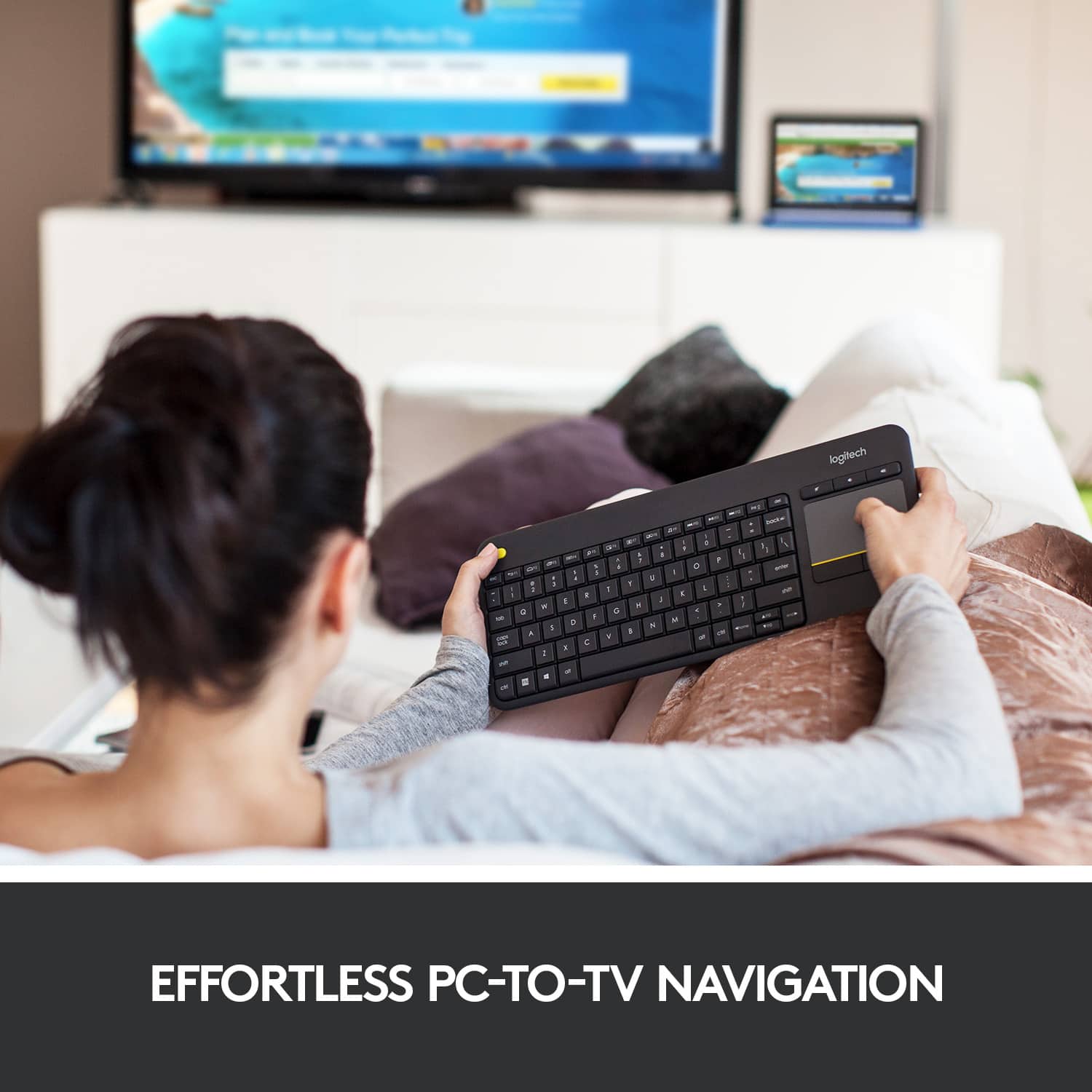
||Posted . Owned for 1 month when reviewed.This reviewer received promo considerations or sweepstakes entry for writing a review.I wanted a keyboard to use with the mini-computer that I connected to the TV. I wanted something lightweight and compact. This one does everything I need. It connects instantly when I turn it on and has good range. The touch pad is responsive and does two-finger scrolling. So far, I've been pleased with it.
I would recommend this to a friendWorks Great on LG TV
||Posted .This reviewer received promo considerations or sweepstakes entry for writing a review.My LG TV uses WebOS and this works perfectly. It's actually more convenient to use the keyboard versus the remote because you get mouse control and can easily type your search criteria in the apps like Netflix, Amazon, and YouTube. It even includes volume up/down buttons. The ability to turn off the keyboard to save battery life is an excellent feature. As for the price....well it just can be beat . Under $25 is a steall
I would recommend this to a friendReview on The Logitech K400 Wireless Keyboard
||Posted . Owned for 1.5 years when reviewed.This reviewer received promo considerations or sweepstakes entry for writing a review.The Logitech K400 Plus TKL Wireless Membrane Keyboard is a game-changer for my home office setup. Its compact design and wireless connectivity make it a joy to use, providing the perfect balance between functionality and space-saving. The responsive keys and quiet membrane typing experience enhance productivity without disturbing others. The built-in touchpad is incredibly convenient, eliminating the need for a separate mouse. Setting it up was a breeze, and the battery life is impressive. Logitech has once again delivered a reliable and user-friendly product. If you're looking for a top-notch wireless keyboard, the K400 Plus is a definite five-star choice!
I would recommend this to a friendK400 Will or Will Not TV
||Posted .This reviewer received promo considerations or sweepstakes entry for writing a review.Keyboard size weight, tactile feel are excellent. Unfortunately it does not work with the TCL43S425 Smart TV I purchased it for. I searched carefully before I purchased for any statement it will or will not work on a TV. The main ad that convinced me it would is on Amazon that you can 'just plug the Unifying Receiver into a TV or PC and it will connect and work'. It is WiFi so I thought it was for TV's without Bluetooth. Seemed reasonable to me. I finally received an email from Logitech that clearly states it is for PC not TV. It might possibly work, but that it is unlikely. Told him basically what he sent me should be in the website ad. It would help a lot of people instantly. PC to TV is ok. My work around: 1. Load Roku app onto my moto e5 Since Roku is built in the TCL instant success. I know, 'What The' You can enter data on screens using moto keyboard. You can also connect private listening to the moto (A/C connected save batt) and use local Bluetooth Speaker. I use a 5" speaker or Realme Bud2 earphones. Will keep the keyboard for maybe PC when I can afford one. The keyboard is around $15.00 less than most places with low prices ~$25.00 + ~$8.00 S&H. Best Buy price and free shipping WINS.
I would recommend this to a friendGreat Wireless Keyboard/Mouse Combo
||Posted . Owned for 1 month when reviewed.This reviewer received promo considerations or sweepstakes entry for writing a review.I have this connected to a Rasberry Pi mounted to a TV and this combination device makes it easy to grab the keyboard and surf the internet, pull up webpages, whatever we want, and without having to keep up with a separate mouse or use another USB port. One of the cheapest options out there and performs just as good or better than more expensive versions.
I would recommend this to a friendStill the king
||Posted .This reviewer received promo considerations or sweepstakes entry for writing a review.If you're looking for a way to control your media center PC, there's not a lot of options out there that compete with the Logitech K400 Plus. It's small, light, and the combined keyboard/touchpad setup is perfect for that use case. The touchpad isn't the best, but it's definitely good enough for the media center use case. I would not recommend buying this if you're using this as on a regular computer for productivity. This is probably the second time I've purchased this keyboard (lost the first one during a move) and I had no hesitation picking it up again. It's worth noting that this is a really old model (~2015), so keep an eye out for sales.
I would recommend this to a friendBrand response from Logitech
Posted .Thank you for sharing your valuable insights and positive feedback on the Logitech K400 Plus! We appreciate you taking the time to detail your experience.
Great Keyboard For HTPC Use
||Posted . Owned for 7 months when reviewed.This reviewer received promo considerations or sweepstakes entry for writing a review.No complaints. It works great. I like the left click button on the top-left side of keyboard for dragging items. I use this on my home theatre pc, and it suits its purpose. It’s light weight, and the batteries last a long time. I use it daily, and have owned it for 7 months with the original batteries that were included.
I would recommend this to a friendGreat Product
||Posted . Owned for 2 months when reviewed.This reviewer received promo considerations or sweepstakes entry for writing a review.I have had this for more than one year. The product is really good, connects in no time, typing gives ease and size is perfect. Best value for money.
I would recommend this to a friendBrand response from Logitech
Posted .We appreciate your thoughtful review. It’s great to know our product is meeting your needs. Thanks for being a valued customer.
Excellent Keyboard & Touch Pad - But...
||Posted . Owned for 2 weeks when reviewed.This reviewer received promo considerations or sweepstakes entry for writing a review.The keyboard and the touchpad themselves are great! The problem is not getting support with the various streaming companies -- YouTube in particular -- to make these keyboards really useful. If I recall there was not much in the way of documentation to show you how to make good use of the keyboard. Also, it would be nice if the keyboard had the ability to turn the "Smart" TV on and off instead of having to rely on the remote that comes with the TV for that. Things that could be improved are: 1. better communitcation with the TV itself and 2. better functionality with the Streaming Services. Maybe send the Streaming services free API documentation and super easy to use software so that it would be an absolute no brainer for the streaming services to not support the keyboard. 3. Also, in relation to the keyboard and powering on and off the TV itself -- the ideal situation would be to give the keyboard Universal Remote functionality so that it could replace all the remotes. I hate having a bunch of remotes for everything. This keyboard could have solved that -- but it does not. So now I have a bunch of remotes and the keyboard cluttering up my limited apartment living room space. I find that not being able to turn the TV on and off causes me to use the remote instead of the keyboard -- even though the keyboard is a far superior experience. This is a definite weakness in the design of the keyboard itself and really should be improved as soon as possible. If the keyboard already has this capability and by some chance I have not learned how to do it -- then this is a serious flaw in the lack of adequate documentation for the keyboard. If anyone has this keyboard and knows how to make it do any or all of the things that I am wanting to do with it -- please let me know. Thank you.
No, I would not recommend this to a friendBrand response from Logitech
Posted .We appreciate your feedback on the Logitech K400 Plus TKL. We understand your frustration with the limitations in TV control and streaming service compatibility. We'll take your feedback into consideration for future improvements. Please reach out to our support team for further assistance.
Absolute best for Android, especially the Tab S6
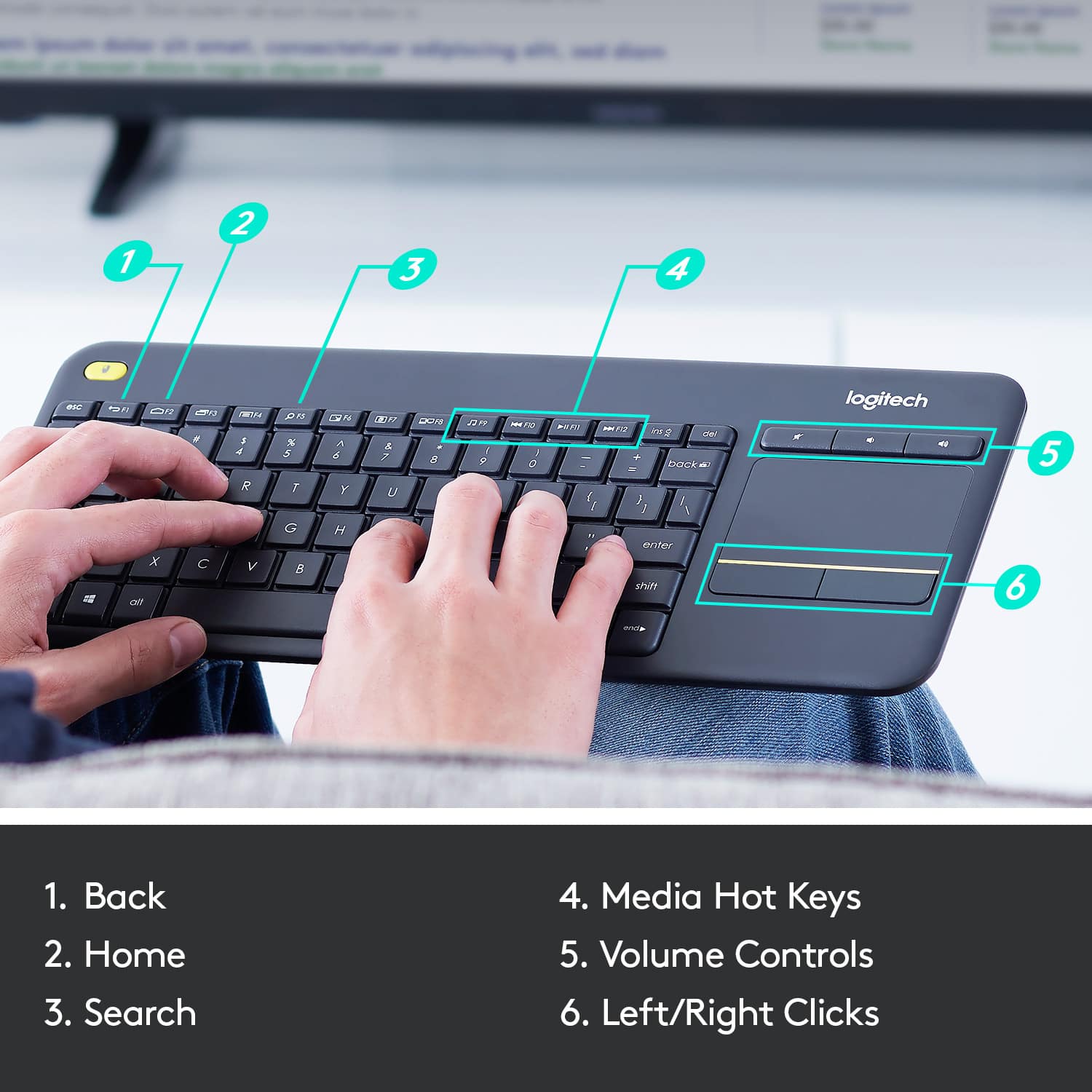
||Posted . Owned for 1 month when reviewed.This reviewer received promo considerations or sweepstakes entry for writing a review.It has the extra row of keys for function and a real Escape key. Some things require the Function key, but it is easy to get used to. Reasonably good feel. And excellent value. It is wireless USB so you need an adapter to connect the Unifying connector (you may want a power injecting hub as well). I wish there was a bluetooth version. But the best thing are the three Android keys over F1-3. The Back, Home, and AppSwitch keys are right there which makes doing Android very easy, all from the keyboard, especially the app switch since I'm often sending links via email, so one press switches there and back. There's more including multimedia, and also a trackpad. This is the perfect keyboard for Android, especially when it is on sale. It uses two AA batteries that should last a year - it doesn't draw much power. These keys also work for Windows and iOS, but I haven't tried them as much. But I'm lost trying to type without a keyboard.
I would recommend this to a friendEasy to use.
||Posted . Owned for 1 month when reviewed.This reviewer received promo considerations or sweepstakes entry for writing a review.This was an emergency purchase and I'm so glad Best Buy had it. I wanted a smallish wireless keyboard with a mouse pad on the key board which would be simple to pair up with my laptop. The salesperson showed me this one and I bought it right away. I'm very happy with it and I would highly recommend it to anyone looking for a keyboard.
I would recommend this to a friendPerfect for general use, long battery life
||Posted .This reviewer received promo considerations or sweepstakes entry for writing a review.I use this when I am running my PC through my TV. It works great and the batteries last FOREVER. Not recommended for gaming, but excellent for general use.
I would recommend this to a friendBrand response from Logitech
Posted .Great to hear the K400 Plus is working well for you and that you're enjoying the long battery life! We're glad it's perfect for your PC-to-TV setup. Thanks for sharing your feedback.