Customer Ratings & Reviews
- Model:
- 910-003635
- |
- SKU:
- 5874073
Customer reviews
Rating 4.7 out of 5 stars with 2797 reviews
(2,797 customer reviews)Rating by feature
- Value4.7
Rating 4.7 out of 5 stars
- Quality4.6
Rating 4.6 out of 5 stars
- Ease of Use4.8
Rating 4.8 out of 5 stars
Customers are saying
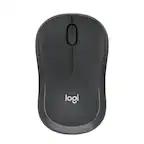
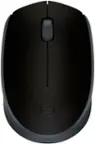
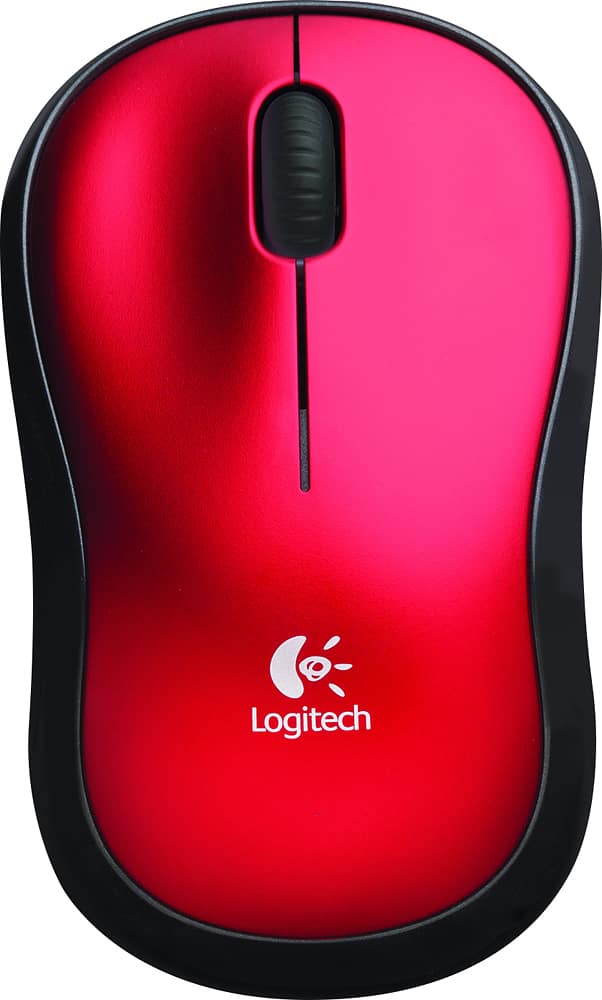
Customers value the M185 Wireless Mouse for its ease of use, affordable price, and convenient size. Many appreciate its performance, wireless capability, and satisfactory battery life. While the mouse is generally well-received, some customers have noted concerns regarding the scroll wheel, occasional lag, click noise, and sensitivity.
This summary was generated by AI based on customer reviews.
Rated 4 out of 5 stars
good for kids.
||Posted .This reviewer received promo considerations or sweepstakes entry for writing a review.good for kids, the on-off switch is to small, ok for biginner
This review is from Logitech - M185 Wireless Optical Ambidextrous Mouse - Wireless - Swift Gray
I would recommend this to a friendRated 4 out of 5 stars
Great mouse for for a low price.
||Posted .This reviewer received promo considerations or sweepstakes entry for writing a review.Great mouse with simple function. Just plug I. The dongle a go.
I would recommend this to a friendRated 4 out of 5 stars
Works
||Posted . Owned for 3 weeks when reviewed.This reviewer received promo considerations or sweepstakes entry for writing a review.It's a pretty basic mouse, but it works in a pinch.
I would recommend this to a friendRated 3 out of 5 stars
No USB-c dongle
||Posted . Owned for 2 weeks when reviewed.This reviewer received promo considerations or sweepstakes entry for writing a review.Description/reviews noted that this works for MacBooks as well as PCs. Should have done addtl research as the dongle only supports usb and not the usb-c port on a MacBook. For the price not worthwhile to return to Best Buy but will use for a PC
This review is from Logitech - M185 Wireless Optical Ambidextrous Mouse - Wireless - Swift Gray
No, I would not recommend this to a friendRated 4 out of 5 stars
Good mouse
||Posted .This reviewer received promo considerations or sweepstakes entry for writing a review.It's a solid mouse. Bought to use for work. No complaints.
This review is from Logitech - M185 Wireless Optical Ambidextrous Mouse - Wireless - Swift Gray
I would recommend this to a friendRated 3 out of 5 stars
A cheap mouse that feels cheap.
||Posted . Owned for 1.5 years when reviewed.This reviewer received promo considerations or sweepstakes entry for writing a review.Only left, right, and middle button. It's very lightweight, which makes it feel cheap. Works fine, I'd just recommend spending a little bit more money for a mouse that feels a little nicer/has a browser back button.
This review is from Logitech - M185 Wireless Optical Ambidextrous Mouse - Wireless - Swift Gray
No, I would not recommend this to a friendRated 4 out of 5 stars
works well
||Posted .This reviewer received promo considerations or sweepstakes entry for writing a review.Works very well but just a tad too small for my hand
This review is from Logitech - M185 Wireless Optical Ambidextrous Mouse - Wireless - Swift Gray
I would recommend this to a friendRated 4 out of 5 stars
Nice mouse
||Posted .This reviewer received promo considerations or sweepstakes entry for writing a review.Great Look and feel for decent price - works welll
This review is from Logitech - M185 Wireless Mouse - Blue
I would recommend this to a friendRated 4 out of 5 stars
Great mouse
||Posted .This reviewer received promo considerations or sweepstakes entry for writing a review.This product is great for users. Very easy to place battery.
I would recommend this to a friendRated 4 out of 5 stars
good feel in the hand and enjoyable to use
||Posted .This reviewer received promo considerations or sweepstakes entry for writing a review.It has a good feel in the hand and enjoyable to use
I would recommend this to a friendRated 4 out of 5 stars
Great value , easy to use.
||Posted .This reviewer received promo considerations or sweepstakes entry for writing a review.I'm very satisfied with the purchase of the Logitech -m185 mouse.
This review is from Logitech - M185 Wireless Optical Ambidextrous Mouse - Wireless - Swift Gray
I would recommend this to a friendRated 4 out of 5 stars
Good for the price
||Posted .This reviewer received promo considerations or sweepstakes entry for writing a review.It works most of the time. Sometimes it gets stuck.
This review is from Logitech - M185 Wireless Optical Ambidextrous Mouse - Wireless - Swift Gray
I would recommend this to a friendRated 3 out of 5 stars
Logitech makes a reliable, easy to use product
||Posted . Owned for 3 weeks when reviewed.This reviewer received promo considerations or sweepstakes entry for writing a review.The mouse was fine but the guys working in the parking lots are a mixed bag. Some seem to work hard and try; others are just standing around. The process isn't obvious for pick up and it's even more cumbersome for return.
This review is from Logitech - M185 Wireless Optical Ambidextrous Mouse - Wireless - Swift Gray
I would recommend this to a friendRated 4 out of 5 stars
Ok product
||Posted .This reviewer received promo considerations or sweepstakes entry for writing a review.It is only ok for a wireless mouse, not as good as I thought
This review is from Logitech - M185 Wireless Optical Ambidextrous Mouse - Wireless - Swift Gray
I would recommend this to a friendRated 4 out of 5 stars
Good for price
||Posted .This reviewer received promo considerations or sweepstakes entry for writing a review.Good mouse, has good connection and fits nice in your hand.
This review is from Logitech - M185 Wireless Optical Ambidextrous Mouse - Wireless - Swift Gray
I would recommend this to a friendRated 4 out of 5 stars
It's a mouse
||Posted .This reviewer received promo considerations or sweepstakes entry for writing a review.Fits in your hand. Has two clicky things, one rolly thing.
This review is from Logitech - M185 Wireless Optical Ambidextrous Mouse - Wireless - Swift Gray
I would recommend this to a friendRated 1 out of 5 stars
Very hard to control and failed very quickly
||Posted .This reviewer received promo considerations or sweepstakes entry for writing a review.This mouse was low priced but not low enough. QC should not be the purchaser's job. It was very hard to control 'out of the box' and it failed within the first 2 weeks. Given Covid-19 restrictions it is not worth the bother to return. I certainly would not want a replacement. Logitech, a piece of junk like this drives customers away from your better efforts. Any number of glowing reviews on your more expensive products are 'tainted' by experiences like the one I just had with this mouse.
This review is from Logitech - M185 Wireless Optical Ambidextrous Mouse - Wireless - Swift Gray
No, I would not recommend this to a friendBrand response from Logitech
Posted .Hello, I am sorry to hear you are not satisfied with the product. Thank you for taking the time to write this review, we appreciate the feedback.
Rated 4 out of 5 stars
Works like it is suppose to
||Posted .This reviewer received promo considerations or sweepstakes entry for writing a review.Works fine as long as nothing blocks the USB plug.
This review is from Logitech - M185 Wireless Optical Ambidextrous Mouse - Wireless - Swift Gray
I would recommend this to a friendRated 1 out of 5 stars
Bad
||Posted . Owned for 2 weeks when reviewed.This reviewer received promo considerations or sweepstakes entry for writing a review.Its not a quality product. It would stay away from this cheap item as it doesn’t even work.
This review is from Logitech - M190 Wireless Optical Ambidextrous Mouse - Wireless - Charcoal
No, I would not recommend this to a friendBrand response from Logitech
Posted .That's disappointing to hear, and we apologize for the experience you had. Please reach out to our Logi Support team for further assistance. They will be more than happy to help you resolve any issues or concerns you may have.
- Cons mentioned:Click noise
Rated 2 out of 5 stars
Cheap quality and feel
||Posted . Owned for 4 months when reviewed.This reviewer received promo considerations or sweepstakes entry for writing a review.Drop $5 or $10 more and get something more quality. This feels very cheap, and is very loud on the click. Definitely not good for an office.
This review is from Logitech - M185 Wireless Optical Ambidextrous Mouse - Wireless - Swift Gray
No, I would not recommend this to a friendBrand response from Logitech
Posted .Hello, we are sorry to hear that you are unsatisfied with your M185. We do offer other silent click mice in our lineup. If you feel that the mouse may be having click issues, please visit us for support at: https://support.logi.com/hc/en-us
People also viewed
- $18.99$18.99The price was $22.99
- $22.99$22.99The price was $28.85
- $10.99$10.99The price was $14.99