Customer Ratings & Reviews
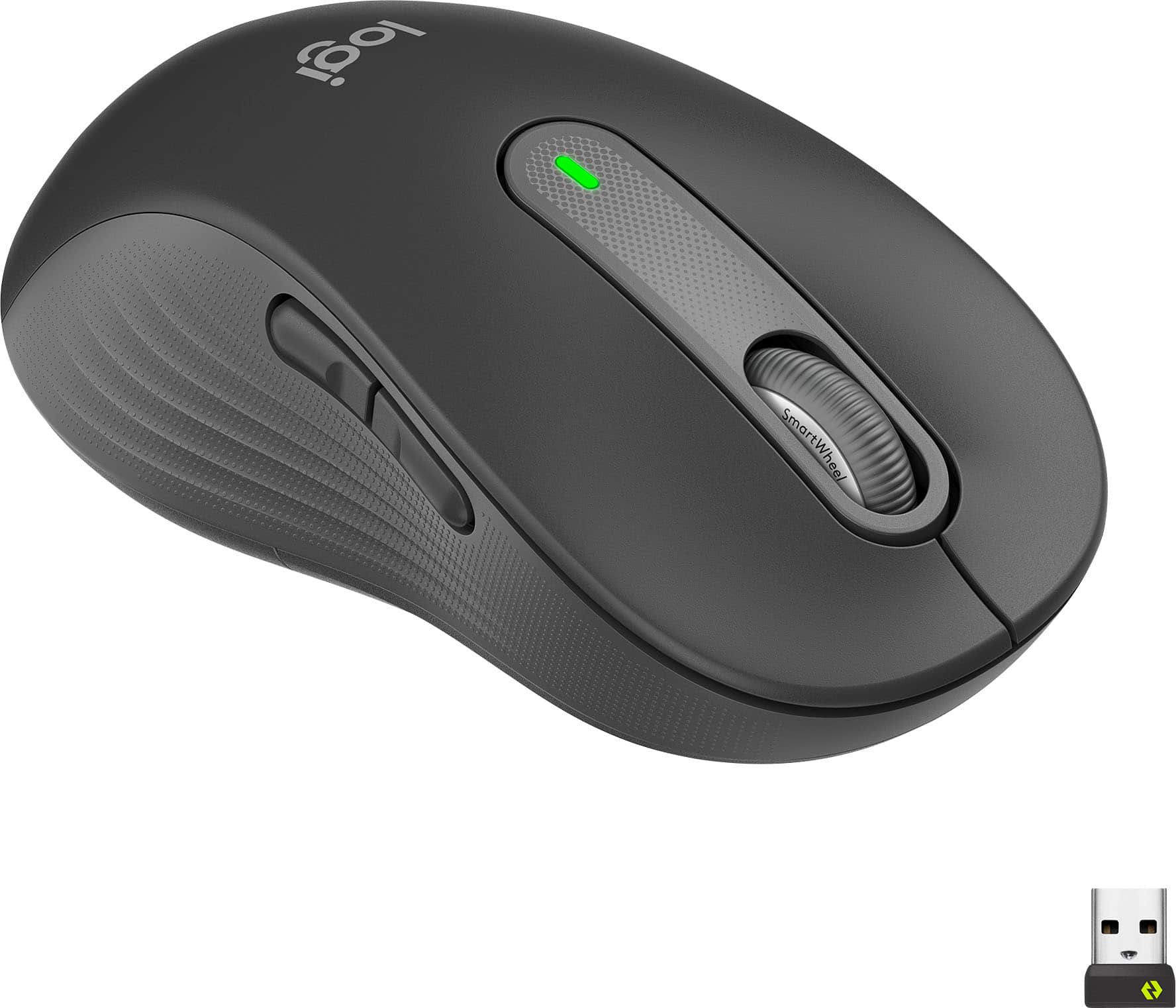


- Model:
- 910-006234
- SKU:
- 6491146
Rating by feature
- Value
Rating 4.7 out of 5 stars
- Quality
Rating 4.8 out of 5 stars
- Ease of Use
Rating 4.8 out of 5 stars
Customers are saying
Customers are delighted by the smooth scroll wheel and the ease of pairing via Bluetooth. Many appreciate the comfortable size and long battery life, while some find the quiet click mechanism less tactile than expected. The customizable side buttons and overall comfort are also frequently praised.
This summary was generated by AI based on customer reviews.
- Pros mentioned:Left-handed, Silent clicks

Excellent left-handed mouse
|Posted .This reviewer received promo considerations or sweepstakes entry for writing a review.I got this mouse for my teenage daughter who is left-handed. She is used to using the generic shaped mice with less buttons, because most of the premium options have the additional buttons on the wrong side. Now not only does she have configurable thumb buttons she can use, but a very well-designed mouse overall. - Comfortable curved shape and soft touch plastic - Quiet and smooth operation of both the scroll wheel and buttons - Easy setup: perforated packaging is easy to open; the battery is preinstalled and once I pulled the tab my computer recognized the mouse immediately (over Bluetooth) - Easily replaceable AA battery included - Multiple connection options: Bluetooth or USB wireless receiver - USB receiver can be stored in the battery compartment when not in use - 2 thumb buttons - on the correct side for left-handed users (normally forward and back, but configurable with the Logitech app) - No issues with tracking on every surface we have tried. I would definitely recommend and I might get the right-handed version for myself! The variable speed scrolling and quiet buttons would be a useful upgrade from my current mouse at work.
I would recommend this to a friend - Pros mentioned:Left-handed, Long battery life
If you are left handed, with larger hands....
|Posted .This reviewer received promo considerations or sweepstakes entry for writing a review.If you are left handed, with larger hands the LOGI M650 is for us. The left hand mouse allows the natural left hand thumb to access the two (2) programmable side buttons. Pairing is fast and easy with Bluetooth. No Bluetooth, the M650 comes with the standard USB transceiver for rock solid mouse operation. The feel of the embossed rubber fins is awesome. They make the mouse a pleasure especially for long periods of use. The center wheel not only serves as a center button, but smooth scrolling as well. Super accurate laser scanning over most surfaces, even glass. Happily, the single AA battery is said to last 2-years. Along with that is a true on/off switch.
I would recommend this to a friend - Pros mentioned:Left-handed, Silent clicks
smooth & ease to use for performance
|Posted .This reviewer received promo considerations or sweepstakes entry for writing a review.Review of M650 Lefthand - Large Size. The Logitech M650 for left hand is simple and easy to use inline with most of Logi mouses. It’s key attributes are: - Made for large sized left hands; - SmartWheel - Silent Clicks - Customizable Side Buttons - Comfort and upgraded for long hours - Connect via Bluetooth or with included Logi Bolt USB Receiver - Comes in smaller size. Upon unpacking and connecting to MacBook or Windows machines were straight and simple. It need to go through regular setting to customize to adjust to personal preferences. In this aspect it doesn’t require or have any differences with existing models. I have used the smart wheel and silent clicks mostly. And the silent click was most remarkable way of using compared to previous or other models. As click doesn’t feel that plastic touching noise that we are used. As click, works perfectly but smooth almost like something is missing but in the same time glad it is the way. It is battery based charging and according to the manufacturer claim should last 24 Months. But naturally will vary one length of personal usage.
I would recommend this to a friend - Pros mentioned:Left-handed, Silent clicks
Solid mouse for lefty users, could be flashier
|Posted .This reviewer received promo considerations or sweepstakes entry for writing a review.Logitech Signature M650 Left Mouse Despite being right-handed I choose to use my mouse left-handed (software engineer war story = right shoulder blade pinched nerve) I’d become accustomed to having to deal with awkward ergonomics, and disabling usage of the right mouse left side buttons. This Logitech M650 mouse finally alleviates that for me. Having relatively large hands most mice feel too small. I thought this one would actually be larger. It’s actually slightly smaller than the right-handed Alienware mouse that had fit the bill with great ergonomics but the wrong side buttons were an issue. Using this mouse feels very natural, the scroll wheel that adjusts between precision mode and quick scroll mode is a nice touch. If I had one suggestion, nit pick complaint, it would be to flash it up a little more like Alienware or other gaming mouse rotating colors. Pros + Comfort + SmartWheel toggle precision to quick scroll + Silent Click Silent Touch technology + Side button for shortcuts + OptionsPlus app to configure Cons -not as flashy as Alienware LED colors -had to search for included USB dongle (in body) Conclusion: recommended buy if you’re a large handed lefty mouse user.
I would recommend this to a friend - Pros mentioned:Long battery life
The Scroll Wheel is as Smooth as Warm Butter
|Posted .This reviewer received promo considerations or sweepstakes entry for writing a review.I am inherently a right-hand dominant person who had to train himself to become left-hand dominant for medical reasons. As a result, for the last 17 years, I have been searching for the perfect left-handed mouse and now I found it! The Scroll Wheel on the M650L turns smoother than any Scroll Wheel I’ve ever used in my entire life; and I’ve been using computers nonstop since 1985! It’s like sliding your finger through warm butter. The Scroll Wheel impressed me immediately. Also, the slider pads on the bottom of the mouse allow the mouse to slide across a metal gaming pad with almost no effort. I mean it almost wants to slide by itself. It’s that slick! The left and right buttons push so very gently with almost no resistance. I am completely blown away by how very little finger strength is required to activate the Left and Right buttons and to roll the Scroll Wheel. The ease of use of a desktop computer mouse is very important to me because of a disability I have with my hands. Years ago, I had a spinal cord tumor in my cervical spine which nearly destroyed the use of my hands. My right hand is nearly useless, so I can only use a computer mouse with my left hand, and that hand has less than 1 pound of grip strength and 0 pounds of pinching strength. Consequently, sliding the mouse around and pushing the buttons and using the scroll wheel on a regular computer mouse will cause pain and fatigue in my left hand after just a few hours use. I’ve been using the M650L for about five days now for about 8 to 9 hours a day and have suffered no fatigue or discomfort! Good job Logitech. I am so impressed with this mouse that the day I received it through Tech Insider Network, I went to Best Buy.com and ordered two more M650L Left mice to have as spares in case I were to damage or wear out my first one. They’ve already been received. Please see the image I included with this review. My left hand lacks the fine motor skill and strength to utilize the side buttons on any computer mouse including the M650L. So, I will have to leave the evaluation of those buttons to the other members of the Tech Insider Network. I installed the Logi Options+ Beta version software. This software allows you to reconfigure the cursor speed and the preset functions for all the buttons and scroll wheel. The software seems fairly mature for a beta version as I did not run into any bugs, limitations, or configuration problems. Once again, good job Logitech. Overall, the Logitech SIGNATURE M650 L Wireless Left-Handed Mouse is a delight to use especially for someone lacking hand strength and fine motor skill. If the M650L can make using a computer easier for me with my disability, it will make it easier for you also. I can find nothing bad to say about it and it comes highly recommended by me.
I would recommend this to a friend Slightly undersized but still comfy & DEAD SILENT!
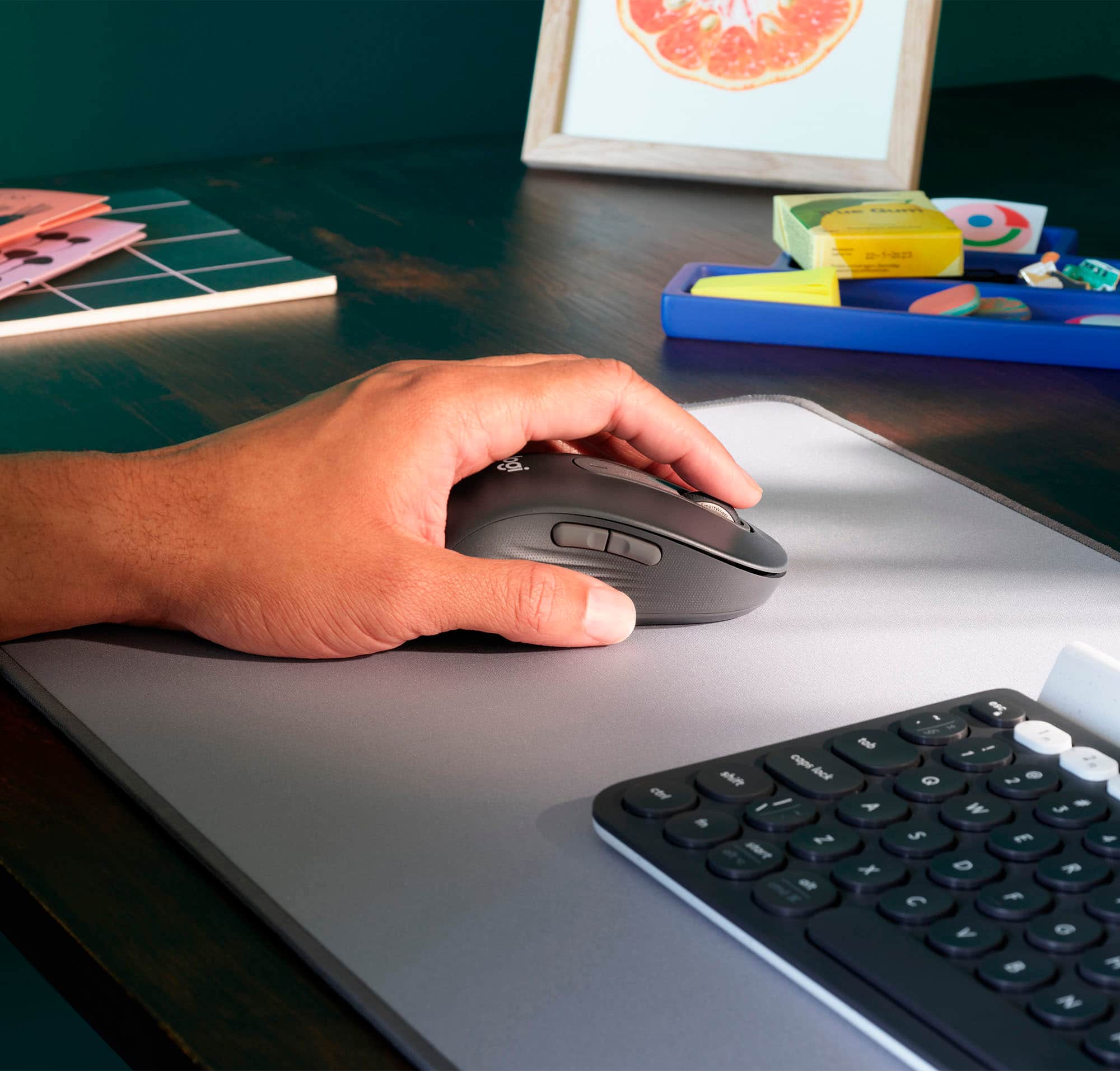
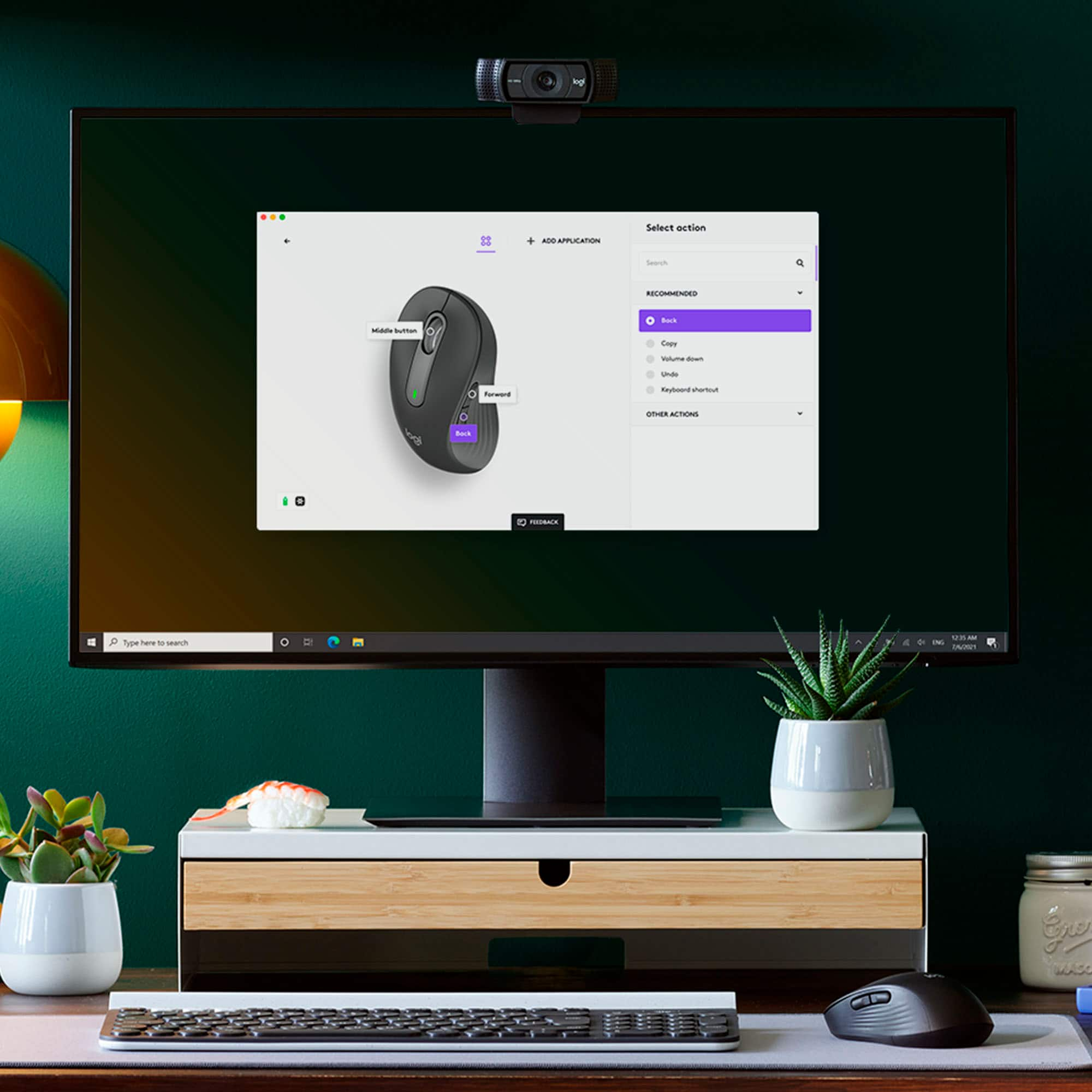
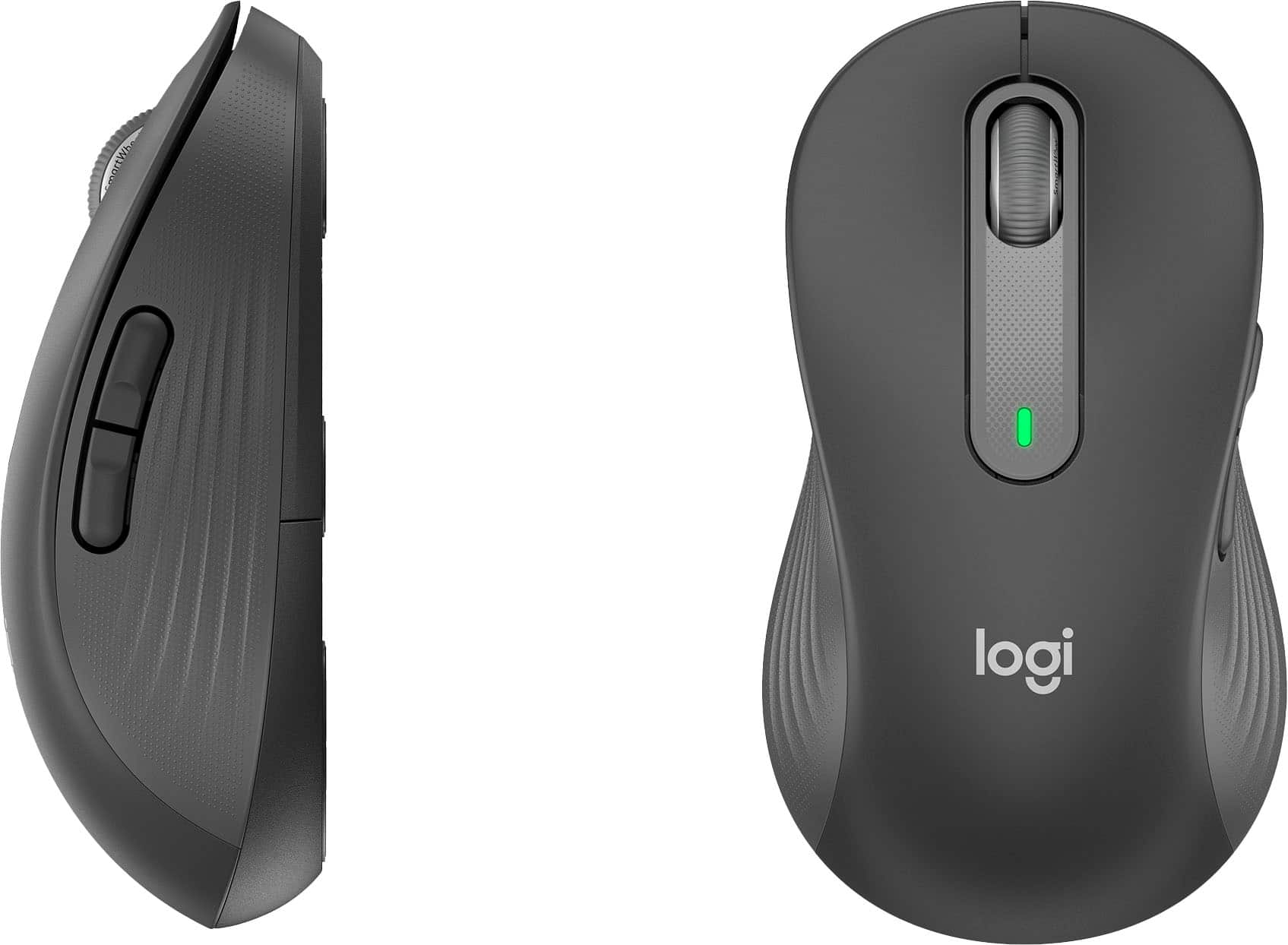
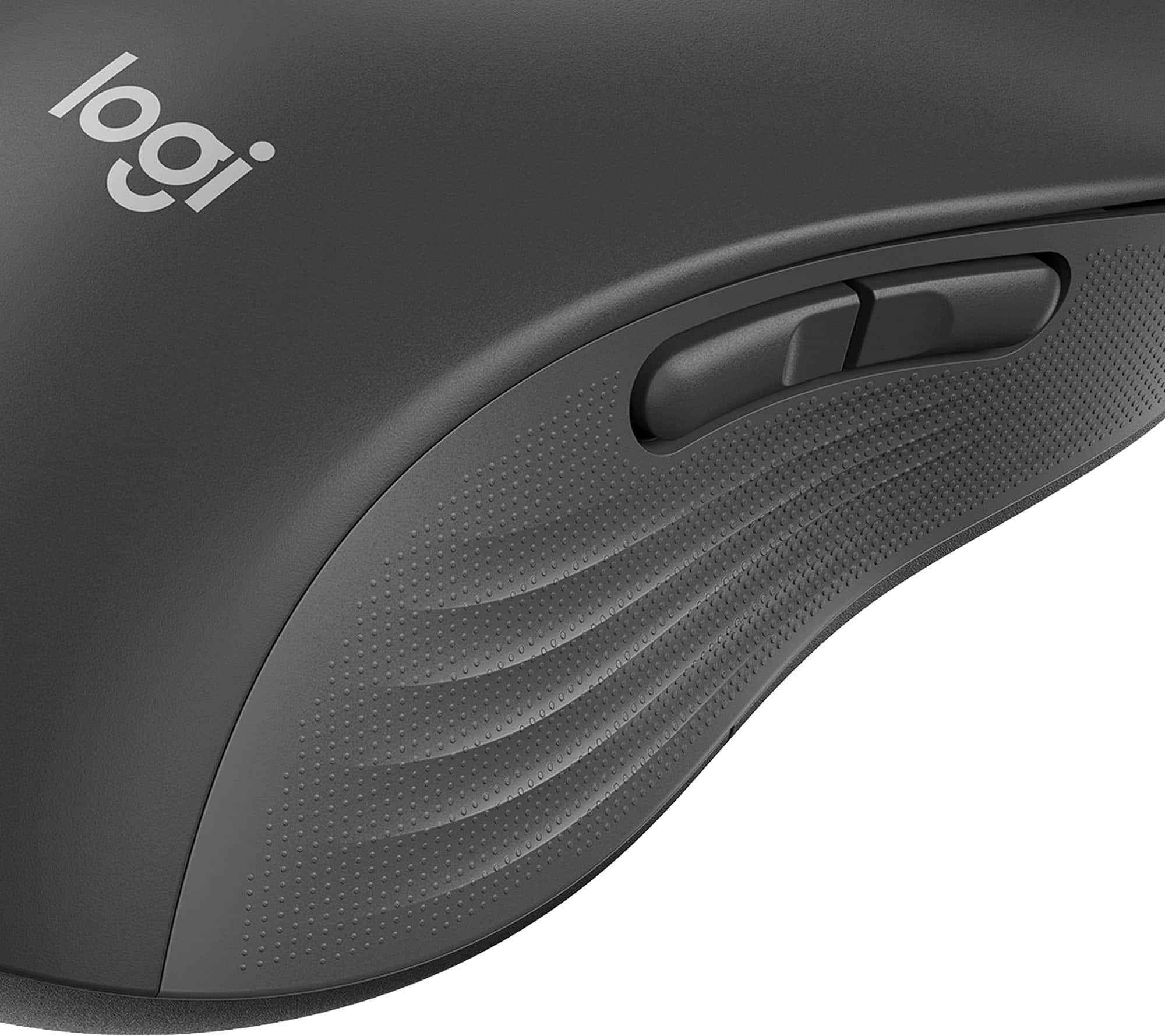
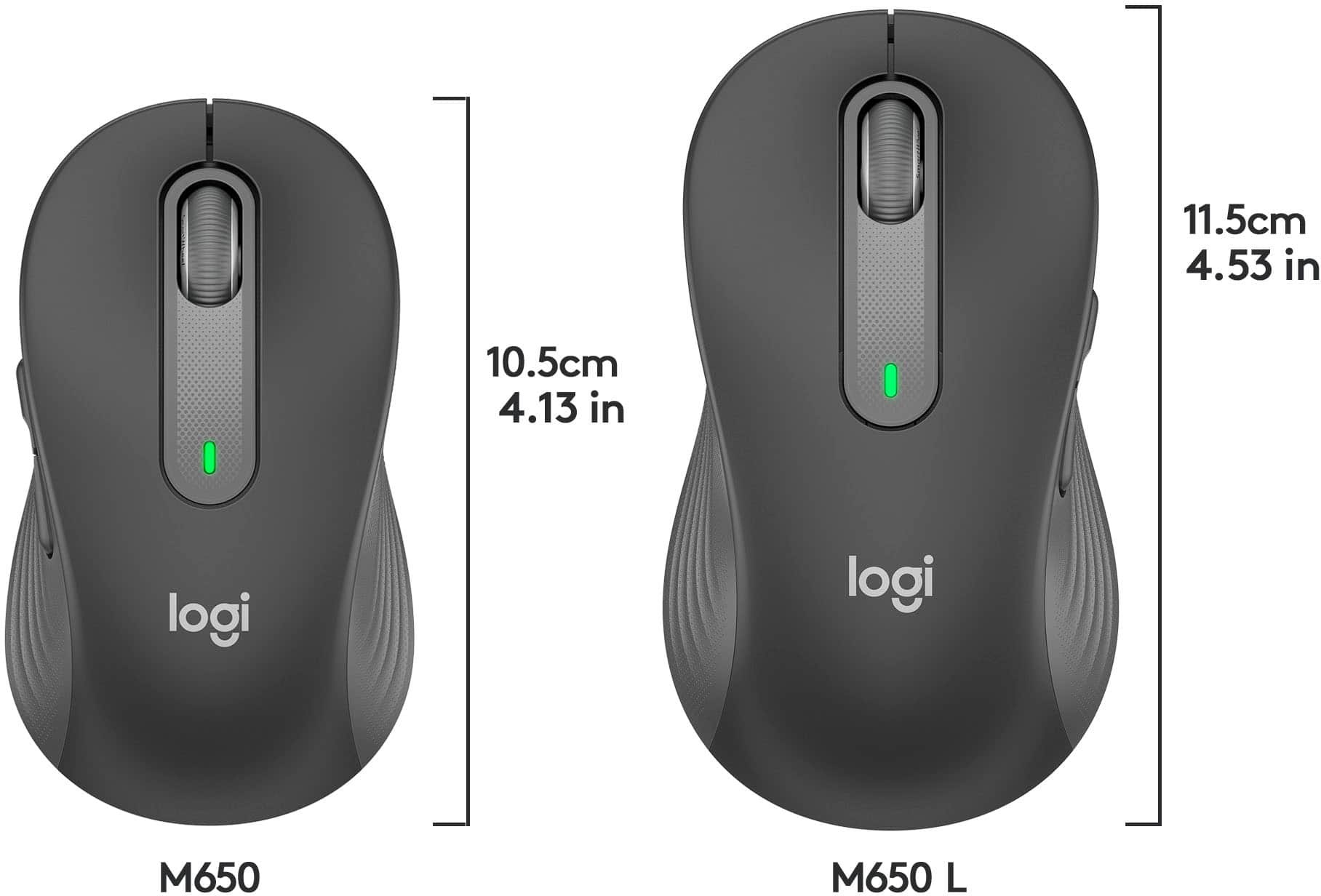
|Posted .This reviewer received promo considerations or sweepstakes entry for writing a review.DESIGN Some mice I've used over the years have featured form-fitting cutouts for the thumb or various asymmetrical indents or bulges that allow the thumb or palm to rest more naturally on the outer shell. For a lefty, finding a mouse with such anatomical accommodations hasn't been easy; usually, I just end up with a symmetrical "universal" mouse and customize the button behavior in software. That's pretty much what we have here with the M650L Left-Handed mouse. Yes, it's still a legitimate "lefty mouse," but the shell is actually symmetrical/ambidextrous; the only real left-handed features are the the two left-hand thumb buttons on the side for additional shortcuts/productivity. Still, there's a lot to like about the thought Logitech put into the M650's design. The top shell features a satin-finish surface that feels pleasantly smooth without being slippery; a subdued "logi" logo is silk-screened onto the shell. In contrast, the rubberized sides feature a VERY subtle raised texture and several large horizontal ridges or ribs. These features work very well together to improve overall grip, security, and stability in the hand--it's actually one of the more comfortable-feeling mice I've ever used. Flip it over, and there's a power switch (which you'll hardly ever need), pairing button, and a battery cover that reveals an on-board storage slot for the little receiver dongle. The scroll-wheel/button features even more rubbery-felling ribbed material around the outer edge with very subtle detents that register under the finger for each when you scroll; you'll have to move up to something like a Logitech G903 if you need one of those fast-spinning scroll wheels for use in giant spreadsheets or endless webpages. A single LED lights up during initial power-up to indicate battery life but remains unlit during normal use. Although identical in shape and size, the two side thumb buttons are actually raised at opposite ends--it will be clear why this is important in a moment. For reference, I have medium-to-large sized hands with somewhat slender fingers; I typically wear a large men's glove. If you're like me and your hand is sized appropriately for Logitech's "Large" M650, you'll likely be able to activate the rear button with the "heel" of your thumb (below the knuckle) while the front button can be activated with the front pad. In use, I could easily operate both buttons without having to raise and move my thumb off the mouse itself--definitely a time-saver when I was furiously navigating multiple tabs and webpages. About the only thing of note here is that the mouse isn't necessarily as big/long as the "Large" sizing in the name and marketing materials would have led me to believe. It's definitely not travel-sized tiny by any means, but it is perceptibly shorter than the Logitech G Pro Wireless gaming mouse which has been my daily driver at home (comparison pic attached); more of the back of my palm floats fully off the shell and the heel of my palm on the desk/mouse pad because the mouse just doesn't offer as much material to support my hand. This is all subjective and relative, of course, but if I were to characterize the size of this mouse based on all the mice I've used over the years (going WAY back to my first Mac SE in 1987), I'd call this more of a medium-to-standard sized mouse than what I would associate with something billed specifically as "large." That's not to say it isn't comfortable in the hand/in use, but if you're used to something a bit more substantial like some of the gamer-oriented offerings from Logitech, Corsair or Razer (for example), you might find this mouse just SLIGHTLY smaller than what you were expecting. Overall, the M650 has just a hint of design flair without being garish or overly "gamery"--it has a very streamlined and professional appearance that wouldn't be out of place at work or at home, nor will you likely mind mousing with it all day long due to its supreme comfort in the hand, easy to reach/operate controls, and pleasant-feeling materials and textures against the skin. FEATURES & OPERATION I'll get this out of the way up front--Logitech isn't lying when they say this mouse makes virtually NO NOISE whatsoever! The left, right, and scroll wheel buttons offer almost noiseless click action--just a barely imperceptible and dull "thunk" when the switch itself is activated. The thumb buttons, however, are not silent, though they're hardly as loud as something like the mechanical switches on my Cherry MX keyboard. The left and right mouse buttons are a tiny bit on the sensitive side, not enough that you're likely to make a lot of errant left or right mouse clicks, but there isn't a lot of actuating force required for a click to register which is nice for preventing fatigue over a long day of work/mousing. The mouse wheel button takes a little more force, as do the side thumb buttons, which is good for preventing accidental function clicks when you're moving/shifting your thumb around the on the outer shell. I can't speak to battery life just yet, but Logitech claims to have designed the M650 to provide up to 24 months on a single AA battery. I have used MANY Logitech products over the years, and I think they're probably not too far off in their estimates. We have 5 non-rechargeable Logitech mice in the house right now for work, play, and travel for a family of 4, and I think I've MAYBE changed the original battery out in just two of them over last 3-4 years! Logitech graciously included onboard Bluetooth connectivity in addition to a separate wireless USB receiver; my Windows 11 desktop instantly recognized the M650 when I powered it up and connected immediately via BT. To fully customize button and scroll wheel behavior, you have to download the new Logi Options+ client (currently in BETA as of this writing). It's a very intuitive and easy-to-use program that doesn't require a login/password (thank you!)--definitely a step up from the older Logi Options program in terms of a friendly and easy-to-navigate/understand interface. With Options+, you can adjust button function and behavior both globally and for specific programs (i.e., you can use the thumb buttons to blank video or mute the mic in MS Teams but offer forward and back navigation in Chrome)...several suggested configurations come helpfully preloaded as part of the Logi Options+ installation after scanning your system for supported programs during the initial setup. Everything else about using this mouse is going to be system- and setting-dependent (scroll smoothing, pointer speed, etc.); but I didn't notice any significant latency or input lag, even using BT--but then I'm not a competitive esports gamer, nor is that really the target demographic for this mouse anyway. In general, I think it's safe to say you're going to get a great mousing experience for your dollar with the M650--at least in my experience over the years, Logitech tends to make very durable, premium-feeling products with absolutely bulletproof performance...this mouse is no exception. DEFINITELY RECOMMENDED!
I would recommend this to a friend- Pros mentioned:Silent clicks
Great Choice
|Posted .This reviewer received promo considerations or sweepstakes entry for writing a review.Truth be told, I have always been a fan of Logitech products. This Lefty mouse does not disappoint. First thoughts... While I understand the clamshell packaging, I HATE IT. Not at the fault of Logi, many manufacturers are using it as it's cheap and protective, but can some one figure out an easy-open application? Just a personal beef, but still withstanding. OK, once opened, set-up was simple and the mouse operation was as expected. The buttons and wheel were silent and the laser point placement were spot on. End of the day, it's a mouse and does what a mouse should. Where it beats many others is in the quite operation and customizations options. I would recommend to a friend.
Brand response from Logitech
Posted .Hello, Posted1! I'm happy to hear you're enjoying the M650 L Left mouse! Feel free to reach out to our support team here https://support.logi.com/hc/en-us/requests/new?ticket_form_id=360000621393 if you ever need any assistance or if something happens in the 1-year limited hardware warranty. Thank you for the review and for shopping Logitech! - Maggie from Logitech
- Pros mentioned:Left-handed, Silent clicks
No longer "left" out ...
||Posted . Owned for 1 month when reviewed.This reviewer received promo considerations or sweepstakes entry for writing a review.After surgery on my wrist, I was forced to depend on my non-dominant hand so I'm somewhat ambidextrous now and being comfortable using a mouse with my left hand became my super power as it enables me to write at the same time. (Yes, it does drive the IT people crazy when they don't realize the buttons are swapped on my mouse) I never thought a left-handed mouse existed, but I recently needed to replace my trusty Logitech M305 and discovered that the M650 came in a left-handed version. At first I was a little reluctant to purchase it because it only came in the larger size and my hands are on the small side, but it's perfect. A lot of the Logitech mice that are bundled with the keyboards have no weight and feel very cheap so I've always used the M305 which has a little heft to it. The M650 is a huge upgrade -- from the smoothness of the wheel and the clicking which is practically silent. There are three buttons that you can map on this -- but per usual, the Logitech software is a little buggy (it still doesn't recognize my mouse when I try to check for updates). One minor gripe is that Logitech doesn't make their products easy to pair with Bluetooth -- when you're in the process pairing a mouse, you can't click "connect" that appears in the box. I'm still not quite sure how it paired, but it did. But as far as peripherals go, this is a great mouse -- and another plus is that it uses the new Logi Bolt receiver that is vastly more secure than the Unifying receiver. I suspect Logitech is going to take a lot of heat as the Logi Bolt rolls out because the receiver is not backward compatible with older products ... which will force people into upgrades they might otherwise postpone.
I would recommend this to a friend Smoothest scroll wheel I've ever used
||Posted . Owned for 1 year when reviewed.This reviewer received promo considerations or sweepstakes entry for writing a review.I've owned this mouse and used it daily for the last year and a half. It has the smoothest scroll wheel that I have ever used and the buttons on the top require very little pressure to initiate a click. Both of those features are very important to me because I have an extreme disability with both my hands where I have greatly limited dexterity and fine motor skill and little to no strength. The average mouse requires more strength to click the mouse button than my fingers can deliver. As result of my positive experience with this mouse I went ahead and ordered an extra one to have on hand. It is still in the package and yet I plan on ordering another one here in the summer of 2023 because I don't ever want to use any other mouse. That is how good this mouse is for me. Oh, and everything else about this mouse is great also. That's my take on it.
I would recommend this to a friendBest mouse
||Posted .This reviewer received promo considerations or sweepstakes entry for writing a review.Excellent mouse. Perfect design. Full size fits my hand nicely. I bought both right and left handed.
I would recommend this to a friend- Pros mentioned:Comfortable grip, Left-handed
Excellent Left-Handed Mouse
||Posted . Owned for 1 month when reviewed.This reviewer received promo considerations or sweepstakes entry for writing a review.I'm a lefty and this is the first left-handed mouse I have ever owned. Love it! Very comfortable, enjoy having a mouse designed for me. If you're left handed and have larger hands I believe you will like this mouse as much as I do!
I would recommend this to a friend Great mouse!
||Posted . Owned for 1 year when reviewed.This reviewer received promo considerations or sweepstakes entry for writing a review.Great mouse! Easy to use, installed in seconds. Absolutely no issues.
I would recommend this to a friend- Cons mentioned:Compatibility
Not Compatible with Unifying Receiver
||Posted . Owned for 2 weeks when reviewed.This reviewer received promo considerations or sweepstakes entry for writing a review.Great mouse and feel in hand. I was a little nervous about the “large” size but in hindsight I now realize my prior mouse (Logi M525) was too small. Note that you cannot pair this with a Unifying receiver if you are trying to combine older Logi devices on one dongle - this uses the new Bolt receiver (or Bluetooth, I prefer using the receiver). For long-time Unifying receiver users I wish it was more clear in the description that they aren’t backwards compatible but I guess it’s my fault for making the assumption
I would recommend this to a friend - Pros mentioned:Left-handed, Long battery life, Thumb buttons
Nice mouse for a lefty. Not a gaming mouse, but..
|Posted .This reviewer received promo considerations or sweepstakes entry for writing a review.So, a chance to try out a left-handed mouse. I’m ambidextrous and I’ve used to using a right-handed mouse, but the chance to use a lefty was something I couldn’t pass up. Out of the box, it’s weird. Nothing wrong with the mouse, just different for me. It does work very well and having the two thumb buttons on the right (pun intended) side works. You do need to download Logitech’s software to program the two side buttons, but again, the mouse works great out of the package. The smartwheel scrolling is handy. You can roll the wheel like normal, and it goes line by line or give it a spin and it will scroll to the bottom of a page. The large size isn’t too big. I wear a large glove, but my hands aren’t huge by any means and the mouse fits nicely. My fingertips fit perfectly with the back of the mouse in the center of my palm. The mouse is a tad light for my taste, but not so much that it feels cheap. The buttons are very quiet as stated on the package. Silent touch, Logitech calls it. Going to the website for the download, I see that Logitech claims a 24-month battery life, so that’s a plus. One AA battery change every couple of years is one less thing to worry about. Lastly, the website states that it works with just about every platform, Windows, OsX, iPad OS, Chrome OS, Android, and Linux. Oops, forgot to say that Bluetooth pairing works great. I held the button on the bottom and the white light started to rapidly flash and Windows settings saw the mouse. Clicked connect and tada, it worked as it should. I’d recommend this to any lefty that has a hard time using a right-handed mouse or would prefer to use one with the thumb buttons where they need them to be.
I would recommend this to a friend - Pros mentioned:Comfortable grip, Silent clicks, Thumb buttons
Such an affordable mouse!
|Posted .This reviewer received promo considerations or sweepstakes entry for writing a review.It is a pretty solid mouse, it is comfortable and feels really well made, the unboxing is something simple inside the package is the mouse, receiver, quick-guide and a AA battery, so basically just unpack, connect and is ready to use. It has a nice design, for regular hands like me it feels comfortable and looks cool. The performance is one of the best parts it is smooth, the side buttons are great help and if you download the Logitech app can be customized to get the most of them and, one thing I really like is that doesn't make noise, I'm use to the noise that mice do, but it's kind of funny that this mouse doesn't make noise, the side buttons are quiet too and the scroll wheel (SmartWheel scroling) it feels different but it does a good job, if you scroll slowly down or up it'll go line by line but if scroll fast it will go up or down all the way in a bit, I believe this is one of the best wireless mice that let you use your pc Bluetooth or the receiver that is included, for that price I think it is a good option and if you're left handed person, this mouse could increase a lot your daily productivity, highly recommended.
I would recommend this to a friend Great mouse for a lefty with average sized hand
||Posted . Owned for 3 weeks when reviewed.This reviewer received promo considerations or sweepstakes entry for writing a review.Perfect size and comfortable feel. Works great on many surfaces. Very happy with this product.
I would recommend this to a friend- Pros mentioned:Left-handed, Long battery life, Silent clicks
A great option for us lefties
|Posted .This reviewer received promo considerations or sweepstakes entry for writing a review.Finding a comfortable left-handed mouse has been on my list for quite some time. Leave it to Logitech to come up with a versatile and comfortable option for us lefties. I appreciate that it has two modes of connectivity. It comes with a dongle if you are lacking Bluetooth, yet offers Bluetooth if you are short on USB ports. Both methods of connectivity work perfectly, but I will always prefer the dongle for the best service. This is one of the best left handed models from an ergonomic point of view. However, since I have been forced to use right handed peripherals for many years, I found that this worked equally as well with my right hand. I have switched back and forth with ease. The scrolling wheel works perfectly as expected and is smooth and quiet. The buttons are also very quiet with very little clicking noise. While quiet, the buttons give the feeling of pushing them like any other mouse. The mouse is equipped with two programmable side buttons to use as shortcuts, but you will need to download the Options Plus software to take advantage of this feature. While the battery is not rechargeable, it is rated for up to two years with just one AA battery. The dongle has a convenient storage spot next to the battery if you choose to use Bluetooth connectivity. With all of my devices and laptops, it is easy to lose or mix up dongles. Overall, this is a very nice option, especially for us lefties.
I would recommend this to a friend - Pros mentioned:Comfortable grip, Silent clicksCons mentioned:Limited availability
Decent mouse option for lefties, could be better
|Posted .This reviewer received promo considerations or sweepstakes entry for writing a review.GOOD -USB and Bluetooth connectivity -Smooth gliding over work surfaces -Internal storage compartment for USB dongle -Comes with AA battery -Main buttons are very quiet -Larger size is nice for bigger hands BAD -Main buttons feel mushy -No side or tilt scrolling -Left-handed version not available in smaller size or different colors The good news is the M650 continues Logitech's typically good mice. It's relatively comfortable to use. It has a nice, smooth glide over desk and mouse pad surfaces. And it can store the USB dongle inside the battery compartment when you need to travel with the mouse. Also nice, Logitech includes a AA battery with the mouse. Two new changes with the M650 are the new Bolt connector and quieter main buttons. The Bolt replaces the older Unifying USB dongles, and is supposed to offer better connections in busy wireless areas. Personally, I haven't experience wireless interference with mice or keyboards since the first-gen wireless mice 20 years ago. Perhaps the Bolt will make a difference to people with desks in a cubicle farm where everyone is using wireless keyboards and Bluetooth headsets. The switches for the main mouse buttons are indeed quieter than any mouse I can remember using. However, this also makes them lack most tactile feedback. They almost feel mushy. I've rarely been in places where so many mice are in use that noise is a problem ( again, maybe someone in a cubicle farm will appreciate it ) but if you're used to tactile and audible feedback when using your mouse, this is a big adjustment. Perhaps one you don't want to make. While this mouse certainly works better for left-handed users, I don't know I'd call it fully left-handed since it's not molded specifically for the left hand. It uses the same symmetrical shell as the normal M650 L, it just has the thumb buttons on the other side. Years ago Logitech ( and others ) offered ambidextrous mice that had thumb buttons on both sides of the mice. I'm surprised Logitech didn't just take that route again to simplify production. Doing it this way means using mostly separate production lines for the three different models ( RH small, RH large, and LH large ), which would appear limits options. Though the M650 is available in five different colors, not all models are available in all colors. The LH variant is only available in Large size and in black. So I guess LH people with smaller hands, or those that want a smaller travel mouse, are out of luck.
I would recommend this to a friend - Pros mentioned:Left-handed, Thumb buttons
Finally a standard function left handed mouse!
|Posted .This reviewer received promo considerations or sweepstakes entry for writing a review.I'm a lefty that has gotten used to using a right handed mouse for my entire life, so I was soo excited to get this mouse. I have used a Logitech M510 for the past 5+ years, and this mouse, the M650L, is the same size and button placement as my previous mouse, just curved to the right for a left hand. The mouse comes with a USB dongle but can also connect via Bluetooth so you aren't required to have a free USB port for this mouse to work. Both methods were quick and easy plug and play with my Windows laptop. The mouse comes with one AA battery, with the power button, pairing button, and battery cover all on the bottom of the mouse. For travel or if not needed, the UBS dongle has a storage slot under the battery cover. The mouse itself has an ergonomic design that fits my hand well, with almost no noise when clicking both the top buttons and scroll wheel. There are two inside buttons under the left thumb that can be customized for shortcuts, but only if you download the Logitech Options Plus software. As far as movement goes, I find that the settings out of the box give me the expected precision and speed without having to adjust any settings. Overall, its taken me a few days to get used to finally having a mouse that I can use left handed, but now that I've figured it out, I won't be going back!
I would recommend this to a friend - Pros mentioned:Left-handed, Silent clicks, Thumb buttons
Another HOMERUN from the Leader in Wireless Mouse
|Posted .This reviewer received promo considerations or sweepstakes entry for writing a review.Logitech has done it again. Finally for all those lefties out there a mouse that is designed for them. Logitech is the leader in accessories, especially wireless mouse. My daughter loves this. It fits her hand perfectly and she finally can use her left hand and all the features of the mouse naturally. The curve is nice and the placement of the buttons is perfect. The smartwheeel functionality is wonderful. Quick and precise scrolling all at your fingertips. The clicks are just barely noticeable, so you know you are clicking but it is not obnoxious to those around you. Especially when you are using it at school. You also can customize the functions of the side buttons. You can really make this mouse fit your personal use. You can connect to your device via bluetooth or via the usb adapter. Connection is a snap and easy to change from device to device.
I would recommend this to a friend