Customer Ratings & Reviews
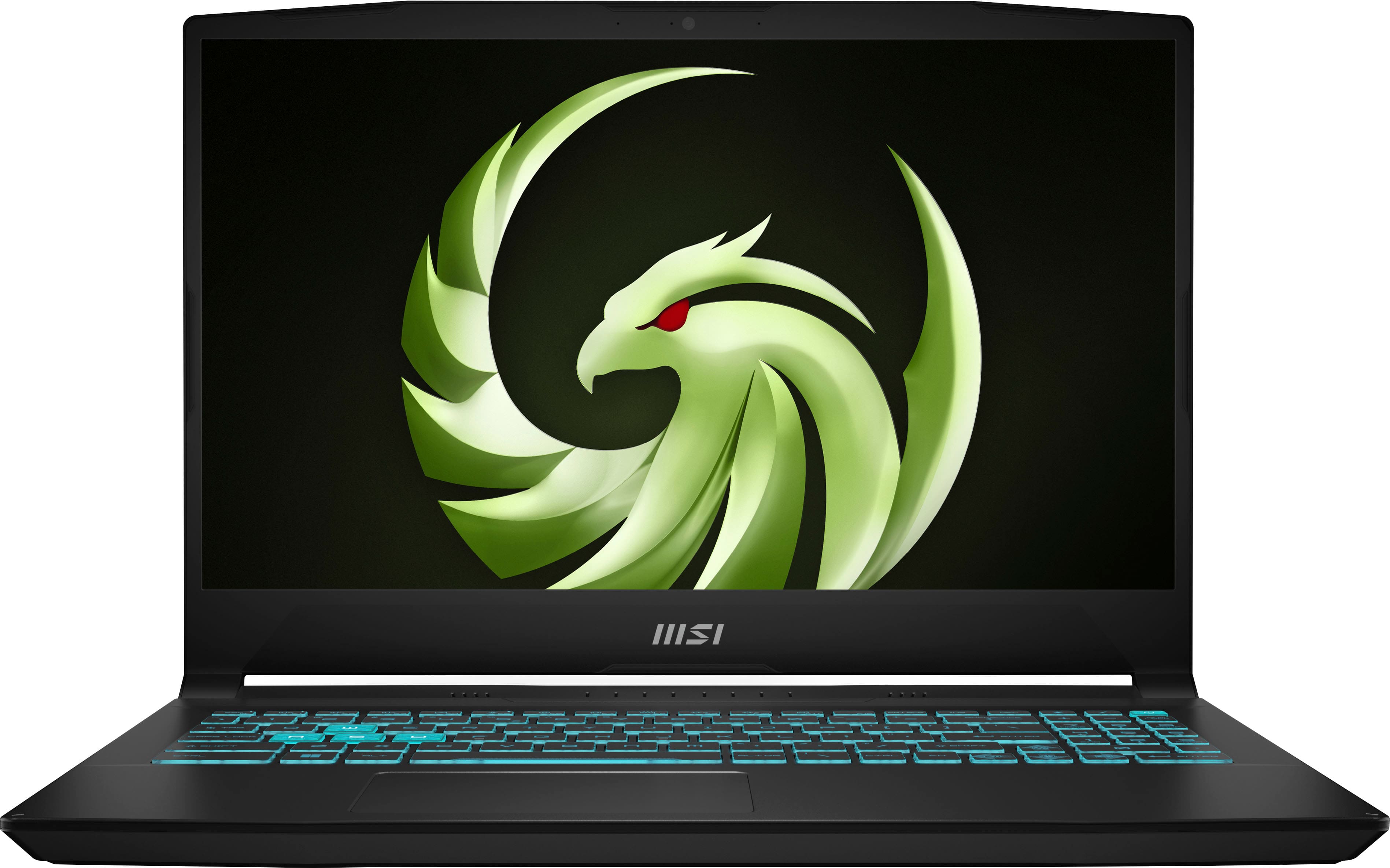
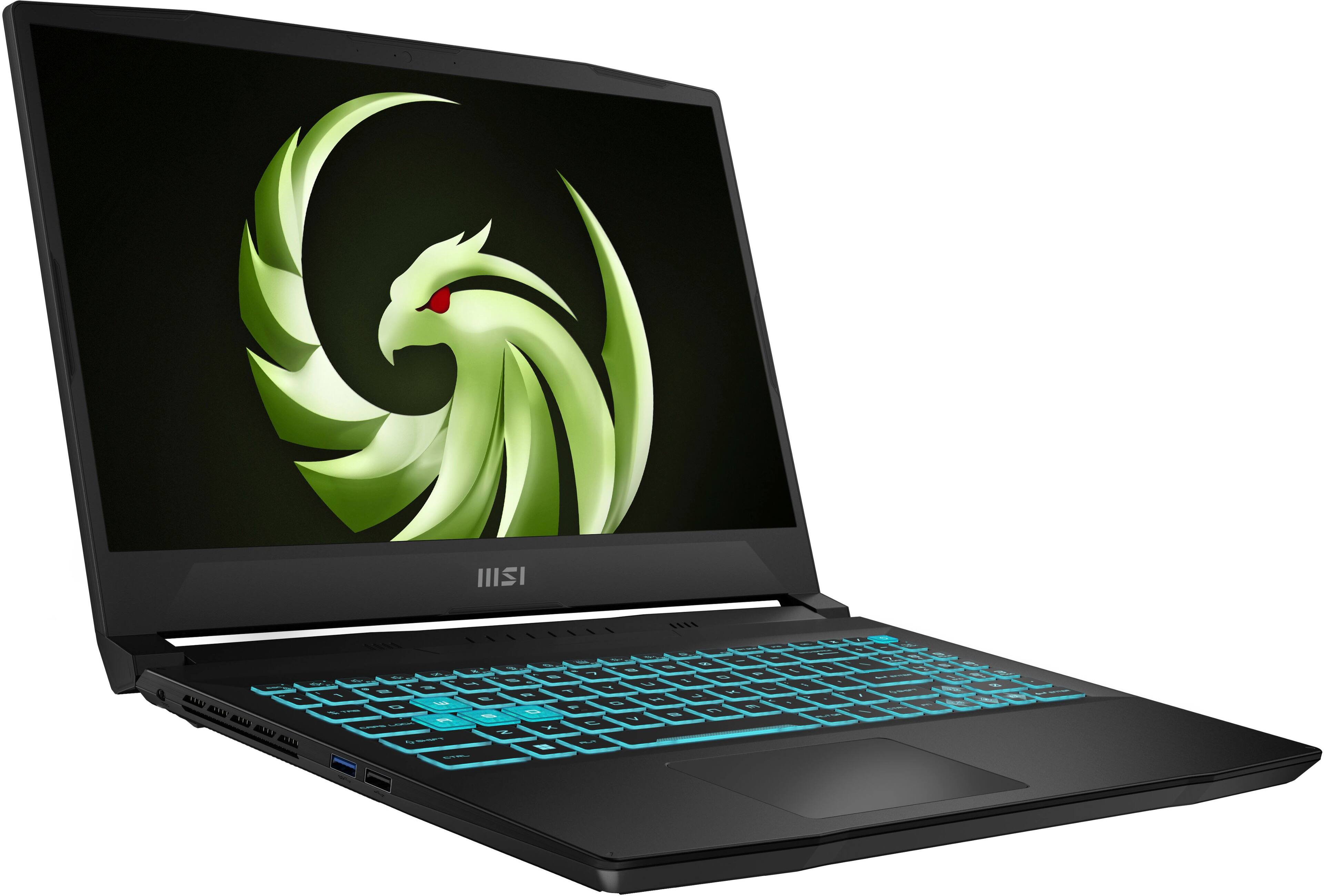
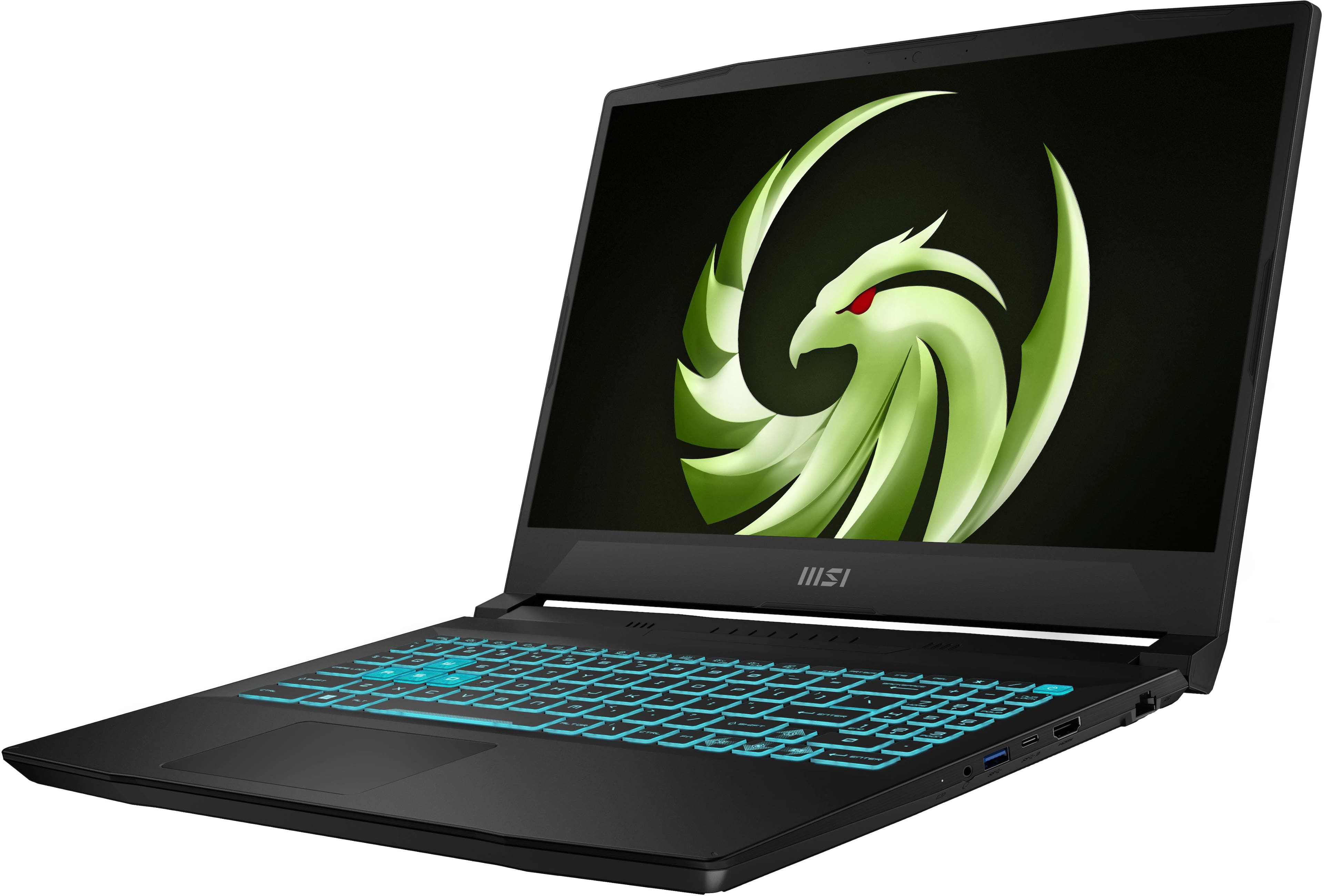
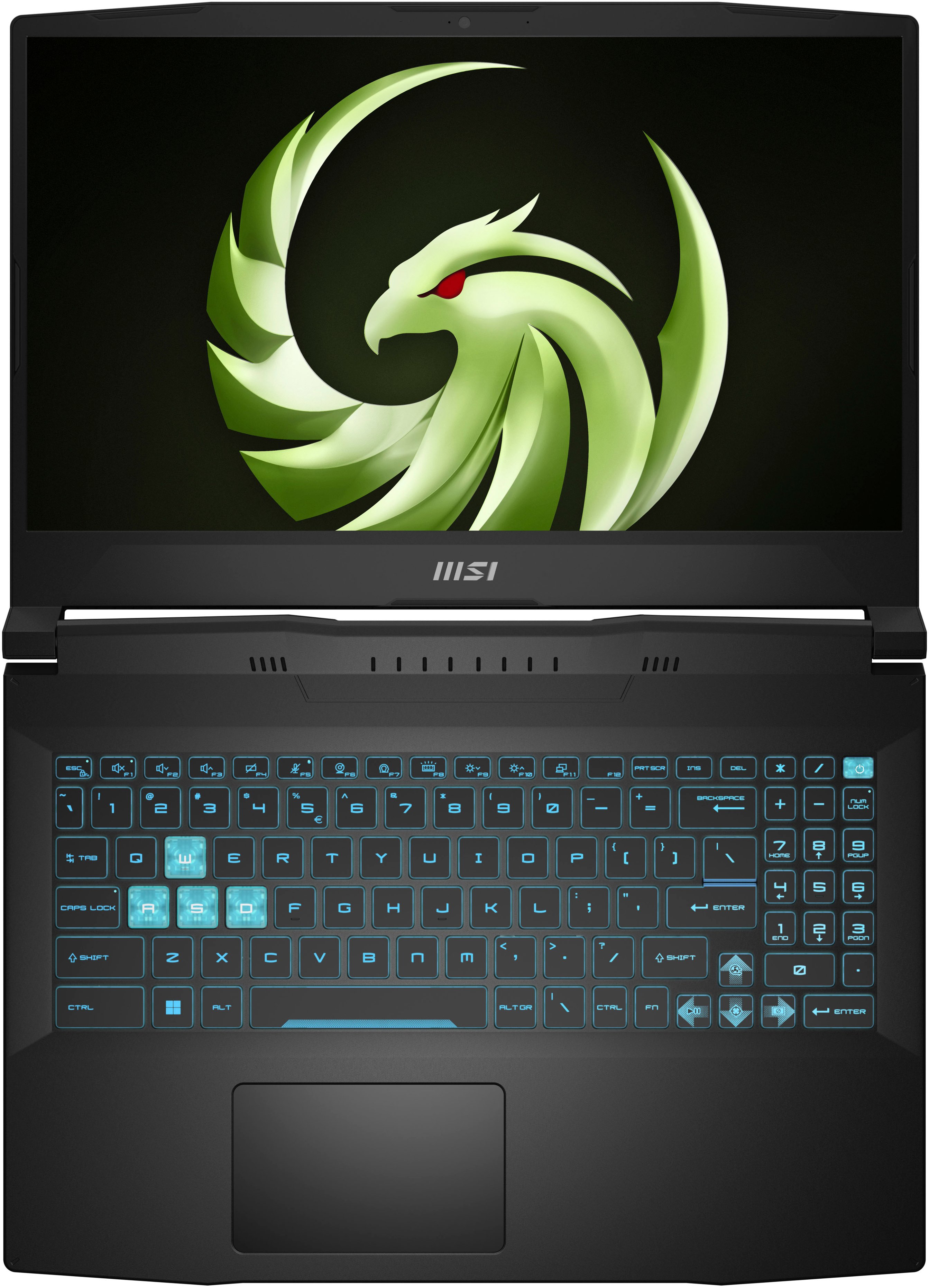
- Model:
- BRAVO15B7001
- SKU:
- 6545082
Rating by feature
- Battery Life
Rating 3.9 out of 5 stars
- Speed
Rating 4.5 out of 5 stars
- Display
Rating 4.5 out of 5 stars
Customers are saying
Customers are pleased with the Bravo 15's performance, RAM, graphics capabilities, and keyboard. Many appreciate its affordability and the quality of the display. However, some users point to the short battery life and noticeable fan noise as drawbacks. The weight of the laptop and the sound quality of the speakers also received some negative feedback.
This summary was generated by AI based on customer reviews.
Amazing
||Posted .This reviewer received promo considerations or sweepstakes entry for writing a review.Excellent computer fast for gaming stays super cool with its fans you can turn the fans on and turn them off Is reuse very self-explanatory laptop helps you understand itself better .
I would recommend this to a friend- Pros mentioned:Performance
Gaming laptop
||Posted . Owned for 1.5 years when reviewed.This reviewer received promo considerations or sweepstakes entry for writing a review.I’ve had this for about 2 years and it runs great except for a crash every once in a while but that’s after extended use.
I would recommend this to a friend - Pros mentioned:Performance, RamCons mentioned:Fans, Speakers

Budget-minded gamers can still enjoy AAA titles
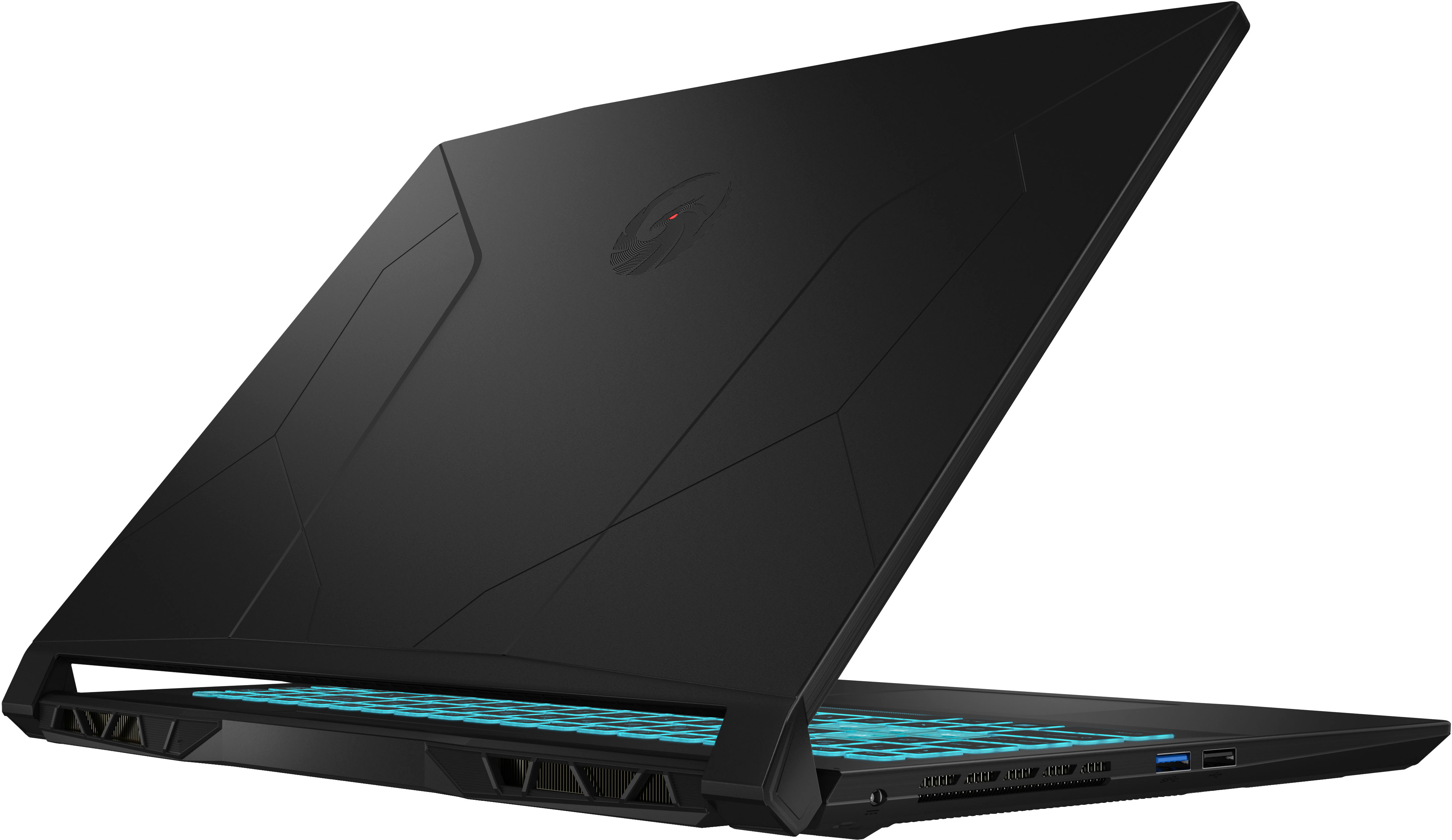
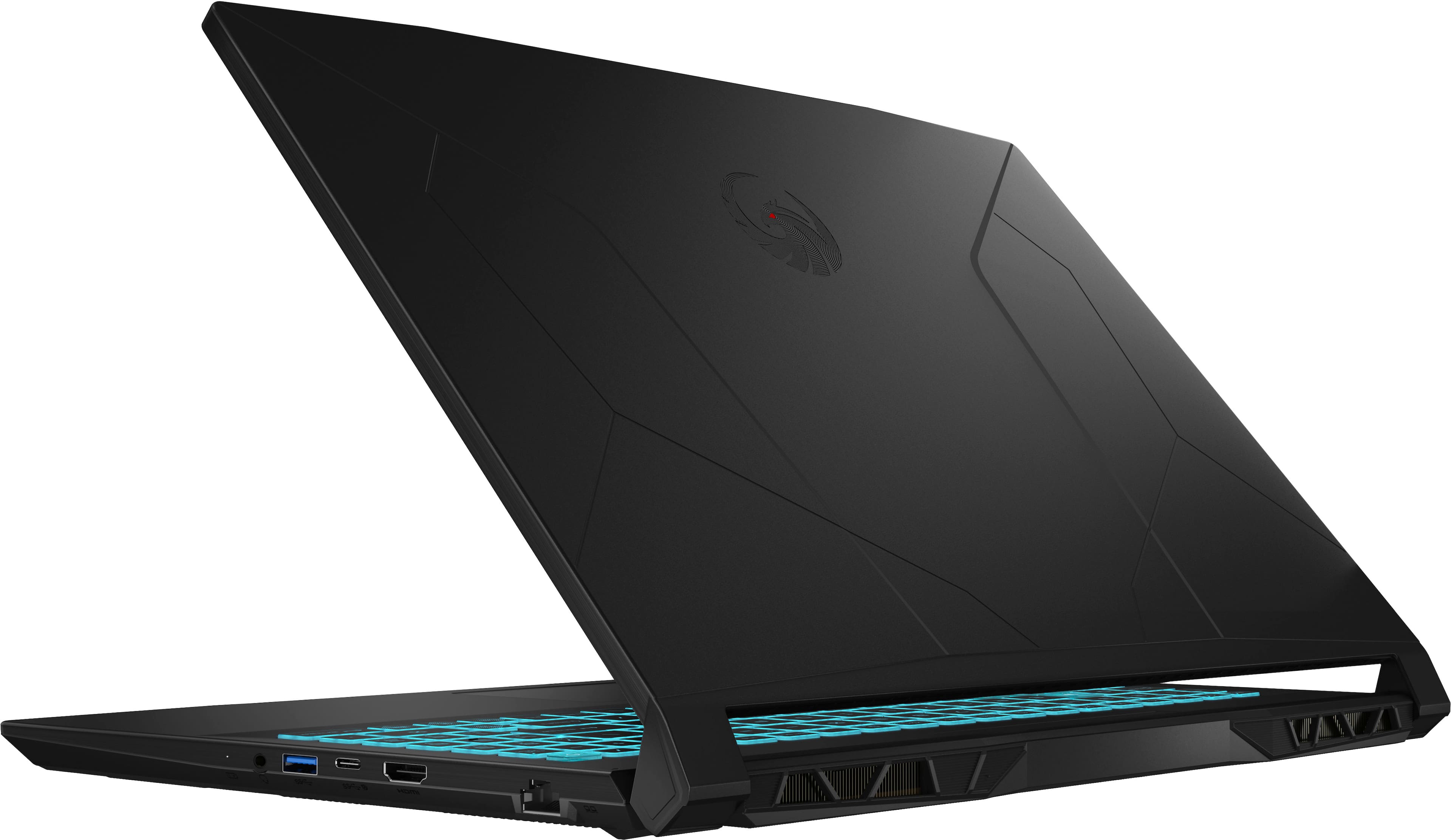
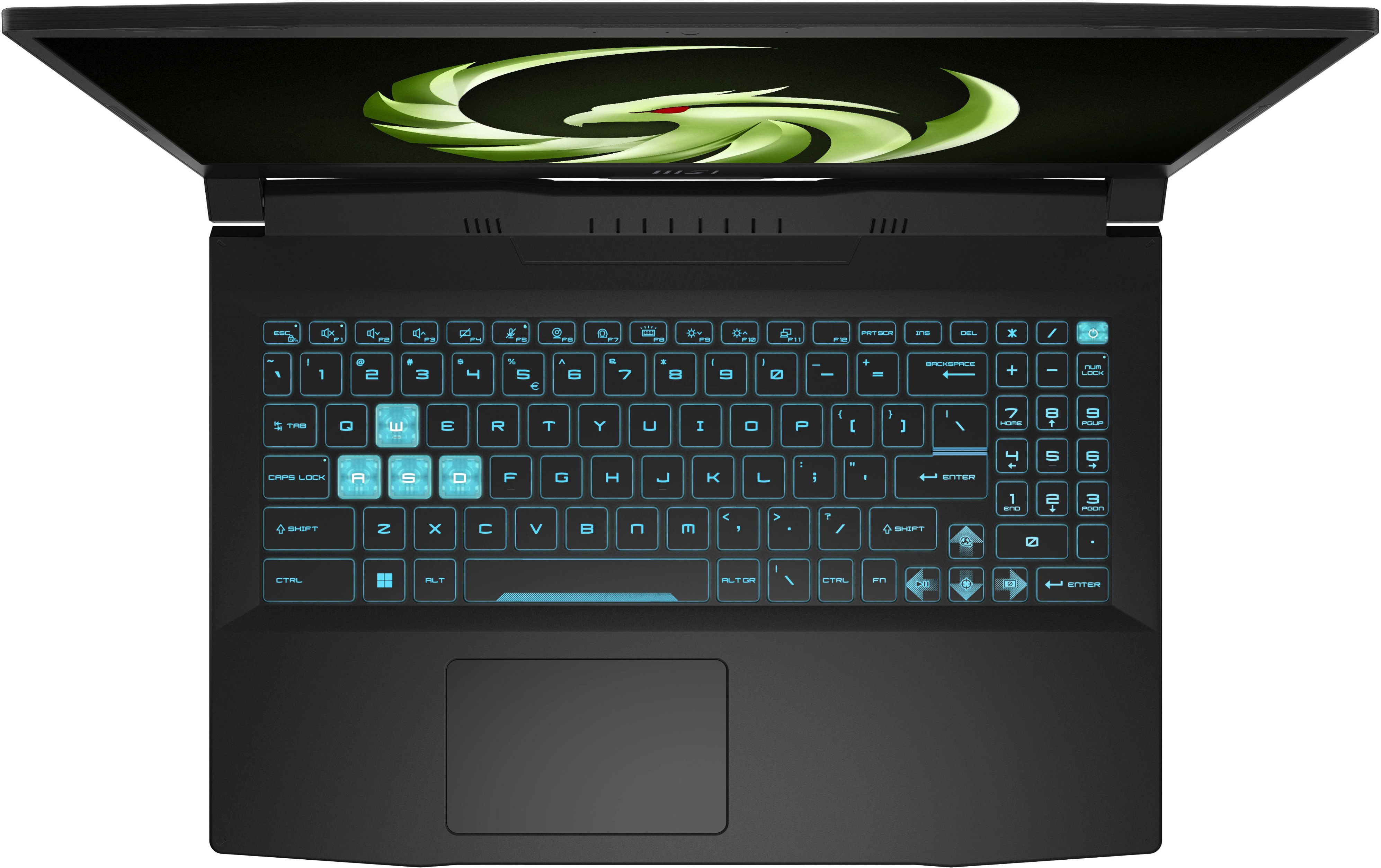
|Posted .This reviewer received promo considerations or sweepstakes entry for writing a review.The last MSI laptop I owned was one of their monstrous dual-NVIDIA 18” GT80 Titans with a full mechanical keyboard; I think it cost me more than 3 mortgage payments at the time. It was a gamer’s delight & I loved every minute of it--except for the mild backache I would get lugging that 10 pound boat anchor & 5 pound power brick around. I’m older now & while my gaming tastes haven’t changed that much, what has changed is my desire for something a bit more sensibly priced & a bit more portable without sacrificing playability. Enter the MSI Bravo 15, a much more modestly appointed laptop that clocks in well below a grand—but can such a budget offering still deliver a compelling gaming experience without cutting too many corners? The answer is…mostly yes. The MSI Bravo 15 comes off reasonably svelte clocking in at less than 5 lbs with a decidedly modern gamerish aesthetic…think spaceship-like trapezoidal exhaust ports, multiple Aztec-style lines on the lid, & several sets of Dutch-angled honeycomb vents on the bottom. The lid is adorned with MSI’s new thunderbird logo with a tiny red accent in the eye (no, it’s not LED-backlit, which would have been really cool); it feels quite solid & the hinges hold the screen resolutely in place while allowing you to open the screen flat to a full 180 degrees. The plastic shell is actually quite stiff with very little flex around the keyboard or trackpad. It’s got a nice smooth satin finish which is unfortunately also a fingerprint magnet—if you have OCD about not wanting oily fingerprints all over your gear, you’ll probably need a bit of Xanax to deal with the Bravo because there seems to be no way around it & it stacks up FAST! The trackpad is serviceable if a bit small given how far off-center it is placed. In all fairness, the trackpad is centered in the middle of QWERTY keys, but the extension of the keyboard into the full numpad on the right side makes it feel like the trackpad is placed a bit too far to the left—at least for me. Given the fact that this is a 15” laptop, the inclusion of a full numpad is a welcome addition, though some design concessions were made to squeeze in all those keys. For example, the up-arrow took a chunk out of the traditionally lengthy right shift key which took some getting used to so I wouldn’t hit the up-arrow while quickly stretching for the right shift. The numpad keys are also about 60% the size of the other chicklet keycaps & are taller than they are wide so if you have muscle memory built up using a regular-size number pad, your keying speed will probably take a serious hit using this rather cramped set of keys. Speaking of the keyboard, the font can take some getting used to. It’s stylized & similar to the Zosma or Spider-Man movie font—I found it very easy to read, but my sense is that it’s a bit of an acquired taste over conventional typefaces that may appeal to more mature users. The keyboard is LED backlit in blue only, there are no effects, other colors, or animations available—but you do have three levels of brightness in addition to turning the backlight off. It’s easy to see in the dark, & the white lettering on black keys works well for non-backlit operation, but the coloring of the WASD keys is a bit odd. The translucent effect is cool at first, but the white lettering has poor contrast against the clear keycaps when backlit making them a little difficult to read. Initial setup was a breeze though it took a good 30 seconds after turning it on before the MSI post logo first showed up; I was almost tempted to do a hard reset/reboot until the logo finally popped up on the screen. It was about 1 min before reaching Windows setup which included 1 auto-restart for initial updates; all told it was about 8 min 30 sec before I was mousing on the desktop. MSI center provided 1 live update; there were another 11 patches available in Windows Update; & opening the Windows store yielded another 48 app updates. The OS installation was about 64GB; you can claim another 3GB through Windows Drive cleanup which left more than 400GB for game installations which you can unfortunately chew through pretty quickly with just a handful of AAA titles. My Bravo came with a 512GB Micron 2400 QLC NVMe drive; it was snappy enough, but obviously your tolerance for QLC-related slowdowns & the decrease in expected longevity will depend on whether you are a light gamer, hardcore gamer, or intend to work with massive video files or other tasks that involve write-heavy operations. Without an SD slot (the Bravo doesn’t have one) or simply replacing the stock drive, there is still an open M2 slot to accommodate more high-speed storage, but infuriatingly so--you have to contact MSI support to order a proprietary mounting bracket to make use of the slot at all (Reddit users report varying degrees of success obtaining or even locating the bracket). From the factory, the open M2 space is blocked by an adhesive-backed rubber block; I removed it & DIY’d my own solution by epoxying a small waterblock standoff to the interior for a second 2TB NVMe drive. Despite the cramped stock SSD, bloatware is blessedly minimal with MSI Center which offers a number of system maintenance & customization options, MSI App Player--which is actually a really slickly designed Android emulator, & two Nahimic apps, one for audio/mic customization & one that acts as a version checker for the Nahimic client & audio driver. The Bravo also includes an Xbox Game Pass trial as well as three 60-day licenses for Norton 360 for Gamers. Nahimc actually produces some compelling 3D positional audio via the modest built-in speakers--though you’ll be hard-pressed to enjoy the effects during more demanding titles because the fans spin up pretty loudly once the CPU & GPU are taxed; a BT headset or one using the combo 3.5mm jack is pretty much mandatory. The fans have two built-in speeds that you can toggle with a keyboard shortcut: normal & ludicrous speed. The fans aren’t harsh, but can get quite loud—I could easily hear them running full speed from across two rooms. The BIOS features are minimal & don’t provide any advanced overclocking or fan profile tweaks, but you can set a manual fan profile via MSI Center if you want. You can also adjust the power/fan profiles using one of MSI’s various “user scenarios” (balanced, silence, performance, etc.) which can tweak power & fan settings though it’s not clear to the user what those settings actually are. The screen is reasonably bright & clear with decent off-angle performance typical of an IPS panel. Though not advertised as such, it *is* VRR-capable which means AMD’s FreeSync will kick in to make your games look silky smooth up to the 144Hz limit of the panel--this was an unexpectedly pleasant surprise. I used CRU to extend the FreeSync range even further down to 10Hz with no artifacts or hiccups! There’s a full-sized HDMI port on the side, but FreeSync also worked flawlessly via the DP-enabled USB-C output when feeding my 300Hz portable monitor. Out of the box color reproduction was reasonably good at 6810K with just a small boost in greens & slight cut in reds. A few tweaks with the Windows color sliders produced a very pleasing image with a slightly more realistic (and neutral-measuring) color cast. Situated above the top of the panel is a small 720p webcam. Image quality is only middling & produces a somewhat blurry & waxy picture with tinny sound captured via the mic; it would do for a Zoom or Teams meeting in a pinch but it definitely isn't top-drawer capture quality. There is no privacy slider, but there is an activity LED to indicate when the webcam is active. With all of that out of the way, let’s get to the heart of the matter—how well does this budget gaming laptop actually game? Surprisingly, the Bravo 15 pulled off some pretty respectable performance in some very demanding modern titles. I ran my tests in MSI's performance mode without VSYNC or VRR (min/max/ave): - Marvel’s Guardians of the Galaxy (ultra preset) – 3/51/36 ; +FSR balanced – 30/104/73 - Red Dead Redemption 2 (medium across the board) - 3/91/60 ; +FSR2 – 31/118/71 ; topmost automatic “Favor Quality” preset +FSR2 – 36/118/82 - Crysis Remastered (high preset) – 1/235/47 - AC Valhalla (high preset) – 5/56/34 ; +FSR balanced – 11/137/79 - Shadow of the Tomb Raider (highest preset) – 51/98/62 - Horizon Zero Dawn (ultimate quality) – 6/87/54 ; +FSR balanced - 37/144/80 - Metro Exodus (high quality) – 27/66/47 - Gears 5 (recommended; mix of high & ultra) – 54/109/65 CAN you get better performance…of course, but it would come at a price—which kind of flies in the face of the notion of a “budget” gaming rig. And while the Bravo’s Ryzen 7 CPU is pretty capable, and 16GB of DDR5 RAM is a bit uncommon at this price point, there’s only so much performance you can wring out of the 4GB RX6550M GPU now matter how much more RAM or storage space you might add. Still, the pending rollout of AMD’s new FSR3 frame interpolation feature should definitely extend the value proposition of this laptop a bit further into the future. Obviously, the hardware accommodations made to keep the Bravo 15’s price tag less eye-watering means you won’t be pushing newer AAA titles at ultra and maxing out the panel’s native refresh rate, but that was never really the point, was it? For your gaming dollar, there’s still enough horsepower under the hood of the Bravo 15 to provide imminently playable framerates at decent detail levels in a reasonably stylish and travel/wallet-friendly package—recommended!
I would recommend this to a friend Great cheap gaming laptop but sucks in some areas
||Posted . Owned for 1 month when reviewed.This reviewer received promo considerations or sweepstakes entry for writing a review.I bought this for gaming/rendering video projects (i know apple does a lot better with adobe software in general but I dont want to spend thousands) and at first I loved this laptop more than my high end pc but after finding out that it doesn’t handle adobe applications like photoshop and illustrator that well it brought down my opinions of the laptop. I came from a macbook air m1 with 8gb of ram which did exceptional with adobe illustrator and photoshop but lacked in video and rendering applications like after effects, which makes sense due to the little ram it has. But what makes this interesting is that this laptop does great in after effects and other rendering applications but sucks in photoshop and illustrator. I honestly wish I just returned it and gotten a better laptop for gaming and designing but it is too late now. I will keep just is an inconvenience. 6.5/10
I would recommend this to a friendNice Laptop for the Price
||Posted . Owned for 1 week when reviewed.This reviewer received promo considerations or sweepstakes entry for writing a review.This MSI laptop is a nice machine for the price. Works very well to play several games and work on MS Office programs. I love the light up keyboard, it's a fun little extra thing. I've owned for about 2 weeks at this point and I only wish it came with more ram & a larger M.2 drive but those are both easy upgrades. When the fans really get running they are slightly noisy but that really doesn't detract for me.
I would recommend this to a friend- Pros mentioned:Graphics, Keyboard, Performance
Good for budget gaming.
|Posted .This reviewer received promo considerations or sweepstakes entry for writing a review.For the budget gamer or the casual gamer this is a fine gaming PC. The Bravo 15 B7E is equipped with an AMD Ryzen 7000 series processor, 16GB of DDR5 RAM, and the AMD Radeon RX 6550M GPU w/4GB GDDR6 RAM, and a 512GB NVMe SSD. The Laptop comes with a 1080p 144hz IPS panel so some potentially smooth gaming. The design I actually like, it looks like a gaming laptop but not way over the top like with led's on the exterior. The keyboard is my favorite part. I love what they've done with the translucent keys and actually giving this a 10-key setup, although the 10-keys are tiny I can type much faster on it than the top row of number keys. The ports on the sides are HDMI 2.1 and 1 x USB-A 2.0, 2 x USB-A 3.2, 1x Type-C USB3.2 I loaded up and briefly played MWII. While it played, it wasn't much fun playing a multiplayer map. It wasn't as smooth and fluid as im used to playing on a high end PC or another platform for that matter. But I really knew this before I started to even install the game. I knew I would have to turn every setting down just to make the game playable. I just wanted to try it anyway. So no Big titles on this machine IMO unless you're desperate. And I never reached 144 fps but that's definitely expected too. I played Asphalt 9 on the PC from the windows store and it of course played very well. I went on to try some cloud gaming from the Xbox app and I was pleasantly surprised at how well that played and looked. Halo Infinite was what I played mostly and it was really smooth. I know they are optimized for that experience but it was still surprising to see. Ill give this gaming laptop 4 stars as I think it hits a sweet spot for budget or casual gamers.
I would recommend this to a friend - Pros mentioned:Keyboard, Performance, Price
Budget friendly and capable, with a few misses
|Posted .This reviewer received promo considerations or sweepstakes entry for writing a review.This system offers a lot of capability at an affordable price and is a great budget gaming option. The AMD combo works well and can play modern games with just a few tweaks to balance video quality and performance. This system also handles everyday multi-tasking without breaking a sweat. I am not a fan of the translucent WASD keys, limited upgrade options, or the speakers, but they are not deal breakers. ---Pros--- 1. Build quality is good. The hinge is solid, but the case is made of textured plastic. 2.Overall performance is good. GoPro video conversion was quick, with no impact to multitasking. All the games I tried were playable at 1080p with some tweaks to get my desired frame rate. Doom: 120-140 fps set at ultra/high quality. Wolfenstein II: 120-130fps set at high quality (limited by video memory). Metro Exodus: 60-75fps, Ray Trace-Hairworks-Tessellation off (50fps w/Tessellation-Hairworks on) and quality set on high. FNAF: Security Breach 90fps, No Ray Trace Option with Quality/Textures/Shading set on High, all other settings on medium. Fortnite 75fps set on high quality, DX12, enhanced lighting effects off. 3. The AMD Adrenaline software is useful for tracking stats with an in-game overlap and logging (no CPU temperature, but it is available in the MSI Center app). It also allows you to tweak a variety of settings for system performance. 4. The keyboard has a number pad, useful function keys, and has a decent feel for typing. 5. The 1080p 144hz screen works well for gaming (especially FPS). 6. Cooling fan noise is noticeable under load, but reasonable compared to other gaming systems I have used. GPU temperatures were normally just under 70C during game play, and I was able to play for hours without any temperature issues. 7. Port selection is good: 3 full size USB-A ports, 1 USB-C, HDMI, headphone, LAN. 8. Camera brightness is good, and quality is fine for video chats, but max resolution is only 0.9MP (1280x720) and the image has some noise even with decent lighting. ---Things to Consider--- 1. The trackpad is relatively small, with no defined left/right buttons, but does offer multi gesture support and there is a function key to disable it when gaming. 2. Memory is managed well but may be a limitation. There is an option to allow some system memory sharing if video memory runs low, which is great with only 4GB VRAM, but I have seen system memory reach ~90% under heavy use. Upgrading the system RAM requires swapping both chips, as there are only 2 slots (each currently filled with 8GB each). 3. SSD performance is good, but it starts with 397GB available and fills up quickly. There is a second full size M2 slot available on the board, with a heat sink on the case, but I discovered a special bracket is needed to mount the drive after opening the case (based on some conversations on reddit, this bracket can be requested from MSI support, but I have not attempted it yet and it seems like it should have been the default). 4. Keyboard is backlit, but the color does not change like some other gaming systems. Odd illumination on WASD keys make them hard to read in normal use and really is not needed for games. 5. Speakers are only adequate. The Nahimic app does improve sound quality, but volume is limited, and sound is flat. The Nahimic app offers some cool sound setting tweaks that would probably work well with headphones or external speakers. 6. The performance settings options in the MSI Center App are vague, with minimal options and only a high-level description, but they do seem to work, and the keyboard has shortcut keys for toggling performance and cooling settings.
I would recommend this to a friend MSI Bravo 15 REVIEW*
||Posted . Owned for 1 month when reviewed.This reviewer received promo considerations or sweepstakes entry for writing a review.Good laptop, good packaging and good staff. I would buy another product again from this establishment.
I would recommend this to a friendAwesome
||Posted . Owned for 1 month when reviewed.This reviewer received promo considerations or sweepstakes entry for writing a review.Awesome laptop very fast and very reliable , works fast when gaming
I would recommend this to a friend- Pros mentioned:Keyboard, PerformanceCons mentioned:Fans
A Great Budget Laptop a Gamer Can Buy!
|Posted .This reviewer received promo considerations or sweepstakes entry for writing a review.I remember a time where I was hunting for gaming laptops on a budget. All I wanted was something cheap, durable, and something capable of playing most popular games. During those times, I would’ve loved a gaming laptop like the MSI Bravo 15. The MSI Bravo 15 is for someone who seriously enjoys gaming but doesn’t want to fork over most of your income for a gaming PC. You won’t get the latest and greatest with the Bravo, but you will get a machine that will do enough to keep you entertained on a budget. In this review, I will explain my thoughts on the MSI Bravo 15. *TLDR at the bottom ============================================== IN THE BOX/FIRST IMPRESSIONS: In the box, you get the MSI Bravo 15, a power brick, and some documentation. My first impression of the MSI Bravo was that it looks like a typical gaming laptop. The all-matte black case, large keyboard, and thick bezels on the display are all standard features for a typical gaming laptop. I do think the design is a bit outdated and what would’ve given this laptop a good refresh would have been thinner bezels but overall, this gaming laptop contains a simple design. ============================================== KEYBOARD DESIGN AND OTHER FEATURES: On the other end, I did enjoy the keyboard’s design and feel. Unfortunately, the keyboard does not have any RGB, but it is backlit with multiple brightness levels which can be set with the physical button on the keyboard. I also enjoyed the physical button to disable the built-in camera. Not many laptops have these and as someone who is all for digital security, this is an excellent feature. Also, camera quality is terrible, and I will not recommend doing any video calls with the built-in camera. A bonus is the amount of ports the laptop has for all your different peripherals: two USB-A 3.2 ports, one USB-A 2.0 port, ethernet, HDMI, one USB-C, and a headphone jack. ============================================== BENCHHMARKS AND GAMING PERFORMANCE: I ran a couple of benchmarks on the MSI Bravo 15. 3D Mark was used to test out the computer’s gaming capabilities. Cinebench was used to test out the computer’s processor, specifically the CPU’s rendering performance. Finally, CanYouRunIt was used to see how many of the top 9,000 games the computer can run at both the minimum and recommended requirements. The scores for these benchmarks can be seen below. 3D Mark Graphics Score: 4499 CPU Score: 10212 TimeSpy Score: 4911 Cinebench CPU (Multi Core): 13374 CPU (Single Core): 1539 CanYouRunIt CYRI Score Min: 99% CYRI Score Rec: 90% When it comes to gaming, the MSI Bravo 15 is completely capable of running most games on the market. Some AAA games may need its settings configured for the game to run smoothly but for the most part one will be able to game without any interruptions. The only minor issue you may find irritating is how noisy the laptop gets when its running at its peak. I do recommend noise cancelling headphones to drown out the fans. As an example, I played Destiny 2 regularly on this laptop and honestly, I didn’t run into many issues besides the loud fans at max speed. I was also able to increase my graphics settings and my frame rate didn’t suffer a whole lot. ============================================== CONCLUSION/TLDR: Overall, the MSI Bravo 15 is a solid budget gaming computer. Of course, you won’t be getting the greatest and latest, but you will get a gaming laptop that is fully capable of playing most games which is what a budget-friendly gamers are looking for. If you are looking for a budget-friendly gaming laptop and don’t mind the simple things, I do recommend you give the MSI Bravo 15 a shot!
I would recommend this to a friend - Pros mentioned:Graphics, Price, Ram
Bravo, MSI!
|Posted .This reviewer received promo considerations or sweepstakes entry for writing a review.I tend to get a bit skeptical towards sub $1000 gaming laptops. In order to keep the price down, many companies use low end components and the quality has a tendency to suffer. But here comes the MSI Bravo 15 and it's a surprising little machine. The first positive aspect comes right after unpacking the laptop. It looks rather stunning. Be it the back-lit custom keys or the frame, everything feels well thought through and solid. But as for many other gaming laptops, it's what's inside that matters, and MSI didn't skimp on the components either. The CPU is an 8 core, 16 thread Ryzen 7 which can put some high-end processors to shame. During my tests, it was able to fly past an Intel Core i9 in multithread operations. This will please budding content creators as video editing and other similar tasks can be done comfortably with the Bravo 15. On the GPU front, MSI decided on a dedicated RX 6550M with has its own 4 GB of GDDR6. Now, keep in mind that this is an entry-level gaming laptop at a competitive price point. You won't get the same FPS on your games as you would with a higher priced laptop. BUT! The performance is quite surprising. The screen being FHD (e.g. 1080p), the GPU is able to cope with most casual games at decent frame rates. Fortnite for instance was able to render at over 70 FPS and even on CoD Modern Warfare 2, with the settings lowered, it was still able to keep the game from dipping below 50-60 FPS. That's quite a feat considering the low amount of available VRAM. Pros: + Good price + Look and feel is great + Screen can spit out 144 Hz which allows for smooth movement + The CPU is powerful + It comes with 16 GB of DDR5 RAM, which is rare in this price range + Battery life is surprisingly long + Can cope with most casual games and even tackle some more power-hungry ones + Cooling is efficient + Light enough to carry around Cons: - Internal SSD offers only 512 GB of storage, which isn't much nowadays - Layout of the connection ports is odd This is probably one of the best gaming laptops for casual gamers and creators, even if it can't deliver much on more power-hungry titles. You will need to eventually add more storage, but for this price, it's quite a bargain. Recommended!
I would recommend this to a friend - Pros mentioned:Graphics, Ram
Ideal for Entry Level Gaming
|Posted .This reviewer received promo considerations or sweepstakes entry for writing a review.As someone who has never been able to use a gaming laptop in my personal day-to-day, it’s been exciting to get hands-on with an entry-level gaming laptop. This computer has specs that are worth being excited about. The MSI Bravo 15 B7E is equipped with 16GB of RAM and a 7000 series Ryzen processor, specifically the 7735HS, which is a real performer. It’s an 8-core processor with 16 threads and a massive 16MB of layer-3 cache. It feels slightly over the top when paired with the discrete AMD Radeon RX 6550M GPU with 4GB of VRAM. The 6550M is a great competitor for Nvidia’s 3050 4GB GPU, as the 3050 tends to dominate a lot of the entry level gaming laptop space and delivers similar performance. Finally, and definitely not least, we have a 1080p 144hz IPS panel on this laptop to fulfill all of your high-refresh rate needs. As someone who enjoys doing a lot of light gaming, more so than playing AAA titles, I find myself deeply enjoying the gaming experience I get on this laptop. Lately, I’ve been playing a fair number of titles such as Hades, Brotato, Stardew Valley, Turbo Overkill, and other more indie-like titles. If you’re like me and enjoy playing games that focus on the gameplay experience rather than top-tier graphics, this laptop will absolutely rip through them. You’ll get to fully utilize the 144hz refresh rate of this panel and enjoy some high-quality gaming. If you’re buying this for someone younger who enjoys Minecraft and Fortnight, they’ll have the same top-tier experience. The story starts to change when we get into the AAA titles – starting with everyone’s favorite, Cyberpunk 2077. Would I play Cyberpunk 2077 on this laptop? Not personally – the game is a bit too taxing on the system. To get a solid 60 FPS from that game, I had to turn everything down to medium/low quality, and I’d still get some dips below 60 FPS when I was driving through the city. I’d really recommend using this laptop for the types of experiences it was made for – which is high quality gaming on titles that have very “middle of the road” system requirements. Going back to what I said above, this is why I feel that the Ryzen 7735HS processor feels over the top when compared to the Radeon RX 6550M GPU. The processor is a fair amount more capable than the GPU, but that’s not a bad thing depending on someone’s use case for this laptop. Let’s review the chassis, since this is where laptop manufacturers tend to save the most money. The MSI Bravo 15 has a plastic build, other than having a metal layer over the back of the display panel. I’m really glad they gave some reinforcement to the panel; it’ll prevent backlight bleed from happening due to pressure on the back of the panel. The feel of the build itself and the chassis won’t win any awards for its quality, but they ensured that the laptop is able to breathe. The bottom of the laptop is a black plastic mesh with gromet standoffs to ensure that the laptop is getting airflow during gaming sessions. I won’t say that the laptop body feels cheap – the chassis doesn’t have a lot of flex, it has a good weight in the hand… But it doesn’t feel very premium, so just keep that in mind. Would I recommend this laptop? Absolutely, but only to those who want an entry level gaming laptop. If that’s your goal, this is a solid buy. Maybe you're looking for a laptop to use mostly at home with a fast processor. If that's the case, I can also recommend this laptop. For others who don’t plan to use their laptop for mostly gaming, I’d recommend looking elsewhere.
I would recommend this to a friend - Pros mentioned:GraphicsCons mentioned:Fans
It's what is on the inside that counts
|Posted .This reviewer received promo considerations or sweepstakes entry for writing a review.The MSI Bravo 15 is a powerful and portable gaming laptop that is perfect for gamers who are looking for a great value. It is powered by the AMD Ryzen 7 7735HS processor and an AMD Radeon RX6550M graphics card, which has been able to handle all of my games at high settings. The graphics are smooth and fluid with a 15.6-inch Full HD display with a 144Hz refresh rate. The colors are bright, making it especially great for gaming in environments with lots of light. The MSI Bravo 15 performs great in games. I was able to play Call of Duty: Warzone 2 Season 5 and Battlefield 2042 at high settings with no problems. Other family members played Rocket League and different versions of Minecraft with very low ping and a frame rate well over 100 screens/second. The battery is pretty good – I would always suggest having it plugged in to get the best performance, but unplugged, I got 5.5 hours of use on a single charge just browsing the web, watching videos, and doing homework -- this laptop runs Windows 11, so it functions great There are multiple ports to support the charger, mouse, headset, and all of the other peripherals that you would generally use to play games. There are three minor criticisms, but they are overly critical - I just want to be very transparent. Get an antivirus program -- I was so excited to start downloading games, that I didn't enable all of the security features. A cousin of mine fixed it, but be careful. The fans are LOUD. This is my first gaming laptop, so I’m willing to trade in the extra noise for better quality and I don’t notice it with my headset on – so if you decide to buy this, I strongly recommend a good headset. The other is this is not the coolest looking laptop. I’m ok with this aspect because I care more about how it operates, but this may turn some people off – but then you are probably spending a lot more for similar quality – and for that, I would ask, why?
I would recommend this to a friend - Pros mentioned:RamCons mentioned:Fans
Good lower range gaming laptop!
|Posted .This reviewer received promo considerations or sweepstakes entry for writing a review.TLDR - The MSI Bravo 15 B7E is a solid lower end gaming laptop with a fast CPU and near the bottom of AMD’s gaming stack GPU. Great for casual gamers, or creators that also play basic games. Hardware is well balanced, other than the CPU being a bit higher than needed vs the GPU. (personally a bump in the GPU and a step down in CPU would be a good idea for this level of gaming laptop to increase the gaming value) Build Quality/chassis/speakers/keyboard - Not the best feeling parts, feels cheap, but the main case has very little flex (the screen is not strong, but the hinges hold the screen fine) The speakers are surprisingly good for a cheap gaming laptop. Most gamers are expected to use a headset, so having very decent sound quality (albeit not the loudest even at max) was a pleasant surprise. The keyboard is fine, a bit mushy with little feedback, but works fine for gaming on the go, and typing this review on it was at least a tolerable experience. The fans can really get awfully piercing/loud at the extreme profile, so I would suggest not using it unless absolutely necessary. CPU - The Ryzen 7 7735HS is a very good CPU for this level of gaming laptop. I have a more premium last gen gaming laptop with a 6900HS, and this CPU is on the same level. For some reason the “extreme performance” User Scenario runs the CPU at a way higher power target than is needed for this system. Unless you’re doing really processor intensive tasks, I would leave the setting at balanced or even silent works fine. (the CPU scales down from a 13461 Cinebench R23 at “extreme”, down to a 10200 at the silent mode, with balanced landing in the middle) Under extreme or balanced, you’ll still see 90c+ peak CPU temps, with only the silent profile keeping it around the high 80s Celsius. SSD - Just enough space to have a few games these days. It’s listed as a PCIE 4.0 drive, which it is, but your speeds will be much closer to a top speed PCIE 3.0 drive. Still runs fine and cool. GPU - The RX 6550M is a bit weak for AAA gaming. To get MW2 running close to averaging the refresh rate of the display was by dropping the settings to “basic” at 1080p and running FSR 2.1 at ultra performance. The built in benchmark returned 148fps, and after I was in a few rounds, seemed to settle around 120-130fps while in a match, which was surprisingly good for this system. AAA games like Cyberpunk 2077 need to be set to the lowest settings WITH FSR on to pull over 60fps (I got 65.93fps with the built in benchmark with FSR set to “balanced”). Setting the User Scenario to Balanced or Extreme still has the power target of the RX 6550M stuck at 65w, so I would personally stay with “balanced”. Below is my other benchmark numbers using the extreme setting: 3Dmark fire strike - 13123 (graphics 14883) 3Dmark time spy - 5061 (graphics 4651) Time spy stress test - 99.5% (laptop keeps GPU under 90C, so the clocks stay up, so even though it's not super fast, you should be able to game for long stretches without throttling)
I would recommend this to a friend - Pros mentioned:Graphics, Ram
Sufficient PC for the Casual Gamer
|Posted .This reviewer received promo considerations or sweepstakes entry for writing a review.Overall, I'd say this is a decent computer for standard schoolwork (it will easily cover standard work for a typical high schooler) with some casual gaming on the side. This machine would not hold up well to brutal work loads for courses associated with various engineering disciplines, for example. On the gamer side, I think this will do the trick to scratch an itch but be aware that you will not be changing the game settings with intensive graphics. This would definitely be categorized under the "low end" gaming systems with a solid CPU and low end graphics. PHYSICAL DESIGN: This might be this machine's greatest downfall as everything about the build quality, materials of construction, and design feels grossly outdated. The screen in particular could've benefited quite a bit from a refresh - the bezels are obtrusively large for a laptop released in 2023 and the 144 Hz IPS LCD screen looks like it belongs back in 2015 (about when the technology was popularized). The chassis is a bit bulky and the ports are somewhat outdated in that it comes equipped with 3 x USB-A ports and 1 x USB-C. With how standard USB-C has become over the years, the lack of the standard ports doesn't quite make sense; though, I could see someone <20 years of age being totally okay with this. The keyboard has a mildly rubber feel about it, which is comfortable but there's a mushiness about it that makes typing on it mildly uncomfortable. Trackpad is small but decent enough - I don't think many Windows machine manufacturers have really been able to master a trackpad the way Apple has... this one is no exception, it's very standard and, if anything, a little outdated. I do appreciate that they've managed to cram in a full number pad on the right. Generally speaking, I detest large charging bricks as so many newer machines can easily use a small, gallium-nitride (GaN) with USB-C for easier portability; unfortunately, this system was probably intended for sitting in one location for the majority of its use so the charging brick and proprietary cable isn't intended for easy transport. PERFORMANCE & GRAPHICS: The MSI Bravo 15 comes with a Ryzen 7-7735HS CPU, which is surprisingly great for an entry-level laptop. I would say the juxtaposition of the physical design against this machines internals was somewhat jarring. From a performance perspective, this falls in line with the Intel Core i7 (11800H @ 2.3 GHz), probably a little better, for processing one task at a time. This isn't great for hardcore gaming but, at mentioned previously, it'll get the job done for the casual gamer. This machine comes with a 512 GB SSD, which is large enough to have several games downloaded and have sufficient space for homework/work files and some music/videos. The discrete AMD Radeon RX6550M GPU with 4GB of memory is a competitive performer to Nvidia's options... as long as you keep your expectations reasonable. It's not winning any awards but, once again, this is an entry-level gaming PC so it'll suffice for the general user.
I would recommend this to a friend - Pros mentioned:Graphics, Ram
A worthy gaming laptop!
|Posted .This reviewer received promo considerations or sweepstakes entry for writing a review.The Bravo 15 B7E is one of MSI’s latest gaming laptops and I am about to share my experiences with this laptop as nowadays these tend to be generic. First of all the laptop I received was defective having no audio. After doing initial troubleshooting such as resetting the SSD and even checking BIOS, I decided to get in touch with MSI. As expected from a computer company, turnaround time for repairs often take up to two weeks to be completed. But after getting an RMA and sending it to MSI, I was pleasantly surprised through their own repair tracking system that my laptop was repaired the same day and was even shipped to me at the end of the day. And while I was not entirely happy that a brand new laptop is defective, the quick turnaround of MSI is an indication that the company provides excellent support. And given that gaming laptops are not cheap, this is a welcome sign that MSI stands by its products. Kudos to MSI on that! Now this laptop has a Ryzen 7 with a Radeon 7735HS CPU and a Radeon 6650 GPU. This is comparable to an Intel i7 chip and an RTX 4050 series GPU. And though AMD computers have a reputation being hot, this model boasts of what MSI calls Cooler Boost 3 technology. And surprisingly enough it doesn’t get that hot. But perhaps, the among of slot openings under the chassis help a bit. I have an older AMD based gaming rig and that one does get hot. I wasn’t able to actually check the temperature of the laptop as I felt I didn’t need to since it does not get hot. The laptop has only 512GB of storage. For casual or business users, this amount is normal. But for gamers, this may be a big deal. As such, I immediately replaced the stock SSD with a Samsung 2TB SSD. To maintain all original settings of the Bravo, I cloned the SSD first. However, I was surprised to find out that there seems to be no provision to include SATA SSD. Now this may be a dealbreaker for some but for me I can always partition the SSD. That said I still wish that it had included a provision for expansion. Also, the system has included 16GB of RAM expandable up to 64GB. Right now I am fine with 16GB but may upgrade the system to 32GB. The system also has a 1080p monitor running at 144hz which provides good latency. However, I wish it had a 4K monitor. But that is all moot to me since I have a 4K monitor and surely the system can handle it. So far the system is perfectly cable of running AAA games. But still Intel and Nvidia purists may still have their qualms about this, I am sure that this system shall not disappoint!
I would recommend this to a friend - Pros mentioned:PerformanceCons mentioned:Weight
Underwhelming Gaming PC with outdated design
|Posted .This reviewer received promo considerations or sweepstakes entry for writing a review.The MSI Bravo 15 can handle some basic gaming better then an office PC, but its design feels like an early 2000’s laptop. Design: When you first take the laptop out of the box, you notice how heavy it is. This can be understood for a powerful gaming laptop, but the bulky design and heavy weight don’t fit well with what you get. The laptop is thick too, so it does take up quite a lot of space. Opening the laptop, and the screen has a large bezel around it, something that reminds me of my first laptop back in the early 2000’s. The screen isn’t anything special, but it works. You also get 3 USB A ports, and only one USB C, considering today everything is being made with USBC and all docks are going to use the one USB C port this isn’t a great design choice. I’d rather have 4 USB C ports on a modern laptop, though if you use a mouse and keyboard that is older maybe 2 USB A and 2 USB C would be acceptable. You get a pretty big power brick with a proprietary charger too. While I get this still happens, I would at least expect that you can use the USB C port to charge the computer. At least when I tried, this didn’t happen, and I had to get the huge power brick out instead of using my USB C dock. It doesn’t get any better on the inside with the keyboard and track pad. To me the track pad is too small, and the keyboard feels like rubber and not great compared to even a typical office laptop. The one nice thing about the keyboard is that you do get a number pad, if that’s something you like to have (which I do). The webcam is OK, but it would be nice to have a Windows Hello camera, so you can skip the password all together. Performance: The laptop comes with windows 11, which any gaming or work laptop will come with, so I won’t go into that except to say that MSI does include their app on the computer and also includes Norton for 30 days. So there isn’t much bloatware, outside of needing to remove Norton if that’s not your anti virus of choice. The MSI app is somewhat useful to keeping the computer up to date. When browsing the web or doing office type work in email or MS office the computer works fine and the fans don’t turn on. You get a 500 GB SSD so for just this light usage you won’t have any issue. But this being a gaming computer, you want it to do more. I played some simple games on it, and at normal settings they worked fine. The fan did turn on more when gaming so you do hear it some, but it wasn’t too bad. I also ran a benchmark, just to see where this setup stands and as expected it was better then an office PC but not up to par of a gaming laptop. So while its going to run some basic games no problem, if you want to play the lasts games you’ll be on lower settings and may struggle some. At the end of the day it depends on the type of games you play if this laptop is enough to handle them or not. Conclusion: The design leaves a lot to be desired especially considering this isn’t a very powerful gaming laptop. It will play games better then a computer you get from work, but its also way bulkier and if you’re not playing games then you get a hug laptop to lug around, while a simple office computer would work better. If you are wanting a gaming laptop, you should look around for more powerful options since they’ll be big too and hopefully the size and lack of portability are worth it compared to this. The Bravo 15 works, but I feel like its just a little better then an office laptop and not good enough yet to be a gaming laptop.
No, I would not recommend this to a friend Affordable, Chunky Gaming
|Posted .This reviewer received promo considerations or sweepstakes entry for writing a review.The Bravo 15 isn't a laptop that sets out to do everything. MSI's engineers were clearly on a mission when they designed this: produce a gaming laptop that does everything it needs to while still being broadly affordable. And, in my opinion, they've succeeded on that. It's not without its warts or downsides, but as cheap gaming rigs go the value proposition here is hard to beat. First up: the overall build. Over the last few years we've seen more and more gaming laptops being released in ultralight form factors, with even some of the larger desktop replacement units thinning out by taking advantage of new vapor chamber cooling layouts. The Bravo goes a different way. it's a chunky laptop with tons of internal volume for air circulation and a heavy metal frame holding everything together. It does offer a solid chassis for typing, room for a full sized ethernet jack, and decent cooling performance, but at the cost of portability. Also worth considering is that pretty much all the casing is made of plastic - I do have some concerns that the ventilated base plate in particular is a weak spot (particularly if it were pressed up against anything sharp. On the plus side though the material doesn't pick up fingerprints, hides dust fairly well, and doesn't transfer heat nearly as much as laptops with metal cases when it's sitting on your legs. Overall so long as you're willing to invest in an appropriately sized and padded case for when the machine isn't living on your desk, I think it'll work fine for most users. As far as performance goes, the laptop does quite well for itself in both benchmarks and real world gaming tests. As 3D Mark shows there's a LOT of CPU power in here, and while the GPU is less impressive it's still quite capable of handling most modern titles at 1080 resolutions (even though some may require turning down the settings a bit. And they've put a very good panel on the laptop as well, so you've got sharp lines, minimal ghosting, and decently bright colors. Performance out of the box is often only half the story with systems like this though: just as important is how much room they give you to improve it over time. And here the Bravo does better than most. Since it's not being engineered for thinness it's not doing what a lot of laptops are these days and splitting system memory between soldered and socketed - it's got two socketed SODIMMs meaning you can cram up to 64gb of RAM in should you feel inclined as well as giving it some extra high speed storage. Only downside is that it doesn't have a thunderbolt port, so you can't easily bump up the specs with an eGPU. As far as incidentals go - there's not too much to say. There's certainly a bit more bloatware included than I'd like (particularly the "gaming" version of Norton) but that's more or less to be expected when dealing with a budget laptop of any sort, and easily stripped out. The keyboard is pleasant to type on, well lit, and does include a small numeric keypad. The placement of the FN modifier key is a little awkward on the right side as it forces you to use two hands for the most common keyboard shortcuts, but otherwise has no issues. There are also a few neat tricks provided by MSI and SteelSeries, like a function to use one or more bluetooth speakers to set yourself up a portable surround sound solution. And the WiFI 6E adapter provided appears to be both fast and stable. Only downside is the battery. With how much weight and room there is to play with here I kind of expected the laptop to be able to work all day on a charge when handling non-gaming tasks. But in practice, it can do about half that. So you might want to keep the AC adapter close to hand. All in all, I give the Bravo 15 high marks for what it is. I see it as the ideal gaming rig for a student or an only occasional traveler.
I would recommend this to a friendImpressive entry-level gaming laptop!!
|Posted .This reviewer received promo considerations or sweepstakes entry for writing a review.The MSI Bravo 15 is a great entry-level gaming laptop, with only some room for improvement. During my time spent with it, I was impressed with the overall performance and value this model offers to any gamer looking to purchase a quality PC. Right out of the box (which is packaged incredibly well), you are met with the Bravo laptop, paperwork, and a large charging brick. While I do believe that the laptop is well made, it is pretty much entirely constructed of plastic. Thankfully, this plastic feels robust and solid, and the hinge for the screen feels great when being opened and closed. One downside I did notice is that the outer shell of the laptop is an absolute fingerprint magnet; the same goes for most of the surfaces on the inside of the PC. This laptop is a bit on the heavier side at almost 5 pounds, but would be considered lightweight compared to many other gaming laptops on the market. The Bravo 15 has a keyboard that illuminates in a cool light blue color, and includes a number keypad alongside the standard keys. The keyboard has a slightly rubbery feel, but typing feels decent, with the keys offering a reasonable amount of travel and response. I thought that the trackpad was just “alright,” as it didn’t really do anything wrong, but it certainly wasn’t the best one I’ve ever used. The 15.6” screen displays in full HD (1080p), and has a 144Hz refresh rate. There is also a front-facing camera for video calls, with a resolution of 720p. While the specs of the screen don’t seem incredibly impressive, it does look great when in action. This laptop has a number of USB ports, and one of them is the more modern USB-C. It also includes an HDMI port, and a headphone jack. Here are the specs of the internal components of the Bravo 15: -Ryzen 7-7735HS -16GB RAM -Radeon RX6550M with 4G GDDR6 -512GB NVMe SSD Gaming Testing: To test the gaming performance, I played Fallout 4, and Cyberpunk 2077. Fallout 4: Being a game that was released in late 2015, I expected this laptop to be able to run Fallout 4 with no problems. I set the graphics settings to "Ultra," and turned every option to the best possible graphical quality. I first noticed that the framerate looked choppy, and I was a bit perplexed as to what was causing it. I went into the system settings, and from the factory, the refresh rate of the screen had been set to 60Hz. I then set it to 144Hz and went back into Fallout 4. Now it looked phenomenal! The framerate was smooth, and there was absolutely no choppiness or stuttering. The Bravo 15 had no problem running this game on Ultra settings, and it looked amazing as well, thanks to the high refresh rate of the screen. Just remember the check your screen settings before gaming! Cyberpunk 2077: I was admittedly not entirely sure how this laptop would handle running Cyberpunk, but I have to say that I was shocked at how well it did. I found that the best performance and graphics quality were achieved with the “Medium” to “High” presets found in the game’s settings menu. I did briefly turn on Ray Tracing, and this is where the performance began to lag, and the visuals suffered. I found that you can run this game on “Ultra” (with Ray Tracing turned off) and it would run just “okay,” but I still believe the best compromise was on High or Medium. I was honestly blown away at how good this game looked, and the smooth framerate that was consistent throughout my playtime was great. I had no issues running Cyberpunk, and the performance was stable throughout my testing. The fans do run quite a bit, but that’s to be expected with a demanding game like this. (I will say that the cooling system on this laptop does a great job of keeping things from overheating.) Overall, I would say that the MSI Bravo 15 laptop is a great option for the consumer who is looking for a competent gaming rig that won’t break the bank. While I do wish that the build of the laptop included some metal amongst all that plastic, this probably won’t be a deal breaker for all buyers. The hardware in this PC is capable of running demanding titles, and the screen, while only 1080p, displays everything in vivid quality. MSI has built a quality machine that should be on the top of your list for affordable gaming laptops.
I would recommend this to a friend- Pros mentioned:Performance
Powerful and smooth performance
||Posted . Owned for 1 year when reviewed.This reviewer received promo considerations or sweepstakes entry for writing a review.This MSI Bravo 15 exceeded my expectations. The Ryzen 7 7735HS and 16GB RAM handle multitasking and gaming with ease. The 144Hz display is super smooth, and the Radeon RX6550M runs most games well at 1080p. Fast boot time with the 512GB NVMe SSD, and the laptop stays cool even during long sessions. Great value for the price — highly recommended
I would recommend this to a friend