Customer Ratings & Reviews
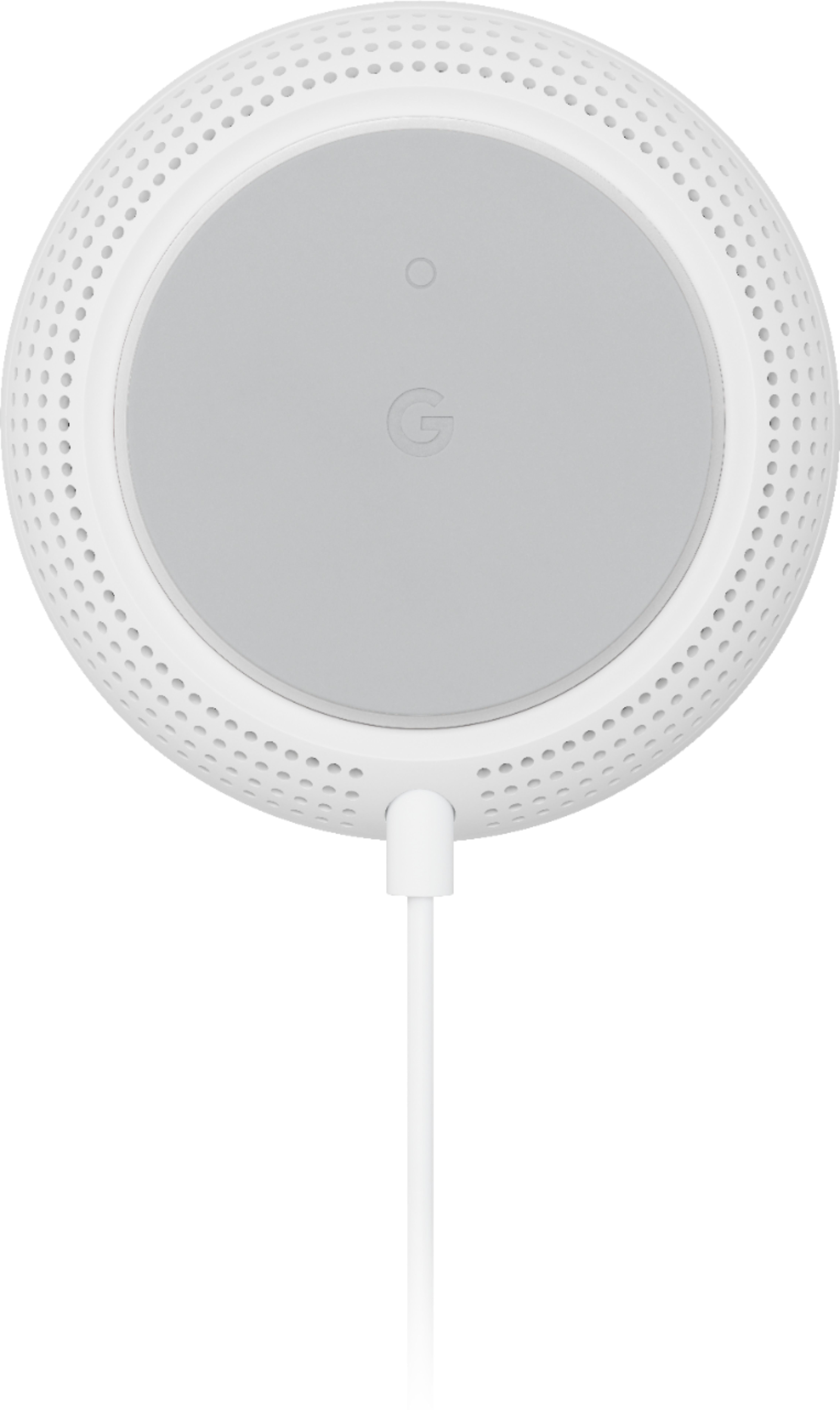







- Model:
- GA00667-US
- SKU:
- 6382496
Rating by feature
- Setup
Rating 4.7 out of 5 stars
- Range
Rating 4.6 out of 5 stars
- Signal Strength
Rating 4.7 out of 5 stars
Customers are saying
Customers find value in the Nest Wifi Add On Point with Google Assistant's connectivity, with users reporting a consistently solid connection. Users also appreciate the excellent and strong coverage provided throughout their homes, both inside and outside. Finally, customers have found the product very easy to set up.
This summary was generated by AI based on customer reviews.
It gets the job done
||Posted . Owned for 1 month when reviewed.This reviewer received promo considerations or sweepstakes entry for writing a review.I like it. A few little quirks to get used to, but that’s with any technology. All in all, it gets the job done.
I would recommend this to a friendReally does the job
||Posted . Owned for 1 week when reviewed.This reviewer received promo considerations or sweepstakes entry for writing a review.Have 4 add on points, easy to set up, great coverage
I would recommend this to a friendInstallation
||Posted . Owned for 3 weeks when reviewed.This reviewer received promo considerations or sweepstakes entry for writing a review.Easy installation and appears to have good reception in providing wifi coverage.
I would recommend this to a friendMust Have Add-On to the 3-pack Nest WiFi
||Posted . Owned for 1 week when reviewed.This reviewer received promo considerations or sweepstakes entry for writing a review.Sadly, this is a MUST HAVE if you're getting the 3-pack because mesh signal strength is simply not enough without these additional wifi points. So yes, you need the maximum 5 wifi points total (including router) for this mesh to be truly usable. I just wish they sold the entire 5-pack rather than make me buy 3 than another 2. The 3 pack is barely adequate for a 1300 sf home.
I would recommend this to a friendHighly Recommend
||Posted . Owned for 3 weeks when reviewed.This reviewer received promo considerations or sweepstakes entry for writing a review.Vast improvement over my last system from Linksys.
I would recommend this to a friendExcellent addition for Nest users.
||Posted . Owned for 3 weeks when reviewed.This reviewer received promo considerations or sweepstakes entry for writing a review.Great product For expanding your listening experience.
I would recommend this to a friendForced to buy an additional access point
||Posted . Owned for 1 month when reviewed.This reviewer received promo considerations or sweepstakes entry for writing a review.I've had nothing but issues with Google's Nest Wifi. I have a 3000sqft house and I initially bought the 3 pack which comes with a router and 2 access points. The issues I have among others: 1) Keeps complaining about incorrect password to log into wifi from mobile devices even when password is correct. 2) Keeps disconnecting home devices such as Sonos speakers and Ring cams. 3) Refuse to connect certain machines or even if connected has no access to internet. Google support had no answers other than asking you to reboot the router. I found certain dead zones around the house and I figured it might be a coverage issue. I bought this additional access point to help stabilize things. It did help but I still need to reboot the entire mesh network about every other week . I think thats the best I can do with this mesh and just have to live with it. I bought a TP Link mesh wifi so at some point if things really go downhill I'll throw this expensive crap away and switch.
No, I would not recommend this to a friendBrand response from Nest Support
Posted .Hi BenH,
We appreciate you for sharing your experience with us. We can imagine your disappointment and we’re sorry for the inconvenience you’ve experienced due to the connectivity issues of the Nest Wifi.
There are many reasons why your internet connection drops or might appear slow. Even though you may have already contacted our support team, we're hoping you will give us another opportunity to help you with the issue to improve your experience. Please feel free to reach out to us again here: https://support.google.com/wifi/contactflow
Solid addition
||Posted . Owned for 2 weeks when reviewed.This reviewer received promo considerations or sweepstakes entry for writing a review.Added this to 2 other points, works as expected. Stays connected and provides fast connection to devices
I would recommend this to a friendRather Expensive
||Posted . Owned for 1 month when reviewed.This reviewer received promo considerations or sweepstakes entry for writing a review.Was a little difficult to connect. Wish had better instructions.
I would recommend this to a friendBrand response from Nest Support
Posted .Hi DogAlley, thanks for letting us know about the connectivity issue. We're sorry to hear you had a difficult time setting up and connecting Nest Wifi.
If you are using a modem/router combo, we recommend setting it up in bridge mode and disabling its Wi-Fi functionality. This will avoid any network issues caused by both your combo and Nest Wifi Router, broadcasting the same SSID and password. You may then connect your Nest Wifi Router to your modem using an Ethernet cable, and then connect your Nest Wifi Points to your Nest Wifi Router wirelessly.
Wi-Fi signal strength may also be affected by Wi-Fi interference like physical barriers which may cause the limited ranges and slower connection to the Internet. As a general rule, Wifi Points work best when they’re no more than two rooms away from each other.
You can visit our help page for more information about Nest Wifi instructionals, and contact our support team for any other issue with Nest Wifi by reaching out to us here: https://support.google.com/googlenest/gethelp
Good, not great.
||Posted . Owned for 1 week when reviewed.This reviewer received promo considerations or sweepstakes entry for writing a review.This gets the job done, however, I’ve had the Orbi as well and I think that one may be ahead.
I would recommend this to a friendEast set up
||Posted . Owned for 3 weeks when reviewed.This reviewer received promo considerations or sweepstakes entry for writing a review.I like that it has a google assistant built in so you can ask it questions or play music
I would recommend this to a friendGoogle
||Posted . Owned for 1 month when reviewed.This reviewer received promo considerations or sweepstakes entry for writing a review.We got 3 of them and one is in the garage and it works pretty good.
I would recommend this to a friendNice but not much difference
||Posted . Owned for 3 weeks when reviewed.This reviewer received promo considerations or sweepstakes entry for writing a review.Didn’t notice too much of a difference in WiFi speed.
I would recommend this to a friendBrand response from Nest Support
Posted .Hi Cycle, thanks for sharing your insights. We're sorry to hear about your disappointment with the Wi-Fi speed you are experiencing with Nest Wifi. Your Nest Wifi Router can support up to 2 x 867Mbps on 5GHz thanks to its 4x4 radio, while 2.4GHz can go up to 433Mbps. Please keep in mind that Wi-Fi speed you receive on your connected devices generally depends on your network plan and reception on your modem. If you feel that your current Wi-Fi speeds are not related to the points we highlighted, we recommend contacting our support team for further troubleshooting and isolation of the issue here: https://support.google.com/googlenest/gethelp
Great Look
||Posted . Owned for 6 months when reviewed.This reviewer received promo considerations or sweepstakes entry for writing a review.Not sure if it extends the wireless signal, but having google is great.
I would recommend this to a friendMeh. I expected better from Google.
||Posted . Owned for 10 months when reviewed.This reviewer received promo considerations or sweepstakes entry for writing a review.This system eats a lot of your wifi signal and speed, so if you have 1000mbs from your provider you only get about 500mbs on wifi within 10 feet. Doesnt go through walls well and the extension hubs cut the signal in half again, so expect 150-200mbs off of those.
No, I would not recommend this to a friendBrand response from Nest Support
Posted .Hi SweatpantsThor, thanks for sharing your insights. We’re sorry to hear that your Nest Wifi is not getting the speed you expected.
Restarting your modem can fix internet connection problems, improve slow speeds and resolve common wireless issues. Even if your modem appears to be working correctly, you may need to restart it to establish a secure connection to the Wi-Fi point. Wi-Fi speeds will still depend on other factors like interference, multiple devices using both bandwidths on your router and the older Wi-Fi chips on your devices that might not be able to support these speeds.
If you're using a modem/router combo, we recommend setting it up in bridge mode and disabling its Wi-Fi functionality. This will avoid any network issues caused by both your combo and Nest Wifi Router, broadcasting the same SSID and password. You may then connect your Nest Wifi Router to your modem using an Ethernet cable.
If the speed stays the same, we'd like to have a closer look at your Nest Wifi and help you improve your experience. You can reach out to our support team here: https://support.google.com/wifi/gethelp
- Pros mentioned:Ease of use
unreliable network service and tech support
||Posted . Owned for 4 months when reviewed.This reviewer received promo considerations or sweepstakes entry for writing a review.Poor sequel to the original Google Wi-Fi. Good wireless coverage and easy setup, but a firmware update caused the network to drop multiple times a day. Google tech support was no help. The original Google Wi-Fi was rock-solid stable - this updated version is extremely flaky. It was so unreliable I had to switch to new network gear entirely. *Nest Wi-Fi also lacks Wi-Fi 6 support.
No, I would not recommend this to a friendBrand response from Nest Support
Posted .Hi there, we appreciate you for sharing your review. We're sorry to hear that you're experiencing multiple drops after the firmware update for your Nest Wifi. If you're willing to give our support team another chance, we'd like to take another look at your device and help find a better resolution for you. Please contact us on our Google Help page by visiting this the link here: https://support.google.com/googlenest/gethelp
mesh ok
||Posted . Owned for 1 month when reviewed.This reviewer received promo considerations or sweepstakes entry for writing a review.bought to improve mesh network in a room that struggles with signal. it improved it slightly. not as much as i expected. not sure why or if i did something wrong
I would recommend this to a friendWould Not Buy this Unit Again
||Posted .This reviewer received promo considerations or sweepstakes entry for writing a review.Does not seem to markedly improve wi fi strength. TV when streaming movies still has buffering events. I am also getting sick and tired of buying electronics that do not include in its packaging a reasonably detailed operation manual. Apple started the trend and now Google is one bettering Apple. The operational information provided with this unit is beyond ridiculously minimal.
No, I would not recommend this to a friendBrand response from Nest Support
Posted .Hi there, we appreciate your feedback. We´re sorry to hear about the buffering events you get with your Nest Wifi, and for falling short of your expectations in providing the operation manual in the box.
The installation, set up and even the support guides for our products, can be found on our support page here: https://support.google.com/wifi
If you need a more detailed guide, we'd be happy to walk you through the set up for Nest Wifi. Our support channels are always open for all your support needs by visiting us here: https://support.google.com/wifi/gethelp
Device will go offline and google wont fix it.
||Posted . Owned for 1 month when reviewed.This reviewer received promo considerations or sweepstakes entry for writing a review.Honestly, don't waste your money. Google is aware of multiple issues with this add on point going offline randomly, yet they haven't fixed it. I wish I knew about it before I bought it. Apparently this has been an issue for a few years now. I wish I would have gone for the Eero Pro 6E or something similar.. AVOID THIS PRODUCT.
No, I would not recommend this to a friendBrand response from Nest Support
Posted .Hi Jorge, thanks for giving us your honest feedback about the Nest Wifi, and we’re sorry for not having the ideal experience we intended to share with you.
It is important to check the placement of your Wi-Fi router and point, which are vital to have reliable Wi-Fi throughout your home. As a general rule, points work best when they’re no more than two rooms away from each other. For example, if the far end of your house has weak Wi-Fi, don’t put a Wifi point in that exact spot. Instead, put it part way in that direction. Try to place it in an elevated position like on a shelf.
It may also be helpful to try the following steps to see if the Wi-Fi performance will improve:
- Move the connected device closer to your Wifi router or point.
- Repositioning the points to avoid obstructions like walls, doors, and aquariums can improve performance.
- Make sure all unused devices are off and not draining bandwidth with large downloads.
- Check for possible sources of interference such as microwave ovens, refrigerators or other equipment.
- Run a mesh test to confirm placement of your Wifi points.
Your experience means a lot to us. We’d be happy to help and guide you with further troubleshooting if you can contact us anytime here: https://support.google.com/googlenest/gethelp
Intermittently disconnects
||Posted .This reviewer received promo considerations or sweepstakes entry for writing a review.Intermittently disconnects from nest router for no reason
No, I would not recommend this to a friendBrand response from Nest Support
Posted .Hello Tech, thanks for giving us time to share your feedback about the Nest Wifi, and we’re sorry to hear of your poor experience with the connectivity.
The placement of your Wi-Fi router and point are vital to have reliable Wi-Fi throughout your home. As a general rule, points work best when they’re no more than two rooms away from each other. For example, if the far end of your house has weak Wi-Fi, don’t put a Wifi point in that exact spot. Instead, put it part way in that direction. Try to place it in an elevated position like on a shelf.
It may also be helpful to try the following steps to see if the connectivity will improve:
- Move the connected device closer to your Wifi router or point.
- Repositioning the points to avoid obstructions like walls, doors, and aquariums can improve performance.
- Make sure all unused devices are off and not draining bandwidth with large downloads.
- Check for possible sources of interference such as microwave ovens, refrigerators or other equipment.
- Run a mesh test to confirm placement of your Wifi points.
For further assistance, we’d be happy to help and guide you with additional troubleshooting here: https://support.google.com/googlenest/gethelp



















