Customer Ratings & Reviews

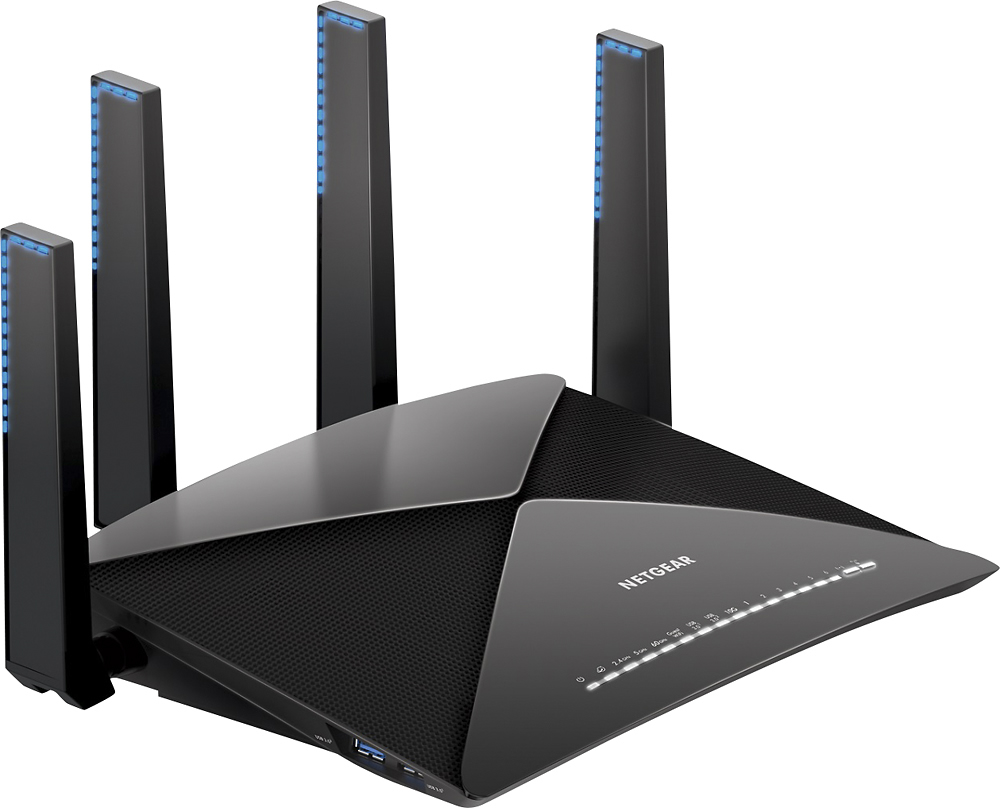
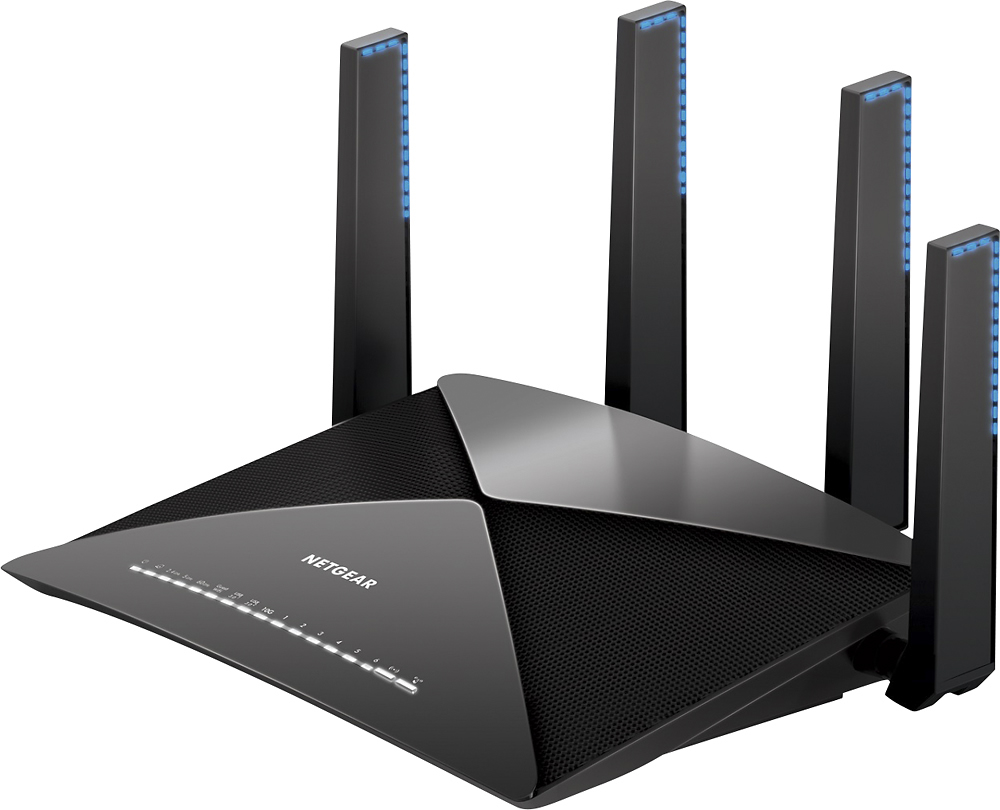
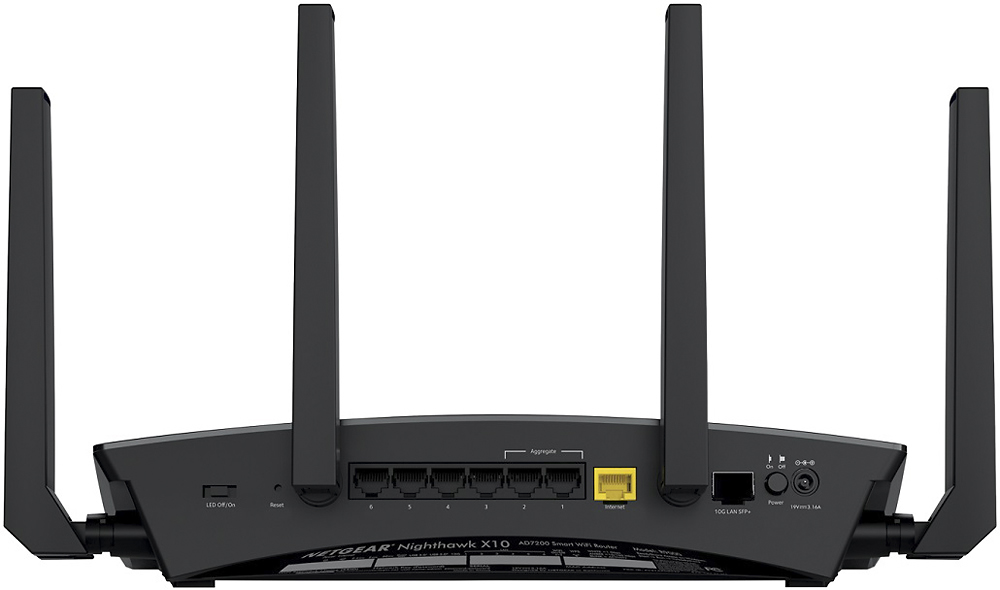
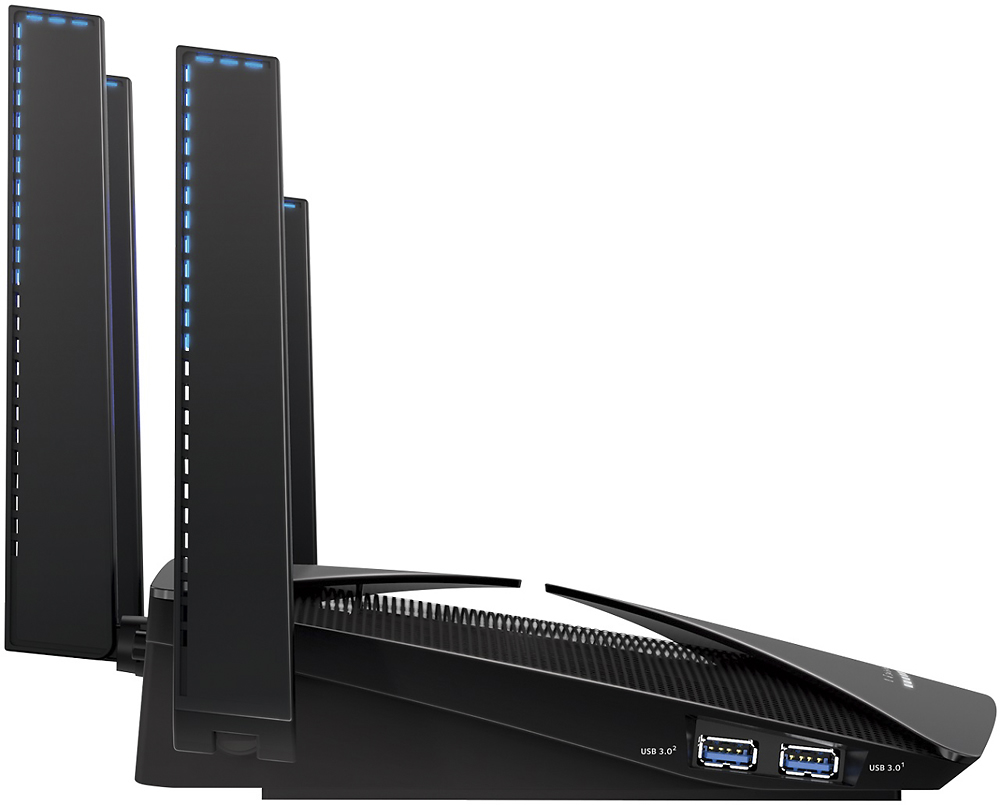




- Model:
- R9000-100NAS
- |
- SKU:
- 5610805
Customer reviews
Rating 4.5 out of 5 stars with 1210 reviews
(1,210 customer reviews)Rating by feature
- Value4.3
Rating 4.3 out of 5 stars
- Quality4.8
Rating 4.8 out of 5 stars
- Ease of Use4.6
Rating 4.6 out of 5 stars
Customers are saying
Customers praise the Nighthawk X10 AD7200 Tri-Band Wi-Fi Router for its impressive range, strong performance, and ease of setup, resulting in excellent coverage and signal strength, great for streaming and other demanding applications. However, some customers note that the router is expensive and large, and a few have experienced issues with the firmware. Despite these drawbacks, many users find the improved speed and reliability worthwhile.
This summary was generated by AI based on customer reviews.
Rated 1 out of 5 stars
Poor Customer service / Issues with gaming
||Posted . Owned for 1.5 years when reviewed.This reviewer received promo considerations or sweepstakes entry for writing a review.I purchased this in 2018. It has been a constant frustration . The customer support is very poor and I have had lots of issues with online gaming and dropped connections ( ARk Survival Evolved). I have phone service via internet as well and this Router has caused connectivity issues with that as well. I say stay away from this one. I regret the purchase.
No, I would not recommend this to a friend- Pros mentioned:Ease of use, Range, Speed
Rated 5 out of 5 stars
Superstar router with all the bells and whistles!
Posted .This reviewer received promo considerations or sweepstakes entry for writing a review.The Netgear Nighthawk X10 is a powerful router that is great for families with lots of connected devices (wired or wireless) and tech enthusiasts who really want to get every single megabyte out of their broadband connection...I fall into the former category so this is how I'll base my review. To start, I highly recommend you get your hands on some wireless AD compatible devices as this router uses the latest and greatest standard (compared with AC). While many phones these days don't quite have the AD chipset, it really doesn't matter with the X10 because the router dynamically adjusts based on the devices connected so I'm able to get maximum speeds across a variety of my devices. I pay for 100Mbs down / 100Mbs upload so I was curious to see how the X10 fared. Without question, it's the best router in terms of download/upload speeds that I've used to date. In most of my tests, I walked 20, 30, 40, feet away (through walls in most cases) and was still able to get at least 90% of my full speeds on both download and upload when using the AD compatible device. This is very impressive performance for the uninitiated. Even with wireless AC, I got wireless speeds close to what I pay for which is great. My old router's performance would drop off relatively quickly as I walked farther away from the internet source. The X10's user interface is really intuitive and simple to navigate, making it incredibly easy to set up. For me it was just plug and play so I imagine it will be the same case for most other users. Last but not least is the Plex media server. I think it's a tool that's really growing on me. I found it quite painless to share pictures across the several devices I tested it on. This service could be great if it had cloud functionality (which it could, but I have not tested) as I'd like to be able to access media while not on my home network as well. I received this device for free to test as a part of my membership in the F&F program.
I would recommend this to a friend Rated 2 out of 5 stars
Not worth it
||Posted .This reviewer received promo considerations or sweepstakes entry for writing a review.Over priced..................dont buy the speeds are poor
No, I would not recommend this to a friend- Pros mentioned:Range
Rated 5 out of 5 stars
A Fantastic Router If You will Use The Features!
Posted .This reviewer received promo considerations or sweepstakes entry for writing a review.First like to say i have been using this router since late July while still on beta but now it is ready for the rest of the world! It has performed great for me from the start and since upgrading to the latest production firmware it has been flawless. My big takeaways from this router is just how strong the 5GHz band is on this device. Using the the router with my AC equipped wireless devices i noticed a clear advantage in range and wall penetration compared to the R7000 i was using before this. By far the strongest signal i have seen from a consumer grade router. The throughput speed were also second to none but i really wish i had some MU-MIMO devices to test it with but i used every other kind of device under the sun with it. All worked well. Another thing to touch on and i tested is the Built-in Plex server. All that’s needed is a plex account and a huge usb 3.0 external Drive and you are good to go. Super easy to setup and work really well. Even the transcoding! If you want to offload this from our main machine or only have a laptop this is awesome. I said in the title that this is an awesome router if you are going to use all the feature it offers. This is true because it is very pricey, but you get what you pay for and the functionality is here!
I would recommend this to a friend Rated 1 out of 5 stars
Nightmare
||Posted . Owned for 5 months when reviewed.This reviewer received promo considerations or sweepstakes entry for writing a review.Extremely unreliable, easily the worst piece of electronics I have ever owned. It will recognize Apple products, but nothing else. I’m told it’s a firmware issue. After a few weeks it started working beautifully, long enough to make it un-returnable. Avoid this piece at all costs.
No, I would not recommend this to a friend- Pros mentioned:Performance, Range
Rated 5 out of 5 stars
Amazing router with tons of features!
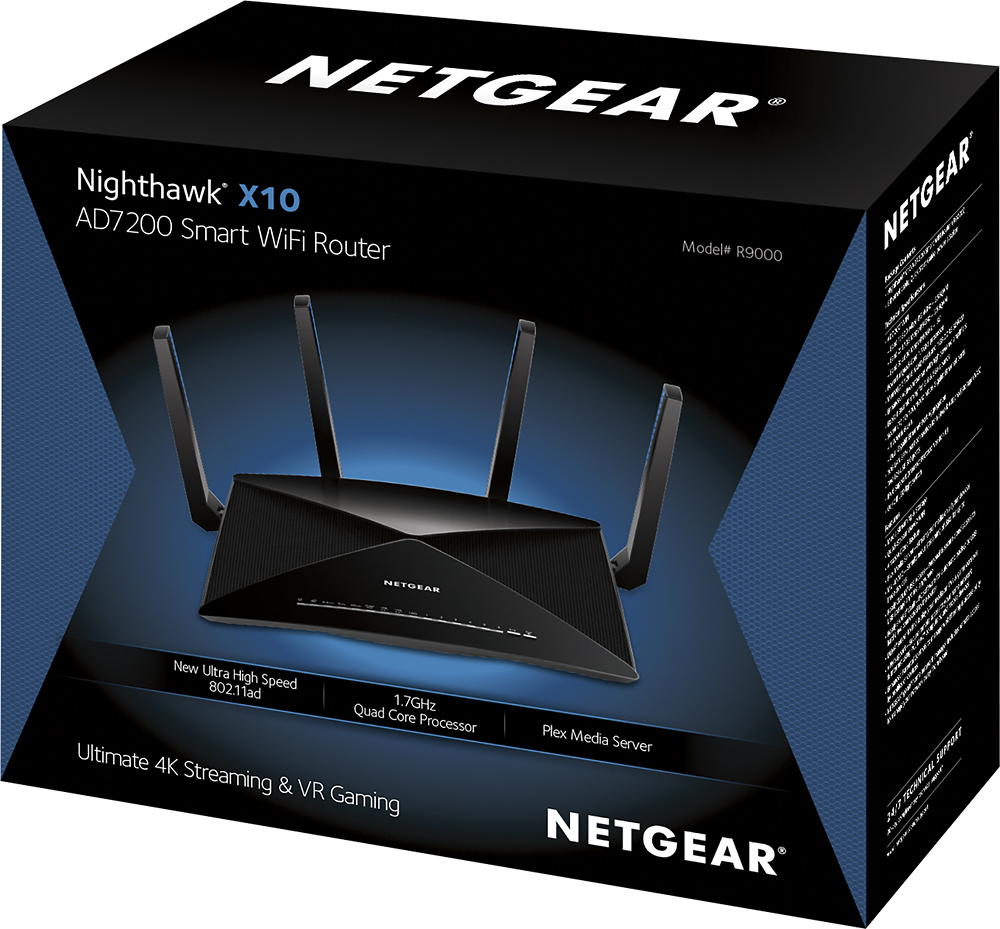
Posted .This reviewer received promo considerations or sweepstakes entry for writing a review.This Nighthawk X10 – AD7200 Smart WiFi Router (R9000) is simply incredible. It has everything you could ask for in a router, including the newest wireless standard 802.11ad. From the moment you begin to take it out of the box, it becomes very evident that NETGEAR put a lot of thought into this router. Setup and installation was a breeze with the NETGEAR UP installation app. I downloaded it to my iPhone from the Apple app store and the app began walking me through the installation process. Within a few minutes, the router was up and running smoothly. Subsequently, I spent a good amount of time walking through the numerous configuration options with this router, to ensure I set it up exactly how the way I wanted. During the installation process, the installation wizard will ask if you would like to install the NETGEAR “genie” application. This genie application assists you with configuring the router and allows you to access certain features of the router including the ReadyShare options and AirPrint (the ability to wirelessly print documents). Although I installed the genie application and looked through it, I am accustomed to using the traditional routerlogin.net admin screen and preferred to adjust the configuration settings using this method. It is nice that NETGEAR provides you with multiple avenues to configure your router, in order to optimize the experience. The router comes with three bands (2.4GHz b/g/n, 5GHz 802.11a/n/ac and the new 60GHz 802.11ad). The new 60GHz band works great and provides you with blazing speed but it does have a few downsides. It has a fairly limited range and requires that your devices have line of sight to the router. This is due to how the band functions and not a deficiency of the router. The router performs outstanding on the 60 GHz ad band. If you are close to the router, can see the router from your device and your device supports the 60 GHz ad band, I strongly recommend utilizing this band as you will likely get the fastest speeds. If you aren’t able to use the 60GHz band, the 5GHz band is more than sufficient. We have a 2,600+ square foot office and I was able to get the maximum speeds that our ISP provides throughout the entire office, no matter where I was. The WiFi signal strength indicator showed the maximum strength on all the devices I used, everywhere in the office. This router has fantastic range and is even better than the R8500 model it is replacing. The X10 comes with a 1.7 Quad Core processor, which is faster that most computers produced a few years ago! It also comes with PLEX media server built-in to allow you to store all of your media (music, videos and pictures) and access it from anywhere you have an internet connection. If you are utilizing this router for personal use, having PLEX media server built-in is an incredible feature, allowing you to view your movies in a manner that is congruent to Amazon Prime video or Netflix. The PLEX premium feature was included for free for the first 3 months. The X10 also comes with 6 gigabit Ethernet ports, two USB 3.0 ports and a 10G LAN SFP+ port so you can connect several devices. It also possesses MU-MIMO technology which allows multiple devices to connect up simultaneously without decreasing the performance of the network. During our initial tests, we had ~20 devices simultaneously working on the network and did not experience any performance degradation. From the administration screen, you can configure a number of features to make your router your own. You can setup a guest network, enable parental controls to ensure your kids aren’t accessing content they shouldn’t and even setup a schedule for when your network is available. You can even go so far as to grant and block access by the specific device, if you want to get that granular. The admin screen also allows you to setup a ReadySHARE Printer, allowing you to print wirelessly while on the network. In addition to the wireless printing option, you have the ability to setup ReadySHARE storage in multiple ways. You can use the ReadySHARE Vault, which lets you automatically back up your files to a USB device (external HDD) for local access. You can also use ReadyCLOUD, which allows you automatically backup your files to a USB device (external HDD) and access the content remotely (anywhere you have an internet connection). There is even an app that allows you to access and manage the content from your tablet or phone. Finally, you can automatically setup your backups in the cloud with Amazon Cloud Drive, which is free for the first six months. We currently use a Network Access Storage (NAS) device to house the content for our office and collaborate on projects. With the X10, we have already seen a significant increase in performance with regards to the general storage of documents/media and with our daily backups. The speed and efficiency that this device affords us makes it an easy recommendation to users who frequently stream content and transfer or share large files. I would also highly recommend it for small businesses that need to share documents frequently between employees. I received the Nighthawk X10 from NETGEAR for free as part of NETGEAR’s First Look Review Program.
I would recommend this to a friend Rated 1 out of 5 stars
Product does NOT work on Windows 10
||Posted .This reviewer received promo considerations or sweepstakes entry for writing a review.Bought this product for my new gaming computer that runs on Windows 10 and my internet provider Spectrum technician called Netgear Technical Support and they stated they were "working" on a software patch however when asked when it would be released they didn't have an answer
No, I would not recommend this to a friendRated 1 out of 5 stars
Disappointed
||Posted .This reviewer received promo considerations or sweepstakes entry for writing a review.Need to restart every 2 days. Directly connected devices will not stay connected. Several times in the middle of a Game I a disconnected and needed to reboot the product to reconnect online. If you have an older one that works, do not upgrade. Save your money.
No, I would not recommend this to a friendRated 1 out of 5 stars
Disappointing performance and reliability
||Posted .This reviewer received promo considerations or sweepstakes entry for writing a review.From the beginning this router has been next to useless. Throughput on wired LAN is slower than WiFi. WiFi drops connection several times a day. Hours of troubleshooting did not resolve any correctable causes for this poor performance.
No, I would not recommend this to a friendRated 1 out of 5 stars
used to be great-now not so much
||Posted .This reviewer received promo considerations or sweepstakes entry for writing a review.Bought this in 2017, everything was fine, now the wifi signal is repeatedly dropped on multiple devices. It is not like we are streaming or anything either. Help is not very helpful. Too bad, I used to like Netgear.
No, I would not recommend this to a friend- Pros mentioned:Performance
Rated 4 out of 5 stars
Good Router
Posted .This reviewer received promo considerations or sweepstakes entry for writing a review.It was a great router. We had our router for a little over 6 years, and it worked seamlessly. I think we had over 20 different items using Wi-Fi and it never struggled. I thought it would work forever and it just quit. It was 6 years old and I worked with Netgear's tech support for over 2 hours. We tried everything. It was the best 6 years. I think it's time I get a new one. Hope for another 6 years +
I would recommend this to a friend - Pros mentioned:SpeedCons mentioned:Price
Rated 4 out of 5 stars
Not worth $500
Posted .This reviewer received promo considerations or sweepstakes entry for writing a review.As a former IT guy, I always get excited about new technology products. I was intrigued by how this router would perform compared to others. I've tried just about every high end router from the Linksys EA 9500 which was a complete disappointment to the Apple Extreme(ok for average user), to the Asus Rt-AC88U (the best overall) to this router. I have Comcast 150 mbps plan, along with the Netgear CM700 High speed modem that has 1.4 Gbps. Of course the only speed that matters is what your ISP sets your speed at. With that said if you have the right hardware you can usually get the speeds you pay for. I mostly wanted a router that has long range because I live in a 4000 sq ft home. The 3rd floor is where my internet speed is most lagging. I still get about 30-40 mbps which is really fast, but I'm a tech nerd and want at least 100. I bought this hoping the Quad Core processor and strong Antenna would somehow help overcome the walls and distances to reach my computer on the 3rd floor. While this router works amazing at shorter distances. I now get slower speed upstairs around 20-30 Mbps then my old Asus AC88U router delivered. I've tested this router out for 2 weeks now and nothing has changed. While it is a great router, it's not a $500 router. Maybe 250, but not 500 therefore I can only give it 4 stars. Most people I imagine get a router for 2 reasons. The speed and distance, alot of the other stuff is just the cherry on top of the cake. Unless you're an IT guy or gal, or a geek like me you're not gonna care that much about Plex media server, Amazon drive cloud backup, Link aggregation, AiProtection, NAS server, GUI(Graphic User Interface) and etc. Don't get this unless you have money to burn or just want the newest router on the market. If you need to upgrade get the Asus Rt-AC88, it's 5 Ghz is kind of iffy, but overall it's the best router on the market. Believe me I've tried them all, if Netgear sold this for 250-300 I would tell you to get this instead as it will future proof your network several years from now. But for $500 it is simply not worth it, doesn't give you any faster speeds then other high end routers. Only tech dorks like me would notice the speed difference as I use software to measure the speeds. But most people don't do these things. All they want is a router that works seamlessly and doesn't take forever to load web pages and videos. My advice for Netgear is to reduce the price to something more reasonable like $300.
No, I would not recommend this to a friend Rated 1 out of 5 stars
Disappointing Quality
||Posted . Owned for 6 months when reviewed.This reviewer received promo considerations or sweepstakes entry for writing a review.Not even a year old and one of the 5GHz networks doesnt work any more. Netgear's support is painful at best. I used to only buy Netgear but this may be my last.
No, I would not recommend this to a friendRated 1 out of 5 stars
drops signals and just past 90 days for Netgear su
||Posted .This reviewer received promo considerations or sweepstakes entry for writing a review.had same for two years, dropped signals, got new and it drops signals too. now too late to get replaced by Best Buy! Very disappointed. Cant get support from Netgear either.
No, I would not recommend this to a friendRated 1 out of 5 stars
Lots of issues
||Posted .This reviewer received promo considerations or sweepstakes entry for writing a review.Ended up returning this - kept dropping connection and even when connected it didn’t give me same bandwidth. Ended up buying google pods and they work fabulously!
No, I would not recommend this to a friendRated 1 out of 5 stars
Bad wifi
||Posted .This reviewer received promo considerations or sweepstakes entry for writing a review.Wifi drops over and over. Has got worse and worse over time. Wifi (both bands) drop every 5-10 min. Very disappointing considering how expensive this product is.
No, I would not recommend this to a friendRated 1 out of 5 stars
Not happy
||Posted .This reviewer received promo considerations or sweepstakes entry for writing a review.Not happy with this purchase has a lot of dropped connection issues and for the price I should not have these issues. I cannot recommend this product to anyone.
No, I would not recommend this to a friend- Pros mentioned:Ease of use, RangeCons mentioned:Size
Rated 5 out of 5 stars
Elite class router with all features you need!
Posted .This reviewer received promo considerations or sweepstakes entry for writing a review.First I will say that the setup of this router is very simple. I had it installed and configured in less than 5 minutes. I have definitely noticed a better quality of streaming video and music from devices connected to this monster of a router. My only negative comment is the size, as it is much larger than all of my other routers in the past. However, I guess you need all of the size to handle all of the features it has. A Plex server, built-in....wow. I have lost a need for all of my range extenders as well. The coverage this router has is simply amazing. I would definitely recommend this router to anyone. I did receive this router as part of the Netgear First Look Review Program for free. Would I purchase this router if I have not been a part of this program? After seeing it in action, of course I would.
I would recommend this to a friend Rated 1 out of 5 stars
Don't Buy NetgearNo Parental Control
||Posted . Owned for 1 year when reviewed.This reviewer received promo considerations or sweepstakes entry for writing a review.Eventhough Netgear shows parental control on their Nighthawk app there is none. Netgear has not responded to numerous reports by customers.
No, I would not recommend this to a friendRated 1 out of 5 stars
not worth the price
||Posted .This reviewer received promo considerations or sweepstakes entry for writing a review.I have to keep rebooting the router since the nighthawk looses connection.
No, I would not recommend this to a friend