Customer Ratings & Reviews

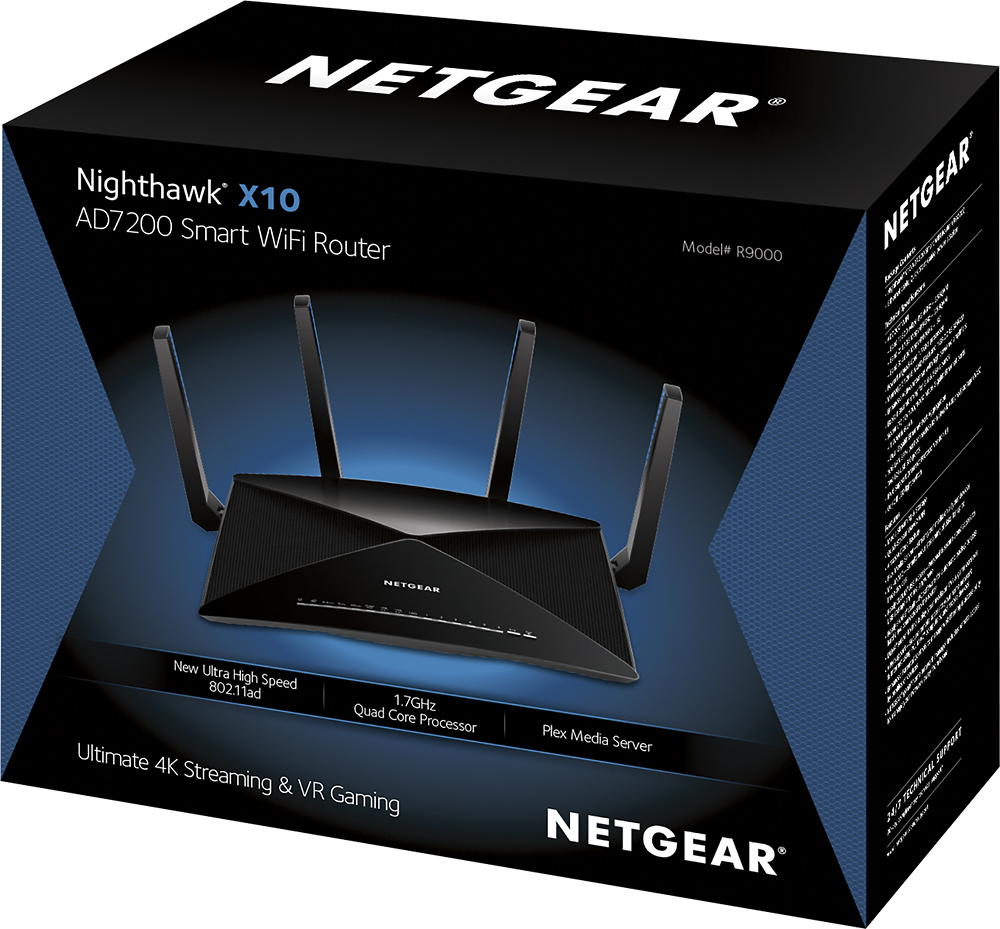




- Model:
- R9000-100NAS
- |
- SKU:
- 5610805
Customer reviews
Rating 4.5 out of 5 stars with 1210 reviews
(1,210 customer reviews)Rating by feature
- Value4.3
Rating 4.3 out of 5 stars
- Quality4.8
Rating 4.8 out of 5 stars
- Ease of Use4.6
Rating 4.6 out of 5 stars
Customers are saying
Customers praise the Nighthawk X10 AD7200 Tri-Band Wi-Fi Router for its impressive range, strong performance, and ease of setup, resulting in excellent coverage and signal strength, great for streaming and other demanding applications. However, some customers note that the router is expensive and large, and a few have experienced issues with the firmware. Despite these drawbacks, many users find the improved speed and reliability worthwhile.
This summary was generated by AI based on customer reviews.
- Cons mentioned:Price
Rated 5 out of 5 stars
Fantastic, Powerful Router and Easy Setup
Posted .This reviewer received promo considerations or sweepstakes entry for writing a review.Setup with the NETGEAR Up application was extremely straightforward and easy. 60 GHZ capability with Fiber port makes it seem like I'll never need another router again. Only con would be the price, but that makes sense for the technology it packs. Everything met expectation and I would definitely recommend to anyone! I received this product for free at the end of this review,
I would recommend this to a friend Rated 5 out of 5 stars
Another Quality Netgear Product
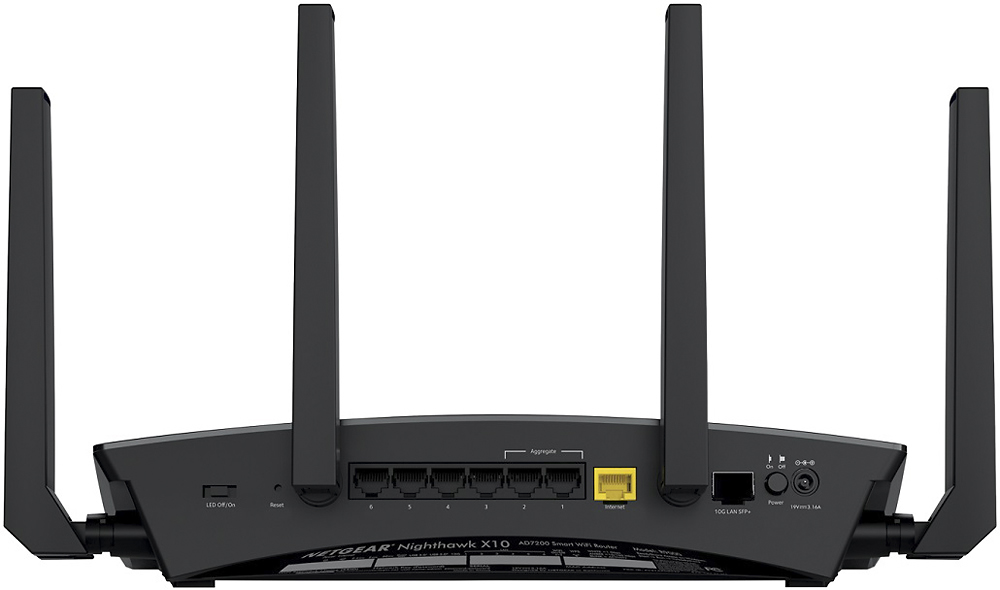
Posted .This reviewer received promo considerations or sweepstakes entry for writing a review.Before I bought the R9000 I tried that EA9500 from Linksys. So I can provide a comparison between them both. The R9000 is perfect for my needs and is complimented by my R8000 in Access Point mode. With 6 LAN ports and the 7th being a 10gb line (one can dream right!?) I'm able to provide networking capability to my entire house without the need for switches all over the place. I've only experienced 1 hiccup with the R9000 since I've hooked it up and that involved all the LAN ports not having internet access, however, the WIFI worked fine - a simple router reboot and I haven't seen it happen again. I've been a Netgear user for the past 5 years now (intermixed with some mistakes of trying Linksys) and I couldn't be happier. I don't use the USB functions of the router so I can't comment on that. Pros: - 6 LAN Ports - No degradation in through-put to any device measured by Speed Tests - Easy to manage and navigate GUI - It just plain works! Cons: - Really have yet to encounter any Like I mentioned, before buying the R9000 I had the EA9500 for 2 weeks - biggest mistake ever. The EA9500 had excellent wifi coverage, maybe just a tad better than the R9000 but it had a terribly dumbed-down GUI and constantly dropped devices and internet connection. Further, the EA9500 GUI would constantly lock up and crash the router - in two weeks I had to reset the router to factory defaults 3 different times. The only leg up the EA9500 has on the R9000 is the linksys iOS/Android app is superior to netgears - but that doesn't tip the scales at all. Overall, I highly recommend the R9000 - like I said I've been a netgear customer for years and years and I've barely ever had an issue. You won't be disappointed!
I would recommend this to a friend- Cons mentioned:Size
Rated 4 out of 5 stars
Good WiFi range but with some glitches
Posted .This reviewer received promo considerations or sweepstakes entry for writing a review.I bought this router on black Friday 2017 and I just got a chance to install it. The installation process is very easy. The router will walk you through few steps and picks the best configuration. The User Interface is easy to navigate. The router allows you to rename connected devices and pick icons (i.e. iPhone, PC, etc.) for each connected device, however there seems to be some conflict between the icons on the Router's web interface and the Router's genie App on iPhone. The router is fairly large. It would be nice to have some more description for each item in the settings to help you better understand the settings. I'm having an issue with the Router that I can't find a solution to. Since I installed it, the Router drops WiFi signal for about 30 seconds (both 2.4 GHz and 5 GHz). This happens once a day (at night). The wired connections work fine. Since I bought it a while back, it's not eligible for return/exchange so I'll have to work with Netgear Customer service and I'll report the outcome later.
I would recommend this to a friend - Pros mentioned:SpeedCons mentioned:Lag
Rated 5 out of 5 stars
Wow!!!! OMG so fast
Posted .This reviewer received promo considerations or sweepstakes entry for writing a review.This Router is SOO amazing. It's super fast and can take on the task of launching 3 online gaming systems at once plus 4 iPads running movies. No lag no difficulty handling it. THIS IS THE BEAST!!!!! If you want a top of the line router you found it. The netgear App is fantastic and the installation is simple.
I would recommend this to a friend - Pros mentioned:Speed
Rated 5 out of 5 stars
Fast and far reaching
Posted .This reviewer received promo considerations or sweepstakes entry for writing a review.Old router wouldn’t reach all the rooms in my house and the signal strength dropped significantly from room to room. Bought this router to replace it and it worked great! 3000sf house and it hit every corner. Even the farthest room still was able to get speeds over 150mps
I would recommend this to a friend Rated 5 out of 5 stars
It Just Works
Posted .This reviewer received promo considerations or sweepstakes entry for writing a review.Exchanged an Asus AC3100 for this Netgear X10 R9000. Got it home, plugged it to power and my broadband router. Turned it on and logged in to it. Changed wireless SSID's and system password. Exited from config and connected all my devices via Wifi, 2.4GHz and 5Ghz, Connected 30 LIFX bulbs and 20 WENO's. It Just works.
I would recommend this to a friend- Cons mentioned:Price
Rated 3 out of 5 stars
Not that impressed for the price
Posted .This reviewer received promo considerations or sweepstakes entry for writing a review.This has some neat features.....if you can actually use them. The plex server built in is cool but you can put plex on just about anything. This is somewhat gimmicky to me. 10GB port is useless unless you're connecting it to something like a NAS server. There are no mobile devices utilizing 160MHZ at the moment. Nothing using 802.11ad either. Despite all that I still might've kept this router if it was a lot faster and had better range than my 3 year old Netgear R7000. But it isn't faster and the range is not any better. This router is way overpriced. Should be $300.....$350 tops. This is going back to best buy.
No, I would not recommend this to a friend Rated 5 out of 5 stars
Intelligent router with more speed & reliability!
Posted .This reviewer received promo considerations or sweepstakes entry for writing a review.The Nighthawk X10 is truly a "next-generation" router. There are very few competitors out there in the Wireless AD (vs. Wireless AC) space as far as I can tell, so you'd expect a flagship device to come loaded with all of the bells and whistles. The X10 does that and then some! Below are some of the most important and stand out features that are worth mentioning. Pros: - Very speedy: I have 2 different 802.11AD devices that I was able to test with the X10. The speed / performance is incredible and definitely lives up to the hype. I was able to receive full wireless performance in excess of my current 802.11AC router. - Multitasking: The X10 easily handles multiple devices on its beamforming channels. I connected over 10 devices to the X10 at once and conducted some serious downloading tests...to my surprise, all of the devices were able to stream / download large files with little to no noticeable degradation (i.e. they all seemed to get the full internet speed that I pay for, which, believe it or not, is very impressive). Note that not all of my devices are AD compatible so I imagine the more AD friendly devices that are connected, the better the performance will be! - Media Server: The Plex media server used to be one of those "gimmick" services that were hard to use and set u. Note anymore. Netgear has done a great job implementing this service into the X10. I've found it very satisfying to be able to access all of my media across a variety of different devices with ease. No wonder the router needs a 1.7GHz processor to handle bulk local media sharing! Cons: - Size: This router is not small. In fact, you'll probably get a good workout just carrying it to your home (just kidding!). My advice is to find a nice place behind your TV or somewhere to hide it as it's larger than most home routers on the market these days. That said, Netgear did a great job designing the X10 to look futuristic. I am posting this for your benefit and hope this review helps any people who are on the fence about buying this router. If you want the latest and greatest, the X10 is not to be overlooked. Please note that I received this product for free to test due to my participation in the F&F program.
I would recommend this to a friendRated 5 out of 5 stars
The router is ridiculous.
Posted .This reviewer received promo considerations or sweepstakes entry for writing a review.NETGEAR Nighthawk X10 AD7200 Smart WiFi Router (R9000) Review I was lucky enough to receive a test unit from Netgear to try out the features and functionality of this router. I was already impressed with the MU-MIMO and general wireless functionality of another Netgear product. The NETGEAR Nighthawk 4XS AC2600. The Plex functionality was intriguing. However did not work for me in my environment. It can share out an external drive of video via plex. The bulk of my video is already on a NAS somewhere else and it did not make sense for me to get another external hard drive just for this device. Would be nice if this router also supported sickbeard, couch potato, and other apps. This router was made to serve 4k and high end content over a bigger 60Ghz 802.11ad band. This is more suitable for devices that need to serve high bandwidth content only in short distances. In my testing it seemed to be able to do just that. I was able to stream HD and 4k video wireless over the wi-fi with no hiccups. This is awesome if you have a TV mounted and do not want to have unsightly cables everywhere. Overall I was very happy with the performnace of this router. I had the fortune of having a dense environment full of iPads, PCs, Macs, phones and other various devices. Everything worked flawlessly. This router also has a little switch to turn off the blinky lights. But of course why would you!?
I would recommend this to a friendRated 5 out of 5 stars
Best Router Out
Posted .This reviewer received promo considerations or sweepstakes entry for writing a review.I had gone to Best Buy to replace our Asus router that we had for about 5 years that died on us. I had every intention of buying this Nighthawk X10 but they were sold out. Since I couldn't order & wait for the router I settled for the Linksys EA8900. I instantly regretted the purchase. Especially after finding out that there was a v2 of the EA8900 but I had the v1. Not something you want to hear after dropping $400 on a router. I had the EA8900 for about 40 days and within 30-33 days the EA8900 stopped broadcasting on the 2.4ghz band. Did a factory reset of the router to no change. Took it back to the store and they exchanged it since I had a PRP Plan for the EA8900. They had this router in stock so I bought it. A couple months before a family member had called me asking for suggestions. The sales person had suggested the EA8900 but they were wanting an Asus or a Netgear so they bought this router on my suggestion. They love theirs and I absolutely love mine. It is a beast of a router. It is future proof and has some cool port aggregation for a NAS which is awesome for a home router. Plex is going to be nice on this thing! 10/10 would buy again.
I would recommend this to a friend- Pros mentioned:Speed
Rated 1 out of 5 stars
Stopped working after 2 months
Posted .This reviewer received promo considerations or sweepstakes entry for writing a review.Bought this device thinking it would provide me with good internet speeds specially with the big price tag. Worked perfectly for 2 months, upgraded to gigabit internet and it would cap out at 320-380mbps out of my 980mbps I was getting from my modem. Called netgear told me to downgrade software, spent about 30 minutes downgrading and connecting all my stuff back. It started to work again, I was getting speeds up to 820mbps on WiFi! Great! Awesome! Then I went back to square one but this time my speeds didn’t stop at 300mbps it would drop the internet non stop, I could have 200mbps one second and 17mbps another, yup 17mbps out of my 980mbps my modem was getting. I had the same issue with the netgear orbi as well! Either I’m very unlucky or netgear software sucks, I don’t think their hardware is bad I just think their software is very bad.
No, I would not recommend this to a friend - Pros mentioned:Speed
Rated 5 out of 5 stars
Monster Machine
Posted .This reviewer received promo considerations or sweepstakes entry for writing a review.So happy we purchased this wifi router! Since switch from our Apple box I notice such a huge change! No connection issues, super fast, no interruptions AND we're able to connect a million devices to the router without it breaking down on us! I highly recommend this product, if you want the best results. Great money well spent!
I would recommend this to a friend Rated 5 out of 5 stars
Best Router On The Market Period
Posted .This reviewer received promo considerations or sweepstakes entry for writing a review.To start off this review this router isn't for everyone, this router is for the advanced networking user that knows how to utilize the advanced features of the device and wants to optimize the amount of bandwidth that they are paying for. If your buying this router because you have a computer and a smart tv and want to stream netflix I'm sorry to say this but your wasting your money. However if your hosting your own server, streaming content across multiple(at least 4 devices), engaging in higher quality gaming activities that required high bandwidth allocation in order to reduce high pings and bad latency, or large multi-wifi using(weird way to write that) devices such as 10+ devices or host alot of guest and need a guest network, than YES this router is for you.
I would recommend this to a friend- Pros mentioned:Speed
Rated 3 out of 5 stars
Released Too Soon
Posted .This reviewer received promo considerations or sweepstakes entry for writing a review.This product, though impressive, is released way too early. AC is the current band that is still being optimized for speed and distance. Now Netgear wanted to apparently push it to AD where the speeds are nice, but yet NOTHING is made to support it. The ONLY reason to purchase this router is to Future-Proof your devices. Even then, there will be a better version of this in a year or so when actual AD Adapters start coming out. My opinion, if you need a better router, don't buy this, buy an AC 5300 or AC 3100. If you want to be ready for AD speeds, buy this and wait for AD adapters to come out.
No, I would not recommend this to a friend - Pros mentioned:Performance
Rated 5 out of 5 stars
Incredible
Posted .This reviewer received promo considerations or sweepstakes entry for writing a review.It takes a little while to set up and you my need customer support. But once this is up and running this is one incredible wireless router does everything I wanted to do one more a little pricey but worth it
I would recommend this to a friend - Pros mentioned:Ease of use
Rated 5 out of 5 stars
Very good product
Posted .This reviewer received promo considerations or sweepstakes entry for writing a review.The Netgear Nighthawk X10 is the best Wi-Fi router out there in my opinion easy to set up 10 minutes and been using it for a week with no issues using it with my new Netgear cm1000 cable modem
I would recommend this to a friend - Pros mentioned:Speed
Rated 5 out of 5 stars
amazing
Posted .This reviewer received promo considerations or sweepstakes entry for writing a review.One of the best WiFi routers available…. amazing speeds with AT&T fiber and about 50 devices connected.
I would recommend this to a friend - Pros mentioned:Performance
Rated 1 out of 5 stars
Netgear needs to go back to the drawing board
Posted .This reviewer received promo considerations or sweepstakes entry for writing a review.I have gigabit internet service at home and was excited to hear of the X10 release. I wanted to future proof myself with the 10G LAN port and 60GHz wifi. Setup was a breeze and once the router was up, it worked great for about a week. The wifi would shut itself down daily at different times each day but the LAN connections would be fine. I called Netgear support and they determined it was a hardware issue since I could not FR the router. So i skipped their RMA process and returned it to Best Buy for another. I read other people having that same issue so i did not do the newest firmware update. So about 4 days later, everything went down, wifi & LAN connections. This time i was able to do a FR and did the firmware update. Under the advanced settings, there was no way to disable the router from shutting down the internet for at least one minute a day. Called tech support again and this time they did not want me to return the item to best buy. They wanted it sent back to take a look at it. That was it for me. I did not pay full price for the item, but this just shows that the most expensive routers may not be the best. I have gone back to the X8 and havent had one issue since. Stay away from this for the time being, maybe after a while Netgear will get this fixed. Also there is nothing that will connect to the 60GHz frequency or the 10G LAN yet.
No, I would not recommend this to a friend - Cons mentioned:Firmware
Rated 1 out of 5 stars
Do Your Research Before Buying This Router!
Posted .This reviewer received promo considerations or sweepstakes entry for writing a review.I bought the X10 about 6 months ago from Best Buy. It worked very well for the first few months. Then it started dropping wifi connectivity frequently. I called support and they told me I only had 90 days of free support. I told them I had bought their extended warranty. They said that covered the hardware but not support. I asked how I could determine if it was a hardware problem without their help. They finally agreed to help. I spent hours on the phone with Netgear support downloading the same version of the firmware that was already installed, installing it, setting up everything again and I still had the same problem. They said they would send me a new router which they did. I recently installed it and am having the very same problem. Had I done my research before I bought the X10 I would have bought something else. The internet has many many instances of people having the same problem I am having. I was told by other users to get some third party firmware from Voxel but I don't see why I should have to do this when I paid $400 for the X10 and it doesn't work. So, my suggestion is not to buy this unit until Netgera gets their act together and fixes the known issues they are having.
No, I would not recommend this to a friend Rated 2 out of 5 stars
Plex Server keeps dropping
Posted .This reviewer received promo considerations or sweepstakes entry for writing a review.I bought this router with a little hesitation due to the price, but purchased it anyway because I was really excited about Plex being on this router. I previously had the R7000 router and had no issues with it except when I would run my Plex server from my NAS I could not get it to work outside my network. So I purchased the X10 because they advertised Plex Server running from the router itself. It does and I was able to run Plex outside my network also so my son in College could stream movies etc. The problem is, for some reason the Plex server keeps dropping or shutting down the remote access for outside networks every day. I have to wait until I get home from work to log into the routerlogin.com and go to the plex page of the router settings and reset it to get it to run remotely again. I thought maybe it was a onetime deal at first but every single day since I have got the router it's been doing this. I got the router 4 days ago and for 4 straight days around the same time (between 10AM and 1PM) Plex has been dropping. At first I thought it may be my internet going down, but the wife works from home and is always connected during work via her laptop and she has never lost connectivity. I'm going to give it a few more days to see if the problem continues and if it does, this router is going back to Best Buy. The main reason I purchased it was for the Plex Server that could be installed to run on the router itself, if that isn't working then there is no reason for me to pay the extra $250 for a router that my R7000 could do just as well.
No, I would not recommend this to a friend