Customer Ratings & Reviews
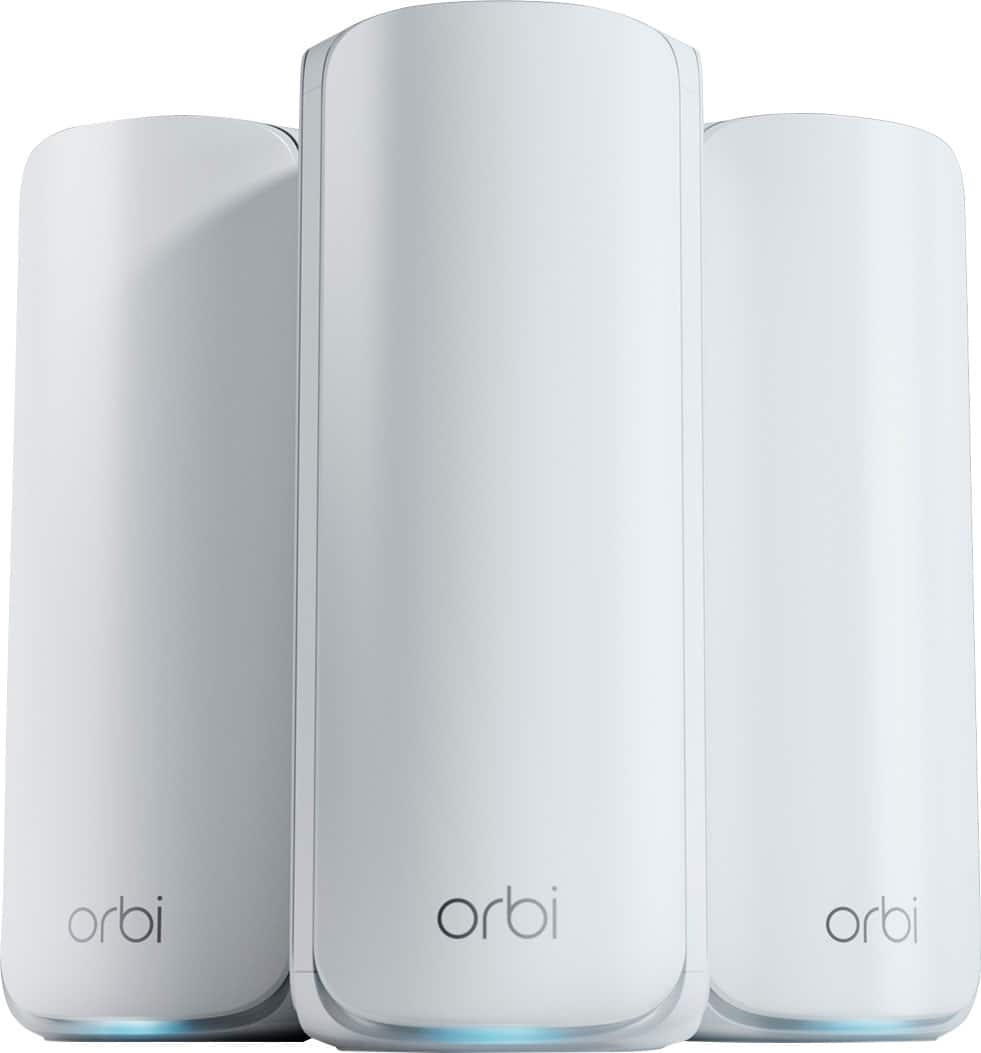
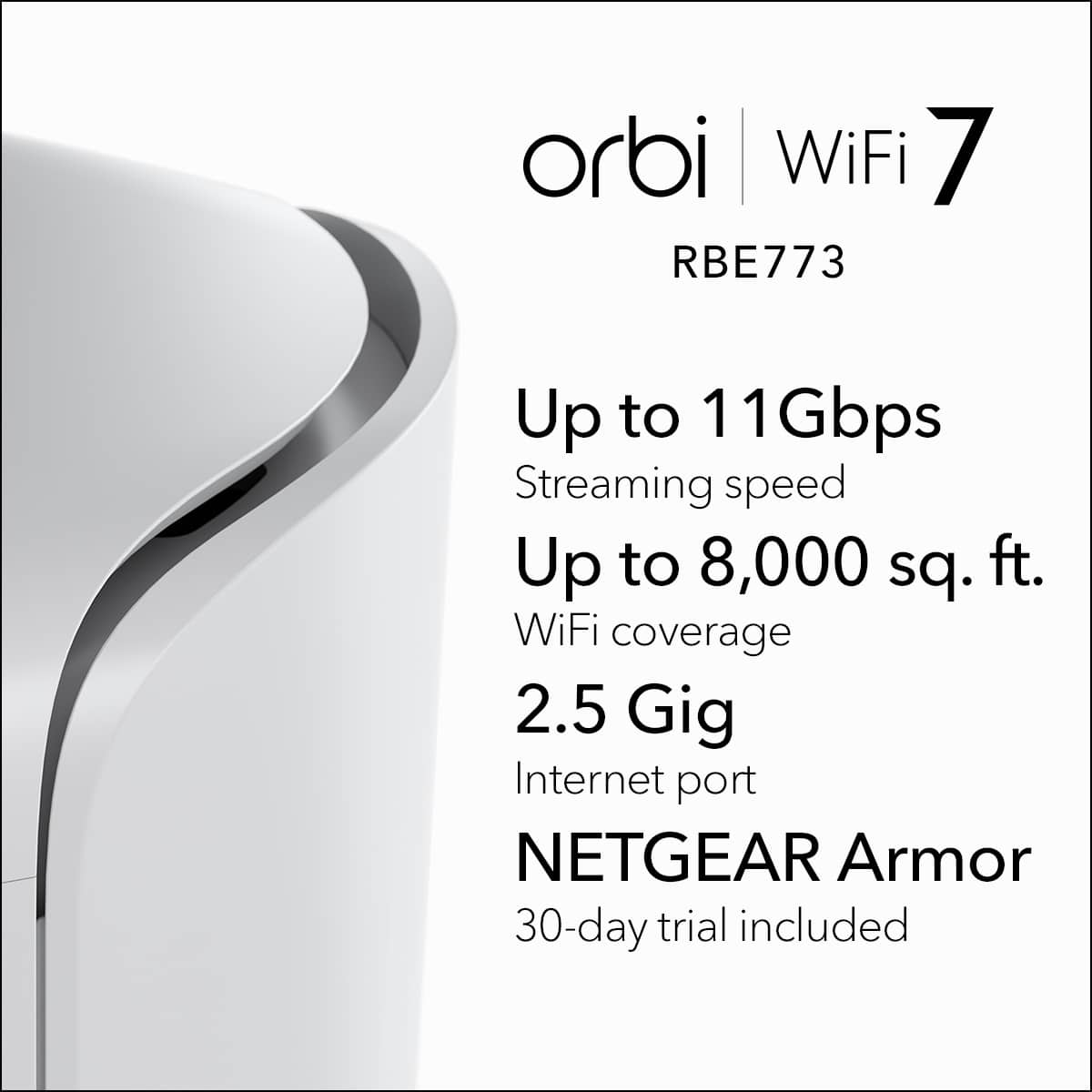



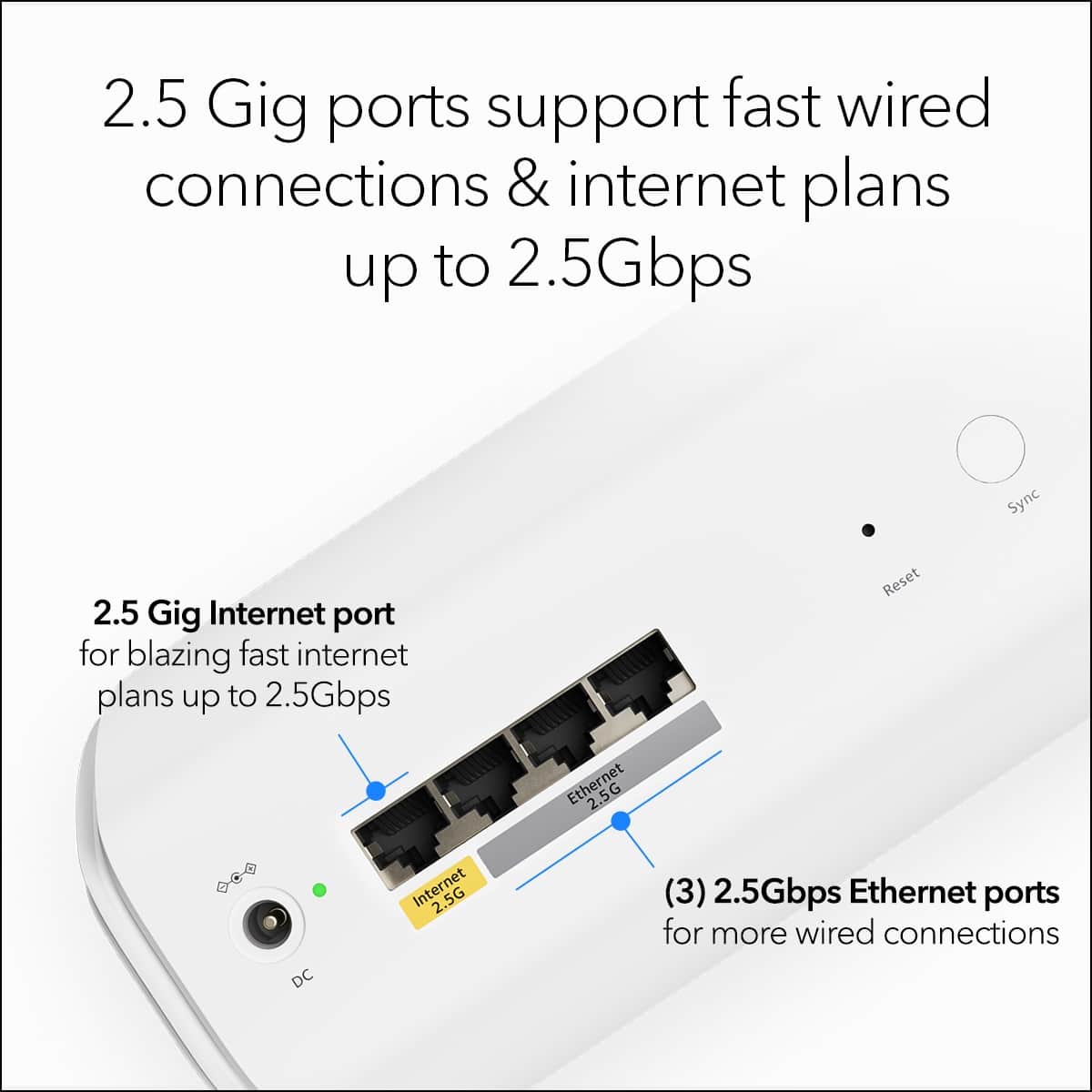
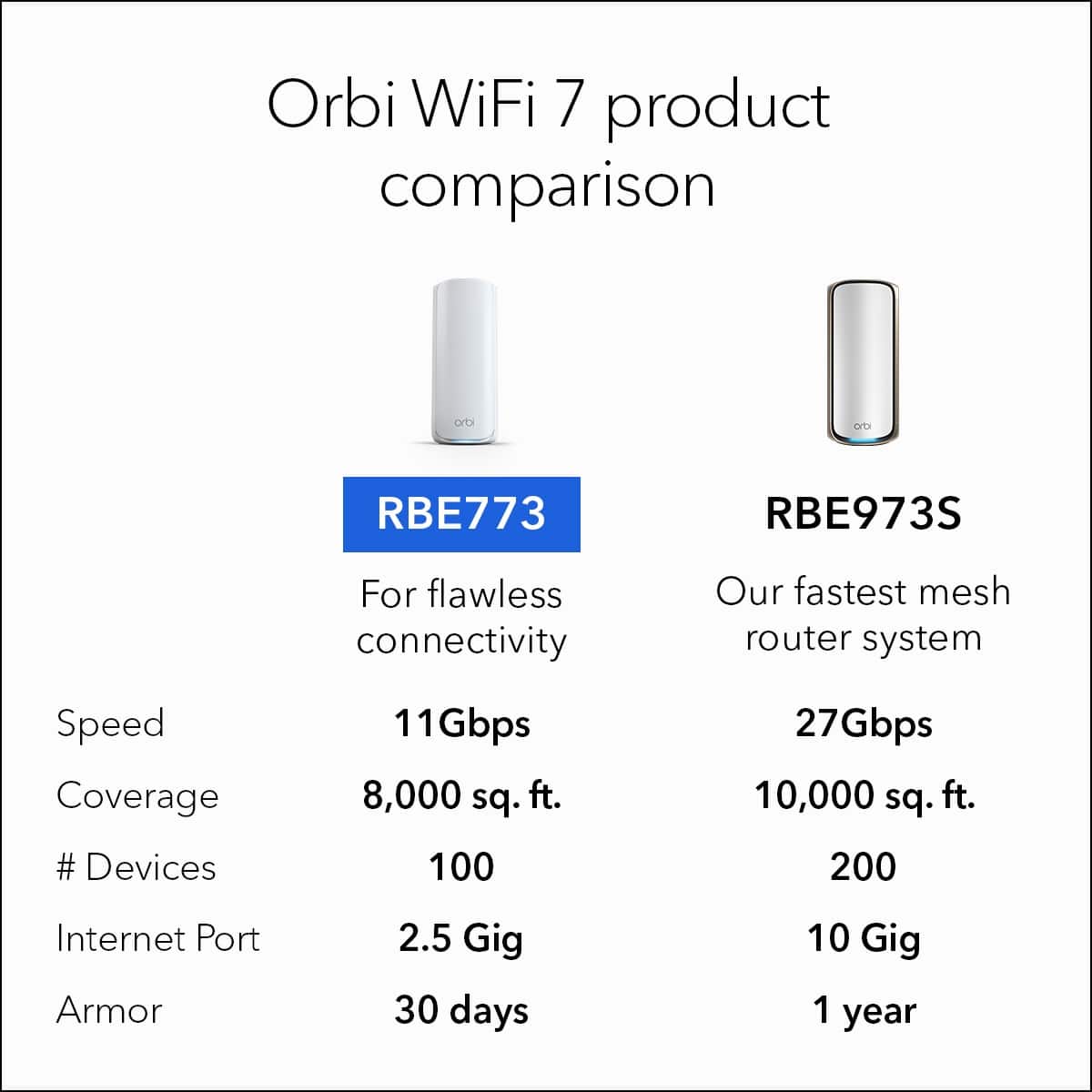


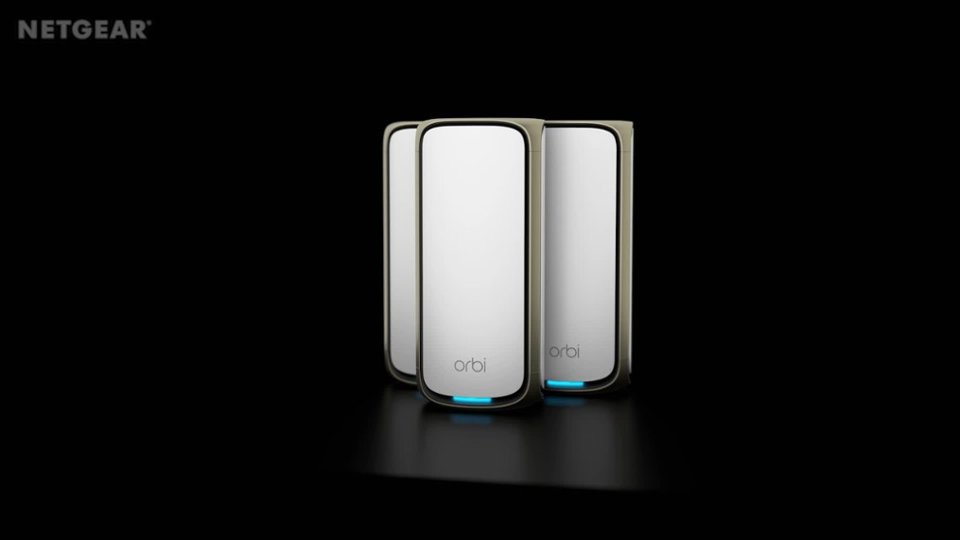
- Model:
- RBE773-100NAS
- |
- SKU:
- 11121712
Customer reviews
Rating 4.1 out of 5 stars with 177 reviews
(177 customer reviews)Rating by feature
- Setup4.3
Rating 4.3 out of 5 stars
- Range4.4
Rating 4.4 out of 5 stars
- Signal Strength4.3
Rating 4.3 out of 5 stars
Rated 1 out of 5 stars
Constantly drops connection
||Posted . Owned for 5 months when reviewed.This reviewer received promo considerations or sweepstakes entry for writing a review.While the mesh system seems to be okay, the issue is that the router constantly drops connection and attempts to assign ip addresses to devices already connected to the network. The ISP gateway has been set to bridge mode, so it is not an issue of a double nat. After hard resetting the device multiple times, using only the router with no satellites, and firmware updates, it's time to give up on Orbi. The older netgear xr1000 is working fine, so it is not an isp issue either.
This review is from NETGEAR - Orbi 770 Series BE11000 Tri-band Mesh Wi-Fi 7 System (3-pack) - White
No, I would not recommend this to a friendBrand response from Netgear Support
Posted .Hi Dave,
Thank you for your review and valuable feedback. We would like an opportunity to improve your experience with your connectivity while on your RBE773 network. When experiencing an issue with connectivity with your devices, we recommend visiting these troubleshooting resources: https://kb.netgear.com/000063823/My-wireless-devices-are-disconnecting-from-my-WiFi-network-what-do-I-do?language=en_US, and also: https://kb.netgear.com/000061531/What-should-I-do-if-I-experience-wireless-connectivity-issues-while-connecting-devices-to-my-WiFi-6-NETGEAR-router-or-Orbi-mesh-system?language=en_US.
We also recommend ensuring your RBE773 Router and Satellites are on the most recent firmware v10.5.18.3, released as recently as 3-26-25: https://kb.netgear.com/000066615/RBE771-RBE770-Firmware-Version-10-5-18-3.
We'd greatly appreciate any additional feedback if the steps provided helped to resolve the issue with connectivity you have been experiencing as well as to follow up with you. Please reach out to us at [email protected] with your contact information, and we will be happy to help you.
Regards,
NETGEAR Team
Rated 1 out of 5 stars
Never again
||Posted .This reviewer received promo considerations or sweepstakes entry for writing a review.Even with latest firmware in less than a week the connection speed drops down to less than 1Mbps upload download speed before rebooting, then after rebooting the satellites don’t come back online. Right after rebooting my connection speed is over 750 Mbps to my iPhone 16 Pro. Netgear tech-support had me to switch frequencies. I have yet to see any performance/reliability improvement between any frequency.
This review is from NETGEAR - Orbi 770 Series BE11000 Tri-band Mesh Wi-Fi 7 System (3-pack) - White
No, I would not recommend this to a friendBrand response from Netgear Support
Posted .Hi Brian,
Thank you for your review, we appreciate your feedback and we want you to know that your experience is important to us. We're sorry to hear that you are still experiencing issues with your RBE773 connection Speed drops after speaking with Support and trying the newest Firmware. We would like to look into your case and see what other help we can provide. Please reach out to us with your contact information along with your case number and a copy of your review to [email protected], and we will be happy to help you.
Regards,
NETGEAR Team
Rated 5 out of 5 stars
WiFi beyond expectations
||Posted . Owned for 3 weeks when reviewed.This reviewer received promo considerations or sweepstakes entry for writing a review.This WiFi system is the best we’ve had. Reliable and secure
This review is from NETGEAR - Orbi 770 Series BE11000 Tri-band Mesh Wi-Fi 7 System (3-pack) - White
I would recommend this to a friendRated 1 out of 5 stars
Do not buy
||Posted . Owned for 3 months when reviewed.This reviewer received promo considerations or sweepstakes entry for writing a review.Would not purchase again. Bought to replace 5 year old netgear nighthawk equipment. This was not a upgrade, coverage is not better and intermittent connectivity is a issue. Will drop on some things but not other then vice versa while sitting beside each other and connected the same way. Netgears customer service of no help, should have returned but now stuck and wasted over $900.00. Will probably install old equipment back and use these for paper weights.
This review is from NETGEAR - Orbi 770 Series BE11000 Tri-band Mesh Wi-Fi 7 System (3-pack) - White
No, I would not recommend this to a friendBrand response from Netgear Support
Posted .Hi dtlo,
Thank you for your review and valuable feedback. We would like an opportunity to improve your experience with the coverage and connectivity on your RBE773 network. Many factors can affect your Internet connection for devices on your home network. Your RBE773 features high-powered amplifiers and antennas to maximize your WiFi coverage. However, router and satellite placement, home layout, or wireless interference from other devices can affect your WiFi range. For more details on these topics please visit the following resources: https://kb.netgear.com/000061531/What-should-I-do-if-I-experience-wireless-connectivity-issues-while-connecting-devices-to-my-WiFi-6-NETGEAR-router-or-Orbi-mesh-system?language=en_US, and also: https://www.netgear.com/hub/wifi/mesh/orbi-satellites/.
We'd greatly appreciate any additional feedback if the resources provided helped to resolve the issues with connectivity and coverage that you have been experiencing and follow up with you. Please reach out to us at [email protected] with your contact information and a copy of your review, and we will be happy to help you.
Regards,
NETGEAR Team
Rated 5 out of 5 stars
Great coverage
||Posted . Owned for 1 month when reviewed.This reviewer received promo considerations or sweepstakes entry for writing a review.Great coverage, second orbi mesh system and hoping this one last as long as the last one
This review is from NETGEAR - Orbi 770 Series BE11000 Tri-band Mesh Wi-Fi 7 System (3-pack) - White
I would recommend this to a friendRated 1 out of 5 stars
too poor connection
||Posted .This reviewer received promo considerations or sweepstakes entry for writing a review.The connection sometimes works, sometimes does not. I have problems with my printer, it can not work with wifi, I have to connect directly to the internet
This review is from NETGEAR - Orbi 770 Series BE11000 Tri-band Mesh Wi-Fi 7 System (3-pack) - White
No, I would not recommend this to a friendBrand response from Netgear Support
Posted .Hi roxy,
Thank you for your review and valuable feedback. We would like an opportunity to improve your experience with connectivity while connected to your RBE773. Orbi Mesh WiFi 7 networks are encrypted with WPA2-PSK + WPA3-Personal encryption by default. This is because it is the best blend of compatibility and security available. However, some devices such as printers, smart devices (IoT), and older devices are not compatible with this level of encryption. For these devices to work, you must connect them to a network with a lower level of encryption. For more information, please visit the following link: https://kb.netgear.com/000066695/How-to-resolve-issues-connecting-devices-to-your-NETGEAR-WiFi-7-network.
Additionally, we recommend ensuring your RBE773 Router and Satellites are on the latest firmware v10.5.20.7 as well as re-sync your Router and Satellites beginning in the same room, then moving out to their intended destinations. For more information, please visit these resources: https://kb.netgear.com/000070343/, as well as: https://kb.netgear.com/31018/How-do-I-sync-my-Orbi-router-and-satellite.
If you're still experiencing any issues, please reach out to us at [email protected] — we’re happy to help! If your experience has improved, we’d really appreciate an updated review.
Regards,
NETGEAR Team
Rated 5 out of 5 stars
Netgear Orbi mesh Wi-Fi system
||Posted . Owned for 1 month when reviewed.This reviewer received promo considerations or sweepstakes entry for writing a review.The additional Internet security you can purchase through Netgearis outstanding.
This review is from NETGEAR - Orbi 770 Series BE11000 Tri-band Mesh Wi-Fi 7 System (3-pack) - White
I would recommend this to a friendRated 5 out of 5 stars
Orbi wifi7 review
||Posted . Owned for 2 weeks when reviewed.This reviewer received promo considerations or sweepstakes entry for writing a review.Great product by Netgear. For me this was an instance upgrade, just plug and play, followed the app prompts and my devices in the house double in speed. Best Buy this year!!
This review is from NETGEAR - Orbi 770 Series BE11000 Tri-band Mesh Wi-Fi 7 System (3-pack) - White
I would recommend this to a friendRated 5 out of 5 stars
Easy set up process but note prior Orbi user also.
||Posted .This reviewer received promo considerations or sweepstakes entry for writing a review.Purchased 12/20/24 so have not used other than today. Integration was seamless. I had a prior version of Orbi Tri-Mesh so upgrade was not difficult. Took maybe 20 mins.
This review is from NETGEAR - Orbi 770 Series BE11000 Tri-band Mesh Wi-Fi 7 System (3-pack) - White
I would recommend this to a friendRated 1 out of 5 stars
Worst mesh system I’ve ever used
||Posted . Owned for 7 months when reviewed.This reviewer received promo considerations or sweepstakes entry for writing a review.Frequent connection disruption. Hours of troubleshooting with netgear support without any resolution. Never go for this. Cheap $100 routers works better than this
This review is from NETGEAR - Orbi 770 Series BE11000 Tri-band Mesh Wi-Fi 7 System (3-pack) - White
No, I would not recommend this to a friendBrand response from Netgear Support
Posted .Hi Abhi,
Thank you for your review, we appreciate your feedback and we want you to know that your experience is important to us. We're sorry to hear that you are still experiencing connection disruption issues with your RBE773 after speaking with Support. We would like to look into your case and see what other help we can provide. Please reach out to us with your contact information along with your case number and a copy of your review to [email protected], and we will be happy to help you.
Regards,
NETGEAR Team
Rated 1 out of 5 stars
Terrible
||Posted .This reviewer received promo considerations or sweepstakes entry for writing a review.The absolute worst router you can buy. I had a Netgear router. I am an upgrade but an absolute disgrace. I barely have a 1700 square-foot house and this is supposed to cover 2300 feet, and it just does not reach areas of my house where I never had a problem before On top of all that I get constant droppers, the constant outages, and is somebody who works from home I need Wi-Fi reliability and this thing is absolutely not reliable, especially for the price that I paid.
This review is from NETGEAR - Orbi 770 Series BE11000 Tri-band Mesh Wi-Fi 7 System (3-pack) - White
No, I would not recommend this to a friendBrand response from Netgear Support
Posted .Hi Frank,
Thank you for your review and valuable feedback. We would like an opportunity to improve your experience with the coverage and connection of your RBE773. Many factors can affect the performance of your Orbi Mesh WiFi system including broadcast device placement, which band you are connected to and interference from other devices. For more information, we recommend visiting these resources: https://kb.netgear.com/000037824/What-factors-can-affect-my-WiFi-performance?language=en_US, and also: https://kb.netgear.com/25182/How-do-I-resolve-poor-wireless-range-or-a-weak-WiFi-signal-from-my-NETGEAR-router?language=en_US.
We also recommend ensuring your RBE773 Router and Satellites are on the most recent firmware v10.5.20.3, and then re-sync your Router and Satellites beginning in the same room and moving out to their intended destination: https://kb.netgear.com/000068431/, as well as: https://kb.netgear.com/31018/How-do-I-sync-my-Orbi-router-and-satellite.
If you're still experiencing any issues, please reach out to us at [email protected] — we’re happy to help! If your experience has improved, we’d really appreciate an updated review.
Regards,
NETGEAR Team
Rated 1 out of 5 stars
Will max out your data plan
||Posted . Owned for 3 weeks when reviewed.This reviewer received promo considerations or sweepstakes entry for writing a review.After installing this in our house, our data usage with Xfinity spiked. First time in 3 years being notified about going over our 1.2 terabyte plan per month. We don’t use nearly that much data. Max in 3 years was 800 GB in a month. Once this was installed it went up to 1.1 terabytes in half a month. Definitely don’t recommend this product. We switch to eero pro 6e for much cheaper and has a better performance. It also allows you to see how much data each connected device is using unlike Orbi. So if the issue continues at least I can figure out what is causing it.
This review is from NETGEAR - Orbi 770 Series BE11000 Tri-band Mesh Wi-Fi 7 System (3-pack) - White
No, I would not recommend this to a friendBrand response from Netgear Support
Posted .Hi FordGuyYT,
Thank you for your review and valuable feedback. We would like an opportunity to improve your experience with your RBE773. A sudden spike in data usage when installing an Orbi router could be due to background apps, automatic updates, or location services. These can cause unexpected data usage as applications run in the background and constantly check for updates, sync data, and refresh content. With the Orbi App, you can pause the internet for any connected device at the push of a button. This helps to reduce bandwidth consumption, save power, and avoid unknown or unwanted internet usage. For more information on this topic, we recommend visiting this NETGEAR Blog post on how to easily manage your RBE773 with the NETGEAR Orbi App: https://www.netgear.com/hub/wifi/mesh/orbi-app-manage-mesh-wifi-system/#:~:text=With%20the%20Orbi%20App%2C%20you%20can%20pause%20the%20internet%20for,and%20keep%20them%20safe%20online.
We'd greatly appreciate any additional feedback if the steps provided helped to resolve the We would like to follow up with the issue with Data Usage you have been experiencing. Please reach out to us at [email protected] with your contact information and a copy of your review, and we will be happy to help you.
Regards,
NETGEAR Team
Rated 5 out of 5 stars
Works great using Ethernet backhaul
||Posted . Owned for 1 week when reviewed.This reviewer received promo considerations or sweepstakes entry for writing a review.I used to have 4 Amplifi HD routers mesh through out the house because I have 3 stories house. Now replaced them with only 3 Orbi 770 with Ethernet backhaul and getting double wifi speed compare to the Amplifi.
This review is from NETGEAR - Orbi 770 Series BE11000 Tri-band Mesh Wi-Fi 7 System (3-pack) - White
I would recommend this to a friendRated 5 out of 5 stars
Great Wifi Mesh System
||Posted . Owned for 3 months when reviewed.This reviewer received promo considerations or sweepstakes entry for writing a review.This product was easy to setup and has delivered consistent signal, even into my backyard patio. I highly reccomend.
This review is from NETGEAR - Orbi 770 Series BE11000 Tri-band Mesh Wi-Fi 7 System (3-pack) - White
I would recommend this to a friendRated 2 out of 5 stars
Not what I expected
||Posted . Owned for 1 week when reviewed.This reviewer received promo considerations or sweepstakes entry for writing a review.So far i've got a lot of time in spacing these out correctly. My wife has an office here at home and she said she had many drops from her work. Never had this problem with the orbi 50 and satellites. I upgraded because I've had these 10 years. Will see what happens. Will be taking it back if it does not stay solid.
This review is from NETGEAR - Orbi 770 Series BE11000 Tri-band Mesh Wi-Fi 7 System (3-pack) - White
No, I would not recommend this to a friendBrand response from Netgear Support
Posted .Hi Frank,
Thank you for your review and valuable feedback. We would like an opportunity to improve your experience with your RBE773. Many factors can affect the performance of your router or mesh WiFi system. The signal strength decreases as it passes through walls and other objects. Some objects, like metal cabinets, might block the signal entirely. For more information on this topic, we recommend visiting these troubleshooting resources: https://kb.netgear.com/000061531/What-should-I-do-if-I-experience-wireless-connectivity-issues-while-connecting-devices-to-my-WiFi-6-NETGEAR-router-or-Orbi-mesh-system?language=en_US, and also: https://kb.netgear.com/000037824/What-factors-can-affect-my-WiFi-performance?language=en_US.
We also recommend ensuring your Orbi 773 Router and Satellites are on the most up to date firmware v10.5.13.1: https://kb.netgear.com/000066435/RBE771-RBE770-Firmware-Version-10-5-13-1.
We'd greatly appreciate any additional feedback if the steps provided helped to resolve the issue as well as follow up with you. Please reach out to us at [email protected] with your contact information, and we will be happy to help you.
Regards,
NETGEAR Team
Rated 5 out of 5 stars
Wifi 7
||Posted . Owned for 3 weeks when reviewed.This reviewer received promo considerations or sweepstakes entry for writing a review.Fast and reliable, good security features does what is intended.
This review is from NETGEAR - Orbi 770 Series BE11000 Tri-band Mesh Wi-Fi 7 System (3-pack) - White
I would recommend this to a friendRated 1 out of 5 stars
Horrible
||Posted . Owned for 1 month when reviewed.This reviewer received promo considerations or sweepstakes entry for writing a review.I purchased this item concerning that was Netgear and I had Netgear my whole entire life. This is my father the worst Wi-Fi system I’ve ever disconnecting and reconnecting that I got so bad that she called Netgear private support. They wanted me to reset the whole entire Wi-Fi system as I have no that with email Netgear I have it now. Don’t waste your money.
This review is from NETGEAR - Orbi 770 Series BE11000 Tri-band Mesh Wi-Fi 7 System (3-pack) - White
No, I would not recommend this to a friendBrand response from Netgear Support
Posted .Hi Rlanderson33,
Thank you for your review, we appreciate your feedback and we want you to know that your experience is important to us. We're sorry to hear that you are still experiencing connection issues with your RBE773 even after speaking with Support. When experiencing an issue with disconnections, we recommend a few troubleshooting steps including ensuring your Router and Satellites are on the latest firmware v10.5.20.3, performing a full power cycle of both your Modem and Orbi WiFi system unplugging the ethernet cable from your RBE773 router to the modem. After waiting about 10 minutes, please then reconnect your RBE773 Router to your modem and allow them to re-sync. After this, it is also recommended to re-sync your RBE773 Router and Satellites beginning in the same room and moving out to their intended destinations. For more information on these, please visit the following links: https://kb.netgear.com/000068431/, as well as: https://kb.netgear.com/31018/How-do-I-sync-my-Orbi-router-and-satellite.
We would like to look into your case and see what other help we can provide. Please reach out to us with your contact information along with your case number and a copy of your review to [email protected], and we will be happy to help you.
Regards,
NETGEAR Team
Rated 1 out of 5 stars
Wasted an entire day for nothing.
||Posted .This reviewer received promo considerations or sweepstakes entry for writing a review.Horrible! I spent 4 hours of my time. Then 1 hour with orbi tech support including 30 minutes with spectrum cable. Brand new spectrum cable modem working perfectly. Could never get the $850 orbi router to connect to the internet. Tried everything 25 times. The most frustrating experience in a very long time. This product is not ready for public use. Stay clear.
This review is from NETGEAR - Orbi 770 Series BE11000 Tri-band Mesh Wi-Fi 7 System (3-pack) - White
No, I would not recommend this to a friendBrand response from Netgear Support
Posted .Hi Valued Customer,
Thank you for your review, we appreciate your feedback and we want you to know that your experience is important to us. We're sorry to hear that you are still experiencing issues with getting your RBE773 connected. We would like to look into your case and see what other help we can provide. Please reach out to us with your contact information along with your case number and a copy of your review to [email protected], and we will be happy to help you.
Regards,
NETGEAR Team
Rated 5 out of 5 stars
Good speed exceeds my expectation
||Posted . Owned for 1 month when reviewed.This reviewer received promo considerations or sweepstakes entry for writing a review.Easy to configurate, speed up my wifi internet and expanded really far love it
This review is from NETGEAR - Orbi 770 Series BE11000 Tri-band Mesh Wi-Fi 7 System (3-pack) - White
I would recommend this to a friendRated 1 out of 5 stars
Won’t broadcast Orbi SSID so I can connect
||Posted .This reviewer received promo considerations or sweepstakes entry for writing a review.Can’t get it to connect if the SSID isn’t broadcast. Useless. Expensive mistake.
This review is from NETGEAR - Orbi 770 Series BE11000 Tri-band Mesh Wi-Fi 7 System (3-pack) - White
No, I would not recommend this to a friendBrand response from Netgear Support
Posted .Hi Doubles,
Thank you for your review, we appreciate your feedback and we want you to know that your experience is important to us. We are sorry to hear that you are having a difficult experience with your RBE773 broadcasting the SSID. We would like an opportunity to improve your experience with your RBE773. We recommend performing some troubleshooting steps including a full power cycle of both your Modem and Orbi RBE773 and allowing everything to power on for a few minutes. After your Orbi WiFi System has come back online, if able, connect a computer directly to your RBE773 with an ethernet cable, launch a web browser and navigate to http://orbilogin.com. After logging in, we recommend checking to see if your RBE773 Router and Satellites are on the most recent firmware, v10.5.19.5: https://kb.netgear.com/000067270/. If not, we recommend performing a manual firmware update using the instructions in the following link: https://kb.netgear.com/31573/How-do-I-manually-upgrade-firmware-on-my-Orbi-router-using-orbilogin-com.
Another step we recommend taking is to factory reset your RBE773. To do so, please visit the following resource: https://kb.netgear.com/31486/How-do-I-reset-my-Orbi-system-to-factory-default-settings?language=en_US.
If you're still experiencing any issues, please reach out to us at [email protected] — we’re happy to help! If your experience has improved, we’d really appreciate an updated review.
Regards,
NETGEAR Team