Customer Ratings & Reviews




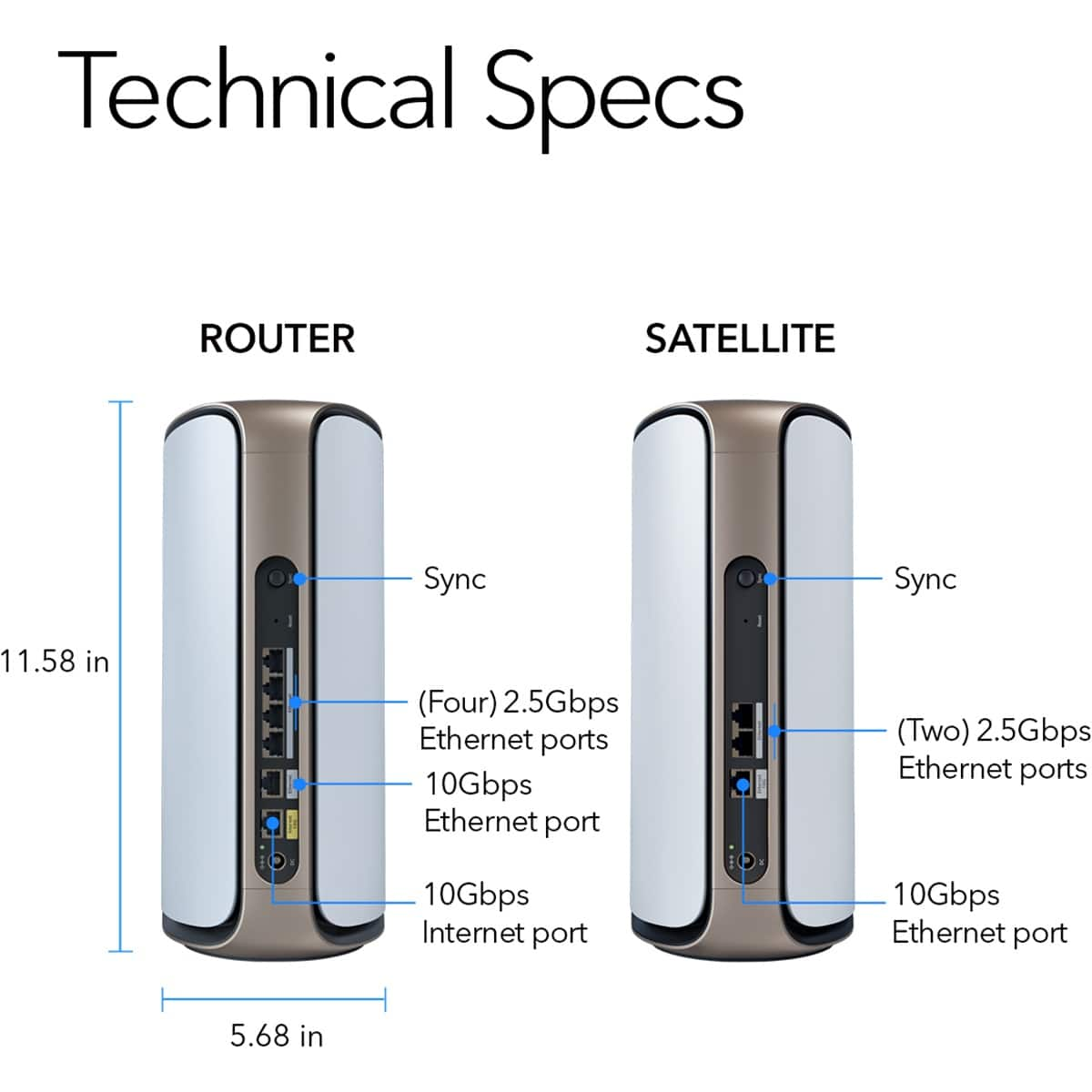



- Model:
- RBE972S-100NAS
- |
- SKU:
- 6553329
Customer reviews
Rating 4.2 out of 5 stars with 277 reviews
(277 customer reviews)Rating by feature
- Setup4.4
Rating 4.4 out of 5 stars
- Range4.5
Rating 4.5 out of 5 stars
- Signal Strength4.5
Rating 4.5 out of 5 stars
Customers are saying
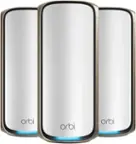
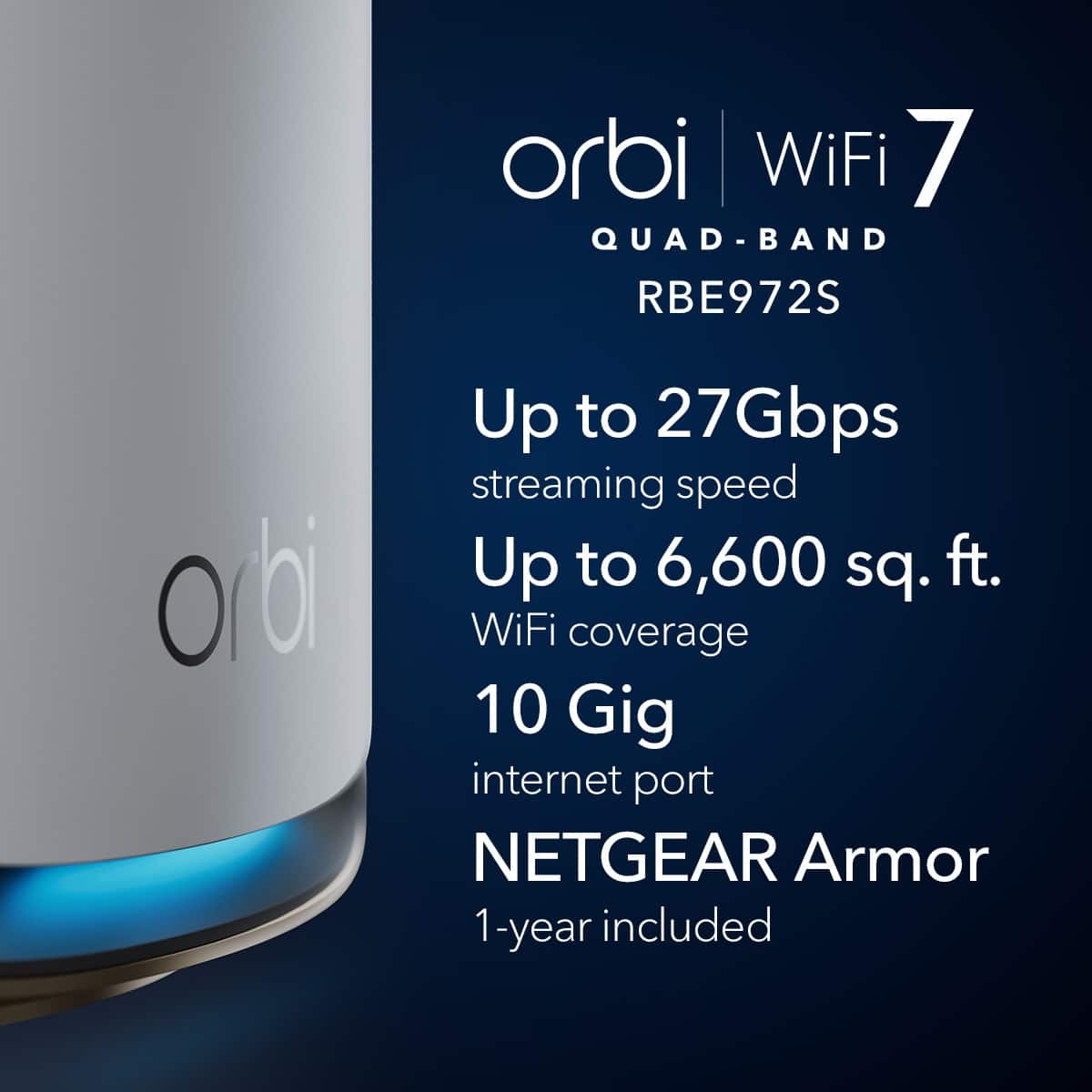
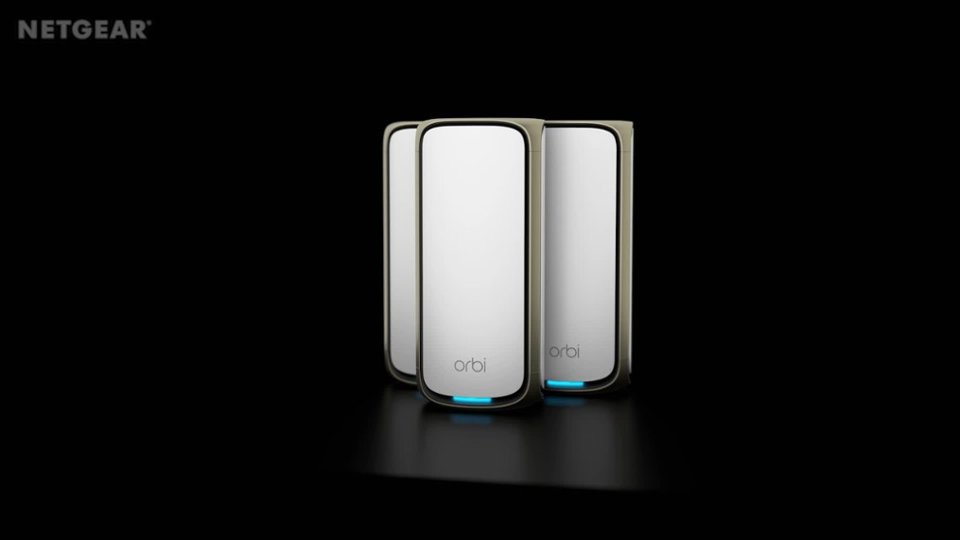
Customers are enthusiastic about the Orbi 970 Series BE27000 Quad-Band Mesh Wi-Fi 7 System, highlighting its exceptional speed and extensive coverage. Users appreciate the straightforward setup process and consistently strong performance, as well as the ease of use. However, some customers have reported occasional connectivity issues, find the units a bit large, and feel the price is a concern.
This summary was generated by AI based on customer reviews.
Rated 5 out of 5 stars
Pricey but absolutely worth it
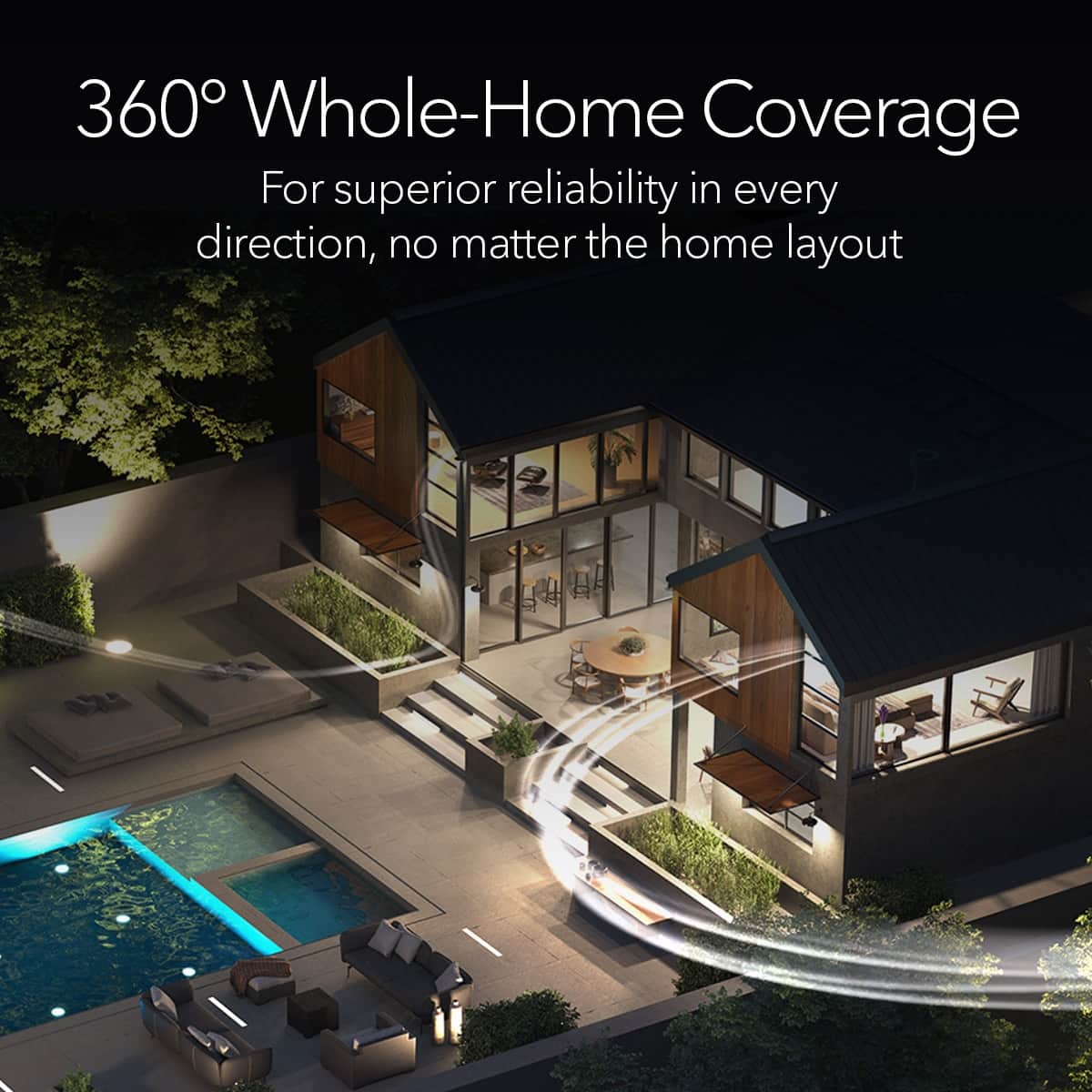
||Posted . Owned for 1 week when reviewed.This reviewer received promo considerations or sweepstakes entry for writing a review.I have xfinity 2GB internet but was having a real hard time getting acceptable WiFi speeds throughout my house. It’s about a 3000 sqft home and while I fully expected the WiFi to not be strong throughout it all, I was seeing speeds of like 400mbps a couple of rooms down the hall from the modem. After setting up Orbi, I’m consistently getting 1.6 gbps and above speeds throughout the house! Well worth the investment
This review is from NETGEAR - Orbi 970 Series BE27000 Quad-Band Mesh Wi-Fi 7 System (3-pack) - White
I would recommend this to a friend- Pros mentioned:Coverage
Rated 5 out of 5 stars
Orbi
||Posted . Owned for 1 month when reviewed.This reviewer received promo considerations or sweepstakes entry for writing a review.Works great and increased our coverage throughout the home dramatically
This review is from NETGEAR - Orbi 970 Series BE27000 Quad-Band Mesh Wi-Fi 7 System (3-pack) - White
I would recommend this to a friend - Pros mentioned:Performance
Rated 1 out of 5 stars
Netgear as a company
||Posted . Owned for less than 1 week when reviewed.This reviewer received promo considerations or sweepstakes entry for writing a review.I you are willing to buy a Ferrari and are hoping for Netgear to give you product support like a Ferrari dealership would give you for shelling out for there top of the line car, you are not going to get it. I would buy the geek squad replacement plan, so that I didn't have to work with Netgear support if something goes wrong. It is a LOT less headache to just take it back to best buy for a replacement. I am working with Netgear on a malfunctioning 9 month old Orbi 960 spent 6+ hrs on the phone trying to fix it. It still doesn't work right and the will still not replace it after it has been approved for a replacement and took my money for expedited shipping. They keep throwing hurtles at me. Wanting this that and the other. I paid for a Ferrari. I did this for performance and reliability. At this point I am not sure what I paid for. If you a tech savvy and have lot's of time to waist if something goes wrong it is a ok produt. Don't shell out the money thinking Netgear will make it right as quickly as possible. Netgear will not do this. There is no support value associated with the cost. I won't buy Netgear again.
This review is from NETGEAR - Orbi 970 Series BE27000 Quad-Band Mesh Wi-Fi 7 System (3-pack) - White
No, I would not recommend this to a friendBrand response from Netgear Support
Posted .Hi BrianjB,
Thank you for your review, we appreciate your feedback and we want you to know that your experience is important to us. We're sorry to hear that you are
still experiencing issues with your Orbi System and are also unhappy with your NETGEAR Support Case. We would like to investigate your case and see what other assistance and support opportunities we can provide. Please reach out to us with your contact information along with your case number and a copy of your review to [email protected], and we will be happy to help you.
Regards,
NETGEAR Team
- Pros mentioned:Range
Rated 5 out of 5 stars
Good Product
||Posted . Owned for 1 month when reviewed.This reviewer received promo considerations or sweepstakes entry for writing a review.very cool thing, I recommend it to everyone. Works great, covers my entire house
This review is from NETGEAR - Orbi 970 Series BE27000 Quad-Band Mesh Wi-Fi 7 System (3-pack) - White
I would recommend this to a friend Rated 5 out of 5 stars
Orbi routers
||Posted . Owned for 6 months when reviewed.This reviewer received promo considerations or sweepstakes entry for writing a review.Good quality Orbi routers. Easy to use and setup.
This review is from NETGEAR - Orbi 970 Series BE27000 Quad-Band Mesh Wi-Fi 7 System (3-pack) - White
I would recommend this to a friend- Pros mentioned:Speed
Rated 5 out of 5 stars
Great usability and coverage
||Posted . Owned for 1 week when reviewed.This reviewer received promo considerations or sweepstakes entry for writing a review.System is well rounded and intuitive. Very informative UI and speeds do not disappoint. I haven’t had a problem.
This review is from NETGEAR - Orbi 970 Series BE27000 Quad-Band Mesh Wi-Fi 7 System (3-pack) - White
I would recommend this to a friend - Cons mentioned:Connectivity
Rated 1 out of 5 stars
Never worked
||Posted .This reviewer received promo considerations or sweepstakes entry for writing a review.Returned item because it wouldn’t recognize that we had the internet cable connected. Kept telling me there was no internet. If I’m paying $2000 for something, and it doesn’t work right out of the box, a replacement would have eventually do the same thing. Im currently looking into different brands that have fewer issues.
This review is from NETGEAR - Orbi 970 Series BE27000 Quad-Band Mesh Wi-Fi 7 System (3-pack) - White
No, I would not recommend this to a friendBrand response from Netgear Support
Posted .Hi Valued Customer,
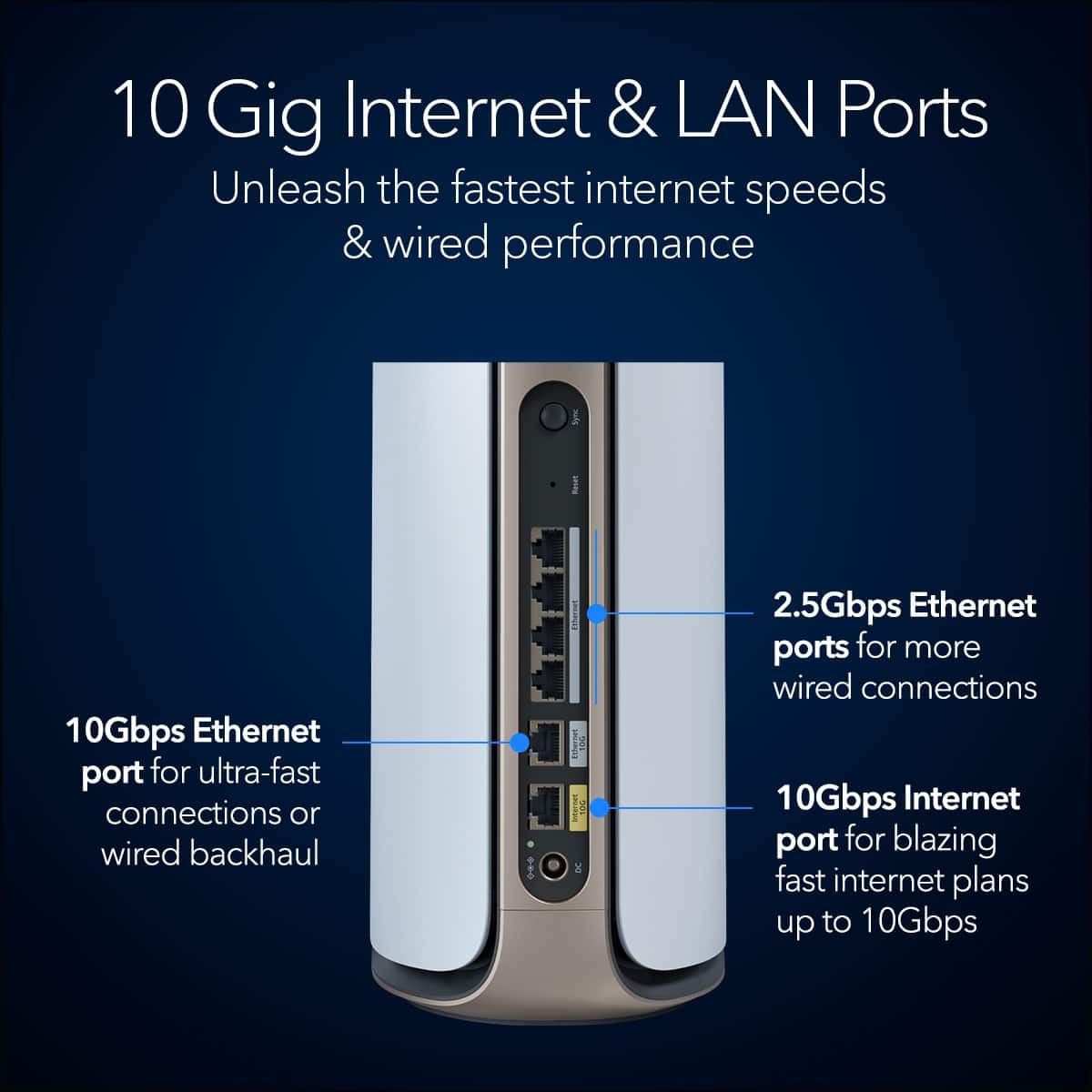
Thank you for your review, we appreciate your feedback and we want you to know that your experience is important to us. We're sorry to hear that you had a problem with your RBE973S not connecting to your internet and have already returned it. When experiencing an issue with your device not connecting to your modem, we recommend a few troubleshoot steps including unplugging the ethernet cable from your Orbi Router's 10 Gig Internet Port from your modem and then perform a full power cycle of both your Orbi WiFi system as well as modem. After everything has come back online, please reconnect your modem to your Orbi Router. Finally, if you experience this issue again, we recommend changing out the ethernet cable used to connect your Router to your Modem to a different one available to you. For additional information, please visit the following resource: https://kb.netgear.com/000061613/I-m-having-trouble-installing-my-Orbi-WiFi-System-what-do-I-do?language=en_US.
If you decide to repurchase the RBE973S or any other NETGEAR product and have any issues, please reach out to us at [email protected] with your contact information, and we will be happy to help you.
Regards,
NETGEAR Team
- Pros mentioned:Speed
Rated 5 out of 5 stars
Incredible WIFI speeds and coverage.
||Posted . Owned for 3 weeks when reviewed.This reviewer received promo considerations or sweepstakes entry for writing a review.Best and highest speed router and WIFI I've ever owned or used. There are no dead zones in my house, everywhere in my house connects at full speed. Definitely worth the price.
This review is from NETGEAR - Orbi 970 Series BE27000 Quad-Band Mesh Wi-Fi 7 System (3-pack) - White
I would recommend this to a friend - Pros mentioned:Coverage
Rated 5 out of 5 stars
Fantastic coverage and speed
||Posted . Owned for 3 weeks when reviewed.This reviewer received promo considerations or sweepstakes entry for writing a review.I needed a new router for our large and complex home. No single router reached all areas so I purchased this mesh system. It is fantastic!
This review is from NETGEAR - Orbi 970 Series BE27000 Quad-Band Mesh Wi-Fi 7 System (3-pack) - White
I would recommend this to a friend - Pros mentioned:Speed
Rated 5 out of 5 stars
Home best ever
||Posted . Owned for less than 1 week when reviewed.This reviewer received promo considerations or sweepstakes entry for writing a review.Best ever I pay for 1 gig up and down I get 1165 down 1035 up
This review is from NETGEAR - Orbi 970 Series BE27000 Quad-Band Mesh Wi-Fi 7 System (3-pack) - White
I would recommend this to a friend - Pros mentioned:Performance
Rated 3 out of 5 stars
Nothing special, include for the price!
||Posted . Owned for 2 weeks when reviewed.This reviewer received promo considerations or sweepstakes entry for writing a review.I still with the same performance that I had with Eero, but short $2000!
This review is from NETGEAR - Orbi 970 Series BE27000 Quad-Band Mesh Wi-Fi 7 System (3-pack) - White
No, I would not recommend this to a friendBrand response from Netgear Support
Posted .Hi YouhannaL,
Thank you for your review and valuable feedback. We would like an opportunity to improve your experience with the performance of your RBE973S. Your WiFi range and performance can be affected by factors like router and satellite placement, home layout, or wireless interference from other devices. Higher frequency bands provide a faster connection, but have less range. For more information on this topic, please check out the following resources: https://www.netgear.com/hub/wifi/mesh/orbi-satellites/, and also: https://kb.netgear.com/19279/Why-am-I-not-getting-the-maximum-speed-that-my-router-is-capable-of.
We'd greatly appreciate any additional feedback if the steps provided helped you with your performance as well as follow up with you. Please reach out to us at [email protected] with your contact information and a copy of your review, and we will be happy to help you.
Regards,
NETGEAR Team
Rated 5 out of 5 stars
Netgear Orbi mesh WiFi system
||Posted . Owned for 3 weeks when reviewed.This reviewer received promo considerations or sweepstakes entry for writing a review.I bought this WiFi mesh system because I was having problems maintaining at least 1 giga of internet throughout the house. Once I install this equipment all my problems were solved. Now I have at least two giga bits of internet service through the house with no dead zones.
This review is from NETGEAR - Orbi 970 Series BE27000 Quad-Band Mesh Wi-Fi 7 System (3-pack) - White
I would recommend this to a friend- Cons mentioned:Price
Rated 1 out of 5 stars
Support cannot fix dropping issues!!
||Posted . Owned for 1 week when reviewed.This reviewer received promo considerations or sweepstakes entry for writing a review.OMG if you want to spend an entire week on the phone with tech support and get nowhere than this is for you. I never write reviews however I am trying to save potential buyers a real headache! Thankfully I am still within my return window. Extremely unstable one minute its works then the router and satellites take turns on dropping out. First tech support could not fix issues. Then they graduated me to the "Tiger team" I thought maybe now we going to get some help NOPE. Finally they moved me up to Level 2 support. I had hope once again. After hours and hours on the phone, screen shots and Debug reports same failures. I would like to add that the EEro 6E pro worked. I was just wanting a step up. This is NOT worth the crazy money they charge..
This review is from NETGEAR - Orbi 970 Series BE27000 Quad-Band Mesh Wi-Fi 7 System (3-pack) - White
No, I would not recommend this to a friendBrand response from Netgear Support
Posted .Hi LouD,
Thank you for your review, we appreciate your valuable feedback and we want you to know that your experience is important to us as we are always looking for ways to improve. We're sorry to hear that you are still experiencing issues with your RBE973S, and we would like to look into your case and see what other support opportunities are available. Please reach out to us with your contact information along with your case number and a copy of your review to [email protected], and we will be happy to help you.
Regards,
NETGEAR Team
- Pros mentioned:Speed
Rated 5 out of 5 stars
Amazing Router
||Posted . Owned for less than 1 week when reviewed.This reviewer received promo considerations or sweepstakes entry for writing a review.Amazing Router, Speed Connectivity. Helping me talk full advantage of my ISP speed. A next step in Technology.
This review is from NETGEAR - Orbi 970 Series BE27000 Quad-Band Mesh Wi-Fi 7 System (3-pack) - White
I would recommend this to a friend - Cons mentioned:Connectivity
Rated 1 out of 5 stars
Not Worth The Price, No Band Steering
||Posted . Owned for 2 months when reviewed.This reviewer received promo considerations or sweepstakes entry for writing a review.This is NOT worth the money. The satellites are very finicky and don’t connect easily. There is also no band steering, which is surprising for the price. You have to use the IoT band and hope your device decides to pick the right 2.4 GHz or 5 GHz band within it. I have Tesla chargers that need to be on 2.4 and my PlayStation needs to be on 5Ghz, but the Orbi would only put the PlayStation on 2.4 Ghz without using ioT. I had to put both on IoT and hope it connects correctly. The range on the satellites is also not what is advertised…the satellites have to be pretty close to the router and don’t work multiple rooms apart like the packaging suggests.
This review is from NETGEAR - Orbi 970 Series BE27000 Quad-Band Mesh Wi-Fi 7 System (3-pack) - White
No, I would not recommend this to a friendBrand response from Netgear Support
Posted .Hi MP123,
Thank you for your review and valuable feedback. We would like an opportunity to improve your experience with the connectivity of your devices while using your RBE973S. If you are experiencing issues with your WiFi clients or IoT devices connecting or staying connected to your RBE973S, we recommend visiting the following troubleshooting resources: https://kb.netgear.com/000061531/What-should-I-do-if-I-experience-wireless-connectivity-issues-while-connecting-devices-to-my-WiFi-6-NETGEAR-router-or-Orbi-mesh-system?language=en_US, and also: https://kb.netgear.com/000063823/My-wireless-devices-are-disconnecting-from-my-WiFi-network-what-do-I-do?language=en_US.
Your Orbi WiFi System broadcasts a single network so that you can move around your home without having to switch networks on your mobile devices. Orbi uses band steering to select the best WiFi band for mobile devices to connect to. For more information please visit the following resource: https://kb.netgear.com/31214/Why-is-my-Orbi-broadcasting-only-one-network.
We recommend ensuring your RBE973S Router and Satellites are on the most recent firmware v9.12.4.16: https://kb.netgear.com/000066418/RBE970-RBE971-Firmware-Version-9-12-4-16-for-NA-Region-Only.
We'd greatly appreciate any additional feedback if the steps provided helped to resolve the issue and also follow up with you regarding the issues you have been experiencing with your RBE973S. Please reach out to us at [email protected] with your contact information and a copy of your review, and we will be happy to help you.
Regards,
NETGEAR Team
Rated 5 out of 5 stars
I want to hate it but I can't.....
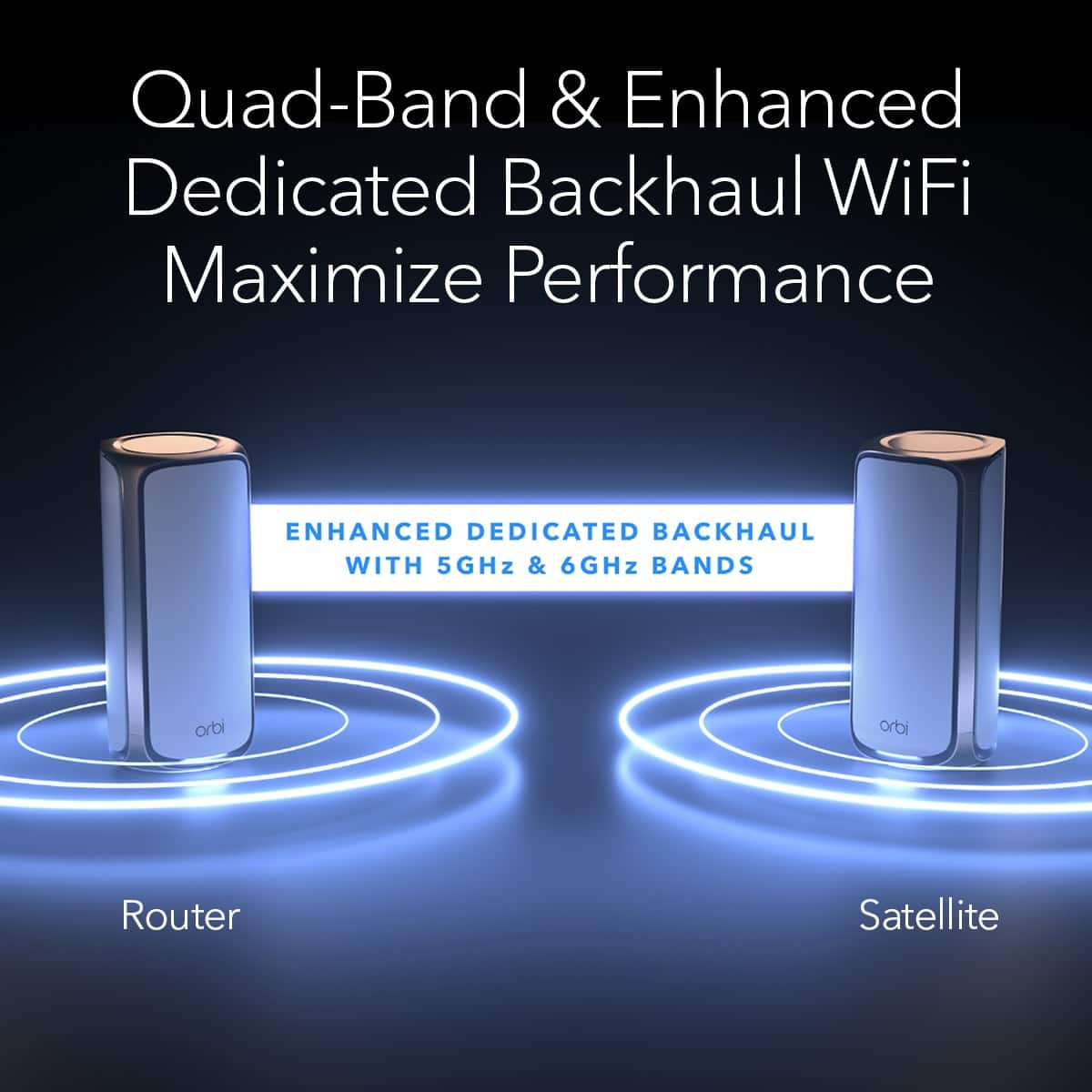
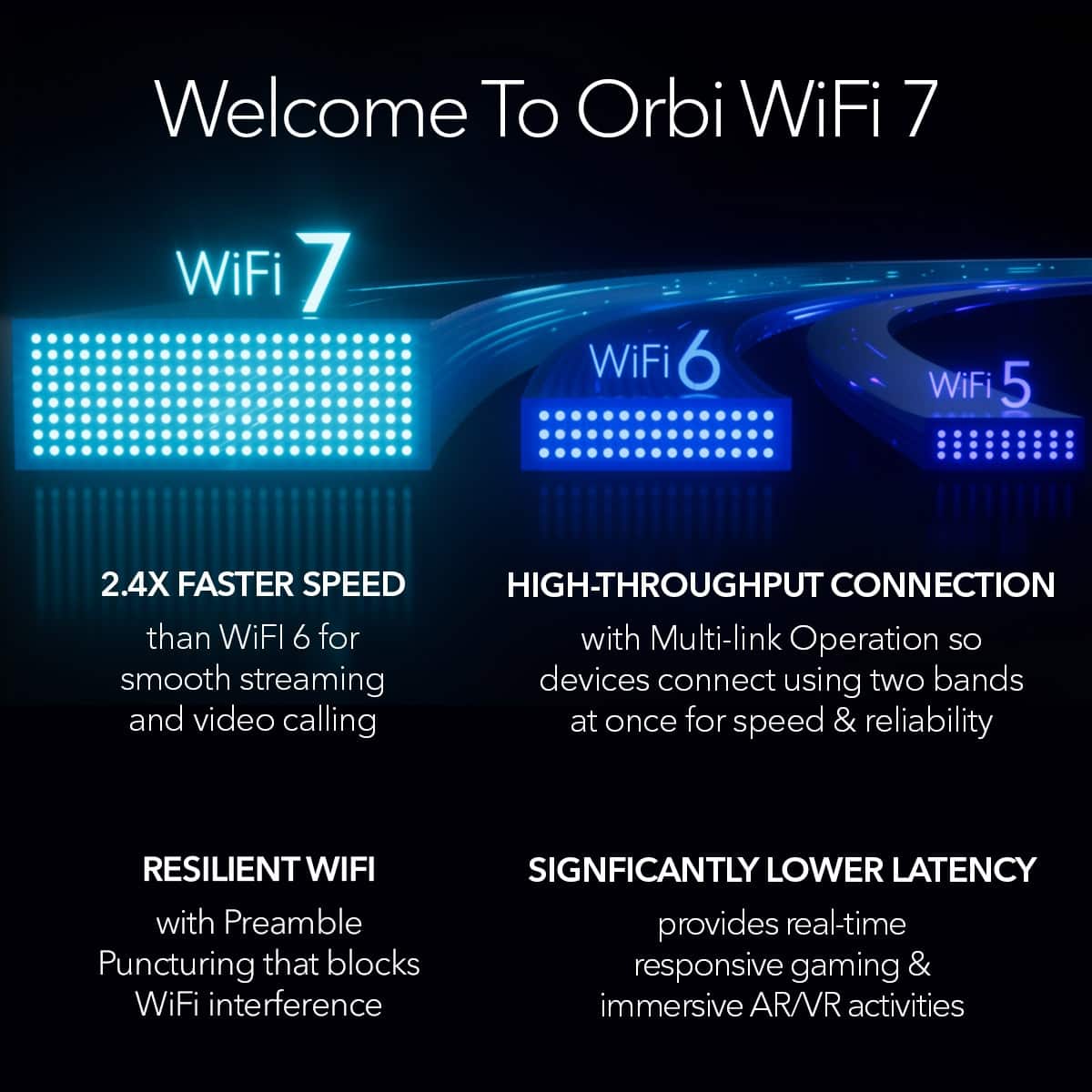
||Posted . Owned for 2 weeks when reviewed.This reviewer received promo considerations or sweepstakes entry for writing a review.Obviously this is two times more than way too expensive. But honestly, if you're not going to cry yourself to sleep over the loss of these hard earned dollars, it's actually a great product. Between the crazy fast backhaul speed and multi-gig ports throughout, it did what otherwise couldn't be done - gave me my full internet speed with reduced lag, consistent and stable, across my whole 2 story townhome without costly/messy cabling. Rock solid. I love this WiFi 7 mesh system. Now pardon me while I continue to mourn my deceased earnings......
I would recommend this to a friend- Cons mentioned:Connectivity
Rated 1 out of 5 stars
Abandon Ship!
||Posted . Owned for 6 months when reviewed.This reviewer received promo considerations or sweepstakes entry for writing a review.Ive been an orbi fan boy since the first kit it as great this one lost connections daily and we could not stream more than one item at a time I factory reset it and tried to work ot out sadly it was not eorth thr mo ey I returned it for Eero
This review is from NETGEAR - Orbi 970 Series BE27000 Quad-Band Mesh Wi-Fi 7 System (3-pack) - White
No, I would not recommend this to a friendBrand response from Netgear Support
Posted .Hi ConnectGrab,
Thank you for your review, we appreciate your feedback and we want you to know that your experience is important to us. We're sorry to hear that you lost connections daily with your RBE973S and have already returned it. When experiencing an issue with constant connections, we recommend a few troubleshooting steps including ensuring your RBE973S Router and Satellites are on the latest firmware v9.13.2.1 which contains some 2.4 Ghz Wireless band stability enhancements, as well as re-syncing your Router and Satellites beginning in the same room and moving out to their intended destinations. For more information, please visit the following links: https://kb.netgear.com/000070347/RBE970-RBE971-Firmware-Version-9-13-2-1, and also: https://kb.netgear.com/31018/How-do-I-sync-my-Orbi-router-and-satellite.
If you decide to repurchase the RBE973S or any other NETGEAR product and have any issues, please reach out to us at [email protected] with your contact information, and we will be happy to help you.
Regards,
NETGEAR Team
- Pros mentioned:Coverage
Rated 5 out of 5 stars
Great coverage! Simple setup!
||Posted . Owned for 1 week when reviewed.This reviewer received promo considerations or sweepstakes entry for writing a review.Orbi 970 was simple to setup and provides much better coverage than my old setup. With the money.
This review is from NETGEAR - Orbi 970 Series BE27000 Quad-Band Mesh Wi-Fi 7 System (3-pack) - White
I would recommend this to a friend - Pros mentioned:Speed
Rated 5 out of 5 stars
Optimistic
||Posted . Owned for 3 weeks when reviewed.This reviewer received promo considerations or sweepstakes entry for writing a review.Great job on internet speed and mangering your kids on parent control and what they watch and excellent on network protection services.
This review is from NETGEAR - Orbi 970 Series BE27000 Quad-Band Mesh Wi-Fi 7 System (3-pack) - White
I would recommend this to a friend - Pros mentioned:Performance
Rated 5 out of 5 stars
Happy Purchase
||Posted . Owned for 1 month when reviewed.This reviewer received promo considerations or sweepstakes entry for writing a review.Products Great and associate was helpful in making the purchase.
I would recommend this to a friend
People also viewed
- $299.99$299.99The price was $349.99
- $1,699.99$1,699.99The price was $1,999.99
- $199.99$199.99The price was $349.99
- $279.99$279.99The price was $299.99
- $549.99$549.99The price was $799.99
- $425.99$425.99The price was $449.99
- $119.99$119.99The price was $149.99
- $549.99$549.99The price was $599.99
- $449.99$449.99The price was $499.99
- $425.99$425.99The price was $529.99