Customer Ratings & Reviews







- Model:
- RBK50-100NAS
- |
- SKU:
- 10433635
Customer reviews
Rating 4.6 out of 5 stars with 6188 reviews
(6,188 customer reviews)Rating by feature
- Setup4.5
Rating 4.5 out of 5 stars
- Range4.6
Rating 4.6 out of 5 stars
- Signal Strength4.6
Rating 4.6 out of 5 stars
Rated 5 out of 5 stars
Fast and great range
||Posted .This reviewer received promo considerations or sweepstakes entry for writing a review.Easy to setup, cover the whole house (2 floors). Very decent speed at long ranges
This review is from NETGEAR - Orbi AC3000 Tri-Band Mesh Wi-Fi System (2-pack) - White
I would recommend this to a friendRated 5 out of 5 stars
Great product
||Posted .This reviewer received promo considerations or sweepstakes entry for writing a review.Easy to setup great coverage and speed throughout including basement 2000 sq ft.
This review is from NETGEAR - Orbi AC3000 Tri-Band Mesh Wi-Fi System (2-pack) - White
I would recommend this to a friendRated 5 out of 5 stars
Happy
||Posted .This reviewer received promo considerations or sweepstakes entry for writing a review.I was hesitant at first because of the purchase price, but I am happy I bought it. We have three floors and was not get strong service with our current router. I went in to purchase a "extender" as someone mentioned it to me. The sales person threw me a good sales pitch on the Orbi and I haven't been disappointed. I have not had any issues and everything has been seemless. Easy set-up
This review is from NETGEAR - Orbi AC3000 Tri-Band Mesh Wi-Fi System (2-pack) - White
I would recommend this to a friendRated 3 out of 5 stars
Great Hardware but Horrendous Software, App & Setu
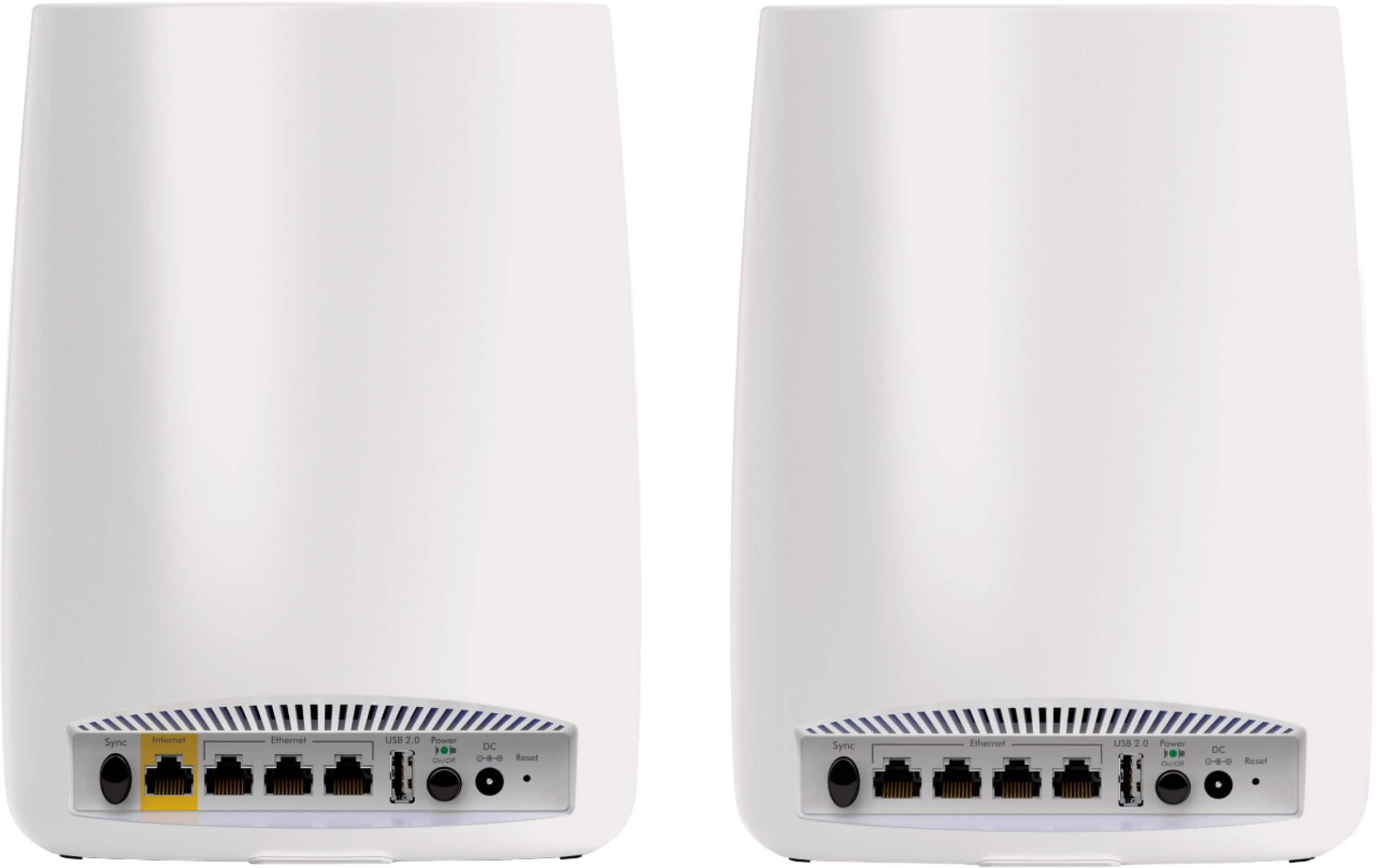
||Posted .This reviewer received promo considerations or sweepstakes entry for writing a review.I have so many mixed feelings about this. I don't like to nor do I often give negative reviews, and I was initially blown away by the wonderful performance. When it works, it is absolutely stellar, a five-star plus product. I have never had a router that, with one satellite, achieved such high throughput speeds and strong internet connectivity, WHEN it worked. I bought the two-unit RBR50 router + RBS50 satellite kit at Best Buy. My home is not very big, maybe 1300 sq. ft per levels on two levels (includes garage), so this was probably more than I needed, though I didn't want to skimp as routers have traditionally promised far more than they delivered. I have to say, this DOES deliver on its claims, when it functions properly. Too bad that it doesn't, far too often. I also purchased a separate wall satellite (RBW30) online, which I initially added but have decided not to use, after I moved the RBS50 satellite around and ended up putting it in my family room in the basement with the main router on the main floor in the bedroom at one end of the house near the modem. I have ethernet devices (NAS units, printers, smart TV, etc) plugged into both units, and my Mac Mini is connected to the basement satellite via ethernet. All other PC's are connected wirelessly, and seems like connectivity even upstairs is excellent. You can go to the satellite's web page and see which units are connected to it, and looks like my iMac and Windows PC in the dining room both connect to the basement satellite, and my iMac is getting 300+ Mb/s wirelessly, which is fantastic. I have never been able to get that speed on this computer before with any setup short of ethernet. I think I FINALLY have a stable configuration, but it took me three days of endless resets and frustration to get there. The app is poorly designed and weak on options, and the web page/software to install and configure on the computer is not much better. Change anything on the router's config page, and you risk losing a satellite and/or internet connectivity. I enabled Mu-MIMO to get better connections with some of my mobile devices (neither iPhone would connect to the router consistently), and while it seemed to solve that, it slowed down the PC's in the dining room to half their original speed. I unchecked the MIMO box, lost internet connectivity, and again had to perform a full reset. Seems that Netgear is planning to "fix" the Mu-MIMO and beam forming issues in a future firmware release, and that the boxes were left unchecked intentionally. I had endless headaches in getting the base unit AND the router to install - often it wouldn't find the satellites, even the one that came with it, and often it would find one or the other, but usually not both. I would then get it up and running, and would suddenly lose internet connectivity even though my internal network functioned. Or, my basement satellite had a magenta ring on it, even though my Mini attached to it via ethernet was showing 300+ Mb/s (my service is 300 Mb/s), and I could connect to the NAS units attached to it. Or, I could connect to the wall unit I initially placed in the living room, but not the basement satellite, or vice versa. I reset all three devices and tried letting the setup program find all three (often didn't), I set up the router first and then added the satellites individually later, I tried just the RBR50 base unit + wall plus, BRB50 + RBS50 satellite, no matter I couldn't maintain connectivity and couldn't stop satellites from dropping out. I found that even changing my SSID name and password led to everything dropping out. Couldn't connect to the Orbi via my phone app, even though mu phone's wi-fi showed being connected. Eventually did a complete reset, leaving EVERYTHING in its default form, including the router's password and SSID, eliminated the wall unit, and so far everything seems stable. I did lots of troubleshooting, including verifying there was no IP address conflict, changing DNS servers, changing the setup program's MAC ID to use the computer's instead of the router's (per Netgear suggestion), and none of that fixed the issues. I went around the house and changed all of my devices' configuration to be able to join the new network, and I have >60 devices attached, in total. I should also note that rebooting the router led to loss of connectivity with both the internet and the satellite. Fortunately I have it connected to a UPS, so shouldn't have to worry about whether or not it will reset properly with a power loss. I guess I was spoiled in that I came from an Airport Extreme + Extreme extender setup, and had NO issues with dropped connections, stability, configuration, consistency in speeds, or anything else. You could do about anything to it and not break it, including rebooting either unit - they just worked. The Orbi has better overall coverage and speeds, but seems it's at a big price and after a lot of headaches. I still have a few days to decide whether to keep this or not, and that will all depend on how stable it remains. Maybe I got a lemon, but I am not inexperienced with networking and was surprised and frustrated with this. I have had several Netgear products and have used them without issue. Oh, and I have a Netgear CM600 24x8 modem that I just bought in the past year, so that shouldn't be it. Netgear seriously seems to work on the horrible app and all the bugs, and at this point, despite the awesome hardware and brilliant performance when working, I can't recommend it.
This review is from NETGEAR - Orbi AC3000 Tri-Band Mesh Wi-Fi System (2-pack) - White
No, I would not recommend this to a friendRated 5 out of 5 stars
Netgear Orbi is perfect for my family's needs
||Posted . Owned for 1 month when reviewed.This reviewer received promo considerations or sweepstakes entry for writing a review.Very easy to setup love the range able to have all computers, phones, and tv devices on Wifi for a family of five now great investment.
This review is from NETGEAR - Orbi AC3000 Tri-Band Mesh Wi-Fi System (2-pack) - White
I would recommend this to a friendRated 5 out of 5 stars
Great WiFi system
||Posted .This reviewer received promo considerations or sweepstakes entry for writing a review.I don’t know how many WiFi routers I’ve bought and they never seem to have strong signal throughout the house. I’ve even used one as a bridge and still had issues with signal and connection. Hooked this up over 3 months ago and it is amazing. It’s all one connection, whether I go down stairs or up. Before I had to switch to different routers. Haven’t had any connection issues.
This review is from NETGEAR - Orbi AC3000 Tri-Band Mesh Wi-Fi System (2-pack) - White
I would recommend this to a friendRated 5 out of 5 stars
Easy to use
||Posted .This reviewer received promo considerations or sweepstakes entry for writing a review.Extremely easy to configure. Hardest decision was locating the position for the remote unit. Had used range extenders in the past and was unhappy with their performance. Very pleased with how seamless this provides coverage. We have multiple devices (phones, tablets, laptops) and haven't noticed a degradation in connectivity - as we did with the range extender.
This review is from NETGEAR - Orbi AC3000 Tri-Band Mesh Wi-Fi System (2-pack) - White
I would recommend this to a friendRated 5 out of 5 stars
Looks good, Works great
||Posted .This reviewer received promo considerations or sweepstakes entry for writing a review.I gave my old Apple Time Capsule to my daughter, who lives in a tiny apartment and values compactness. So I needed to buy its replacement fast. Because of the size of my house (3300 ft², I needed at least two devices to reach the furthest IoT gadget in my garage while providing high speed access to computers and video streams. The new router had to work with six Macs, a printer, three iPhones, a microcell tower, an internet radio, a TV and its five associated devices, and more than a dozen IoT gadgets. I didn't want a gateway because I am contemplating cutting the cable. I also already have a DOCSIS 3 modem in my Ethernet distribution box. The Time Capsule didn't have a big enough hard drive to support all the computers in the house, so I reluctantly focused on brand "X" WiFi routers. The BestBuy salesman touted the Linksys Nighthawk 1900, X8 and X10 routers, pointing out that's what they used in the store to provide WiFi to customers. They were also so ugly they would have to live in a closet. And I would need to buy two of them. I asked about the friendly-looking Orbi routers on the endcap, but the salesman said they had never sold any, and he knew nothing about them. Arghh! I went home to do some research. I started with http://thewirecutter.com/reviews/best-wi-fi-router/ and then continued with https://www.smallnetbuilder.com/tools/rankers/router/view I quickly learned that the speeds the router manufacturers were touting were applicable only to a small handful of laptops with multiple WiFi radios to bridge bands. I didn't own any such devices, and wasn't likely to buy one in the future. So there was zero benefit to the impressively fast seeming specs on the Nighthawk X8 or X10. Next, I read up on the benefits of mesh technology, and the fact that the Orbi routers (main and satellite) weren't actually using mesh technology. But they were using the extra radios they contained to communicate a high speed between each other without cutting into the bandwidth available to my umpteen consumers. Now that was a benefit worth paying for. And SmallNetBuilder ranked the Orbi #1 in its comparison of "mesh class" routers https://www.smallnetbuilder.com/tools/rankers/router/ranking/%20AC%20DWS/rev9/147 So I returned the next day to BestBuy and bought a pair of Orbi routers. Installation was pretty simple. The only hiccup I experienced was updating the firmware. The Netgear configurator basically froze when trying to download and install the satellite firmware upgrade. I got around this problem by manually installing the firmware, following the directions on http://kb.netgear.com/31573/How-do-I-manually-upgrade-firmware-on-my-Orbi-Satellite?cid=wmt_netgear_organic FWIW, one of the features of the firmware upgrade is to fix the problems people had been having upgrading the satellite firmware. I have been using the Orbi for almost two months now. Speed is great anywhere in the house. Connections have been rock-solid to even the most remote IoT device, something I couldn't say for the old system. I made full use of the three available Ethernet ports on the main, and plan to use a couple of the ones on the satellite. I wish the cable were longer from the AC adapter, as I had to move my power strip off the floor so I could put the two Orbi devices on top of bookcases. The Orbi passes the "wife test" and performs well. I would definitely buy another one, and recommend it to friends.
This review is from NETGEAR - Orbi AC3000 Tri-Band Mesh Wi-Fi System (2-pack) - White
I would recommend this to a friendRated 5 out of 5 stars
So easy
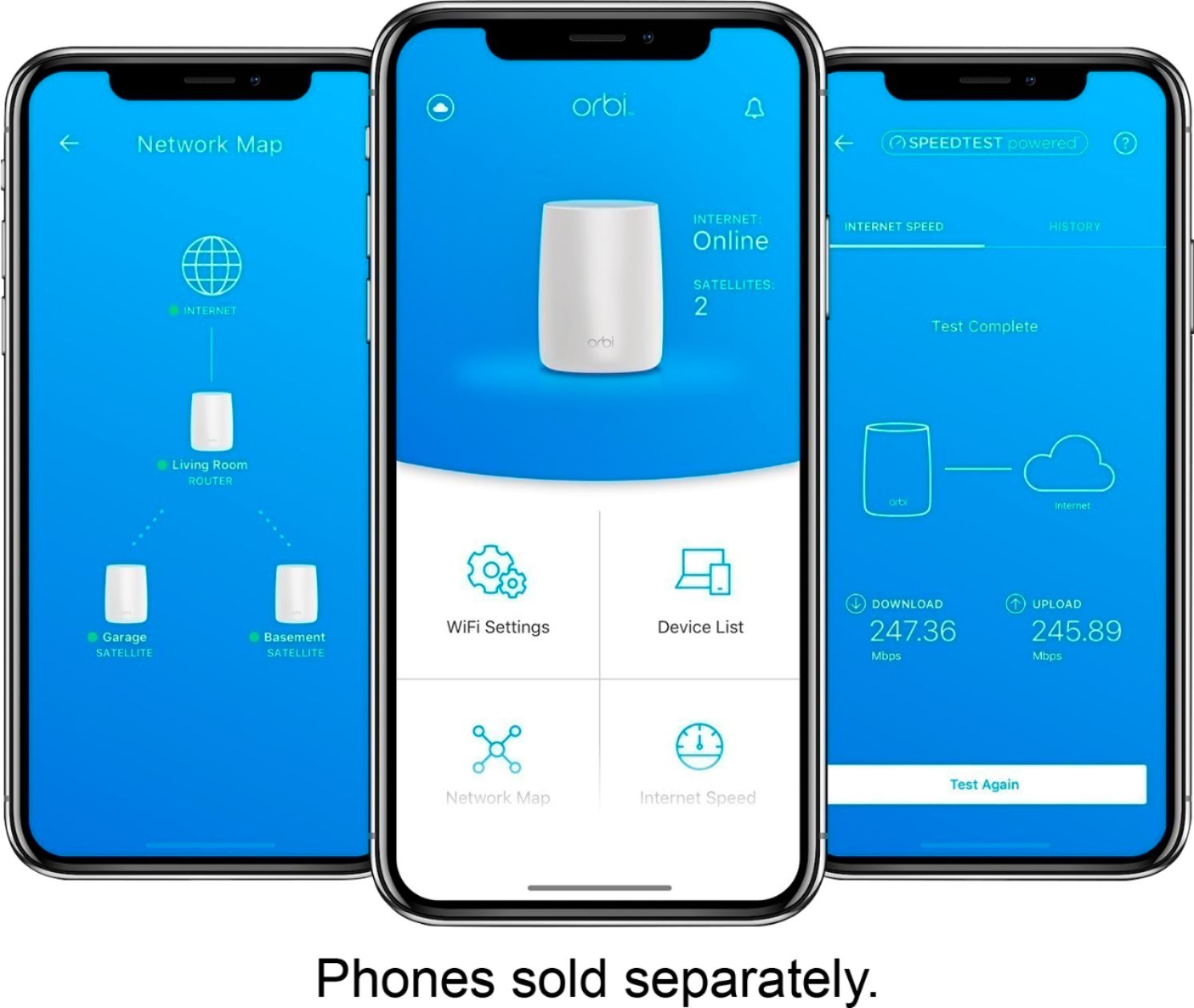
||Posted .This reviewer received promo considerations or sweepstakes entry for writing a review.My Spectrum technician recommended I get a netgear modem and router because their provided unit was weak. The Best Buy sales person recommended I get the Orbi mesh for a large house. It was so easy to set up. Got the phone app for it too. Works great! Now my internet speed tests are consistently high near 100 mbps where before they were half that or less.
This review is from NETGEAR - Orbi AC3000 Tri-Band Mesh Wi-Fi System (2-pack) - White
I would recommend this to a friendRated 5 out of 5 stars
Working very well so far.
||Posted . Owned for more than 2 years when reviewed.This reviewer received promo considerations or sweepstakes entry for writing a review.Love that I have no dead zones, system is very stable and I am receiving lightning speed even wirelessly for streaming and using multiple devices all at once.
This review is from NETGEAR - Orbi AC3000 Tri-Band Mesh Wi-Fi System (2-pack) - White
I would recommend this to a friendRated 5 out of 5 stars
Excellent reception and easy set-up
||Posted .This reviewer received promo considerations or sweepstakes entry for writing a review.I was skeptical about this product but after reading the reviews took a chance and bought the Orbi AC3000 Tri-Band and so glad I did...best purchase and worth the money. I work from home with multiple devices along with family members and everyone has noticed the faster speed and no drops and resetting every other day! Great product, would recommend.
This review is from NETGEAR - Orbi AC3000 Tri-Band Mesh Wi-Fi System (2-pack) - White
I would recommend this to a friendRated 5 out of 5 stars
Completely satsfied
||Posted .This reviewer received promo considerations or sweepstakes entry for writing a review.Intended to purchase another wifi setup, but after discussing my home use with the Best Buy rep, he recommended the Netgear Orbi. I researched it further on the spot, and decided on this setup. The price difference was only slightly more than the configuration I was originally planning on buying, setup was very fast and straight forward. This setup covers my 3600 sq ft home upstairs and down. Even with the router on one side of the house, and the satellite in the middle, we can use all the apps on the tv in our BR across the house, and can easily stream video anywhere upstairs. Also, it has no problem dealing with 3 new IPhone 7's AND 3 laptops AND an IPad all streaming at the same time. On Thanksgiving, we had 15 people over, all using devices without slowing down. We are completely satisfied with this equipment
This review is from NETGEAR - Orbi AC3000 Tri-Band Mesh Wi-Fi System (2-pack) - White
I would recommend this to a friendRated 5 out of 5 stars
Excellent System
||Posted .This reviewer received promo considerations or sweepstakes entry for writing a review.We had to upgrade from a older Cisco router due to needing extended range in our home. Initially, we purchased a Netgear Nighthawk AC1900 system. Nothing but problems with constant dropping of the WiFi signal no matter what we did (update firmware, resetting, etc). Brought that back and got the Orbi AC3000 unit. Difference was like night and day! Easy to set up and good signal everywhere we needed it. I was hesitant to get this because of the prior Netgear experience, but so far (about 4 days) never a dropped signal. Should have got this to begin with and avoid all the hassle and frustration. Plus - it looks nice and fits into the decor very well and no flashing lights from the router (hated that on the AC1900). If you can stand the price, it is well worth it.
This review is from NETGEAR - Orbi AC3000 Tri-Band Mesh Wi-Fi System (2-pack) - White
I would recommend this to a friendRated 5 out of 5 stars
Great product and very easy to set up!
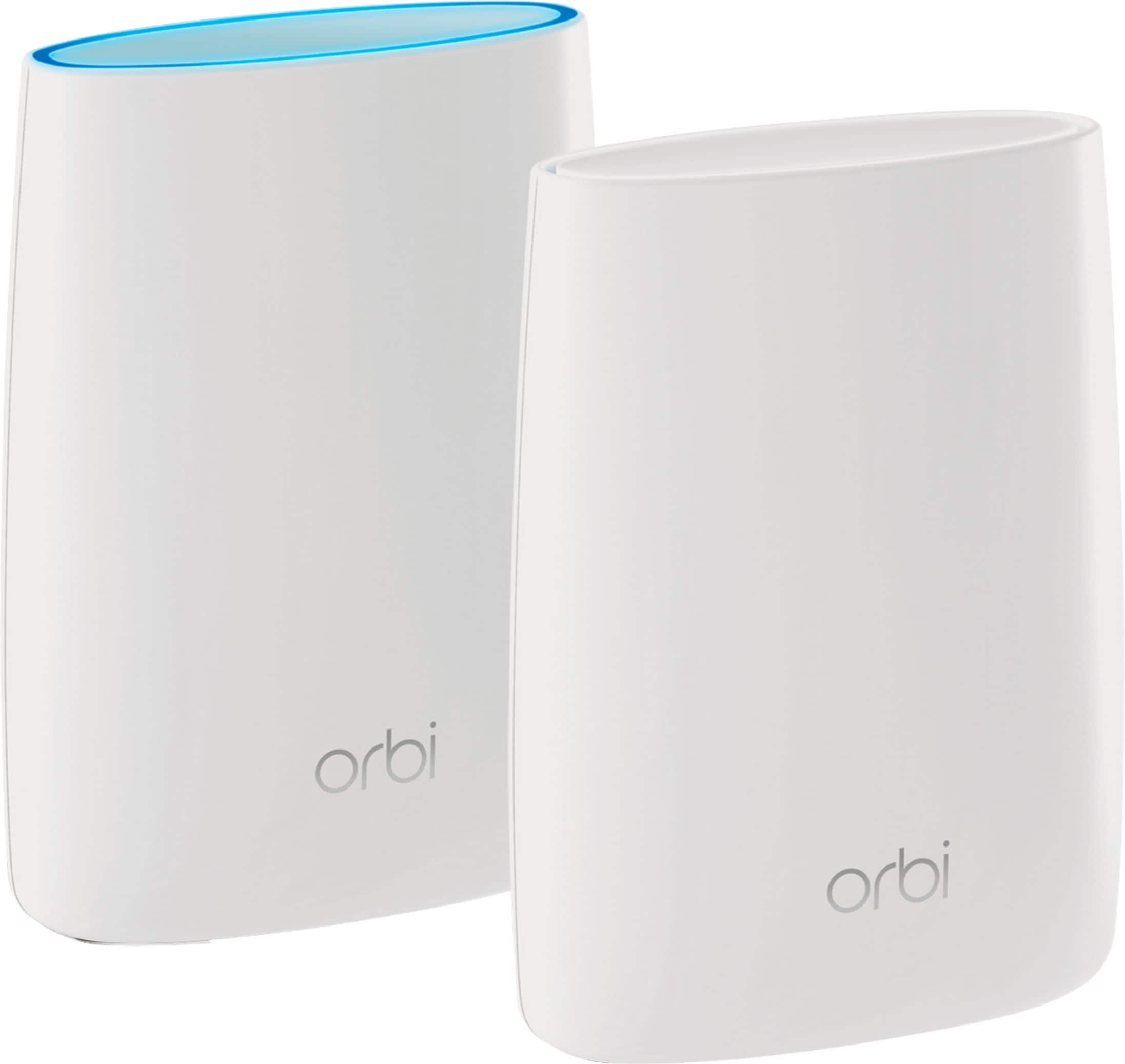
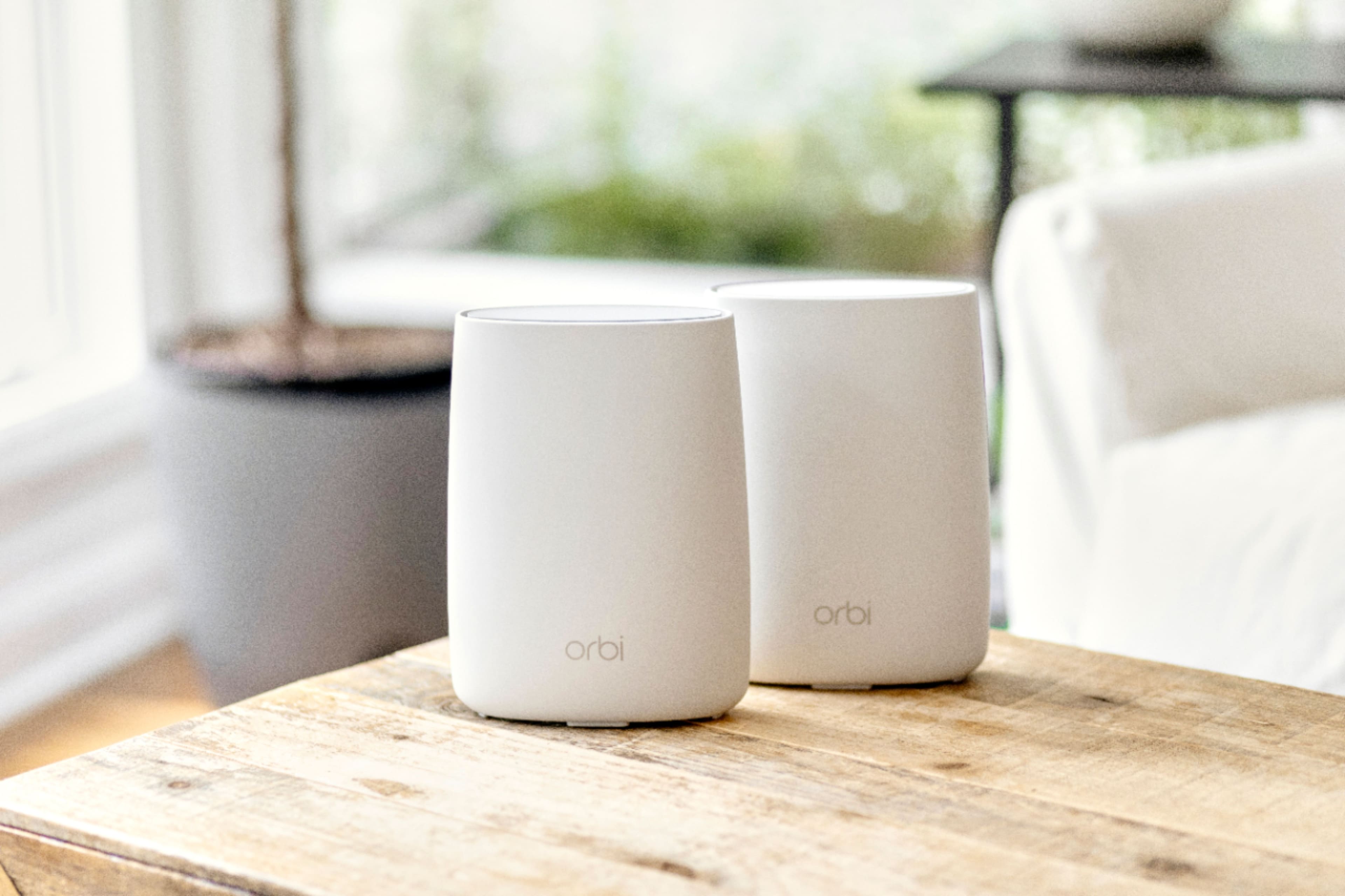
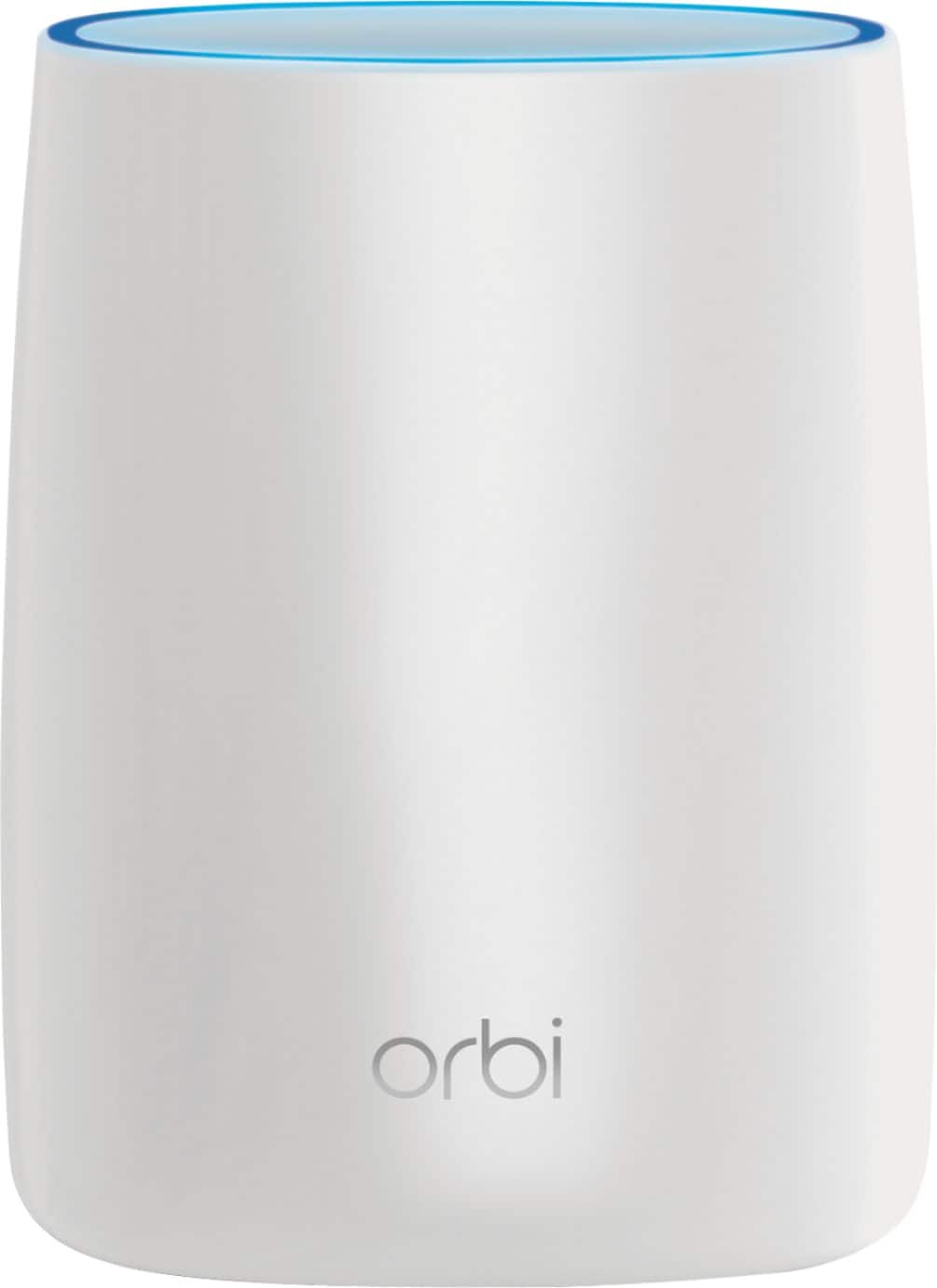
||Posted .This reviewer received promo considerations or sweepstakes entry for writing a review.I've used various cheap routers over the years and was getting tired of ongoing issues with dropped connectivity, frequent resets, etc. and decided to drop >$250 on the Orbi (it was on sale and I had a 10% off coupon). The orbi was very easy to set up; I downloaded the app but ended up using my laptop. It took less than 5 minutes and I haven't had to touch it since then. Note that the Orbi is big (will be difficult to hide) but they don't look bad. Also, I thought the blue light ring would be always on but after the initial connection, it does not stay turned on. The connectivity is very strong, I've not had any issues with slowness or dropped connections - no regrets on spending more than twice the price of average routers.
This review is from NETGEAR - Orbi AC3000 Tri-Band Mesh Wi-Fi System (2-pack) - White
I would recommend this to a friendRated 5 out of 5 stars
Great!
||Posted . Owned for 3 weeks when reviewed.This reviewer received promo considerations or sweepstakes entry for writing a review.First, It looks much bigger than I expected but Im not picky about it. In my opinions, the setup was smooth and easy. Just make sure you have the app ready to go on your mobile device. It gives you step by step instructions. Just follow it. I've had it for about a month now. It indeed boosted up my internet speed as well as covered range at my house. I believe it automatically links your devices to the nearest point which is not something I can control on my end. . My download speed stably stays at 97-99 Mbps which I used to get only 60-70% of it. So far, I'm satisfied with its performance. We shall see how it does in the long run.
This review is from NETGEAR - Orbi AC3000 Tri-Band Mesh Wi-Fi System (2-pack) - White
I would recommend this to a friendRated 4 out of 5 stars
Solid performer
||Posted .This reviewer received promo considerations or sweepstakes entry for writing a review.The setup was pretty easy. The instructions were okay, but could benefit from some addition of time frame for each operation as some took a while to complete. For instance, it takes a few minutes for the satellite unit to sync and turn blue. There is no mention of the fact that a few minutes after the sync is successful and the blue ring appears, the blue light will turn off. The coverage improved significantly compared with the single router used previously. The base unit provided stronger coverage and the satellite extended that coverage significantly. There is a nice option to connect CAT5/6 directly to the satellite as well. Installed this in a difficult physical environment. Router is in the basement and satellite is a floor above, but not near. Performance has been good and reliable.
This review is from NETGEAR - Orbi AC3000 Tri-Band Mesh Wi-Fi System (2-pack) - White
I would recommend this to a friendRated 5 out of 5 stars
Excellent & Reliable!
||Posted .This reviewer received promo considerations or sweepstakes entry for writing a review.- Very easy to set-up. - Great coverage for entire house, including outside - All devices can easily recognize and connect - Optimum wireless speeds for all devices, including streaming on TVs
This review is from NETGEAR - Orbi AC3000 Tri-Band Mesh Wi-Fi System (2-pack) - White
I would recommend this to a friendRated 5 out of 5 stars
Excellent home wifi
||Posted .This reviewer received promo considerations or sweepstakes entry for writing a review.Excellent coverage, very fast speeds, very easy setup!
This review is from NETGEAR - Orbi AC3000 Tri-Band Mesh Wi-Fi System (2-pack) - White
I would recommend this to a friendRated 5 out of 5 stars
Speed & Range!
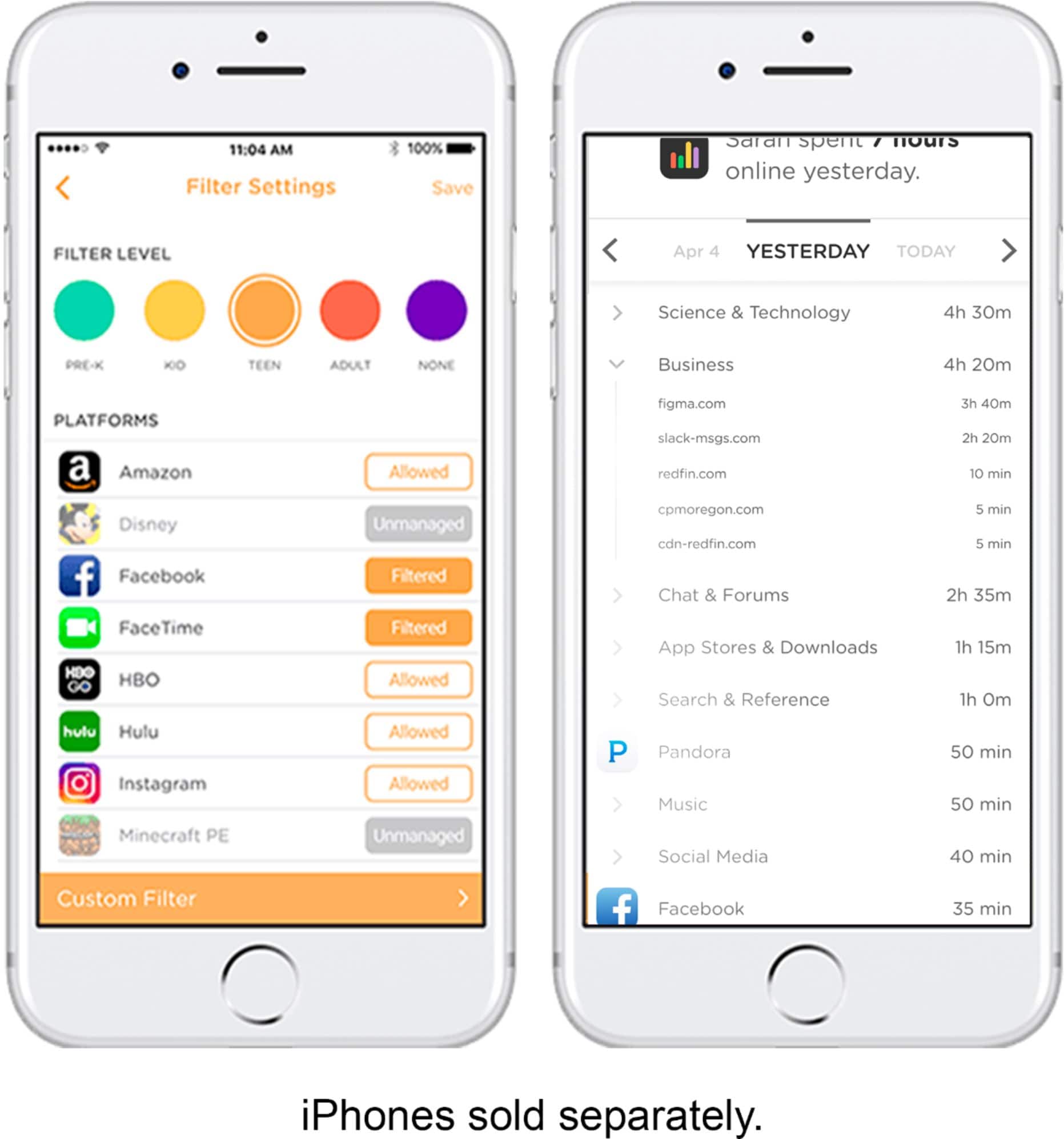
||Posted .This reviewer received promo considerations or sweepstakes entry for writing a review.Living in a 6000 sqft home my Apple Router just could not provide the range or speed I needed. I upgraded to the Orbi. Setup took less than 10 min using the orbi app. The features thru the app lets me control all users on the network. The speed & range is Best I have ever experienced. Going to purchase another for my office.
This review is from NETGEAR - Orbi AC3000 Tri-Band Mesh Wi-Fi System (2-pack) - White
I would recommend this to a friendRated 5 out of 5 stars
Better than extenders!
||Posted . Owned for less than 1 week when reviewed.This reviewer received promo considerations or sweepstakes entry for writing a review.I did so much research before buying a mesh/while home WiFi system. I had just bought a stronger router for my house, but it just couldn’t handle my 3200 sq ft house. I finally got this one, which was a bit more than I wanted to spend, but I just kept reading “you get what you pay for.” This could not have been easier to set up. I did with a 14 month old in my arms. Used the app the rename the SSID back to my old one and matched the password and all my stuff was back online. I’m only a few days in, but it has been great. No more dead zones. No more internet dropping. And it puts what it can on your 5g so you don’t have to maintain 2 networks.
This review is from NETGEAR - Orbi AC3000 Tri-Band Mesh Wi-Fi System (2-pack) - White
I would recommend this to a friend