Customer Ratings & Reviews









- Model:
- 21375805
- SKU:
- 5824503
to a friend
Customers are saying
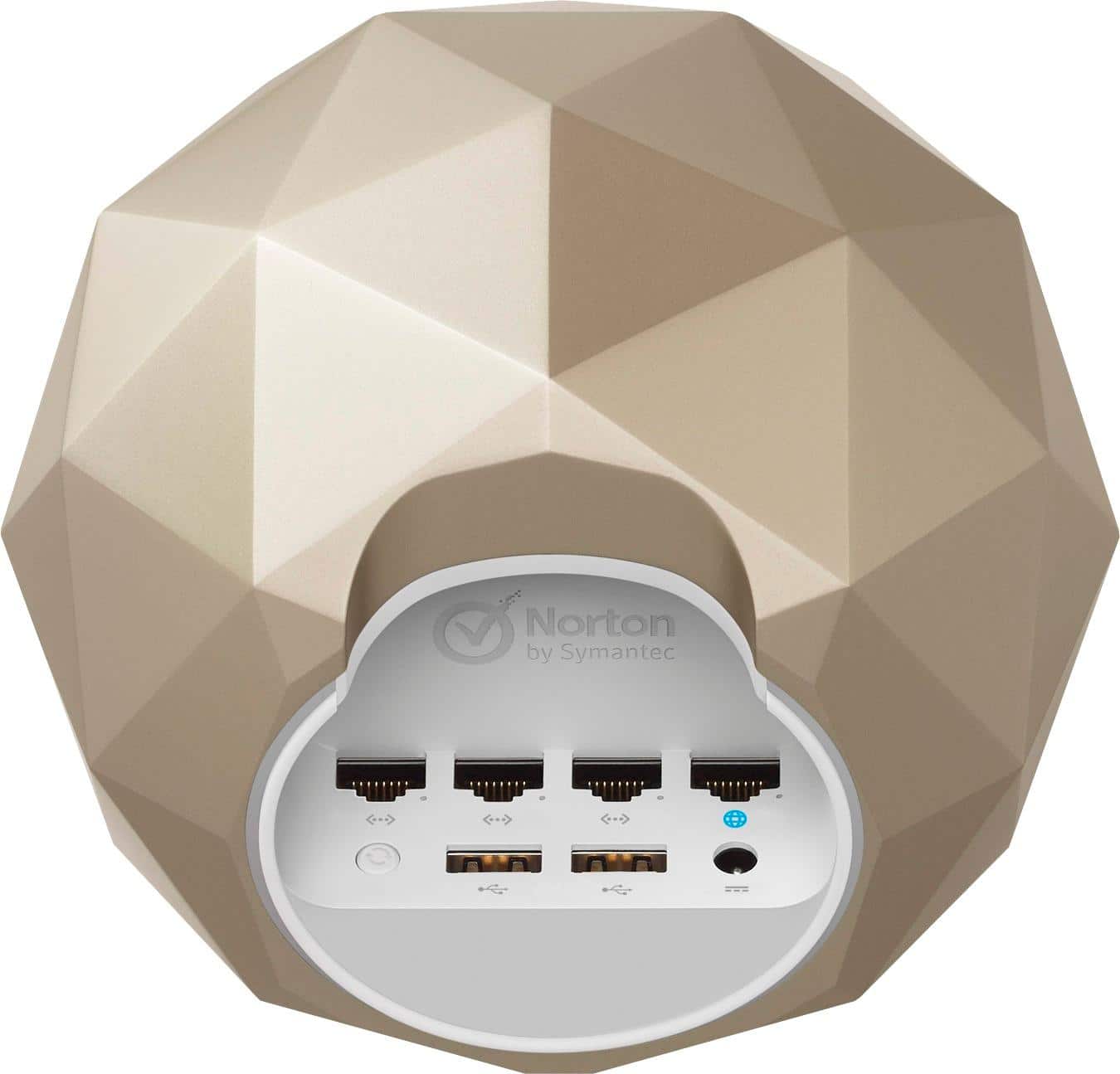
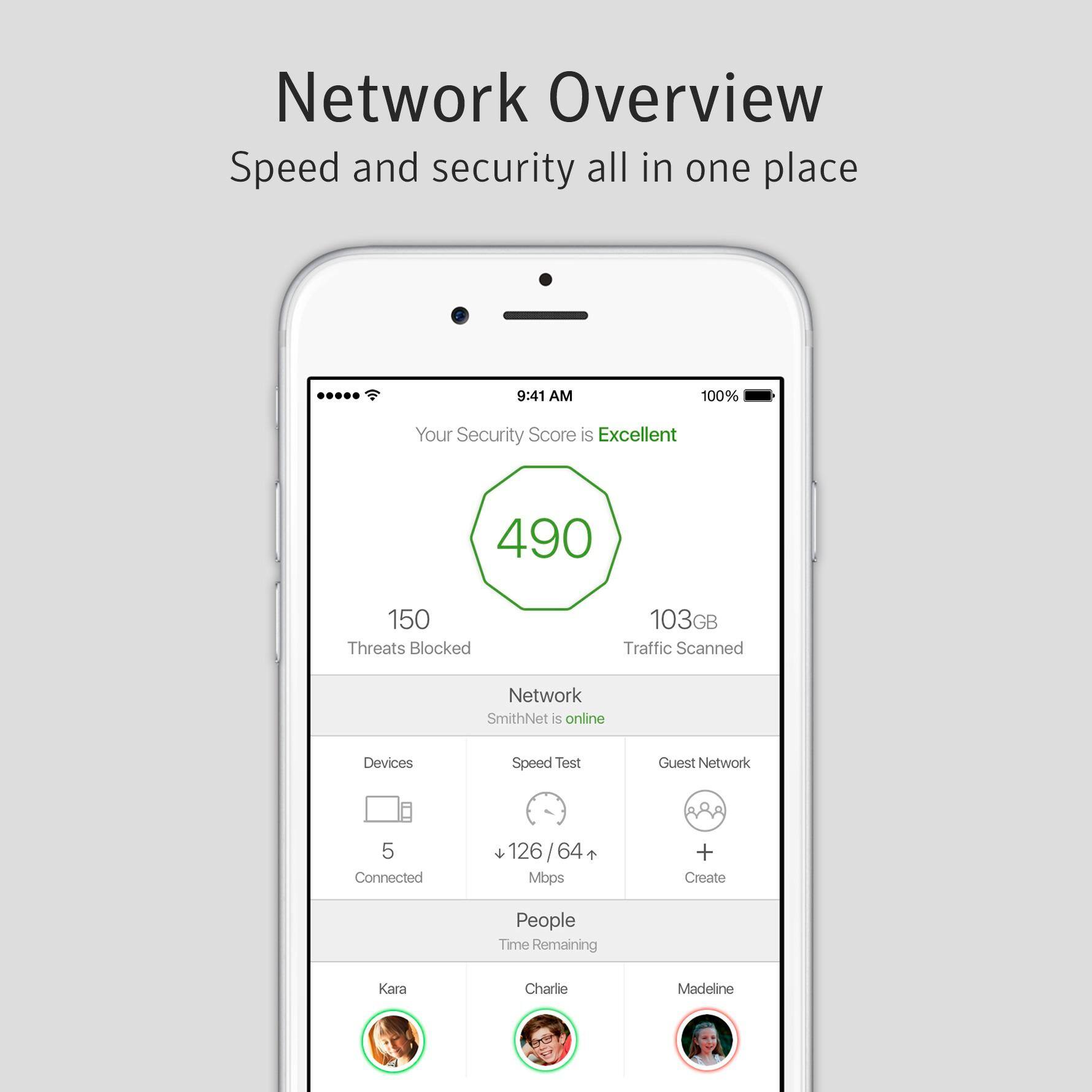
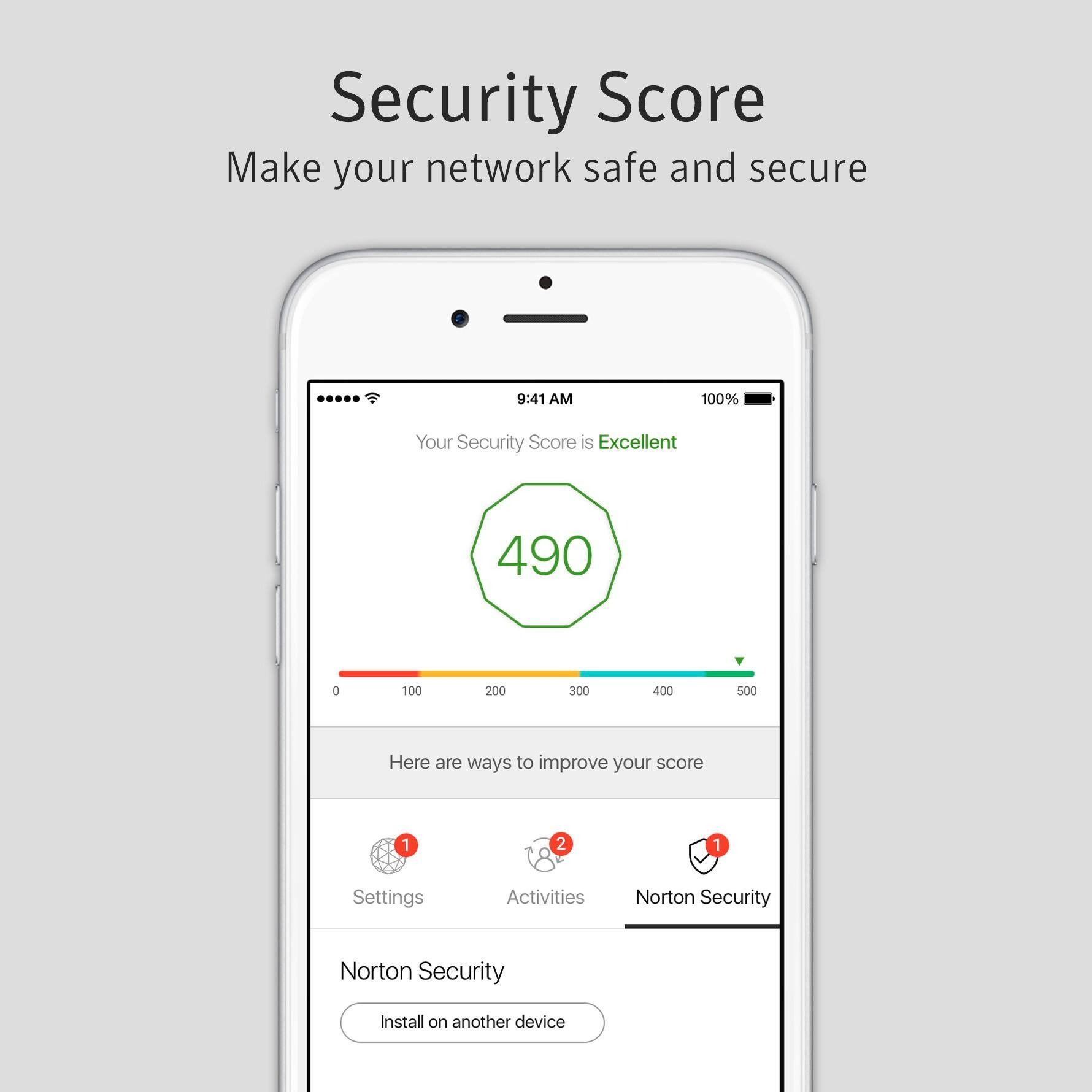
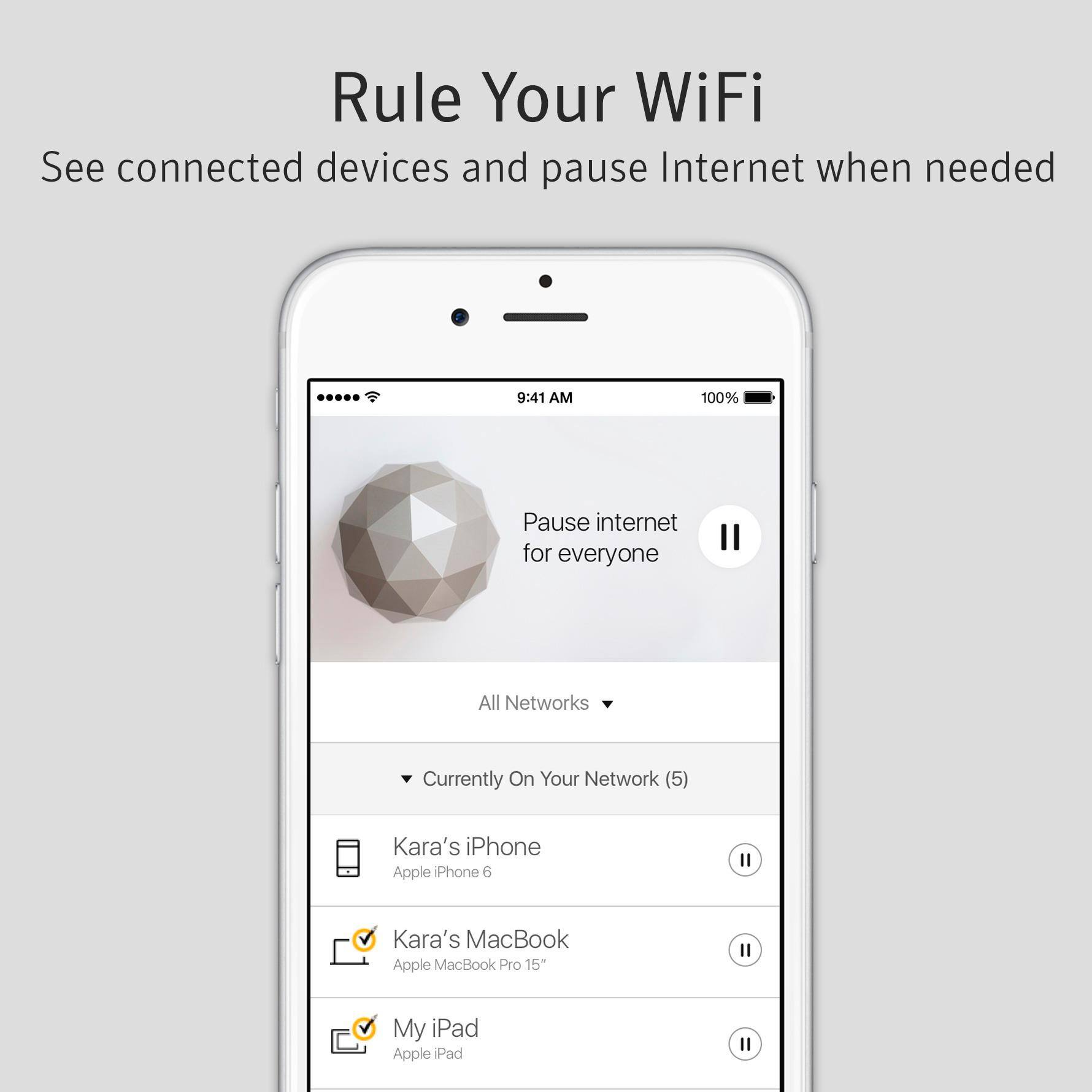
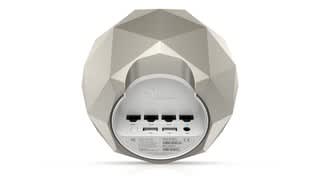
Customers have good things to say about the Norton Core™ Secure High Performance Wi-Fi Router's security features, ease of use, and quick setup. Many appreciate the router's design, strong signal, and wide range, resulting in excellent performance for streaming and online gaming. The user-friendly app also receives positive feedback. However, some users found the placement of the Ethernet ports inconvenient.
This summary was generated by AI based on customer reviews.
- Pros mentioned:Ease of use
Does it work
Posted .This reviewer received promo considerations or sweepstakes entry for writing a review.Setup was easy. Had to move power cords on modem, switch, and Core. The Core failed to go "Online" in the app when powered back up. Could not adjust configuration. Called Norton for help. They had me do a factory reset. The Core did NOT reset but was no longer associated with my Norton account. Discovered traffic was being passed but still had no control or visibility (the app no longer connected) After 3 hours I called Norton again (they hung up on me when I put them on hold for less than a minute). The second tech told me that a known issue of failure of Core routers to go online was known for the last 24 hours (the entire Norton Core system worldwide). I spent 3 hours on the phone with Norton chasing a known problem that Norton should have informed of on the first minute of the first phone call. Took the Core back to my bench. It configured from scratch as expected. Tested the SHARED device configuration parental controls. Expected the bedtime setting to block all traffic. That test failed. Seems this product is early adopter stage. Caution should be used as there is no way to easily tell if the device is actually doing what Norton claims it will do at any given point in time as Norton controls it and you don't. My experience thus far tells me I need to test it often to ensure it actually works from day to day.
No, I would not recommend this to a friendBrand response from Symantec Product Expert
Posted .Hi Mas423,
Thank you for posting your review. While we are happy to hear that the setup was easy, we would like to apologize for the difficulties you’ve had with connectivity. We are also sorry to hear that our support team wasn’t very helpful when you called. We want you to know that we expect our agents to do everything they can to fix issues and provide a replacement if needed.
Having multiple user profiles with different rules for the same device might result in a conflict for the parental controls so we suggest that you check for any other user profiles on the devices you have configured with the shared device configuration.
Additionally, because frequent disconnects and resetting the Norton Core to make it work properly are not typical behaviors, we would like to collect more details and see what we can do to help. We ask that you contact our Norton Core Support Team at 1-855-966-7866 to provide the additional information we’ll need to investigate your concerns.
If you don’t want to speak to another agent on the phone, we have agents available on social media. The Norton Social Customer Care Team can be contacted by direct/private message on Facebook (https://www.facebook.com/messages/t/Norton) or Twitter (https://twitter.com/NortonSupport). Please remember to site your review when you reach out.
We hope to hear from you soon.
-The Norton Core Support Team
Great home security, poor download performance
Posted .This reviewer received promo considerations or sweepstakes entry for writing a review.This product is sorely needed for home internet protection, specially if you have kids. The ability to clean traffic "on the wire" and the fact that Symantec also lets you download/install the client on your devices makes this an amazing solution/deal. Another great thing is the wi-fi performance, this out-performs what you get from the ISP, and when compared with price/performance ratio, is a better deal than wi-fi routers that cost more. However, the biggest MAJOR issue i found is the speed of downloading files, specially those EXE files as in drivers, is horribly SLOW. E.g. downloading a 280mb HP printer driver took almost 15 minutes on a 100mb FiOS connection, but the same file/URL took merely 30 seconds when I'm connected to the FiOS wifi. It clearly shows the severe impact of DPI (deep-packet inspection) on this router in spite of all the reviews praising its "powerful CPU". In spite of this major flaw in performance, I'm keeping this device for its AV/malware protection. It would be great if Symantec can release info on product performance testing, e.g. how this holds up not just to AV/malware but also intrusions.
I would recommend this to a friendEasy To Use
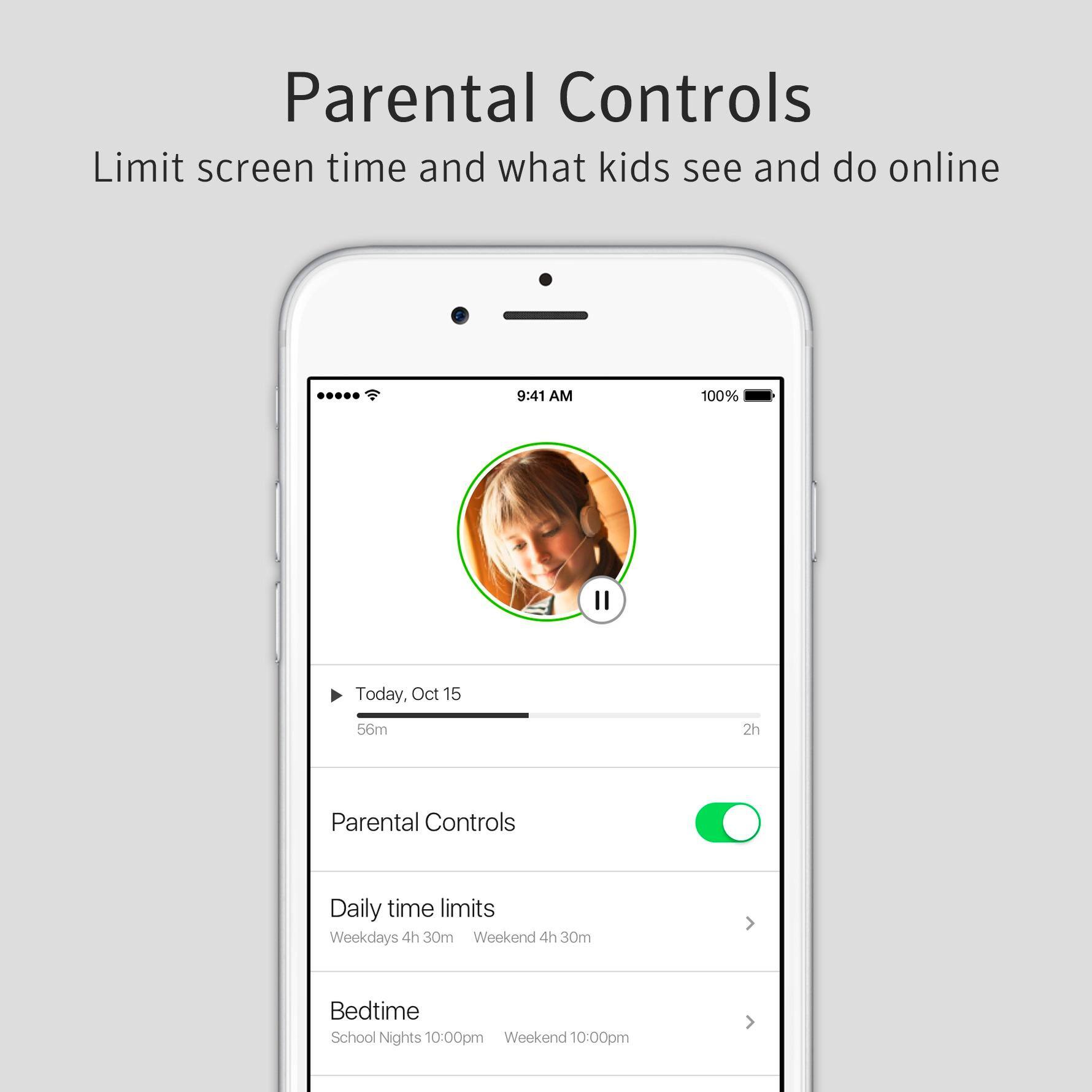
|Posted .This reviewer received promo considerations or sweepstakes entry for writing a review.This screams luxury but is super easy to set up and use. I loved the app! My favorite aspect is being able to control when my kids are online with the press of a button.
I would recommend this to a friend- Pros mentioned:Setup
Easy set up, sort of
Posted .This reviewer received promo considerations or sweepstakes entry for writing a review.Very easy set up, except if you have "coated" network connectors. I had to trim the plugs going into the bottom since there is very little room. Not a big deal. I can monitor who and what is on my system and also control how much time my kids spend on the internet.
I would recommend this to a friend 
Not user friendly on setup.
|Posted .This reviewer received promo considerations or sweepstakes entry for writing a review.So this is a good Router, however it's not user friendly on setup. Application on devices crash a lot, as don't function well. Customer service for Norton was no help. There are better options or there, so make sure to look around.
No, I would not recommend this to a friendBrand response from Symantec Product Expert
Posted .Hi mrjlwilliams,
We’re terribly sorry to hear that you had issues setting up the Norton Core, the mobile app and to hear that our team was unable to help when you contacted us. As your review doesn’t cite any specific issues or error messages, we would like to collect some additional information regarding the connection and mobile app issues you encountered. Please reach out to our Norton Core Support team at 1-855-966-7866.
If you would prefer not to call, you can reach out via social media, the Norton Social Customer Care Team can be reached via direct/private message on Facebook (https://www.facebook.com/messages/t/Norton) or Twitter (https://twitter.com/NortonSupport) just remember to reference your review when doing so.
We hope to hear from you soon!
- The Norton Core Support Team
Excellent router!
|Posted .This reviewer received promo considerations or sweepstakes entry for writing a review.Very easy to set-up! Download app, follow step by step instructions, and you're good to go. Connects to several devices at a time without any problems! Highly recommend!
I would recommend this to a friendThe Perfect Gift For The Family Norton Core™
|Posted .This reviewer received promo considerations or sweepstakes entry for writing a review.Norton Core™ WiFi is the perfect gift for peace of mind
I would recommend this to a friendGood Security If It Works
|Posted .This reviewer received promo considerations or sweepstakes entry for writing a review.I bought this product because of Norton's reputation for great security. The initial setup was very easy, but my network speed seemed to tank immediately. Once I dug around I found out that because of my ISP, I had to create a bridge with the modem I already had. My ISP doesn't make that task very easy and I'm not very happy considering that I thought I could replace my current modem with the Norton Core. I guess not.
No, I would not recommend this to a friendBrand response from Symantec Product Expert
Posted .Hi Powerhouse01,
While we are happy to hear that Norton Core setup was easy. However, we’d like to apologize for the speed issues you’ve been facing with the Norton Core. The way we handle network traffic, some speed test sites may report a slower speed than what you're actually getting, we recommend testing your speed at fast.com or from within the Norton Core mobile app. We’d also like you to ensure that the Network Inspection setting is set to default, you can do this by launching the Norton Core app > Settings > Security > Network Inspection.
As for the Modem bridging, Internet service providers (ISP’s) often provide a modem and router combo device, also known as a gateway router. These connect you to the Internet and create a wireless network to connect all your devices. If you connect the Norton Core directly to a modem/router combo, you create two home networks. The Norton Core cannot protect devices that are on the wireless network of the combo device and may also be the cause of your connectivity issues. For maximum security and performance, we ask that you disable the wireless network on your modem/router combo and then configure it in bridge mode to work only as a modem. This way Norton Core is the only router on your network and all your connected devices are protected.
If your speed still doesn’t improve after trying the steps above we’d like to try and assist you in resolving the issue. We’d like to know how far apart are the devices from the Norton Core when it fails to connect? Please call our Norton Core Support team at 1-855-966-7866 or if you prefer you can also reach out to our Norton Social Customer Care Team via direct/private message on Facebook (https://www.facebook.com/messages/t/Norton) or Twitter (https://twitter.com/NortonSupport). Remember to site your review when contacting us.
Thank You!
-The Norton Core Support Team
Worst. Router. Ever.
Posted .This reviewer received promo considerations or sweepstakes entry for writing a review.I am writing to you using my cell phone connection because my core just went offline again. First, I do not believe the issue is my connection - new cable modem, everything checks out with my ISP, and there are no problems when using my Asus or Linksys router / APs. The core fails many times each day with the connection state changing to “offline.” Some failures appear random and some coincide with changing settings in the app. Modify parental controls? Connection goes offline. Adjust filter list? Connection offline. Set a priority device? Offline, and kaboom, the wifi signal stops altogether. Streaming video also seems to be a reliable way to kill the connection. Most of the time the core comes online after a while; sometimes, you have to do a power cycle. When I called support, they asked me to change the “Norton Secure DNS” setting to use my ISP’s DNS. I kind of had the impression this was the first thing they always try due to some known instability of this feature. Now, of course, the app delivers a stern warning that I am at risk for not using the secure DNS. My uptime improved slightly after this change but the failures persist. It gets worse, however. There is not really any sort of diagnostic or troubleshooting interface and the only interface of any kind is the app, which needs a connection to the management servers to manage the device, effectively making local administration or troubleshooting impossibe if the connection is down. Whose idea was that? It’s not done getting worse. Due to a bizarre series of design decisions, what local logs are rumored to exist are unreadable because they are encrypted. Tech support says this is because security and nobody can read the logs except “the engineers” and they, of course, do not speak to customers. I responded that they could implement ths sort of encrypton workflow in a CMS without denying us the ability to read our own logs (you made a router without readable logs?) but I don’t think the technician understood me. Symantec, do you really expect us to send you this data when we have no way of inspecting what it contains? Would you agree to this? Given the extraordinary level of data this product is processing, and possibly gathering, such an absence of visibility is simply not acceptable. I think we can probably agree that this product needs a great deal more transparency about what kinds of private data is being gathered by Symantec servers and / or personnel. Obviously I declined to share logs. I tried to explain my objections, and to log a design flaw with “the engineers” and the technician explained he could take “a feedback” which was always a one way process so I will not be hearing any sort of response. Fortunately I am inside the 30 day period and can return the core.
No, I would not recommend this to a friendFailed after < a month
Posted .This reviewer received promo considerations or sweepstakes entry for writing a review.Unit stopped working after just less than a month. When it failed, it continued broadcasting SSID, but could not connect to Internet wirelessly or through ethernet ports, nor could the app connect to it to manage. Tried wiping and reinstalling several times and it couldn't finish setup and on last phase of configuration, it could not reconnect and ended up uninstalling iit and reinstall my old router. It had worked flawlessly for nearly 4 weeks before this failure. IMHO, any device that fails so quickly after purchase, I would not trust to replace with the same model unit, especially something that can cause your whole home Internet connectivity to fail, so am boxing it up and returning it.
No, I would not recommend this to a friendSlices connection speed by 3/4!
Posted .This reviewer received promo considerations or sweepstakes entry for writing a review.The signal strength of this router is amazing but everything else is a major fail. I frequently speed test 210-215mbps down with my connection. After installing this brick, I barely achieved 45-50 mbps. Any streaming on Apple TV would choke, causing it to buffer. After a speed test at 5am, I knew it was the device for certain. I went from recommended to advanced filtering, with no improvement in speed. Maybe I received a fluke (Norton Pre-Order for $199 back in spring). I purchased a second Norton Core.. same speed issues. I went so far as trying it on my parents connection (different ISP) and amazingly, it choked their speed as well. This device is not ready for prime time, and it another epic fail of Norton to re-enter the hardware game. Good luck trying to get any information from the Norton outsources representatives...
No, I would not recommend this to a friendBrand response from Symantec Product Expert
Posted .Sorry for the experience you had with Norton Core. If you're experiencing issues with network speed, you can check the Network Inspection status from your Norton Core mobile app by tapping on Settings > Security > Network Inspection and check if the Inspection Level is set to "Default (recommended)". Also, if you were noticing slower speeds on a speed test site result, try testing with a different speed test site like fast.com. Due to the way we handle network traffic, some speed test sites may report a slower speed than what you're actually getting, which is why we'll include a speed test within the Norton Core mobile app. If you continue to experience issues, please allow us to help you get this running properly by contacting us at http://nr.tn/CoreSupport for further assistance!
Norton Core Works
|Posted .This reviewer received promo considerations or sweepstakes entry for writing a review.This is a great product. Not only can you see who's online and when, you can limit the kids usage, see any threats, and even speed up your Wi-Fi. It's awesome, plus it's from Norton, so I trust it. I've been using their products for years. Well worth it, especially in today's always connected, smart world.
I would recommend this to a friendNot worth the money
Posted .This reviewer received promo considerations or sweepstakes entry for writing a review.Pros: - Looks good - Antivirus in a box - Good app Cons: - Slows down my network considerably (due to intense scanning of my private communication) - Requires an annual subscription for security features - No mesh networking Bottom line: 5 years too late. It's neither a good router (like Google Mesh or Netgear Orbi) or a good security appliance (like CUJO).
No, I would not recommend this to a friendBrand response from Symantec Product Expert
Posted .Sorry to hear about these issues! Norton Core should not slow you down. If you're experiencing issues with network speed, you can check the Network Inspection status from your Norton Core mobile app by tapping on Settings > Security > Network Inspection and check if the Inspection Level is set to "Default (recommended)". Also, if you were noticing slower speeds on a speed test site result, try testing with a different speed test site like fast.com. Due to the way we handle network traffic, some speed test sites may report a slower speed than what you're actually getting, which is why we'll include a speed test within the Norton Core mobile app. If you continue to experience issues, please allow us to help you get this running properly by contacting us at http://support.norton.com/core. I'll also pass on the feedback about the need for Mesh Networking to our team to investigate and see if there's something we can do for future releases.
Full of Problems
Posted .This reviewer received promo considerations or sweepstakes entry for writing a review.I’ve had this WiFi router for about 6 months now and I’ve had nothing but problems with it. After 2 months of having the router it kicked off all of my devices randomly one day. I would try to fix it myself but that wouldn’t work. So I called the “Help Line” and spent multiple hours on the phone with them. Had the call “dropped” a few times also. After 4 days of fighting with Norton Help Services and finally getting a supervisor’s supervisor on the phone the problem was fixed. Well fast forward 4 months to these past few days and the same problem happens again. First my iPhone was kicked off and I didn’t notice it for a day. Then I noticed my lap top wasn’t working and then I tried my Xbox out and it didn’t work either. Needless to say it’s been nothing but a headache dealing with this product. I had initially switched to it because I was having problems with another router. But this one is almost the same if not worse. I spent 1 hr and 30 min on the phone with Norton Help Services again today and they couldn’t be figure out the problem again. I’ll be on the lookout for another good WiFi rounter asap. Hope this helps someone out and keeps you from having to go through all of this nonsense.
No, I would not recommend this to a friendBrand response from Symantec Product Expert
Posted .Hi Jay23,
Thanks for posting your review. We’re extremely sorry to hear about the frequent disconnects and that our support team wasn’t very helpful when you called. We expect our agents to do everything they can to fix issues when they can or provide a replacement if needed.
Frequent device disconnects are not typical, so, we’d like to collect some additional details and dive in to what went wrong. We would appreciate it if you reached out to our Norton Core Support Team at 1-855-966-7866 and reference this review, we will be happy to route this to the appropriate team to help you.
If you would like to set up some time for us to call you, we can do that as well. Since we are unable to get your information over BestBuy, please reach out to us on Facebook (https://www.facebook.com/messages/t/Norton) or Twitter (https://twitter.com/NortonSupport) if you prefer, just remember to refer your review when doing so.
We hope to hear from you soon!
-The Norton Core Support Team
Doesn't work
Posted .This reviewer received promo considerations or sweepstakes entry for writing a review.It's a very expensive paper weight. Has only worked for about 1 week in the several months I've had it. :(
No, I would not recommend this to a friendBrand response from Symantec Product Expert
Posted .Hi routerfool,
We are extremely sorry to hear that Norton Core didn’t live up to your expectations. We would like to collect some additional details on the issue and make sure that your Norton Core works the way it should.
Please contact our Norton Core Support Team at 1-855-966-7866 for further assistance. If you'd like to set up some time for us to call you, we can definitely do that as well. Since we’re unable to get your information over Amazon, please reach out to us on Facebook (https://www.facebook.com/messages/t/Norton) or Twitter (https://twitter.com/NortonSupport) and reference this review.
We hope to hear from you soon!
-The Norton Core Support Team