Customer Ratings & Reviews









- Model:
- MAGMAXAXATMOS
- SKU:
- 6517576
Rating by feature
- Value
Rating 4.6 out of 5 stars
- Quality
Rating 4.7 out of 5 stars
- Ease of Use
Rating 4.8 out of 5 stars
Customers are saying
Customers are satisfied with the MagniFi Max AX 5.1.2 Ch Soundbar's exceptional sound quality, encompassing rich bass and effective Dolby Atmos. Many appreciate the ease of setup and user-friendly interface, along with the convenient VoiceAdjust feature for enhanced dialogue clarity. The sizable subwoofer is also frequently praised.
This summary was generated by AI based on customer reviews.
- Pros mentioned:Bass, Setup, Sound quality
Awesome sound and bass
||Posted . Owned for 6 months when reviewed.This reviewer received promo considerations or sweepstakes entry for writing a review.After remodeling our family room, I did want to go through the hassle of re-running wires of our original home theater system. I know Polk Audio has a good reputation, so I decided to give this system a try. I’m glad I did. The sound bar sounds great, and subwoofer puts out wonderful bass. I LOVE the fact that I can put the sub behind our couch. The subwoofer had no problems connecting even with it being about 20 feet away from soundbar and behind the couch. Have no problems with it cutting out. Easy set up.
I would recommend this to a friend - Pros mentioned:Bass, Sound quality
CLEARLY SATISFIED
||Posted . Owned for 3 weeks when reviewed.This reviewer received promo considerations or sweepstakes entry for writing a review.This system works great in our 20 X 30 family room. The 10" Sub delivers excellent, clear bass. The sound bar is crisp and clear. It fits nicely over our 50" TV. We are looking at getting the surround speakers in the future.
I would recommend this to a friend - Pros mentioned:Bass
Atmos and bass for reasonable price
||Posted . Owned for 2 months when reviewed.This reviewer received promo considerations or sweepstakes entry for writing a review.If you want bass then this soundbar will give you that plus the great atmos sound for the price compared to high end soundbars out there. Buy it! Will not be disappointed. Plus and rears to make it near perfect.
I would recommend this to a friend - Pros mentioned:Sound quality
Polk sound bar.
||Posted . Owned for 2 months when reviewed.This reviewer received promo considerations or sweepstakes entry for writing a review.The Polk audio sound bar and sub are excellent. Would highly recommend.
I would recommend this to a friend - Pros mentioned:Sound quality
No complaints here
||Posted . Owned for 2 weeks when reviewed.This reviewer received promo considerations or sweepstakes entry for writing a review.The sound is excellent, the price is very good for the sound system.
I would recommend this to a friend - Pros mentioned:Bass, Dolby atmos, Ease of use

Easy to set up, GREAT sound and looks! EXCELLENT!
|Posted .This reviewer received promo considerations or sweepstakes entry for writing a review.I love deep clear sounding bass so I was looking for an upgrade to my TV’s current 3.1 system. I have to say, I was surprised at this system being so good considering the price. Soundbars have come a long way! I paid $1400 for my previous kit and I’m definitely getting an upgrade in sound and capability for half of the price. I have this mated to a 55-inch Sony OLED, which I thought would do best with a same brand bar. The setup for the Polk was much easier. There wasn’t yet another app to install, it used either the Apple or Google Home app and configured from there. It was really easy. The box was labeled as to how to open it as well, which made for an easy unboxing. Inside is a mount kit (no screws, due to them not knowing what kind of walls you have) which includes a paper guide for the holes and metal hangers. THE BASS! What an improvement over my previous system! I had heard that Polk was the brand to go to for bass, and for this model anyway, I agree! The lower end was filled out without distortion even when I cranked it up. Truly room filling! For such a compact, easy-to-install, and good looking system, I was surprised at how much it puts out. I wish I had gotten the system with the two rear speakers so that the effect would be “real” vs simulated. I tried some Dolby Atmos movie clips from Netflix, Disney+ and from some blurays that I have and I think I’ve been missing out by holding out with a 3.1 system for so long. This system has upward facing speakers that really do sound like sounds are above you and around you, even without the satellites connected. I can just imagine how great it sounds with the speakers… maybe I’ll get them for Christmas! Of the features it comes with, the Night Mode and “VoiceAdjust” were my favorite. My wife and I have gotten used to having captions on so that we can understand what someone said in a movie because of bad sound design or really loud environmental sounds and music. With VoiceAdjust, the volume of voices is increased over the rest of the sound of the video. I have it at +2 and wow does it make a difference. Again, I’m the type to match brands with my TV primarily due to ease of control. This was as easy to use because it does use eARC and that made configuring the speaker system zero steps. You just need to plug the HDMI ARC cable into the correct port and wait for the TV to configure itself. It will then push the audio to the system and get going. Your TV remote will then control all the major functions of the soundbar! (To do advanced sound settings, use the included IR remote) If you know how to use a Chromecast, then you know how to cast to this device. It’s really just as simple. I’ve tested this with various types of music and movies I can’t recommend this soundbar enough. It looks great and sounds great! They’ve made me a fan! Bravo!
I would recommend this to a friendBrand response from Polk Audio
Posted .Thank you for your detailed review of our Polk Audio MagniFi Max AX Soundbar. We are grateful for your feedback and excited to hear about your positive experience.

- Pros mentioned:Bass, Setup, Sound quality
Polk MagniFi Max AX Review
|Posted .This reviewer received promo considerations or sweepstakes entry for writing a review.BACKGROUND: Since 2018 I have been using a stereo only sound base with incorporated AccuVoice Dialogue technology (advance hearing aid audio) that boosts the center channel for clear and audible dialogues. That unit has functioned extremely well, so much so, that I purchased a second sound bar model in 2019 from the same company for our master bedroom. Although both have embedding 4-inch sub-woofers, I use additional subs on each system for added bass response. My comparison will be judged against these 2.1 systems. OVERVIEW: The Polk MagniFi Max AX system far surpasses my expectations for an overall immersive theater-like experience versus my current two systems. Sound emanates from all 11 sound bar speakers, along with the added thunderous bass response from the 10-inch sub-woofer. To quote “The Polk’s Voice Adjust technology works with MagniFi’s integrated center channel speaker to deliver crystal clear dialogues without affecting the rest of the soundtrack.” I can attest that Polk’s “Voice Adjust” does raise the dialogue (set to +3 or +4) above a movie’s background effects to be able to hear dialogue clearly similar to my existing units. Another major plus! Setup can be as easy as plugging in the supplied high speed HDMI cable from the sound base’s HDMI ARC/eARC port to your HDTV’s HDMI ARC/eARC port. And then supply AC power to your sound bass and sub woofer. After about a minute, the system was “self aware” and providing a high-performance home theater sound experience. I actually first tried the quick setup using my current HDTV as the HDMI switch since everything was already connected to it. But later reconfigured everything to use the MagniFi Max sound bar as the HDMI switch. (See pictures.) Using the MagniFi as the HDMI switch allows me to have my Roku stream Dolby Atmos media directly to this system. ISSUE #1 Google Home App: This unit will not connect to the Google Home app that is required for WiFi connectivity, firmware upgrades, and possibly undocumented setup options. (There is no Ethernet port.) I have attempted to connect using two different vender’s Android-10 phones, along with an iOS-15.7 tablet. All encounter the same error. They all are able to find the Polk MagniFi AX device, all are able to connect to the device (a tone is confirmation), but all fail to complete the connectivity. During this “hand shaking” process, the sound bar’s WiFi light is lit light blue but will go dark after about 2 minutes after failing the connection. The scroll on the sound bar says “CAST SETUP”. The specific Android error is “Connection problem during setup. Please check your WiFi network settings.” My mesh WiFi system does recognize the Polk MagniFi AX device and lists it as a “Sound United LLC” with the correct MAC address. And my Android’s both will recognize the MagniFi Max AX-0950.1087, WiFi Network SSID. No matter how many times I reboot, use different devices, remove and reload the app, it will not complete the connection. After about three hours of online research, I have found many others who have encountered this error (fails to connect with Google Home app) with the previous Polk MagniFi (non AX) systems without a documented resolution. Apparently this system follows in those footsteps. ISSUE #2 Limited Documentation: Currently the only Polk online documentation for this system is an info sheet. I require a detailed operations manual (PDF is fine) that will explain what all of the system’s scrolling options mean. The quick start guide is fine for those just wanting to plug-and-play, but insufficient for providing how this system functions, especially when errors are encountered. ISSUE #3 No Factory Reset: OK, I am fairly certain there must be a method to factory reset this system, but there is zero documentation on how to do that. Earlier Polk systems have a dedicated reset button, this system does not. I would assume then there is a specific sequence of holding down a combination of the top panel icon buttons. But again, without documentation, it is not an option at this point in time. ISSUE #4 PCM 2.0: The scrolling display will only reflect PCM 2.0 (2 channel stereo) when stepping through the current information (using the remote INFO button). I do hear sounds out of all of the speakers, but the display is saying PCM 2.0. I have streamed Prime Plus and Disney Plus with movies in Dolby Atmos. Does not matter, this system says everything I am watching is PCM 2.0. My question is, it this system actually outputting in Dolby Atmos, or just Polk’s SDA surround technology simulating a 5.1.2 audio experience? Again, I will reiterate that this system sounds pretty fantastic, even if it is a simulated 5.1.2 experience. But my gut tells me I need to see something other that PCM 2.0 being displayed. ISSUE #5 Support: Because I am a Best Buy Tech Insider Network (BB TIN) member, I was supplied a unique two page data sheet of information with this system. One of the notes was a contact name with email address for any questions I have and/or any support required. Great, I need a dedicated support contact! After completing an email with all of the above issues and questions, I hit send. Got a very quick response “I am currently out of the office, for assistance please call 800-xxx-xxxx Option x”. Ok, I understand employees need their quality time off for numerous reasons, I get it. So I called the number and spoke with a very professional individual who listened to all of my questions and issues with this system. And I did inform her I was a BB TIN member who was sent this system for trial and review. She asked to put me hold (nice touch to ask). When she returned she stated that the individual I had sent the email to was the only person who has the documentation on this new system. And that the current Polk support personnel (800 number I was provided) was waiting on that documentation. Therefore I now need to wait until he returns to work to obtain resolution to the above issues and questions. RECOMMENDATION: Would I recommend to a friend? Not at this time unless they are conformable without Googe Home connectivity, being able to obtain firmware updates, may only be able to play PCM 2.0 audio, OK with limited documentation, and no customer service support availability. CLOSING: I will state for a third time that this is a superior sounding system as compared to either of my current HDTV sound base/bar systems. Simple to install, and if your video devices use HDMI CEC, then all remotes will work somewhat flawlessly. I will also mention I have used Polk products in the past that I have been extremely satisfied with both their operation and performance. Speakers and sub-woofers to be exact. And have worked in the computer services industry for over 50 years. Because of all of the unresolved questions and issues, I honestly can only rate this new Polk MagniFi Max AX system a 3 on scale of 1 to 5. If or when I am provided resolutions for all of questions and encounter issues, then I will gladly write an update to this review.
No, I would not recommend this to a friend - Pros mentioned:Sound quality
Loud
||Posted . Owned for 3 weeks when reviewed.This reviewer received promo considerations or sweepstakes entry for writing a review.Great buy, amazing sound. I had to purchase the added surround sound speakers, and it really came together.
I would recommend this to a friend - Pros mentioned:Bass, Dolby atmos, Sound quality
The Sound Barrier Has Been Breached!
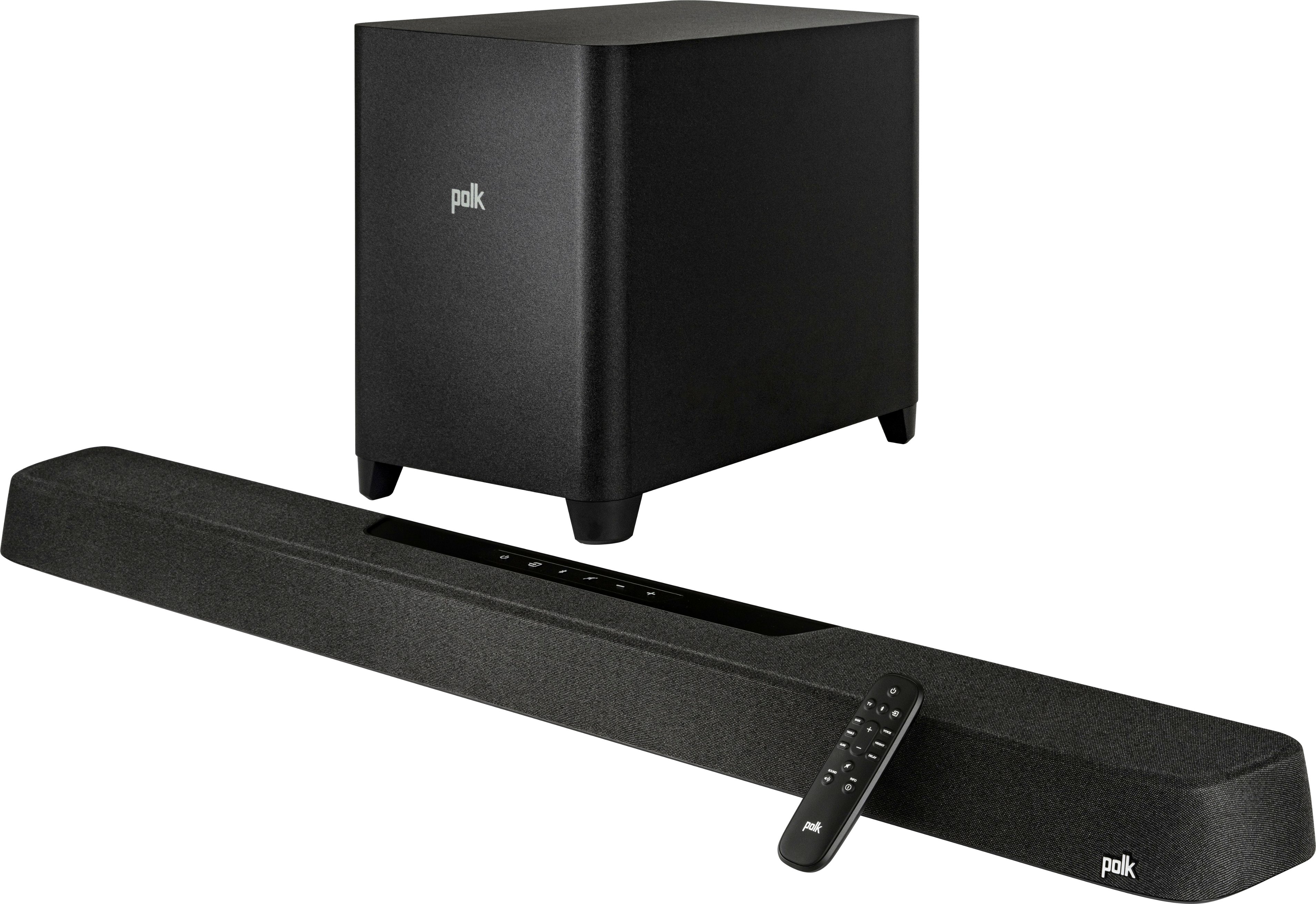
|Posted .This reviewer received promo considerations or sweepstakes entry for writing a review.Polk has been around for a while and has delivered some amazing speakers and other audio hardware in the past. Let's see how their new high-end sound bar, the MagniFi Max AX, turned out. The first thing you should know is that it's big. And heavy. The sub-woofer with its 10" speaker is massive. Almost twice the size of my previous one (which was already quite big). The bar itself fits under our 70" 4K TV, with barely any space left on each side. This is really something to take into account. You can opt for a wall mount (a drill guide is included as well as rubber spacers) if you don't have a TV stand. Since the sub is wireless, make sure to have 2 power outlets available before setting everything up. The installation and setup is easy and all the cables you should need to get things up and running are included, alongside an easy to follow visual guidei. Polk Audio recommends using ARC or eARC to connect the sound bar to the TV using the HDMI cable that is provided. I went down this road as our TV supports it. And all in all, it didn't take much longer than 15 minutes to get everything going. ARC support is one of the most interesting features of this sound bar, with advantages such as reducing the amount of remotes you will require to control your media center. Once the TV was connected, I switched to the XBox Series X and well, I was quite literally blown away by the sound. The MagniFi Max has a deep, booming bass. The treble is crisp and the voices are clean and clear. Frankly, I wasn't expecting that. If you activate Dolby Atmos (your TV or attached device needs to support it), you're in for a treat. The sound just hits you from everywhere and you truly feel immersed. You can tell that the sound bar is equipped with speakers that cover all frequencies (11 in total). The sound can be adjusted to your liking using the remote and the different presets or the EQ. Note that Apple AirPlay is supported which is good news for iPhone/Mac users. Of course, it wouldn't be a modern sound bar if it only supported HDMI. You can add 3 more regular HDMI devices, an optical/SPDIF port (which I use when listening to music) and a USB port are also present. Bluetooth and the good old audio jack are also available. As mentioned before there is support for Dolby Atmos and DTS:X. This allows for even better sound in movies and games. The sound quality in movies is excellent, the sound comes from every corner of the room. It really adds to the overall immersion. The remote is minimalistic, but works well. I don't really like the feel of the buttons but that might just be me. It feels a bit "cheap". To be honest, this might be the best sound bar I have ever owned. And I've had quite a few from major brands. Not one of them can beat the MagniFi Max in terms of functionality, ease of use or sound quality. Not to mention how versatile it is thanks to all the available connection options. The bottom line: As an audiophile, a cinephile and gamer, I can only recommend this sound bar, you just can't go wrong with it. It's one of the best in its class. Great Product, Polk Audio!
I would recommend this to a friend - Pros mentioned:Bass, Dolby atmos, Sound quality
Next best thing to a custom surround sound system
|Posted .This reviewer received promo considerations or sweepstakes entry for writing a review.I have a very complex home audio setup with two dual-zone Denon receivers feeding three TVs and two 5.1 surround sound systems with in-ceiling speakers and free-standing subwoofers. The neglected room in this setup is the covered back patio area which uses the TV’s built-in speakers for audio. Plans were to eventually add another surround sound receiver and in-ceiling speakers for the patio. Given the environment with hard surfaces of a concrete floor and two brick walls, coupled with the expanse of the outdoors beyond the screens, I knew that getting good sound would be challenging. I came across this Polk soundbar and what attracted me to it were the up-firing Dolby ATMOS height speakers. I thought that might help expand the spatial image in this challenging environment. Another issue was location of the soundbar. Like most, this one is designed to be placed below the screen, likely on a table or wall mounted. For several reasons, I wanted the soundbar to be above the screen. One is that being outside, even under a roofline, I figured that would be better protected from any blowing rain. Second, this is on a brick wall, so it’s not easy to place new outlets and the builder installed the power and A/V connections near the ceiling. I wanted to minimize the number of visible wires on the wall. I mounted the soundbar about 6 inches above the TV, giving myself a bit of room for when I want to replace the current 55” with something larger. The subwoofer sits on the floor, to the left of the table below the TV. Mounting was very easy. It's held onto the wall with two bolts that hook through slots on the back plastic panel. Personally, I would have preferred it to use metal brackets, but I will assume that Polk has engineered the plastic to appropriate thickness to hold that weight (close to 15lbs). Connections and setup were very easy. I used an HDMI cable to feed the soundbar’s TV input from the ARC input on the TV. Whatever programming is select on the TV will be output on the soundbar. The subwoofer connects wirelessly right out of the box with no setup required. Now, for the sound…Wow! I’ve had soundbars before, but this is truly amazing. The ATMOS height speakers make a huge difference. Even given the challenges of the room, this sounds phenomenal. I won’t say that it competes with a high-end 5.1 or 7.1 custom system, but it sounds darned good for 30 minutes of installation time and half the price of good in-ceiling speakers. The sound is very clear and the VoiceAdjust feature really works to amplify speech. There is a great spatial presence to the audio, and the subwoofer is strong and clear without being “boomy” or “clippy”. Even so, without rear speakers, it I’ve tried the wifi and Bluetooth connections and they are seamless. The only thing I will mention about Bluetooth is that it automatically disconnects and shuts off after a period of time if there is no audio. If you want to use a Bluetooth audio source, you may find yourself having to turn on the power if it hasn’t been used in a while. I used Google Home for the wifi setup and it was simple and works well. Overall, I am very happy with this soundbar. I highly recommend it.
Brand response from Polk Audio
Posted .It was a treat reading this review and we're happy to hear you are enjoying your new MagniFI Max system. Cheers to many more years of listening bliss.
- Pros mentioned:Dolby atmos, Setup, Sound quality
Solid Sounding System with super simple setup
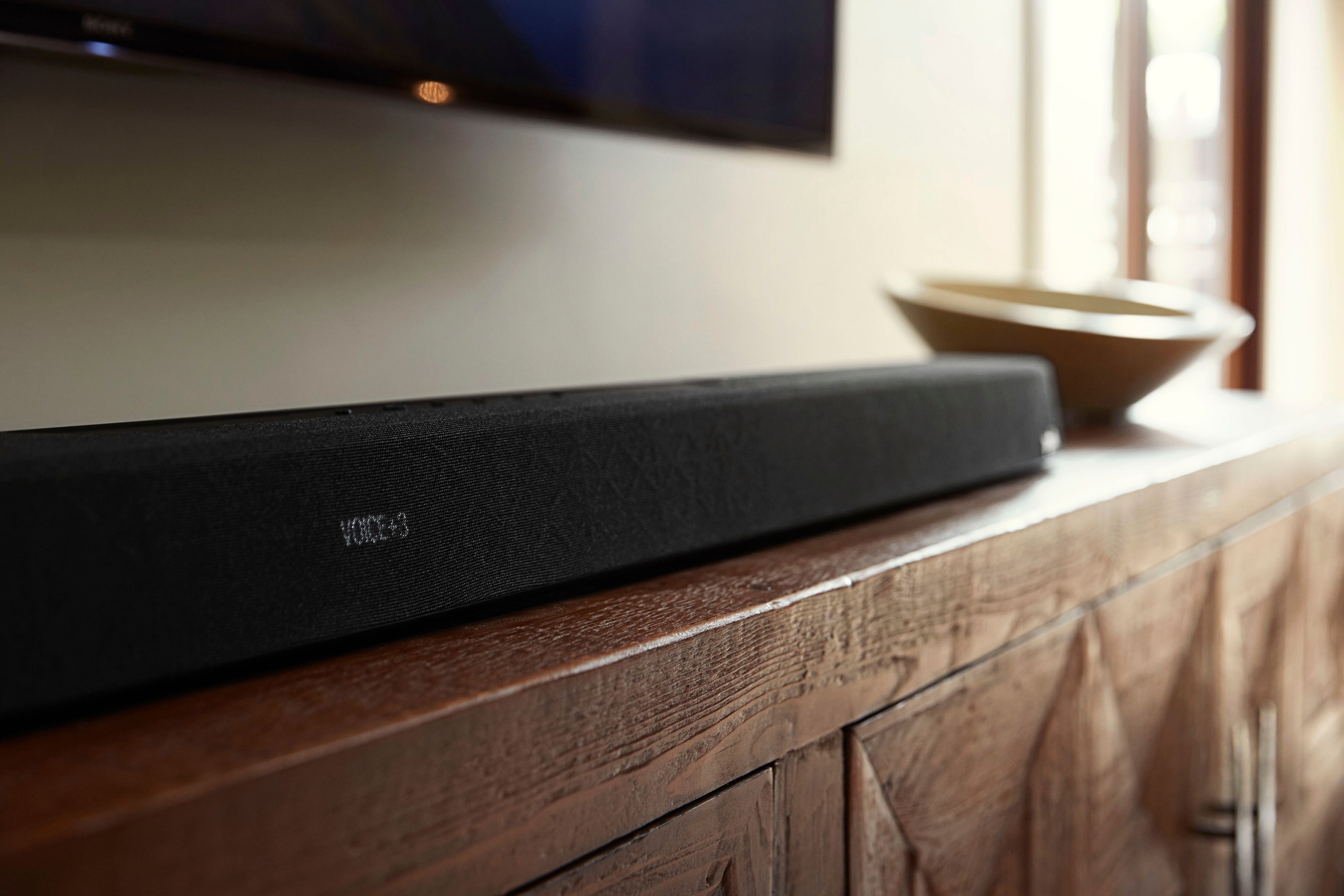
|Posted .This reviewer received promo considerations or sweepstakes entry for writing a review.There is a lot to love about this sound bar and subwoofer in addition to the price. Having just recently set it up, that is the part that I still find most amazing. There was virtually no setup other than unpacking it and plugging it in. I plugged the HDMI cable into the eARC/ARC port of the sound bar and TV and then plugged it in. Turned on the TV and the sound bar simply worked. It turned off and on with the TV and the TV remote controlled the volume with no additional setup at all. Next, I plugged in the wireless subwoofer and within seconds it had automatically paired with the sound bar. There is a sync button on the back of both to pair them. However since they automatically pair, I assume this is only for connection issues. In literally less than 10 minutes both units were out of the box and working. Setup really was totally automatic. The next thing I did was setup AirPlay. This was as complicated as holding the power button for 7 seconds and then connecting to the WiFi setup in the settings of my iPhone. This process was less than five minutes and worked flawlessly. My setup was fairly simple as I only wanted to use it with my TV and AirPlay. However there are three additional non-ARC HDMI ports to attach other devices to the speaker should you have a more complicated setup. It also has optical digital input. The controls on the speaker are very simple and straightforward. They are pretty much the same on the speaker or the (rather bland and unimpressive looking) remote. I do wish that the controls on the speaker were in the front rather than in the back (center on top), so they were more accessible since I had to put my sound bar on the floor as there was no way to fit it on my TV stand between the TV legs. (The bar is not compact by any means, likely enhancing the sound) However, there is an elevation adjustment on the sound bar (haven’t been able to find anything that explains what it does exactly) that I adjusted all the way up and the sound actually sounds like it is at the TV level. I assume that is what this adjustment is for, to adjust the sound relative to where the bar is located. Regardless, this speaker system sounds amazing for the price. The sound is clear and crisp, and the subwoofer, while not house shaking, provides more than adequate bass. The system maintains a superior sound to a very high volume, much higher than I would ever listen to it at for any period of time. The system has several more bells and whistles for real audiophiles. It supports Dolby Atmos which sounds great. It has a few modes such as TV, Music, Movie, etc. However, so far I have been content with the auto mode which appears to select the most appropriate mode for what you are listening to. AirPlay sounds just as good as the wired sound. There is also a VoiceAdjust feature which I expected to be just a gimmick, but the adjustable feature really does make a significant difference in how dialogue is heard. Finally, I have to address how this speaker looks. While not as glossy or edgy as more pricey speakers, the sound bar looks very good. It has a cloth like exterior that would fit into any décor. The bar has a (very) small LCD screen that displays such things as the source, mode, and volume. While small, it actually is quite functional and looks good. The subwoofer is larger than I would have liked, but looks good and is basically a black box like most subwoofers. All lights and controls are on the back leaving a clean look to the cube. My only major complaint is that there is no app to control the system from my phone. I kept waiting to find this in the quick start guide, but it doesn’t appear it is possible without third party hardware. I searched the App Store and found nothing. This was very disappointing. Other negatives are that it only has built in support for Alexa. No HomeKit/Siri compatibility. Also only has Spotify built in unlike other systems I have with multiple streaming services built in. For the money, this is a solid, great sounding speaker system, lacking only in Smart Home technology.
I would recommend this to a friend - Pros mentioned:Bass, Dolby atmos, Sound quality
Home Theater in a box
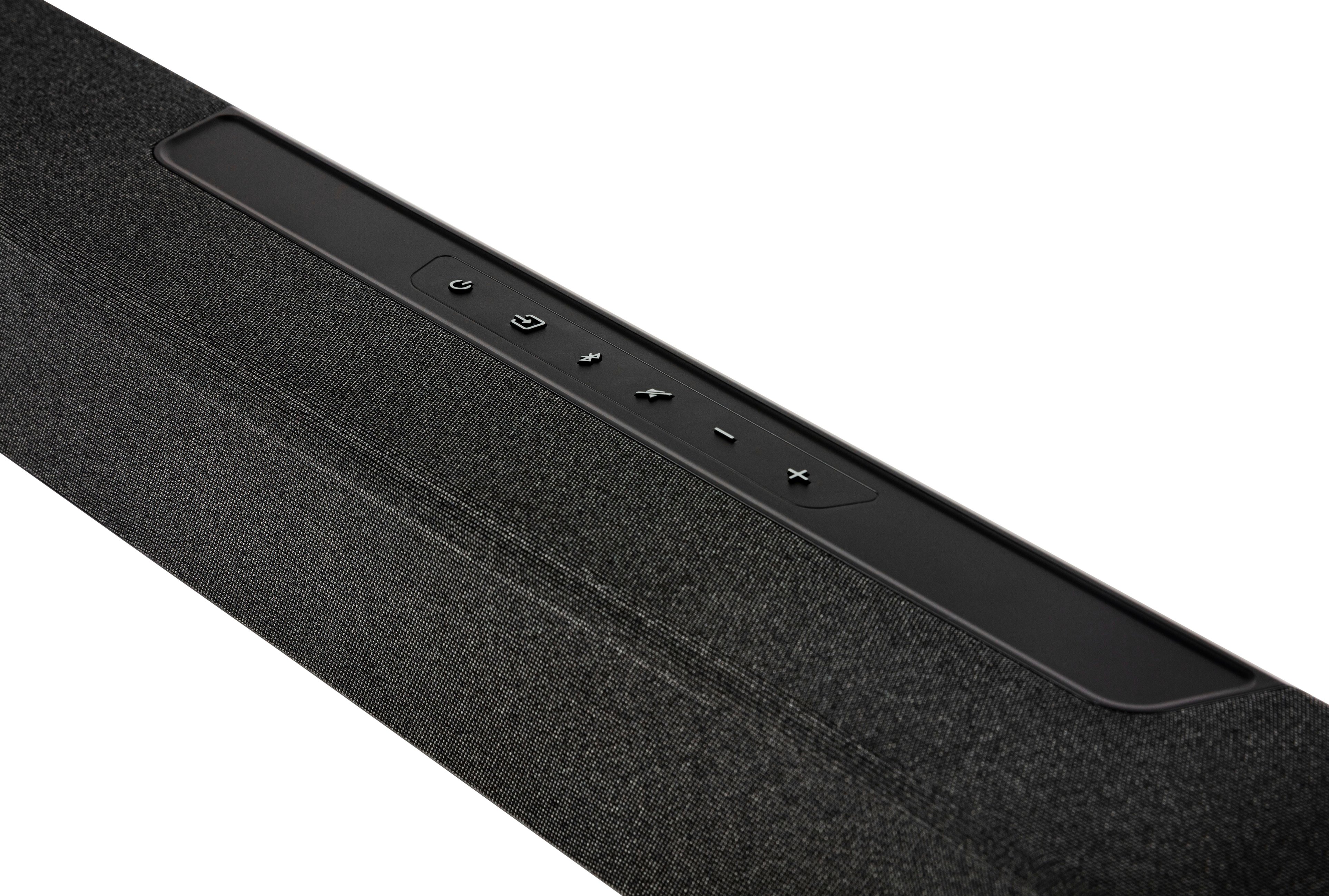
|Posted .This reviewer received promo considerations or sweepstakes entry for writing a review.I'm shocked at how good a sound bar can sound. I have had a few sound bars over the years and they all have performed fine and better then built in tv speakers. They lacked that cinematic sound or booming bass. This Polk sound bar is amazing! I wish I could give it more stars as it really deserves more than just 5. The sub with this sound bar is huge (10inch) where others are 5 or 6 inches. The larger sub takes up more space but is well worth it. The sound bar itself is bigger than others but it has 11 built in speakers, 3 HDMI input ports, optical connection, and USB. There is also a connect button on the back for the sub and surround sound speakers. This sound bar does not have the surround speakers, but you can easily add them if you wanted. I have the sound bar hooked up through eARC on my TV. This allowed us to control the volume and inputs via the sound bar remote. Our tv only has two HDMI inputs so this perfect that we actually have 3 instead of two like before. It's also really nice that we only need to use one remote to control our setup. Speaking of setup, this was very simple to setup. Plug in the HDMI, and power plugs and you are all setup. The sub connected automatically, but if not, you just need to use the connect button on the back of the sound bar. The top of the sound bar has controls for volume, Bluetooth, input (for Hdmi), mute, and power. The front of the sound bar also has a display for adjustments. The display is not always on and only shows for a few seconds while making changes. Even without making any changes to the sound bar (adjusting treble, bass, etc) it sounded awesome. We adjusted the settings, and we were blown away at how fantastic this sound bar sounds! I had the bass at the highest level, and you could feel the bass traveling through the floor, it felt like being at the movies. This sub is not a bangy sounding sub like others, this one actually produces bass to not only hear it but to feal the full impact of it. I'm a bass fanatic and this was two thumbs up for me. You can hear each individual sound in a movie and voices are clearly heard. I think if we had the two surround channels it would make it even better, but we are still impressed without them. I could go on and on about this sound bar and how great it is. We didn't realize what we were missing in sound quality until we got this sound bar. This is truly a home theater in an easy to setup package. This would work for a home theater or your living room, you cannot go wrong!
I would recommend this to a friend - Pros mentioned:Bass, Setup, Sound quality
An amazing and powerful sound bar
|Posted .This reviewer received promo considerations or sweepstakes entry for writing a review.Firstly, I'll say that I'm upgrading from a semi decent sound bar set up from LG I got a couple years ago. The box it came was huge (about 50lbs) so be wary of that if you can't lift that much. Box itself actually has a lot of useful info on it and was easy to unpack. I was thoroughly impressed about how simple the set up was for it, it took about me about 15 minutes to get everything up and running. I've never used a Polk product before but I did some research and it seems like a highly reputable brand. After plugging it in and listening to some movies and music I can definitely see why. The sound is nice and crisp, the sound is fully customizable and maxing out the bass I was blown away by just how much bass it outputted. Voices and tremble sound great with just a little adjust. While the sound bar and subwoofer are really powerful, I really prefer the surround sound speakers that go into the back of the room, so I would definitely look into upgrading and getting some for a full room surround sound. Polk has thoroughly impressed me and I think I have become a Polk fan for any sound systems in the future.
I would recommend this to a friendBrand response from Polk Audio
Posted .We're happy to hear you're enjoying your MagniFi Max AX system. One of the great benefits of the system is its flexibility. Should you ever feel like you're missing that extra surround experience, you can look into purchasing the Polk SR2 Wireless Rear Surround Speakers which can take your system to the next level. Happy listening!
- Pros mentioned:Bass, Setup, Sound quality
Excellent Sound System!
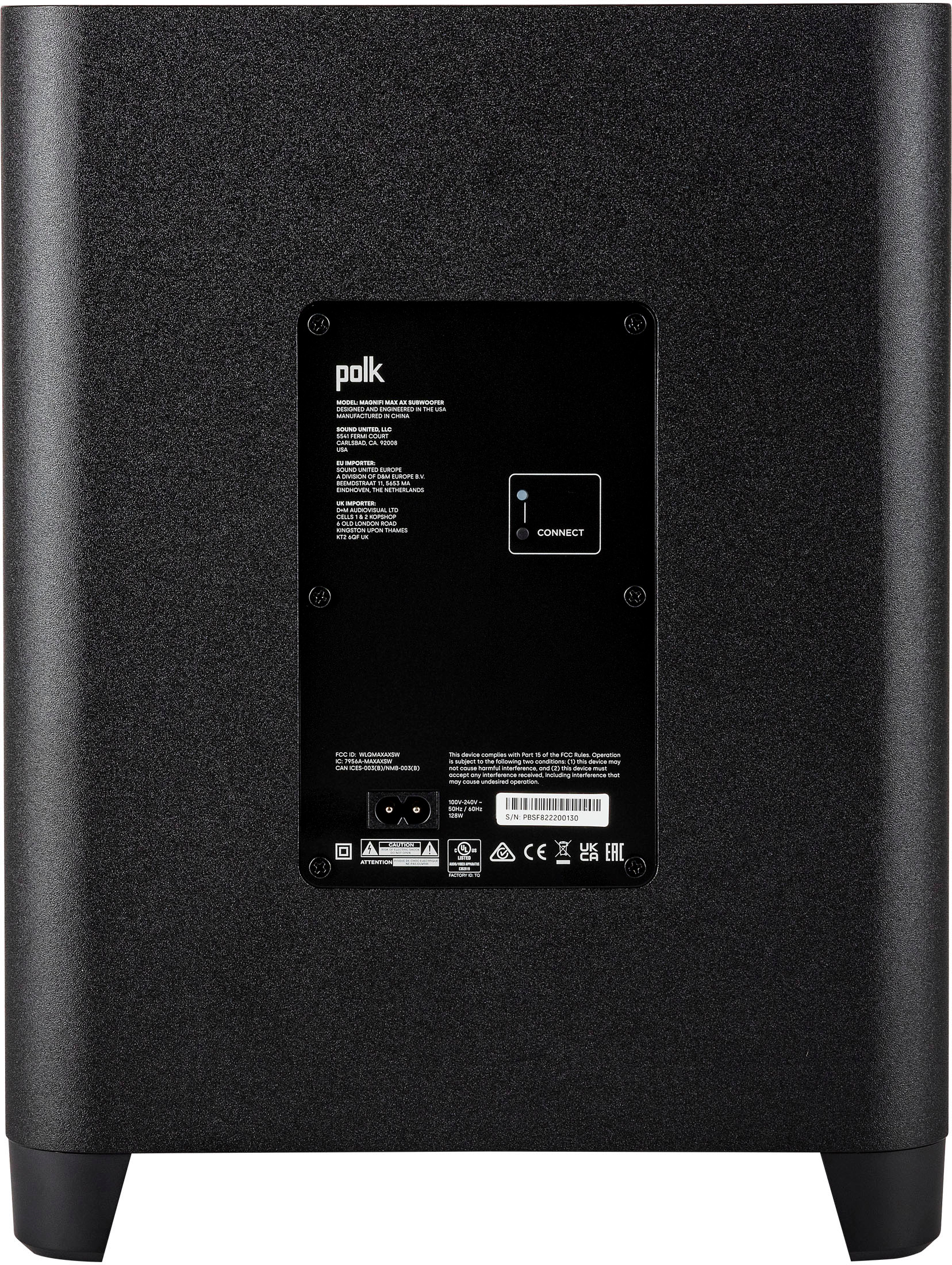
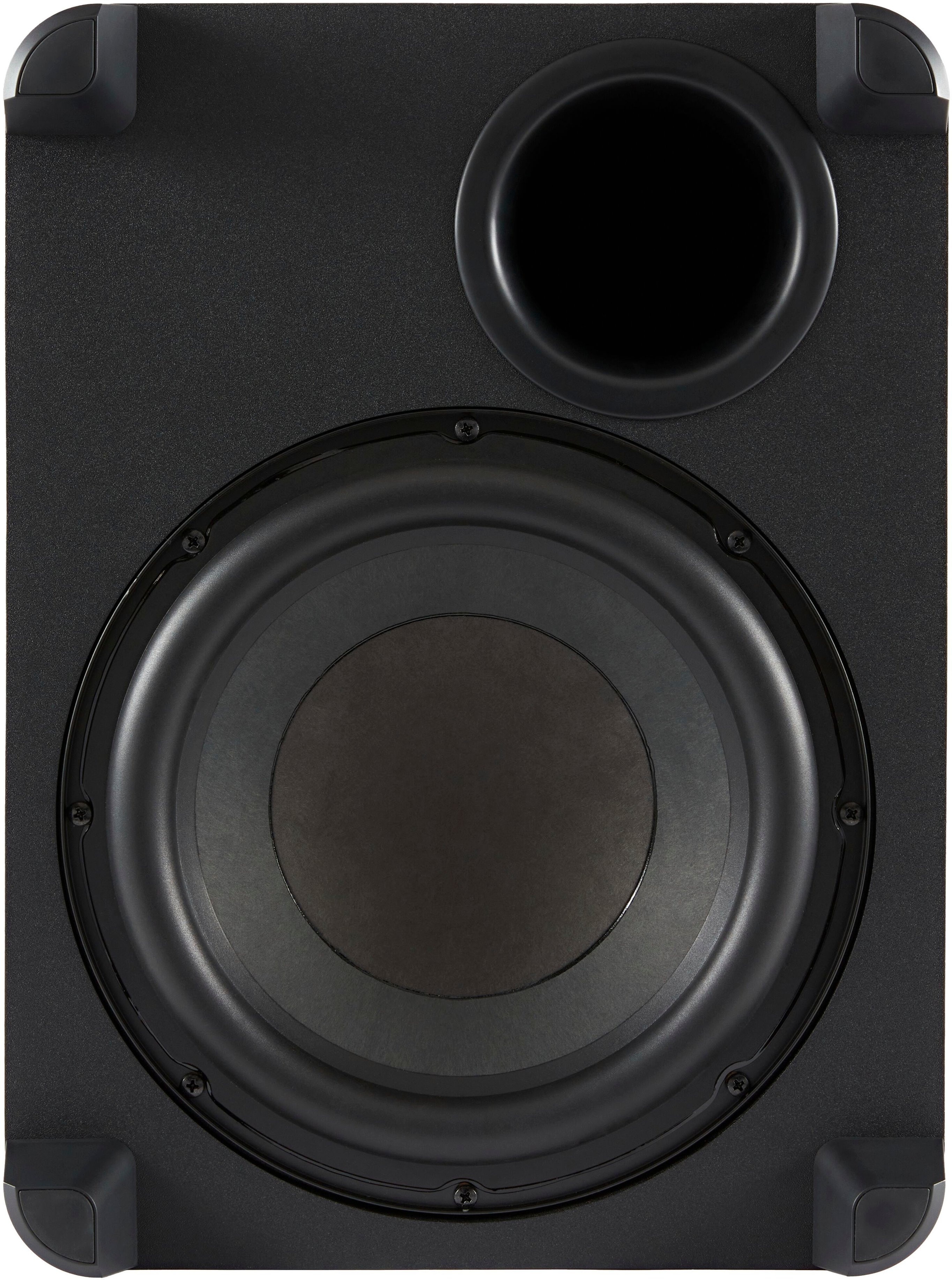
|Posted .This reviewer received promo considerations or sweepstakes entry for writing a review.I received the Polk Audio MagniFi Max AX Dual 2.5” Drivers Three 0.75” Tweeters and Four 1” X 3” Mid-Woofers Sound Bar with Wireless Subwoofer in Black. I must say I am blown away with the sound and bass of this unit! This unit is big and heavy, the soundbar has Dolby Atmos DTX plus Polk Audio 11 speakers with dedicated center channels, the sub-woofer has a 10" speaker that is massive, the speaker is on the bottom facing the floor (see pic). This is twice the size as the one I have been using for years. What an upgrade, didn't know what I was missing until I got the Polk Audio MagniFi Max AX. The installation and setup is easy and all the cables you need to get things up and running are included. I connected the soundbar to the TV via HDMI cable that was included to the ARC/eARC as recommended by Polk. I than connected to the Google Home App via Wi-Fi without any problems. The subwoofer connects wirelessly right out of the box with no setup required, which was great! Once everything was up and running, I started to play around with the treble and bass, also switching between TV, Movie, and Music Modes. The Polk Audio MagniFi Max has a deep pounding bass you can feel in the whole room, the treble is crisp and clear. The sound was incredible, I absolutely love it!
I would recommend this to a friendBrand response from Polk Audio
Posted .We're happy to hear you're enjoying the MagniFi Max AX experience. It's a very submersive system and we know you'll enjoy it for years to come. Cheers!
- Pros mentioned:Sound quality
Fantastic Dolby Atmos Soundbar
|Posted .This reviewer received promo considerations or sweepstakes entry for writing a review.The Polk MagniFi Max AX Soundbar and Subwoofer came packaged in a huge and heavy “L” shaped box that was bigger and heavier than I anticipated. Opening the box revealed the following items: The Polk MagniFi Max AX Soundbar A massive wireless subwoofer. HDMI cable Wall mounts Nice small remote along with 2 AAA batteries Two AC power cords Quick Installation Guide The large soundbar feels nice and is covered by a cloth mesh with buttons on top. While somewhat slim, It is tall enough where it might block a smaller TV’s infrared sensor. It is at the borderline edge case with my 50 inch TCL 4K TV. Any taller and it would have blocked some of the lower screen. The setup was super easy. You just plug in one end of an HDMI cable to your TV’s ARC/eARC port and the other end to the Polk soundbar’s eARC port. Then you plug in the power cord to the soundbar. Plugging in the wireless subwoofer automatically connects the subwoofer to the soundbar (although there also seems to be a button on the subwoofer to help you manually connect to the soundbar in case automatic connection goes awry). To set up WiFi, you can use either the Alexa or Google Home app. I used the Alexa app and Alexa automatically found the soundbar and easily allowed me to set up the soundbar’s WiFi. For music playback, I used Bluetooth to playback the opening theme to the Superman: The Movie soundtrack, “Whenever You’re on My Mind” from Marshall Crenshaw and “Kandy Krush” from Kim Wilde and thought the Polk MagniFi Max AX was able to handle different genres of music well. The soundstage was wide and Instruments and vocals came through crisp and clear along with some punchy bass. The Polk soundbar was equally excellent for watching TV shows and movies. It was able to provide a nice full movie theater experience with a nice wide enveloping sound stage. There were actually times when I thought that sounds were coming from my side even though I do not have any physical surround speakers. It’s not as good as having actual physical surround speakers but it was pretty impressive. What’s nice is that this system is expandable in that you can later add physical Polk Wireless SR2 surround speakers for even better surround effects. Audio quality is crisp and precise. The enormous subwoofer is able to provide movie theater quality rumble but it was not overpowering despite my fears because of its enormous size. I generally don’t want overpowering bass that might disturb my neighbors. Dialogue clarity was fantastic. The remote allows you to adjust the volume of the bass, treble, height and surround speakers (if you have them). It also allows you to switch inputs from TV, HDMI1, HDMI2, HDMI3, Optical and Bluetooth. You can also switch to using preset sound modes such as Auto, Music, TV, Movie, and Night Mode. I was extremely impressed with Night Mode as dialogue clarity is still excellent while maintaining a lower volume so as to not disturb your family or neighbor. There is also a button that allows you to get playback information. I used this to verify that I was actually playing back Dolby Atmos content. I can confirm that this soundbar is able to process Dolby Atmos content with TVs that only have an ARC (not eARC) HDMI connection. My TCL Roku 4K HDTV only has ARC and not eARC so to be able to play back Dolby Atmos content, you need to set up the TV to use Dolby Digital Plus instead of just Dolby Digital. When playing back Dolby Atmos using the TV input on the Polk, the info button will say that it is playing back Dolby Atmos: DD+ which means it is playing back Dolby Atmos using the lossy Dolby Digital Plus codec. Still sounds fantastic. The really nice thing about the Polk MagniFi Max AX soundbar is that it comes with 3 HDMI ports. This allows you to get the highest playback quality possible even if your TV only has HDMI ARC instead of eARC.. To get the highest audio quality you can connect your playback device (4K Blu-ray player, Apple TV, Firestick etc.) into one of the Polk soundbar’s HDMI ports. When you play back Dolby Atmos connect, the info button will say that it is playing back Dolby Atmos: TrueHD which means it is playing back Dolby Atmos using the lossless Dolby TrueHD codec. Overall, I can recommend the Polk MagniFi Max AX soundbar for anyone that wants a Dolby Atmos soundbar. It has been great for playing music, TV shows and movies and has been rock solid. I love the dialogue clarity it provides and Night Mode. It’s also expandable with the Polk SR2 surround speakers when you want to get even better surround effects. The only possible drawback for me is that I think the subwoofer might be physically a little too big for my living room. I think it's one of the better values out there because it is as good as other more expensive sound bars that don’t include a subwoofer.
I would recommend this to a friendBrand response from Polk Audio
Posted .We're excited to hear you're enjoying the MagniFi Max AX experience. Cheers to many years of submersive audio!
- Pros mentioned:Bass, Ease of use, Sound quality
Wow!
|Posted .This reviewer received promo considerations or sweepstakes entry for writing a review.Like the title says wow! First off let me start this review by saying I have never had an absolute easier time in my life than I did with this sound bar and subwoofer hook up. I unplugged my current speaker set up plugged the sound bar in my earc plugged in the subwoofer which automatically connected to the sound at immediately I had to do nothing. Fired up the Apple TV and it was good to go. Everything was packaged neatly there was no instructions which I thought was a little weird but even the most novice of tech shouldn’t have any issue hooking it up. Played with my bass and treble setting for a bit and then I sat back and fired up my first Dolby atmos choice top gun maverick. Man oh man if you pull the trigger on this sound bar the first thing you need to turn on is maverick and you will get the ultimate experience with this set up! The bass from the sub shook my living room like an earthquake! The jets engines were amazing it was literally like you were in the theater watching it! I couldn’t be more impressed with this set up than I am. This is my first Polk product but it now won’t be me last!
I would recommend this to a friend - Pros mentioned:Bass, Sound quality
What a powerful and nice system
|Posted .This reviewer received promo considerations or sweepstakes entry for writing a review.This is my first Polk Audio product. Its replaces a old 3 year old sound bar and subwoofer I was currently using. Upon getting the package, it was bigger then I expected, the box had a nice picture and descriptions and describes briefly of all the features that this sound system packs. While opening the package, the soundbar and subwoofer was nicely packaged with all the accessories that the box said it included (please note, there is no Polk SR2 Surround sound speakers for the back of the room which is sold separately which shows right on the box, not a deal breaker at all!) and a small quick start guide to get it set up and going. After getting it all unpacked and getting it set up, it took around only 10 minutes at most and I was ready to test it all out to the max. I will start off by saying when playing some movies and music and cranking the bass to the max, it has the "thump to it which I was wowed by, it blows my old sound system/subwoofer out of the water. The soundbar has very crisp and clear voices. The soundbar has a LED to show when you turn the volume up and down, bass, treble, inputs, etc which I really love and prefer that to be the standard on all soundbars. I can't think of any really anything negative to say about it except the remote seems to be a little hard to use, the buttons seem to be somewhat hard to push and feels cheap/flimsy in a way but its not really a problem since my TV remote control and Streaming box remote controls the volume with no problem. With this being my first polk product, I am truly impressed with the quality of a product they have pushed out and with the immersive and awesome sound it has. When I need a new sound system for my TV, I will definitely have Polk in my mind to buy and I would recommend this sound bar system to anyone looking for one.
I would recommend this to a friendBrand response from Polk Audio
Posted .Hello, and thank you for sharing your thoughts and positive feedback. Regarding the optional SR2 wireless surround speakers, we offer two MagniFi Max AX soundbar versions. The MagniFi Max AX and the MagniFi Max AX SR. The SR version comes with the SR2 wireless speakers.
- Pros mentioned:Bass, Sound quality
This is the one to get.
||Posted .This reviewer received promo considerations or sweepstakes entry for writing a review.I've been using a Klipsh Cinema 600 for about 3-4 yrs but unfortunately it stopped working. It was a good soundbar and using it made me realize that you need a system with a 10 inch subwoofer because soundbars in general are not that strong (compared to a Home Theater system with a receiver), so an 8 inch subwoofer just doesn't cut it in most soundbars. After some research on the current soundbars I decided to get the Polk MagniFi Max AX since it had the 10 inch subwoofer and it was reasonably priced. This thing sound so much better than the Bose soundbars I tested at my local Best Buy and the Klipsh Cinema 600 I was using. It completely buries my other previous soundbars I used in the past (Klipsh RSB14 and a Sony model I can't remember) It has amazing clarity and the subwoofer has that nice pounding bass that you can definitely hear. You can individually adjust the bass volume but I only went barely above mid volume on the bass since it started to overpower the other sounds. Now, this is not AV Receiver level of power and you shouldn't be expecting that from pretty much ANY soundbar, because it just cannot put out that kind of power. But, if you're like me and are done with speaker placement and running wires, this Polk soundbar is for you. Trust me, unless you're expecting insane power out of your $500 soundbar, this is the one for you.
I would recommend this to a friend - Pros mentioned:Bass, Dolby atmos, Ease of use
Excellent sound bar.
||Posted . Owned for 1 month when reviewed.This reviewer received promo considerations or sweepstakes entry for writing a review.This thing sounds fantastic. I tried about a dozen different sound bars out from various manufacturers. before I settled on this Polk Audio sound bar. It's got a built in HDMI switcher, simulated Atmos, a wireless sub. It's a solid product. The high end isn't fatiguing and shrill, either. I had it up and running with zero effort. Plug it in and it does the rest.
I would recommend this to a friendBrand response from Polk Audio
Posted .Hello MattRMedia, Thank you for these kind words, we appreciate your purchase and hope the MagniFi Max AX system brings you many years of listening bliss. Happy listening!
- Pros mentioned:Bass, Setup, Sound quality
Great system
||Posted . Owned for 3 weeks when reviewed.This reviewer received promo considerations or sweepstakes entry for writing a review.The Polk MagniFi Max AX high-performance home theater sound bar is a top-of-the-line device that provides cinematic surround sound audio that makes movies, TV, video games, and music come to life. With an advanced eleven-speaker array, Dolby Atmos and DTS:X certification, and patented SDA surround technology, the sound bar offers a wide, immersive sound stage that will enhance any viewing or listening experience. The Polk’s Voice Adjust technology also works to deliver crystal clear dialogues without affecting the rest of the soundtrack, ensuring that you never miss a word of your favorite shows or movies. One of the standout features of the MagniFi Max AX is its ability to stream music from a variety of sources, including smartphones, tablets, and PCs via Wi-Fi, Bluetooth, AirPlay 2, Chromecast, Spotify Connect, or Alexa MRM. This allows for seamless integration with your existing devices and provides a convenient way to access all of your favorite music and podcasts. Additionally, the sound bar has an easy, one-cable set-up via HDMI eARC/ARC (HDMI cable included), optical, or AUX inputs and works with most TVs. Overall, the Polk MagniFi Max AX is an excellent choice for anyone looking for a high-performance home theater sound bar. The included plug-and-play subwoofer with a 10” downward-firing driver and the option to add timbre-matched SR2 wireless speakers (sold separately) to the soundbar system to create a 7.1.2 immersive surround sound system make it an ideal choice for a complete home theater setup. It is a great investment for anyone looking to elevate their home entertainment experience.
I would recommend this to a friend