Customer Ratings & Reviews


- Model:
- RZ09-01953E72-R3U1
- |
- SKU:
- 5753110
Customer reviews
Rating 4.3 out of 5 stars with 137 reviews
(137 customer reviews)Rating by feature
- Value3.5
Rating 3.5 out of 5 stars
- Quality3.4
Rating 3.4 out of 5 stars
- Ease of Use4.3
Rating 4.3 out of 5 stars
Customers are saying
Customers are delighted by the Blade 14" Gaming Laptop's gaming performance, build quality, and long battery life. Many users rave about its powerful performance and sleek design, while some find the fan noise and heating to be drawbacks. Overall, customers are highly satisfied with this gaming laptop.
This summary was generated by AI based on customer reviews.
- Cons mentioned:Fan noise
Rated 5 out of 5 stars
GREAT LAPTOP
||Posted .This reviewer received promo considerations or sweepstakes entry for writing a review.This computer is absolutely amazing. Of course the keyboard lighting is definitely a plus and It is an amazing addition. I love the details and all the fun creative custom lighting setting you can come up with. But besides the lighting, the keyboard itself is amazing to type in. The keys have a great tactile feedback and just enough travel. It is a solid computer. Nice storage (wish it would be bigger considering its a gaming laptop). Games run smooth and swift with very nice FPS and beautiful colors and normal functions are very nice in it. I overall love it. The design is nice sleek and beautiful. Downsides... probably it is very hard to keep clean and it is overall just a hair louder when the fans kick in. While gaming I don't care, but on basic functions maybe a little. But regarless my love for it way outweights the downsides.
I would recommend this to a friend - Pros mentioned:Battery lifeCons mentioned:Heating, Price
Rated 4 out of 5 stars
The New Razer Blade(2016) Review
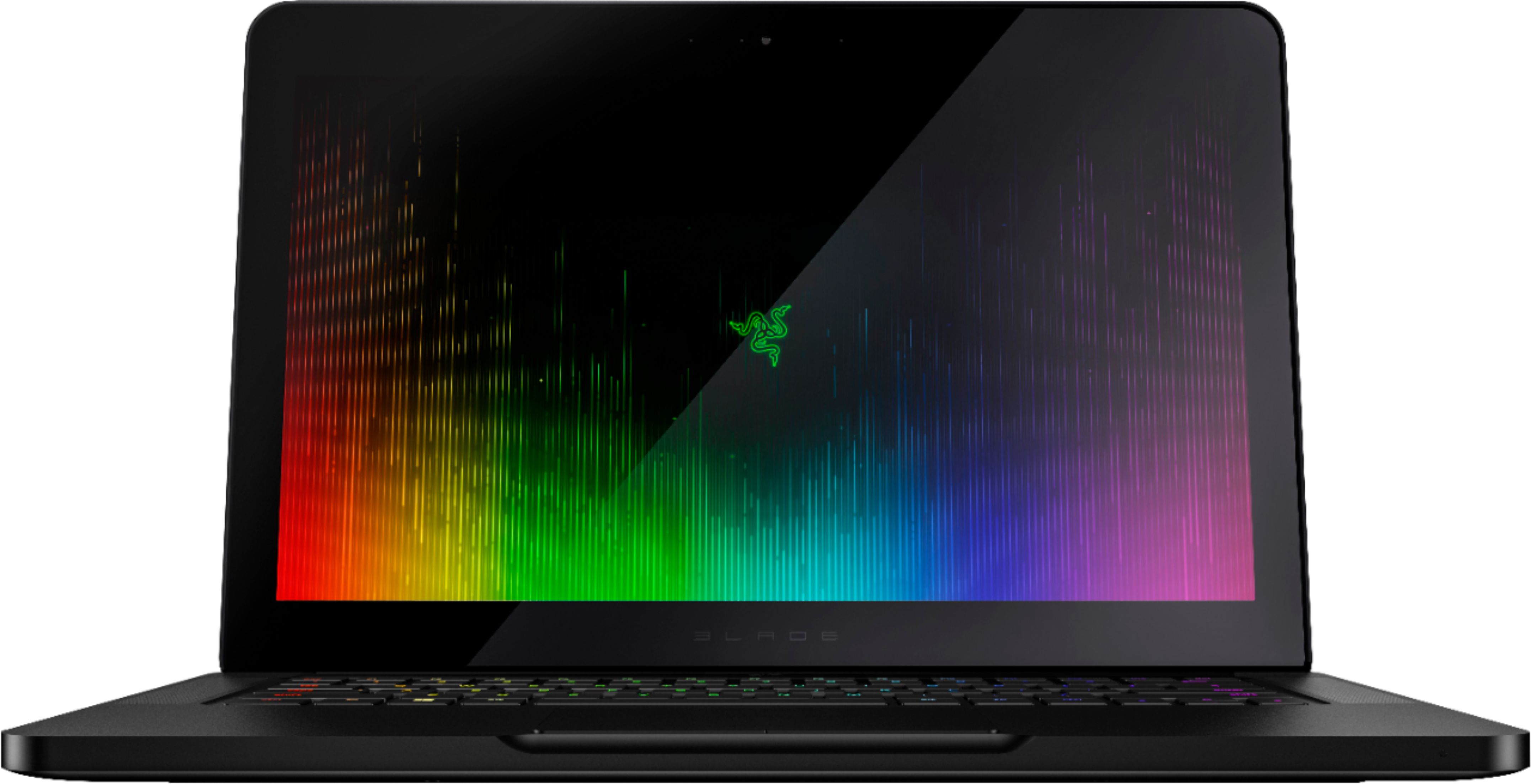
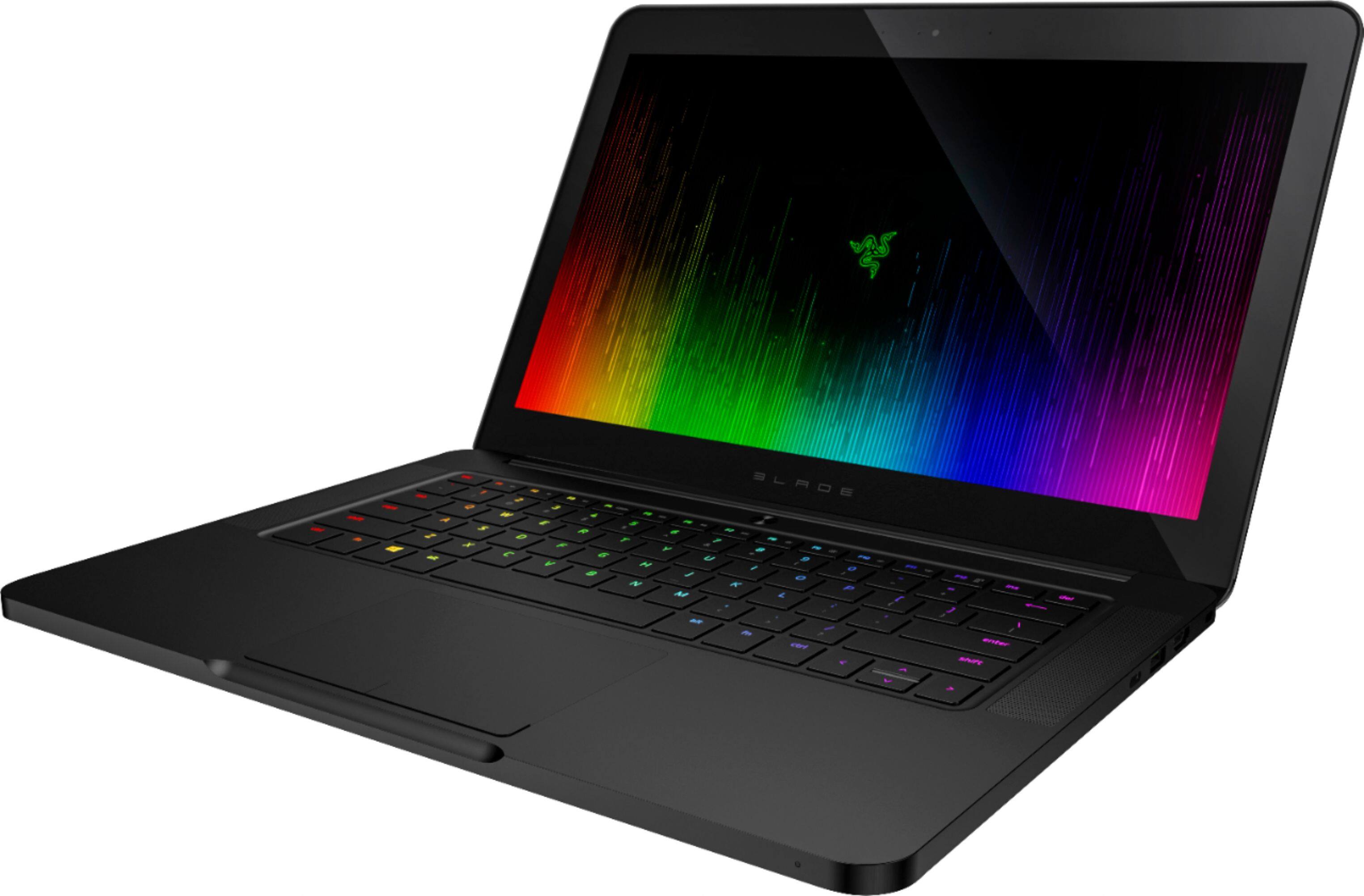
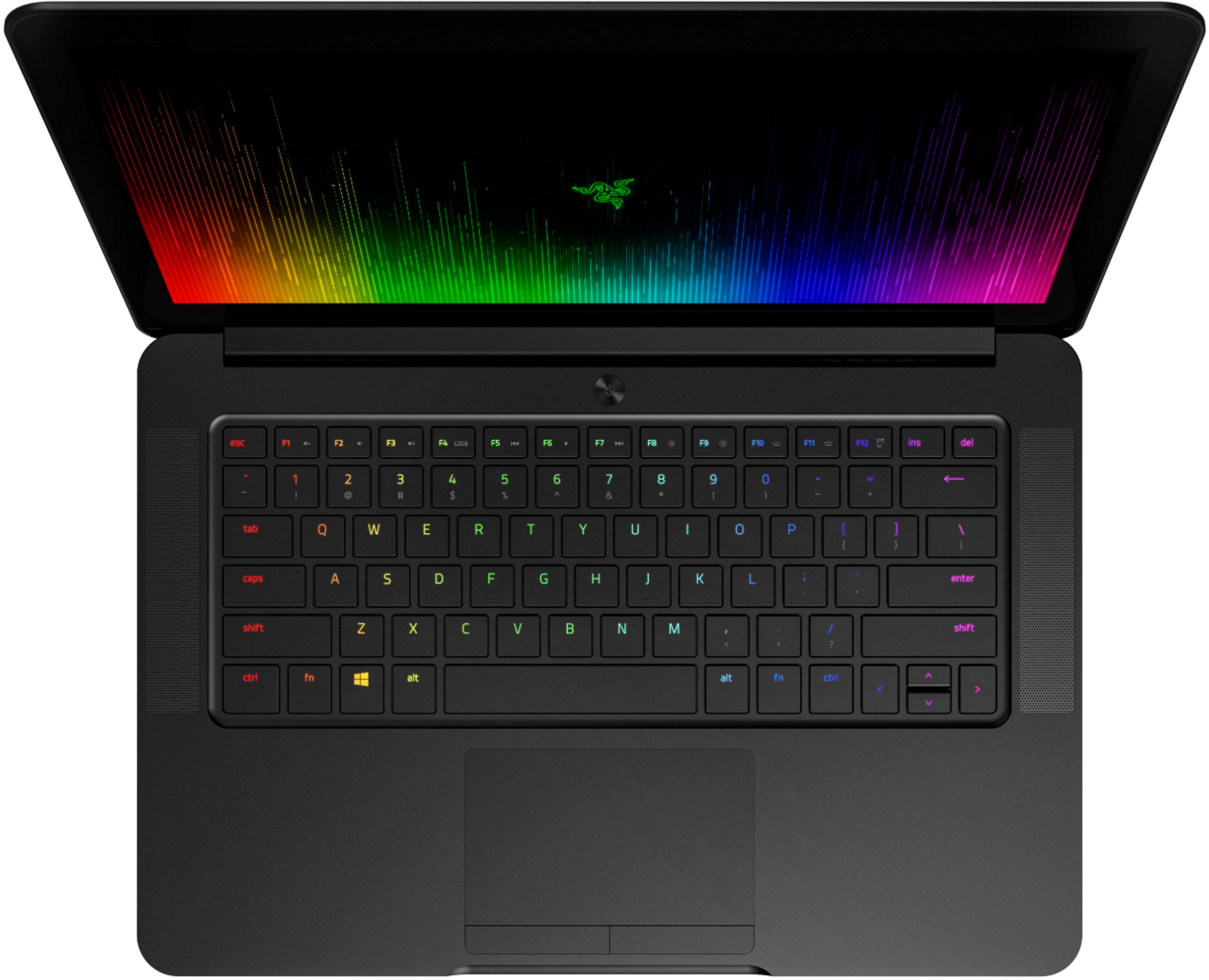
Posted .This reviewer received promo considerations or sweepstakes entry for writing a review.The New Razer Blade is Razer's 14" high-end, portable, VR-ready, gaming laptop that became available for purchase in October of 2016. It's powered by Intel's 6th Generation Core i7-6700HQ Quad-Core Processor (2.6GHz / 3.5GHz) with Hyper-Threading and NVIDIA's GeForce GTX 1060 GPU(6GB GDDR5 VRAM) based on the Pascal Architecture. The laptop contains 16GB of dual-channel system memory(2133 MHz) and a PCIe-based SSD with options of 256GB, 512GB and 1TB. It has a Unibody Aluminum Chassis that's 0.70" thick and weighs about 4.16lbs. It includes Killer Wireless 802.11ac communication and Bluetooth 4.1. It charges off of a 165W compact power adapter and comes with a one-year warranty. ~Design/Chassis: A lot of work went into the design of The New Razer Blade and its design will impress virtually anybody, this is one sleek looking laptop. The smooth CNC aircraft grade aluminum chassis is light and highly durable; it's denseness, matte black finish with rounded edges and signature glowing Razer symbol on the top give the laptop a high-end, expensive look. Even though It's marketed as a "gaming laptop", to those who just want a high-powered laptop to do some video, sound or photo editing, it could easily pass for an alternative to the MacBook Air. It sets the standard for how a modern, portable gaming laptop should look: attractive and sophisticated, without drawing too much attention to itself. The hinge of the laptop feels strong and the lid rotates on the fulcrum smoothly without juddering or any abnormal noises. The lid snaps shut securely but since it sits flush with the bottom half of the chassis it's somewhat difficult to open the lid from the sides but there is an indentation on the front of the laptop to allow you to easily open the lid. It's very light and comfortable to hold and carry around. It feels like an expensive machine just holding it but one thing you'll notice soon enough after picking it up are the fingerprints.. It's not uncommon to metal laptops but if you're like me and can't stand the site of them, you'll be cleaning the Razer Blade quite often. It also has two 11" long rubber seats that run along the bottom side of the laptop. ~Display: The 14" screen for the Full HD model of The New Razer Blade(which I'm reviewing here) is a 1920x1080 matte/non-glossy display and does not have touch screen capability. In comparison, the QHD+ version of the New Razer Blade sports a 3200x1800 glossy IGZO(Indium Gallium Zinc Oxide) capacitive touch-screen display. For this 14" screen, the 1080p resolution is more than sufficient, the screen looks gorgeous. Spending the extra amount for the same 14" but at a higher resolution isn't necessary. The non-reflective screen for this Full HD version makes it more suitable for use in both the sunlight outside and dark environments; I used this New Razer Blade outside in the sun a number of times and while not 100% perfectly readable, the glare on a matte screen is much less a problem compared to a glossy screen. Images appear very crisp and bright, the screen responds quickly, reading a large amount of text is comfortable on the eyes and the screen is easily viewable from either side angle—which is one of its best features and a great attribute if friends are gathered around watching you game or your playing a video. I streamed a handful of movies such as Casino Royal, Iron Man and Finding Dory and each one of them looked great. The blacks are deep and the colors are bright and vibrant without looking washed. It's a stunning IPS display. ~Audio/Sound: It's more than likely that you will be using your own set of external speakers or headphones on the laptop but the quality of the internal stereo speakers is only decent. While I haven't noticed any distortion from the speakers—even with the volume very loud—and higher pitched sound effects come through clearly, the lower end is certainly lacking. ~Keyboard & Touchpad: The keyboard is a solid design and one of the best I've ever used. The keys have short, punchy travel and bouncy return. The keys are slightly noisier than my Dell XPS laptop but quieter than an average desktop keyboard and there no flex or bend to the panel when typing, It's structurally sound. They keys are powered by Razer Chroma, which is Razer's individual key backlighting software that's available on numerous Razer products such as Laptops, Razor Core, Mice and Desktop Keyboards. Each key is capable of reproducing 16.8 million colors. There is a fair amount of personal customization available; you can change the duration, brightness, which color you would like to use with the chosen effect or you could choose a select number of keys for individual backlighting(such as common keys W,A,S,D, used for gaming) and leave the remaining keys without a backlight effect. One thing I wish that was backlit are the top symbol keys. If you're in the dark(unless you have the keys memorized) it's hard to see where the symbols are. The Touchpad tracks your finger smoothly, it's sturdy and easy to use but I wish that the right and left select buttons below the touchpad were slightly larger. When I'm using the touchpad and I go to press down on the left button to select—without looking down at the touchpad—I have to search for the button with my finger because the thing's so darn small that most of the time you reach over it or not far enough. ~Ports: The New Razer Blade has 3 USB 3.0 ports, an HDMI out, a 3.5mm headphone/microphone jack and a single Thunderbolt 3(USB-C) port. There are no ports on the rear or front of the laptop(keeping with the clean look), only the left and right sides. There is no SD card slot, which is a bit of a disappointment. ~Performance: And here's the main reason you would be purchasing The New Razer Blade and I'm happy to say that It performs just as a high-end gaming laptop should. I've played a variety of games from the more simple(Costume Quest, Castle of Illusion, ABZU) to more demanding(Metro: Last Light, DOOM, Deus Ex: Mankind Divided) and each one of them played well and kept a consistent frame-rate at 1920x1080 resolution with all of the bells and whistles turned on very high or ultra settings. While playing DOOM(2016) with every advanced video option turned to Ultra settings at 1920x1080 the Blade is able to maintain a steady range of 50-55fps with a minimum of 39fps. Deus Ex: Mankind Divided with all settings on turned up to Very High/Ultra at 1920x1080 it was able to maintain an average of 52fps with a rare dip down to 36fps. Batman: Arkham Knight: The benchmark test and gameplay yielded the same results: 1920x1800, 50fps average and 33fps minimum. Metro: The Last Light Redux turned out to be the most challenging game I tested for the New Razer Blade, with the video options on Very High the frames-per-second end up in the low 20s(I was getting from 20-24fps), so you'll have to drop Texture Filtering down to AF 4X and SSAA down to 2X in order to maintain a solid 50-60fps. I also ran the 3DMark Fire Strike test(scored a 9,038) and Time Spy test(scored a 3,100). ~Battery: The Battery life for this 70Wh battery is pretty decent. For low load tasks( Watching TV Shows/Movies, Browsing Sites,ect) it'll last just about 5 hours on a full charge. After I fully charged the battery, I played a few games on very high/ultra settings to see how long the battery could last. I played DOOM and then Deus Ex:HR non-stop for about 2 hours and 15 minutes until the battery was fully depleted. The Charger itself does get very warm, I clocked the temperature of the charger at 148F ~Heat/Temperature: This is probably the biggest complaint I have with The New Razer Blade, It does get hot and the fans do get quite loud at full speed—which is anytime you run a visually demanding game—but keep in mind, it is a very thin gaming laptop so it shouldn't exactly be surprising to anyone that these fans can get loud at times. You can still hear the sound from the stereo laptop speakers when the fans are whirring but most of the time you'll want to be using headphones or external speakers so you won't have a problem hearing the game you're playing or somebody overhearing the fans during a voice chat. Since it is a gaming laptop and it's being pushed to run high-end games, It's to be expected that it would throw some heat and the fans would be a little loud but on the positive side I've never had it get to the point though where a game crashed because the temperature was too high. At idle or just performing low to mid-level load tasks such as browsing the web or streaming videos, the blade's fans are virtually silent. Underneath the laptop can get quite warm under stressful applications. After running benchmark tests, I temp tested the underside of the body using an infrared thermometer and pegged temp at 113F, the keyboard at 109F, the touchpad at 87F and the screen at 90F. The keys closer to the touchpad are obviously cooler, while the keys closer to the screen are warmer. Since those rubber strips on the bottom don't lift the laptop much off of the surface, the Razer Blade needs to be placed on a hard flat surface in order to dissipate the heat properly. ~Price: The price is on the higher-end of the spectrum but is on par with the equivalent New Alienware 13 and GIGABYTE Aero laptops but is slightly more expensive than the Asus ROG Strix GL502 ~Overall Thoughts: The New Razer Blade runs a little hot but It's also one of the fastest and most attractive game laptops out there. During the two months or so I've been using it, it's also proved durable and reliable - there's nothing worse than finally purchasing a big-ticket item only to have it riddled with issues that lead you to regret your purchase. To sum it all up; If you want a machine that can run any game out there, with decent battery life, has a bright and stunning display, and that stands-out, not just as a gaming laptop but as a sleek ultra-portable, then this is for you.
I would recommend this to a friend - Pros mentioned:Battery life, Build quality, PerformanceCons mentioned:Fan noise, Heating
Rated 5 out of 5 stars
Great portable Slim Gaming Laptop
||Posted .This reviewer received promo considerations or sweepstakes entry for writing a review.THE GOOD: - Specs. The specs on this thing are amazing. Core i7, 512 GB SSD, a 1060, with 16gb of ram? Yes please. - The build. Quality throughout. Well built, sturdy, and (at least on mine) no issues with defects. - The screen. I opted for the QHD touchscreen. If you are do not care about a touchscreen, GET THE 1080. I don't care too much for the upscale resolution, but the matte finish was a big deal for me. I would love a matte touchscreen, but I actually do use the touchscreen, so I enjoy having the QHD. The colors are vibrant with excellent viewing angles. Great screen overall, but again, if you're not really going to use the touchscreen, save some money and grab the 1080 resolution. - Performance. I've been able to run most games with full ultra settings comfortably at 1080. Native resolution? Well...a 1060 isn't powerful enough for most of the graphic intensive games I've tried at ultra or max settings. For instance, Witcher 3, 1080 with ultra (hairworks turned off) and it can comfortably run at 55-60 FPS. Arkham knight was running at 50+ FPS at around 54+ FPS at 1080. Tomb Raider (2013) ran the benchmark at 60FPS when on ultimate. GTA V I turned everything to max, 1080, and ran it and got (FPS per pass) 42, 36, 43, 47, and 46. I also turned down a few options and reran it at 1080 and got 59, 60, 60, 60, and 59. If you want to turn up the resolution a bit, you can, but it will be a tradeoff of which settings you need to turn down (obviously). I doubt this is capably of playing games well at 4k, although I do have a 2k monitor and it runs fine on it. - Core. The razer core is one of the main reasons I updated to the new laptop from my 765m model. With core compatibility I can upgrade graphics cards in the future and have a traditional desktop setting with monitor, keyboard, mouse, etc. I also have a cooling pad on my desktop so it stays cool (more on this later). I really like having a set desktop area, with a 2k monitor, mouse, keyboard, etc, but still retaining portability. - Chroma. Nice incentive to get the razer. It looks neat, but doesn't really serve any practical purposes. I leave mine on the "fire setting" most of the time, but it's easy to turn off or change. - Keyboard and touchpad. The keyboard and touchpad are fine. I wish they would have made the function key purposes light up, but it's a small complaint. The touchpad works fine for everyday use, but who doesn't game with a mouse? - Portability. This is where the Blade really shines. When I bought my original blade I thought, if this were only a bit smaller....then a while after that they came out with the 14" version and I was hooked. I love the portability. Perfect size for on the go. PORTABILITY is why you pay more than other brands and it's still (IMHO) decently priced. - Battery life. I've watched some movies and gotten about 3-4 hours of comfortable view time. That's decent, considering all the power under the hood. Gaming...well...game with it plugged in. I haven't tried to game with it unplugged most of the time, but when I have, 1-2 hours is what I've gotten before windows tells me it's going to turn off. PS: you can buy a non-razer power charger that works fine for around $50, but it's pretty dammed brick-like and not portable like the razer one. Works well if you don't care about portability for a few spots, like at a desk at home. THE BAD: - Heat. This thing gets HOT. The areas underneath are HOT. Don't be fooled. It's a "notebook" and not a "laptop" for a reason! This would probably burn your lap if you put it on bare skin while doing anything intensivine. I use a cooling pad whenever I game because the heating does concern me. That said, the heat IS directed away from common areas, like the WASD keys and touchpad. I ran some thermal monitors and I suspect it may be throttling a bit (temps max out around 83-85C) in some circumstances, but it's not noticeable in games (at least I haven't noticed). The fans do a good job and cooling seems all around better than my 765m model, although this is another weakness... - Fan noise. Fan noise has never bothered me and it still doesn't. But if you are easily bothered by fan noise, just know that fan noise is an issue with the new version. The fans are ALWAYS on and they can get quite loud, even under low loads. Like I said, doesn't bother me (I just like to know that my $2600 laptop isn't going to become a paperweight due to poor heat management). They do a better job of cooling than my 765m version, however. I think Razer has probably increased it's default fan RPMs in the BIOs or something.
I would recommend this to a friend - Pros mentioned:Battery life, PerformanceCons mentioned:Fan noise, Heating, Price
Rated 4 out of 5 stars
Great looking gaming laptop!
||Posted .This reviewer received promo considerations or sweepstakes entry for writing a review.First, this laptop looks great. The chroma keyboard is very customizable and excellent to use. Had a choice between this and the MSI VR 63. In terms of just looks, this laptop is a clear winner. Very portable considering the weight and dimensions. The body feels more premium than the plastic chassis of the MSI. I use it for work and the i7 processor coupled with 16gb of RAM and 512 SSD makes it crazy fast. This laptop boots in under 3 seconds. The battery life is between 5-7 hours in medium use (word processing, youtube, and using a secondary display). This is great for a gaming laptop. 3 usb ports are great when compared to the HP spectre or Lenovo. The GTX 1060 with VR capability can play any game with medium to good FPS. A few issues: The secondary functions of the keys are not backlight, thus requiring significant brain memory. The fan noise is too loud and this can be an issue when used in the library . But, it personally does not affect me. The laptop gets quite hot even when not running demanding programs (Sweaty palms for days).The thick bezels are a sore sight but you get used to it. Also, the price is a bit high but i got a good open-box deal with best buy (don't buy this for $2000, if you can get it for under $1500 then great!). Lacks the SD card slot, which might be an issue for some users. The backlight logo might be an over kill for some people and i have not found a way to turn it off. Overall: Definitely recommended for gamers, graphic designers, or college students with lots of design software. Excellent build and design. A few improvements by using software to reduce CPU temperature will improve your experience.
I would recommend this to a friend - Pros mentioned:Battery life, Build qualityCons mentioned:Fan noise
Rated 5 out of 5 stars
Best Windows Laptop
Posted .This reviewer received promo considerations or sweepstakes entry for writing a review.Very good laptop and worth the money. If you want macbook build quality but want the freedom of windows, this is the go to laptop. I use it for basic day to days tasks and some heavy gaming as well on the go. The nice thing about the pc is that it has bluetooth and with windows 10 has native xbox one controller support, all games(fallout 4 and farcry) that i have played so far have been able to run @ 60fps on high-ultra settings. Battery life is decent (5-7hrs) when doing basic things, but when gaming you get maybe 1-2, which is expected for a machine packing this much power. Only downside is that when gaming or doing anything intensive the laptop fans get very loud, but that was also expected after reading reviews of previous models and is necessary when a laptop this powerful is this small. Another thing I like is the matte screen, most computers have a glossy finish which tends to be annoying when gaming and staring for hours but this has one of the best matte screens I have seen. Overall this computer is a great machine and I have had it for about a month, I have been wanting to buy this machine for almost 2 years and I'm glad that I chose this over any other one. Yes, you can buy a laptop that has the same/more power for less money, however, you will lose out tremendously on build quality. I've compared this machine side-by-side with it's "competitors" and it is really in a league of it's own, the only thing that compares to this is a very high-end mac in my opinion. I would highly recommend this machine to anyone that wants a well built ultra-book, and the ability to play Triple-A games @ max settings without having to sacrifice portability and quality. I also recommend getting some kind of sleeve, case, or skin seeing as this is a finger-print magnet. I put a carbon fiber skin on laptop and tracpad because it annoyed me, which i will include pictures of... Pros: Matte 1080p screen Best Built Windows machine I've ever used Very Fast(7th gen i7, 1060, PCiE SSD, 16Gb ddr4 ram) Runs Most Triple A games @ max settings Decent battery life for the amount of power Portable CHROMA KEYBOARD Packaging is awesome Can buy an accidental damage plan on device because one is not offered though razer Cons: A little pricey(worth it especially with the interest free financing) Loud Fan noise when under stress No led indicator for battery or charging Finger-print magnet(get a D-Brand skin) Will get hot if you game on your lap(not recommended)
I would recommend this to a friend - Pros mentioned:Battery life, GamingCons mentioned:Fan noise, Heating
Rated 5 out of 5 stars
best laptop for gaming and productivity
||Posted .This reviewer received promo considerations or sweepstakes entry for writing a review.The razor blade 2017 model is one of the best laptops for gaming And productivities it has excellent battery-life great form factor and really great performance Out of all the laptops I looked at this was by far the best out of them the speakers sound great the graphics are top notch for being a laptop and I don't have many complaints except that it does get really warm and the fans are really loud but you can adjust those in settings so it's not a deal-breaker
I would recommend this to a friend - Pros mentioned:PerformanceCons mentioned:Fan noise
Rated 4 out of 5 stars
Happy with my purchase
||Posted .This reviewer received promo considerations or sweepstakes entry for writing a review.TL;DR: solid gaming laptop with a luxury tax I would classify myself as a hard core gamer. I built my desktop from scratch and play most modern games. So when my I started traveling more I wanted to be able to game on the road. The important thing to know is you’ll never get the same performance out of a laptop as you would on a desktop. With this in mind I was looking for a laptop with decent specs but high portability. The Blade fits the bill. The 1060 provides nice visuals and i haven’t experienced any bottlenecking on the CPU or with the ram. Granted I’ve only used this machine to play games and haven’t tried streaming with it yet but so far so good. As other reviews will tell you. The blade is very loud when you have the fans set to high. This isn’t something wrong with the machine, Air has to move through the device to keep it cool. Yes they’re better products out there for the price point but if you’re looking for a portable gaming laptop that’s a beast out of the box. This is a solid pick
I would recommend this to a friend - Pros mentioned:SpeedCons mentioned:Price
Rated 4 out of 5 stars
Awesome computer
||Posted .This reviewer received promo considerations or sweepstakes entry for writing a review.I bought this computer for my son as he is going into a computer science field. I am not directly involved with this computer but I did ask him how it was working and he has had no issues with it. As far as speed he also is impressed with it. Overall great computer. Other than it was on the higher end in price.
I would recommend this to a friend - Pros mentioned:Gaming, PerformanceCons mentioned:Fan noise
Rated 5 out of 5 stars
Best computer I have owned
||Posted .This reviewer received promo considerations or sweepstakes entry for writing a review.This is the best computer I have owned. It is very fast and works good for gaming. The fans are a little loud but what do you expect for a small gaming computer.
I would recommend this to a friend - Cons mentioned:Fan noise, Heating
Rated 4 out of 5 stars
Great Laptop for gaming but its too hot and loud
||Posted .This reviewer received promo considerations or sweepstakes entry for writing a review.Razor makes a very good designed laptop. It looks nice and the specs are pretty good for what you paid for. but the slimness and pretty come with a lot of fan noise and the laptop being too hot is not worth for me.
No, I would not recommend this to a friend - Pros mentioned:Build qualityCons mentioned:Fan noise, Price
Rated 4 out of 5 stars
Sleek and powerful gaming laptop
||Posted .This reviewer received promo considerations or sweepstakes entry for writing a review.This met my expectations for a powerful gaming laptop that can run demanding games, while in a sleek and elegant hardware build. Screen at 1080p is quality and I haven't had any performance issues yet. The only 2 complaints are the high fan sounds while gaming (you'll need to wear headphones to hear any of the game audio), and the trackpad, which is not as slick as I was expecting (I don't believe it uses windows precision drivers). The price is high, but you're paying for a slim design.
I would recommend this to a friend - Pros mentioned:Battery life, Build quality
Rated 4 out of 5 stars
Great Gaming Laptop
||Posted .This reviewer received promo considerations or sweepstakes entry for writing a review.Having about a month of daily use on this machine I have not experienced any of the problems so many talk about. Knock on wood, still pretty new. Undervolting the CPU by 0.1v and setting the fan speed to low the machine runs pretty warm (while AAA gaming) but the fans are tolerable. Not nearly as loud as some have reported. The GTX 1060 needs to be cooled! Look at the fans on a Desktop card! With the undervolting I do not experience thermal throttling. At stock voltage I do occasional experience throttling. I game with this on my lap often and the heat isn't too bad. In fact I had the MSI G63VR and it was more uncomfortable gaming on lap. The battery life (when not gaming) is really awesome for such a high performing machine. I can usually get through an 8+ hour shift with typical office type applications and web browser. The build quality is fantastic. I wouldn't say it is Macbook Pro quality, especially the trackpad, but pretty darn close for a windows laptop. But at this premium price point I would expect this kind of quality. Size and weight are great!!
I would recommend this to a friend Rated 5 out of 5 stars
Great Slim Gaming Laptop
||Posted .This reviewer received promo considerations or sweepstakes entry for writing a review.This machine is one of the best gaming laptops on the market if you're going for power and sleekness. It has a solid aluminum body and has a fairly slim profile. It's not the most powerful gaming laptop on the market, but for the weight and size, it's totally worth it. Just know that if you buy it you will want to undervolt your cpu to increase battery life, keep the fans off a bit longer, and increase the overall life of the laptop. In addition to that the aluminum body attracts finger prints, so make sure you use the polish cloth.
I would recommend this to a friend- Cons mentioned:Fan noise
Rated 4 out of 5 stars
Fans are so loud. Everything else is perfect.
||Posted .This reviewer received promo considerations or sweepstakes entry for writing a review.Really light, powerful, and loud. Less noise would make the laptop a 5/5
I would recommend this to a friend - Pros mentioned:Battery life, PerformanceCons mentioned:Fan noise
Rated 5 out of 5 stars
Excellent High-end Laptop
||Posted .This reviewer received promo considerations or sweepstakes entry for writing a review.The Razer Blade 14" model is one of the best laptops for gaming and general high capacity productivity. It has excellent battery-life, great form factor and really awesome performance. Out of all the laptops I looked at this was by far one of the best. It does get really warm and the fans are really loud but you can adjust those in settings as needed.
I would recommend this to a friend - Pros mentioned:Build qualityCons mentioned:Fan noise
Rated 5 out of 5 stars
MacBook of gaming PCs
||Posted .This reviewer received promo considerations or sweepstakes entry for writing a review.By now if you are reading reviews, you have probably heard the Razer Blade 14 called the “MacBook of Windows PCs” or something like that, and it’s true. I’m primarily a Mac user, but in wanting a gaming machine, I’ve gone through about a dozen different laptops trying to find something with the same build quality as the MacBook Pro. The Razer Blade 14 isn’t *quiet* there, but it’s still a very good laptop. The main thing I like is that it doesn’t flex - even other high end laptops like the Dell XPS 15 have plastic parts that you can easily flex with your finger, but this doesn’t - the aluminum case makes it much more solid than any other machine I have seen outside of the MacBook Pro. The screen isn’t great - they could easily fit a 15” screen in the same spot with a smaller bezel, and it’s expensive. Oh - and the fans whir like a helicopter the second you start doing any serious gaming. But with a good gaming headset to mask the noise, it’s as close to a gaming MacBook Pro as you are going to find!
I would recommend this to a friend - Pros mentioned:Build quality
Rated 4 out of 5 stars
Solid
||Posted .This reviewer received promo considerations or sweepstakes entry for writing a review.I've had zero issues with my Razer. The build quality feels like it's designed to live for 5+years. My only gripe is I don't care for the mouse config. The buttons are lackluster. Everything else is great but for the price the mouse needs to be better.
I would recommend this to a friend - Pros mentioned:Battery life
Rated 5 out of 5 stars
Great laptop for gaming and performance!
||Posted .This reviewer received promo considerations or sweepstakes entry for writing a review.I got this laptop abut a month and half ago, with the main purpose of a portable laptop that powerful enough to play and work. I personally hate a slow computer. I needed to be on the move (like walking around everywhere) and I need my laptop with me. And this laptop fits my need perfectly. Pros: Powerful, pretty good battery life when you don't play crazy performing games, quiet for the most part, the lights on the keyboard is really cool, boots in literally 3 seconds. Crisp screen. Keyboard feels great to the touch Cons: When you run higher end games it sounds a helicopter taking off. Touch pad feels a little strange to touch to me personally, but I use a mouse for the most part. I am paranoid about something scratching or dropping my laptop so I got the geek squad warranty on it too. I cannot be happier with the product.
I would recommend this to a friend - Pros mentioned:GamingCons mentioned:Fan noise
Rated 4 out of 5 stars
FAST BUT LOUD/ Annoying, still love
||Posted .This reviewer received promo considerations or sweepstakes entry for writing a review.Really awesome laptop, love that I can game on the go, and also get work done with it. Problems - sounds like a jet taking off when gaming... all the time. Doesn't support 144 Hz on any of the ports... disappointing All the razer branded accessories are really expensive and a lot of the stuff out there does not like to play nice.
I would recommend this to a friend - Cons mentioned:Fan noise
Rated 4 out of 5 stars
Razer Blade14 & Razer Core w/ GTX1080
||Posted .This reviewer received promo considerations or sweepstakes entry for writing a review.Performance: The quad core i7-7700HQ when running in tandem with the Razer Core V2 (w/ MSI GTX 1080 Armor OC) runs just above a GTX1070, but below a GTX 1070TI based on my Geek Bench 4 scores. The CUDA performance was 188579 and the Open CL performance was 168655. The scores are still just barely above a GTX 1080 with Max Q. Pros: Looks cool, RGB keyboard, and great overall build quality. With the right settings you can game in 4k with about 40+ fps with good(ish) graphic quality. Low spec games like Borderlands & Skyrim can be played at about 60 fps in 4k. Cons: Buggy blue screens when using Razer Core V2. Using the Razer GPU switcher program is a must. You will want to install it prior to updating graphic drivers. The fans are also loud up close during gaming. Don't trust Nvidia Geforce Experience settings, they are not optimized for an external GPU. I'd recommend this for those who like novelty or who are happy with a GTX 1060. But for portable gaming, I'd go with laptop with a GTX1080.
I would recommend this to a friend