Customer Ratings & Reviews




- Model:
- RC81-04340101-R3U1
- SKU:
- 6590053
to a friend
Customers are saying
Customers consistently note the Freyja Sensa HD Haptic Gaming Chair Cushion with Nylon is very comfortable and the haptic feedback is accurate and strong. The build quality and connectivity, including Bluetooth, are also appreciated. However, some customers have mentioned that the power cord could be longer. Heat dissipation has not been an issue for users.
This summary was generated by AI based on customer reviews.
- Pros mentioned:Haptic feedback
Awesome!!
||Posted . Owned for less than 1 week when reviewed.This reviewer received promo considerations or sweepstakes entry for writing a review.Completes my entire Razer gaming setup. I feel blinged out. Gives greater depth of immersion and feels like a massage to keep me in the action. The only downside is the drop in fps (good %15) in games when using. That's with a 7950x3d.
I would recommend this to a friend - Pros mentioned:Comfort, Connectivity, Haptic feedback

Incredible potential but not quite there yet
|Posted .This reviewer received promo considerations or sweepstakes entry for writing a review.Razer's Project Esther got me really excited last year. As an occasional simracing enthusiast and even less occasional flight sim enjoyer, the idea of an easy way to retrofit haptics into a standard gaming/office chair was pretty enticing. I own a haptic pad from a simracing focused brand and use SimHub to integrate that pad into my games, and I was hoping the Freyja would take this to the next level. The Freyja is Razer's production release of their Project Esther technology and it shows that they are on the right track for providing an amazing innovation to mainstream gamers, even if it's not quite fully realized as of January 2025. #Unboxing/first impressions# Like most Razer peripherals, the Freyja arrives well packaged as expected from a premium product. I particularly like that the 2.4ghz dongle for the Freyja comes attached to a small cardboard card to make it harder to miss in the package. Compared to the haptic pad that I've been using for about 6 months, the Freyja is extremely easy to attach to my chair (a Titan Evo XL). The straps for the Freyja are elasticized and have buckles so you can click them closed after laying the Freyja on the seat - my other pad requires that the pad be slid carefully over the back of the chair and then cinched down strap by strap. The Freyja also has the advantage that it only requires the power cable and the communication with the PC is via proprietary 2.4ghz wireless. With my previous haptic pad, I damaged the 3.5mm cable for audio from leaving the pad connected all the time so the Razer Freyja is a big improvement there. I already have Synapse/Chroma 4 so the Freyja was immediately detected and configurable from there. If this is your first Razer accessory, you'll need the full suite to make use of the Freyja. You can also use the Razer Nexus app to pair the pad with an Android phone and get haptic feedback when playing Android games (or streaming from your PC/GeforceNow/etc). Also, I got a real kick out of the Razer logo being lit up in the seat. Even if you are the type to not love a few more LEDs in your setup, you're sitting on it so you won't see it. #Using the Freyja# From a comfort perspective, the Freyja is a significant upgrade in most ways from the simracing haptic pad I've been using. The cover of the Freyja is breathable and it has pretty substantial padding around the transducers. I've found the Freyja easy to sit on for long gaming sessions, although there are some "hotspots" on the Freyja that you may require you to adjust your seating position. Not literally hot (although there is some warmth from the transducers and LED light) but there are pressure points basically where you can feel the transducers through the pad. If your seating position puts you in direct contact with these points, you will feel it over time, especially for an 40 something overweight gaming dad. I found that removing the extra lumbar support pad I use makes a big difference in keeping my back from resting directly on the upper transducers. YMMV. Since the fabric of the Freyja is breathable, it's way cooler to sit on than my old leatherette haptic pad. I first gave the Freyja a whirl using the default "Controlled" preset in an "unsupported' game - Cyberpunk 2077. Compared to the "universal" audio haptics with my previous pad, the Freyja is in a different world. First of all, it "just works" for all audio outputs without needing any configuration or extra plugs to your computer. Second, it has simple configuration presets or full customization options in the Chroma app for determining what frequencies the Freyja will respond to. The haptic effects feel both stronger than my old pad but also have more sensitivity to them. It hits both harder and softer, basically. With Cyberpunk in the "Controlled" preset, bullets hitting you seem to vibrate your butt and shooting your own gun vibrates your back. It provides convincing feedback. Especially if you're wearing headphones vs using a speaker system with sub, this really offers a lot of benefit. I tried one of the "supported" games - Hogwarts Legacy - in the Sensa HD mode and it was ... less impressive. There's a slight tickle in your back when you use a spell, basically. I put this down to the developer implementation rather than the Freyja itself. I hope that in the future we'll see more games that use the Sensa HD haptics like Nintendo does in the Zelda games on Switch for HD rumble controllers. I was disappointed to find that the Freyja wasn't detected in Simhub and that no one has a third party module created yet, so for now you can only use the audio based haptics engine in racing games rather than customized effects for each vibration pad. In the "dynamic" mode in Assetto Corsa Competizione, you do get some base immersion with the Freyja but it's nothing like what is typically possible with a Simhub implementation. I went digging for the Sensa HD SDK from Razer/Interhaptics and was going to try my hand at an app to convert Simhub outputs into effects for the Freyja. That led me to the Interhaptics Discord server, where I had a really nice exchange with one of the developers who indicated there's nothing officially announceable yet but they fully understand the need for Simhub integration and are excited about the possibilities with this integration. Hopefully there will be something out there soon. #Conclusion# So - who is the Razer Freyja _for_? As of January 2025, without Simhub integration, this is a really cool product that is sadly limited to being a niche/luxury item. The audio-to-haptics engine is really impressive and does add immersion to pretty much every game (or even movies and music). If you miss having deep bass when headphone gaming in a shared living situation, you could definitely get some of that back with the Freyja - in a dorm you might have to turn it down slightly but in an apartment or house you will not hear or feel this pad vibrating from the next room. I'm sure once more developers make use of the SDK to integrate effects directly into their games it will move out of the niche market. And once someone creates a third party module for Simhub (or Razer/Interhaptics do it themselves), the possibilities for this pad in simracing/flight sims are endless. Hopefully that integration comes soon, but you can still get a lot of enjoyment out of the Freyja in the meantime.
I would recommend this to a friend - Pros mentioned:Build quality, Comfort, Connectivity
Comfortable, Immersive gaming
|Posted .This reviewer received promo considerations or sweepstakes entry for writing a review.I was not sure what to expect out of the experience I’d have with the Razer Freyja Sensa seat cushion. It really seemed like it would be a gimmick, or I would find it annoying somehow. That is not the case. In fact I have rarely been so pleasantly surprised with the reality of a product compared with my prior expectations. It is well packaged, easy to setup, and fits well even with my rare example of a gaming chair. I like the way the material feels and it has just the right amount of padding. Three elastic adjustable straps hook it to your chair and keep it secure but pliable. On the bottom left side, it has a small power breakaway cable and above that resides the control panel. It can be used with an Android via Bluetooth or on PC with the USB wireless dongle. A quick download of Razer Synapse 4 and it it immediately recognized and I was ready to play. Using either the app or the side mounted controls you can control the strength of the force feedback, although the app allows you to control each section independently. It provides feedback for any sound coming from your PC almost like a subwoofer you sit on. It works best with games that support the Sensa HD haptics. I spend a lot of time playing Forza Horizon 5 and was impressed by the haptics the Freyja added to the experience. It really was much more immersive to play that way and turned me into a believer. I’d compare the way it feels to going to a D-Box movie without the seat moving. It’s also very comfortable to sit on for extended sessions. I’m now looking forward to playing as much on my PC as I can to experience the new sensations the haptics bring to the table. I’m thoroughly impressed and glad I took the plunge to try it out.
I would recommend this to a friend Just so cool!!
||Posted . Owned for 1 week when reviewed.This reviewer received promo considerations or sweepstakes entry for writing a review.This is one of the coolest products i have bought in the past decade the only thing cooler is the drone !!
I would recommend this to a friend- Pros mentioned:Haptic feedback
Lots of potential, Epic when hits, Misses often
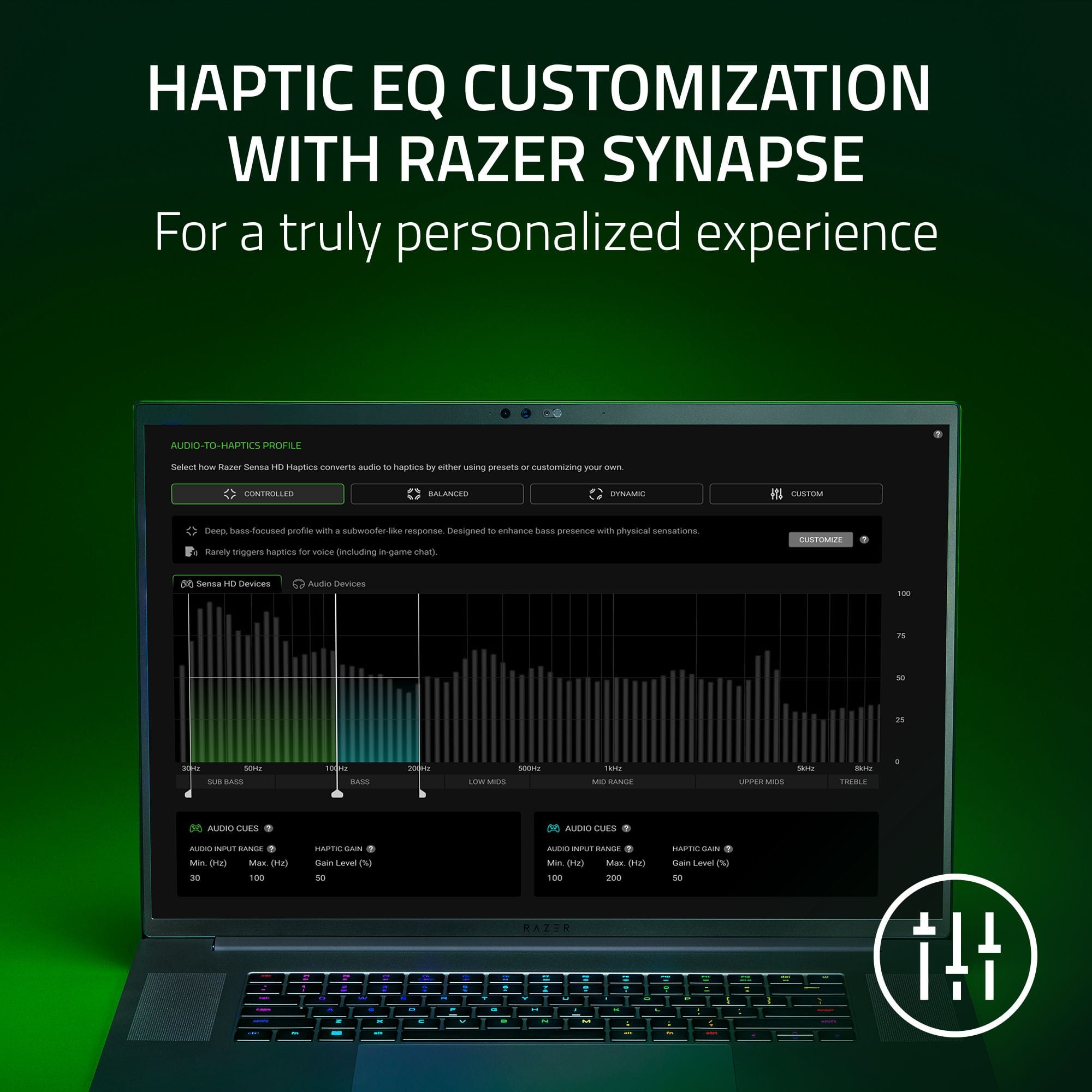
|Posted .This reviewer received promo considerations or sweepstakes entry for writing a review.INTRO: This caught my eye because it seems like a unique product and gets us one step closer to gaming feeling like reality. A part of me thinks it’s neat and adds to the experience, another part thinks it’s gimmicky (as very limited in capacity right now with a lot of potential, but never buy on potential), and another part wonders if this will ever hit mainstream or be another product that just disappears and is only liked by a strong minority, with very limited support (which is where I’d currently put my money). So, thank you Razer for taking a chance on a perhaps niche product. QUICK OVERVIEW: First, there are 6 “haptic” zones. Two upper back, two mid back, two on your bum. You can adjust the haptic intensity from 0 – 6. I found I preferred 4 – 5 with 6 being quite intense. It works by going off sound signals from the media you are playing which activates the haptics in the cushion. I never got it to work where it would warn me of something or being directional. It seemed like they always worked in pairs (both in the upper back, both in the lower, etc.) or all of them at the same time. Which is disappointing as I think getting that directionality would add a lot. You have a power on/off, haptic up/down, and I think source button on the mid left side. Razer lights up on the top when on. Has straps to attach to your chair. SHORTCOMINGS: Second, there are a lot of shortcomings to this product. First, I think it only supports 6 games currently with another 24 “coming soon”. Most of which are not mainstream games. Should never buy a product on “coming soon” as it may never come. Or it may never be adopted and added too. Second, setup is easy but cumbersome. You need to turn on the chair via power outlet (which comes with a semi-reasonable power cord length that plugs into the left side of the cushion. Cord is made of rubber, not super flexible, has a quick detach in case it gets caught which is good.), then you need Razer Synapse 4 (emphasis on the 4 not 3 which most have been using for years, that I find works a lot better and more reliably, while using less resources, but is modular making it more cumbersome at times), then you click “Freyja” (the cushion), where you can fine tune each zone and intensity, but then need to click “Launch Sensa HD Haptics Module”, which then gives you more options. Such as the intensity of vibration (for the third time), along with “haptic source” being either “Audio-To-Haptic” OR “Sensa HD Games”. With “Audio-To-Haptic” being the mode you’ll want to use most of the time as it goes based off any incoming audio. You can adjust which frequency range it is (30 Hz – 8kHz), how much gain you attribute for the cushion to register it, and have different modes (controlled, balanced, dynamic, custom. I did my testing on controlled and dynamic. Dynamic having problems with voice mentioned later). Or if you are playing a game that is supported you can do “Sensa HD Games” which automatically should register the game and then start working with its own custom settings that you cannot adjust. Last, you can set profiles on a per game basis. So a lot of customizability here. Which is nice. But also makes it a bit more complex as too many screens to go through. There were a few times I had to restart my computer for things to work correctly. Both in just registering the device, registering sound, and for the case of supported games, it working for said game. NONE SUPPORTED GAMES MODE: Third, Audio-To-Haptic. I found that male vocals often triggered the haptics making it too excessive on dynamic mode but did better on controlled mode or when in Sensa HD Games mode. Making it so you’d want to change the Hz around to make that work better. I think this is a major limitation. As like most people I’m not an expert at sound so adjusting that to make sure it hits explosions, gunshots, not male voices, cars, inside of a movie or media appears difficult. As I would assume most of that is in the sub bass region and differentiating between a voice and a car would be hard. As for gaming I tried Escape From Tarkov. Which was pretty darn epic. That’s already a pretty intense game (with no dialogue) so every time I shot my gun or got shot at the cushion would rumble making me feel like my life was actually in peril. Adding to the overall immersion and needing to clean my shorts out after. 10/10 in that regard. But then listening to music or watching media I couldn’t stand it. As way too much vibration that was distracting. It would require me to really dial in the settings to get working right at which point I think would be fun. SUPPORTED GAMES MODE: Fourth, Sensa HD Games. I only had one game Silent Hill 2 Remake. Which I played about 5 – 10 hours with this cushion with. Umm… it was lame. Like yeah getting some vibration when shooting, or swinging added some immersion. But like, I was hoping a game that was fully supported would do more compared to the stock audio-to-haptics mode. Like vibrate just the bum when bugs were all around. Or if I got hit on a single side that I’d get vibration just on that side. Or if I heard a noise to a certain direction just that side vibrated. Or having haptic that varied in intensity from very strong to very weak depending on what weapon I was using. Or even say my health is super low to get a pulsing vibration would be great. Or when I hit a door to get a slight vibration. That would be epic. But instead, it was just like, when I shoot, or when I hit something I get vibration through everything. And maybe Silent Hill 2 did a bad job at it. But out of all the games, I’d expect a horror game to have nailed it. Along with say Stalker 2. As those types of games you want full immersion. COMFORT: Fifth, having a cord attached to the wall makes me hyper aware of making sure I don’t run over the cord or disconnect. There is a quick disconnect and the cord is angled in a way that it doesn’t get under me often (from my wall socket being in front of me normally) which I think they did a good job on. Also, it appears to fit on most chairs (another good thing). Worked on my Secret Labs chair just fine. As for actual comfort, it’s ok. I prefer my base chair more. As my bum gets a bit sore after a while (1 – 4 hours). As the haptics are raised a bit making you feel like you’re falling off the side. I’m not a big guy, not a super small guy either, probably right smack dab in normal with a small bum and I’ve got some problems. The back rest is similar but with less weight I think more comfortable. There is an okay amount of cushioning with the right amount of give for support. As it’s easy to move around and attach to your chair. But I found I didn’t want to sit or keep this on my chair all the time. Only when I knew for a fact, I wanted to use it. CONCLUSION: I think this is going to be a hard sell for a lot of people at this price point. As essentially, it’s an audio meter (it takes in audio signals) and at certain frequencies activates haptics (vibration) in all or certain zones. For the single supported game I played, there doesn’t seem to be any more intelligence behind the haptics than just using the “Audio-To-Haptics” mode. But when it works, such as in Escape From Tarkov, the amount of immersion you get is next level, and really makes you feel like you’re part of the game. And a future where gaming turns into Ready Player One I’m totally for. And it’s products like this that help us collectively get one step closer to that. Making me recommend it for those who enjoy niche cool products. And a skip for those who are less adventurous, don’t want to tinker, and just want something that is plug and play. As this for the most part IS plug and play. But tinkering is likely required to get the best experience and that will vary media to media, game to game. And I’d like to see more official titles be supported and the unique things they do with it before I took the plunge. As if it’s simply just a vibration on/off it needs to be a LOT cheaper.
I would recommend this to a friend - Pros mentioned:Comfort, Haptic feedbackCons mentioned:Power cord length
All Shook Up
|Posted .This reviewer received promo considerations or sweepstakes entry for writing a review.The Freyja HD Haptic Gaming Cushion is very cool tech that I want everyone to buy. The cushion is not perfect. I wish it came with a longer power cable, Bluetooth PC connectivity, and a greater number of applications that were supported at launch, but I am having fun, and I want more applications that support the Sensa HD Haptics. Setup: The Freyja Haptic Gaming Cushion comes with the cushion, a power cord, and a 2.4ghz USB dongle. You will need the latest version of Razer Synapse to get the cushion set up and running. The application works well enough, but I felt like it took too many clicks to get to the settings I cared about for the Freyja. If you were hoping to connect the Freyja to your PC via Bluetooth, I have unwelcome news. You will have to plug in the 2.4ghz dongle that Razer included with the Freyja to get connectivity with your PC. Bluetooth support is only over Android and even then, it only works with the Razer Nexus application in extremely limited circumstances. Regarding the power cord for the Freyja, it is short. I can get about six feet away from the outlet, but that leaves the cable pulled tight and is obviously a tripping hazard for anyone else who comes in and out of the room. The power brick connection is a tight fit on my APC Back-up. I would have preferred a longer cable. I guess a USB-3 or USB-C connection to the PC was too much to ask for, but it certainly would have been more convenient than the 2.4ghz dongle and the power brick. Comfort: I assessed the Freyja on a tall-back office chair and a gaming chair. Razer advertises the cushion as being functional on both, but it is at its best on a racer style gaming chair. It was not a terrible experience on the office chair, but it was never as comfortable and was a bit more difficult to secure on the office chair. In the gaming chair, I forgot I was sitting on a cushion. It could get a bit warm after several hours of use, but I never felt a speaker jabbing me in the back or anything like that. The Freyja is managed by Razer’s Synapse, and you will need to toggle the cushion between Sensa HD and Audio-to-Haptics. Another nitpick is that the software does not automatically detect and switch application settings for Sensa HD games. By default, the cushion is on audio-to-haptics, but if you want to play Final Fantasy XVI or Hogwarts Legacy in Sensa HD, you will need to toggle Sensa HD to on from within the Synapse application and then back to Audio-to-Haptics when you want to use non-Sensa HD apps. Sensa HD Games: At the moment, there are only six games listed that support Sensa HD Haptics. Of those six, the only game I had that supported the feature was Hogwarts Legacy. In Hogwarts legacy, your character casts magic spells and each spell had a different haptic effect with the Freyja. For instance, when you cast an invisibility spell, the Freyja would have a vibration that would move top down. With “Incendio,” the Freyja would create a feeling that the flames were radiating from you as you cast the spell. Audio-to-Haptics: Beyond the few Sensa HD games, every other app will operate via Audio-to-Haptics. In this setting, you can customize when the Freyja responds to audio. The default settings are bass heavy and trigger when a subwoofer would fire for heavy bass in music and action. It is a neat effect and helps with immersion in games like Helldivers 2 where there are a ton of deep rumbling sounds and explosions. You can customize the settings how you like. Razer has three preset settings for Controlled, Balanced, and Dynamic settings. I preferred Controlled with its emphasis on bass response. Freyja on my Android phone was disappointing. To get the Freyja to work with your Android phone (sorry iPhone users), you will need to download the Razer Nexus application. From there, the app asked if I wanted to connect to nearby devices for audio haptics. However, the only application that I could get to trigger Audio Haptics was X. None of my mobile games worked properly even though games like Diablo: Immortal were listed as supported titles. Conclusion: My experience with “Hogwarts Legacy” sold me on the potential of the Freyja. I want more Sensa HD Games. I feel like there is a missed opportunity to have Bluetooth support and the power cable is way too short for my liking. The software experience on Android and PC needs some improvement. I am sure those improvements will come with time, but I do hope this tech gets the adoption it needs. The potential for this type of haptic technology inside chairs and vests could be amazing. This technology could be game changing in VR. But that is the future. Right now, I really like the Razer Freyja, but there are some quirks that need ironed out. 4/5 Recommended
I would recommend this to a friend - Pros mentioned:Build quality, Comfort, Heat dissipation
An even more immersive gaming experience
|Posted .This reviewer received promo considerations or sweepstakes entry for writing a review.In the competitive world of gaming peripherals, I’ll admit, I have always been partial to the Razer brand as it has been around for almost as long as I’ve been gaming and they are always on the cutting edge with the latest technology. Their latest product, the Razer Freyja Sensa HD Haptic Gaming Chair Cushion, promised to elevate my gaming experience to an even more immersive experience by being able to feel and sense what is going in the game including the recoil of a gunshot in shooters, rumble of an engine in racing games or crumbling of a building around you in an adventure game. From the moment you unbox the Razer Freyja Sensa HD, you can immediately see and feel the quality you would expect from Razer brand peripherals ensuring durability and comfort. The outer cover is made of a breathable mesh fabric that not only feels luxurious but also aids in heat dissipation for those of you who run hot, like me. The cushion's inner foam material, like a soft memory foam, provides much more comfort than most gaming chairs I have used which can be quite hard and uncomfortable after time. The Freyja Sensa was easy to set up by securing the cushion to my Razer Iskur X gaming chair using three straps and is compatible with most other computer/gaming chairs as well. After plugging the cushion into a power outlet and the included USB dongle, Razer’s Cortex software automatically recognized the Freyja Sensa game cushion and it integrated flawlessly with the plethora of Razer products I already use including the matching gaming chair, Viper 3 Pro mouse, BlackWidow V4 Pro gaming keyboard, Nommo V2 Pro speakers, Kraken V3 Pro headphones and the Thunderbolt Dock. You can even connect the cushion to other devices, like your smartphone or tablet, via Bluetooth and it will sync to the audio of music or movies you are watching or listening to. Obviously, the standout feature of the cushion is the multi-directional haptic feedback technology which you can find in some of Razer’s other products, like their headphones, which can sync the vibration sensations directly with compatible games or using audio within any game, movie or music. The cushion is integrated with motors and sensors that deliver vibrations that synchronize with in-game, music or movie events. Within Razer’s software, you can customize the haptic feedback to your preferences, basically how intense you prefer the vibrations to be. After using it for some time in a loud adventure game, the cushion really acted like a massage chair synced to whatever I was doing within the game. There are some pre-set profiles for popular games that you can select which was very convenient instead of having to tinker around with the settings too much. The Razer Freyja Sensa HD Haptic Gaming Chair Cushion is another weapon in their large arsenal of gaming peripherals catering to gamers who want a more immersive experience. I would definitely recommend the Freyja Sensa HD gaming cushion to other gamers and, considering the technology and innovation behind the cushion, feel the price point is right where it should be. I can’t wait to see what Razer has in store next.
I would recommend this to a friend - Pros mentioned:Build quality, Comfort, Haptic feedback
Rumble down under
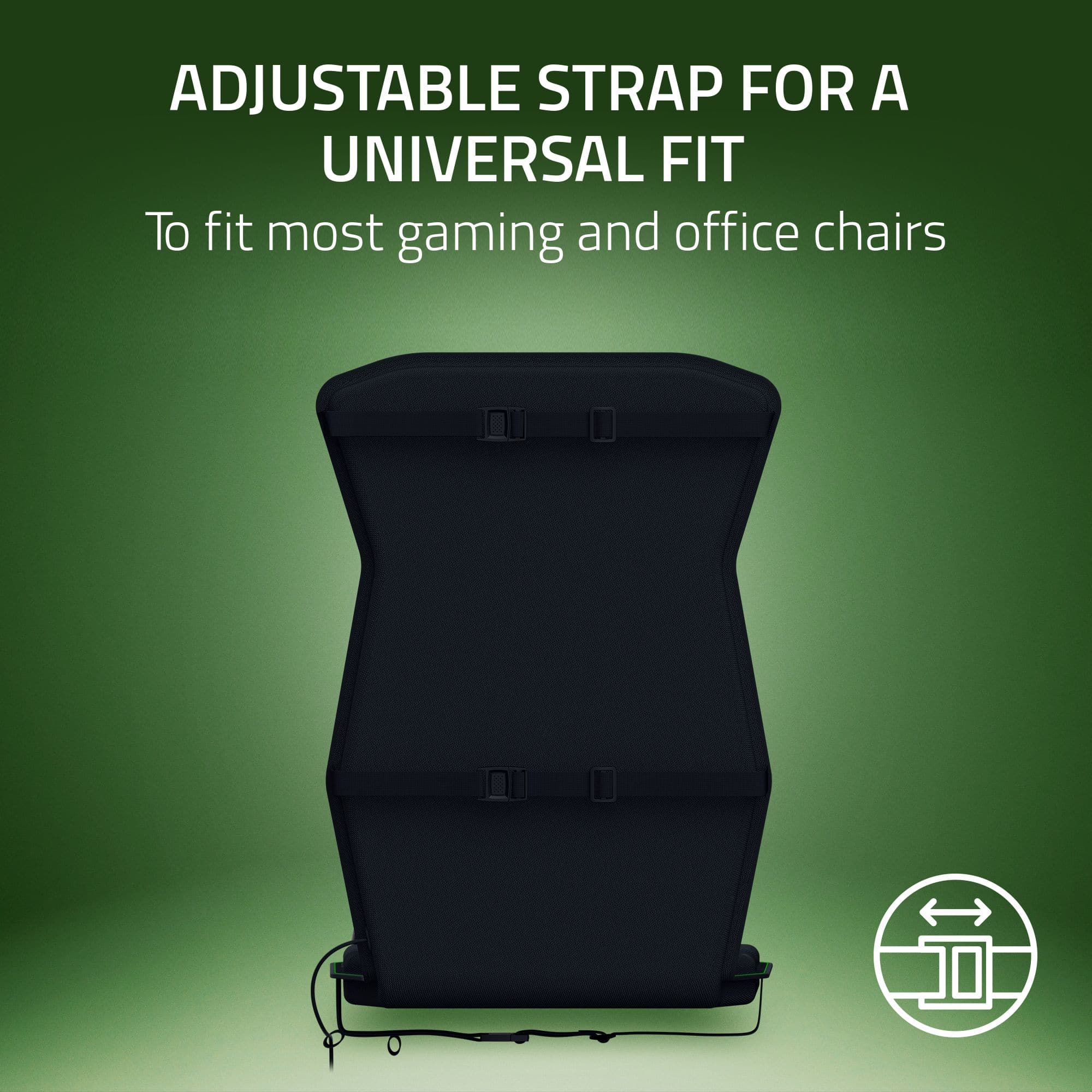
|Posted .This reviewer received promo considerations or sweepstakes entry for writing a review.Razer makes top quality products from gaming controllers, to gaming, headsets and even gaming chairs. I have one of those said gaming chairs, So trying out the Freyja Sensa HD Haptic Gaming Chair Cushion was perfect for me. First off this cushion has three straps that you can use to secure the cushion to your gaming chair. It should pretty much fit all gaming chairs out there because of the flexibility you have with these straps. The first thing you should do is download the Razer software on your PC. I believe Android phones work as well, but according to the instructions, iPhones are not compatible. For the cushion to work, you have to plug it in, it comes with everything you need like the power adapter, etc. as you play your games, you will feel a vibrating/haptic feedback. This cushion does NOT work with consoles. On the cushion itself, you will find a couple of buttons, when is the on off button, the others are up and down intensity level buttons, and lastly, the last button is to switch between Bluetooth or wireless, if you choose wireless, you have to insert the included USB adapter to your PC. Overall very comfortable and it fits my gaming chair perfectly as you can see in my included pictures.
I would recommend this to a friend - Pros mentioned:Haptic feedback
some hits and alot of miss
|Posted .This reviewer received promo considerations or sweepstakes entry for writing a review.Last year from Raver even is when the first time I saw the Razer Freyja Sensa HD, I was interested and very curious how this vibrating device would fully work, well know I finally have it i’ve been testing this for almost 5 days and so far there some good things to say and there also good amount of bad things to say about how I feel after testing for more than 20 hrs. DEVICE Razer Freyja Sensa HD connects to your pc using the 2.4 Ghz connector. the actual pad quality feels great it does not feel cheap with premium quality feeling to it. it has the typical razer colors black and green. has multi directional haptic, the strap are funny adjustable so it’s very versatile to able to be use on multiple type of chairs. the pad also have the on and off switch with the ability to adjust the haptic power range. SOFTWARE you would need Razer Synapse to fully take advantage of this device you will have the ability to select from razers presets of different EQ, or they also have the custom section, but the customization is very limited. you have the ability to adjust the percentage of the feed you get on each corner of the pad that’s supports it, there is 6 total haptics and they can be adjusted from 0- 100%. with the haptic intensity is also available from the software to can go from 1-6 levels. to have the ability to customize you will need the razer chroma attachment from the app. there’s two types of haptics the Audio to Haptic and Sensa HD games, first let’s talk about the Audio to Haptics, this is were you would use this Razer Freyja most of the time since this section has the ability to be activated on any audio activity you do with your PC, so if you want to listen to music boom haptics would react based on the audio hz that’s being transmitted. Razer provides 3 type of EQ presets from Controlled, Balanced, Dynamic the last section is Custom that gives you an extra haptic gain section to adjust. Next section would be the Sensa HD games section, Razer had partnered with some developers for the Freyja to be fully tuned so far there are only 5 games that currently support this, including Hogwarts Legacy, Silent Hill 2 remake, FF16, Vendetta Online, and Frostpunk 2. luckily I had Hogwarts Legacy and I was able to experience how this transformed when ithe developer get to tuned its settings EXPERIENCE Turning on Sensa HD game I definitely can tell the difference specially when using the wand from Hogwarts Legacy, but the thing is it was also missing a lot of key details that Freyja should have had. for example opening huge door in Hogwarts should have some type of feed back. so there was a lot of moments that I wish the dev made the experience better. its almost like they didn’t even took the time to fully pick and choose which section of the gave deserve an extra immersion. going back to using Audio to Haptics settings. well this one is a bit of a mess. it was just too much vibrating going on. I high recommend this to lower its frequency so it feels more natural and not annoying. but the app was just super limited to what you can truly adjust, there is no option to turn the feedback on voices. so if you play a game when there’s an audio for voice, music and background effects. the Freyja just kinda vibrates none stop that it’s hard to feel connected to the game. i’ve also tested this using my Sim Racing rig, I was excited to try it on racing games since I figured it might be the right game for this to make sense. well the answer is the same it’s a yes and a no. I just need more options for this device for me to be able to fully enjoy it. I did finally found the type of game that I think the Freyja works alright. and the game you need for this to shine a bit even tho it doesn’t support Sensa HD are horror games. since horror games are quite and eventually you get some creepy sounds kicking in, and wow I was enjoying RE4 remake and Dead space remake with this I mean wow this feels like a whole new level of enjoying your single player games. again release an update razer where we can select no dialogue for haptics. CONCLUSION Razer Freyja is not cheap it’s $300, for that price I hope Razer fully support this product or it might be just another device that razer will ignore. how little of game developers support Sensa HD games is pretty sad. and honestly I don’t think these will actually grow. Audio to Haptics setting would been great if we have more controls but nope. I highly don’t recommend using this on competitive games because the feeling is more of a distraction than immersion. thumbs up for certain horror games but beyond that it’s pretty much a pointless device to have without the ability to fully customize it. so far only 5 games are available for Sensa HD and it’s honestly a laughable of a list.
No, I would not recommend this to a friend - Pros mentioned:Haptic feedbackCons mentioned:Power cord length
Rumble pack for your gaming chair
|Posted .This reviewer received promo considerations or sweepstakes entry for writing a review.When I initially saw this, I asked myself....why? What can this possibly do/add to the gaming experience for me? But, after a bit of playing around with this, I kinda like it. Basically, this is the rumble function from your controller, plus sized, for your chair. I never thought having a haptic cushion for my chair would even make sense. However, I'm slowly getting used to this and I like it. This is a universal chair cushion that hooks up to your PC via USB or phone app. You will need to download the PC app to get this paired and setup so, just so you know. You're able to control/update the settings in the PC app or on the side of the cushion using the push buttons. This works by turning loud sounds in-game into vibrations. Anything that's really bass heavy like explosions or bombs really puts out a strong vibration which is kinda cool. However, I noticed the feedback you get is really game dependent. For example, Playing Destiny 2, only loud crashes or big booms really sent out a big vibration while gunfire was pretty minimal. Playing Delta Force on PC, the gun shots came through really strong as did most other game sounds. I was pleasantly surprised that while playing Red Dead Redemption 2, riding your horse did give some slight feedback which was pretty cool. I thought it could've been more but intense but, oh well. The one big complaint I had with this was with the power cord. It's 6 feet long and quite stiff. Having this on your chair can become a slight irritation as you're some what limited to how far you can move your chair. You HAVE to get the cord off the ground, otherwise you will run over it with your chair wheel. I routed my power cord through the back of my chair (which works fine) but now I'm somewhat limited in the movement of my chair. If they made the cable either longer or less rigid than that would be great. Overall though, I'm finding myself really liking this cushion. At the very least, it's an extra cushion for your chair which never hurts. Also to note, since this works off sound, the chair will vibrate when watching Netflix, YouTube videos or basically anything that has sound.
I would recommend this to a friend - Pros mentioned:ConnectivityCons mentioned:Power cord length
Force feedback for the Seat
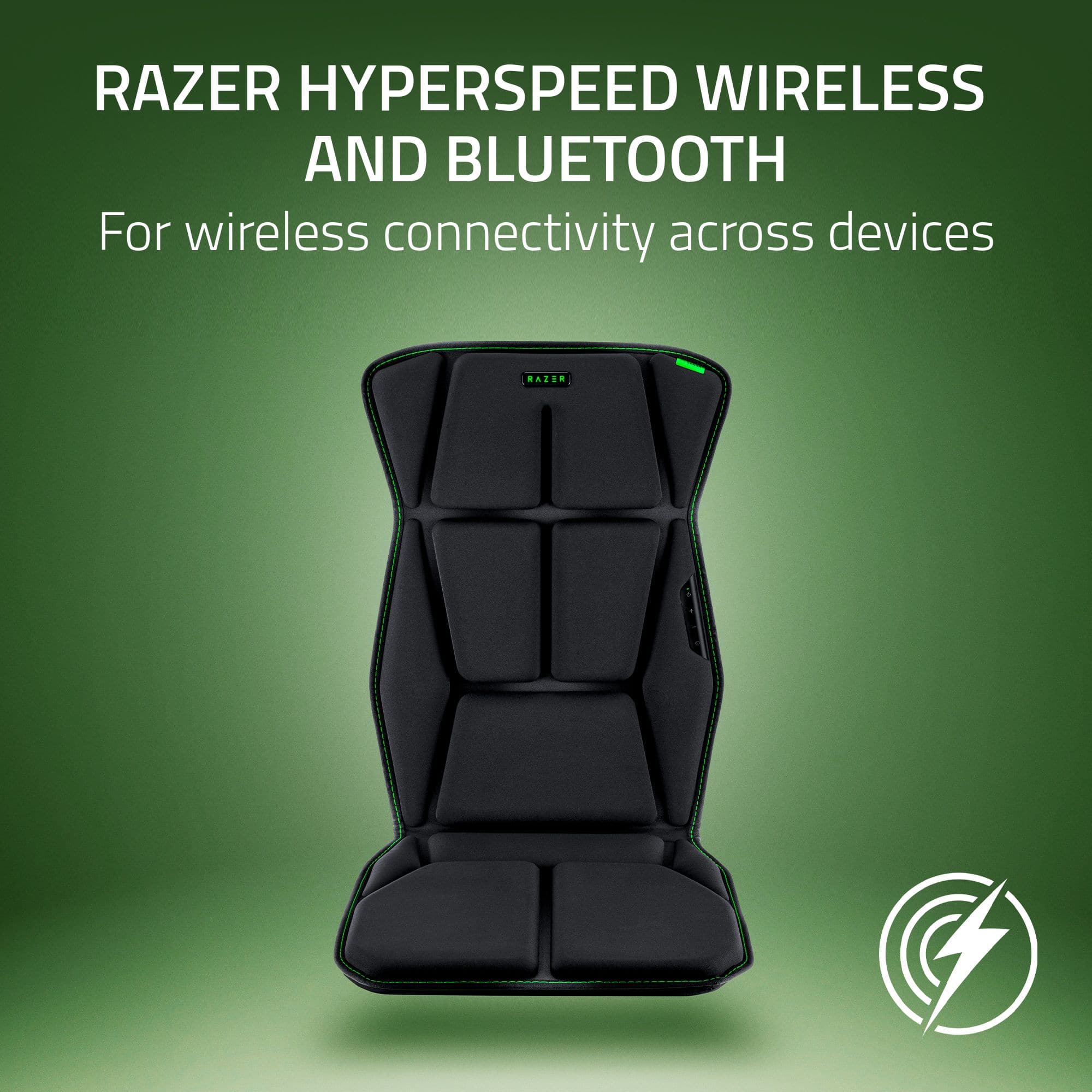
|Posted .This reviewer received promo considerations or sweepstakes entry for writing a review.TLDR: The Razer Freyja adds another level of immersion to your gaming experience, but with only 18 fully integrated games, leaves users wanting with most AAA games. SET-UP / INSTALLATION The Freyja is easily connected to nearly any seat or gaming chair. 3 included elastic straps reach around and hold the gaming cushion snug against the chair. Users may find that chairs with pronounced side bolstering keeps the Freyja from remaining tight against the back of the chair, but once seated, the cushion conforms nicely to the contours. Power is supplied by a simple wall wart with a barrel connector. Razer integrated fabric loops to the side of their cushion to help with cable management. As thoughtful as the cable management is, the power connection is also a drawback to the Freyja. The power cord for the Freyja is WAY too short to be effective. I’m not sure if anyone will have enough power cord to plug in the Freyja without some form of extension cord. A huge miss for Razer. CONNECTIVITY Connections consist of the included 2.4GHz wireless HyperSpeed dongle or via Bluetooth. Including the ability to connect via Bluetooth puts the Freyja on another level and I think is the smartest thing Razer could have done for their product. Bluetooth frees the gaming cushion from being shackled totally to the PC. Android users to use the gaming cushion with our phones and tablets, providing new immersion to movies. Speaking of movies, it is quite fun to watch them with the Freyja. SYNAPSE Like every Razer product, the Freyja is bound to the Synapse ecosystem for configuration. Unlike some other products, the Freyja’s configuration is very straightforward once you can find the proper tabs. Adjustments are minimal, yet simple and effective. Smart. Synapse allows you dial in the desired amount of haptic feedback for each of the motors. While I find changes are subtle, they are welcome and just enough without being overwhelming and complicated. Even new users will have little issue navigating the Synapse software. GAMING Sadly, this is the Freyja’s biggest disadvantage, in my opinion. The number of natively supported games is surprisingly low. I counted 18 titles on the Freyja’s homepage and none of those titles are popular AAA games. Due to the lack of support, the Freyja falls back to actuation based on audio inputs from games’ soundtracks. Transducer movements become gross and generic versus pinpoint and precise, as the Freyja is effectively stripping the .1 information from a 5.1 soundtrack. While it still works, it just isn’t as effective and precise as I would love to see. Take my situation. I have my Freyja strapped to the seat in my racing sim rig. I wanted a level of immersion and feedback that helps me determine the limits of the virtual car I’m driving. Because Forza isn’t a natively supported game, the Freyja only rely on audio for cues. So, I get cool vibes and feedback on the starting line while revving the engine. It's quite entertaining. But once under way, the Freyja goes to sleep. There’s not a lot of audio to keep it going. Now, if I were to crash or slam into another car, I get feedback, but my desire to feel rumble strips and/or vibration as the tires reach their limits of simulated adhesion just aren’t there. Same goes with FPS games. I find the level or immersion hit and miss. Some games do a good job of accurately portraying gun recoil to the Freyja. Some even do a good job of sending bullet hits to the Freyja, while others do not. Like I stated earlier, all the games I tried, the level of immersion is the same, it is gross and not precise. For example, I don’t feel car dynamics in the seat of my pants like I should. When Forza does have audio information the Freyja can use, it activates all the transducers, not just localizing it to one or two like it should. Same with the FPS games. Gun recoil isn’t confined to my right shoulder, it is transmitted throughout the cushion. Same with bullet strikes. Granted this is different on a supported title as the Synapse software works in conjuction with the title and Freyja response is localized and precise, like it should be. If done correctly, using the Freyja with a supported title is quite enveloping and natural feeling like an extension of the screen. MOVIES Movies are a different story. I find the Freyja wildly entertaining. I’ve kicked around the idea of adding an amp and bass transducers to my home theater set-up for a while now, but was unsure if I would really like the effect. The Freyja has taught me that I do. Whatever action movie I queued up, the Freyja brought it to life. Unlike games where you want localized and precise haptic feedback, movies can get away with gross and full motor activations. Queue up a big Hollywood blockbuster on your phone, tablet, or PC and let the Freyja do what it does best. Pulling data out of the LFE channel on a movie makes blockbuster movies seem huge regardless of the screen size. The Freyja shakes, thumps, vibrates, rattles, and makes you feel like your chair is where the director sits. Bluetooth latency is minimal, and the Freyja entertains like no other product on the market. Not even their haptic feedback Kraken headphones can compare. SUMMARY If there was more support for AAA games, I’d gladly give the Freyja gaming cushion a 5-star rating. But every game I used the Freyja with relied solely on the LFE audio channel for data. Because of this, I couldn’t get the precise, fully localized effects like you can get in games like Final Fantasy XVI or Stalker 2. If your go-to game is one of the fully supported titles, I say absolutely run out and buy a Freyja. It is a ton of fun. If movies on your PC, phone, tablet, is your thing, the Freyja is a hoot, bringing an unparalleled level of immersion to a small screen. Even after a full 2-hour movie filled with special effects, like Deadpool & Wolverine, the Freyja was going strong, and its motors never seemed to get hot or tired. The gaming cushion remained cool and comfortable. However, due the lack of AAA game integration and ultra-short power cord, I’m unfortunately going to have to give the Freyja a 4-star rating. Would I still recommend one, yes. However, I long for more popular game support where motor actuation is precise and localized making a AAA game feel even more connected to the Freyja. Without the fully Sensa support the Freyja feels like an afterthought versus a fully integrated gaming device. RECOMMENDED
I would recommend this to a friend - Pros mentioned:Build quality, Comfort, Haptic feedback
Feeling the Game vs Playing it
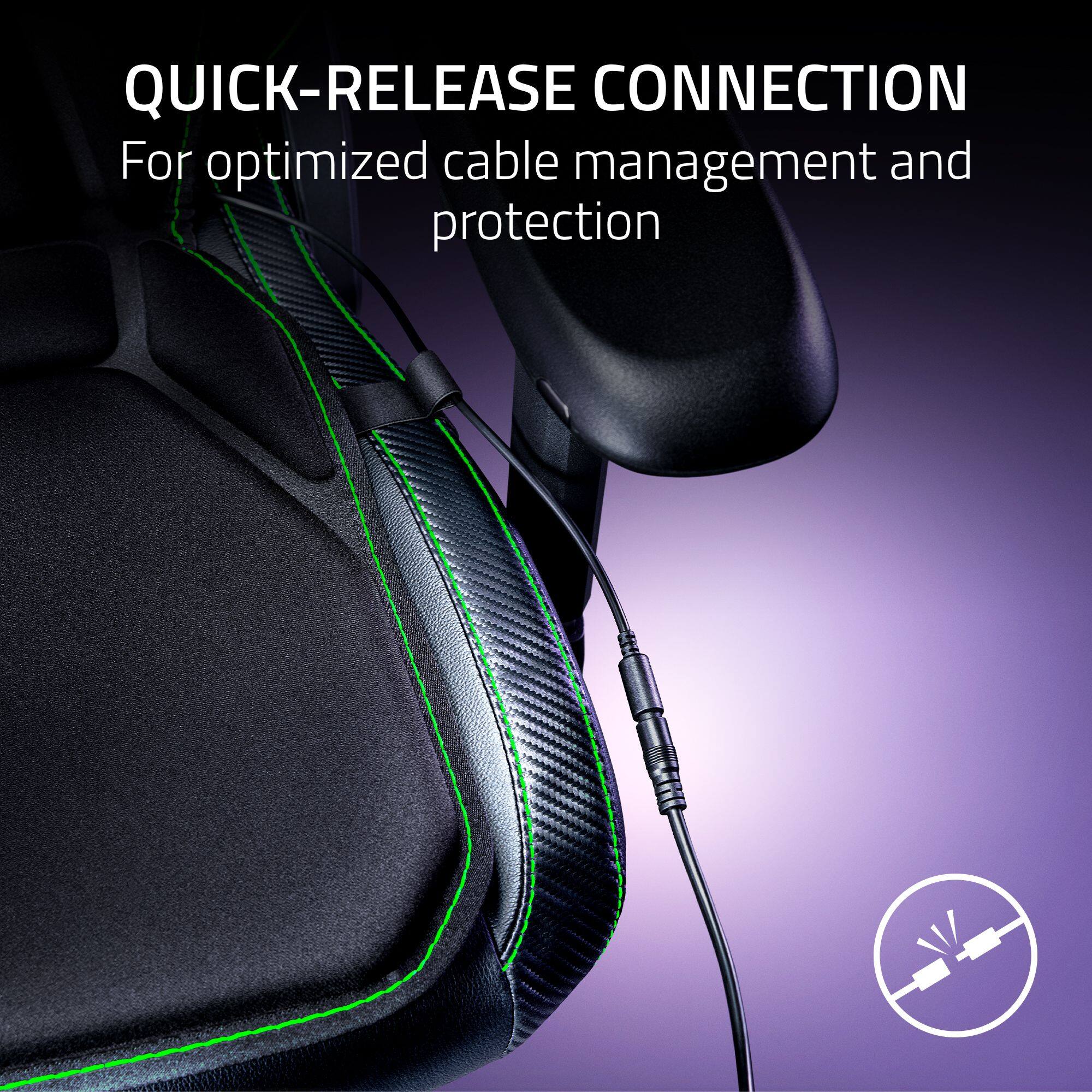
|Posted .This reviewer received promo considerations or sweepstakes entry for writing a review.This Sensa HD pad/cushion has added a whole new facet to my gaming. Even though it does not fully interact with most of my games (see details below), it still adds a sense of realism that no haptic controller or headphone can match. While it is not perfect it is such a large step forward into immersive gaming that I have to give it five stars. Even in its current development I would highly recommend this to anyone who wants to be “in” the game vs just playing it on the screen. The quality of the fabric and build/stitch quality are top notch and comfortable even for long sessions of gaming. Everyone in my house from the young ones to the adults love gaming with this pad. The Limitations: The first things I noticed is that the pad adds some additional height to the seat which for most people would not be an issue but if you have a racing sim like I do that additional height may force you to adjust the seat and wheel height. I already had my Razer ENKI Pro chair at the lowest setting so I had to raise my wheel. Secondly there are a very limited number of games that are fully software integrated which Razer calls Sensa Game Integration. But even without full integration the pad does provide immersive feedback based upon the game’s audio. Lastly the controls built into the chair pad and the cable management aren’t the best but that definitely isn’t a show stopper. Gaming Impressions: Unless you are playing one of the fully Sensa integrated games the haptic responses are based upon the audio in the game much like haptic headphones do. The difference is that Razer’s software distributes the haptic response across multiple zones in the pad which gives you a more immersive experience. This means for example that the base pad may be vibrating at a different intensity than the pad against your shoulders. Using Razer’s Synapse software or the controller on the chair pad you can manipulate the intensity of the haptic response. Razer also provides recommended audio haptic intensity settings for some of the more popular games on their website. Note that it’s not one setting works for all because I found that I had to lower the response for F1 2023 and increase the response for BeamNG. Bottom line is that when I start my tank in War Thunder or head onto the track in Assetto Corsa I can feel the engine. I now feel the rumbling sensation in my hands from the wheel and my body from the pad when I drift onto the rumble strips in a curve – this truly enhances the racing experience for me. In the war type games the explosions, firing a weapon and getting hit now provide direct vibrating feedback which makes the game so much more realistic. Even Minecraft provides enough haptic responses through the pad to make the game more entertaining. Setup: I have a Razer ENKI Pro chair so installation was a breeze but this pad is designed to fit most if not all chairs. It uses straps with plastic clips that wrap around the back and bottom of the chair. From the left side of the pad there is a power dongle cord that uses a quick release style plug to connect to the included ac power supply. You can connect to your pc via Bluetooth or via a USB-A dongle. I chose to use the dongle and it worked without issue. Built into the left side of the pad is a small control panel which needs some improvement. The control panel has a black rubberish cover plate so it’s difficult to see the buttons and their function indicators.
I would recommend this to a friend - Pros mentioned:Haptic feedback, Heat dissipation
Fun immersion with room to improve
|Posted .This reviewer received promo considerations or sweepstakes entry for writing a review.Since the days of the rumble pack, I've enjoyed any and all ways to add more immersion to gaming. In the field of haptic feedback, I've tried several options including the Subpac, Woojer Vest, Razer's own Kraken, and now, the Freyja. All have their pros and cons, but the Freyja's ease of usage and instant set-up make it my new favorite. The first note of praise is, indeed, the set-up. Just plug in the power adapter and the USB-A dongle and you are ready to go. No additional cables necessary and no cumbersome control boxes to fiddle with. Easy power button and responsive level control. The last thing I want to deal with when I want to jump into a game is a peripheral slowing me down wasting away session minutes. Less likely here. Next, is the comfort. My gaming chair was already very comfy, so I was worried adding an additional layer with "motors" would deteriorate the comfort. Been using for days and hours on end and have no complaints. I am a heavier guy with big legs and have had no issues in either length or heat dissipation. Now, the app. Yes, to get the full experience, the Razer app will be necessary. I was already used to the app as I already use the Razer Kraken headset, so once integrated, it just added another window to my set-up. Very straight forward. Power, volume level, EQ, pre-sets, which correlates with the button presses directly on the cushion. I don't find it cumbersome as I enjoy have the control on screen rather than on the peripheral itself. The games I tested with were Forza 5, Red Dead Redemption 2, and Killer Instinct. With all the haptic devices I have used, the top issue is that they all function solely off of frequency response. Lows get the rumble. If your game has thumping music, it will interfere with the onscreen action. With the Freyja, using the pre-sets does indeed help filter some of the "extra" noise, but it's still not perfect. Better than others?" Yes, but room to improve. I was not able to test with the Haptic approved games, but I look forward to trying once they expand. Out of the tested games, Forza and RDR2 gave the best bang for my buck. In Forza, I could feel the slight shift in rumble on terrain in my left and right leg and the overall terrain experience paired excellently with my Haptic wheel and headset. Having motors under your legs does add a deeper level to the simulation, especially in racers. In RDR2 it was particularly evident in the horse galloping. Once again, the under leg rumbles were great, and the guns firing gave an added punch. In KI, it was all over the place. The sound design of that game is intense, so there wasn't much separation from the action and the background. While it was still a cool element, it reminded me of just sitting near a subwoofer. The mitigating factor in all of these was the pre-sets. With balanced, I got more out exciting events, but less in the general meandering. Dynamic was great for a driving game due to constant use of low frequencies, but in other games, it was triggered too often. Once you find your custom sound settings, you will thoroughly enjoy the output. What is a bit of a (possible) bummer is you can't use the sound wrappers. Those are the settings in Windows volume control for THX, Windows Sonic, etc. Being that this doesn't show up in the main volume controls, the values can't be assigned. But, you can assign to whatever headphones you are using as they operate independently, which is a big plus. This is why I say possibly because the settings you set for your headphones may carry over to the Freyja, but I can't be for sure. Will this change the haptic scene as we know it? Maybe, but further down the line when the specific designed games start showing up. For now, it is a great addition to anyone looking to add another layer of immersion to their set-up without being too cumbersome to be enjoyable.
I would recommend this to a friend - Pros mentioned:Build quality, Haptic feedback
Great start for Haptic Seating
|Posted .This reviewer received promo considerations or sweepstakes entry for writing a review.Razer - Freyja Sensa HD Haptic Gaming Chair Cushion - Black Summary: Great start for Haptic Seating Use: I am a life long gamer. Though I may not play as regularly as I used to, or with the same conviction, it's only because life has gotten busier. But I've recently rediscovered just how much it was fun to explore new worlds and storylines. When I was gifted Hogwarts Legacy, I thought this would be the perfect chance to get back into the Frey of things. Guess what? Hogwarts Legacy supports Sensa HD and the Freyja, specifically. A sign from the heavens!? There is nothing complicated to describe here. The marketing site is clear: there aren't a lot of supported games. But I did hope the titles listed for the two modes would at least work. And that is the rub of things the Audio-to-Haptic didn't work with one of my family's go-to games: World of Warcraft. We think that is fine, audio-to-haptics didn't sound like a great idea to begin with particularly if it is using audio sensors. So, with some tuning the feature may work - but not with any preset settings available. BUT...WOW. The Sensa HD feature paired with a game that supports it like Hogwarts's Legacy is quite another deal. At first, I didn't know what to expect. I started first by playing through the tutorial for the intro to the game. And then suddenly as I was casting my first charms and spells - BAM! VRRB, VRRB. BUZZ. BUZZ. I have 32" Samsung G8 Odyssey 4K display. The speakers I have, though visually basic, deliver quite an experience with music and video games. The bass is rich and thunderous. So Hogwart's was already shaping up to be a blast as I anticipated the spells and charms I'd be learning as I walked around. But once cast... they each have a different type of haptic vrrb. It's fun and it really helped the experience feel even more immersive than it should have been. There are a few games coming on the "coming soon" list that we're excited for and, for once, we're actually seeing Razer's all-in approach to their Chroma and Synapse line-of-products. I've traditionally owned Alienware and their lighting was always top notch back in the day - but Razer really learned a lot from the potential of controlling environmental features such as lighting and now audio and game code to product haptics. It won't be long before we have whole body suits. As for price point and value. I think it is a fun accessory. But I wouldn't buy it again in its current state. It is possible that when I get the Audio-to-Haptics working, I might change my tune, but right now - unless you have money to burn, I might opt to wait a little longer. Why? More game support. Bugs can get worked out. Etc. Many people don't have ergonomic gaming chairs. If there is one thing this unit taught me, its an appreciation for ergonomics. Consider investing in such a chair before splurging on this. RIGHT NOW - the value just isn't there. Pros: * Simple to install. It literally is placed on your chair. There are straps to secure the bottom and the back to the chair. I feel they should have allowed adjustments on both ends as the chair I'm having to use isn't what I planned for - and Freyja fits a bit loose. Hopefully when my gaming chair arrives, it will fit better. It comes with a power cord, the seat, and even a protective cover for storage. * Sensa HD Haptics. The haptics are subtle and add just enough interest to keep me in the moment and engaged. * Aesthetics. The seat looks great. It feels well crafted, substantial by weight, the stitching is top notch, and controls and power Razer LED are responsive and inconspicuously attractive. Cons: * App. Not sure if this is good or bad, but this unit doesn't support iOS. I'm not sure how I feel because I haven't envisioned why there is even a Android app for it. Unless it is to simply control Chroma related gadgets and not exclusive to the Freyja. * Windows App. I'm not sure how many apps there are on Windows. There are at least two core to enabling the Sensa HD experience. One opens a bunch of other windows to view and test properties of the Freyja. As someone who is quite comfortable with gadgets and devices, I find these interfaces too unwieldy. If I had gifted this to someone not as tech savvy, this may have driven them bonkers because it doesn't automatically install all of the software required. But it does install some of it. * Audit-to-Haptics. I spent about an hour attempting to tune the different modes available to no avail. No matter what settings I used, no matter how loud the volume - I couldn't get the Freyja to trigger any haptics. I tried World of Warcraft, and I even tried other games shown in the mode profile selection drop downs. * The cord. The cord's length is adequate - but I do wonder if they could have opted for something more convenient like one with a battery pack. The cord easily disconnects if your chair rolls to far away so it shouldn't be damaged without some effort. But it is a little clunky. Maybe that will be an add-on later. * Comfort. The seat cushion is not comfortable. After thirty minutes, my glutes and any part of my body that rests on the cushion begin to ache. I even tried sitting with it on my chair for a few full work days. It hasn't "broken in" and it isn't any more comfortable now than when I first sat on it. I'll definitely have to remove this when not in use.
No, I would not recommend this to a friend - Pros mentioned:Comfort, Haptic feedback
Like a massage chair cushion for video games.
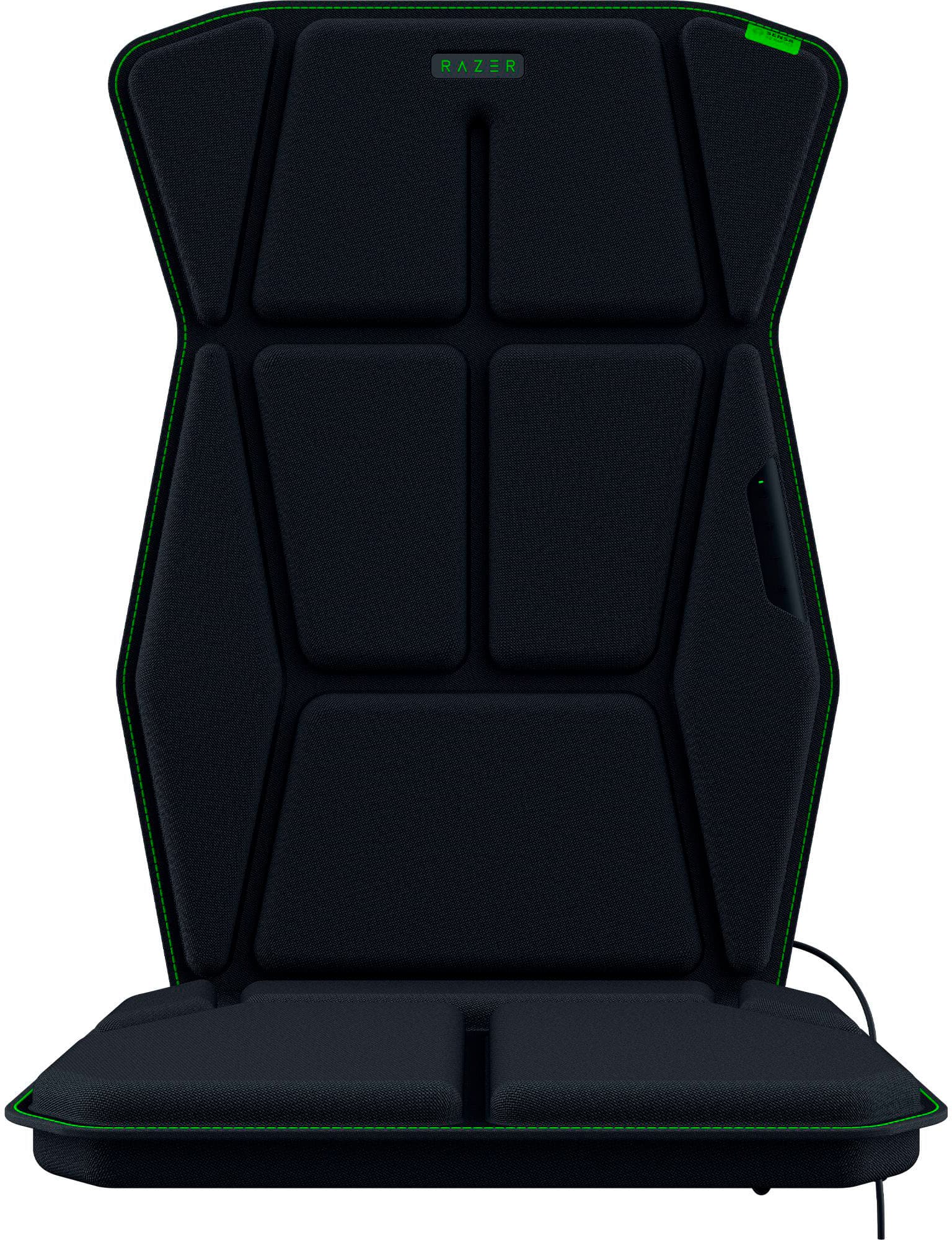
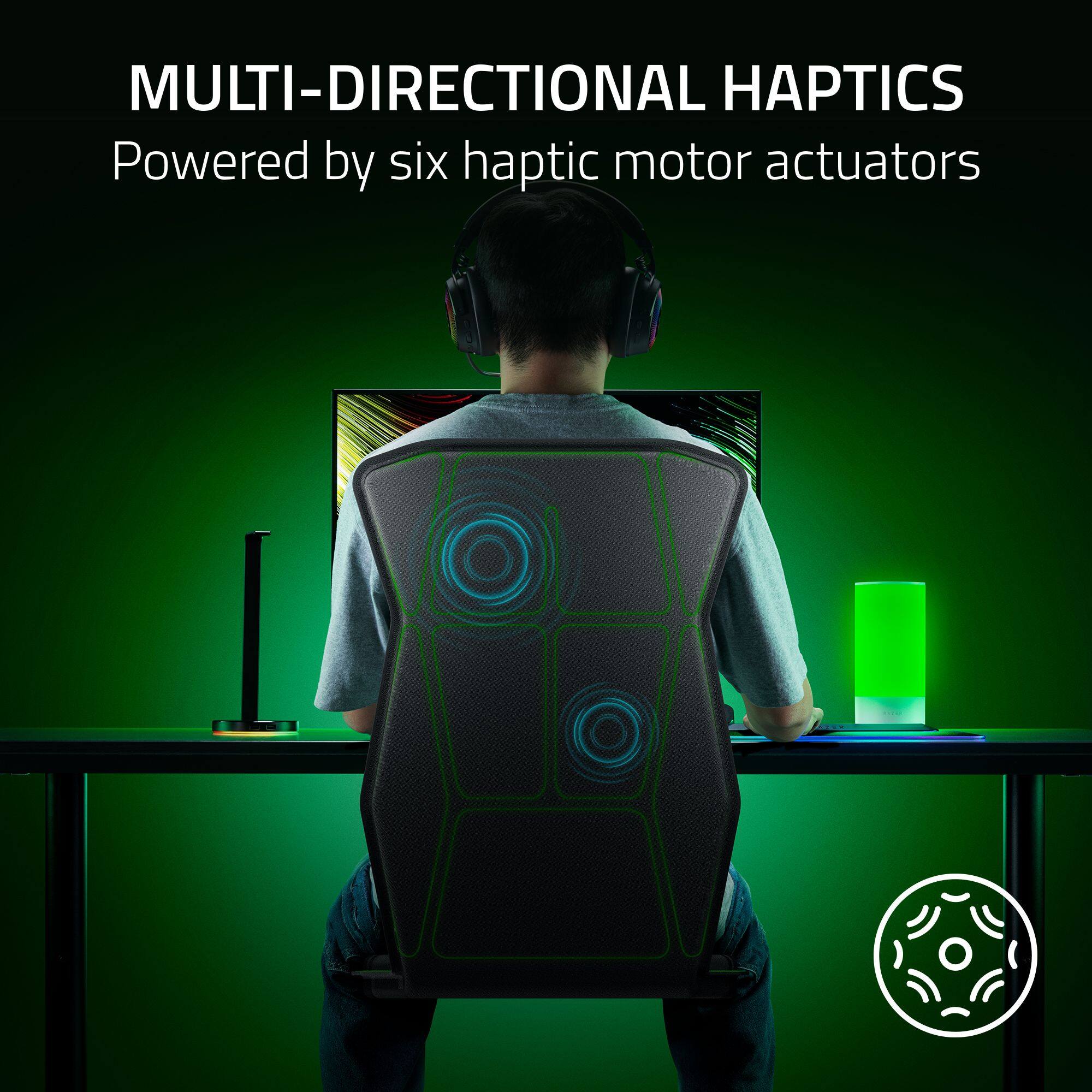
|Posted .This reviewer received promo considerations or sweepstakes entry for writing a review.I really want to like the Freyja haptic gaming cushion more, but for now the concept is better than the execution. Razer typically makes excellent gaming gear, so I had high expectations for something that adds haptic feedback to my actual seat. Feeling shots, hits, and explosions??? Yes, please! Game immersion is the goal and what better way to get lost in the action than literally feeling it? HAPTIC EXPERIENCE Feeling the exhaust vibrations and bumps in the road while playing Forza Motorsport was fun. As was feeling the rumbling of explosions in Cyberpunk 2077. I was hoping to feel more impact from something like gunshots, but you’ll have to temper your expectations. The haptic feedback rumbles more than hits and feels very much like a massage chair cushion, if you’ve ever used one. There’s 4 vibration zones (upper back, lower back, L leg, R leg) and 6 haptic motors, so there’s some targeting to their effects but I think you’ll only notice those details when playing a game with Sensa HD utilization. It’s a very small library for now but it’s a new product so it should grow. For games and media without Sensa HD programming you can switch to Audio-to-Haptic mode, which utilizes sound to activate the haptic feedback. You can adjust the strength and frequency range that activates the haptics in the Razer Synapse app and I love how easy Razer makes it to customize. This is key, because I honestly hated the default frequency setting which was so wide that even people talking became a rumble. But tuning it like a subwoofer or bass shaker, I capped the high at 80 Hz and it feels like I hit a sweet spot. It’s like an extension of my subwoofer and only adds emphasis on low notes where the vibrations are more fitting. This was especially noticeable in Forza Motorsport where I had the most satisfying experience with the Freyja gaming cushion. I’ll have to try this in other vehicle based games, but feeling the rumble of the exhaust felt more like I was actually driving a car and definitely added to the fun of the game. But as active as the Freyja can be in Audio-to-Haptic mode, it almost feels inactive for games with custom Sensa HD utilization. Hogwarts Legacy is listed as a compatible game with custom effects and while it definitely works, in the beginning I had to check and make sure it was connected a few times because it barely seemed to activate. Start using the wand more though and it gets more satisfying from there. I’m really interested to see how it’s utilized the deeper I get into the game, because there’s potential here. SETUP Practically plug and play on Windows 11 PC. There’s a tiny USB wireless dongle that connects to the PC and a power cord for the cushion. The Freyja cushion stays in place with 3 elastic straps and fits very much like a full size chair pad or car seat cover. The cushion looks cool and is fairly comfortable. I don’t think it’s an upgrade from my chair cushioning, but it’s not a downgrade either. Obviously, it’s going to depend on your chair. Everything is pretty nice and straightforward, except I’ve been having trouble with the power cord’s AC adapter. I think it has to do with the US adapter plate that screws on, but half of the time I plug it in my Freyja cushion won’t turn on, it’ll just blink and turn off. I found that if I unscrew the US adapter plate and screw it back on it will usually connect again, so I think the adapter plate isn’t making ample contact with the adapter prongs, but I’m not sure. Once it’s plugged in and powers up it’s fine, but it’s an issue I run into a lot when plugging it back in. OVERALL The Razer Freyja haptic gaming cushion adds fun vibrations to games and media, but I wouldn’t call it a “game changer”. The haptic vibrations feel like sitting on a massage chair cushion, which is fun, but not as impactful or immersive as I hoped. I’d love to see Razer retool this into a wearable vest, which could be really fun feeling haptics from the front and back of your body especially with localized zones and maybe a stronger depth of vibration. Until then though, it’s a nice step towards increased game immersion, but your experience is going to vary based on the games and media you play. So far it feels best for racing games, but it’s early and more custom Sensa HD programming for games are coming. For now, I’d only recommend this if you don’t mind being an early adopter and have some money to burn. It’s a great concept, but the haptics are underwhelming. However, I hope to see more games support Sensa HD haptic programming because there’s potential here. PROS - Easy setup on PC - Adds some fun to game play - Great for racing games - Can switch between audio based haptics or Sensa HD game programming - Customizable frequency range for audio based haptics - Fairly comfortable - Looks cool CONS - Outlet plug doesn’t always connect - Small library of games with Sensa HD haptic utilization - Have to open Razer Chroma app to switch between audio based or Sensa HD haptics - Vibrations are similar to massage cushions for chairs - Fun, but not “game changing”
No, I would not recommend this to a friend - Pros mentioned:Haptic feedback
Increases immersion for my favorite games
|Posted .This reviewer received promo considerations or sweepstakes entry for writing a review.Originally, I did not give the Razer Freyja much consideration when asked to review it. Then I learned that two games, Mechwarrior: Clans and Mechwarrior: Mercenaries, would have dedicated Sensa HD haptic game profiles. I had to have it. Unfortunately, the Sensa HD game profiles were not available at the time of this review. Fortunately, the Freyja has a few tricks up its sleeve to keep it relevant for all games. The Frejya, in essence, are three pairs of transducers that turn electrical impulses into physical impulses that jiggle your back and bottom in time to music and sound effects mostly in the bass and sub-base frequencies down to 30hz. The Sensa software reads the sound output from the game, isolates the proper frequencies, and then sends them wirelessly to the Frejya where six transducers turn that sound into vibrations. Why is this important to me? I, and my fellow Mechwarriors, are always looking for ways to increase the immersive experience with these games. Imagine feeling the footfalls of a 100-ton battlemech as metal meets unyielding pavement in your cockpit two stories up. Now, image feeling the recoil from launching ordinance the size of a small car down range. Or imagine that same found impacting you? Upgrading to a larger monitor, adding an RGB programmable keyboard, installing RGB everything else, integrating powerful speakers and subwoofers, buying a surround sound gaming headset, and even integrating a VR helmet increases immersion. But nothing provides that raw immersive experience of feeling the vibrations of your mech’s footfalls rise up through your chair. Or the back of your gaming chair giving you a good jolt as you squeeze off an autocannon round. It is one step closer to the visceral experience from one that, up until recently, has been locked in the visual and sonic realm. The Freyja, after some adjustments, did an excellent job of delivering on that experience and adding that one dimension I was missing to connect me with my game. In short, I am glad I did not snob this one off. Razer’s Chroma application will intercept the audio output stream for any application via the Sensa HD Haptics module and push that data to the Freyja. OK. Game on! Mechwarrior Games: The first game I loaded up was Mechwarrior 5: Clans. I chose a mission full of combat, city destruction, exploding fuel tanks, and a huge hamster ball shaped dropship that would make NASA’s Orion program envious. I turned the haptic intensity to 4, started with the “Controlled” haptic preset, and then I hit the battlefield in my 75 Ton Timberwolf battlemech. And…sad face disappointment... I was expecting to feel every footfall up through my gaming chair as I marched my battlemech up the hill toward the city and adjoining spaceport. I expected to feel the chair rumble uncontrollably when walked through a collapsing building. I expected to feel the recoil from my weapons file in time with pulling the trigger. I did, to a point, but it was anemic. The drop ship’s engines should have been enough to launch me from my chair. But, here too, the haptic feedback was anemic. Upping the haptic feedback to 5 or 6 did not resolve the issue. But wait, I promise you a happy ending. The Sensa app has four profiles for any game I want to configure. Controlled, Balanced, Dynamic are static, predefined profiles that can be used with any game or content. Custom, the fourth and last profile, allows a user to adjust the frequency and gain responses for a specific game. I cycled through Balanced and Dynamic with Mechwarrior: Clans. Balanced got me more of what I was looking for. Dynamic dialed everything up to 11! With Dynamic, everything from walking to shooting to walking through collapsing buildings had my chair jumping all over the place. It was a lot of fun until I realized that I was simply over saturating my feedback experience. Meaning, there was no isolation between what was happening on the screen and what was happening in the chair. Balanced provided the best overall experience. Once I found what worked for me, I then set about tuning the profile for the experience I wanted. I was able to balance the game so I could feel the feedback I desired while also minimizing the chaos I experienced with the Dynamic experience. Smily face time! The same is true regarding Mechwarrior 5: Mercenaries. Even though the experience between Mechwarrior: Clans and Mechwarrior: Mercenaries are similar, Mercenaries does require a little extra fiddling to get an equally satisfying experience. The good news is that each game can be configured separately in the Sensa app. And the Sensa app will automatically choose the correct profile for me. This is like how keyboard, mouse, headset, and lighting can be configured, per game, in Razer’s Chroma and Visualizer today. The Sensa HD App has an Add Games & Program button which allows me to pick any game or application that I want to link a Sensa profile to. Finally, I fired up my bread-and-butter Mechwarrior game, Mechwarrior Legends, aka MWO. This is where the Freyja really shined for me. The Dynamic profile worked best for this game. This is most likely due to the limited sonic experience compared to the other Mechwarrior titles. And that is a good thing. My mech’s footfalls were 100% isolated and easy to feel through the Freyja. Auto canons, such as rotary auto canons, were a meaty, satisfying punch to my back and seat. So meaty in fact that I had to turn down the haptic feedback after about an hour because I was physically feeling fatigued from the constant vibration. I played a few matches with my buddies and had a great time. The feedback did not interfere with my game or play style. It simply added a layer of immersion that I did not have before. Diablo IV: I did not spend all my time completely focused on Mechwarrior. Like Mechwarrior, the Freyja and the Sensa App do not have pre-built profiles. In this case, I used the Controlled preset. The very first feedback experience with Diablo IV was the opening splash screen where a sub-bass note is played while the Diablo logo is revealed. The whole seat vibrated sufficiently to make me feel as if I were part of the opening logo. I had to turn down the haptic feedback because the music itself kept overwhelming my senses. Once in game, the music was less of an issue and combat took center stage. Generally speaking, combat moves that include ground pounding, earthquakes, and explosions can get visceral depending on the haptic feedback settings. What really impressed me was how well the Freyja isolated the hoof falls of my horse as I road around the map. Overall, the haptic feedback was not overdone. It was just right to keep me engaged in my play while also not distracting me from the game. Voice Communications: My Mechwarrior team uses Discord for voice communications. The Razer Sensa HD Haptics app warns that speech may trigger the Freyja while using Balanced and Dynamic Audio profiles. And I’ll tell you that male voices will absolutely trigger the Freyja’s haptic feedback. It is an odd sensation when your chair is vibrating as men with deep voices are speaking. It became less of an issue during game play where the sound effects would drown out the haptic feedback associated with speech. This was not isolated to Discord. In game comms and even in game dialog were translated via Sensa to the Freyja. Unfortunately, there is no “dialog” filter in Sensa. Music: Music sucks with the Freyja. Simple music with a clearly defined beat, and nothing else competing with that beat in the low end, is good thought out of phase. Meaning, there is latency between when the beat is played through the speaker and headphone and when it is reproduced by the Freyja. I noticed this in my game play as well though I did not find it as important with gaming. If the piece if complex, for example the title theme for Pacific Rim, then the Freyja simply jumps all over the place and feels like a complete mess. Meaning, I would not watch the movie, “Pacific Rim”, sitting on the Freyja because the movie uses a lot of bass and sub-bass frequencies to reinforce the music, sound effects, and the onscreen action. For me, I’ll give this Freyja a pass when it comes to music. Comfort: How comfortable is the Freyja? The Freyja is comfortable enough for short gaming sessions. For me, two to three hours max before I need to get up and move around. I may even remove it depending on how I feel. The seat cushions are made of soft foam, but each cushion has a transducer in it. Which is hard. Eventually, I need to stand or add a cushion to my chair. Second, there is no lumbar support. My chair has a lumbar support pillow which is still popular with many gaming chairs. I put the pillow behind the Freyja to add lumber support. Unfortunately, this pushed the middle back transducers into my back while pushing the upper back transducer away from my back. If I put the lumbar support pillow in front of the Freyja then I would have the opposite problem of losing contact with the middle back transducers. Conclusion: Overall, I am glad I added the Freyja to my gaming rig. I am satisfied with the additional immersion the cushion adds to some of my favorite games and franchises. It is not perfect. In game voices, voice communications such as Discord or TeamSpeak, and voice in cut scenes that have deep bass will translate to the Freyja. It will also not make you a better gamer. It does increase the immersion of my favorite games.
I would recommend this to a friend - Pros mentioned:Comfort, Haptic feedback
Game Changing Immersion
|Posted .This reviewer received promo considerations or sweepstakes entry for writing a review.Immersion in video games has always been more of a niche aspect and usually unattainable for gamers due to the costs. Well enter Razer and their Sensa HD Haptic Gaming Chair Cushion which at an affordable price really sparks my interest. When I unboxed the the Razer - Freyja Sensa HD Haptic Gaming Chair Cushion it was nicely packaged and was very simple to setup. I unbuckled the three buckles and and strapped it to my gaming chair and plugged the power cord in and the USB dongle in the pc. I pressed the power button on the Razer cushion and got a pop up to download the app. This took all of 5 minutes and was rather simple to use. In the app I was able to increase or decrease the Haptic feedback with paired Razer Headset. The website on Razer does give custom haptic audio file numbers and settings so I input those to use with my chair. The site shows 5 games already integrated with games and 15 more on their way or in production. For my test Games I used two Officially built in games, FF XVI and Silent Hill 2. When I loaded up FFXVI I felt like I was in an Imax 4d Movie as I felt every motion and action occurring at the opening scene. This was truly next level immersion. I played for over 3 hours and felt every movement and feedback through the haptics. There was no delay which was nice. I then tried out Silent Hill 2 and I was more on edge with the creepiness and thriller element due to the haptic feedback. I then tried Call of Duty according to their recommended settings and wow the in game play was over the top feeling. The explosions to being from the side was cool feeling. I did try and play some movies from my PC center and I played Pearl Harbor during the battle scenes and that was something to experience. Had my body rushing afterwards form the intensity. Over all the Cushion is very comfortable and the haptic feedback is spot on and intense. This truly is a game changer for gaming and movies for me. Id say the only drawback is that not a lot of devs are having this built into their games but Razer at least is creating the settings for you to do manually until more devs get on board.
I would recommend this to a friend - Pros mentioned:Haptic feedbackCons mentioned:Power cord length
What A Cool Experience!
|Posted .This reviewer received promo considerations or sweepstakes entry for writing a review.So, I just got my hands on this Razer haptic desk chair pad, and here's my take after using it for the first time: Setting it up was pretty easy - just strapped it onto my chair, plugged it in, and connected it to my PC. Took maybe 5 minutes tops. I jumped into "Call of Duty" first, and man, every explosion or gunshot had my chair shaking like I was in the middle of the chaos in the battlefield. Then I switched to "Path of Exile 2," and my monk's attacks felt way more real; every strike cast or monster hit was like it was happening right there with me. My chair was practically part of the game, which was awesome. Plus, with its 6 vibrating levels, I could adjust the intensity to match how much I wanted to feel the intensity of the game's action. For movies, I watched "Dune: Part Two," and the desert scenes had my chair vibrating with every sandstorm and explosion, putting me right there on Arrakis. Then I tried "Jurassic Park," and feeling the ground shake during the T-Rex scenes was incredible! It was like I was in the jeep with the characters. However, you need to be close to an outlet since it needs power, which wasn't a big deal for me but could be for some setups. And after a while, the constant vibration might get a bit much. This is a really cool product that can enhance the experience of both gaming and movies for anyone, although I prefer using it for gaming more, that is just my preference. This is an amazing product! If you haven't experienced this before, I highly recommend it.
I would recommend this to a friend - Pros mentioned:Comfort
Very cool and immersive.
|Posted .This reviewer received promo considerations or sweepstakes entry for writing a review.My initial thoughts on the Razer Freyja are that it is super cool. I actually am reminded of Ready Player 1 where the main character has a suit that provides feedback via vibrating sensors. This chair cushion has a similar effect. Out of the box, the cushion comes with a power adapter and a USB dongle. You have to pair the chair to your computer via the USB dongle. Once you plug in the dongle, you are prompted to install the Razer software. The software allows you to change the intensity of the vibration and setup macros. The cushion itself is actually very comfortable. It had padding on it in areas that will have the vibrating mechanisms. There are a few straps that you use to mount securely to your office or gaming chair. The pad stays put very nicely. I first tried the Razer Freyja on my game with a robot police officer, set in the 1980's. It works extremely well. I actually had to lower the intensity as it was too strong for my liking. The good thing is that there are physical buttons on the side of the cushion so you don't have to stop the game and go into the app. After a while there are a few things that get a little stale when using this. The first is that it vibrates with every literal foot step. As you walk through the game, it vibrates. It even vibrates when characters are talking to match the bass in their voices. I am not sure if this is something you can change in some type of setting, but it does tend to get annoying after a while. When you are firing weapons is where this cushion really shines. It feels awesome! Especially some type of automatic artillery. Overall, I think the Razer Freyja is very cool, and adds another dimension to your gaming experiance.
I would recommend this to a friend - Pros mentioned:Comfort, Haptic feedback
Add immersion to driving games
||Posted . Owned for 1 week when reviewed.This reviewer received promo considerations or sweepstakes entry for writing a review.In games (Forza 4 & 5) that support it the effects are great. The cushion is comfortable, but I’m not sure how durable it is.
I would recommend this to a friend