Customer Ratings & Reviews

- Model:
- RZ06-04710100-R3U1
- SKU:
- 6520071
Rating by feature
- Value
Rating 3.6 out of 5 stars
- Quality
Rating 4.3 out of 5 stars
- Ease of Use
Rating 4.1 out of 5 stars
Customers are saying
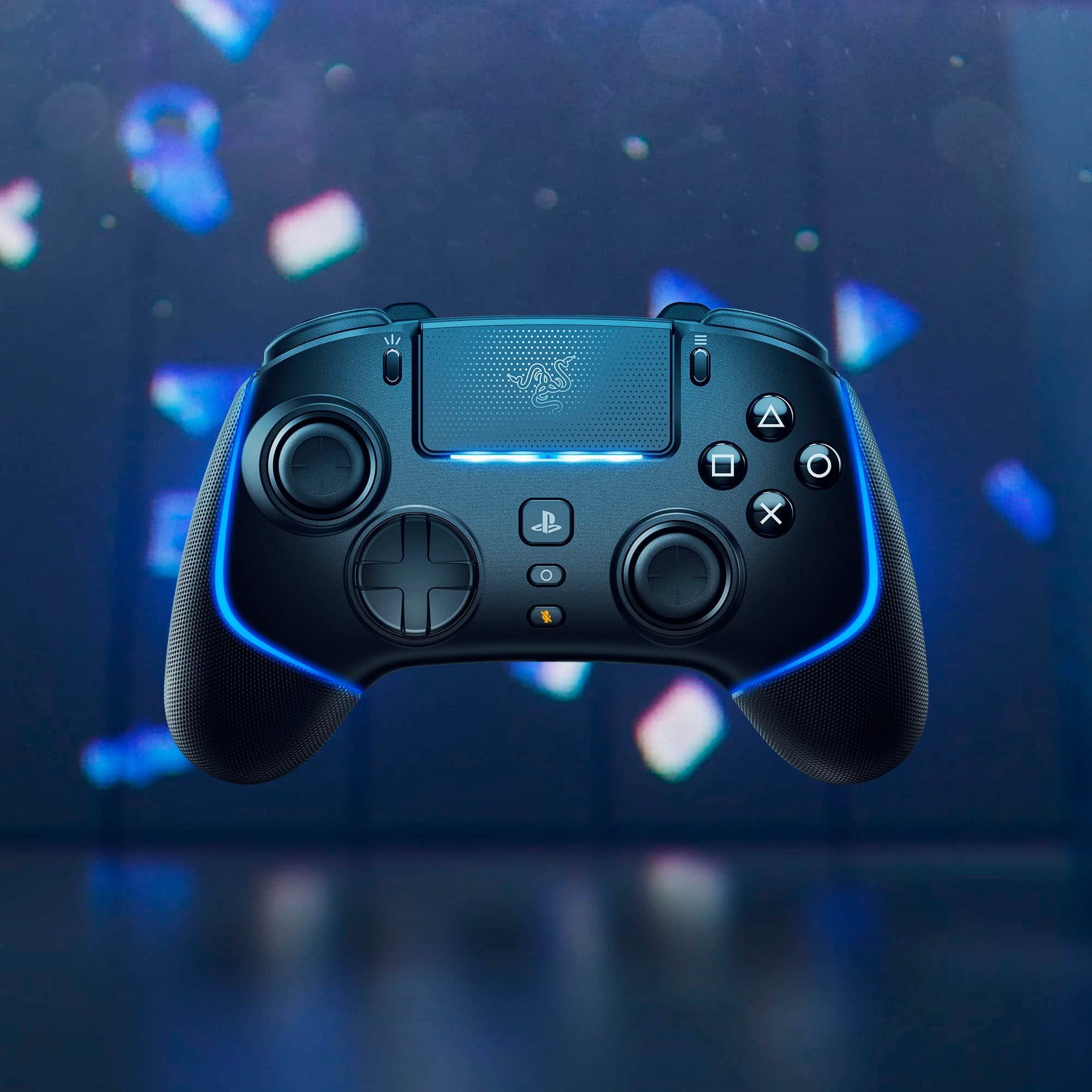
Customers consistently note the Wolverine V2 Pro Wireless Gaming Controller's excellent build quality, battery life, and comfortable ergonomics. The satisfying clicky triggers and accurate analog sticks are also appreciated, along with its compatibility and appealing RGB lighting. However, some customers have expressed concerns about the lack of haptic feedback and the controller's high price, as well as occasional connectivity issues.
This summary was generated by AI based on customer reviews.
- Pros mentioned:Buttons, Triggers

Too Many Compromises for the Price
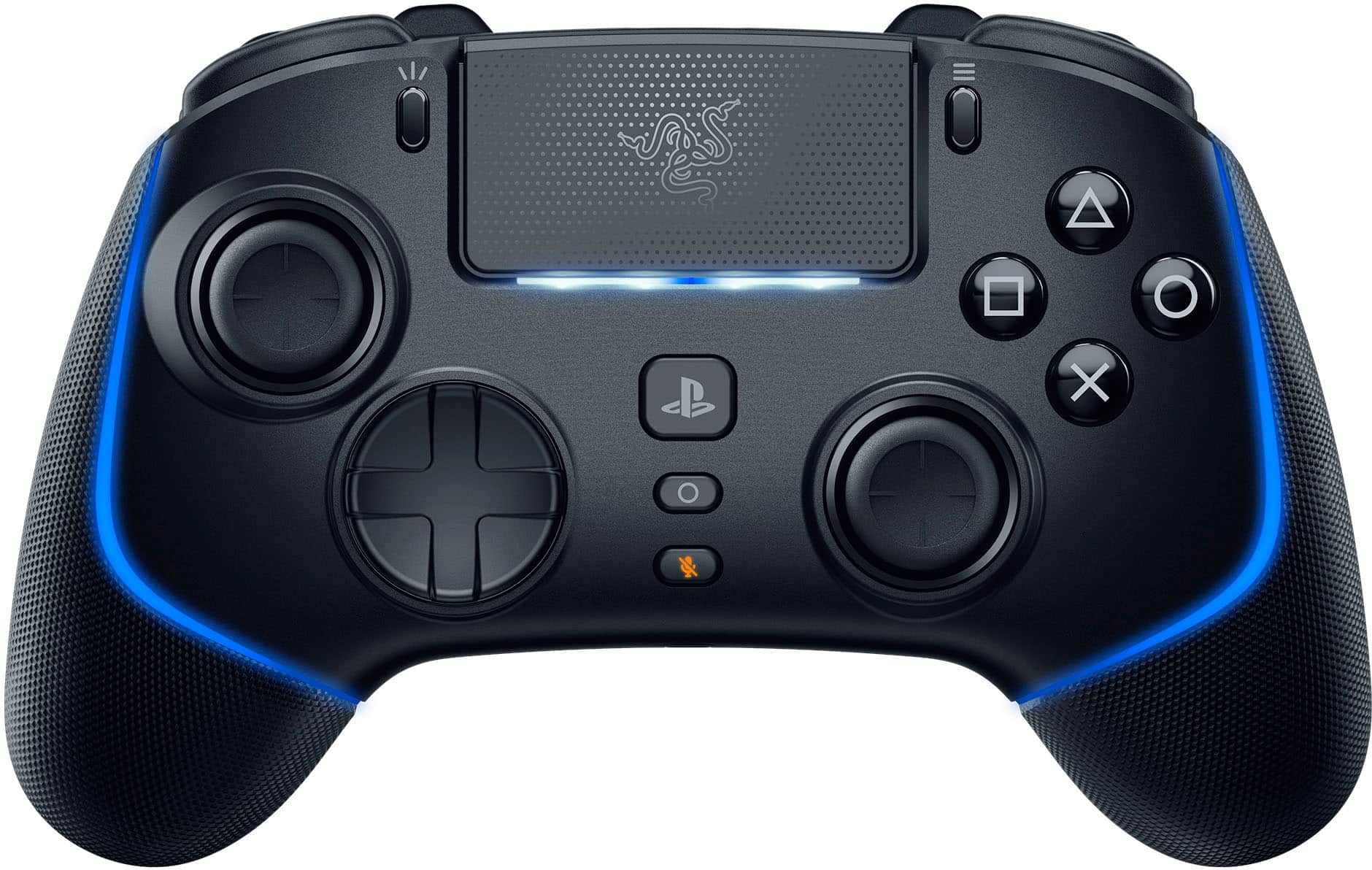
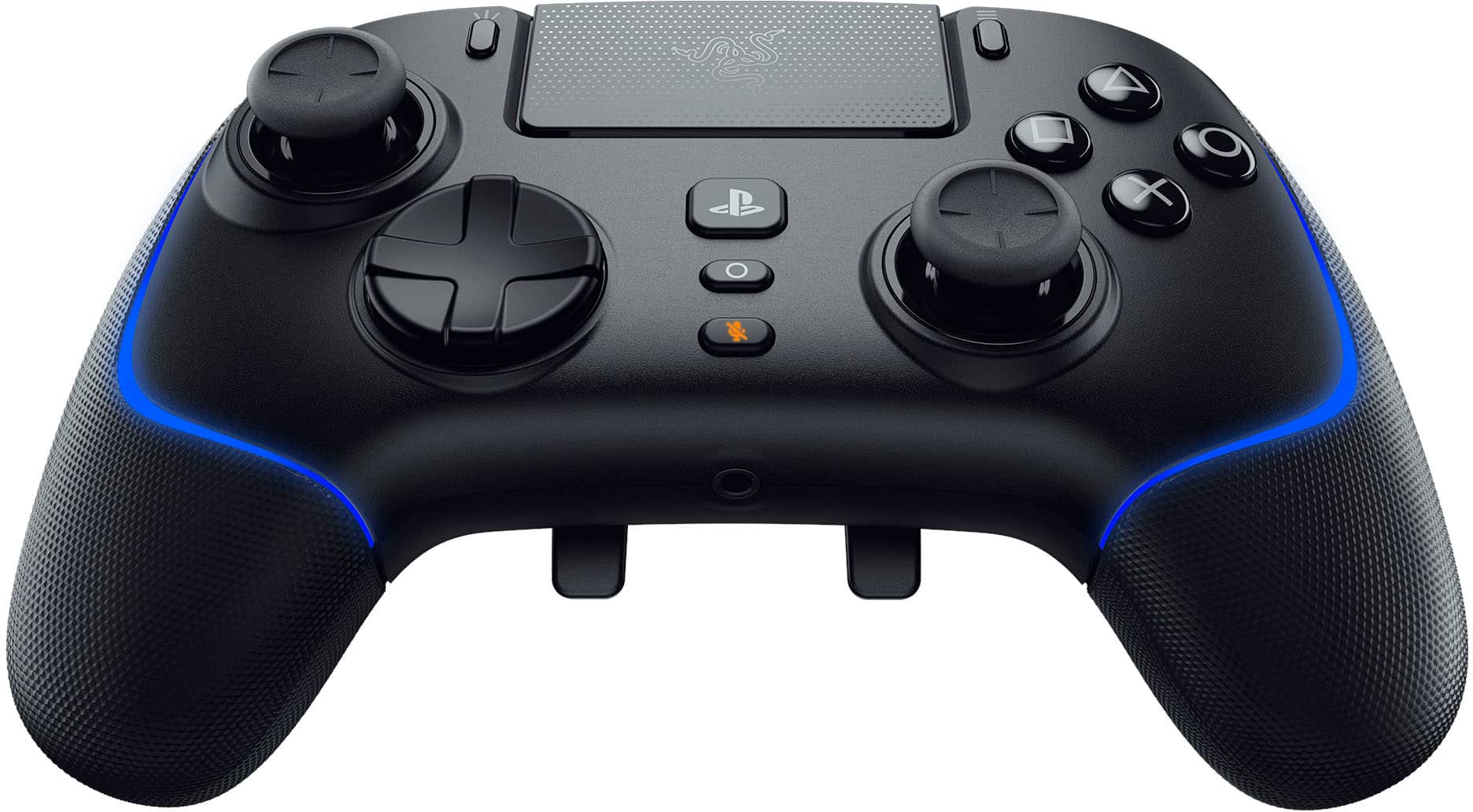
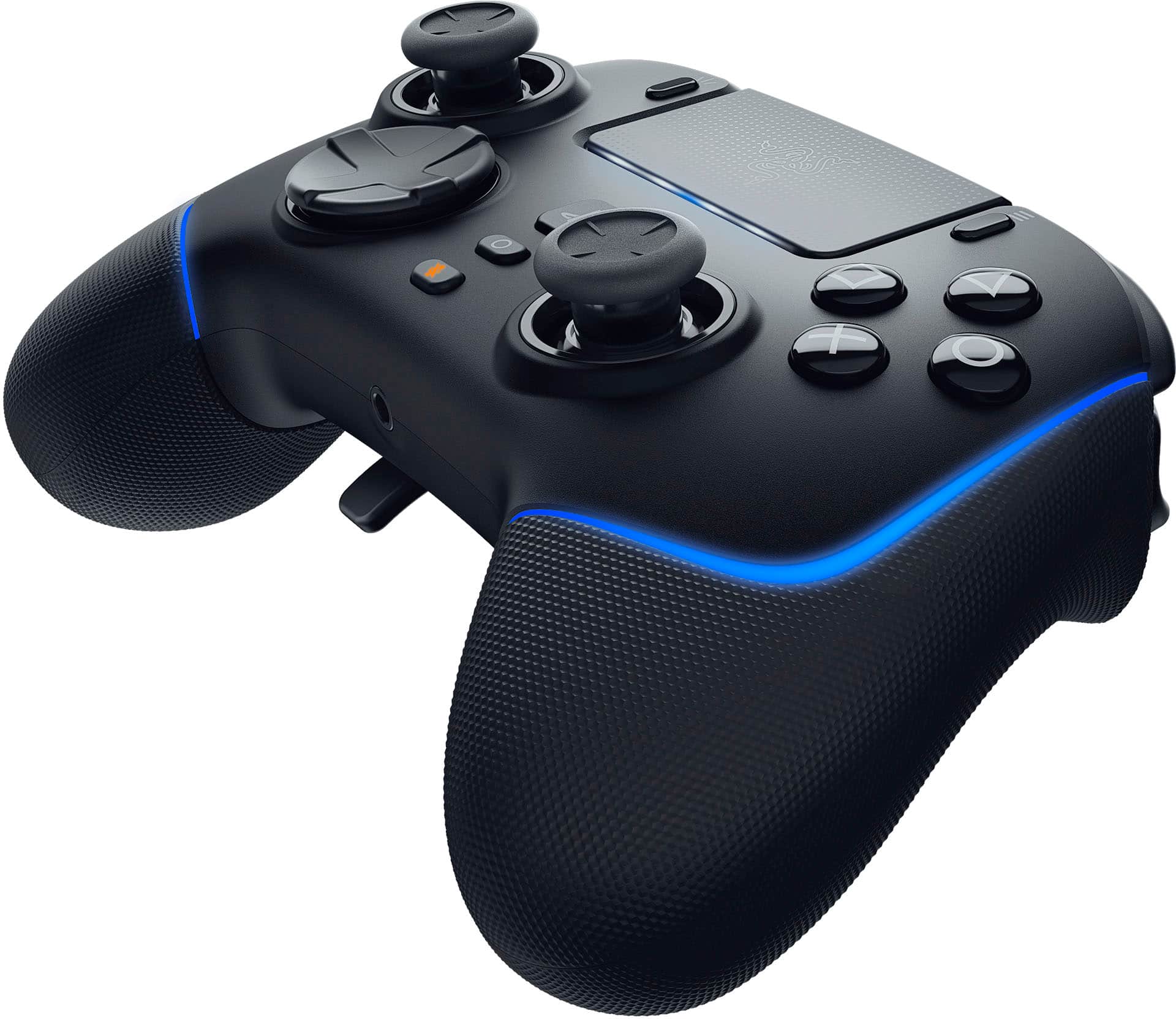
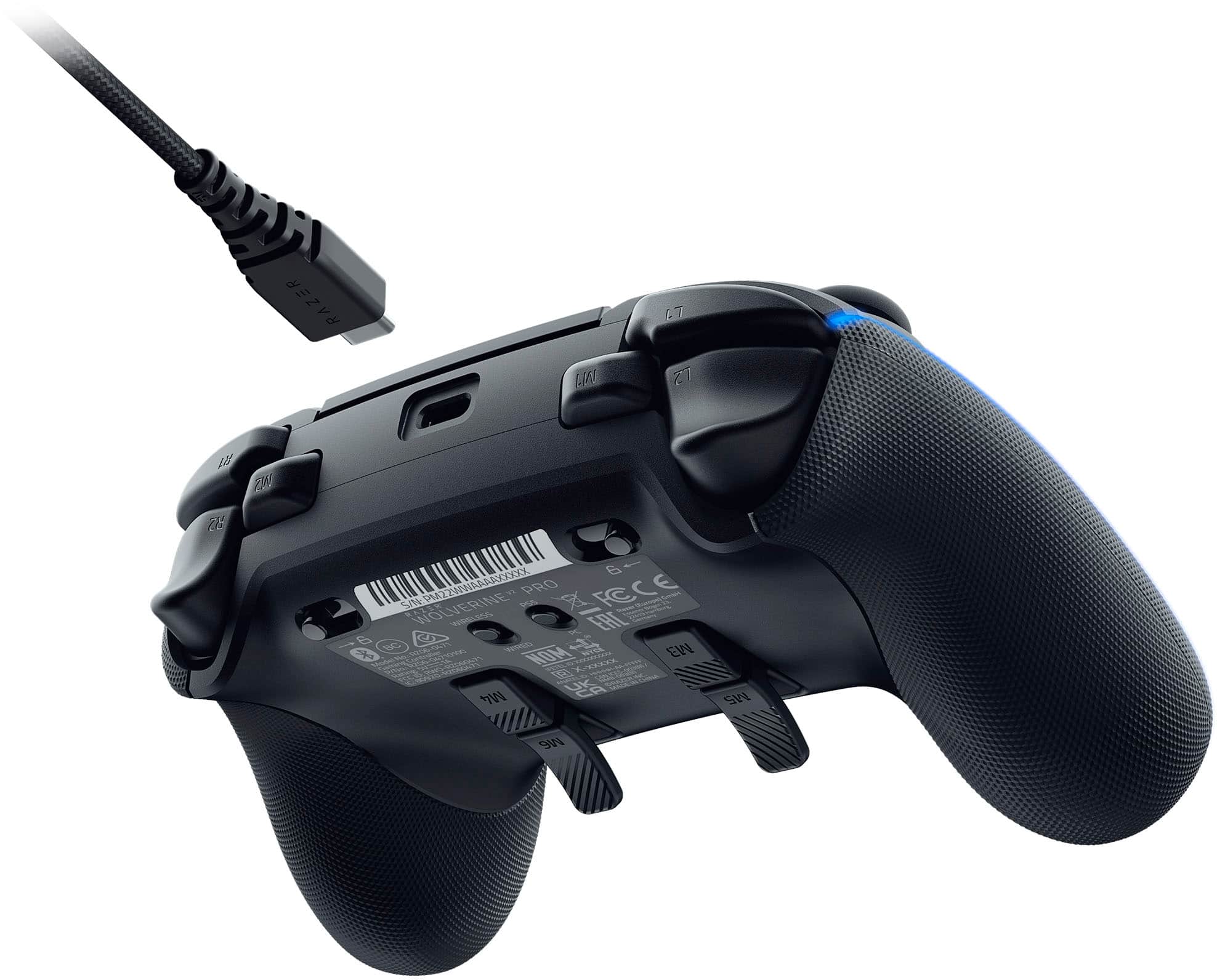
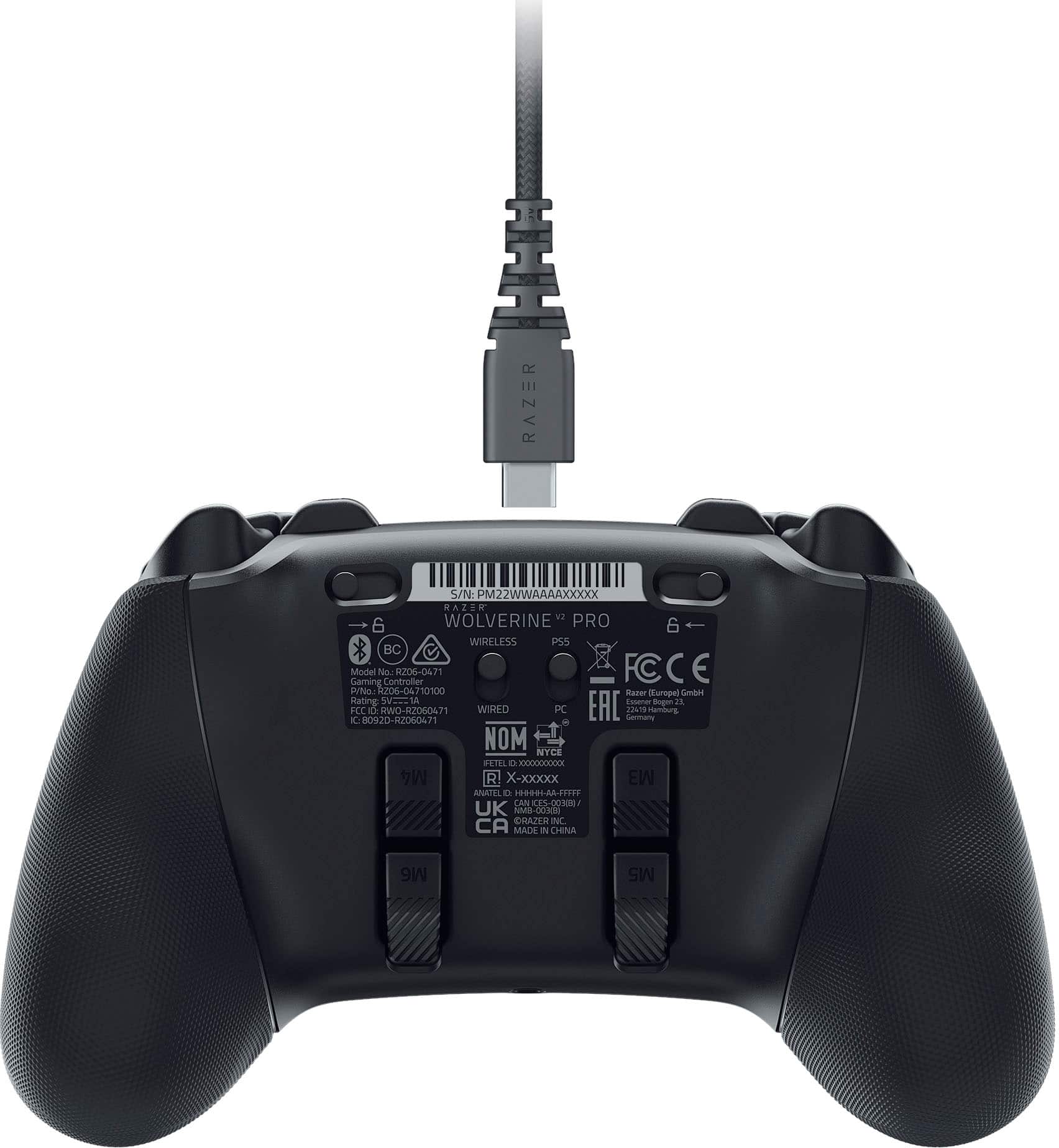
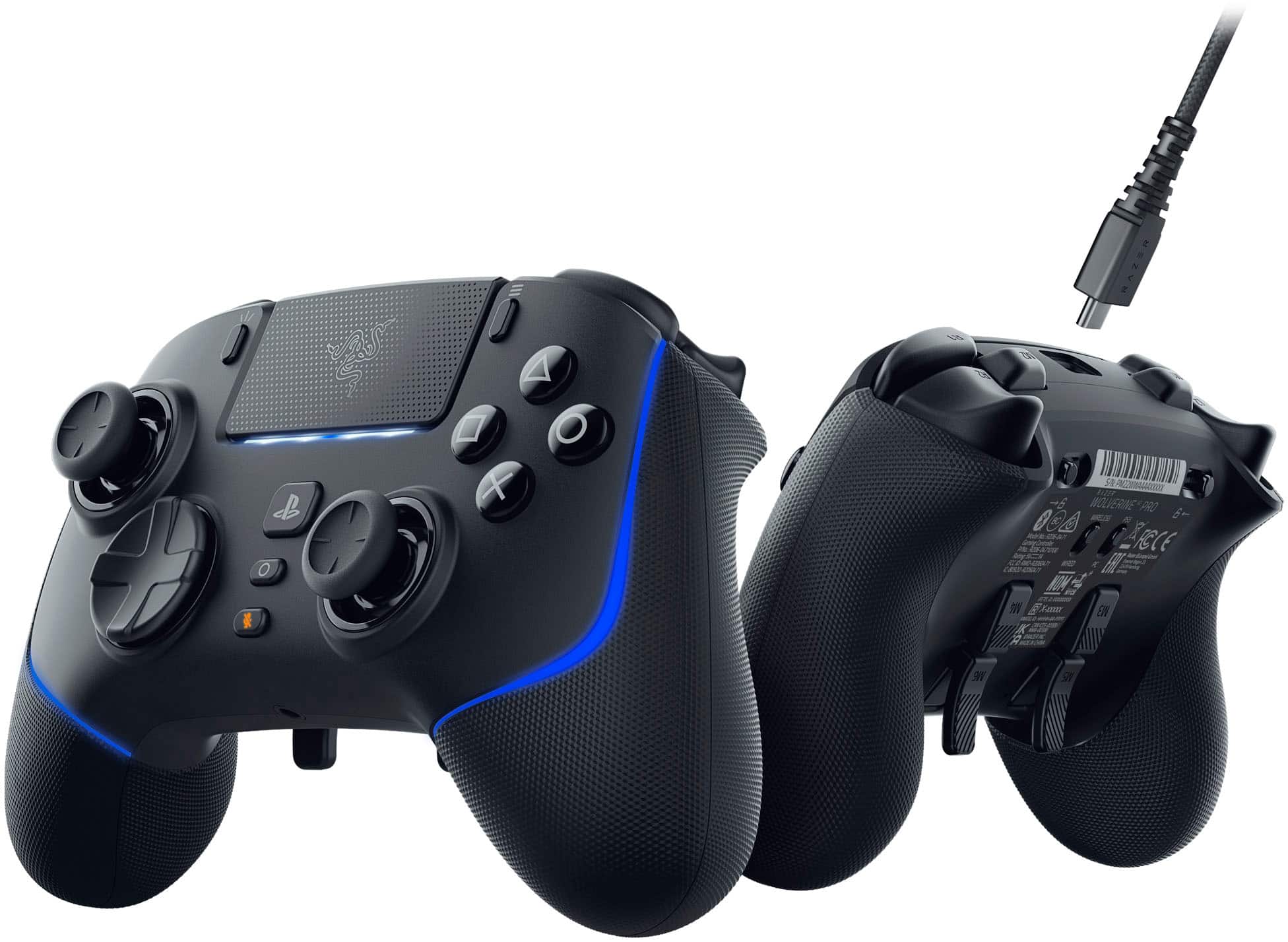
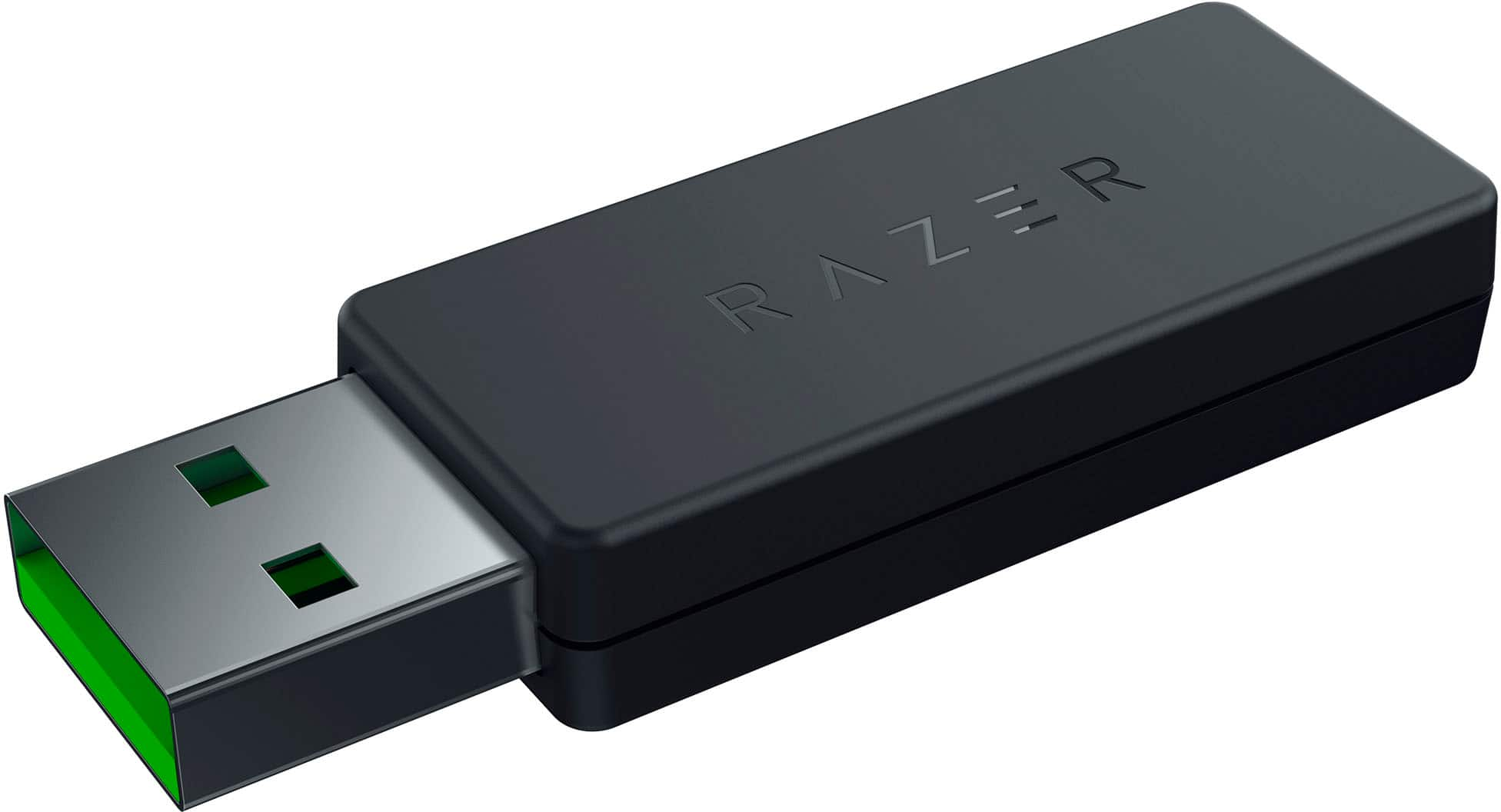
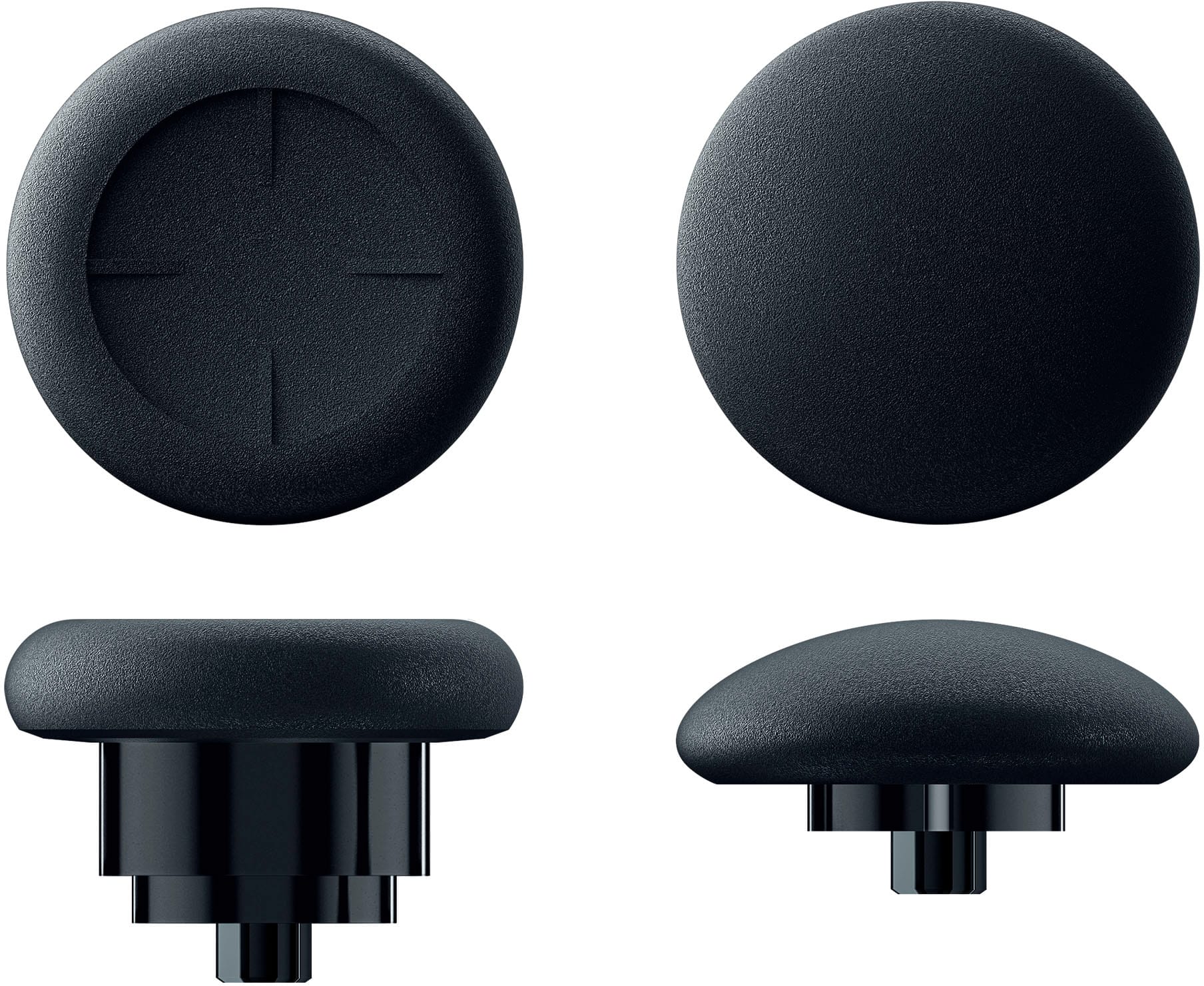
|Posted .This reviewer received promo considerations or sweepstakes entry for writing a review.Unboxing the Razer Wolverine V2 Pro, you'll find the controller itself, 4.5ft USB-A to USB-C cable, a wireless USB-A adapter, an extended joystick cap, a short convex joystick cap, and a manual. The controller charges via a USB-C port at the top and also includes a 3.5m headphone/mic jack at the bottom, as well as switches on the rear to choose between PS5 or PC mode, and wired or wireless mode. The controller includes a total of 6 remappable buttons: two on the top of the controller and four on the back. All of them feel nice and are pretty easy to access, though it may be tougher for some people to reach the buttons on the very top. The shape buttons, front triggers, and top remappable buttons feel like computer mouse switches, rather than the traditional mesh-style controller buttons. They feel fine to play with, but I would rather have them be the traditional style. The rear triggers include locks to reduce the actuation point for games like first-person shooters; when locked, the triggers also have the mouse switch feel to them. The controller in general feels much more like an Xbox controller than a PlayStation controller: the left joystick and D-pad are switched, the back triggers are wedges rather than the wing-style triggers on PlayStation controllers, and the controller just has more of a general Xbox controller shape and feel. Connecting the controller is quick and simple (on PC). The controller doesn't allow for a direct Bluetooth connection; instead, you have to connect the controller to your PS5/PC via the included USB cable or USB-C wireless adapter. This is unfortunate for people who may not have many free USB slots on their devices to spare (including me). There's no noticeable delay when using the controller in wired or wireless mode in-game. Customizing the remappable buttons as well as the controller RGB requires that you download a mobile app. All remappable buttons can be mapped to each button-style input from the controller: shape buttons, D-pad, triggers, and joystick presses. There's also a mapping option for a joystick "clutch"; when pressed, the joystick of choice (or both joysticks) will move at a fraction of the actual input, allowing for much more control for precise movements, such as slow camera movements or moving a character slowly. The controller RGB is limited to only a few lighting options due to there only being two light bars on the controller. The headphone jack works in both wired and wireless mode, with no noticeable audio delay in wireless mode. All games were tested on PC. I had absolutely no problems playing games like Rocket League, Minecraft, Roblox, and Rainbow Six Siege with the controller. In some cases, PC games accepted input from the controller in PS5 mode (namely Rocket League), however, most games will require the controller to be in PC mode. Battery life yielded a just alright 5-8 hour lifespan with the RGB enabled. On the downside, personally, the Razer Wolverine V2 Pro feels cheaply made. The materials used don't have a very premium feel, and the controller feels light for its size. The controller's main plastic shell feels subpar and the rubber on the joystick caps feels like it could easily wear off over time. I'm not entirely sure, but it seems as if the shape buttons have each shape printed on top of the button, rather than having the shapes injected into the button itself, which may lead to the shapes fading over time. On the plus side, the joysticks are made from metal, meaning you don't have to worry about them being shaved down over time from the sides of the joystick holes. The joystick caps connect to the joysticks themselves via strong magnets, meaning you won't have to worry about them falling or slipping out in the middle of a game. Overall, at the controller's price point, considering the inconvenience it brings (no standard BT support, forced to download Razer app, very limited customizability, no rumble), as well as the fact that you have to be okay with switching to an Xbox style controller if you're planning on using this with your PS5, it's incredibly hard to recommend, even if you had the money to spend and preferred using an Xbox-style controller for your PS5 or PC.
No, I would not recommend this to a friend - Pros mentioned:ErgonomicsCons mentioned:Connectivity
Missed opportunities
|Posted .This reviewer received promo considerations or sweepstakes entry for writing a review.The Razer Wolverine v2 Pro falls short due to the lack of features like rumble support and questionable ergonomics decisions like button placement. There are some positive features like tactile action buttons and an 8-way microswitch action pad which by the way is excellent for fighting games, and adjustable trigger buttons for shorter distance travel. Unless you highly prefer the Xbox joystick layout you’re better off with Sony's official offering. Ergonomics for the most part is fine. It is a comfortable controller to play on for hours. I do like the feel and sound of the action buttons. The joysticks are great to play on and you do get 2 additional thumb sticks in the box. The only issues I had were the additional top buttons. For example during an online gaming session of Call of Duty it was hard for me to keep the aim on. I was constantly pressing the smaller button next to it. There are some additional buttons in the rear too that are also not well placed. It’s nice having additional programmable buttons but their placement is not optimal. There is a Razer app that allows you to control the RGB lighting and the 6 additional programmable buttons. You can also adjust the sensitivity clutch for the joysticks. I highly suggest you do a firmware update via a computer. I did experience some issues with connectivity, controls moving all over the place without input, and having to power off and on the controller for the PS5 to properly recognize it. There is no direct connection to the PS5 so you must use the included dongle. This also means you won’t be able to power on the PS5. I would blame this more on Sony for locking it down to first party controllers only. For the most part the Razer Wolverine Pro it’s not a bad controller, it just needed some additional time for polishing. If you’re a huge fan of the Xbox controller layout most certainly you will like this one. But for me what keeps this from being my daily driver is the additional bumper buttons that are too close to the top buttons that end up getting in the way. The concept was good, it just wasn’t executed right. Maybe V3 can address these issues.
No, I would not recommend this to a friend - Pros mentioned:Battery life
Very Nice Controller, a Little Pricey
|Posted .This reviewer received promo considerations or sweepstakes entry for writing a review.I’ve been playing around with my Razer Wolverine V2 Pro Wireless controller for about a week now. It’s a pretty solid controller option with some improvements over the standard PS5 controller. Is it worth the price though, that is the real question in my mind. Upon opening the box I appreciated the nice presentation. The controller feels very solid. The knobs are magnetic and can be easily swapped between two styles. The layout (just the different feel, keeping the default mapping) will take some getting used to if your brain, like mine, was only trained on the standard controller. Took some time to start to feel natural to me, but I got there after several hours of playing. If possible I think I would really recommend you getting this thing in your hands before buying it. The extra buttons give you a lot of flexibility and have a noticeably different feel. I really like the ones on the back and with the app you can remap which buttons do what. I suspect some are used to the original and are just fine with where the buttons are. To me, this is really the only reason to purchase this device. So if you really like this idea of extra buttons and being able to remap each button to do what you want, this device if for you. All in all I found this controller to be good, but a little pricey. I will say the battery life seems excellent. I also have large hands and prefer the slightly larger overall size. I don’t really use a controller much on my PC as I tend to use games where I prefer a mouse, but it is nice to have the option when desired. The RGB lighting is a cool customizable effect. The real question I suppose is will I recommend this controller to a friend? I’d give it a conditional yes. If you really like the buttons on the back (I do) and are fine with the price (Pricey IMO) then yes, I think you will be a satisfied customer.
I would recommend this to a friend - Pros mentioned:Build quality
Well built but quirky controller.
|Posted .This reviewer received promo considerations or sweepstakes entry for writing a review.The Razer Wolverine V2 is a somewhat quirky controller. I primarily intended on using this controller with my Steam Deck dock, but I wanted something that could easily be plugged into my Windows gaming laptop as well. Bluetooth controllers are fussy about switching devices, so I thought something with a physical dongle would be ideal. Unfortunately, this wasn’t completely the case. My Steam Deck recognized the controller right away, worked beautifully for one night, and then stopped working thereafter. Multiple reboots failed to resolve the issue. The Deck was registering the controller as a “Generic XBox Controller,” but it wouldn’t accept any inputs. I switched to using it with my Windows laptop at this point, and I had somewhat better luck. The controller was recognized, and worked well, but I couldn’t figure out how to program the back buttons or extra shoulder buttons in Steam. I suspect that this is more of an issue with Steam than the controller though. On a lark, I tried plugging the dongle into my Steam Deck again after using it for a few days with my laptop, and it was immediately recognized as a Razer Wolverine V2 (and all of my inputs started working again). I’m not sure how long it will continue working this time, but I’m optimistic that it might be fixed for good. I’m thinking that this was maybe a driver issue on the Steam Deck’s part, but I’m not certain. The controller itself has a nice heft to it and feels solidly built. There are physical switches on the back that allow you to toggle between wired and wireless modes and PC or Playstation modes. The back buttons are near the center of the back panel and are difficult to reach. I have small/medium hands, and my fingertips can’t reach the buttons without uncomfortably stretching. Because of this, I can’t see myself using these buttons on a regular basis. I like that the buttons are setup in the Playstation style. I enjoy playing Playstation games on my laptop, but finding PC compatible controllers with the Playstation layout is hard, and getting a Dualshock to work with Windows is tricky. I also like that they staggered the stick layout in the XBox style. This feels more natural to me. I have mixed feelings about this controller. On the one hand, it feels very premium and solidly built. But on the other, it’s somewhat difficult and uncomfortable to use.
No, I would not recommend this to a friend - Pros mentioned:Battery life
Adjusts to the way I play!
|Posted .This reviewer received promo considerations or sweepstakes entry for writing a review.First of all, I love the connectivity of this controller. Easy to switch from PS5 to PC and the wireless to wired option are all just clicks away and easy to understand without even looking at the manual. I have never tried the wired function, only because the wireless function is so easy—I just popped the USB dongle in, and I was ready to go—both PC and PS5 recognized them easily. I did not find any lag with the wireless function so that’s a super plus. Setting up customizations was easy too, because the android app was very helpful and easy to use. If there was one thing that this controller does so well, is the queues in the controller itself, like the profile colors showing depending on what profile you choose, the click sound on the buttons, and the textures on the button surface, especially the added top and back buttons to avoid unnecessary clicks. Though the actual case of the controller feels like inexpensive plastic, the construction of the whole controller feels pretty solid. The bulk does need some getting used to especially on the thumb part of my palms. I don’t have big hands and the controller still feels good even though it’s a little on the thicker side—there’s just some adjustments that my hands needed to do because it first felt like my grip was cramping. After a good run of some CupHeads bosses as a warm up, my hands felt at home. Surprisingly, a controller with this much features do not differ in weight so much. The extra buttons are pretty easy to reach, although I was hoping to get some combination customizations like LR + triangle for the fighting games or a one press button for my Need for Speed drifting. The app did not provide this flexibility. However, I love the way I can easily switch the trigger (R2) feel because in GTA 5, I switch a lot from driving to shooting and I cannot have a deep slack when shooting. Battery life is fantastic—I have been on it for maybe 15 hours, and I still have half (per the mobile app) juice on this. I love the idea that I do not have to switch controllers when I play on my PC and when I play on the PS5. I use this for both. Hopefully, in an update we can get combos with the button customization? Who knows. Right now, this is a great controller, and I recommend.
I would recommend this to a friend Must have for PS5 players!
|Posted .This reviewer received promo considerations or sweepstakes entry for writing a review.When the PS5 was released a few years ago it did not allow you to use any aftermarket pro controllers on PS5 games. Up until this day it remains the same, and it wasn’t until this year that Sony released its first pro controller. I held off on Sony’s controller because it only comes in one color and has other drawbacks. FINALLY, someone else has released a PS5 compatible pro controller and I believe it is awesome. One of my favorite things about this controller is that it can be used both on PS5 and PC. When I am at home I play primarily on PS5 and when I am away I play on PC. The frustrating part is that I have to use two different controllers instead of just one on both systems. My next favorite thing about this controller is that it can be both wireless or wired. Setting it up for the first time on PS5 was a little confusing. Once you get it connected for the first time, it connects automatically like any other controller after that. This controller has more buttons than I even know what to do with but it makes a big difference when playing first person shooters. It allows you to map the controller any way you want it. Mapping the controller is not very complicated. Download an app on your phone and then you can connect the controller and map the buttons. When it comes to customizability, this controller is endless. I love the RGB lighting and the ability to customize or even turn it off. If you are like me and have been waiting for a Pro controller that is compatible with PS5 this is the one to get. I also think it is a great option for PC players who want to use a controller. My only gripe with it is that it does not come with a case to keep the cables and extra thumb pads. Either way this is a great controller and well worth it.
I would recommend this to a friend- Pros mentioned:ButtonsCons mentioned:Haptic feedback
Overprice
Posted .This reviewer received promo considerations or sweepstakes entry for writing a review.For the price of the controller it doesn’t have a haptic feedback. And this wolverine version doesn’t include a carrying case compare to the previous version. The only pro about this controller is the extra remapple buttons. And the manufacturer’s warranty isnt that good. I would recommend getting the geek squad warranty if you’re interested on purchasing this one. I ended up returning this and bought the ps5 Edge.
No, I would not recommend this to a friend - Cons mentioned:Rumble
Can’t play my ps5 without it
Posted .This reviewer received promo considerations or sweepstakes entry for writing a review.Let’s get right to it. This controller doesn’t have rumble, or any type of haptic feed back. I mean there is literally no vibration at all. You also have to use the dongle to play wirelessly. Bluetooth does not work for this controller if you are using it for the ps5. You cannot turn on your ps5 with this controller. You have to press the power button on your ps5. Also the razer app for this controller does not have a dead zone option as of yet. So if you play online first person shooters like warzone this maybe a issue for you. Now you are probably wondering why did I give this controller 5 stars? Well it’s all about comfort for me. The original dual sense that came with the ps5 literally destroys my hands and forearms, I can literally play on this controller all day it’s so comfortable. If the dual sense controller does not hurt your hands I would not recommend this controller. I would get the dual sense edge instead if you want extra buttons. If you want this controller for first person shooters I would not recommend this until deadzone option is available. But if you need comfort and that dual sense is killing you i 100 percent suggest this controller. Even though it doesn’t have the capabilities of the dual sense controller . It is definitely worth the buy if you want to game for long hours and feel comfortable while doing so.
I would recommend this to a friend Great Legacy Continues
Posted .This reviewer received promo considerations or sweepstakes entry for writing a review.Ive loved razers controllers and the trend continues with this newest edition. Ive been waiting for a wolverine style PS5 controller (because of latency differneces on PC) and this one did not dissapoint. Is this controller pricey? Sure, but so are most custom/pro controllers. Ive had owned AIM controllers, Victrix, Scuf, Elite Xbox controllers and even paddle attachments. This is probably the easist to use across PC and PS5. My only con is that you need an app on your phone to change paddle functions or profiles. Other than that really liking the controller so far. One year warranty is also respectable.
I would recommend this to a friend- Pros mentioned:Battery life
To many cons to be 250
Posted .This reviewer received promo considerations or sweepstakes entry for writing a review.Had this for a couple of months and i must say the amount of things it doesnt have but for the price is asking is disgusting 1.of all sometimes it would legit just randomly disconnect from the PlayStation u gotta hold it to turn it off then back on but the game doesnt know so u just get beat up 2.it doesnt wake up the PlayStation up when you press the PlayStation button 3. the mute button only mutes wired in the controller (ps5 can mute everything even the whole console) 4. You have to turn off the controller after you turn off the console 5. Joystick easy to get dirty compared to stock controller 6. No carry case 7. No speaker 8 no mic 9. Unnecessary wireless ps5/pc buttons in back its missing so much the real only pros i can give it is battery life and extra buttons and really good d-pad plus a good feel with good butons to but i like it 150 would be perfect
No, I would not recommend this to a friend - Cons mentioned:Connectivity
NOT WORTH THE MONEY!
Posted .This reviewer received promo considerations or sweepstakes entry for writing a review.$250 and for what?! There's nothing special about this controller. I've genuinely bought controllers for $30 buck that have the same feature set as this overpriced gimmick. You're purely paying for the RAZER name, and they clearly think they're the Nike of gaming. Just peddling overpriced crap for hundreds of dollars because everyone knows their name... Don't fall for it like I did, this controller is going right back to the store! When it actually connects about 1 every 15 times I try to use it, it will eventually disconnect in the middle of my game. The battery life sucks, I have smaller hands so the controller is uncomfortable after a few hours and I can't really use the "HapticTriggers" because of their placement. Just save the money and buy the first party controller or anything else really. You can find controllers with way better features for like $100 cheaper.
No, I would not recommend this to a friend Faulty product and ignored by customer service
Posted .This reviewer received promo considerations or sweepstakes entry for writing a review.The Wolverine v2 pro for ps5 is the worst controller I’ve ever purchased. Ever. It stopped working correctly 2 weeks after purchase and I reached out via email to Razer support/customer service multiple times with never ever getting a response back. $250 down the drain. Since then I’ve vowed to never purchase Razer products again and make sure as many people hear about their terrible quality and bad customer service as possible. Yes I’ve updated it. Yes I’ve factory defaulted it and reset it multiple times in hopes of solving the issues and yet, nothing fixes it. It has random hiccups in its communication to and from the USB dongle attached to the PS5. It causes unpredictable movement and button presses are delayed or don’t register randomly. I’m a technology professional and have made sure to troubleshoot every single aspect of this controller to get it fixed and working correctly and nothing works. Hence why I reached out to Razer support. Ive even faraday caged my room it’s in to test outside interference as well as removed any other EMF producing electronics. Outside interference is not an issue. Ultimately I’d like a refund for being ignored like this. But I know very well that is extremely unlikely to happen. I think a replacement would be nice but I’m not really interested in that either because the product doesn't work.
No, I would not recommend this to a friendGreat!
Posted .This reviewer received promo considerations or sweepstakes entry for writing a review.I bought this for my gamer son and he loves it! Great!
I would recommend this to a friendNice controller
Posted .This reviewer received promo considerations or sweepstakes entry for writing a review.This is very good and and the grip so very nice and the buttons don't get stuck or joy stick
I would recommend this to a friend- Cons mentioned:Connectivity
Not worth it
Posted .This reviewer received promo considerations or sweepstakes entry for writing a review.Dont like the fact that its not bluetooth we in The 21st century why we still using usb dongles???
No, I would not recommend this to a friend - Cons mentioned:Haptic feedback
Review for controller
Posted .This reviewer received promo considerations or sweepstakes entry for writing a review.Requires a usb Bluetooth back button are placed way to far in to be effective doesn’t have vibration
No, I would not recommend this to a friend Perfect
Posted .This reviewer received promo considerations or sweepstakes entry for writing a review.Totally recommend this controller for ps5 and pc its an amazing option considering everything out there
I would recommend this to a friendSolid controller
Posted .This reviewer received promo considerations or sweepstakes entry for writing a review.Overall solid controller. Hands down the best playstation d-pad.
I would recommend this to a friendPoor Quality, High Price
Posted .This reviewer received promo considerations or sweepstakes entry for writing a review.Square button stuck and stopped working mostly within the first two months, bottom right paddle only works half the time as well, and severe stick drift in left stick after four months. Very disappointed.
No, I would not recommend this to a friend- Cons mentioned:Price
razor
Posted .This reviewer received promo considerations or sweepstakes entry for writing a review.not worth buying its way over price and I heard no hatch back no thx
No, I would not recommend this to a friend