Early Black Friday DealsNew Doorbusters through SundayShop now

Main Content

Customer Ratings & Reviews
Your price for this item is $199.99

Customer reviews

Rating 4.3 out of 5 stars with 380 reviews

Rating Filter

Rating by feature

  • Value

    Rating 4.1 out of 5 stars

  • Quality

    Rating 4.5 out of 5 stars

  • Ease of Use

    Rating 4.3 out of 5 stars

Pros mentioned filter

Cons mentioned filter

84%would recommend to a friend
The vast majority of our reviews come from verified purchases. Reviews from customers may include My Best Buy members, employees, and Tech Insider Network members (as tagged). Select reviewers may receive discounted products, promotional considerations or entries into drawings for honest, helpful reviews.
Page 2 Showing 21-40 of 380 reviews
  • Rated 5 out of 5 stars

    Absolutely worth it.

    |
    |
    Posted . Owned for 3 weeks when reviewed.
    This reviewer received promo considerations or sweepstakes entry for writing a review.

    Exactly what I expect from Razer. I've been buying their Xbox controllers since I had a 360 and this is the best one yet. The ONLY problem I have is that I wish the d-pad had individual buttons... like previous models. Not a deal breaker, but still a little annoying. Otherwise, everything about the way this controller feels is superb.

    I would recommend this to a friend
  • Rated 5 out of 5 stars

    Good Quality

    |
    |
    Posted . Owned for 1 month when reviewed.
    This reviewer received promo considerations or sweepstakes entry for writing a review.

    Very good control easy to setup and get familir with it in general is a Good Choice for pro controler.

    I would recommend this to a friend
  • Rated 5 out of 5 stars

    Best remote out there

    |
    |
    Posted . Owned for 2 weeks when reviewed.
    This reviewer received promo considerations or sweepstakes entry for writing a review.

    The mechanical buttons and no stick drift is a win for me

    I would recommend this to a friend
  • Tech Insider Network Member

    Rated 4 out of 5 stars

    Nice Controller

    |
    Tech Insider Network Member
    Posted .
    This reviewer received promo considerations or sweepstakes entry for writing a review.

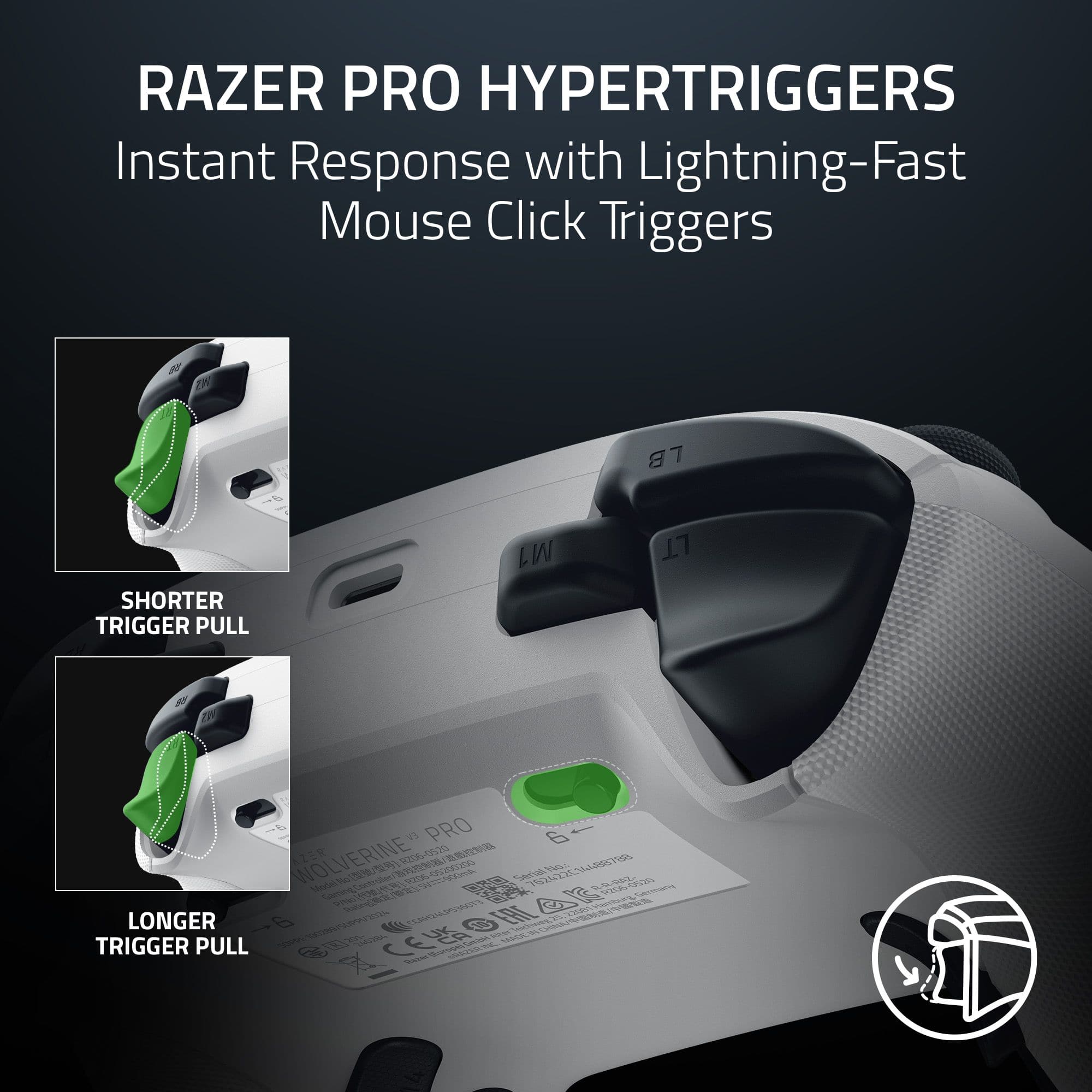
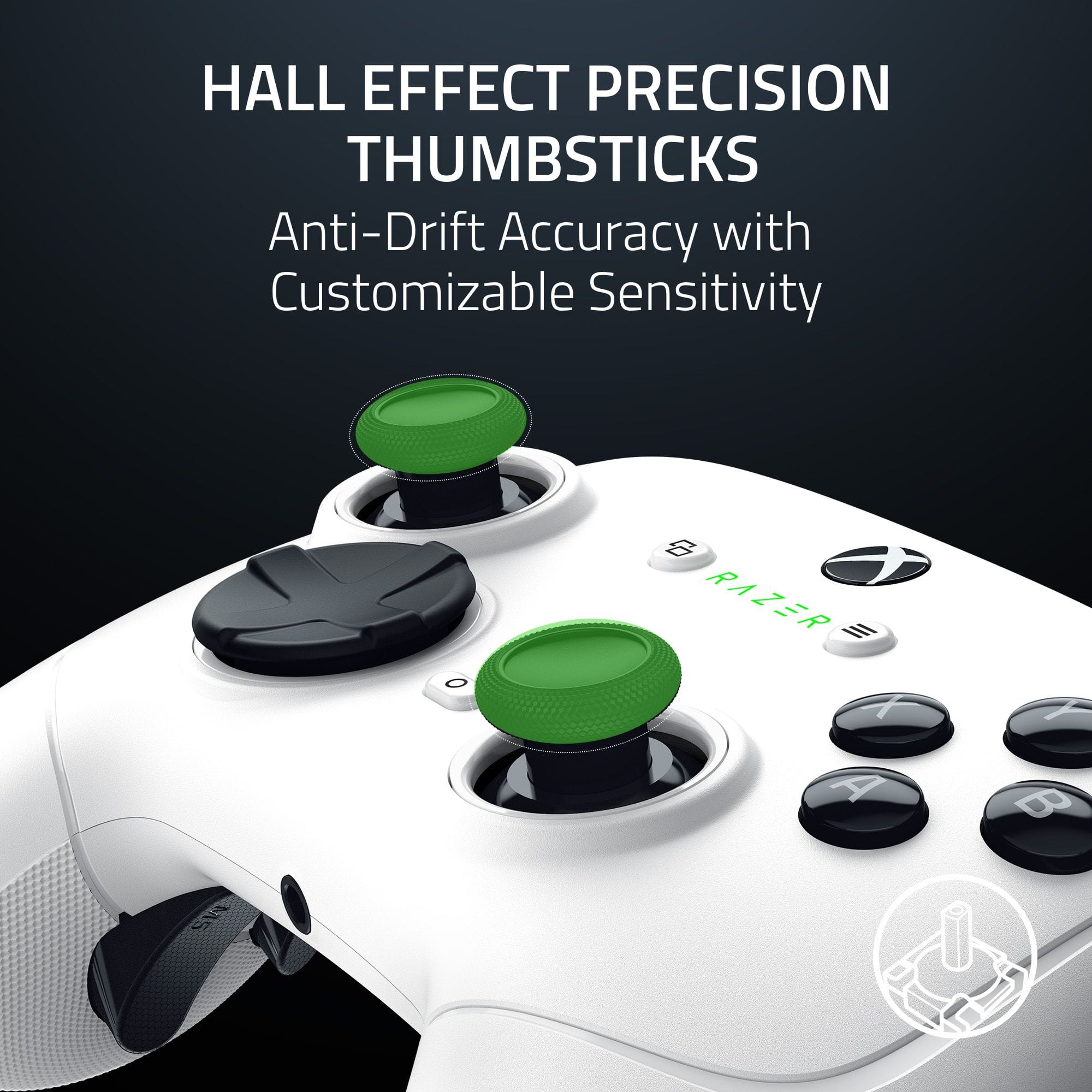
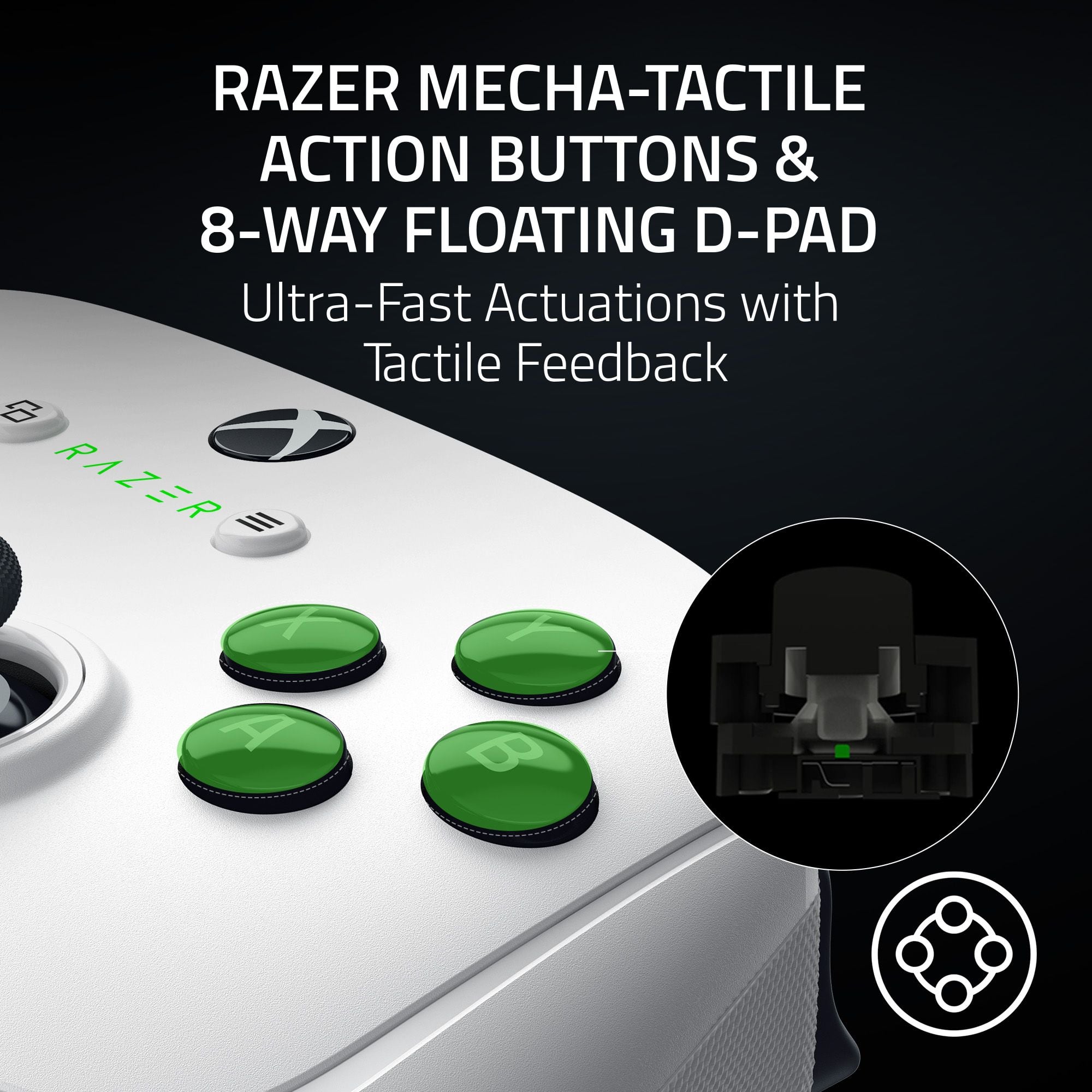
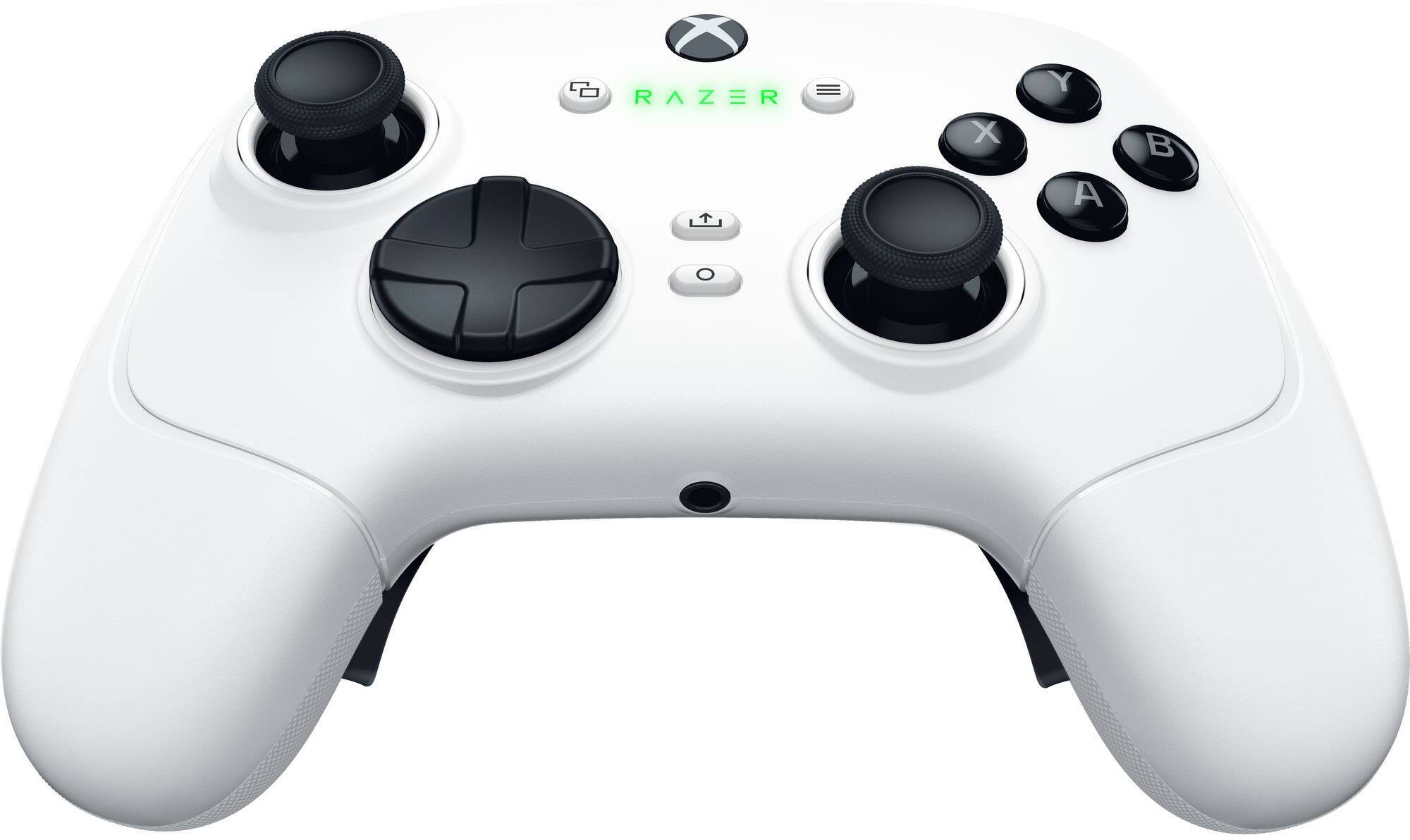
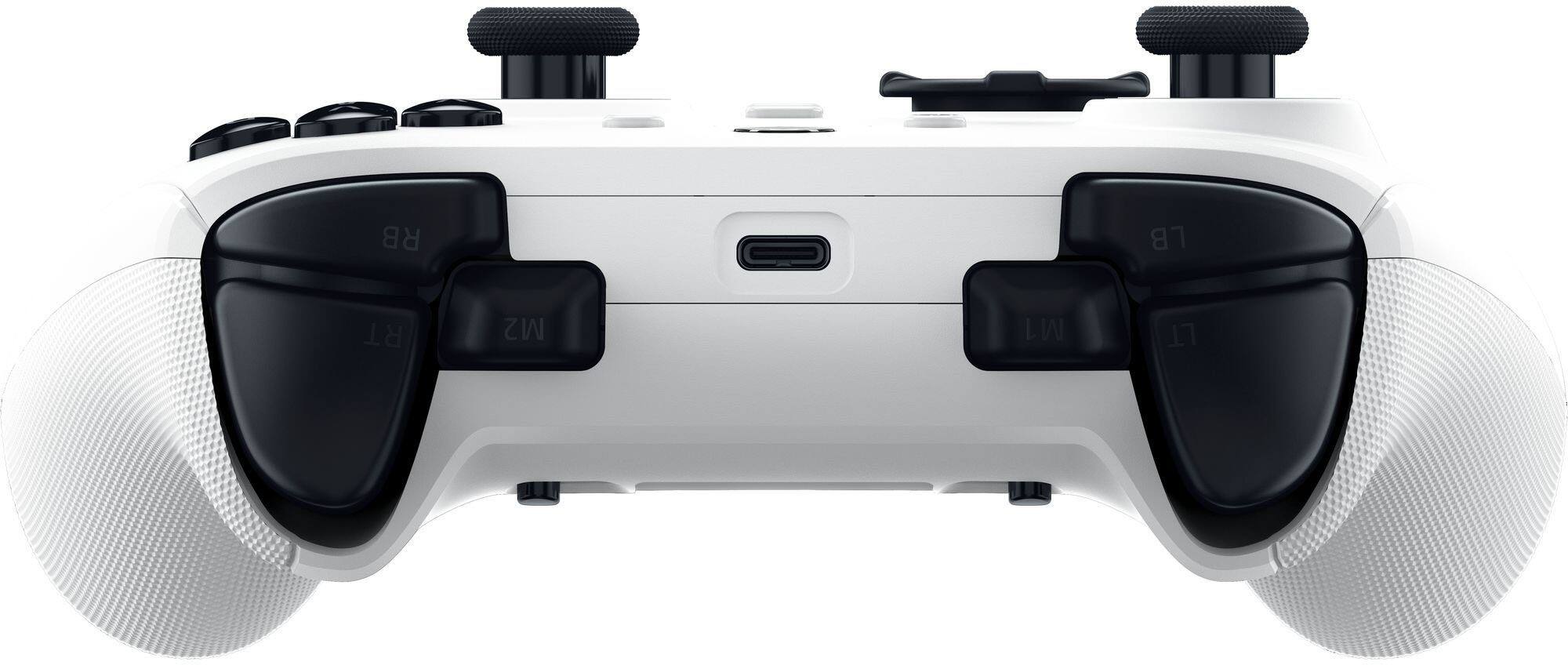
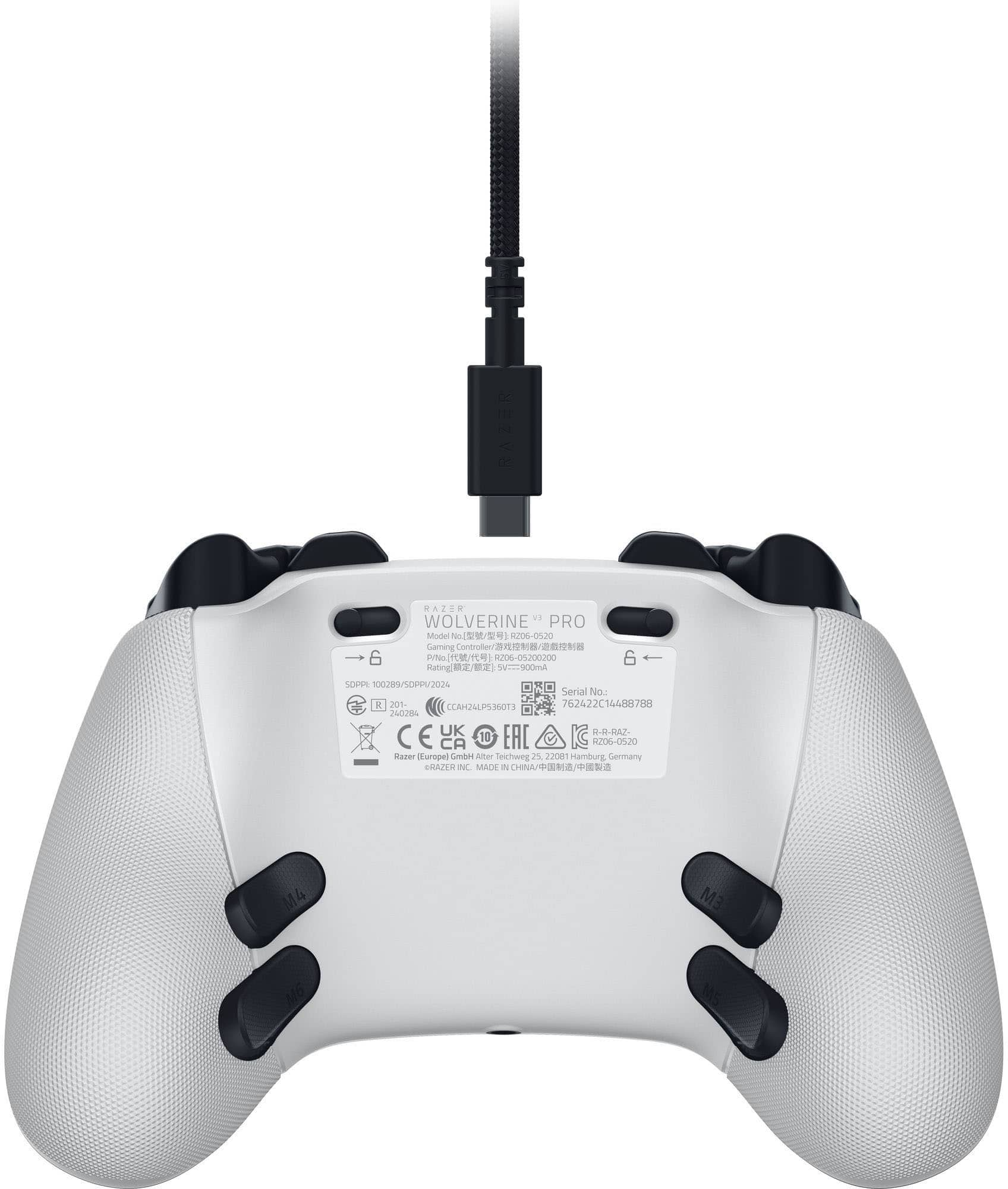
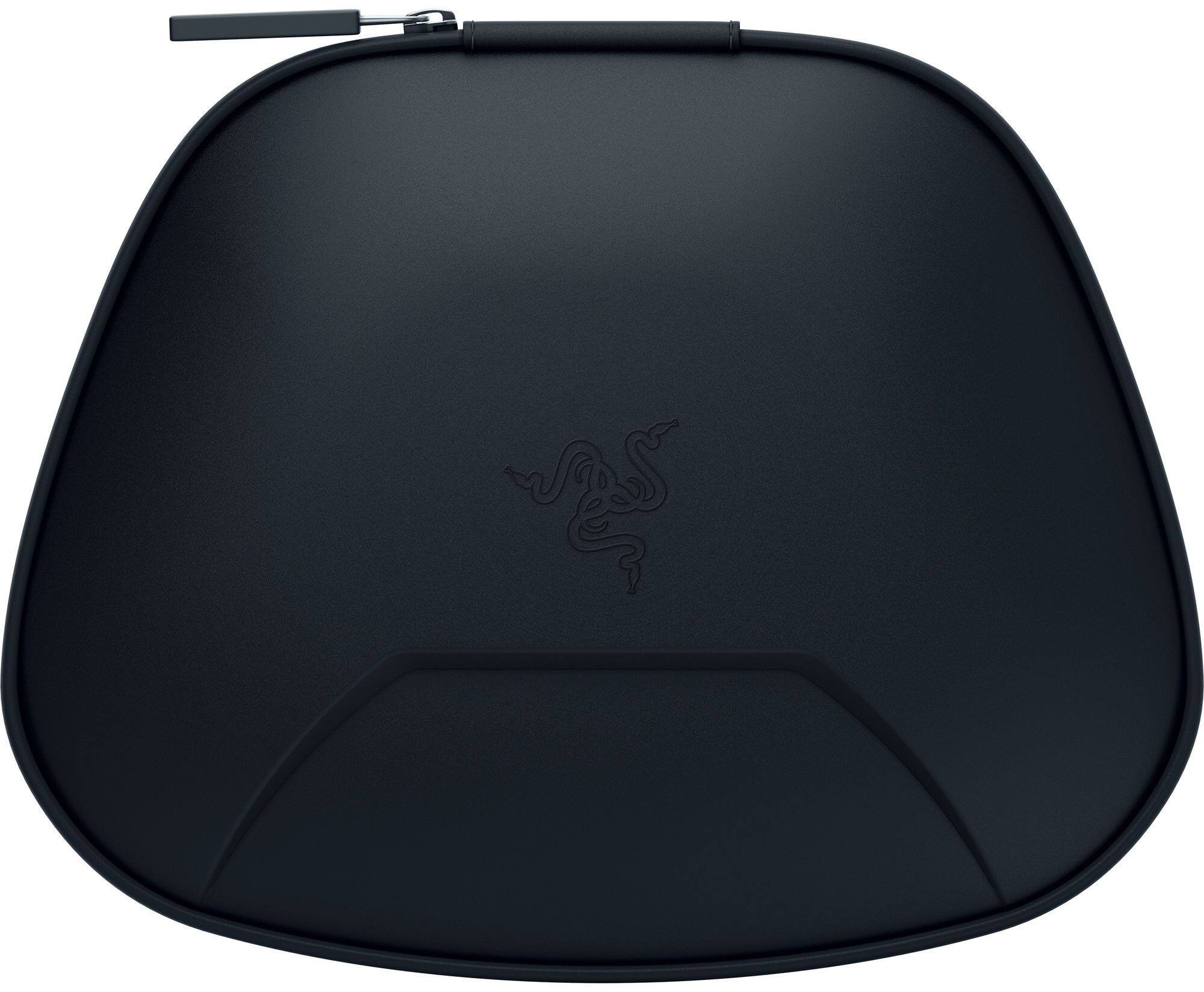
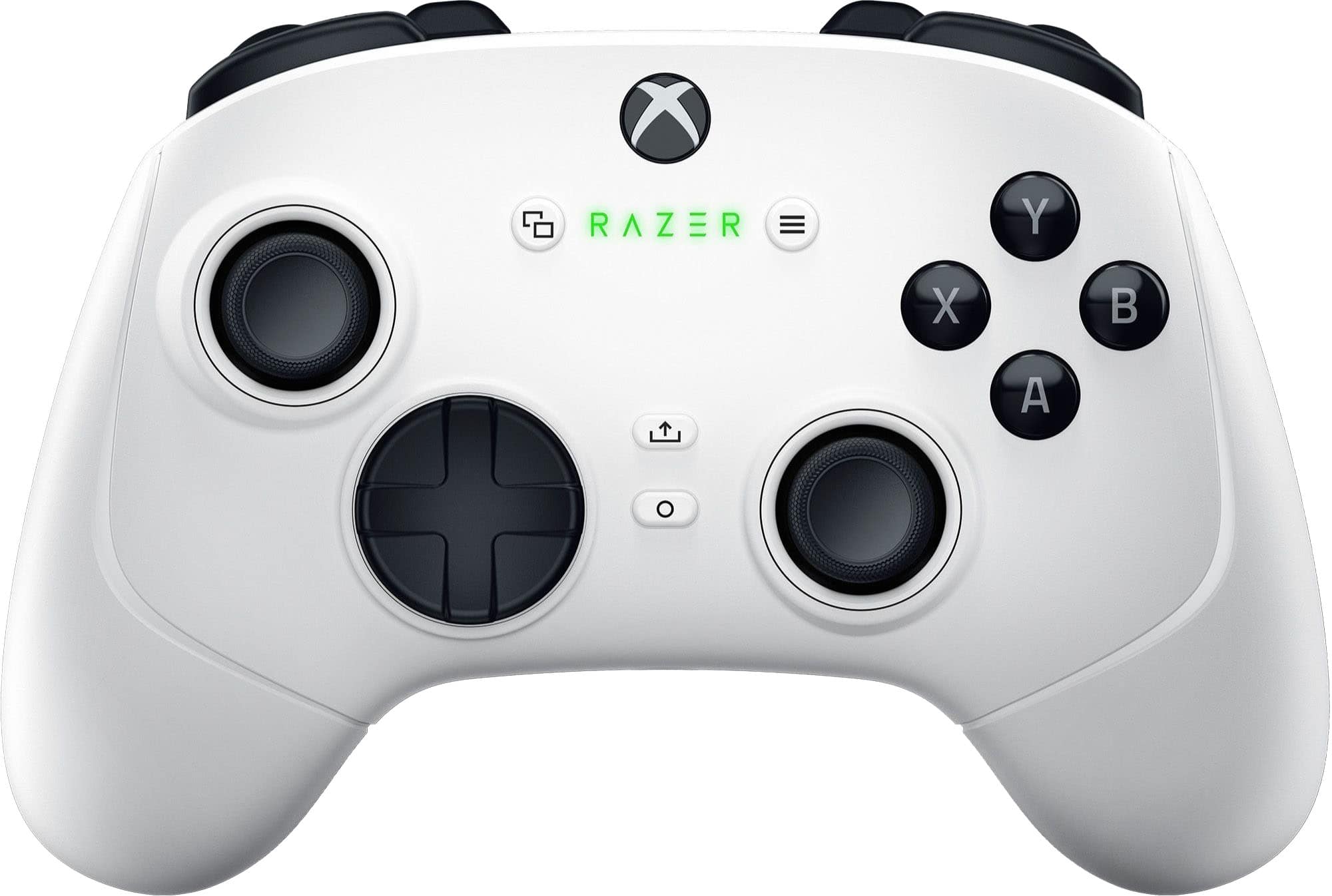
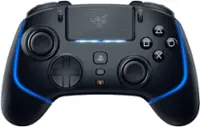
    Setting It Up Works with Xbox and Windows. This controller can be used with Bluetooth or the USB-A dongle that comes with it. I have been connecting directly to my computer via Bluetooth, so I have not needed the dongle. Charging Uses an internal lithium-ion polymer battery. Charges through a USB-C plug. Charging cord provided is a USB-A to USB-C braided-style cord that’s approximately 10 feet long. Cord has a premium build and is fairly flexible. I like the charging cord length as I can stay plugged in at my PC but have plenty of slack. Controller Build Quality Everything feels like a solid build. The controller has some heft to it, and feels nicer than a standard X-Box controller. Handles have a slightly knurled rubberized backside for grip. The storage case is nice with places for the extra thumbstick caps and a net area for the cord. The charging cord is a nice braided style as mentioned above. Even the caps for the USB ends are the soft and rubbery instead of the cheaper hard plastic. Using the Controller Size – I have larger hands and feel that the controller is a pretty good size for me. It’s a little larger than the standard Xbox controller. Buttons / Triggers – Triggers are the Razer Pro HyperTriggers which are super-fast for clicking. They have haptic vibrations to provide a response that you can feel. The action buttons (X,A,Y, and B) also have the tactile feedback. 4 mouse click back paddles have been added as well as 2 claw grip bumpers. These are in addition to the standard 4 Left/Right Top and Bottom triggers. The 6 extra buttons are customizable within the Razer Controller App. My only issue with the controller is that I have a hard time with accidentally pressing the 4 back paddles, particularly the M3 and M4 paddles. It seems that my hands want to grip the controller there, so I end up accidentally pressing those. Accurate – Hall Effect Thumbsticks prevent drift and seem to work really well. I did not notice any drift while playing. RGB – No extra RGB lighting other than the Xbox button and the Razer logo. Battery Life – Could not find information on the expected battery life. So far I am on my initial charge, so it seems to be lasting well. Conclusion I’m giving the Razer Wolverine V3 Pro 4 stars. It works well for accuracy, speed, and response. The build quality is pretty nice all around. My biggest complaint is that I have a hard time not pressing the extra paddles on the back of the controller. This may take some getting used to. Overall it’s a pretty solid controller.

    I would recommend this to a friend
  • Rated 5 out of 5 stars

    The best competitive controller

    |
    |
    Posted . Owned for 1 month when reviewed.
    This reviewer received promo considerations or sweepstakes entry for writing a review.

    The BEST competitive controller ever!!! Razer has the most powerful controller with great range of motion and quality in all the product. I have been use it for less than 3 months and I love it already!!!

    I would recommend this to a friend
  • Rated 4 out of 5 stars

    Good controller

    |
    |
    Posted . Owned for 3 weeks when reviewed.
    This reviewer received promo considerations or sweepstakes entry for writing a review.

    Good controller... Bottom paddles are hard to get used to after using the standard controllers.

    I would recommend this to a friend
  • Tech Insider Network Member

    Rated 5 out of 5 stars

    Comfortable , customizable and responsive

    |
    Tech Insider Network Member
    Posted .
    This reviewer received promo considerations or sweepstakes entry for writing a review.

    So I’ve been gaming with this razer wolverine V3 controller for a little while now and it has grown on me. It’s become my go to for Pc gaming. It was a little awkward at first because the buttons feel… spongy? Not necessarily in a bad way, but they have this squishy feel when you press on them. They have a nice click to them as well though. Anyway.. the controller is very comfortable for long gaming sessions. Usually my fingers get tired after pulling on the trigger buttons for a while, these have not fatigued my fingers at all yet the control is so ergonomic and like I’ve mentioned earlier, every button has a nice soft responsive feel to them. I also enjoy the triggers in the back, you can customize them to whatever you want to use them for. I like using them with mmo games because I can put different spells on each button. The control has a subtle RGB light that changes colors in the center. A nice touch. Battery life is excellent and I’ve only had to charge it once so far in about 2 weeks. I think this controller is one of the best I’ve ever used. It is very responsive, it has Hall effect joysticks.. so theoretically you’ll never get stick drift, and it works for both PC and Xbox. It comes with a carrying case, extra accessories. Although it is pricey, I think it’s worth the $$. Overall build quality is very good, so it should last a long time and it comes with alot of accessories. I won a tournament in rocket league the first night I play with this control. The joysticks are just so smooth.

    I would recommend this to a friend
  • Rated 5 out of 5 stars

    Razer controller

    |
    |
    Posted . Owned for 1 month when reviewed.
    This reviewer received promo considerations or sweepstakes entry for writing a review.

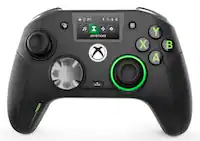
    This controller is the best with the back paddles and everything. And I've been using this and no stick drift at all

    I would recommend this to a friend
  • Rated 5 out of 5 stars

    Best pc and Xbox controller

    |
    |
    Posted . Owned for 5 months when reviewed.
    This reviewer received promo considerations or sweepstakes entry for writing a review.

    10/10 controller. Best controller out there for pc and Xbox. Nothing better than this one.

    I would recommend this to a friend
  • Rated 5 out of 5 stars

    GREAT!!

    |
    |
    Posted . Owned for 3 weeks when reviewed.
    This reviewer received promo considerations or sweepstakes entry for writing a review.

    got this controller as a gift for my boyfriend and he loves it!

    I would recommend this to a friend
  • Rated 5 out of 5 stars

    Great controller especially for more complicated g

    |
    |
    Posted . Owned for 3 weeks when reviewed.
    This reviewer received promo considerations or sweepstakes entry for writing a review.

    Its very smooth no drift so far and feels great on the hands

    I would recommend this to a friend
  • Rated 5 out of 5 stars

    Excelent product

    |
    |
    Posted . Owned for 3 weeks when reviewed.
    This reviewer received promo considerations or sweepstakes entry for writing a review.

    The product is really good, and confortable I'm really happy whit it

    I would recommend this to a friend
  • Tech Insider Network Member

    Rated 5 out of 5 stars

    Completely customizable right from the controller

    |
    Tech Insider Network Member
    Posted .
    This reviewer received promo considerations or sweepstakes entry for writing a review.

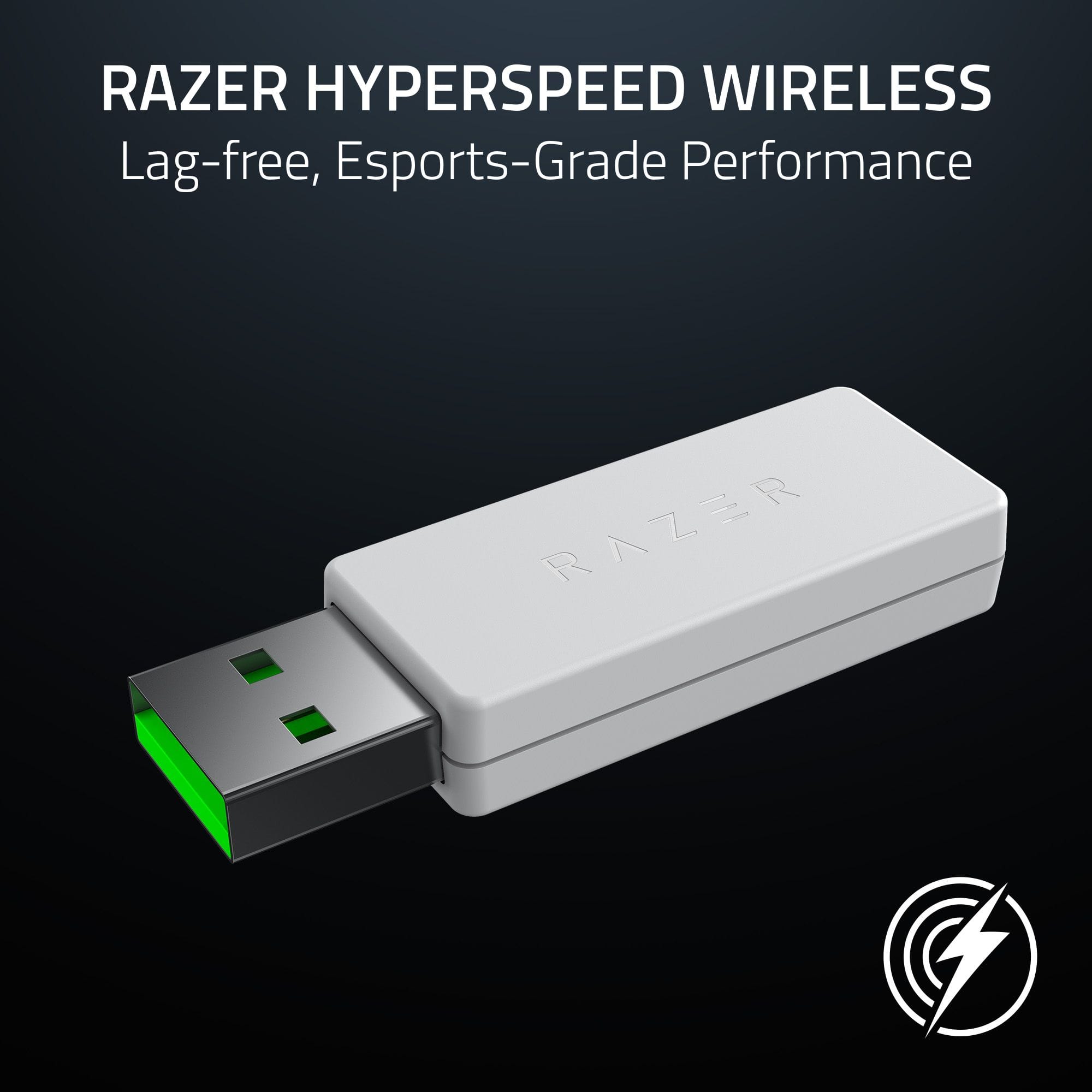
    The quality of the Razer Wolverine V3 Pro is obvious from the moment you open the hard-side carrying case. I love the solid feel of this controller. There is no slop in any movements of the joysticks or buttons. The microswitches in each button feel very precise, and it’s apparent there are no membrane switches to be found. Wireless connection requires use of the included 2.4 GHz USB-A dongle that delivers lag-free performance. At 2.4 GHz, I anticipated potential interference from multiple sources (wireless network, wireless phone, microwave oven, etc.); there was none. It works great and, as far as I can tell, performance is indistinguishable from the wired connection. Wired connection to PC via the included 10’ cable opens up available 1,000 Hz polling in Tournament Mode. Standard and Tournament modes can be selected in software or by using button combinations on the controller – no additional hardware required. Remapping the buttons is intuitive and a great system. You don’t even need to pause the game. The remapping is easily my favorite feature of the Razer Wolverine V3 Pro. I wish all programmable controllers were this easy to reconfigure. Six programmable buttons – four on the back, one on each shoulder – make it incredibly easy to customize button assignments on the fly. All of the buttons and each trigger have the same click actuation and are very responsive. Slide locks adjacent to the triggers on the bottom toggle trigger travel between a standard long-pull and a near-instant-actuation short-pull (think mouse clicks). There is also a short domed thumb stick and tall thumb stick included to suit different styles and preferences. The D-pad takes a little getting used to. It somehow has both a soft and clicky feel, but response is quick and accurate. The buttons on the back are placed exactly where my fingers expect them to be and work with a satisfying “click.” Sticks are stiffer than I’m used to, so much so that I began to notice some fatigue after a couple hours. The Razer Wolverine V3 Pro feels slightly smaller than the standard controllers, and I’m not sure it’s good long term for players with larger hands. The Razer Wolverine V3 Pro has a textured plastic grip that is comfortable over long gaming sessions, but I prefer a rubberized surface for enhanced comfort and grip. I’ve been using “Elite” controllers for years, and the Razer Wolverine V3 Pro is different enough to have a slight learning curve, but if it fits your hands comfortably it is easily worth it. The additional programmability and customization are standout features that put the Razer Wolverine V3 Pro on my short list and make this controller very easy to recommend.

    I would recommend this to a friend
  • Rated 1 out of 5 stars

    Worst controller ever don't waste your money

    |
    |
    Posted . Owned for 1 month when reviewed.
    This reviewer received promo considerations or sweepstakes entry for writing a review.

    The dongle broke within a month of me having it took another month for razer to send a another 1 out to me Worst experience ever will never buy a razor controller again

    No, I would not recommend this to a friend
  • Tech Insider Network Member

    Rated 5 out of 5 stars

    2024's Best Premium Wireless Xbox Controller

    |
    Tech Insider Network Member
    Posted .
    This reviewer received promo considerations or sweepstakes entry for writing a review.

    📦 UNBOXING: Inside the box is the Wolverine V3 Pro controller, a long USB-C to USB-A cable, a 2.4GHz USB-A wireless dongle, and two alternative thumbsticks. The thumbsticks on the controller also had small foam stoppers to prevent them from being pushed in during transport. Other than that, it includes the quick start guide which reveals some of the best features this controller has to offer. 💪 BUILD: The Wolverine V3 Pro weighs in at 300g which is the same as the standard Xbox Series controller with my 2300mAh rechargeable AA batteries. This makes it a very comfortable weight, whereas my Xbox Elite Series 2 weighs in at roughly 343g with paddles. The Wolverine V3 Pro seems to use a plastic material that is very similar to the standard Xbox Series controller, but with a more diffused textured surface. The thumbsticks are removable, but the D-Pad doesn’t appear to be removable. In addition to the standard Xbox controller layout, the Wolverine V3 Pro adds 4 back paddles and 2 claw grip bumpers which can be remapped, but are not removable from the controller. There is also a function button used for remapping and other onboard features. The controller charges via USB-C and also sports a 3.5mm wired combo audio jack. Another competitive advantage is that Razer has added “hypertriggers” which can be engaged via the slide locks. This allows you to click the triggers with a short-travel pull, so they are basically instantaneous. This is great for FPS games or other games where response time is important. But then you can disengage them for a longer trigger pull for games that rely on variable trigger sensitivity like racing games. The included case also has a nice rigid shell to protect the controller whether at home or during transportation in a backpack. The thumbstick grips are of equal quality compared to a standard Series controller, but the button switches used on the Wolverine V3 Pro are nothing like the Series controller or Elite Series 2 controller. As someone who uses a Razer gaming mouse, I like their switches, and feel that their switches are very pleasant, have more tactile feedback, and should hopefully last longer than the switches used in competing controllers. 🛠️ SETUP: Out of the box, I decided to check Razer’s support website and found a firmware update that was available (v1.2.1.0), so I installed that from my PC before moving on. Please note that there’s no way to install firmware updates from the Xbox, so it has to be done via PC. Whether on PC or on Xbox, the setup process is basically plug-n-play, but some additional features are available if you use the “Razer Controller Setup for Xbox” app on either PC or Xbox. Simply plug in the wireless dongle and hold the Xbox button on the controller to turn it on, and it’ll automatically pair. Note that the controller will prefer a wired connection (which offers better latency and no reliance on battery life) if you plug it in over USB. Unlike the standard Xbox controller, this controller can only function wirelessly via the included dongle, and cannot pair directly to the Xbox or to the Xbox Wireless Adapter for Windows. And it does not have Bluetooth as a fallback option for PC players. To my knowledge, this is one of only a handful of official third-party Xbox controllers that actually works wirelessly with an Xbox. However, I don’t love that a dongle is required to use it on Xbox since that may impose limitations on how many of these controllers can be connected. Looking at all the documentation I could find, there’s no clear answer if you can connect two Wolverine V3 Pro controllers to the same Xbox console or PC for that matter. I would hope so, but I wouldn’t make any assumptions given that the controller doesn’t connect using the same built-in wireless mechanisms as the official Xbox Series and Elite controllers. 🖥️ SOFTWARE: The Razer Controller Setup for Xbox app is pretty minimal overall, and you really don’t need to use it unless you want to create different profiles, configure thumbstick deadzones, or use a sensitivity clutch to reduce the thumbstick sensitivity whenever you hold a paddle or claw grip bumper. The Sensitivity Clutch can be really useful for certain first person shooters where you may need lower sensitivity on your aiming thumbstick to dial in a headshot. I have found that some games have less forgiving default aim acceleration, so this feature can significantly help under those circumstances. And while I like that the app can help create profiles, I don’t like that the only way to switch profiles is through the app. The Xbox Elite Series 2 has the ability to toggle between profiles, and I think Razer could have stored onboard profiles and allowed players to use colors on the RGB LED Razer logo to switch between profiles based on colors that they configured. 🎮 REMAPPING & OTHER: The on-the-fly remapping is the highlight of this controller. Simply press and hold the Function button, then press one of the back paddles or claw grip bumpers to have it “listen” to which button you want it to program it to. Then simply press any of the other standard Xbox buttons (share button and thumbstick directions excluded), and it’ll be re-programmed. Initially, I thought this might be niche, but I find that it saves me a ton of time to program a game since I don’t need to open an app to program the mapping. Sometimes, I don’t immediately know how I want to program the paddles and claw grip bumpers. But it’s been game-changing that I can reprogram a button in less than 2 seconds and without having to leave the game. The function button on the controller also allows you to use a combination of other buttons to toggle between different colors for the Razer logo, change brightness and animation speed settings, change headset volume settings, and change haptics strength. The fact that all of this can be done on-the-fly without leaving the game is incredibly convenient. Another interesting feature of the controller is Tournament mode which switches to a 1000Hz polling rate when wired on PC, as opposed to the default 250Hz polling rate when in Xbox mode. You can’t use the app while in Tournament mode, but I don’t think that’s terribly important. 🔋 BATTERY: To some extent, one of the biggest pitfalls of this controller compared to an Elite Series 2 controller is the fact that the battery can only sustain for 20 hours, and it’s not removable. I would say this may be pretty standard battery life for a standard Xbox controller (depending on the AA batteries that you use), but there’s no doubt that I think some folks will find themselves needing to charge the Wolverine V3 Pro a lot more frequently. 🧐 CONCLUSION: Overall, I have definitely been enjoying using the Wolverine V3 Pro. While I don’t love its lower battery life compared to Microsoft’s own Elite controller, I have more confidence that the hall effect joysticks and razer switches will outlast the commodity switches that Microsoft uses. But more importantly, I really enjoy the ergonomics, responsiveness of the controller, and the incredibly easy methodology for remapping the paddles and claw grip bumpers. While the Razer V3 Pro comes in at a premium price, I think its switches and joysticks are likely to significantly outlast Microsoft’s own Elite controller, and the remapping capabilities are innovative, intuitive, and make this controller much more enjoyable to use.

    I would recommend this to a friend
  • Tech Insider Network Member

    Rated 5 out of 5 stars

    Excellent controller

    |
    Tech Insider Network Member
    Posted .
    This reviewer received promo considerations or sweepstakes entry for writing a review.

    Introduction Razer has been making everything from gaming laptops to mice and keyboards. The Wolverine is their newest controller for Xbox and PC. Going in I have not tried any of Razer’s controllers, so this will be new territory for me. As I do game with a controller when I can, I have never really used a premium controller that cost over $100. What comes in the box? Out of the box you get the a very long USB-A to USB-C braided charge or play cable, the controller, a carrying case that contains the USB-A dongle, an extra hall effect thumb stick that’s in a different size, and a convex thumb stick. Minor wins I really do like the four “mouse side buttons” that they included in the back. They do take some time to get used to, but after a bit of practice, you get used to them. I will say, that I only use the two upper buttons, and the lower two stay relatively inactive for all of my gameplay. It’s a small novelty but I like how the Razer logo on the front of the controller glows differently depending on how much battery life it has left. Major wins The controller feels great. It has a nice weightiness to it. The grips are textured and feel really nice. The rest of the controller has a nice matte finish to it. I’m really glad that the design engineers didn’t decide to include glossy plastic anywhere on the controller. Usage You can choose to either use it as is, and ignore the extra buttons, or download the app on your pc and map it how you want. You can also choose to use it wirelessly via the dongle, or use the cable. I’m very close to my pc, so I don’t mind having it connected. The wireless function is nice if you’re desktop is a distance from you and you want to sit comfortable on a sofa or something. The controller’s buttons and thumb sticks are probably some of the best ones I’ve ever used. The hall effect thumb sticks feel great. The face buttons have a good feel when you push them and no sticking. The shoulder buttons are all responsive. The LT and RT have a unique feature where you can keep them at their default state; the trigger feel, and have them travel all the way down and back, or you can have them act almost like buttons where they have short travel. I’ve been using the default way for so long that I could not get used to the short travel setup. The M1 and M2 buttons took a few hours to get used to. Having to train my brain to use the two extra triggers did help, but not tremendously. The most interesting part of the controller is the “floating” directional buttons. When you press any direction, the button goes back to its stationary position. It’s responsive. The M3-M6 buttons on the back are fun to use, but I found myself using the M3 and M4 only. I found it weird trying to use my pinkie fingers to hit the M5 and M6… so those are never used during my gameplays. So I used it on a fighting game and a FPS. I chose those games because they require pretty good input time and response to adequately compete. The fighting game had no issues with input response. I went into training mode to see how quickly the inputs were being registered, and sure enough, it was pretty much instantaneous. The FPS was fun. I mapped my buttons a bit differently and tried utilizing the M1-M4… and it was chaos. I changed my jump and reload buttons to M3 and M4, and it was actually more comfortable. M1 was grenades, and M2 was spotting people on the map. After about an hour, it became second nature. All of the buttons respond well, and the controller was comfortable to hold during the whole gameplay session. Minor issues This is going to sound quite sad but I could not for the life of me figure out how to go into calibration mode to remap some of the buttons. I thought that If I plugged in the USB dongle, surely it would pop up… nope. Little did I know that the instructions manual suggests to download the app on the Microsoft store to unlock its “final form.” A QR code anywhere on the internal packaging would have made this easier. Primarily for Gamers who like having a premium controller with extra buttons to map out. Probably not for People who don’t need all of the bells and whistles that come with the premium price tag. All in all I like what Razer has done with the Wolverine V3 Pro. IT’s comfortable, works really well, and is customizable. The price tag is a bit scary, but I think that’s the average going price for a premium controller.

    I would recommend this to a friend
  • Tech Insider Network Member

    Rated 5 out of 5 stars

    Almost perfect controller!

    |
    Tech Insider Network Member
    Posted .
    This reviewer received promo considerations or sweepstakes entry for writing a review.

    Definitely an upgrade from the last Wolverine V2 controller! If you have the previous version of this controller, you are going to be extremely impressed with all the upgrades in this controller. It is definitely worth the upgrade! If you are coming from the official Microsoft Xbox Elite Series 2 Wireless controller there are a few small differences you should know about, but they are very, very close in comparison! This is clearly a direct competitor to that controller, so I will mention the differences below. Out of the box you can tell this is a premium controller. It has a good weight to it and feels nice in the hands. The Microsoft controller is definitely a little heavier and feels more solid though, so Microsoft wins that one. It has a slightly rubberized coating on it, but its not as grippy as the Microsoft one. The Microsoft controller definitely has a thicker rubberized coating on it. All the buttons feel great and respond well. This controller definitely has more of a “clicky” feel to all of the buttons than the Microsoft one does. They are slightly louder as well, but I don’t think it will really be bothersome to anyone. They seem to press a little smoother ant take slightly less effort to push than the Microsoft controller, which is a good thing so I will give the edge to the Razer on that one! The joysticks I think are pretty much the same between the 2 controllers. They both have the same feel and responsiveness to me. They are also both removable and swappable for a shorter or taller cap which is included. Both controllers have 2 sets of back paddles. Razer have moved these out more to make them a LOT easier to reach than they were on their previous controller. They are not quite as long as the Microsoft one, but I didn’t feel like I was struggling or reaching to hit the paddles on either controller. The ones on the Razer are not removable, but the ones on the Microsoft controller are. So, if you are someone who never uses them, you can simply pop them off and they won’t be in the way, but you cant do that with the Razer controller, so Microsoft has the slight edge there. The 2 selection buttons are a little bit too high in my opinion on the Razer controller. If you have been used to using the Microsoft controller, you will find yourself trying to hit the button and missing because they sit a lot higher. I find myself having to stretch to hit them. In games where you need to be able to hit them quickly to access menu items, it can be a bit of a problem. The d-pad on both are also very similar. I find that they react the same way and work great. On the Microsoft one though you can remove the d-pad and swap it out with a different style, which you can’t do on the Razer. Again, slight edge to the Microsoft on that one. So, as far as functionality goes, it’s a great controller and will easily make any PC or Xbox gamer very happy! The only caveat is if you are coming from using a Microsoft controller, it may take a little bit of getting used to. But I find the more you use it, it becomes second nature. The Razer also comes with a nice hard shell case to keep the controller in as well as the extra joystick toppers and USB dongle so its very easy to take with you on the go. This is definitely a big upgrade from the previous Razer wolverine controllers and I would definitely recommend checking it out if you are in the market for a new Xbox or PC controller!

    I would recommend this to a friend
  • Rated 1 out of 5 stars

    Horrible quality

    |
    |
    Posted .
    This reviewer received promo considerations or sweepstakes entry for writing a review.

    Only had for about 3 months and one of the thumbsticks is loose and completely broken

    No, I would not recommend this to a friend
  • Tech Insider Network Member

    Rated 5 out of 5 stars

    Great controller!

    |
    Tech Insider Network Member
    Posted .
    This reviewer received promo considerations or sweepstakes entry for writing a review.

    I have a Razer V2 Pro Controller for PS5/PC, and this new Razer V3 Pro Wireless for Xbox/PC to me took the few shortcomings of that controller and changed things for the better for this new Xbox V3 Pro Wireless version. So glad they listened to their customers, as overall, this is my new favorite controller. The Razer V3 Pro Wireless controller is very comfortable, and has rear buttons that are customizable via the app that you install directly on your xbox or your windows PC. There are four buttons on the back of this controller that are great. They are mouse click style buttons, meaning that they kind of feel like buttons on a mouse you would click. These can be mapped via the software to other functions. There are also two more customizable triggers on the top that Razer calls “claw“ triggers. These are nice to have but they are in an awkward place that are uncomfortable to use as gaming buttons, at least for my hands. The back buttons however are in a great position for my average size hands. The triggers, I love these triggers. This controller’s triggers have a switch for left and right, and say you want to play a driving game, where you want those triggers to be in an analog mode. You leave the trigger stops in the default open mode, so you can have a full, deep press range of motion. But, if you also play games like first person shooters like Call of Duty or anything like that,or even metroidvanias, you can set the triggers to be in their other positions allowing for a much faster click registration. They are no longer “deep pulls” I guess you could say for a click to actually be registered in game. The face buttons are really good too. They feel like micro switch buttons to me, and much better than the stock Xbox One Series controllers which feel more mushy to me having now tried the Wolverine V3 Pro Wireless. I can never go back to anything less. If you have ever tried a mechanical keyboard, it is a similar feeling on each press. Ahh.. the thumbsticks. These have hall effect thumbsticks. While this does not mean they will never get stick drift like most other Xbox controllers, even the Xbox Elite controllers all will eventually develop stick drift. Stick drift it was eventually happens to most controllers sticks, meaning you will take your thumbs off the direction you were pushing/pulling and it should go back to the “dead center” and not move at all. When you develop stick drift, it means the stick will seemingly stay drifting off in the last direction it was pushed or pulled. Hall effect sticks work differently than traditional controller thumbsticks that would wear away inside causing stick drift. Hall effect sticks work with magnets that are far less prone to this failure. These sticks also feel great on this controller to boot. This controller also comes with two extra thumbsticks if you want a different feel that are easily replaceable. Finally, a controller that comes with a case! This was just a bonus for me, but this controller actually comes with a portable case. With spots to hold your extra thumbsticks included and the wireless USB adapter. There is also a pouch you can put your charging / playing cable in. The controller also comes with a 10 foot USB cable to charge and also play wired when needed. This for me is just enough from my xbox series x to my couch. It is made of a nice braided material too. The only downside for this controller is that unfortunately, for any kind of wireless use, you need to use the included Razer HyperSpeed Wireless 2.5ghz USB dongle. My gripe here is that if you lose that USB dongle you will only be able to have a wired controller, as Razer unfortunately does not sell replacement dongle for any of their wireless controllers. I actually reached out to them, and they told me they do not sell replacements. They do sell wireless dongles for some of their other products but not for this wireless controller. So make sure if you do not lose this dongle! Just an FYI, there is no connecting this controller via Bluetooth on Xbox or on Windows PC. Other than that gripe, this is a fantastic controller!

    I would recommend this to a friend
  • Tech Insider Network Member

    Rated 5 out of 5 stars

    Gorgeous controller for the true collector

    |
    Tech Insider Network Member
    Posted .
    This reviewer received promo considerations or sweepstakes entry for writing a review.

    Right out of the box I was impressed with this controller. It came in premium thick packaging that really makes you feel like you just purchased a high end item, which you did. Even the font on the front of the packaging is reflective and glossy. Very premium looking. Inside you are greeted with a black sturdy case that houses the controller and accessories. The controller joysticks are protected by foam, and then you get the additional thumbsticks, a USB adapter which plugs into your xbox, and there is an additional usb-c cord that is used to actually charge the controller. The controller came with about an 85% charge. So i was able to get right into the gameplay and load up the xbox and test the controller. When you hold the power on button you are greeted by a haptic vibration and a color display on the actual razer logo that actually goes through a few different color options depending on what you are trying to do. Actual gameplay just switches between a rainbow of colors in a breathing motion but you can customize this which brings me to my next section. The whole reason to get this controller or an elite controller is to have the extra buttons to map and customize. You can do that by downloading and installing the free razer app on xbox. It took me only about 5 minutes to setup and customize all the buttons. You can also control and customize the razer color led, the haptic vibration speed, the overall brightness of the lights, a power saver mode, and a few other features. You can also set custom drift joystick features from the app. Overall this is a great controller. Very premium feel. Premium packaging and just a great controller overall with plenty of customization.

    I would recommend this to a friend
Sponsored