Customer Ratings & Reviews

- Model:
- STREAMERX
- SKU:
- 6545001
Rating by feature
- Value
Rating 3.3 out of 5 stars
- Quality
Rating 3.7 out of 5 stars
- Ease of Use
Rating 3.1 out of 5 stars
Customers are saying
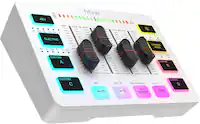
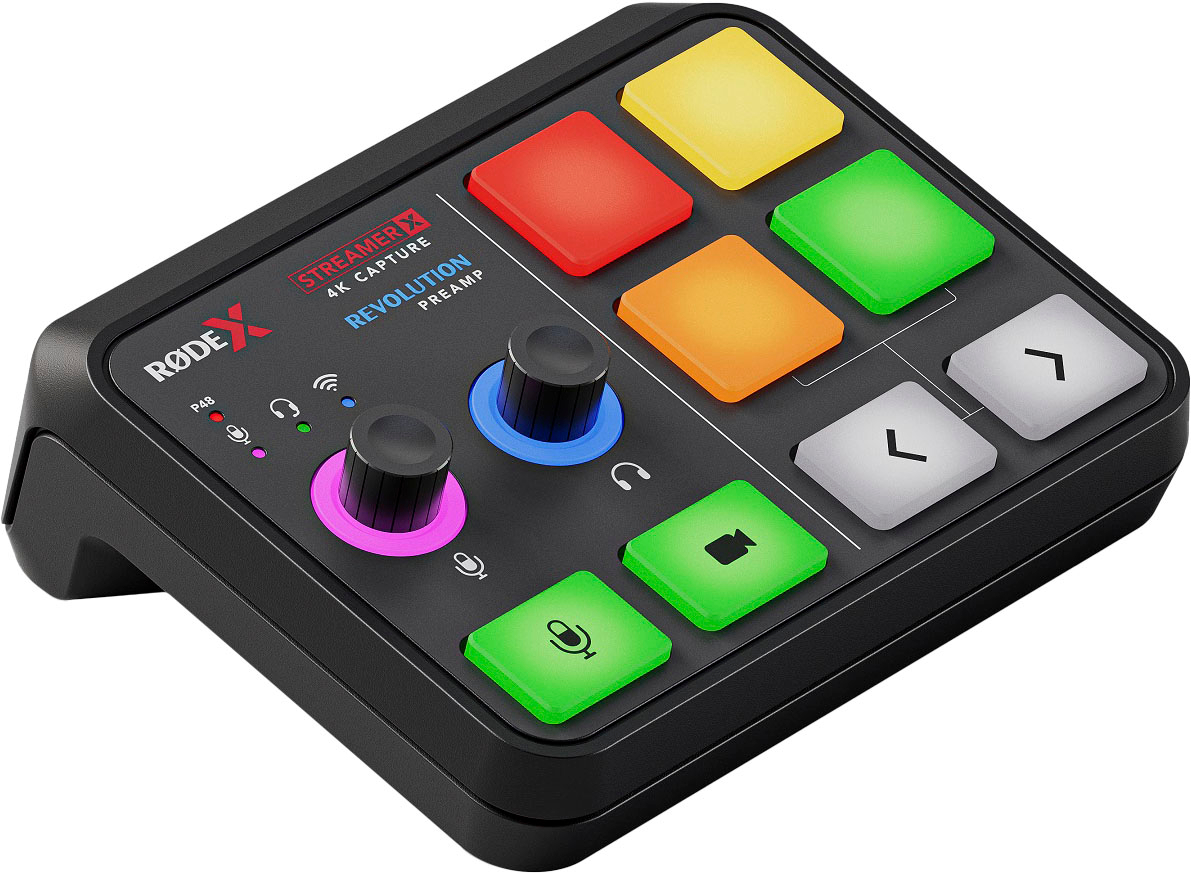
Customers highly value the StreamerX Audio Interface and Video Capture Mixing Board for its capture card feature, which is seen as a bonus, and its user-friendly interface. However, some customers have expressed dissatisfaction with the software, describing it as unintuitive and prone to crashing, and have also raised concerns about compatibility issues, particularly with Mac devices.
This summary was generated by AI based on customer reviews.
No manual and online instructions seem vague to me
||Posted . Owned for 3 weeks when reviewed.This reviewer received promo considerations or sweepstakes entry for writing a review.I have had this item a month now, and I’m still stumped as to how to properly utilize it. I own quite a few Rode products (Rodecaster I and II, Me, and Rodecaster mics, and this little streamer X is the most challenging item I’ve ever purchased form the company.
No, I would not recommend this to a friendGood product
||Posted . Owned for 1 month when reviewed.This reviewer received promo considerations or sweepstakes entry for writing a review.This product was wonderful and customer service is very great
I would recommend this to a friend- Pros mentioned:Sound quality
The little box you didn’t know you needed..
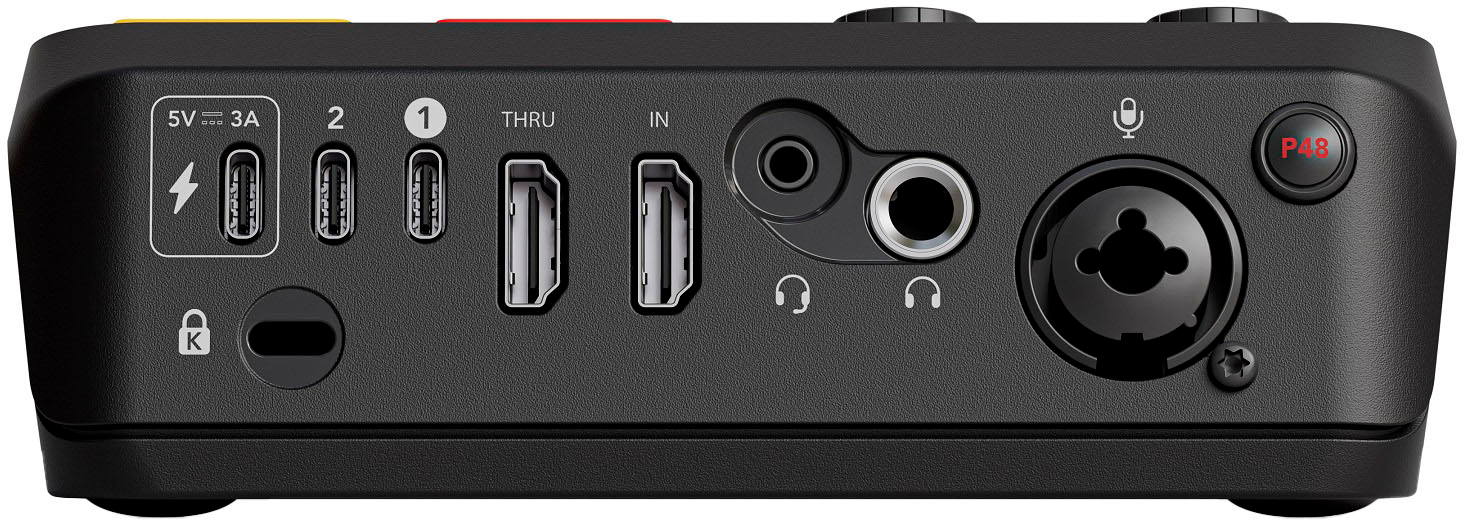
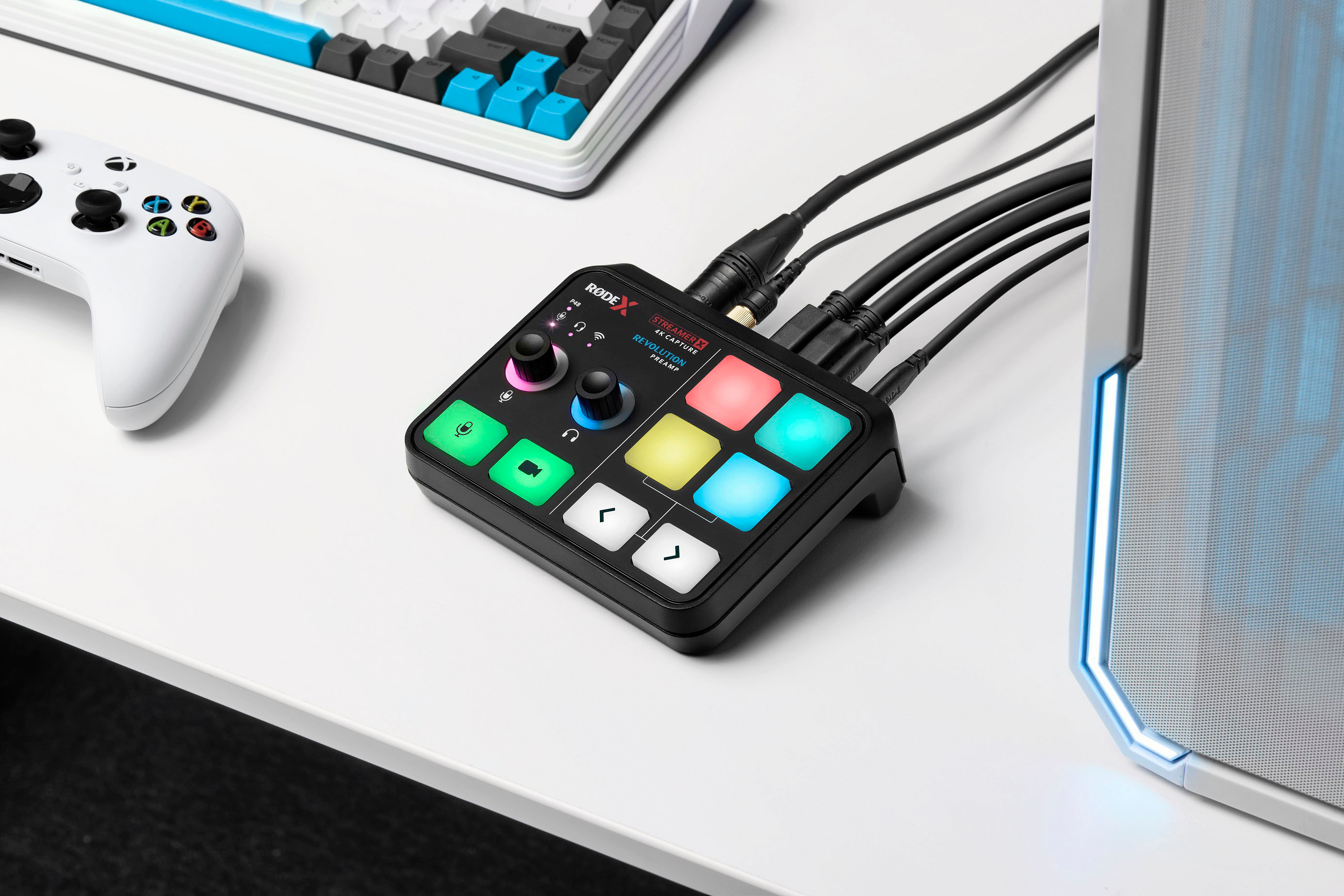
||Posted . Owned for 1 month when reviewed.This reviewer received promo considerations or sweepstakes entry for writing a review.The streamer X is exactly the kind of unit I needed. It’s a video capture card and an audio interface with soft pads and on board controls to simplify your video stream process. It accepts HDMI inputs so if your cameras are USB based, you will need an adapter . I’m still getting this unit setup but I created one video with it and it much simplified my zoom video call. I have yet to try it as an audio interface and plug a guitar into it. By the way, it accepts the rode wireless mic like the Go II easily and you dont need to use the receiver. I will be pairing it with the Shure SM58 soon which it should work fine with. Best of all, it used to sell for $400
I would recommend this to a friend - Cons mentioned:Software
Waste of Money extremly buggy
||Posted . Owned for 2 months when reviewed.This reviewer received promo considerations or sweepstakes entry for writing a review.Waste of money looks cool and sounds cool looks are deceiving. I bought one and returned it after a day of use and got another one and buttons went out after the 2nd day. If you have a GO XLR already like I do and wanted something newer keep the GO XLR it that's what I did.
No, I would not recommend this to a friend - Cons mentioned:Software
Best Value All in one Capture card for streamers
||Posted . Owned for 6 months when reviewed.This reviewer received promo considerations or sweepstakes entry for writing a review.Amazing hardware, disappointing software. For the price it’s an extremely good value with everything it provides in one package and got my streaming journey off the ground but I started using this with a Mac Mini M1 and some features did not work as advertised I could not get game chat to work through the PS5 to the streamer X and I have confirmed it is a Mac OS problem with the streamer X and on windows it works as after 5 months I made the jump to a PC and tested it but I have since sold my streamer X and PS5 for the Elgato suite (wave XLR, Streamdeck, camlink) as it’s a better ecosystem for streaming on PC. Streamer X Unify software also constantly needs to be restarted as it’s buggy. But the Elgato suite is a much more expensive option considering the streamer X is the wave XLR/ 4kX capture card/ and a dummer version of a streamdeck which for all those things you’re saving around $200 for the streamer X. So in short if you’re on a budget and have a cheap PC and want to stream console gameplay it is the best value all in one piece to get you started. Hopefully the software will continue to improve and it will become an even better option.
I would recommend this to a friend - Pros mentioned:Capture cardCons mentioned:Software
A great solutions for streamers!
||Posted . Owned for less than 1 week when reviewed.This reviewer received promo considerations or sweepstakes entry for writing a review.Rode is on to something here. This will work great if you're someone who has difficulty dealing with digital mixer interfaces like Wave Link and Voicemeeter. While the software takes a little bit a time to get used to (Not as simple as Wave link but way better than Voicemeeter), it's a good first step to simplify issues that virtual mixers make difficult. Plus, it has a capture card which is an added bonus for me. If you're considering going towards a hybrid of having a physical device and a virtual mixer to manage your audio, this a good start.
I would recommend this to a friend - Pros mentioned:Ease of use
A Streamer's Disappointment: Rode Streamer X
||Posted . Owned for 3 months when reviewed.This reviewer received promo considerations or sweepstakes entry for writing a review.As an experienced streamer who has spent years in the field, assisting fellow streamers and gaining extensive knowledge of available streaming hardware, I was eager to find a new go-to device following the discontinuation of the GoXLR. My search led me to the Rode Streamer X, which seemed promising at first glance, especially with features like multiple USB ports. Out of the box, the Rode Streamer X impresses with its solid build quality and compact design, making it an appealing choice for those with limited space. The launchpad buttons particularly stand out, offering better functionality than many other mixers on the market. However, the device quickly falls short in terms of user-friendliness. My initial experience was marred by confusion and frustration. For instance, activating the phantom power was a puzzle, solved only by realizing the need to click the microphone rotary knob to select the correct input – a process not immediately obvious or well-explained. My struggles escalated with the Rode Unify software. The learning curve here is excessively steep. Simple tasks, such as opening microphone settings, became time-consuming challenges. The software's interface is far from intuitive, and essential functions are hidden behind vague icons and menus. Understanding the terminology used for features like the noise gate and compressor felt like deciphering a foreign language. The lack of clear documentation added to the complexity, leaving me to navigate a maze of information to grasp basic concepts like 'hysteresis'. The most critical flaw I discovered was the software-only audio routing. This design choice means that to utilize the hardware as configured, the Rode Unify software must always be running. Without it, key functionalities like Game, Music, Chat channels, Stream, and Chat inputs become inaccessible. This is unacceptable at its price point. Furthermore, I encountered a deal-breaking limitation: the Chat Input and Output channels are not compatible across multiple applications simultaneously. If engaged in Discord, these channels fail in other environments, such as in-game communication. The ability to talk to your party in Discord but still communicate with strangers in games such as Call of Duty is an absolute requirement for any game or content creator and this device fails to provide such a simple feature. Regrettably, I discovered these issues only after the return period had lapsed. At a price point of $399, the Rode Streamer X's reliance on software-based audio routing and its overall lack of intuitiveness are major drawbacks. Had I known, I would have opted for free solutions like Voicemeeter or Virtual Audio Cables for software audio routing. I cannot recommend the Rode Streamer X to anyone, regardless of their streaming experience or needs. Its unintuitive design and software dependency, coupled with the high cost, make it a poor choice for streamers seeking reliable and user-friendly hardware.
No, I would not recommend this to a friend - Cons mentioned:Software
Very glitchy
||Posted . Owned for 1 week when reviewed.This reviewer received promo considerations or sweepstakes entry for writing a review.First I couldn’t upgrade the firmware from my pc. Used my mac with my rodecaster pro II cable and I could finally upgrade the firmware. Once using it it was very glitchy, it kept restarting and dropping connection to the microphone. I couldn’t use my Elgato Facecam Pro with and HDMI adapter, but that can be an Elgato issue though. I really wanted to love it and use it for my workflow, but as it is right now I can’t use it and will return it.
No, I would not recommend this to a friend - Pros mentioned:Ease of use, Sound quality
Love the pad
||Posted . Owned for 3 weeks when reviewed.This reviewer received promo considerations or sweepstakes entry for writing a review.Great piece of equipment, I really didn’t know much about beat pads/sound boards and it really seemed like a lot of fun to utilize when testing it out. Cokes preloaded with a good set of sounds and voice options and it’s easy to use. You able to add your own sounds out replace once you don’t want and that just takes a little figuring things out on the computer. Overall I love it, my only issue seen is that when you are searching through sounds on the pad you may have to click through a few channels to get there. No biggie but it could be a gale for some. I plan on ironing this for music recording, videos and podcasting
I would recommend this to a friend - Cons mentioned:Software
avoid at all costs until they put a power button
||Posted . Owned for 1 week when reviewed.This reviewer received promo considerations or sweepstakes entry for writing a review.this device needs to be taken back to the drawing board. first off there is no power button on the device. so you basically have to leave it on 24/7 or unplug the usb c connections. I unplug the usb c connections everyday and the ports are already weak and the software/device keep thinking that my mic is being unplugged and plugged back in every 10 seconds. I had this device for less then 1 month and it is already defective.
No, I would not recommend this to a friend My experience
||Posted .This reviewer received promo considerations or sweepstakes entry for writing a review.It's a pretty interesting device. It's been a little glitchy with me. But when it works, it works very well! The Aphex microphone processing is what gets me to keep using this device.
I would recommend this to a friend- Cons mentioned:Software
Stay Clear of this. Too many bugs.
||Posted . Owned for less than 1 week when reviewed.This reviewer received promo considerations or sweepstakes entry for writing a review.I may have gotten a lemon but not only was this a pain to set up compared to what Elgato has to offer. Everytime I would switch off my pc, it would freeze and the software would just crash. Each time I would have to reformat the system and start over. Its a new release so I get it but you are better off with something else.
No, I would not recommend this to a friend Microphone pass through
||Posted .This reviewer received promo considerations or sweepstakes entry for writing a review.Microphone pass through did not work as intended had a loud buzzing noise.
No, I would not recommend this to a friendGreat, but the video capture is disappointing
||Posted . Owned for less than 1 week when reviewed.This reviewer received promo considerations or sweepstakes entry for writing a review.Only reason I'm giving it 3 stars is because of the video capture downfall. Whenever, I connect my camera to it, it stretches the video and makes my face elongated. Very disappointed in that. I had to go back to my Elgato Cam Link to capture video. Elgato never gave me any problems on the other hand. Maybe it's a software thing, not sure, but it definitely should not be happening. Other then that it's great and has a lot of potential
No, I would not recommend this to a friend
Not worth the price
|Posted . Owned for 1 week when reviewed.This reviewer received promo considerations or sweepstakes entry for writing a review.As nice as it is to have a soundboard with adjustable knobs for headphones and the microphone, the programs that are required for the Rode are unintuitive at best. I wasn't able to find a setting that allows you to adjust the audio separately from what you hear and what the stream hears. When connecting my headset I would constantly hear static and it progressively got worse where it would sound like someone is taking a spray paint can to your headset. Had to return it, if it was a one time thing I would say I was unlucky but it does not feel worth it for the price.
No, I would not recommend this to a friend- Pros mentioned:Capture card
Game changer
||Posted . Owned for 2 weeks when reviewed.This reviewer received promo considerations or sweepstakes entry for writing a review.4K capture card, yep! Video and audio, HDMI and XLR, check, rode wireless mic II direct connect, bonus. midi compatibility, Check, small for factor, phenomenal. Love how easy the steamer is to use,
I would recommend this to a friend - Pros mentioned:Capture card
Amzing
||Posted . Owned for 1 month when reviewed.This reviewer received promo considerations or sweepstakes entry for writing a review.Best capture card mixer i have two of them is the best if the best
I would recommend this to a friend Frustrating and Unreliable: Not Worth Your Mone
||Posted . Owned for 1 month when reviewed.This reviewer received promo considerations or sweepstakes entry for writing a review.Absolutely not worth the investment. This product is missing a simple on/off switch, and the Unify app is a nightmare—it disconnects constantly, making it completely unreliable. If you work remotely and rely on Zoom, prepare for endless frustration; you’ll have to reconfigure the audio settings every single time you turn on your computer. While the idea behind this product might be good, the execution is deeply flawed. I would give it zero stars if that were an option. Save your money and find something better. Current firmware version is: 1.1.9 at the time of this writing.
No, I would not recommend this to a friend- Pros mentioned:Sound quality
Streaming video recording
||Posted . Owned for 3 weeks when reviewed.This reviewer received promo considerations or sweepstakes entry for writing a review.It is excellent xsteamer recorded or live streaming for soundtrack voice or users will recommended for anyone on podcasts
I would recommend this to a friend Static
||Posted . Owned for 1 month when reviewed.This reviewer received promo considerations or sweepstakes entry for writing a review.When you try to use it with the ps5 you hear a static sound that comes and goes other than that its amazing.
No, I would not recommend this to a friend