Customer Ratings & Reviews



- Model:
- 4850R
- SKU:
- 10764736
Rating by feature
- Value
Rating 4.7 out of 5 stars
- Quality
Rating 4.7 out of 5 stars
- Ease of Use
Rating 4.8 out of 5 stars
Not good streamder
||Posted .This reviewer received promo considerations or sweepstakes entry for writing a review.Roku has become ad driven. Roku ads icons to homepage, McDonalds ads etc. Inconsistent update. One Roku has newest software, and other same model doesn’t have newest update. Freezes alot. Will be switching to new Streamer. Zero customer service support for issues
No, I would not recommend this to a friendBrand response from Roku Team
Posted .Hi Timothy, thank you for sharing. You can manage ads on your Roku by hiding individual ads, limiting specific 'sensitive' ad categories, and disabling sponsored wallpapers. However, these settings do not remove video ads in streaming apps or certain themed background ads. For reference, use this link: https://support.roku.com/article/16255268195607. One Roku device may not be updating because updates are rolled out in stages. You can manually update the other device by going to Home > Settings > System > Software Update > Check Now. Also, ensure your Wi-Fi connection is stable for uninterrupted streaming. For further guidance, refer to: https://support.roku.com/article/213122277#section-1. If you need assistance, let us know at support.roku.com/contactus. Thanks! Elmer, Roku Customer Advocate

Remote is garbage
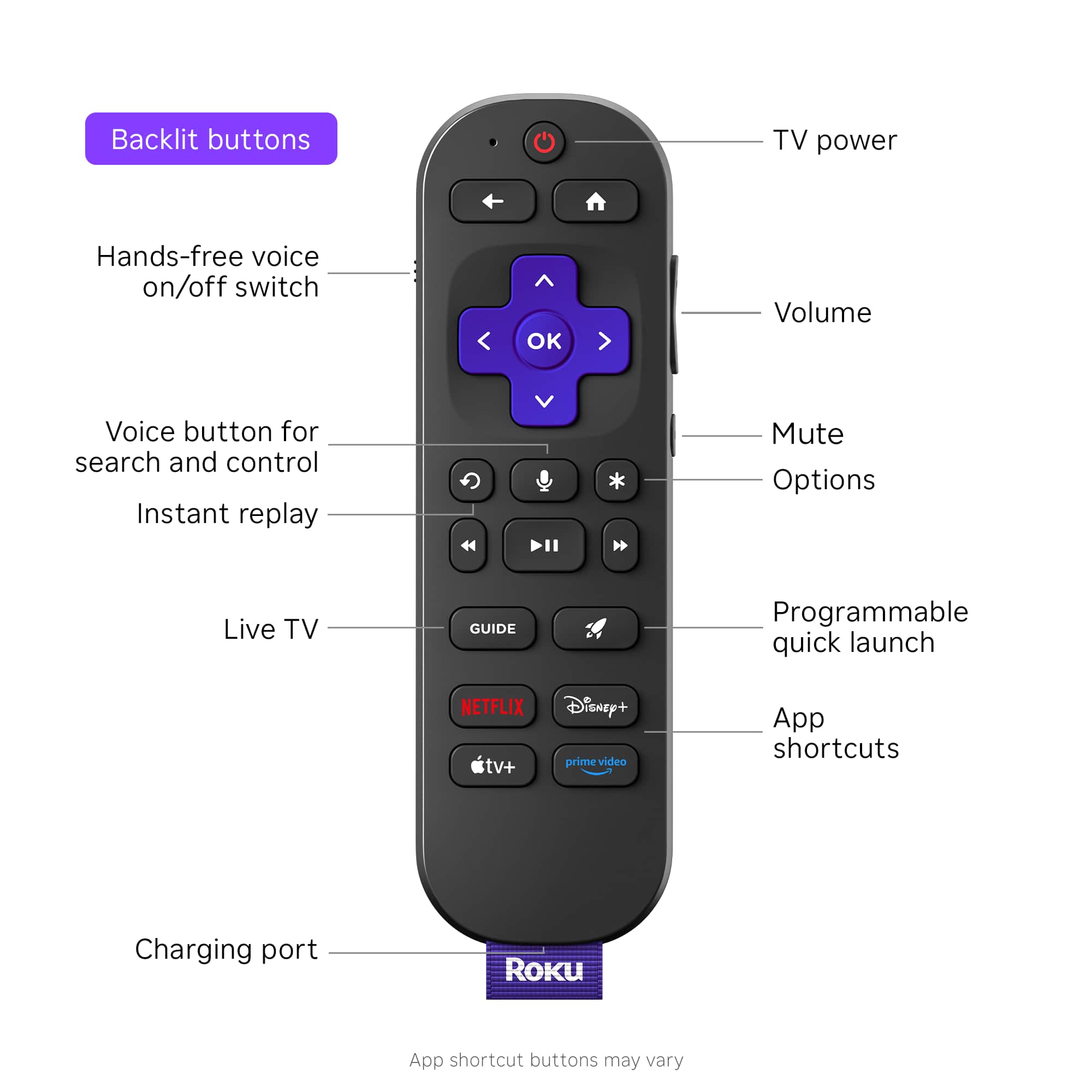
||Posted .This reviewer received promo considerations or sweepstakes entry for writing a review.Roku works but the remote doesn't use batteries. guess what if the charging cord is broke your remote will not work. we tries other USB-C and they don't work
No, I would not recommend this to a friendBrand response from Roku Team
Posted .Hello! Thanks for sharing. Have you had a chance to contact our customer support team? We'd be happy to learn more and help troubleshoot this with you! Visit us online at support.roku.com/contactus to get started and connect with an agent. Your feedback is very important to us and we’re eager to assist. Thanks! Elmer, Roku Customer Advocate
Watch out your sound output!
||Posted . Owned for 1 month when reviewed.This reviewer received promo considerations or sweepstakes entry for writing a review.Very good always on Dolby Vision set up. But watch out on your sound output preferences, it might conflict on decoding leasing to sound cut offs and/or a SQUEALING beep sound. I did everything from cables to reset (8 times!) and all nothing. Returning it.
No, I would not recommend this to a friendBrand response from Roku Team
Posted .Hi Pedro, help has arrived! Please visit us online at support.roku.com/contactus to connect with an agent who can assist. Your feedback is very important to us, and we’re eager to help. Thank you! Roku Customer Advocate
Disappointed
||Posted . Owned for 2 weeks when reviewed.This reviewer received promo considerations or sweepstakes entry for writing a review.We didn’t receive it and we were never notified that we wouldn’t be getting it yesterday!
No, I would not recommend this to a friendBrand response from Roku Support
Posted .Hello, Beth. Thanks for flagging, and we're sorry to hear this. We highly recommend contacting the package carrier to see updates with the order. Thanks for choosing Roku and we hope that this product will be delivered soon. Many thanks! Bernie, Roku Customer Advocate
Best Buy is no help
||Posted . Owned for 3 weeks when reviewed.This reviewer received promo considerations or sweepstakes entry for writing a review.The remote stopped working after a week, on week 2 it would not work at all. I called/texted Best Buy and they said I only had 14 days to return/exhange it. It was a 2 hour process, they said I had to contact ROKU directly, that was another hour process, I had to take photos of the front and back of the remote, and do certain things to reset it, and I only had 5 minutes, if I did not reply to the chat, they would cut me off, highly stressfull
No, I would not recommend this to a friendBrand response from Roku Team
Posted .Hi there, we’re sorry to hear about the frustrating experience this caused and appreciate your patience. Were you able to get your remote issue resolved? We’ll be sure to share your feedback on the chat time limit with our team. In the meantime, feel free us know if there’s anything else we can do to help. Happy Streaming! Elmer, Roku Customer Advocate
Disappointing
||Posted . Owned for 11 months when reviewed.This reviewer received promo considerations or sweepstakes entry for writing a review.When I first bought this product work fine but now loses Internet all the time and have to restart it
No, I would not recommend this to a friendRoku Ultimate did not work for us.
||Posted .This reviewer received promo considerations or sweepstakes entry for writing a review.Low volume on both TVs when streaming with Roku Ultimate. We were unable to adjust settings to increase volume.
No, I would not recommend this to a friendBrand response from Roku Team
Posted .Hi Maria, thank you for sharing your experience with us. No worries, we are always here and ready to help. To start, please check that the TV's volume is turned up and not muted. Then, adjust the Roku's sound settings by playing any content and pressing the 'Star' button on your Roku remote to find and enable 'Volume Leveling' or choose a different 'Sound Mode'. You can use this link as a reference: https://support.roku.com/article/226802507. If those steps do not resolve the issue, please restart both the Roku and the TV, check your HDMI connections, and ensure that all software is updated. Having the latest version will help you achieve optimal, bug-free performance with the latest features. To check for updates manually, press Home > Settings > System > Software Update > Check Now. If the issue persists, please let us know at support.roku.com/contactus. Thank you! Elmer, Roku Customer Advocate
Disappointed
||Posted .This reviewer received promo considerations or sweepstakes entry for writing a review.I need to return this item. Hook up was easy.Proformance was not.
No, I would not recommend this to a friendBrand response from Roku Team
Posted .Hi Tracie, we are thrilled that you've decided to use our Roku product and are genuinely grateful for your support. If you encounter any challenges during the setup or activation process, please do not hesitate to reach out to us at https://support.roku.com/contactus. Your feedback is incredibly important to us and plays a crucial role in shaping our products and services.
We can't wait for you to start streaming!
Elmer, Roku Customer Advocate
Worse customer service ever refund issues
||Posted . Owned for 1 month when reviewed.This reviewer received promo considerations or sweepstakes entry for writing a review.Still waiting on this refund. What is the hold up?
No, I would not recommend this to a friendBrand response from Roku Team
Posted .Hello Sasha. Thank you for your input! We're here to help. We advise you to contact the store where you requested the refund. e apologize for the inconvenience this has caused you. But if ever you need help, you can contact our support team at support.roku.com/contactus. We'll be happy to assist you. Happy Streaming! Roku Customer Advocate
Not worth it.
||Posted . Owned for 3 weeks when reviewed.This reviewer received promo considerations or sweepstakes entry for writing a review.Slow and returned the product. Have 1 gig internet and went back to Apple TV.
No, I would not recommend this to a friendBrand response from Roku Team
Posted .Hi, Jreis! Thanks for taking a moment to share. We’re sorry to hear that it didn’t work out. We appreciate your feedback nonetheless. If there is anything that we can assist you with down the road, please don't hesitate to reach out. In the meantime, we will be sure to pass this along to the product team. Thanks! Roku Customer Advocate
Bad Roku
||Posted .This reviewer received promo considerations or sweepstakes entry for writing a review.Won't do the initial update to connect to the Internet.Tried over and over.Then went blank should be replaced.
No, I would not recommend this to a friendBrand response from Roku Team
Posted .Hi there! This doesn't sound quite right and we'd like to help. Please visit us online at support.roku.com/contactus to connect with an agent who can assist in troubleshooting this with you. Your feedback is very important to us and we’re eager to assist. Thank you! Elmer, Roku Customer Advocate
Useless
||Posted .This reviewer received promo considerations or sweepstakes entry for writing a review.Useless as it would not load the start menu after multiple attempts. Returned to Best Buy.
No, I would not recommend this to a friendBrand response from Roku Team
Posted .Hello! Thanks for sharing. Have you had a chance to contact our customer support team? We'd be happy to learn more and help troubleshoot this with you! Visit us online at support.roku.com/contactus to get started and connect with an agent. Your feedback is very important to us and we’re eager to assist. Thanks! Elmer, Roku Customer Advocate
Defective product
||Posted . Owned for 3 months when reviewed.This reviewer received promo considerations or sweepstakes entry for writing a review.Thing is defective and turns off after 30 seconds to 5 minutes
No, I would not recommend this to a friendBrand response from Roku Team
Posted .Hi Erik, thank you for sharing your experience with us. We're here to assist you. We would like to know if this issue occurred while accessing a specific channel. Please visit us online at support.roku.com/contactus for assistance with troubleshooting. Together, we'll get this sorted out. Thanks! Elmer, Roku Customer Advocate
Remote as durable as glass
||Posted . Owned for 1 month when reviewed.This reviewer received promo considerations or sweepstakes entry for writing a review.Remote is very fragile - fell off a table and broke.
No, I would not recommend this to a friendBrand response from Roku Team
Posted .Hi Bob, we genuinely appreciate your feedback. This isn't the standard we aim for. In the meantime, we will pass this along to the product team. If there is anything we can assist you with down the road, please don’t hesitate to reach out to us at support.roku.com/contactus. Thanks! Elmer, Roku Customer Advocate
Bad
||Posted . Owned for 2 months when reviewed.This reviewer received promo considerations or sweepstakes entry for writing a review.Screen goes black frequently. First roku product i have not liked.
I would recommend this to a friendBrand response from Roku Team
Posted .Hi John, thanks for letting us know about the experience, and we apologize for the inconvenience. As a quick tip to fix this issue, make sure that your device has the latest software version. Having the latest version will help you to achieve optimal, bug-free performance with the latest features. To check press Home>Setting>System>Software Update>Check Now to manually check for updates. Additionally, considering uninstalling and reinstalling the affected change will fix this issue. For further guidance, you can refer to the following link:https://support.roku.com/article/208755548#section-0. If the issue persists let us know at support.roku.com/contactus.
Thank you!
Elmer, Roku Customer Advocate
- Pros mentioned:Overall performance
MY ROKU
Posted .This reviewer received promo considerations or sweepstakes entry for writing a review.I give high praises to Best Best and the Geek Squad folks. They give great service , prompt very personable and professinal technicans to see us through our panicy stage of installations and reboots. They are only source I trust to; work with me and my electronics. Thank you
I would recommend this to a friend - Pros mentioned:Ease of use, Overall performance
Cut the cord
Posted .This reviewer received promo considerations or sweepstakes entry for writing a review.Great way to cut the cable and save money. Works great and easy to use and I’m 64 . Definitely recommend.
I would recommend this to a friend - Pros mentioned:Remote control
Excellent Unit
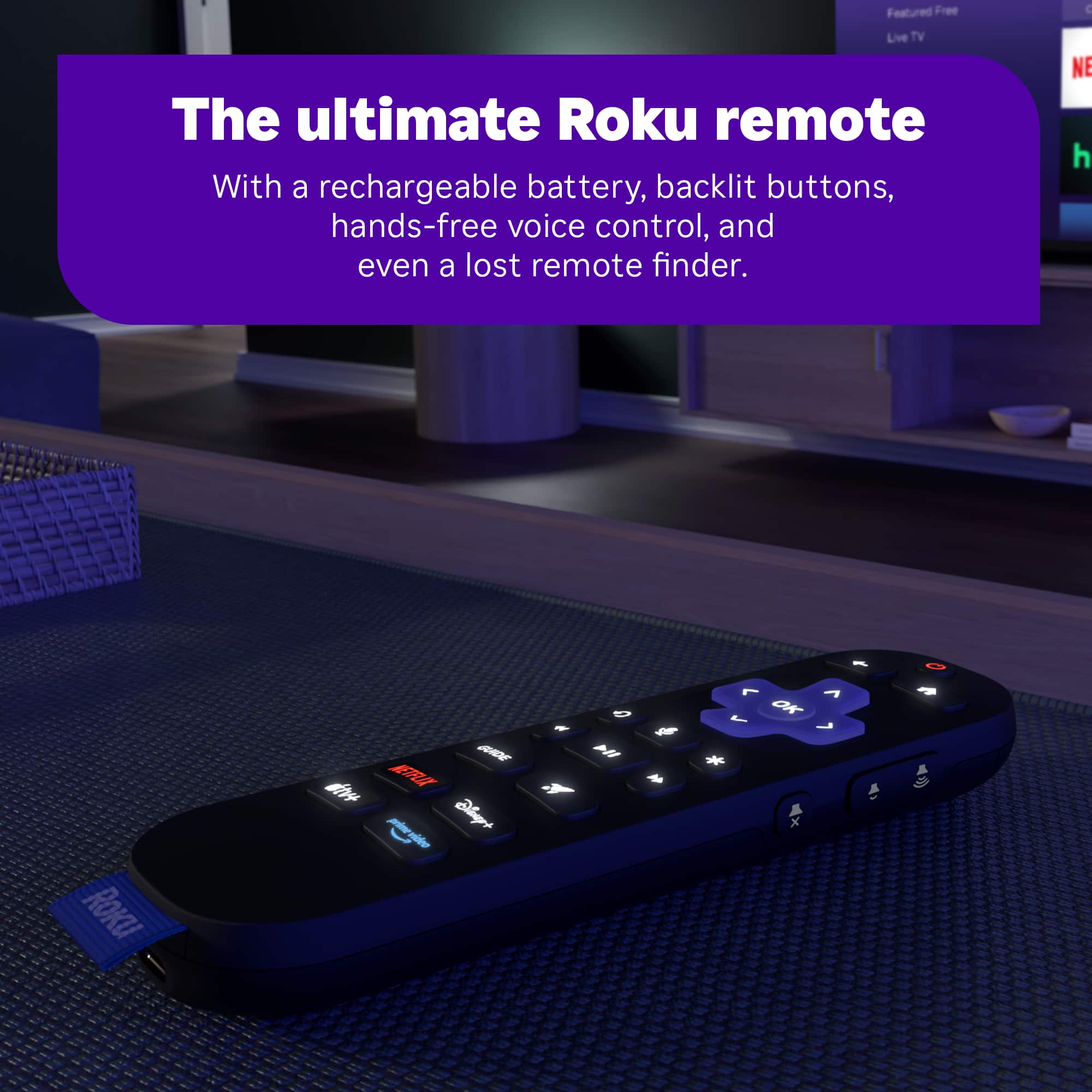
Posted .This reviewer received promo considerations or sweepstakes entry for writing a review.Excellent device for streaming your favorite services. Interface is easy to use, and the rechargeable remote is a great addition to a wonderful unit.
I would recommend this to a friend - Pros mentioned:Remote control
A game-changer channel changer
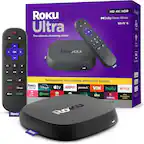
Posted .This reviewer received promo considerations or sweepstakes entry for writing a review.We had a 4-year-old Amazon Fire for our bedroom TV, and it was painful to use. It was never satisfied with the quality of the network, often saying it wasn’t connected. The apps loaded slowly and often malfunctioned, even with constant closing of all apps and some restarting of the device. I wondered if a new device would behave the same, if the whole problem was the strength of the network in this room. It turns out that was not the problem. This Roku Ultra 2024 behaves as if it's in close range of the wireless router, which is upstairs, down the hall, and around the corner. It's an unbelievable upgrade, no comparison. Every app loads in an instant, video appears instantly, and it quickly loads to HD quality. For reference, we have the lowest tier of cable internet in our area. I would compare this to our Apple TV box but with a better remote. The voice control on the remote works great; it quickly understands and finds what I say/request. I’m highly satisfied with this box; it’s the best streaming device in my house.
I would recommend this to a friend Great Cable substitute
Posted .This reviewer received promo considerations or sweepstakes entry for writing a review.It certainly saves on cable. Easy to use. It was great to have it remember my sign-ons from previous TV.
I would recommend this to a friend