Customer Ratings & Reviews



- Model:
- 4850R
- SKU:
- 12017600
Rating by feature
- Value
Rating 4.7 out of 5 stars
- Quality
Rating 4.7 out of 5 stars
- Ease of Use
Rating 4.8 out of 5 stars
Remote control Roku receiver
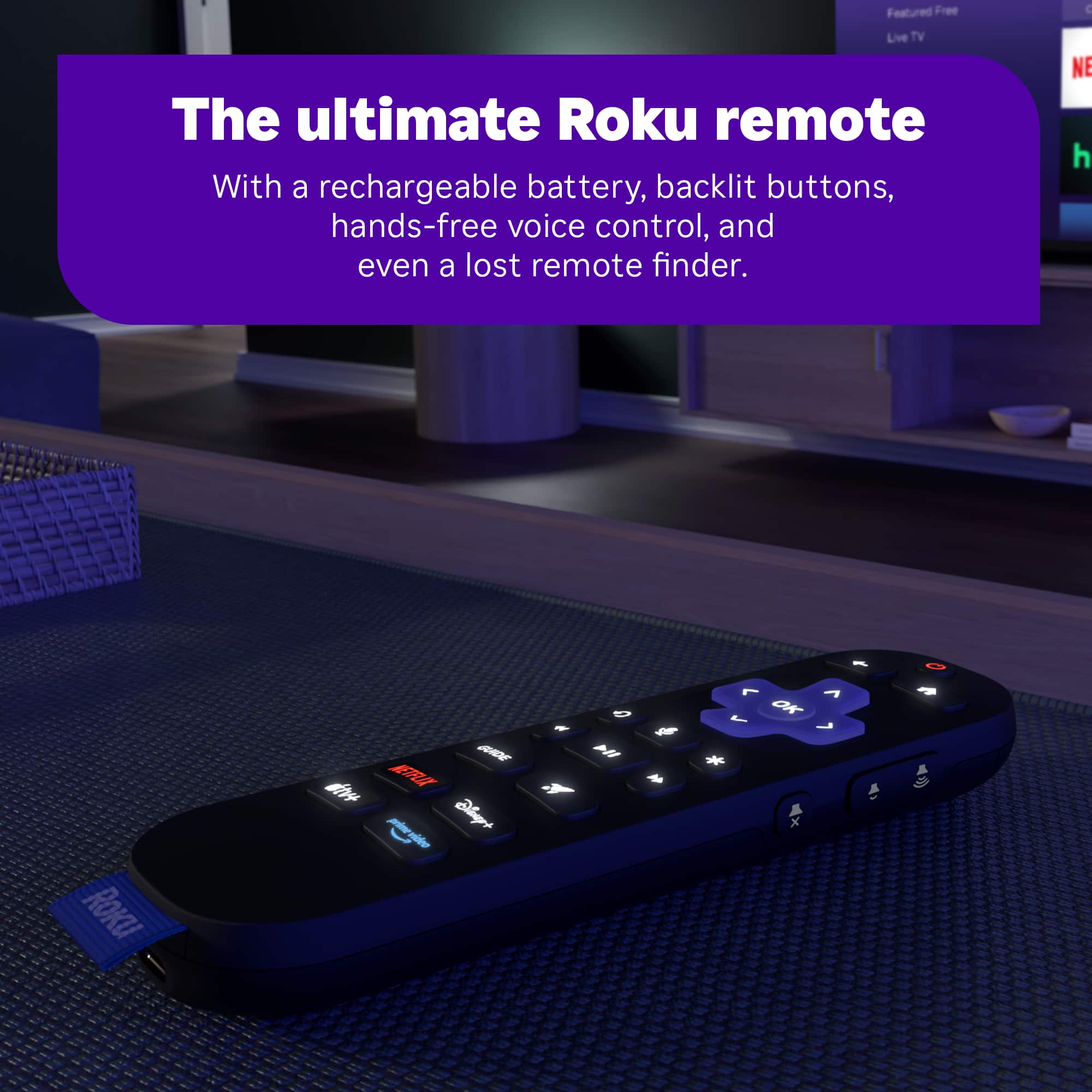
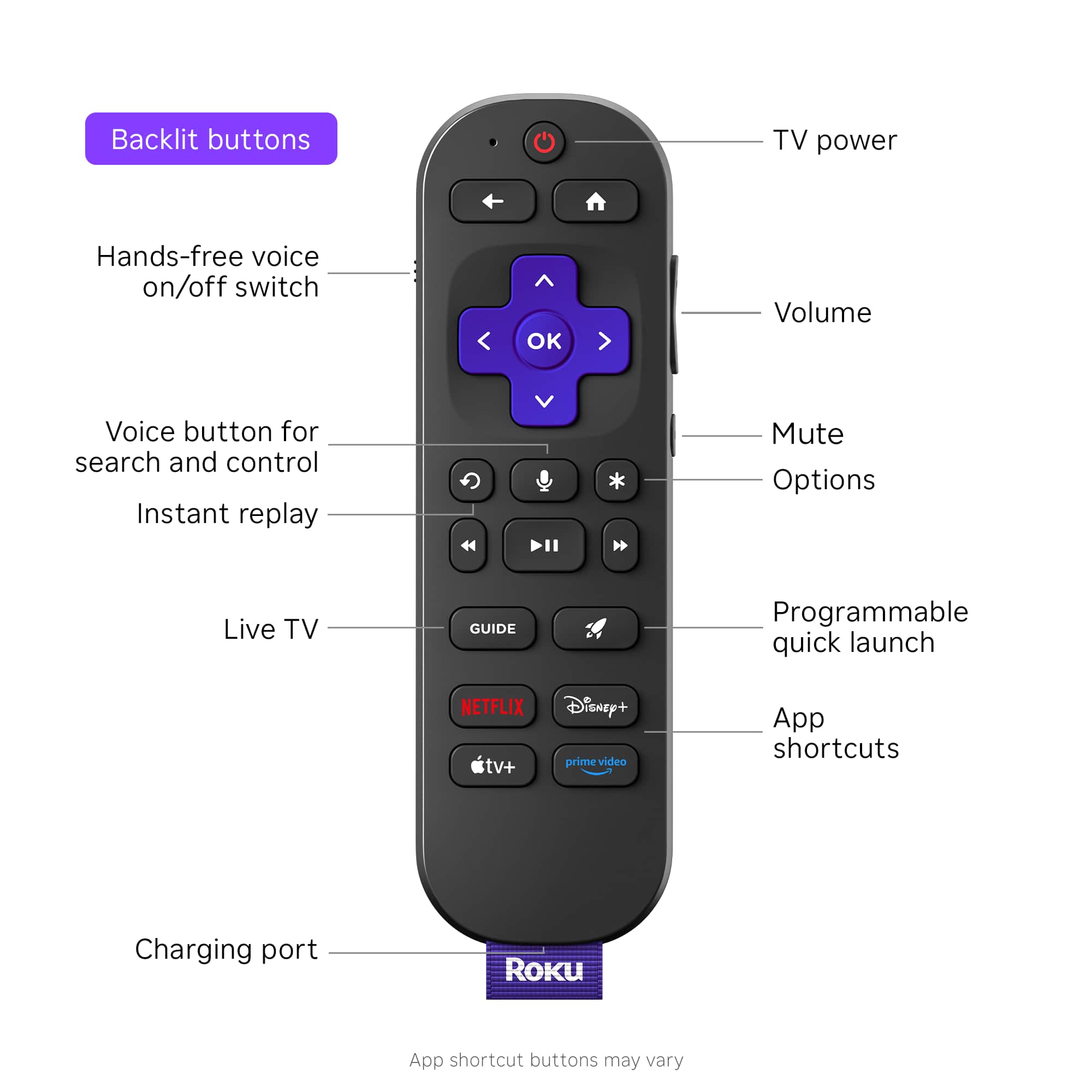
||Posted . Owned for 3 weeks when reviewed.This reviewer received promo considerations or sweepstakes entry for writing a review.Would be 5 stars but lacks ear phone jack. Lights up when you touch it. Good price point .
I would recommend this to a friendVery smooth
||Posted . Owned for 1 month when reviewed.This reviewer received promo considerations or sweepstakes entry for writing a review.Smooth and quick reaction. The buttons feel nice and almost no input lag
I would recommend this to a friend- Pros mentioned:Remote control
Roku 65 in. TV
||Posted . Owned for 1 month when reviewed.This reviewer received promo considerations or sweepstakes entry for writing a review.Great price picture sound and remote. Remote is USB rechargeable.
I would recommend this to a friend Roku ultra
||Posted . Owned for 3 months when reviewed.This reviewer received promo considerations or sweepstakes entry for writing a review.The whole family loves having this device to use for television programming.
I would recommend this to a friend- Pros mentioned:Overall performance
Worked perfectly for bringing use to my old TV
||Posted . Owned for 3 weeks when reviewed.This reviewer received promo considerations or sweepstakes entry for writing a review.Worked perfectly for bringing use to my old, slow tv.
I would recommend this to a friend Roku plus
||Posted . Owned for 1 month when reviewed.This reviewer received promo considerations or sweepstakes entry for writing a review.According to setup/instructions it doesn't say to register on website. Took a while to figure out, thought I was doing something wrong. Should add more information step by step Thanks
I would recommend this to a friend- Pros mentioned:Ease of use
Roku ROCKS!
||Posted . Owned for 3 weeks when reviewed.This reviewer received promo considerations or sweepstakes entry for writing a review.I have several SmartTVs and have used streaming services for years. The Roku interface is by far the best. User friendly and intuitive. I wouldn’t use anything else.
I would recommend this to a friend - Pros mentioned:Overall performance
Great Value
||Posted . Owned for 3 weeks when reviewed.This reviewer received promo considerations or sweepstakes entry for writing a review.It's been a great source of wonderful entertainment. It works as advertised and is a great value.
I would recommend this to a friend - Pros mentioned:Remote control
The new Roku is illuminating.
||Posted . Owned for 1 month when reviewed.This reviewer received promo considerations or sweepstakes entry for writing a review.Same platform, updated remote. Haven't noticed the speed bump from the new Roku set top box but definitely notice the backlit remote. Appreciate the rechargeable battery but we do miss the headphone jack (slight audio delay when using app).
I would recommend this to a friend Roku streaming stick
||Posted . Owned for 2 months when reviewed.This reviewer received promo considerations or sweepstakes entry for writing a review.Very good streaming platform. Dolby Atmos enhanced my sound.
I would recommend this to a friend- Pros mentioned:Connectivity
Excellent apps platform
||Posted . Owned for 1 week when reviewed.This reviewer received promo considerations or sweepstakes entry for writing a review.An excellent platform for adding apps to a system. It can be controlled via infrared so my URC remote can be programmed to control it.
I would recommend this to a friend - Pros mentioned:Overall performance
GeeVee approves
||Posted . Owned for 1 month when reviewed.This reviewer received promo considerations or sweepstakes entry for writing a review.Works great and easy to install. Significantly clearer picture than previous ROKU Stick with faster response time.
I would recommend this to a friend - Pros mentioned:Overall performance
Roku - Ultra
||Posted . Owned for 2 weeks when reviewed.This reviewer received promo considerations or sweepstakes entry for writing a review.It works as advertised. I have bought Roku products and I have no issues
I would recommend this to a friend - Pros mentioned:Overall performance
Roku
||Posted . Owned for 3 weeks when reviewed.This reviewer received promo considerations or sweepstakes entry for writing a review.Works very well...was hoping to receive free MAX or FX channels.
I would recommend this to a friend - Pros mentioned:Overall performance
Roku Ultra 2024
||Posted . Owned for 2 weeks when reviewed.This reviewer received promo considerations or sweepstakes entry for writing a review.Upgraded from Roku Ultra (2020 or 2021) model. Do see some performance increase. Do have an issue with Youtube flashing a black screen when transitioning from video to video. Did not have this issue wirh previous model and have updated Roku OS, tried different HDMI cables and ports.
I would recommend this to a friendBrand response from Roku Team
Posted .Hi Carlos, thank you for sharing your experience. Does this problem happen on the entire channel? One possible cause could be your Wi-Fi connection. We suggest you unplug your Wi-Fi router for at least 60 seconds to reset it. Then, could you restart your Roku device? You can do this by going to Home > Settings > System > System Restart. If you want to learn more, refer to this link: https://support.roku.com/article/213122277#section-1. You might also try uninstalling and reinstalling the affected channel. For detailed information, check this link: https://support.roku.com/article/208755548#section-0. If the issue continues, please get in touch with us at support.roku.com/contactus.
Thank you!
Roku Customer Advocate
- Pros mentioned:Overall performance
Cut the cable.
||Posted . Owned for 2 weeks when reviewed.This reviewer received promo considerations or sweepstakes entry for writing a review.I have three of these. I have decided to cut the cable and now get all my TV by . The ultra Roku does a great job.
I would recommend this to a friend - Pros mentioned:Ease of use
Roku for the blind.. Enjoying to the fullest
||Posted . Owned for 1 month when reviewed.This reviewer received promo considerations or sweepstakes entry for writing a review.The Roku system is easy to use. The only backdraw for me so far is the low quality of the screen reader voice for the blind/visually impaired but otherwise so far so good.
I would recommend this to a friend - Pros mentioned:Overall performance
Great Product
||Posted . Owned for 3 weeks when reviewed.This reviewer received promo considerations or sweepstakes entry for writing a review.Excellent, well worth the money, and it was easy to install and handle. Simple for everyone to use and operate. I love my Roku.
I would recommend this to a friend RUKU
||Posted . Owned for 1 month when reviewed.This reviewer received promo considerations or sweepstakes entry for writing a review.WORKS GREAT,SETUP WAS EASY ALTHOUGH STILL TRYING TO SETUP YAMAHA RECEIVER.
I would recommend this to a friend- Pros mentioned:Overall performance
ROKU IS GREAT
||Posted . Owned for 3 weeks when reviewed.This reviewer received promo considerations or sweepstakes entry for writing a review.Kinda greatperformance….glad I got two of them…btw…can only use one per room…kinda weak on that issue…glad I got them
I would recommend this to a friend