Customer Ratings & Reviews
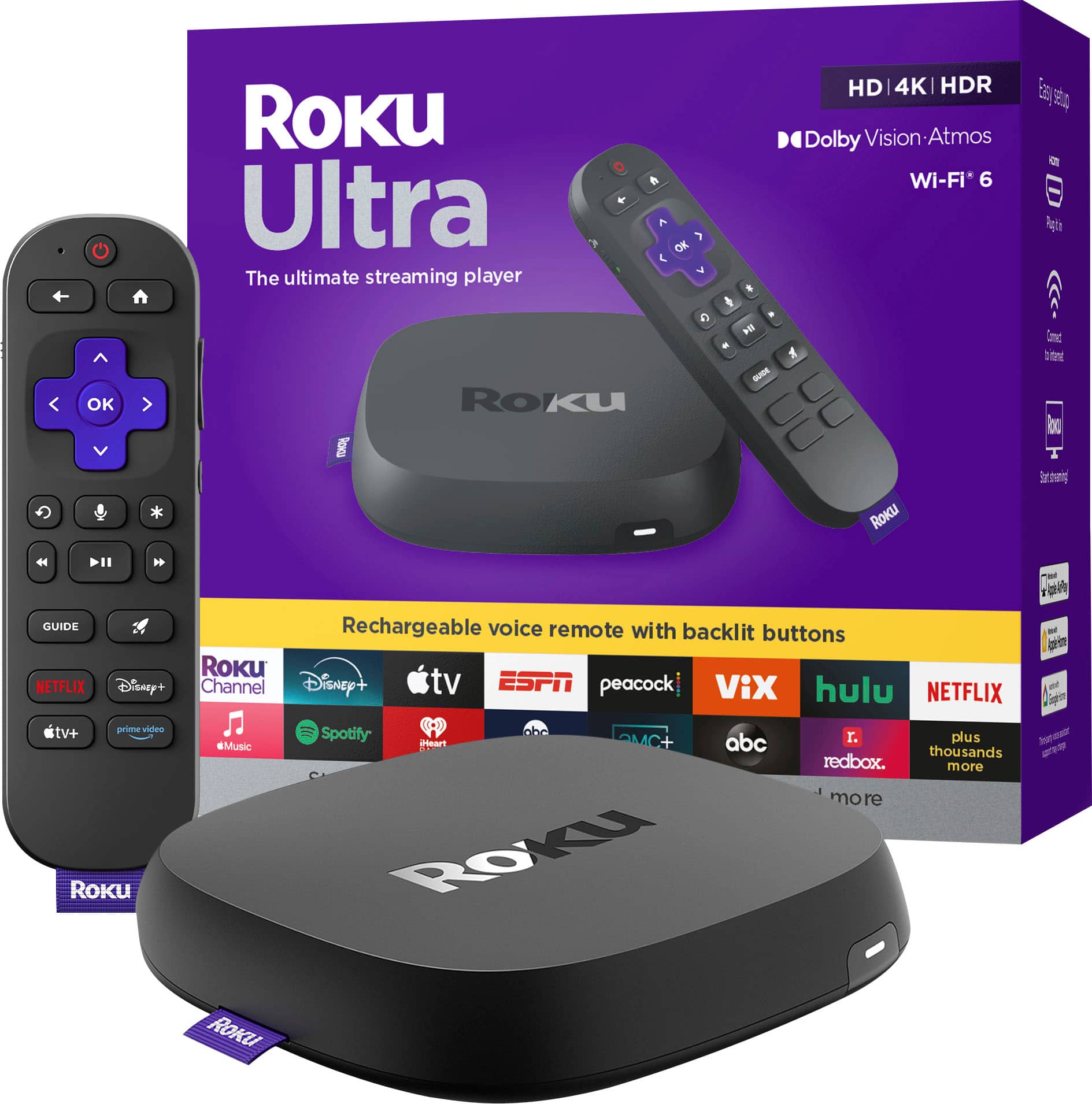


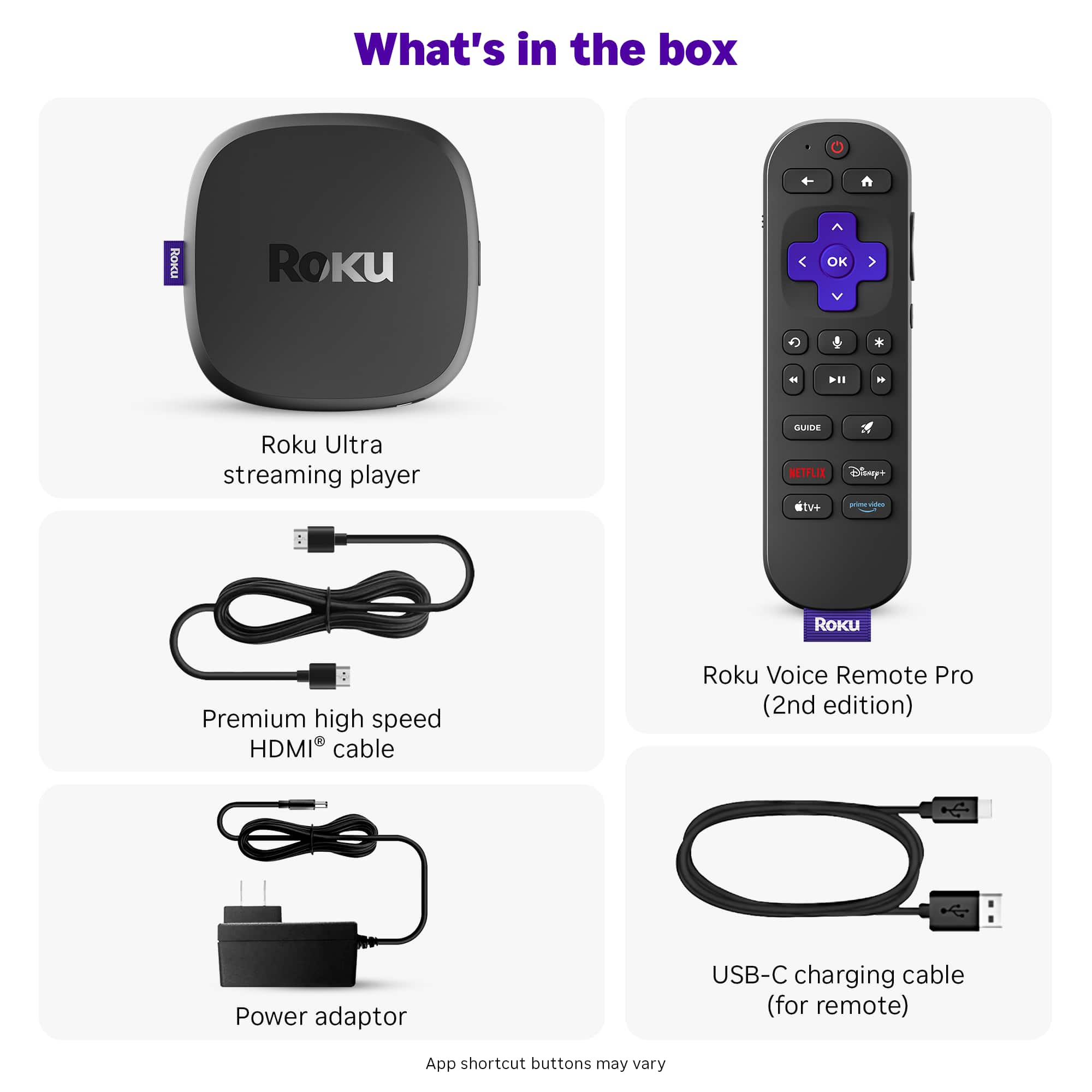

- Model:
- 4850R
- SKU:
- 12017600
Rating by feature
- Value
Rating 4.7 out of 5 stars
- Quality
Rating 4.7 out of 5 stars
- Ease of Use
Rating 4.8 out of 5 stars
Good upgrade from previous model
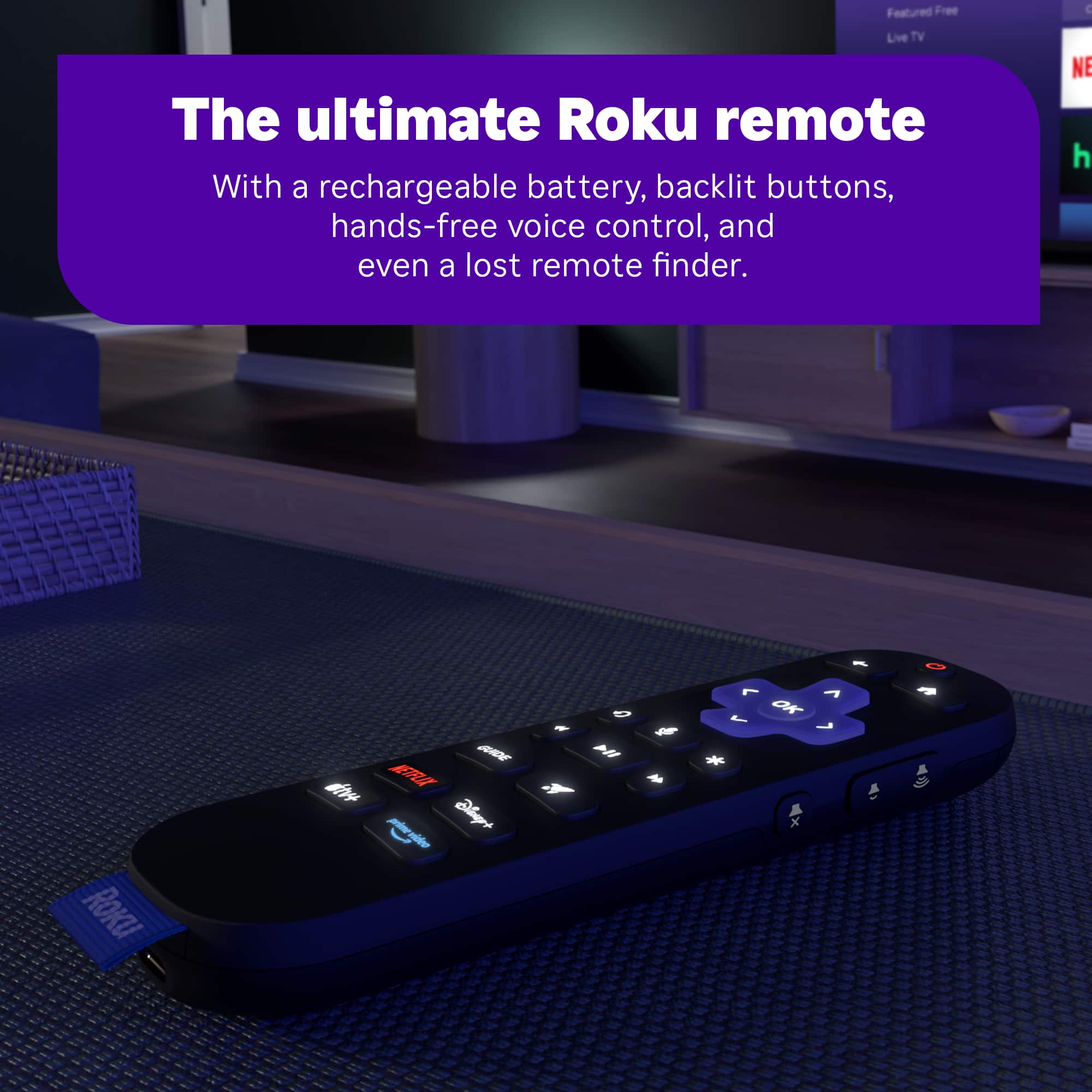
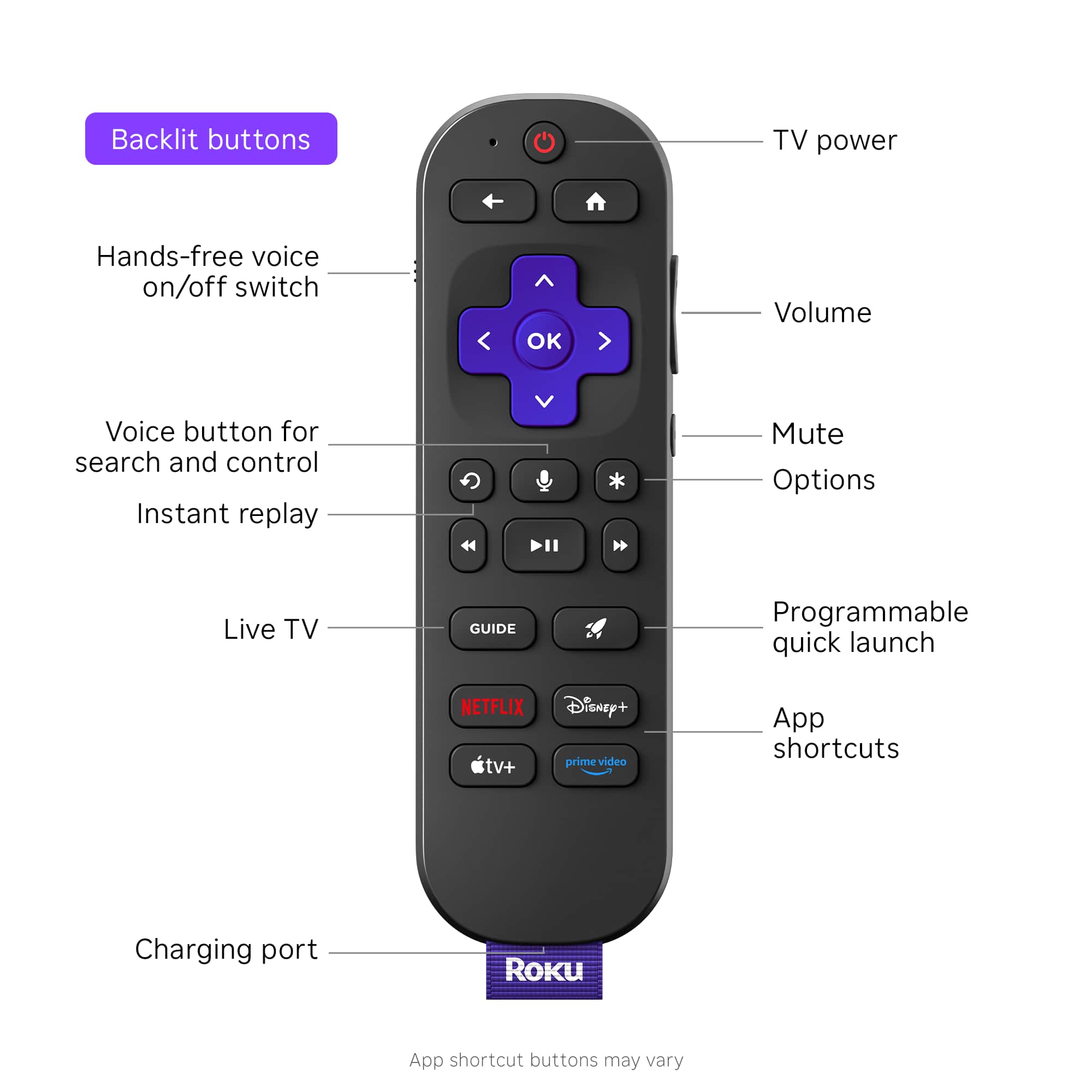
||Posted . Owned for 1 month when reviewed.This reviewer received promo considerations or sweepstakes entry for writing a review.Great product, exactly what we needed. The new remote is great due to the back lighting and universal settings to control our tv.
I would recommend this to a friendDon't Buy any Roku Products
||Posted . Owned for 3 weeks when reviewed.This reviewer received promo considerations or sweepstakes entry for writing a review.I recently purchased a Roku Ultra for a TV we don't use as much. I made some testing after buying and everything seemed in order so I stopped using it for a few days. I then decided to install it on my daughter's room, who streams Youtube and Netflix all the time and she immediately told me there was something wrong with the equipment, since the her Netflix show was constantly pausing on its own. We tried HBO and Disney+ and they seemed to be working fine, but the issue also seemed to be impacting Youtube. Unfortunately we realized this two weeks after the purchase, so cannot return it to best buy. I contacted Roku to see if they had a fix for it, and after spending an hour doing "troubleshooting" they finally confessed that it's an issue on the Roku software that affects the Youtube and Netflix apps. They knew troubleshooting wouldn't work, and yet they make you do it anyway to give you a false sense that someone's "helping you". Do yourself a favor and just buy another streaming product. Stay away from this brand. You can Google "Netflix freezes on Roku" and read all of the Roku support forum posts about this issue.
No, I would not recommend this to a friendBrand response from Roku Team
Posted .Hello, Alex. Thanks for letting us know about this issue. We appreciate your time and effort of troubleshooting the device. We will make sure to pass this issue to our respected team to resolve the problem. In the future, if you have issues or questions about your Roku device, please don't hesitate to contact us at support.roku.com/contacus. Happy Streaming! Bernie, Roku Customer Advocate

Not the products fault
||Posted . Owned for 1 month when reviewed.This reviewer received promo considerations or sweepstakes entry for writing a review.I bought this on SuperBowl Sunday with hopes that I would be able to watch the game. It didn't work. Thought I had 30 days to return. Went to return it in that time frame, and they said I only had 15 days from purchase price. This is why I will be buying from Amazon from now on. Now I am stuck with a 100 dollar item I will never use.
No, I would not recommend this to a friendBrand response from Roku Support
Posted .Hi Tommy, thanks for sharing. Have you had a chance to contact our customer support team? We'd be happy to learn more and help troubleshoot this with you! Visit us online at support.roku.com/contactus to get started and connect with an agent. Your feedback is very important to us, and we’re eager to assist. Thanks! Elmer, Roku Customer Advocate
Needs Improvments
||Posted . Owned for 1 month when reviewed.This reviewer received promo considerations or sweepstakes entry for writing a review.After set up and updates, It keeps messing up. after using it different times, It won't come on when I hit the power button. There is a spinning wheel on the TV, and eventually a no signal comes on the TV. I keep having to unplug and plug the power back in. I have checked for updates multiple times. Needs improvements.
No, I would not recommend this to a friendBrand response from Roku Team
Posted .Hi Earl, thanks for letting us know about your experience, and this is not considered normal behavior.
Have you tried using a different HDMI port? Have you set up your device with any other TVs? We asking these questions to help identify the root cause of the issue. Additionally, please ensure that the cable connecting your device to the TV is securely plugged in. If none of these suggestions work, please contact a member of our team at support.roku.com/contactus so that we can assist you directly.
Thank you!
Elmer, Roku Customer Advocate
Thanks for good in and out service
||Posted . Owned for 1 month when reviewed.This reviewer received promo considerations or sweepstakes entry for writing a review.Great in the store service. My first visit to the store in Raleigh North Carolina
I would recommend this to a friendIt’s just OK from my experience.
||Posted .This reviewer received promo considerations or sweepstakes entry for writing a review.I returned this. It was OK but it would sometimes “hitch” and go slow. The Directv app would sometimes not work. I ended up getting an Apple TV and am much happier.
No, I would not recommend this to a friendBrand response from Roku Team
Posted .Hello! thanks for taking a moment to share. We’re sorry to hear that it didn’t work out but we appreciate your feedback nonetheless. If there is anything that we can assist you with down the road, please don't hesitate to reach out at support.roku.com/contactus. Thanks! Elmer, Roku Customer Advocate
Roku
||Posted .This reviewer received promo considerations or sweepstakes entry for writing a review.The device works, but after I got it home to set up, the batteries leaked, making a real mess. I had to clean everything up to get the product to work.
No, I would not recommend this to a friendBrand response from Roku Team
Posted .Hi Richard, we hope you're doing well. We want to ensure you get the help you need. You can visit support.roku.com/contactus to contact an agent who can help you directly. Additionally, if you have observed any leakage from the battery of your Roku remote, please refrain from using that remote until you receive our guidance. Together, we will address this issue effectively.
We're looking forward to working with you soon!
Elmer, Roku Customer Advocate
- Pros mentioned:Overall performance
Won't price match. Next time I buy from Amazon.
||Posted .This reviewer received promo considerations or sweepstakes entry for writing a review.Works great. Best Buy won't match a $20 reduction in price after only 18 days. When I complained agent tried to get me to buy a $50 membership then blamed the technology that wouldn't allow them to manually give me the credit. Next time I'll buy from Amazon. BBY is not easy to do business with. Terrible experience e.
I would recommend this to a friendBrand response from Roku Team
Posted .Hello! We understand how you feel. This kind of feedback is important to our team in partnership with our retailers, and we appreciate you sharing. If you would like to share your experience, you can contact their team here: https://www.bestbuy.com/services/presales/contactus/education?contact.
They will surely value your feedback. Thanks for choosing Roku and Happy Streaming! Elmer, Roku Customer Advocate
phulap
||Posted . Owned for 1 month when reviewed.This reviewer received promo considerations or sweepstakes entry for writing a review.The device constantly froze, I have to unplug it for a few seconds and plugged it back to reset.
No, I would not recommend this to a friendBrand response from Roku Team
Posted .Hello! Help is here. To start, try unplugging your Wi-Fi router for at least 60 seconds; this can fix the issue. Then, restart your Roku device by going to Home > Settings > System > System Restart. You can find more tips to improve your Wi-Fi connection at https://support.roku.com/article/213122277#section-1. Also, try connecting to a different network, like a Mobile Hotspot, to determine if the problem is with your Wi-Fi router or Roku device. If the issue continues, feel free to contact us at support.roku.com/contactus. Your feedback is very important to us and helps us improve our products and services.
Happy Streaming!
Elmer, Roku Customer Advocate
Help!
||Posted .This reviewer received promo considerations or sweepstakes entry for writing a review.I cannot get it to work. I have tried everything. I had another ultra before. This one will not connect to the internet.
No, I would not recommend this to a friendBrand response from Roku Support
Posted .Hi John, thanks for sharing. Have you had a chance to contact our customer support team? We'd be happy to learn more and help troubleshoot this with you! Visit us online at support.roku.com/contactus to get started and connect with an agent. Your feedback is very important to us and we’re eager to assist. Thanks! Elmer, Roku Customer Advocate
Poor Remote
||Posted .This reviewer received promo considerations or sweepstakes entry for writing a review.The unit itself works pretty well but the remote does not. The buttons on the remote need to be pressed very hard to work and sometimes there is no response at all to any button presses on the fully charged remote.
No, I would not recommend this to a friendBrand response from Roku Team
Posted .Hi there! Thanks for sharing. If you're experiencing issues with your Roku remote, please try the following steps: First, reset your Roku remote. If your remote has a pairing button, press and hold it on the back for 20 seconds. If your remote does not have a pairing button, press and hold the Back and Home buttons for 20 seconds. Next, restart your Roku device, replace or recharge the batteries, and attempt to re-pair your voice remote with your streaming device. For detailed instructions, you can refer to this FAQ article at https://support.roku.com/article/21306145024535#section-2. Additionally, you can use our Roku remote app for voice control, quick searches, launching apps, and more. If the issue persists, please contact us directly at support.roku.com/contactus. Your feedback is very important to us. We look forward to helping you get back to streaming. Elmer, Roku Customer Advocate
It's Just OK
||Posted . Owned for 1 month when reviewed.This reviewer received promo considerations or sweepstakes entry for writing a review.I have had putting it to use. Not easy for a person who is not used to installing something like this.
No, I would not recommend this to a friendBrand response from Roku Team
Posted .Hello, Carol. We appreciate your feedback and apologize for any inconvenience you've experienced.
Are you having trouble setting up the device? Here's a helpful article that you can follow to set up the device: https://support.roku.com/article/223372368. If you need assistance, please don't hesitate to contact us at support.roku.com/contactus. We will be more than happy to help you out. Happy Streaming! Bernie, Roku Customer Advocate
It’s ok, but not ok.
||Posted . Owned for 3 weeks when reviewed.This reviewer received promo considerations or sweepstakes entry for writing a review.The sound is not synching with the picture, and the unit is directly connected to 2 gps internet.
No, I would not recommend this to a friendBrand response from Roku Team
Posted .Hi Rob, this is a bit unusual, and we would like to help. For a quick fix, ensuring that your device is operating on the latest software version is imperative. This will significantly enhance its functionality and provide access to the most recent features. Navigate to Home > Settings > System > Software Update > Check Now to verify. Additionally, reinstallation of the affected channel is recommended. Moreover, it is essential to know the stability of your Wi-Fi connection to access uninterrupted streaming. For further guidance, please refer to the following link: https://support.roku.com/article/208755548#section-0. If none of these suggestions work, please get in touch with a member of our team so that we can assist you directly at support.roku.com/contactus.
Thank you!
Elmer, Roku Customer Advocate
Poor audio performance and connectivity
||Posted . Owned for 2 weeks when reviewed.This reviewer received promo considerations or sweepstakes entry for writing a review.I received a 2024 Roku model 4850X, and I've had nothing but problems with the unit after the first 2 days. At least once a day, the screen will go blank and my TV advises that there isn't any input source connected; this is fixed each time by physically unplugging the Roku and plugging it back in. Audio levels swing greatly between apps, and sometimes within the same app, in a way that wasn't present with previous Rokus (in general, the volume output is 50%-70% compared to previous Rokus). Sometimes the rechargeable USB-C remote just stops working altogether. I tried troubleshooting in good faith, and then after I finally gave up, I learned there is only a 14-day return window for this item. It's probably a good idea to stay away from this 4850X model until Roku puts out an update
No, I would not recommend this to a friendBrand response from Roku Team
Posted .Hi Daniel, thanks for sharing. Have you had a chance to contact our customer support team? We'd be happy to learn more and help troubleshoot this with you! Visit us online at support.roku.com/contactus to get started and connect with an agent. Your feedback is very important to us, and we’re eager to assist. Thanks! Bernie, Roku Customer Advocate
Problems with remote control.
||Posted . Owned for 4 months when reviewed.This reviewer received promo considerations or sweepstakes entry for writing a review.The remote control freezes. I won't recommend it.
No, I would not recommend this to a friendBrand response from Roku Team
Posted .Hello, Mike. We appreciate your feedback and are here to help. Are you still having issues with your remote by chance? You can repair the remote after the setup. You can try to press and hold the Back and Home buttons simultaneously for about 30 seconds to reset it. After doing so, repair it again to see if this will make any difference. Here’s the detailed info on how to fix your remote: https://support.roku.com/article/21303049528855. Need help? Visit us online at support.roku.com/contactus to get started and connect with an agent. Your feedback is very important to us, and we’re eager to assist. Happy Streaming! Bernie, Roku Customer Advocate
Disappointed
||Posted . Owned for 1 week when reviewed.This reviewer received promo considerations or sweepstakes entry for writing a review.Work for 1 day without issues, then it would reboot about 3 times a day for no reason. Today was the worst, turned it on and everything froze, couldn't choose my streaming apps, would automatically default to the Roku channel then freeze up and reboot. I think it has gremlins in it. Going back to Bestbuy . I have a Roku Ultra from 2020 and never had an issue with it.
No, I would not recommend this to a friendBrand response from Roku Team
Posted .Hi there, thanks for sharing. This sounds a bit unusual, and we'd like to learn more and help you troubleshoot this. Please visit us online at support.roku.com/contactus to get started and connect with an agent. Your feedback is very important to us, and we’re eager to assist. Thanks! Bernie, Roku Customer Advocate
Garbage
||Posted . Owned for 3 weeks when reviewed.This reviewer received promo considerations or sweepstakes entry for writing a review.How convenient, device needs to be unplugged and plugged back in every time it is used and the battery on the rechargeable remote last < 1 day-- all 5 days after it is not returnable.
No, I would not recommend this to a friendBrand response from Roku Support
Posted .Hello, Thomas. Thank you for sharing. Please be advised that the Roku Voice Remote Pro takes a full charge of 3 hours and typically lasts 2 months from an empty battery. Learn more about the Roku Voice Remote Pro: https://support.roku.com/article/1500000696321. In addition, please check the software version of the device if it's up to date. If you have questions about Roku, you can contact us at support.roku.com/contactus. Happy Streaming! Bernie, Roku Customer Advocate
- Pros mentioned:Overall performance
Defective
||Posted . Owned for 2 months when reviewed.This reviewer received promo considerations or sweepstakes entry for writing a review.This device would not work correctly for controlling the volume on my tv. I have another Roku that is older that worked fine. We wanted to get the lighted remote and better performance,but if you can’t control the volume it isn’t worth doing.
No, I would not recommend this to a friendBrand response from Roku Team
Posted .Hello Bennett, thank you for your patience and understanding. No worries, we're here to help! For optimal performance, please ensure your Roku device is updated to the latest software version. Go to Home > Settings > System > Software Update > Check Now to check for updates. Also, try resetting your remote for the TV control. You can follow this step, Press Home>Setting>Remote & Devices>Remote>Choose your voice remote from the list and select Set up remote for TV control. To learn more, you can refer to this link: https://support.roku.com/article/115013019828. If you do have other concerns. Please visit us online at http://support.roku.com/contactus.
Thanks again, and Happy Streaming
Elmer, Roku Customer Advocate
Do not buy if in dorm
||Posted . Owned for 3 weeks when reviewed.This reviewer received promo considerations or sweepstakes entry for writing a review.Do not buy a Roku if you live in a dorm or somewhere with shared Wi-Fi. People on the same WiFi can and will connect to it and be able to control it and there is no way to disable on device. Tons of forum posts suggest there's settings to stop it, but those settings do not stop remote control, just limit the kinds of control they can do (and the limits are minimal).
No, I would not recommend this to a friendDon't buy Roku.
||Posted . Owned for 2 weeks when reviewed.This reviewer received promo considerations or sweepstakes entry for writing a review.I had a firestick and was told Roku was much better and I will have better response and fewer buffering issues. That could not be further from the truth. I cannot stand Roku, always a problem.
No, I would not recommend this to a friendBrand response from Roku Team
Posted .Hi Ernie, thanks for sharing. This sounds a bit unusual, and we'd like to learn more and help troubleshoot this with you. Please visit us online at support.roku.com/contactus to get started and connect with an agent. Your feedback is very important to us, and we’re eager to assist. Thanks! Elmer, Roku Customer Advocate