Customer Ratings & Reviews





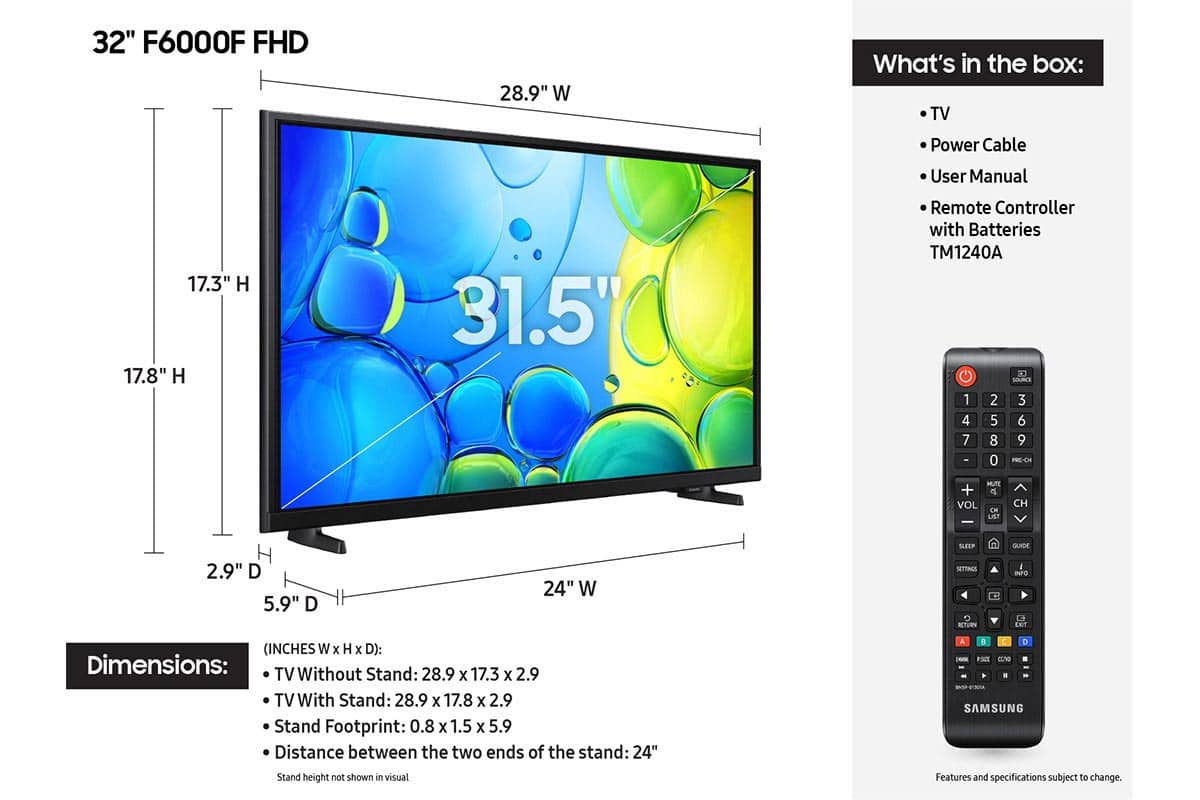






- Model:
- UN32F6000FFXZA
- SKU:
- 12172361
Rating by feature
- Picture Quality
Rating 4.8 out of 5 stars
- Sound Quality
Rating 4.5 out of 5 stars
- Brightness
Rating 4.8 out of 5 stars
Very Happy
||Posted .This reviewer received promo considerations or sweepstakes entry for writing a review.It's a great tv. We love all of the Samsung Channels too
I would recommend this to a friendGreat tv but no wall mount hardware
||Posted . Owned for 1 month when reviewed.This reviewer received promo considerations or sweepstakes entry for writing a review.Did not tell me I needed a separate wall mount kit
I would recommend this to a friendPerfect for bedroom
||Posted . Owned for 3 weeks when reviewed.This reviewer received promo considerations or sweepstakes entry for writing a review.Upgraded previous model from 2018, much better internet connectivity in this model
I would recommend this to a friendgreat TV
||Posted .This reviewer received promo considerations or sweepstakes entry for writing a review.easy to install. resolution is great Great TV fits into space wonderfully
I would recommend this to a friend- Pros mentioned:Picture quality
Very poor TV
||Posted . Owned for 1 month when reviewed.This reviewer received promo considerations or sweepstakes entry for writing a review.While the picture is very clear, the settings options are extremely poor. It is very demeaning and seems to be set up for "ignorant" users. The updates are not available, It seems like these large companies are only interested in money. Look for another alternative!
No, I would not recommend this to a friendBrand response from Samsung
Posted .Hi Lulu,
Thank you for your feedback. If there are updates available, you will see them by going to Settings> Support> Software Update.
If you have any questions or need help customizing your TV, please do not hesitate to contact us at 1-800-SAMSUNG, 8AM – 12AM EST, 7 days a week. LiveChat is also available through the ‘Support’ link on our website.
~ Samsung Advisor
Good little TV.
||Posted .This reviewer received promo considerations or sweepstakes entry for writing a review.Purchased for our RV, we use it to connect to Starlink…streaming works extremely well.
I would recommend this to a friend32 " tv
||Posted . Owned for 3 weeks when reviewed.This reviewer received promo considerations or sweepstakes entry for writing a review.Very good quality. Easy to setup and install in my home office.
I would recommend this to a friendTv for the kitchen
||Posted .This reviewer received promo considerations or sweepstakes entry for writing a review.Very pleased with this product. Works perfectly in the space. Love the low profile on the wall.
I would recommend this to a friendSamsung 32"
||Posted .This reviewer received promo considerations or sweepstakes entry for writing a review.Quality display at this price and fit perfectly in smaller room.
I would recommend this to a friendDon't Buy This TV
||Posted . Owned for 1 month when reviewed.This reviewer received promo considerations or sweepstakes entry for writing a review.The voice from the AI assistant will make you scream and run for the hills. If you mute the voice you lose voice commands. We use this TV in a guest bedroom streaming only. It's extremely frustrating to try to get it to recognize services like Paramount Plus. Great price, picture is decent but the main command on the remote is in the bottom third which means lots of issues with missing the correct key. I have arthritis and this is not what I was looking for regarding frustration levels.
No, I would not recommend this to a friendBrand response from Samsung
Posted .Hi JaimeG,
Thank you for sharing your concerns. If your TV is announcing everything you do, the Voice Guide feature is likely turned on. This is an accessibility function designed to assist users who are visually impaired, and it may have been activated accidentally by holding down the Volume button on your remote.
To turn off Voice Guide, go to: Home > left directional key > Settings > All Settings > General & Privacy > Accessibility > Voice Guide Settings > Voice Guide = OFF.
If you are unsatisfied with your Samsung remote, please know that many third-party remotes work well with Samsung TVs, though setup steps may vary by brand and model.
If you run into any trouble or have compatibility questions, Samsung Support is happy to help. You can reach us at 1-800-SAMSUNG, 8AM – 12AM EST, 7 days a week. LiveChat agents are also available at the ‘Support’ link on our website.
~Samsung Advisor
Disappointed
||Posted . Owned for 1 month when reviewed.This reviewer received promo considerations or sweepstakes entry for writing a review.Purchased recently for our bedroom. Not impressed. Slow to turn on and load. Remote layout awkward. Picture average not crisp and sound through TV seems distant and not cleat
No, I would not recommend this to a friendBrand response from Samsung
Posted .Hi Kate,
We appreciate your feedback regarding your F6000F TV’s performance. We have a few recommendations that may improve your experience.
If you're experiencing freezing or lag in general response time, please try the following steps:
1. Check for firmware updates – Keeping your TV up to date can resolve many performance issues: Home > left directional key > Settings > Support > Software Update > Update Now
2. Run Device Care – This tool checks system memory, frees up cached data, and closes background apps that could be slowing things down: Home > left directional key > Settings > Support > Device Care > Start Device Care
3. Cold boot your TV – With the TV powered on, press and hold the Power button on your remote for 5+ seconds until the TV restarts. This helps refresh the system.
To optimize your picture, go to Settings > All Settings > General & Privacy > Power and Energy Saving, then turn off Brightness Optimization, Energy Saving Solution, Motion Lighting, and/or Contrast Enhancer.
Next, you can adjust the Picture Mode to better match your viewing environment: Settings > All Settings > Picture > Picture Mode and choose from the following:
• Dynamic – Brighter and clearer for well-lit rooms
• Standard – Balanced for most environments
• Movie – Ideal for watching in a dark room
• Eco – Designed for energy savings
• Filmmaker Mode – Preserves the creator’s original intent
You can also manually adjust brightness by going to: Settings > All Settings > Picture > Expert Settings > Brightness. Use the slider to set a level that suits your preferences (0–50).
If the sound still doesn’t meet your expectations, there are a few settings you can try adjusting:
Go to: Settings > All Settings > Sound > Sound Mode
• Standard: Balanced sound without emphasis on any one range
• Optimized: Enhanced effects and spacious sound
• Amplify: Boosts mid and high tones to make dialogue clearer
You can also explore Expert Settings to fine-tune options such as Balance, Equalizer, Auto Volume, and more to match your personal preferences.
If you're still noticing performance snags after these steps, please contact Samsung Support at 1-800-SAMSUNG, 8AM – 12AM EST, 7 days a week. You can also connect with a LiveChat agent via the ‘Support’ link on our website.
~Samsung Advisor
Ms.
||Posted . Owned for 2 weeks when reviewed.This reviewer received promo considerations or sweepstakes entry for writing a review.Why is "audio" going out "back of unit"?? Could be more clear audio! Otherwise, fine!
I would recommend this to a friendBrand response from Samsung
Posted .Hi JeanneB,
Thank you for purchasing the F6000F TV and for sharing your feedback regarding the sound quality. There are several sound modes that you can adjust for different content types or your listening environment.
Change the Sound Mode by going to: Home > Menu > Settings > All Settings > Sound > Sound Mode
You can also use the Self-Diagnosis Tool to help diagnose sound issues. You can also test the Smart Hub network connection and run the Smart Hub and Projector factory reset functions.
Home > Menu > Settings > Support > Device Care > Self Diagnosis> Sound Test.
Should you need more help, we're here for you. You can reach us at 1-800-SAMSUNG (8AM – 12AM EST, 7 days a week), or connect with a LiveChat agent by selecting ‘Support’ on our website.
~ Samsung Advisor
Poor Picture Quality
||Posted .This reviewer received promo considerations or sweepstakes entry for writing a review.I have antenna tv and the picture quality is not up to par :(
I would recommend this to a friendBrand response from Samsung
Posted .AlexisU,
We appreciate your feedback on the picture quality of Samsung’s F6000F TV. First, make sure your TV is up to date. Firmware updates often include picture quality enhancements. To check for the latest version, go to: Home > Left directional button > Settings > Support > Software Update > Update Now
If the image doesn’t quite match your preferences after updating/checking for updates, there are several settings you can adjust to better suit your viewing environment.
To explore picture mode options, go to: Home > Left directional button > Settings > All Settings > Picture > Picture Mode. Available modes include:
1. Standard – Default mode for general viewing
2. Dynamic – Brighter and sharper for well-lit rooms
3. Eco – Optimized for energy saving
4. Movie – Best for dark room viewing
You can also fine-tune settings like brightness, contrast, sharpness, and more by navigating to: All Settings > Picture > Expert Settings
If you’d like help finding the best setup for your preferences, please don’t hesitate to contact Samsung Customer Support at 1-800-SAMSUNG, available 8AM – 12AM EST, 7 days a week. You can also LiveChat with an agent or find helpful guides by visiting the ‘Support’ section of our website.
~ Samsung Specialist
Black Friday Purchase
||Posted . Owned for 3 weeks when reviewed.This reviewer received promo considerations or sweepstakes entry for writing a review.A little disappointed with the quality of the product but it works nonetheless.
No, I would not recommend this to a friendBrand response from Samsung
Posted .Hi TylerO,
We appreciate your feedback on the F6000F TV. If you have any questions or need help, we’re always here. Call 1-800-SAMSUNG from 8AM - 12AM EST, seven days a week, or connect with a LiveChat agent anytime by selecting ‘Support’ on our website.
~Samsung Advisor
- Cons mentioned:Responsiveness
Not a good tv for using apps and screen sharing
||Posted . Owned for 1 month when reviewed.This reviewer received promo considerations or sweepstakes entry for writing a review.Not a good tv when it comes to apps and connecting via screen sharing from an iPhone. It’s very slow and there is no updates.
No, I would not recommend this to a friendBrand response from Samsung
Posted .Hi AriM,
Please ensure your TV is running the latest Firmware, version 1395.9. Go to Settings> Support> Software Update. If this firmware version is not yet available on your TV, you can download the update on a USB drive and manually update your TV:
1. On Samsung's website (upper right corner), go to: Support > Manual & Software > Find your TV model, and click on the Firmware – Upgrade File.
2. When the file has finished downloading, locate it and then unzip it. There is normally one folder inside but there may be multiple files.
3. Copy or move all of the files that were included in the zip file to a USB flash drive, but do not place them inside any other folders. If you place the software folders inside a folder on the USB flash drive, the TV or monitor will not find them.
4. Connect the USB drive containing the software upgrade into a USB port on your device.
5. Using your device's remote, navigate to and select Settings, then select All Settings, and then select Support. Select Software Update, select Update Now, and then select Yes if prompted.
Your device will search the USB drive for update files. Follow the on-screen instructions to install the updated software. Updates usually take a few minutes; please do not turn off the TV until the update is complete. When the update is finished, it will restart automatically.
If you need additional support, Samsung is here to help. Please call us at 1-800-SAMSUNG, available daily from 8AM - 12AM EST. You can also chat with a LiveChat agent by clicking the ‘Support’ link on our website.
~ Samsung Advisor
Not great but good orice
||Posted .This reviewer received promo considerations or sweepstakes entry for writing a review.Picture is not clear from angle…best when viewed straight on
No, I would not recommend this to a friendBrand response from Samsung
Posted .Hi Rkayjay
Thank you for your feedback on the Samsung F6000F TV. If the picture appears unclear, dull, or lacks definition, there are several settings you can adjust to improve clarity and overall image quality. Go to: Settings > All Settings > Picture > Expert Settings, and review these key settings:
Picture Clarity Settings: While originally intended for motion handling, these can also impact overall clarity
• Off: Disables motion enhancements
• Auto: Automatically adjusts based on content
• Custom: Lets you fine-tune:
o Judder Reduction – Helps smooth out uneven motion
o LED Clear Motion – Boosts sharpness in fast-moving content
o Noise Reduction – Reduces distortion and enhances detail in lower-resolution sources
Core Picture Settings
• Brightness – Controls overall screen brightness
• Contrast – Enhances the difference between bright and dark areas
• Sharpness – Adjusts edge definition; closer to 20 increases detail
• Color – Enhances depth and intensity of colors
And don’t forget to check for the latest firmware, which may improve performance: Settings > Support > Software Update > Update Now
These adjustments can make a noticeable difference in overall clarity. If you need further help tailoring the settings to your preferences or environment, please contact Samsung Support at 1-800-SAMSUNG, 8AM – 12AM EST, 7 days a week. LiveChat is also available via the ‘Support’ link on our website.
~ Samsung Advisor
Smarter TV Than Me.
||Posted .This reviewer received promo considerations or sweepstakes entry for writing a review.It has more features than a 75 yr old knows how to use.
I would recommend this to a friendDecent TV
||Posted . Owned for 3 weeks when reviewed.This reviewer received promo considerations or sweepstakes entry for writing a review.Tvs great. However, the screws were hard to tighten.
I would recommend this to a friendBrand response from Samsung
Posted .Hi MistyH,
Thank you for your feedback. Please know your review will be shared with our internal teams. If there’s anything we can assist with, please don’t hesitate to call us at 1-800-SAMSUNG, available daily from 8AM - 12AM EST. You can also visit the Samsung website and click on ‘Support’ for:
• Live Chat
• Manuals, Software, & Warranty Info
~ Samsung Advisor
Needs a better/simpler remote
||Posted .This reviewer received promo considerations or sweepstakes entry for writing a review.The television is great the remote is horrible. The remote has way too any buttons and complicated menus.
I would recommend this to a friendBrand response from Samsung
Posted .Hi SMMIFL,
Thank you for sharing your experience. Samsung remotes are designed to offer convenient control, but we understand if you’d prefer to use a universal remote. Many third-party remotes work well with Samsung TVs, though setup steps may vary by brand and model.
To get started, we recommend checking the manufacturer’s instructions for programming codes and pairing methods. If you run into any trouble or have compatibility questions, Samsung Support is happy to help. You can reach us at 1-800-SAMSUNG, 8AM – 12AM EST, 7 days a week. LiveChat agents are also available at the ‘Support’ link on our website.
~ Samsung Advisor
Too many Buttons!
||Posted . Owned for 2 weeks when reviewed.This reviewer received promo considerations or sweepstakes entry for writing a review.It is sloe the remote has way too many buttons. I dont use disney a dont watch sports. I was not a smart purchase.
No, I would not recommend this to a friendBrand response from Samsung
Posted .Hi LeslieB,
We appreciate your feedback regarding response time. For optimal performance, please ensure your F6000F TV is running the latest firmware. You can check this by going to: Home > left directional key > Settings > Support > Software Update
To further optimize performance, try running Device Care, which checks memory, clears unused cached data, and closes background apps: Home > left directional key > Settings > Support > Device Care > Start Device Care
If issues continue, please reach Samsung Support at 1-800-SAMSUNG, available 8AM – 12AM EST, 7 days a week.
LiveChat is also available via the ‘Support’ link on our website.
~ Samsung Advisor