Customer Ratings & Reviews
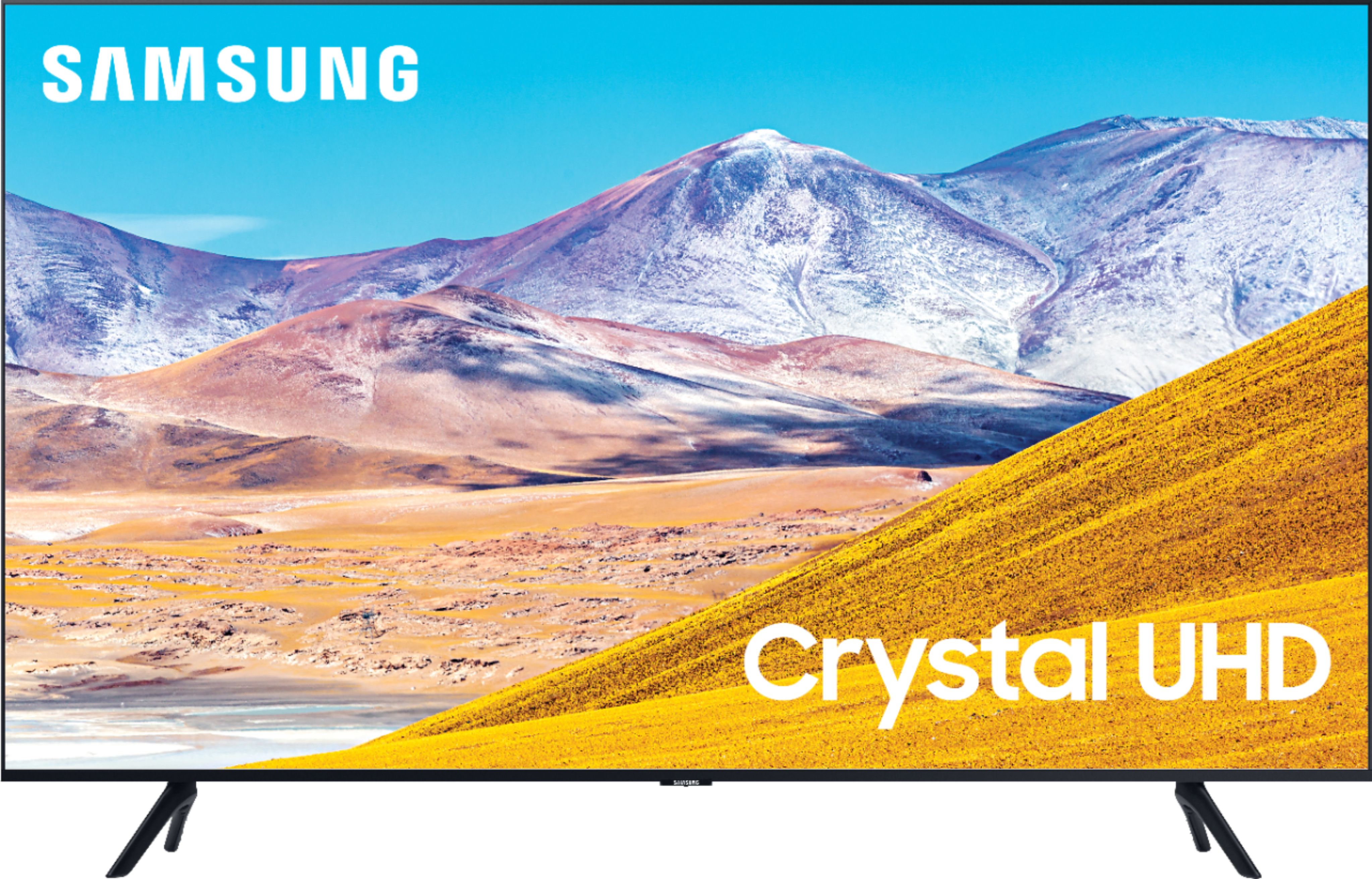









- Model:
- UN43TU8000FXZA
- SKU:
- 6401747
Rating by feature
- Picture Quality
Rating 4.7 out of 5 stars
- Sound Quality
Rating 4.5 out of 5 stars
- Brightness
Rating 4.6 out of 5 stars
Customers are saying
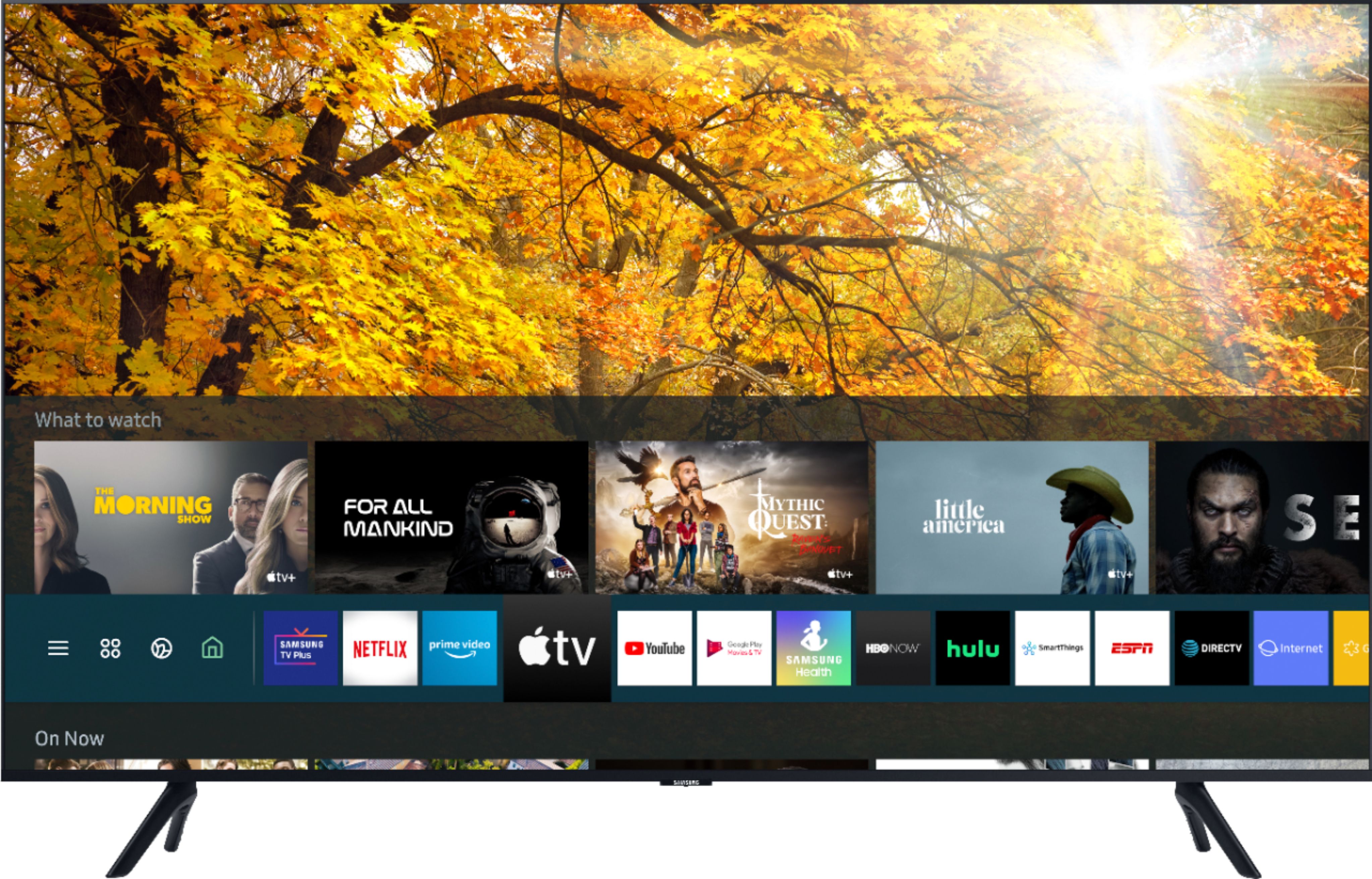
Customers find value in the 43" Class 8 Series LED 4K UHD Smart Tizen TV for its exceptional picture quality, easy setup, and reasonable price. Many customers rave about the vibrant and sharp picture, making it an excellent choice for gaming and movie enthusiasts. The simple setup process is also widely appreciated, making it a hassle-free experience for users.
This summary was generated by AI based on customer reviews.
21 old day Samsung TV will not power on
||Posted . Owned for 3 weeks when reviewed.This reviewer received promo considerations or sweepstakes entry for writing a review.Only had tv for 21 days and it will not power on! Called Geek Squad to schedule an appointment and they can not come out until a week later! They suggested I call Samsung, then why sell me the warranty when I made the tv purchase!
No, I would not recommend this to a friendNot so smart tv, not what expected
||Posted .This reviewer received promo considerations or sweepstakes entry for writing a review.My Sony tv is a genius in comparison not real user friendly even my technician couldn’t get some app’s on the tv Good thing is that it’s not my main entertainment center it’s for bedroom for down time or news in morning
No, I would not recommend this to a friendBrand response from Samsung
Posted .Closmed,
Thank you for purchasing and reviewing this Samsung TU8000 4K Smart TV. Your user feedback is very important to us and will be shared with our TV product team.
You can find details of various features and usages of your TU8000 TV in the eManual.
To open the e-Manual, Go to Settings - Support, then Open e-Manual)
You can also reach out to Samsung Support for step-by-step assistance with setup, features, and operation:
1) Phone: 1-800-SAMSUNG (ask for TVs) Available 8AM – 12AM EST (7 days a week)
2) LiveChat: https://www.samsung.com/us/support/#contact_us_for_support
3) Facebook Messenger: https://www.facebook.com/samsungsupport
4) Twitter: https://twitter.com/SamsungSupport
Have you registered your new Samsung TV with us? If not, we invite you to do so at: https://www.samsung.com/us/account/signin/?redirect=https%3A%2F%2Fwww.samsung.com%2Fus%2Fsupport%2Fregister%2F.
Registration gives you access to easy warranty support, convenient opt-in to special promos & offers, faster troubleshooting & service, and quick notification of system updates.
-Samsung Ambassador
Broken tv
||Posted . Owned for 1 week when reviewed.This reviewer received promo considerations or sweepstakes entry for writing a review.The timing of the delivery was excellent but my tv was broken and had to be returned. Unfortunately there was none left in stock and no timetable for restocking so I had to settle for a lesser model
I would recommend this to a friendBrand response from Samsung
Posted .Brokenscreen2020:
Thank you for your review of the TU8000 TV. I am sorry you had a poor delivery experience and received a damaged unit. If you should have any questions or concerns with your replacement TV, please know that Samsung Customer Support is here to help.
1) Phone: 1-800-SAMSUNG (ask for TVs), available 8AM – 12AM EST 7 days a week
2) LiveChat: https://www.samsung.com/us/support/#contact_us_for_support
3) Facebook Messenger: https://www.facebook.com/samsungsupport
4) Twitter: https://twitter.com/SamsungSupport
5) The Samsung Members Community is also a great resource for getting help from Samsung moderators and customers: https://us.community.samsung.com
If you have not already done so, we invite you to register your new Samsung product at: https://www.samsung.com/us/account/signin/?redirect=https%3A%2F%2Fwww.samsung.com%2Fus%2Fsupport%2Fregister%2F
Registering your product gives you access to easy warranty support, convenient opt-in to special promos and offers, faster troubleshooting and service, and quick notification of system updates.
~ Samsung Solutions
Didn’t like it
||Posted . Owned for 2 weeks when reviewed.This reviewer received promo considerations or sweepstakes entry for writing a review.I must have gotten a bad one. Color was muddy and it was not a sharp picture at all. Dark in the shadows. Returned it and got a 43” QLED which was awesome right out of the box.
No, I would not recommend this to a friendScreen Image is Terrible
||Posted . Owned for 1 month when reviewed.This reviewer received promo considerations or sweepstakes entry for writing a review.Purchased this tv in mid October and suddenly screen image is terrible. It looks like I am watching tv through night vision goggles. Hopefully I can return and replace at Best Buy.
No, I would not recommend this to a friendBrand response from Samsung
Posted .DonC:
Thank you for purchasing the Samsung TU8000 TV. I am very sorry you are experiencing issues with your image. Please check that your TV has the latest firmware update. (1460.9 released on 12/7/20)
Using your TV's remote, navigate to Settings, and select Support. Select Software Update, and then select Update Now. New updates will be downloaded and installed on your TV. Updates usually take a few minutes; please do not turn off the TV until the update is complete. When the update is finished, the TV will restart automatically.
You may also want to enable automatic updates for future convenience.
Select Settings > Support > Software Update, then select Auto Update.
Should your problem persist, please contact Samsung Customer Support:
1) Phone: 1-800-SAMSUNG (ask for TVs), available 8AM – 12AM EST 7 days a week
2) LiveChat: https://www.samsung.com/us/support/#contact_us_for_support
3) Facebook Messenger: https://www.facebook.com/samsungsupport
4) Twitter: https://twitter.com/SamsungSupport
5) The Samsung Members Community is also a great resource for getting help from Samsung moderators and customers: https://us.community.samsung.com
If you have not already done so, we invite you to register your new Samsung product at: https://www.samsung.com/us/account/signin/?redirect=https%3A%2F%2Fwww.samsung.com%2Fus%2Fsupport%2Fregister%2F
Registering your product gives you access to easy warranty support, convenient opt-in to special promos and offers, faster troubleshooting and service, and quick notification of system updates.
~ Samsung Solutions
Crapy Installation
||Posted . Owned for 7 months when reviewed.This reviewer received promo considerations or sweepstakes entry for writing a review.Installation was crap third time having issues with falling cords. Want to charge me to fix their problem.
I would recommend this to a friendLess than 2 months picture went out
||Posted . Owned for 1 month when reviewed.This reviewer received promo considerations or sweepstakes entry for writing a review.turned tv on one afternoon and all I had was a greyish white screen. reconnected everything, tried just tv, nothing. Wouldn't even bring menu up so I could run diagnostics.
No, I would not recommend this to a friendBrand response from Samsung
Posted .Judith,
I am sorry to hear that your TU8000 TV went out and understand the disappointment.
Please know that Samsung is committed to providing the best possible product experience, quality, and value. We back this Samsung TV with a 1-year limited manufacturer's warranty, including authorized repair for manufacturer defect, if purchased brand-new directly from an authorized seller
Please reach out to us so that we can provide troubleshooting or begin warranty service.
You can reach us via any of these options:
1) Phone: 1-800-SAMSUNG (ask for TVs), available 8AM – 12AM EST 7 days a week
2) LiveChat: https://www.samsung.com/us/support/#contact_us_for_support
3) Facebook Messenger: https://www.facebook.com/samsungsupport
4) Twitter: https://twitter.com/SamsungSupport
If you have not already done so, we invite you to register your new Samsung product at:
https://www.samsung.com/us/account/signin/?redirect=https%3A%2F%2Fwww.samsung.com%2Fus%2Fsupport%2Fregister%2F&user=dsr-registration
Registering your product gives you access to easy warranty support, convenient opt-in to special promos and offers, faster troubleshooting and service, and quick notification of system updates.
-Samsung Ambassador
Screen cracked
||Posted . Owned for less than 1 week when reviewed.This reviewer received promo considerations or sweepstakes entry for writing a review.I received my tv today. My son and I were very careful with it. Turned it on and the whole screen is totally cracked. It’s been dropped and not by me. I am livid.
No, I would not recommend this to a friendBrand response from Samsung
Posted .Cupcake,
I am sincerely sorry for your disappointment with the TU* series TV.
Our products leave the factory after passing numerous rigorous quality checks. Nonetheless, a TV is a very fragile device and damage could have been incurred during shipping and handling. For example, if the TV were sitting in an incorrect orientation -- laid on its side or tilted-- during transit, internal damage could have been done.
We recommend you contact Best Buy directly for assistance in correcting the situation.
If you need assistance with features or usage, please reach out to Samsung Customer Support. Call us toll-free at 1-800-SAMSUNG and we will gladly assist you.
You can also contact Samsung via LiveChat or email. Please copy-paste this link into your browser: http://www.samsung.com/us/support/contact
We are likewise reachable by Facebook Messenger at: https://www.facebook.com/samsungsupport
Or find us on Twitter at: https://twitter.com/SamsungSupport
Thanks for having purchased a Samsung TV. We hope your seller will assist you in a timely manner.
-Samsung Ambassador
mr
||Posted .This reviewer received promo considerations or sweepstakes entry for writing a review.Geek squad came to instal it and found that the TV we bought was defective---we had to go the store in Gainesville and exchange it for a different set
No, I would not recommend this to a friendBrand response from Samsung
Posted .bill:
Thank you for purchasing the TU8000 TV. I am very sorry that you experienced issues with your first unit and had to go through the hassle of replacing it. If you should have any questions or concerns with your new unit, please know that Samsung Customer Support is here to help.
1) Phone: 1-800-SAMSUNG (ask for TVs), available 8AM – 12AM EST 7 days a week
2) LiveChat: https://www.samsung.com/us/support/#contact_us_for_support
3) Facebook Messenger: https://www.facebook.com/samsungsupport
4) Twitter: https://twitter.com/SamsungSupport
5) The Samsung Members Community is also a great resource for getting help from Samsung moderators and customers: https://us.community.samsung.com
If you have not already done so, we invite you to register your new Samsung product at: https://www.samsung.com/us/account/signin/?redirect=https%3A%2F%2Fwww.samsung.com%2Fus%2Fsupport%2Fregister%2F
Registering your product gives you access to easy warranty support, convenient opt-in to special promos and offers, faster troubleshooting and service, and quick notification of system updates.
~ Samsung Solutions
Screen resolution awful and setup is ridiculous
||Posted . Owned for 3 weeks when reviewed.This reviewer received promo considerations or sweepstakes entry for writing a review.Setup for this TV is beyond complicated unless you are super techy....not user friendly what so ever...also screen resolution was awful right out of the box.
No, I would not recommend this to a friendBrand response from Samsung
Posted .SouthernGent,
Thank you for your review.
I am very sorry that you are not satisfied with the user experience and the out-of-box resolution.
The TV will upscale as best as possible any content sent to it. The closer your content is to 4K, the better the image will look on the screen.
Here are some tips to help improve the picture clarity:
1. HDMI cables are recommended for optimal HD viewing.
2. If you have an analog cable box or satellite box, upgrade to a digital cable box or satellite box.
3. Change the output resolution of your devices, such as digital broadcast receiver, IPTV, and
set-top box to UHD or HD.
4. Expand the reception range of the corresponding HDMI input signal in Input Signal Plus.
Go to Settings- General- External Device Manager- Input Signal Plus
You can find details of various features and usages of your TU8000 TV in the eManual.
To open the e-Manual, Go to Settings - Support, then Open e-Manual
You can also reach out to Samsung Support for step-by-step assistance with setup, features, and operation:
1) Phone: 1-800-SAMSUNG (ask for TVs) Available 8AM – 12AM EST (7 days a week)
2) LiveChat: https://www.samsung.com/us/support/#contact_us_for_support
3) Facebook Messenger: https://www.facebook.com/samsungsupport
4) Twitter: https://twitter.com/SamsungSupport
Have you registered your new Samsung TV with us? If not, we invite you to do so at: https://www.samsung.com/us/account/signin/?redirect=https%3A%2F%2Fwww.samsung.com%2Fus%2Fsupport%2Fregister%2F.
Registration gives you access to easy warranty support, convenient opt-in to special promos & offers, faster troubleshooting & service, and quick notification of system updates.
-Samsung Ambassador
Not a great experience
||Posted . Owned for 3 weeks when reviewed.This reviewer received promo considerations or sweepstakes entry for writing a review.No idea about this TV because we ordered it after Thanksgiving and Best Buy cancelled the order on 12.22.20. Guess they don’t have them anymore!!!?
No, I would not recommend this to a friendBrand response from Samsung
Posted .RCS350:
I am very sorry to hear that you had an unfortunate experience with the purchase and delivery of your TV. You may want to consider providing feedback directly to Best Buy.
If you are planning on reordering this TV, and need assistance or have questions about using it, please know we are here to help. You can reach Samsung Support at:
1) Phone: 1-800-SAMSUNG (available 8AM -12AM EST, 7 days a week)
2) LiveChat: https://www.samsung.com/us/support/#contact_us_for_support
3) Facebook Messenger: https://www.facebook.com/samsungsupport
4) Twitter: https://twitter.com/SamsungSupport
5) The Samsung Members Community is also a great resource for getting help from Samsung moderators and customers: https://us.community.samsung.com
Thank you again for taking the time to share your thoughts. Your feedback helps us continuously deliver best-in-class products and service.
~ Samsung Solutions
Bad experience
||Posted .This reviewer received promo considerations or sweepstakes entry for writing a review.After waiting 12 days for this item, took it home, unpacked it, installed it, turned it on only to find it had a cracked crystal across the screen.
No, I would not recommend this to a friendBrand response from Samsung
Posted .SepeSan,
I am sorry to hear that you are seeing cracked crystal on your TU8000 TV.
Samsung is committed to providing the best possible product experience, quality, and value. We back this Samsung TV with a 1-year limited manufacturer's warranty, including authorized repair for manufacturer defect, if purchased brand-new directly from an authorized seller.
Please reach out to us via any of the following so that we can provide troubleshooting or begin warranty service.
1) Phone: 1-800-SAMSUNG
Available 8AM – 12AM EST 7 Days A Week
2) LiveChat: https://www.samsung.com/us/support/#contact_us_for_support
3) Facebook Messenger: https://www.facebook.com/samsungsupport
4) Twitter: https://twitter.com/SamsungSupport
We hope to hear from you soon and assist you with a satisfactory solution.
-Samsung Ambassador
Fails to work properly
||Posted . Owned for 2 months when reviewed.This reviewer received promo considerations or sweepstakes entry for writing a review.Spent several hours on the phone with Samsung and Apple. Neither could get airplay or screen mirroring to work! Returned it.
No, I would not recommend this to a friendDisappointing
||Posted .This reviewer received promo considerations or sweepstakes entry for writing a review.Very disappointing. Product is not as described. Very poor picture quality very low end poorly manufactured product
No, I would not recommend this to a friendBrand response from Samsung
Posted .BFT123:
Thank you for sharing your review of the TU8000 TV. We value your feedback and will share it with our teams. I am sorry to hear that you are not completely happy with your TV’s picture. There are several image settings you can adjust to your liking such as Picture Mode and Expert Settings.
Choose a Picture Mode by going to Settings > Picture > Picture Mode and choose from Dynamic, Standard, Natural, Movie, or Filmmaker Mode.
You can further adjust your sharpness, brightness, contrast, color, tint, contrast, white balance, and more by going to Settings > Picture > Expert Settings
If there is anything we can do to improve your enjoyment such as helping to optimize settings for your specific usage scenario, please contact Samsung Customer Support.
1) Phone: 1-800-SAMSUNG (ask for TVs), available 8AM – 12AM EST 7 days a week
2) LiveChat: https://www.samsung.com/us/support/#contact_us_for_support
3) Facebook Messenger: https://www.facebook.com/samsungsupport
4) Twitter: https://twitter.com/SamsungSupport
5) The Samsung Members Community is also a great resource for getting help from Samsung moderators and customers: https://us.community.samsung.com
If you have not already done so, we invite you to register your new Samsung product at: https://www.samsung.com/us/account/signin/?redirect=https%3A%2F%2Fwww.samsung.com%2Fus%2Fsupport%2Fregister%2F
Registering your product gives you access to easy warranty support, convenient opt-in to special promos and offers, faster troubleshooting and service, and quick notification of system updates.
~ Samsung Solutions
Purchased a Samsung 43 inch Smart TV, Series 8.
||Posted . Owned for 3 weeks when reviewed.This reviewer received promo considerations or sweepstakes entry for writing a review.I have yet to take it out of the box due to my arthritis. The Geek Squad is due to set it up for me on September 1, 2020.
I would recommend this to a friendBrand response from Samsung
Posted .WandaT50,
Thank you for your purchase of this Samsung TU8000 4K Smart TV.
I hope you will enjoy it once the Geek Squad completes the setup for you.
Should you ever need assistance or have questions about using the TV, please know we are here to help. You can reach Samsung Support via:
1) Phone: 1-800-SAMSUNG (ask for TVs), available 8AM – 12AM EST 7 days a week
2) LiveChat: https://www.samsung.com/us/support/#contact_us_for_support
3) Facebook Messenger: https://www.facebook.com/samsungsupport
4) Twitter: https://twitter.com/SamsungSupport
If you have not already done so, we invite you to register your new Samsung product at:
https://www.samsung.com/us/account/signin/?redirect=https%3A%2F%2Fwww.samsung.com%2Fus%2Fsupport%2Fregister%2F&user=dsr-registration
Registering your product gives you access to easy warranty support, convenient opt-in to special promos and offers, faster troubleshooting and service, and quick notification of system updates.
-Samsung Ambassador
Smart tv for the young
||Posted .This reviewer received promo considerations or sweepstakes entry for writing a review.The salesperson suggested the smart TV however it’s to complicated for me and I have not used it since I purchased it
No, I would not recommend this to a friendDo Not Buy!
||Posted . Owned for 10 months when reviewed.This reviewer received promo considerations or sweepstakes entry for writing a review.Horrible TV, started cutting out one year after purchase and naturally out of warranty - Do NOT Buy!
No, I would not recommend this to a friend- Pros mentioned:Picture quality
Consistency and reliability.
Posted .This reviewer received promo considerations or sweepstakes entry for writing a review.Samsung TV has been always easy to operate, great picture in frame, reliable, fast interface ( even now 2024) after 4 years of service. No complaints at all! I have not even change the battery that came in the remote control. Great value!
I would recommend this to a friend Best Buy Sucked on this matter
||Posted . Owned for 3 weeks when reviewed.This reviewer received promo considerations or sweepstakes entry for writing a review.Could well be the worst experience I've had with a company
No, I would not recommend this to a friendHorrible picture quality
||Posted . Owned for 1 month when reviewed.This reviewer received promo considerations or sweepstakes entry for writing a review.The picture jsnkt even 4k. Looks horrible. And is not bright enough. Do not waste your money on this.
No, I would not recommend this to a friend