Customer Ratings & Reviews





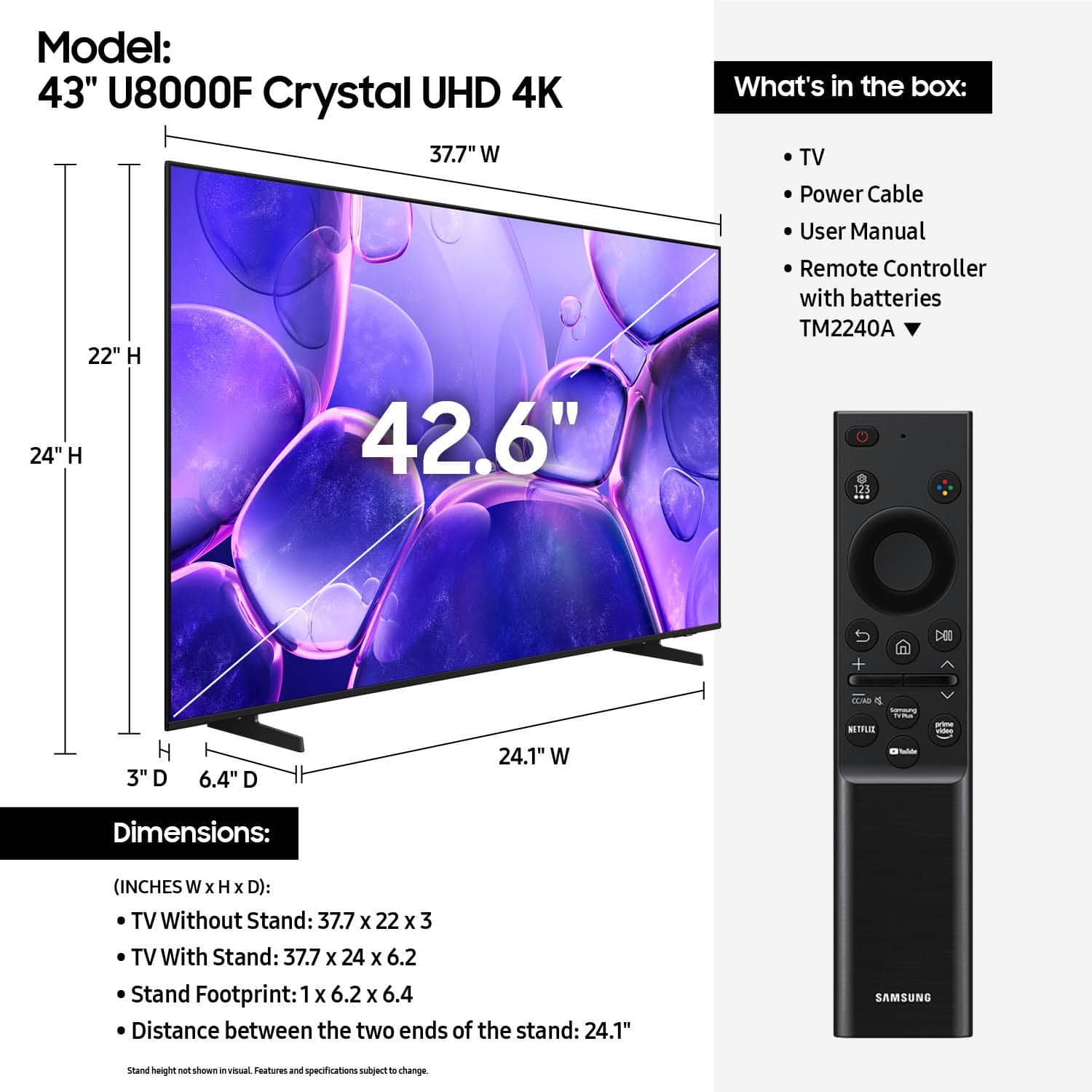










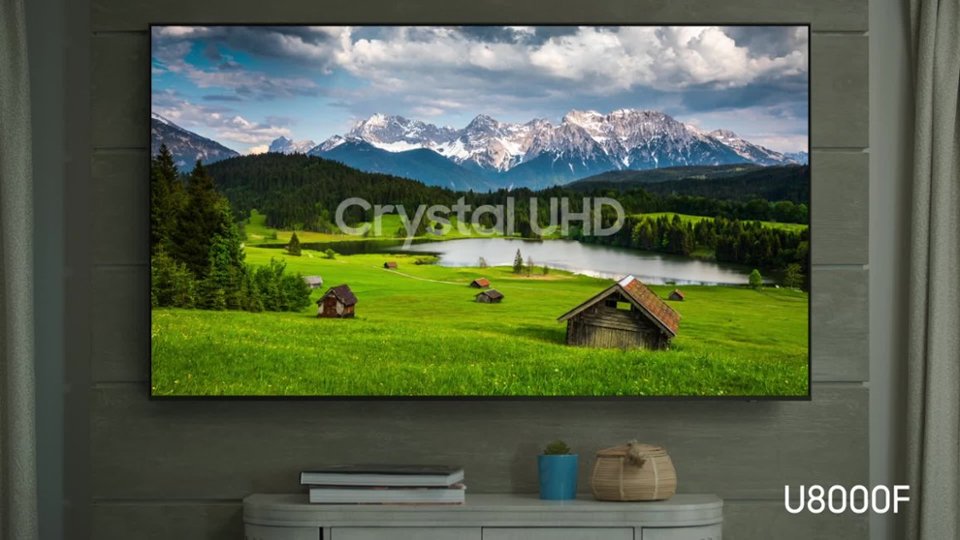


- Model:
- UN43U8000FFXZA
- SKU:
- 12161418
Rating by feature
- Picture Quality
Rating 4.8 out of 5 stars
- Sound Quality
Rating 4.6 out of 5 stars
- Brightness
Rating 4.7 out of 5 stars
- Pros mentioned:Picture quality
Great pucture
||Posted .This reviewer received promo considerations or sweepstakes entry for writing a review.Excellent picture for a great price and delivered with care.
I would recommend this to a friend - Pros mentioned:Picture quality
smart tv
||Posted . Owned for 1 month when reviewed.This reviewer received promo considerations or sweepstakes entry for writing a review.Clear tv we love it clear picture and enjoy everything with our smart tv
I would recommend this to a friend Right on target
||Posted . Owned for 6 months when reviewed.This reviewer received promo considerations or sweepstakes entry for writing a review.Perfect for the room and the sales lady was the reason behind making this purchase that day and very pleased and satisfied with the purchase
I would recommend this to a friend- Pros mentioned:Picture quality
Good buy
||Posted . Owned for 1 month when reviewed.This reviewer received promo considerations or sweepstakes entry for writing a review.Clear screen and good size. Easy to navigate and set up as well
I would recommend this to a friend - Pros mentioned:Picture quality
Great for the bedroom
||Posted . Owned for 1 month when reviewed.This reviewer received promo considerations or sweepstakes entry for writing a review.Being able to watch YouTuneLive on the smart tv is a bonus to the clear pic and color.
I would recommend this to a friend - Pros mentioned:Picture quality
Great TV!!
||Posted .This reviewer received promo considerations or sweepstakes entry for writing a review.I am just thrilled with this TV!! The picture is so clear, the colors are bright and sharp.
I would recommend this to a friend - Pros mentioned:Picture quality
Best tv ever
||Posted .This reviewer received promo considerations or sweepstakes entry for writing a review.The TV is a great TV all around it's great for streaming gaming and overall
I would recommend this to a friend - Pros mentioned:Picture quality
Great TV
||Posted . Owned for 2 weeks when reviewed.This reviewer received promo considerations or sweepstakes entry for writing a review.Excellent color, many viewing options. Nice TV , excellent sound.
I would recommend this to a friend - Pros mentioned:Picture quality
Samsung tv
||Posted . Owned for 1 month when reviewed.This reviewer received promo considerations or sweepstakes entry for writing a review.the sound and picture are great.the bracket was easy to install.
I would recommend this to a friend Excellent office TV
||Posted . Owned for 1 month when reviewed.This reviewer received promo considerations or sweepstakes entry for writing a review.Love the quality and responsiveness of the app navigation. It definitely makes me want to get another Samsung.
I would recommend this to a friend- Pros mentioned:Picture quality
Samsung tv
||Posted . Owned for 3 weeks when reviewed.This reviewer received promo considerations or sweepstakes entry for writing a review.Good quality picture sound is good and bright ness is excellent
I would recommend this to a friend - Pros mentioned:Picture quality
Smart buy gor a great product
||Posted . Owned for 1 month when reviewed.This reviewer received promo considerations or sweepstakes entry for writing a review.Samsung TV is terrific. Sound, picture and quality is terrific at a very modest price.
I would recommend this to a friend - Pros mentioned:Picture quality
Nice TV
||Posted . Owned for 3 weeks when reviewed.This reviewer received promo considerations or sweepstakes entry for writing a review.Very nice picture and nice features................
I would recommend this to a friend Samsung customer
||Posted .This reviewer received promo considerations or sweepstakes entry for writing a review.Price was great for size TV I needed for a spare bedroom. We have been happy with the quality of Samsung products and customer support when needed.
I would recommend this to a friend- Pros mentioned:Picture quality
Very pleased. love it.
||Posted . Owned for 1 month when reviewed.This reviewer received promo considerations or sweepstakes entry for writing a review.All positives; Nothing bad to say. Very pleased....................
I would recommend this to a friend - Pros mentioned:Picture quality
Samsung TV
||Posted . Owned for 3 weeks when reviewed.This reviewer received promo considerations or sweepstakes entry for writing a review.excellent picture at a great price! Happy with purchase thus far.
I would recommend this to a friend - Pros mentioned:Picture quality
Great tv for the price
||Posted . Owned for 3 weeks when reviewed.This reviewer received promo considerations or sweepstakes entry for writing a review.This tv has a good picture and sound, at a good price.
I would recommend this to a friend Just ok
||Posted . Owned for 2 months when reviewed.This reviewer received promo considerations or sweepstakes entry for writing a review.The Samsung TV is decent for the price, but I have been disappointed with the picture. I cannot seem to tune the colors just right when using the Nintendo Switch, and everything looks slightly off no matter how much I adjust the settings. It works fine for everyday viewing, but the color accuracy leaves a lot to be desired. Overall it is an okay value, but knowing what I know now, I would probably choose something else.
No, I would not recommend this to a friendBrand response from Samsung
Posted .CWilder,
We appreciate your feedback on the picture quality of Samsung’s U8000F TV. If the image doesn’t quite match your preferences, there are several adjustments you can make to better suit your viewing environment and content type.
First, please ensure your TV is running the latest firmware, as updates may include important picture quality enhancements. Go to: Home > Left directional button > Settings > Support > Software Update > Update Now
To explore picture mode options, navigate to: Home > Left directional button > Settings > All Settings > Picture > Picture Mode. Options include:
• Standard – Ideal for general viewing
• Dynamic – Brighter and more vibrant for well-lit spaces
• Eco – Optimized for energy efficiency
• Movie – Best for viewing in low light
• Filmmaker Mode – Preserves the content creator’s intent and disables motion smoothing for supported content
You can further customize your image by going to: Settings > All Settings > Picture > Expert Settings, where you can adjust Brightness, Contrast, Color Tone, Sharpness, Contrast Enhancer and more.
If you’d like help finding the best picture settings for your preferences, please don’t hesitate to contact Samsung Support at 1-800-SAMSUNG, available 8AM – 12AM EST, 7 days a week. You can also LiveChat with an agent or explore additional resources on our website by clicking the ‘Support’ link.
~ Samsung Specialist
- Pros mentioned:Setup ease
Samsung 43"
||Posted .This reviewer received promo considerations or sweepstakes entry for writing a review.very easy setup and overall nice TV. Stand is simple.
I would recommend this to a friend - Pros mentioned:Picture quality
Samsung TV
||Posted .This reviewer received promo considerations or sweepstakes entry for writing a review.I own three Samsung TVs excellant picture great sound , easy to operate
I would recommend this to a friend













