Customer Ratings & Reviews

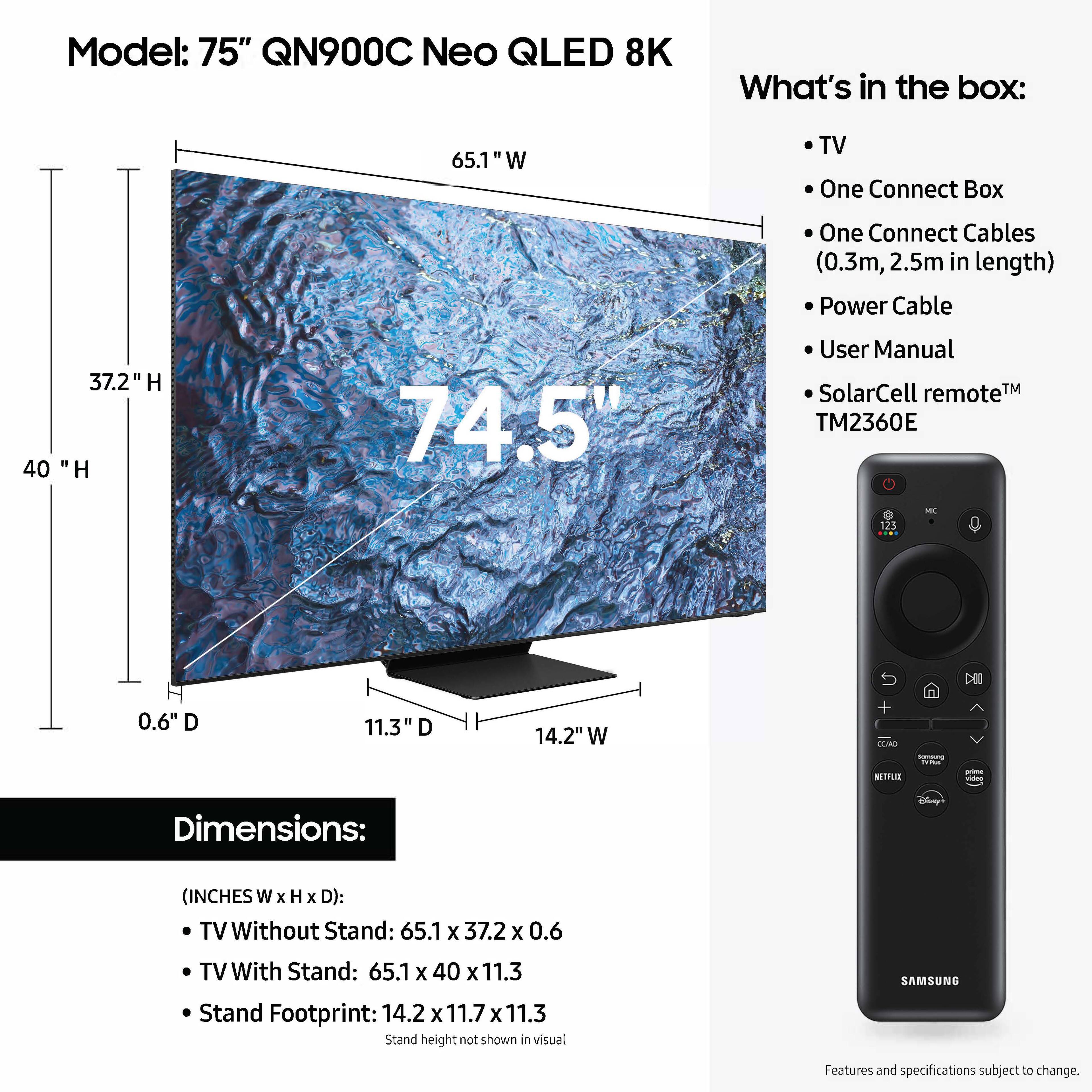




- Model:
- QN75QN900CFXZA
- SKU:
- 6535210
Rating by feature
- Picture Quality
Rating 4.7 out of 5 stars
- Sound Quality
Rating 4.5 out of 5 stars
- Brightness
Rating 4.8 out of 5 stars
Customers are saying
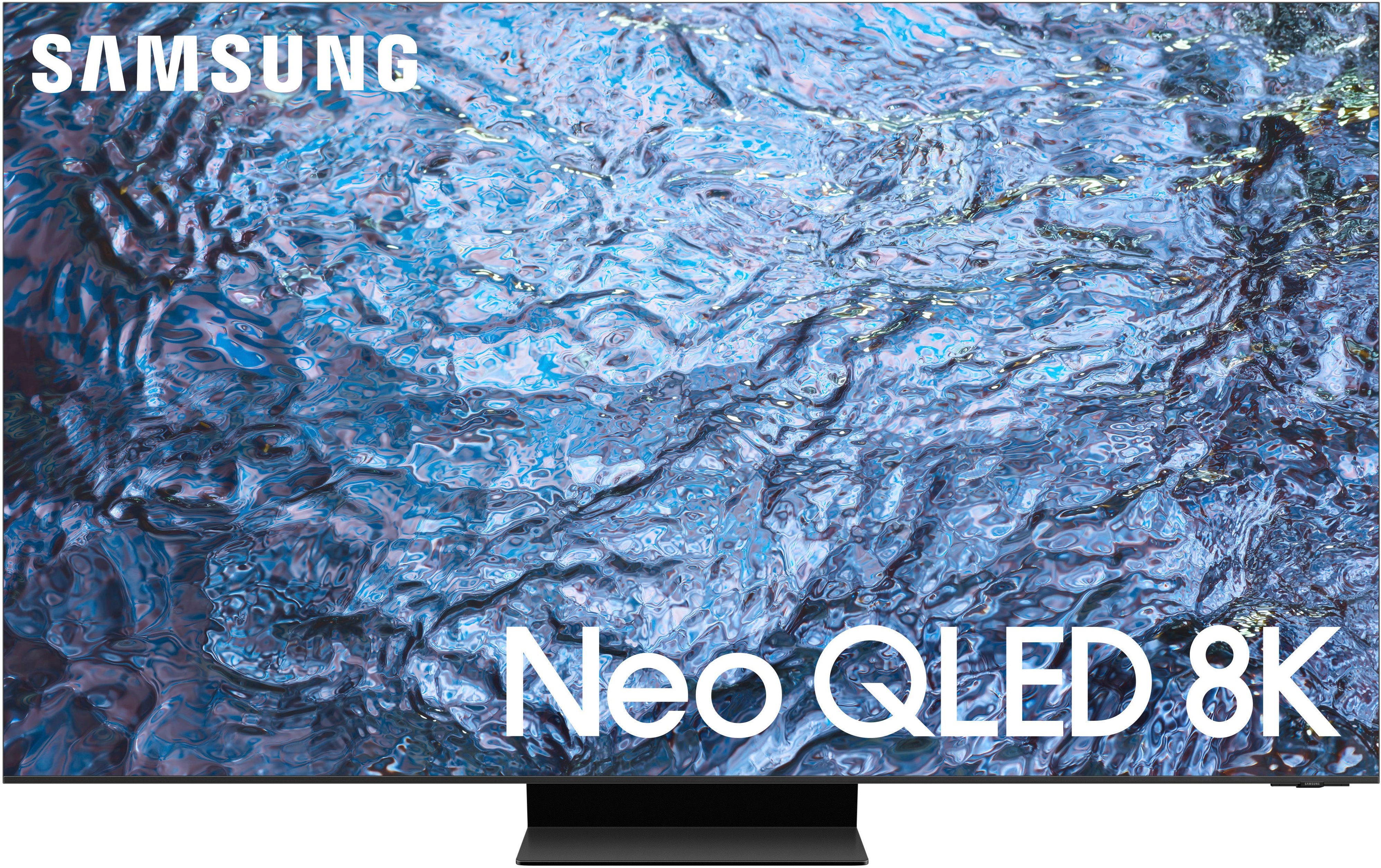
Customers enjoy the exceptional picture quality of the 75" Class QN900C Neo QLED 8K Smart Tizen TV (2023), with many praising its amazing and beautiful display and excellent color quality. The TV's ease of use is also highlighted, with users noting how easy it is to set up and operate.
This summary was generated by AI based on customer reviews.
- Pros mentioned:Picture quality
Make sure you have a good one.
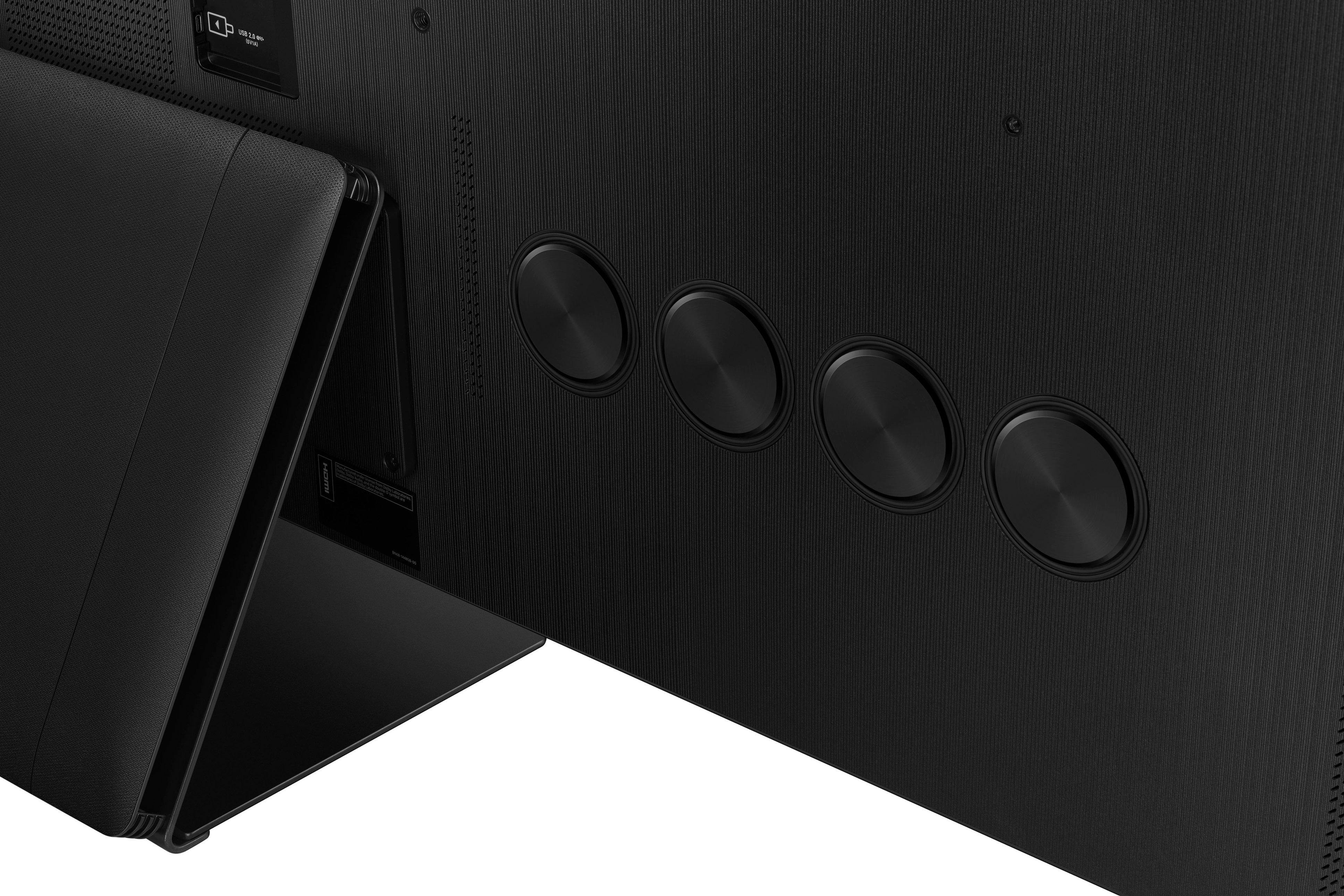
||Posted . Owned for 1 week when reviewed.This reviewer received promo considerations or sweepstakes entry for writing a review.This TV has a really good picture, and it does not lag when choosing between apps, inputs, or the Home screen. However, this TV has some frustrating issues. I have had this TV for 17 days before initially writing this partial review on 12/14/23. Update as of 12/22/23, I ultimately had to exchange the TV for a replacement. The replacement had the film still on the screen and all 4 HDMI ports accepted the game consoles. Remote: Take note, If you have to point the remote directly at the TV for it to respond, don’t worry this is not normal. You should be able to point the remote toward the floor or ceiling and have the TV respond. What you have to do is unpair the remote from the TV by holding both the play/pause button (on the right of the remote) and the back button (on the left with the U-turn looking arrow) at the same time until it unpairs (about 5 seconds or so). Then, push any button on the remote (preferably the directional pad or the button in the center to avoid unnecessary menu pop-ups). Ignore the TV saying a remote is already paired to the TV. If the TV does not show the remote pairing, then press and hold both play/pause and the back button again until you see the pairing process on the screen. Now your remote should work from any distance and angle you choose. This might work for any other remote glitches as well. Game Console: (Xbox Series X, PlayStation 5, etc.): Despite the specs saying all 4 HDMI ports are 2.1 (4k @ 120Hz), I could only get port 2 on the one-connect box to play the Xbox. Even then the picture would flicker in and out for a few minutes. If any other port was used, I would get an HDMI error of no signal on the TV. However, I also noticed when I unplugged the HDMI from the port, it would then change from a no signal to a no power error (see pictures). This was for ports 1, 3, and 4. So, it seems the TV kind of reads the Xbox signal from the other ports, but it won’t allow the signal to come through. Sad to say, but two Samsung online support reps said working on only port 2 was normal (I have the online rep names and chat IDs). They are wrong, all 4 ports are 2.1 not just port 2. The specs and new replacement TV proves it. Note: Getting out of the Game Hub after playing on a console is not intuitive either. If you press the Home button on the remote, it won’t take you out of Game Hub to view your Home screen where all your apps are. You have to either hit the return button and select Media from the options on the left or go into Netflix or some other App, then back out with the Home button. This is after an hour chat online with Samsung. Picture settings: One of the first issues is the auto-brightness (Brightness Optimization). It will fluctuate and go dull or blinding bright even while in something like Netflix. The setting is not in the picture settings, but rather in General & Privacy > Power and Energy Saving. There is some minor blooming to the TV. It can be seen from the screen saver against the black screen (see picture with the screensaver dots from the newer TV). Sound: The sound is ok, however there are no front firing speakers. The sound goes out from the back of the TV towards the wall. While it can produce a spacious sound, voices can be difficult to hear at times. Setting the sound mode to Amplify enhances the voices more and lessens the spacious sound. There is also a vibration from the rear plastic panel at certain frequencies when the volume is above 30 (newer replacement TV does not have the issue until volume 45). Soundbar: Finally, a positive! Adding a Samsung soundbar to the TV is easy. There was no setup or settings to go through. The TV picked it up as soon as I turned it on, and it set the Q-Symphony automatically. From that point both the TV and soundbar work together and can be controlled by the TV remote. I bought the Q600C and then upgraded it to the Q990C soundbar. Side note, if you own the TV and get tired of it constantly turning on connected devices as soon as the TV powers on, remove the devices from the “universal remote” setting (not the TV remote, but rather it’s what Samsung calls its auto-on feature). Go over an App then press the direction pad up. If it does not say it there then go to connected devices and look to remove them from universal remote. There is more, but this semi-review is long enough. Do I recommend the TV? I would have to say yes, if you get a good one. However, the QN95C is probably the best TV (although 4K) that Samsung currently makes.
I would recommend this to a friend - Pros mentioned:Picture quality
The best bright room TV, but needs a huge discount
||Posted . Owned for 1 week when reviewed.This reviewer received promo considerations or sweepstakes entry for writing a review.After owning and trying many LED TVs I confidently say this is the best of them. QD-OLEDs still beat this in up to moderately lit rooms, but only by a small margin while this wins easily in bright rooms. However, with limited 8k content it is hard to justify this level of retail price for small gains over some of the other top Mini-LED TVs. However, I scored what I considered to be an insane deal on one of these open box. I wouldn't personally consider this TV at even 50% off original MSRP. Now back to my purchase, I bought this right after I bought an S95C and found screen burn in. So it wasn't a fair fight as I was not likely to consider keeping the S95C, but I still feel like I can draw some comparisons. First off, both are elite TVs and I don't see how anyone could be unhappy with either. My quick summary is that the QD-OLED wins on outright picture quality until the room is very bright. The 900C is competitive still and even wins some items such as upscaling lower quality content. However, once there is a lot of light in the room the 900C wins the day with its superior brightness. Due to open box deals my price on the 77" S95C and this 75" QN900C was only around $100 different. If there had been no screen burn in on the S95C I really think these 2 TVs would have been a virtual tie for me. In the end, I think I would have picked the QN900C even without screen burn in, but it was super close. I say it is a no lose situation.
I would recommend this to a friend - Pros mentioned:Picture quality
Samsung 75 inch QN 900C NEO QLED 8K Tinzen Review
||Posted . Owned for 1 month when reviewed.This reviewer received promo considerations or sweepstakes entry for writing a review.I’m a big fan of Samsung products as we have a refrigerator, stove, washer, dryer, three TVs (one is 65 n850 OLED 4k). We bought the 75 inch Neo 8k 900c because we moved into a new home with a very large living room and this TV with attached Bose 700 series soundbar, bass module and remote surround sound speakers really make it a true home theater. I’m sure when it reaches its 100 hours and the tech sets the calibration it will be even more off the charts. My wife and I watch a lot of YouTube 4/8k content travel and this tv produces colors that are unbelievable. One feature I like is airplay Pandora radio from my iPhone to tv … it rocks. I’ve researched the LGs, Sony. Hisense, and Vizio… for me personally Samsung ranks way above. It comes down to personal preferences. I bought the TV, cables, and other accessories online from Best Buy and the Geek Squad brought the tv and installed onto my wall. They checked everything to make sure it worked TV, soundbar/surround system, and DVD player. Highly recommend this business. Awesome job. Thank you.
I would recommend this to a friend - Pros mentioned:Picture quality
Excellent picture quality.
||Posted . Owned for 3 weeks when reviewed.This reviewer received promo considerations or sweepstakes entry for writing a review.Overall amazing TV, the price point is the main hinderance. The picture quality is definitely up to the 8k par, only issue is that not a lot of 8k content is made as of yet. I’m surprised at the cheapness of the build quality, it actually weighs quite a bit, and the back panel started separating from the tv, and I noticed this issue with several display models, so it must be a manufacturing issue across all of them. I wish that I purchased the new 2024 model, but I’m extremely satisfied with the current tv I have.
I would recommend this to a friend - Pros mentioned:Picture quality
A top tier tv, won't regret buying.
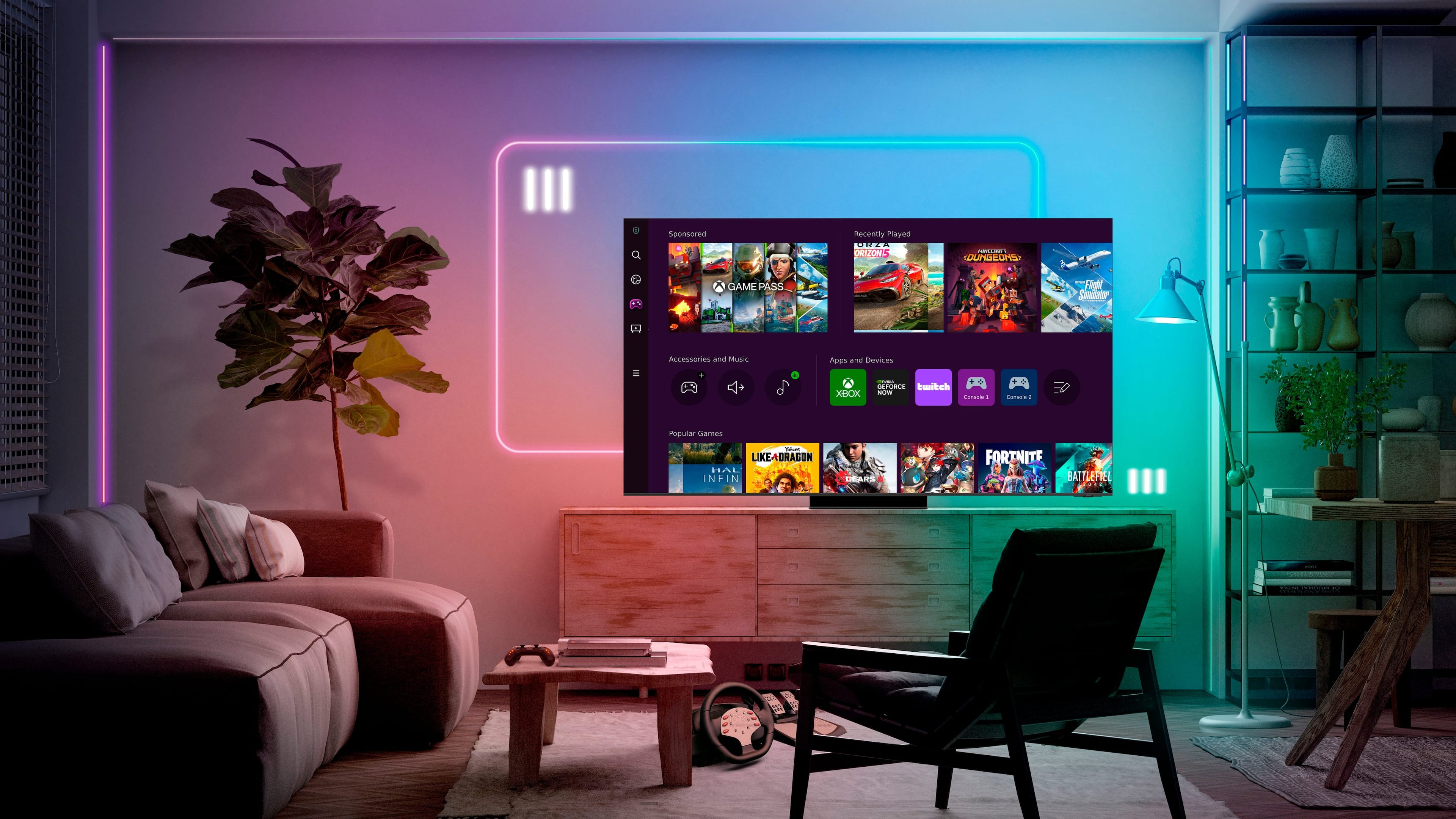
||Posted . Owned for 3 months when reviewed.This reviewer received promo considerations or sweepstakes entry for writing a review.Best tv/monitor money can buy absolutely love using this thing everyday to game and watch movies. Would buy it again if anything were to happen to my old one.
I would recommend this to a friend - Pros mentioned:Picture quality
TV
||Posted . Owned for 1 year when reviewed.This reviewer received promo considerations or sweepstakes entry for writing a review.Best TV i have ever purchased, the color quality while playing my PS5 is wonderful
I would recommend this to a friend - Pros mentioned:Picture quality
3D tv
||Posted . Owned for 4 months when reviewed.This reviewer received promo considerations or sweepstakes entry for writing a review.I love this TV at 75” it’s the perfect fit for any room. The picture is so clear and concise that objects appear 3D. People faces are so lifelike, you can see all the imperfections of their faces.
I would recommend this to a friend - Pros mentioned:Picture quality
Best TV on the market
||Posted . Owned for 3 weeks when reviewed.This reviewer received promo considerations or sweepstakes entry for writing a review.Yes it is that good! As advertised this TV rocks on all levels Worth every dollar
I would recommend this to a friend Sound system
||Posted . Owned for 3 weeks when reviewed.This reviewer received promo considerations or sweepstakes entry for writing a review.Sound need upgrade A little bit hard to connect a device to the tv other wise perfect
I would recommend this to a friendQled
||Posted . Owned for 2 months when reviewed.This reviewer received promo considerations or sweepstakes entry for writing a review.Great television. Own both 85 and 75. Greatest tv I’ve ever purchased
I would recommend this to a friendDefective screens and low voice clearity
||Posted . Owned for 7 months when reviewed.This reviewer received promo considerations or sweepstakes entry for writing a review.I bought this one and just 6 months it was suddenly stop working while watching TV. Had to go with geek and they couldn’t solve the issue also they didnt wanted to replace or refund at all even i am the gold member. Then i had to go with Samsung customer service and they came out with replacement of screen. I ask them to replace or refund and they said that you have to talk with the retailer for that. I really disappointed with Best buys customer policy that they didnt took care for at all. Now i am afraid to buy anything from Best buy..
No, I would not recommend this to a friendBrand response from Samsung
Posted .Goldmemberofgeeksquad,
It’s unfortunate to hear of your experience with Samsung’s QN900C TV. Samsung is committed to providing the best possible product experience, quality, and value. We back this Samsung TV with a 1-year limited manufacturer's warranty, including authorized repair for manufacturer defect, if purchased brand-new directly from an authorized seller. You can see the full details of your warranty here: https://www.samsung.com/us/support/service/warranty/QN75QN900CFXZA/
Please give us the opportunity to assist you by contacting Samsung Customer Support at 1-800-SAMSUNG, 8AM - 12AM EST, 7 days a week. Our LiveChat agents are also available by clicking on the ‘Support’ link on our website.
~ Samsung Specialist
- Pros mentioned:Picture quality
Beautiful picture but so many issues
||Posted . Owned for 3 months when reviewed.This reviewer received promo considerations or sweepstakes entry for writing a review.I purchased this 75” QN900C on the day it was available (3/11/23) on Best Buy’s website. As a Total Tech Member I received free installation. The installation went smoothly as I already had the mount placed on the wall so they just needed to install the tv on the mount. They gave me the stand (it’s really heavy) but not the screws for the stand. I noticed the screws were in packaging in the box and they claimed those were screws they brought up from their vehicle so they wouldn’t give them to me. I guess this isn’t an issue since the tv is mounted but if for someone reason I did need to use the stand I’d have no screws to assemble it together. I thought this was odd. Aside from this, they helped me get the basics set up, we did the test to make sure all the pixels looked fine, and watched an 8k video on YouTube. The real winner with this tv is the picture quality as it’s truly incredible. There are numerous reviews by professionals online so I won’t go into any details. When at the Best Buy store shopping for tvs the Samsung rep recommended the S95C tv over this as he said the picture quality is better and the difference between 8k and 4k isn’t noticeable. I wanted to future proof my tv in case someday down the road 8k content is released which is why I went with the QN900C. Now for the problems, and they are countless. The user interface is clunky and finding options within the menu can be challenging. The remote is cool, really small and works great as a universal remote – I do wish the solar piece was on the front so I didn’t have to leave the remote upside-down to charge but this is small. The massive One-Connect box on the back isn’t my favorite thing and I wish Samsung would find a way to integrate this into the tv, like they have with other products. Hopefully someday! Here are some of the major problems I had: 1) I have a new Marantz SR5015 that I connect my computer (with an NVIDIA RTX 4090 8k card) and Sony UBP-X800M2 4K Blu-Ray Player. With my previous Elite 75” 1080p tv, I was able to connect my computer and blu-ray player to the Marantz and then use the HDMI eARC out to the tv with zero problems. The QN900C is riddled with issues and this setup doesn’t work. The tv constantly shows spinning wheels with no work around. I called Samsung tech support numerous times regarding this. The two positives about their tech support is they answer the phone right away and they have a feature to use your cell phone’s video so they can see exactly what’s going on. But the buck stops here. Every issue I’ve had (this one and see below) they blame on someone other than Samsung. For the spinning wheel connectivity issue, they first blamed my HDMI cables and told me to purchase new ones. The existing ones I had were 8k certified but I bought expensive 8k certified fiber optic HDMI calbes, this didn’t change anything. Next them blamed Marantz and said it was because of their product. I called Marantz and their troubleshooting department was awesome. They came to the conclusion that the problem is an EDID handshaking issue and only Samsung can fix this. I called back to Samsung and they said they would pass this information along to their engineers and a firmware update at some point should fix this issue. The current resolution to this problem is to bypass the Marantz and use HDMI cables from my computer and blu-ray player then use the eARC from the tv to the Marantz for just the sound. This works most of the time but there’s sometimes a delay in the sound and I still get the spinning wheel intermittently. 2) There’s an annoying on-screen display when you change the volume level. When I called Samsung regarding this they said it was a feature of the Marantz receiver. It’s not as this has never shown up with my previous tv using the same Marantz. Also, if I choose to use the tv audio it still has the same on-screen display. In doing online research, Samsung tv owners have been complaining about this problem with previous tvs for years and Samsung still hasn’t done anything about this. 3) I initially setup the tv using an Ethernet cable as I knew this would give me the fastest speed vs. using wifi. However, using the tv’s internet browser and doing a speed test the connection was very slow, around 70mb/s. When using the wifi connection, I get around 250mb/s. I called Samsung and they blamed it on the Ethernet cable, my internet service provider, etc. In doing testing there’s nothing wrong with the Ethernet cable and doing a speed test with my computer using the same Ethernet cable gets over 500mb/s. I used my phone’s camera to show Samsung’s tech support this problem and their resolution was just not to use Ethernet and stick with wifi. Why their Ethernet port is limiting the bandwidth is unknown and Samsung apparently has no advanced tech support to discuss this with. 4) The wifi randomly will disconnect and won’t allow me to search for wifi connections. After spending hours trying to figure this one out I discovered you have to delete your wifi connection, reset the wifi configuration, and then reconnect. Samsung is aware of this problem and has no answers as to why it occurs. 5) I have a second computer that I use an HDMI cable to connect directly to the tv using a separate HDMI port than my main computer. When you connect a computer directly to the tv sometimes the tv will recognize that it’s a computer and you’ll get a message saying the tv is making adjustments accordingly. Other times this doesn’t happen. The problem this causes is it will force your computer to a lower resolution than the computer’s video card is capable of. Specifically, my computer with the 8k video card will be forced to 4k and then my computer with the 4k video card will be forced to 1080p. Samsung tech support had no resolution to this. After many hours of trials, I realized that you just have to restart the tv and computer over and over again before the tv will have an on-screen message saying it’s adjusting the picture quality for the optimal resolution and then this fixes the problem. 6) There is no upconversion option within the tv. When I called Samsung regarding this they said it automatically upconverts content depending upon the individual content. I asked them to provide me information regarding how this works, like if the content is 1080p will it upconvert it to 4k or 8k etc. and they referred me to the user manual which doesn’t address this at all. I’ve tried watching movies filmed in 1080p on both Youtube and using my Blu-ray player and I didn’t notice any upconversion, the quality looked like what you’d expect from 1080p. In summation, if the only use of this tv is with the internal speakers, using wifi, and streaming content then the user would likely not run into most of the problems I listed above. If you’re wanting to connect to a computer and use the tv’s accelerated fps game mode, or a blu-ray player, an audio/video receiver or other peripherals you’ll likely run into the problems I’ve listed above. I’m hoping Samsung gets their act together and does some firmware upgrades to resolve these problems. We shall see. David
I would recommend this to a friendBrand response from Samsung
Posted .We appreciate you taking the time to let us know about your experience with your QN900C TV. So that we can better troubleshoot this issue and provide steps towards a solution, please contact Samsung Support at 1-800-SAMSUNG, 8AM - 12AM EST, 7 days a week. Our LiveChat agents are also available by clicking on the ‘Support’ link on our website.
~ Samsung Specialist
Blue line on screen that no one wants to fix.
||Posted . Owned for 1 month when reviewed.This reviewer received promo considerations or sweepstakes entry for writing a review.Had TV delivered and set up by Best Buy. Two days later blue line appeared. User manual says, "If you experience issues, please do not take the TV back to the store." Called Samsung, where i was instructed to call Best Buy. Called Best Buy and was told to call Samsung.
No, I would not recommend this to a friend- Pros mentioned:Picture quality
No Bang for the buck
||Posted . Owned for 2 weeks when reviewed.This reviewer received promo considerations or sweepstakes entry for writing a review.After getting the unit home and set up, I was a little disappointed from the reviews I read and seeing the unit in the store I guess I had too much expectation. It's a nice TV, But it is very pricey. The problem is there is no 8k formats to take advantage of the TV. You can get a 4k for less money and still have the same quality picture for less.
No, I would not recommend this to a friendBrand response from Samsung
Posted .golferboy36,
Thanks for choosing our 2023 QN900C Neo QLED 8K TV! While most 8K content is captured using cinema-grade 8K HDR cameras, most of this content is finished in 4K resolution, which is currently the highest resolution available in newer Blu-rays or DVDs.
The amount of 8K content available continues to expand – content platforms such as YouTube and Vimeo feature a great deal of 8K content, mostly focused on nature and travel. This is quite similar to the way that 4K content was introduced to the market.
Although your movies and shows may be in 4K resolution, please rest assured as your QN800C features Samsung’s Neo Quantum Processor 8K with AI-powered multi-layered neural networks to brilliantly upscale and enhance lower resolution images to 8K, regardless of the source. Every frame has 33 million pixels that provide an incredible sense of depth and clarity.
To provide you with the best viewing experience, we recommend connecting external devices (like a Blu-ray Player) with HDMI cables, as this type of connection offers the best picture. Although all content resolutions will upscale, 4K content will provide the best picture quality. The TV will upscale as best as possible any content sent to it.
If there’s anything we can help with, please call us at 1-800-SAMSUNG, 8AM - 12AM EST, 7 days a week. LiveChat with an agent as well as manuals, software, and warranty info can be found at the ‘Support’ link on our Samsung website.
~ Samsung SPecialist
Second tv this one two weeks old same problem
Posted .This reviewer received promo considerations or sweepstakes entry for writing a review.First TV was the QN900B that one lasted almost two years. They gave me a hard time at Best Buy saying the manufacturer warranty is up even tho i purchased that tv in august 2022 and had the geek squad waranty on it. The tv got a red line in jan 2024 they told me i would have to pay a one time fee of $125 cause it was out of warranty and they would send someone to come and replace the part mind you i have the total tech with geek squad. But at the end of the week they decided they where going to just replace the tv with a new one but they no longer sold that model it was now the QN900C. So when i bought the tv geek squad offered free installation with your purchase and would even relocate your tv free of charge with the purchase of there total member, but now you have to pay $250 for installation and an additional $150 to take down ur old tv. At this point i was over Best Buy and Samsung, I had that tv ready for them when they came and put it up myself cause i help the guy put it up for me that came and ended up putting the second tv up myself cause they forgot my speaker mount. When i got the QN900C my wife told me she hears popping noise just like the 1st one this happens when u first turn it on cause the television throws off alot of heat. Its now feb 17 2024 i see a green line appears on the left side of the screen at this point im over Samsung 5k tv should not be going thru this much hassle maybe it just there 8k version but i hear popping noise on my 49 inch monitor and it’s s Samsung problem that at this point just give me all my money back.
No, I would not recommend this to a friendBrand response from Samsung
Posted .Marines,
It's unfortunate to hear of your installation experience. We recommend you contact Best Buy directly for assistance. You also may want to consider providing feedback to the Best Buy store where you made your purchase. We hope your issue is resolved quickly.
Please do keep in mind that the expansion and contraction of the TV's outer casing may cause a popping noise. This does not indicate a product malfunction. The TV is safe to use. Watching TV for an extended period of time causes the panel to generate heat. The heat from the panel is dissipated through internal vents running along the top of the TV. The bottom, however, may feel hot to the touch after extended use. This heat, however, is not a defect and does not affect the TV's functionality.
To address the line you're seeing, you may want to try the following troubleshooting steps:
1. If any external devices are connected, check all input cable connections
2. If the issue persists, define exactly what is wrong with the display. For example, mosaics and blocks, multiple lines or white dots, fixed horizontal, or vertical lines.
3. Try changing channels using the remote control. Is the issue the same on all channels?
4. Press the Home button (looks like a house), select Connected Devices, and choose another input source. Is the issue the same on all sources?
5. If the same problem persists, run a diagnostic test. (Home > Menu > Settings > Support > Device Care > Self Diagnosis > Picture Test)
6. If the problem disappears during the test, check your TV signal (Home > Menu > Settings > Support > Device Care > Self Diagnosis > Signal Information) to check the signal strength. Signal strength must be more than 20 dB (more than 4 bars on the icon) for stable signal reception
Should your issue persist, please contact Samsung Customer Support at 1-800-SAMSUNG, 8AM - 12AM EST, 7 days a week. Or visit us on the Samsung website and click on the ‘Support’ link for:
• LiveChat
• Manuals, Software, & Warranty Info
~ Samsung Specialist
- Pros mentioned:Picture quality
My tv
||Posted . Owned for 1 month when reviewed.This reviewer received promo considerations or sweepstakes entry for writing a review.I recently purchased a LG TV, which I had lotta problems with. I switch over to the Samsung and best move I have ever made. Excellent picture the audio sounds really good the handling of the control excellent
I would recommend this to a friendBrand response from Samsung
Posted .JulioM,
Thank you for your review of Samsung’s QN900C TV! With Quantum Matrix Technology Pro, a staggering grid of our own Quantum Mini LEDs unleash a billion colors with ultra-fine precision for intense contrast. Behind the scenes, the ultra-high performance 8K processor uses 20 neural networks to deliver our most immersive picture yet, with intuitive Smart Hub controls, Atmos sound, exquisite 8K upscaling and more.
Should you ever have questions or need help, Samsung is here for you. Just give us a call at 1-800-SAMSUNG, 8AM - 12AM EST, 7 days a week. Our LiveChat agents are also available by clicking on the ‘Support’ link on our website.
~ Samsung Specialist
- Pros mentioned:Picture quality
Really is a best buy at BEST BUY !
||Posted . Owned for 2 weeks when reviewed.This reviewer received promo considerations or sweepstakes entry for writing a review.My 75 inch 8k QN900c is a magnificent tv. The purchase through Best Buy was easy because our salesman was knowledgeable and forthwright with features and benefits of buying from Best Buy! one amazing benefit was the 10 percent future purchase credit i earned that will help buy a new laptop in 30 days. Delivery was made on time and the old tv was taken away as part of the complimentary service. Team was very professional. I did the installation and set up following easy instructions. I will continue to shop and buy at the store, Best Buy, because the name says it all, Best Buy!!
I would recommend this to a friend Simply amazing
||Posted . Owned for 2 weeks when reviewed.This reviewer received promo considerations or sweepstakes entry for writing a review.I love this TV everybody talks about 8k is not available yet, but the upscaling makes it available So take that Sony LG lovers:-p. In the video gameplay on this TV is also amazing upscaling on my PlayStation five truly brings games to life i’m also looking to buy the Samsung QN900D once that price goes down a little bit I’m also loving the different streaming sources that Samsung offers for movies and television shows that come included with the television. 
I would recommend this to a friend- Pros mentioned:Picture quality
Amazing tv
||Posted . Owned for 1 week when reviewed.This reviewer received promo considerations or sweepstakes entry for writing a review.I have always had Samsung TV’s and needless to say, the QLed didn’t disappoint. I noticed a difference in the picture quality immediately. Amazing tv and the price made the purchase even better.
No, I would not recommend this to a friend - Pros mentioned:Picture quality
Best TV ive ever bought
||Posted . Owned for 11 months when reviewed.This reviewer received promo considerations or sweepstakes entry for writing a review.I like the elegant design and quality of this tv. Beautiful picture quality and cool features.
I would recommend this to a friend