Skip to contentGo to Product SearchGo to Footer
Main Content

Customer Ratings & Reviews
Your price for this item is $516.94

Customer reviews

Rating 4.9 out of 5 stars with 1734 reviews

Rating Filter

Rating by feature

  • Value

    Rating 4.7 out of 5 stars

  • Quality

    Rating 4.9 out of 5 stars

  • Ease of Use

    Rating 4.9 out of 5 stars

98%
would recommend
to a friend
The vast majority of our reviews come from verified purchases. Reviews from customers may include My Best Buy members, employees, and Tech Insider Network members (as tagged). Select reviewers may receive discounted products, promotional considerations or entries into drawings for honest, helpful reviews.
Page 84 Showing 1,661-1,680 of 1,734 reviews
  • Rated 3 out of 5 stars

    990 pro

    |
    |
    Posted .
    This reviewer received promo considerations or sweepstakes entry for writing a review.

    Not worth the extra money...the read/write speed is so insignifant, that I would just go with 970 for almost half the price.

    No, I would not recommend this to a friend
    • Brand response from Samsung
      Posted .

      RyanW:

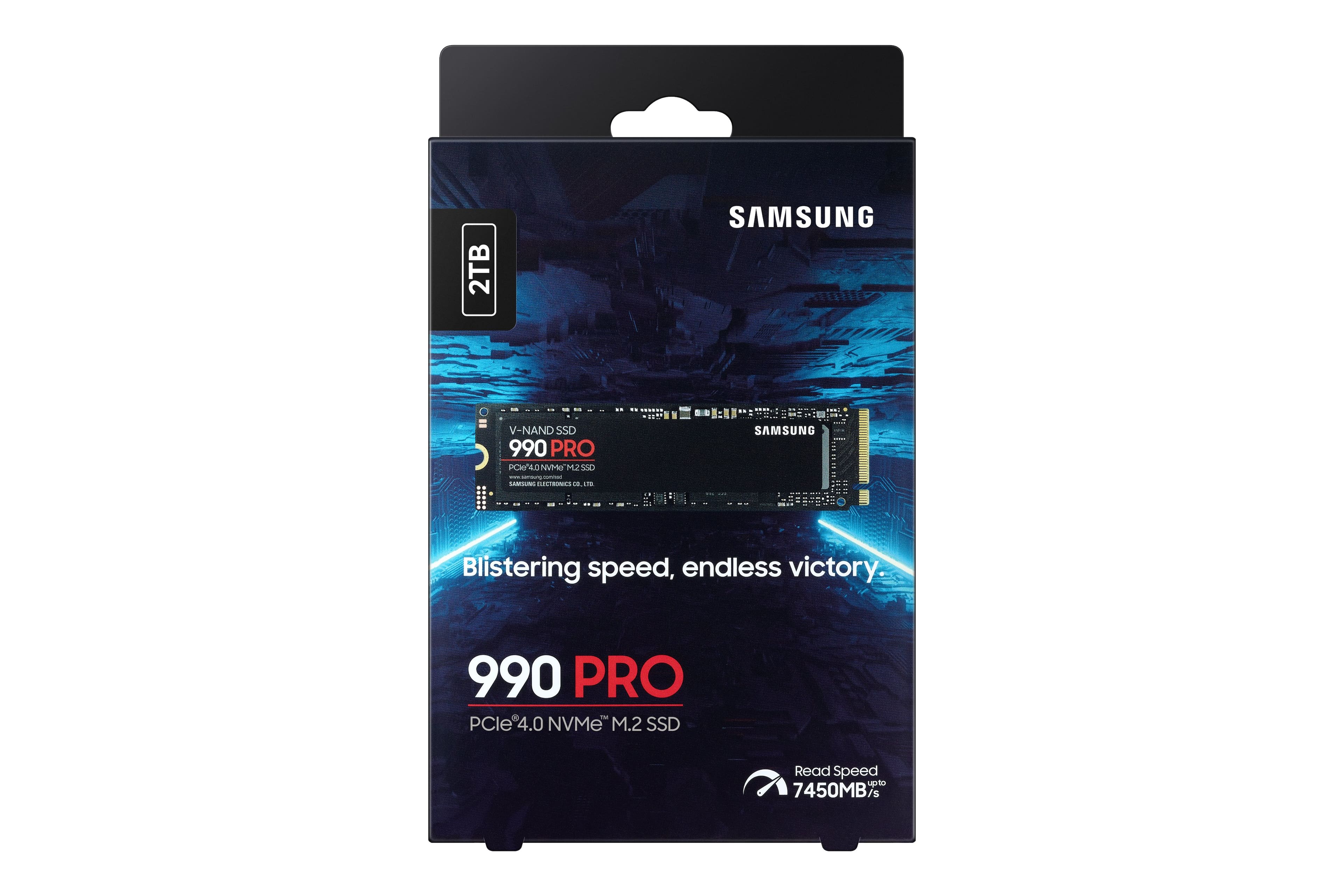
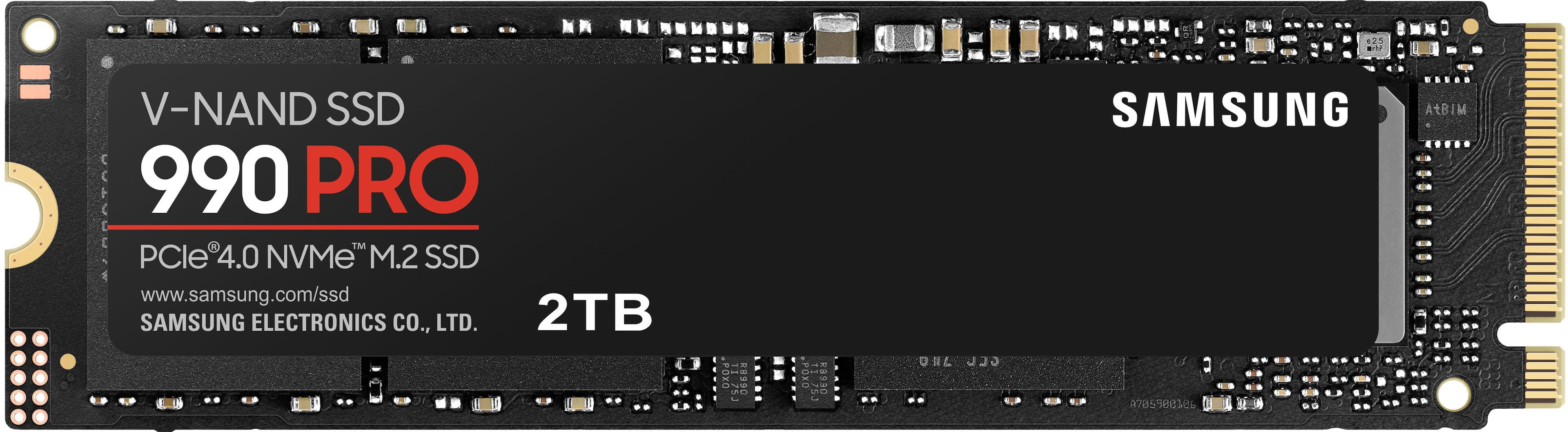
      Thank you for sharing the speed issues you are experiencing with your Samsung 990 PRO SSD. This model is designed to deliver speeds of up to 7,450MB/s Seq. Read & 6,900MB/s Seq. Write.

      Benchmark test results may differ depending upon the system environment, host software and hardware configuration. I encourage you to call Samsung Customer Support to better diagnose and assist you with your speed issue.

      1) Call: 1-800-SAMSUNG (ask for Memory or press #, then 6 for Memory products)
      Available 9AM – 9PM EST (Mon-Fri)
      2) Email: samsungmemorysupport@sea.samsung.com
      3) Or visit us on the Samsung website and click on the SUPPORT link in the upper right corner of the homepage for:
      a) Chat with Us/Product Help: To begin a chat or find solutions, choose ‘Computing – Memory & Storage’ and select your model & topic.

      Samsung is committed to providing the best possible product experience, quality, and value, and we are always here to help with any of your questions or concerns.

      - Samsung Memory Samsung

  • Rated 1 out of 5 stars

    Piece of junk

    |
    |
    Posted . Owned for 1 month when reviewed.
    This reviewer received promo considerations or sweepstakes entry for writing a review.

    I originally bought this for the value. And was Going to use it to expand the The storage space in my brand new computer. 2 Days after I installed it and loaded it, it failed. I had to return it purchase a different. SSD and start all over. The interesting point is that I was hesitant at first. Because I know of the problems. The sand disk has had with these but I went ahead anyway. I guess you live and you learn. I should have followed my gut in the first place and purchased a different brand.

    No, I would not recommend this to a friend
    • Brand response from Samsung
      Posted .

      Strawberry:

      I am very sorry to see that you encountered issues with the Samsung 990 PROSSD and have returned it. Your feedback is very important to us and will be shared with our product team.

      Should you ever decide to give Samsung SSD products another try and have concerns or questions, please know we are always here to help.

      1) Call: 1-800-SAMSUNG (ask for Memory). Available 9AM - 12AM EST (Mon-Fri)
      2) Email: samsungmemorysupport@sea.samsung.com
      3) LiveChat 9AM-6PM EST (Mon-Fri) - https://www.livehelpnow.net/lhn/lcv.aspx?d=34834&ms=&zzwindow=0&lhnid=29783

      The Samsung Members Community is also a great resource for getting help from Samsung moderators and customers:  https://us.community.samsung.com/

      We hope you will consider Samsung again in the future.

      - Samsung Memory Samsung

  • Rated 1 out of 5 stars

    Samsung 990 PRO

    |
    |
    Posted .
    This reviewer received promo considerations or sweepstakes entry for writing a review.

    Waste of money and time!!!!!!!!!!!!!!!!!!!!!!!!!!!

    No, I would not recommend this to a friend
    • Brand response from Samsung
      Posted .

      GilQ:

      We appreciate your review of Samsung’s 990 PRO SSD. So we can better understand the problems you’re experiencing and provide you with troubleshooting assistance or warranty service, please reach out to Samsung Customer Support.

      1) Call: 1-800-SAMSUNG (ask for Storage Devices). Available 9AM - 12AM EST (Mon-Fri)
      2) Email: samsungmemorysupport@sea.samsung.com
      3) LiveChat 9AM-9PM EST (Mon-Fri) - https://www.livehelpnow.net/lhn/lcv.aspx?d=34834&ms=&zzwindow=0&lhnid=29783

      We hope to hear from you soon.

      - Samsung Memory Samsung

  • Rated 1 out of 5 stars

    Help me choose!

    |
    |
    Posted . Owned for 3 weeks when reviewed.
    This reviewer received promo considerations or sweepstakes entry for writing a review.

    i like it, but i wanted the 4 TB version. I finally purchased the 4 TB version. I'm still undecided which to use as a storage and main drive, I wont install yet till i get some feed back! thanks

    I would recommend this to a friend

    • Brand response from Samsung
      Posted .

      JohnE:

      I’m sorry to see that you are having concerns with your 990 PRO SSD.

      So that we can better troubleshoot towards a solution, please reach out to Samsung Support at:

      1) Call: 1-800-SAMSUNG (ask for Memory). Available 9AM - 12AM EST (Mon-Fri)
      2) Email: samsungmemorysupport@sea.samsung.com
      3) LiveChat 9AM-6PM EST (Mon-Fri) - https://www.livehelpnow.net/lhn/lcv.aspx?d=34834&ms=&zzwindow=0&lhnid=29783

      The Samsung Members Community is also a great resource for getting help from Samsung moderators and customers:  https://us.community.samsung.com/

      Thank you for choosing Samsung, we hope to hear from you.

      - Samsung Memory Samsung

  • Rated 1 out of 5 stars

    Defective 990

    |
    |
    Posted . Owned for 2 weeks when reviewed.
    This reviewer received promo considerations or sweepstakes entry for writing a review.

    Worked for about a week. Randomly it stopped showing up. Would have to restart Laptop several times before it would show up again. Tried every tutorial to try and fix. Samsung driver and magician app would not even install and operate. From my experience and previous with Samsung… they are not very plug and play friendly compared to other brands, i have read that the 980 has way less issues than the 990.

    No, I would not recommend this to a friend
    • Brand response from Samsung
      Posted .

      BrandonB:

      I’m very sorry for the difficulties you’ve experienced with your 990 PRO SSD. We completely understand your frustrations, and we are here to help.

      Samsung stands behind the quality and performance of every 990 PRO SSD we manufacture with a limited 5-year manufacturer’s warranty when purchased brand-new, directly from any authorized dealer, like Best Buy.

      Please contact Samsung Customer Support directly so that we can better investigate your issue and assist you towards a resolution or replacement.

      1) Call: 1-800-SAMSUNG (ask for Memory). Available 9AM - 12AM EST (Mon-Fri)
      2) Email: samsungmemorysupport@sea.samsung.com
      3) LiveChat 9AM-6PM EST (Mon-Fri) - https://www.livehelpnow.net/lhn/lcv.aspx?d=34834&ms=&zzwindow=0&lhnid=29783

      We look forward to hearing from you soon.

      - Samsung Memory Samsung

  • Rated 1 out of 5 stars

    Drive Died

    |
    |
    Posted . Owned for 7 months when reviewed.
    This reviewer received promo considerations or sweepstakes entry for writing a review.

    Bought this to upgrade my internal NVME SSD, and the drive ended up failing within 6 months of purchase / install. This is apparently a known issue with Samsung NVME SSDs too so just be forewarned if you're planning on buying. I ended up buying a new WD. https://eu.community.samsung.com/t5/computers-it/2tb-990-pro-dying-faster-than-it-should-despite-new-firmware/td-p/8523681

    No, I would not recommend this to a friend
    • Brand response from Samsung
      Posted .

      Adam:

      I'm sorry that your experience fell short of expectations and for the difficulties you’ve experienced with your 990 PRO SSD. We completely understand your frustrations, and we are here to help.

      Samsung stands behind the quality and performance of every 990 PRO SSD we manufacture with a limited 5-year manufacturer’s warranty when purchased brand-new, directly from any authorized dealer, like Best Buy.

      Please contact Samsung Customer Support directly so that we can better investigate your issue and assist you towards a resolution or replacement.

      1) Call: 1-800-SAMSUNG (ask for Memory). Available 9AM - 12AM EST (Mon-Fri)
      2) Email: samsungmemorysupport@sea.samsung.com
      3) LiveChat 9AM-9PM EST (Mon-Fri) - https://www.livehelpnow.net/lhn/lcv.aspx?d=34834&ms=&zzwindow=0&lhnid=29783

      We hope to hear from you soon.

      - Samsung Memory Samsung

  • Rated 2 out of 5 stars

    Bad Stick

    |
    |
    Posted . Owned for 1 month when reviewed.
    This reviewer received promo considerations or sweepstakes entry for writing a review.

    I always go samsung! This one was dead on arrival. It wouldnt work with windows. It showed in my bios but never did work for me. I will prob still buy samsung in the future. Hoping i just got a bad one out of the bunch.

    I would recommend this to a friend
    • Brand response from Samsung
      Posted .

      CharlesB:

      I’m sorry to hear that your Samsung 990 PRO SSD did not meet your expectations. This is not the quality we expect from our products.

      Samsung stands behind the quality and performance of every 990 PRO SSD we manufacture with a limited 5-year manufacturer’s warranty when purchased brand-new, directly from any authorized dealer, like Best Buy.

      Please contact Samsung Customer Support directly so that we can better investigate your issue and assist you towards a resolution or replacement.

      1) Call: 1-800-SAMSUNG (ask for Memory or press #, then 6 for Memory products)
      Available 9AM – 9PM EST (Mon-Fri)
      2) Email: samsungmemorysupport@sea.samsung.com
      3) Or visit us on the Samsung website and click on the SUPPORT link in the upper right corner of the homepage for:
      a) Chat with Us/Product Help: To begin a chat or find solutions, choose ‘Computing – Memory & Storage’ and select your model & topic.

      We hope to hear from you soon.

      - Samsung Memory Samsung

  • Rated 1 out of 5 stars

    Nice Speed but bad quality

    |
    |
    Posted . Owned for 1 month when reviewed.
    This reviewer received promo considerations or sweepstakes entry for writing a review.

    Fast real fast but make sure you check for firmware updates or you could lose a lot of data. Had to get a refund.

    No, I would not recommend this to a friend
    • Brand response from Samsung
      Posted .

      norton712:

      norton712:

      I am very sorry to see that you encountered issues with the Samsung 990 PRO SSD and have returned it. Your feedback is very important to us and will be shared with our product team.

      Should you ever decide to give Samsung SSD products another try and have concerns or questions, please know we are always here to help.

      1) Call: 1-800-SAMSUNG (ask for Memory or press #, then 6 for Memory products)
      Available 9AM – 9PM EST (Mon-Fri)
      2) Email: samsungmemorysupport@sea.samsung.com
      3) Or visit us on the Samsung website and click on the SUPPORT link in the upper right corner of the homepage for:
      a) Chat with Us/Product Help: To begin a chat or find solutions, choose ‘Computing – Memory & Storage’ and select your model & topic.
      b) Manuals & Software
      c) Warranty Info
      d) Register a Product: For access to easy warranty support, convenient opt-in to special promos and offers, faster troubleshooting and service, and quick notification of system updates
      e) Contact Us

      The Samsung Members Community is also a great resource for getting help from Samsung moderators and customers:  https://us.community.samsung.com/

      We hope you will consider Samsung again in the future.

      - Samsung Memory Samsung

  • Rated 1 out of 5 stars

    Stay away from Samsung!

    |
    |
    Posted . Owned for 5 months when reviewed.
    This reviewer received promo considerations or sweepstakes entry for writing a review.

    Never buy a Samsung product. They are total garbage, and their customer service is the WORST!!! They have stolen my money, given me incorrect "bonus" products, forced me to keep broken products, voided warranties on products that THEY broke when I submitted them for service. Terrible! Buy a different brand, and thank me later.

    No, I would not recommend this to a friend
    • Brand response from Samsung
      Posted .

      ajg79:

      We’re sorry to hear that your experience with Service was not up to standards. We want to make this right for you. The best way to help resolve your concerns is to have you contact us.

      1) Call: 1-800-SAMSUNG (ask for Memory). Available 9AM - 12AM EST (Mon-Fri)
      2) Email: samsungmemorysupport@sea.samsung.com
      3) LiveChat 9AM-9PM EST (Mon-Fri) - https://www.livehelpnow.net/lhn/lcv.aspx?d=34834&ms=&zzwindow=0&lhnid=29783

      I’m very sorry for the experience you have had so far and look forward to hearing from you.

      ~ Samsung Memory Samsung

  • Rated 1 out of 5 stars

    Wrong product inside the box

    |
    |
    Posted . Owned for 3 weeks when reviewed.
    This reviewer received promo considerations or sweepstakes entry for writing a review.

    On the packaging it’s written M.2 NVME and inside is an M.2 SATA. There is a distinct difference between how the slots differ between both and many motherboards do not offer cross compatibility.

    No, I would not recommend this to a friend
    • Brand response from Samsung
      Posted .

      AhmedM:

      We appreciate you sharing your experience. We recommend you contact Best Buy Customer Support or your local Best Buy store directly for assistance in correcting this situation. We hope your issue is resolved in a timely manner.

      Should you have questions or concerns regarding the usage or setup of your SSD once your issue has been resolved, please contact Samsung Customer Support at:

      1) Call: 1-800-SAMSUNG (ask for Memory or press #, then 6 for Memory products)
      Available 9AM – 9PM EST (Mon-Fri)
      2) Email: samsungmemorysupport@sea.samsung.com
      3) Or visit us on the Samsung website and click on the SUPPORT link in the upper right corner of the homepage for:
      a) Chat with Us/Product Help: To begin a chat or find solutions, choose ‘Computing – Memory & Storage’ and select your model & topic.

      Samsung is committed to providing the best possible product experience, quality, and value, and we are always here to help with any of your questions or concerns.

      - Samsung Memory Samsung

  • Rated 5 out of 5 stars

    Lightning-Fast Performance: Samsung 990 PRO 2TB SS

    Posted .
    This reviewer received promo considerations or sweepstakes entry for writing a review.

    As an avid tech enthusiast constantly on the hunt for the latest advancements, I recently upgraded my PC with the Samsung 990 PRO 2TB Internal SSD PCIe Gen 4x4 NVMe, and I must say, it's been a game-changer. Performance: First and foremost, let's talk about speed. The Samsung 990 PRO delivers blistering fast performance thanks to its PCIe Gen 4x4 interface. Boot times are reduced to mere seconds, and applications load in a blink of an eye. Whether you're gaming, editing videos, or handling heavy workloads, this SSD can keep up without breaking a sweat. Capacity: With a spacious 2TB of storage, I no longer have to worry about managing disk space. It provides ample room for my extensive library of games, media files, and productivity software, all while leaving plenty of headroom for future expansions. Reliability: Samsung's reputation for reliability holds true with the 990 PRO. Equipped with advanced NAND technology and built to withstand intense usage, I have peace of mind knowing that my data is secure and my system is running smoothly. Durability: Constructed with durability in mind, this SSD is built to last. Its robust design ensures resilience against shocks, vibrations, and extreme temperatures, making it ideal for both desktop and high-performance laptop setups. Heat Management: Heat dissipation is a critical factor for maintaining peak performance, especially during prolonged usage. The Samsung 990 PRO comes equipped with advanced thermal management solutions, keeping temperatures in check and preventing throttling even under heavy workloads. Compatibility: Installation was a breeze, thanks to its PCIe 4.0 interface, which is backward compatible with PCIe 3.0 slots, ensuring compatibility with a wide range of systems. Conclusion: In conclusion, the Samsung 990 PRO 2TB SSD sets a new standard for performance, reliability, and durability in the world of solid-state drives. Whether you're a hardcore gamer, content creator, or power user, this SSD delivers the speed and capacity you need to push the limits of your system. It's a worthy investment that will undoubtedly elevate your computing experience to new heights. Highly recommended!

    I would recommend this to a friend
  • Rated 1 out of 5 stars

    Unusable bad sectors corrupt ssd.

    |
    |
    Posted . Owned for less than 1 week when reviewed.
    This reviewer received promo considerations or sweepstakes entry for writing a review.

    Pc wont read drive .Ive tried everything to get it to read this drive .I believe it has bad sectors in it. I purchased this because I have the 980 pro. Unfortunately I got a lemon.I will be returning this item

    No, I would not recommend this to a friend
    • Brand response from Samsung
      Posted .

      ShannonP:

      I’m very sorry for the difficulties you’ve experienced with your 990 PRO SSD. We completely understand your frustrations, and we are here to help.

      Samsung stands behind the quality and performance of every 990 PRO SSD we manufacture with a limited 5-year manufacturer’s warranty when purchased brand-new, directly from any authorized dealer, like Best Buy.

      Please contact Samsung Customer Support directly so that we can better investigate your issue and assist you towards a resolution or replacement.

      1) Call: 1-800-SAMSUNG (ask for Memory or press #, then 6 for Memory products)
      Available 9AM – 9PM EST (Mon-Fri)
      2) Email: samsungmemorysupport@sea.samsung.com
      3) Or visit us on the Samsung website and click on the SUPPORT link in the upper right corner of the homepage for:
      a) Chat with Us/Product Help: To begin a chat or find solutions, choose ‘Computing – Memory & Storage’ and select your model & topic.

      Thank you for choosing Samsung, we hope to hear from you.

      - Samsung Memory Samsung

  • Rated 1 out of 5 stars

    Get it together

    |
    |
    Posted . Owned for 1 year when reviewed.
    This reviewer received promo considerations or sweepstakes entry for writing a review.

    Took me 3 tries to return this with a recipt because you dont properly train your employees

    No, I would not recommend this to a friend
  • Rated 1 out of 5 stars

    No go

    |
    |
    Posted . Owned for 2 months when reviewed.
    This reviewer received promo considerations or sweepstakes entry for writing a review.

    Did not work, most likely DOA from best buy. Would not recommend unless you are able to check day one if it works.

    No, I would not recommend this to a friend
    • Brand response from Samsung
      Posted .

      AngelS:

      I’m very sorry for the difficulties you’ve experienced with your 990 PRO SSD. We completely understand your frustrations, and we are here to help.

      Samsung stands behind the quality and performance of every 990 PRO SSD we manufacture with a limited 5-year manufacturer’s warranty when purchased brand-new, directly from any authorized dealer, like Best Buy.

      Please contact Samsung Customer Support so we can better understand your issue and assist you with step-by-step troubleshooting or warranty service.

      1) Call: 1-800-SAMSUNG (ask for Memory). Available 9AM - 12AM EST (Mon-Fri)
      2) Email: samsungmemorysupport@sea.samsung.com
      3) LiveChat 9AM-9PM EST (Mon-Fri) -- https://www.livehelpnow.net/lhn/lcv.aspx?d=34834&ms=&zzwindow=0&lhnid=29783

      We look forward to hearing from you soon.

      ~ Samsung Memory Samsung

  • Rated 1 out of 5 stars

    Can’t Say It’s Worth It

    |
    |
    Posted . Owned for 3 weeks when reviewed.
    This reviewer received promo considerations or sweepstakes entry for writing a review.

    Received a bad drive. Cost me a week of troubleshooting through a new build’s components. Thankfully BestBuy accepted the return without issue. Maybe it was a fluke, but given the firmware issues with the 990, I relaxed it with a 980 instead and have had no issues.

    No, I would not recommend this to a friend
    • Brand response from Samsung
      Posted .

      Aross663:

      We always aim to deliver a great experience, and it’s unfortunate to hear the 990 PRO SSD experience fell short of expectations.

      Your experience is very important to us and we will share your feedback with our product team.

      Should you ever have questions or concerns about your 980, please know we are always here to help.

      1) Call: 1-800-SAMSUNG (ask for Memory or press #, then 6 for Memory products)
      Available 9AM – 9PM EST (Mon-Fri)
      2) Email: samsungmemorysupport@sea.samsung.com
      3) Or visit us on the Samsung website and click on the SUPPORT link in the upper right corner of the homepage for:
      a) Chat with Us/Product Help: To begin a chat or find solutions, choose ‘Computing – Memory & Storage’ and select your model & topic.
      b) Manuals & Software
      c) Warranty Info
      d) Register a Product: For access to easy warranty support, convenient opt-in to special promos and offers, faster troubleshooting and service, and quick notification of system updates
      e) Contact Us

      The Samsung Members Community is also a great resource for getting help from Samsung moderators and customers:  https://us.community.samsung.com/

      Thank you for choosing Samsung for your memory storage needs.

      - Samsung Memory Samsung

  • Rated 5 out of 5 stars

    Leaves nothing to be desired

    Posted .
    This reviewer received promo considerations or sweepstakes entry for writing a review.

    Perfect ssd, samsung realiability, blistering fast speeds, and not nearly as expensive as gen 5 ssds. For gaming, this is THE ssd, especially with the dram cache.

    I would recommend this to a friend

  • Rated 1 out of 5 stars

    Doesn’t work

    |
    |
    Posted . Owned for 3 weeks when reviewed.
    This reviewer received promo considerations or sweepstakes entry for writing a review.

    This SSD doesn’t seem to be fully supported yet, drive is only visible maybe 1/20 times I boot my pc. Unusable

    No, I would not recommend this to a friend

    • Brand response from Samsung
      Posted .

      KendallB:

      I’m very sorry for the difficulties you’ve experienced with your 990 PRO SSD. We completely understand your frustrations, and we are here to help.

      There are several reasons why your drive is not being detected.

      1. Your PC may fail to detect the SSD automatically; please search for new devices in Windows Device Manager.

      2. When Hot Plug-in for each port in BIOS settings is set to Off by default, Windows may fail to detect the SSD. In this case, reboot the system, enter BIOS setup, and go to the configuration menu to ensure that Hot Plug-in for each port is set to "Enable“.
      How to enter BIOS setup for different mainboards:
      • GIGABYTE -->F12, ASUS --> F8, ASRock --> F11, Biostar --> F9, MSI --> F11, Intel --> F10

      3. When SSD is not properly connected, the system may fail to detect the SSD. Disconnect and reconnect

      4. When the partition has not been defined, it may cause failure in detecting the SSD.
      Go to Device Manager to set up a partition, format the drive, and then reboot.
      • Management> Disk Management> Select SSD> Set up partition and format.

      For further assistance, step-by-step troubleshooting or warranty service. Please contact Samsung Memory Support directly.

      1) Call: 1-800-SAMSUNG (ask for Memory or press #, then 6 for Memory products)
      Available 9AM – 9PM EST (Mon-Fri)
      2) Email: samsungmemorysupport@sea.samsung.com
      3) Or visit us on the Samsung website and click on the SUPPORT link in the upper right corner of the homepage for:
      a) Chat with Us/Product Help: To begin a chat or find solutions, choose ‘Computing – Memory & Storage’ and select your model & topic.


      - Samsung Memory Samsung

  • Rated 1 out of 5 stars

    Doesn't work with the 2023 Asus ROG Zephyrus M 16

    |
    |
    Posted . Owned for 3 weeks when reviewed.
    This reviewer received promo considerations or sweepstakes entry for writing a review.

    Doesn't work with the 2023 Asus ROG Zephyrus M 16, will come up and stop working in the middle of use. It's a documented problem.

    No, I would not recommend this to a friend

    • Brand response from Samsung
      Posted .

      Juggernaut:

      I’m sorry to hear that your experience did not match your expectations.

      Please contact Samsung Customer Support directly so that we can better investigate your issue and assist you towards a resolution.

      1) Call: 1-800-SAMSUNG (ask for Memory or press #, then 6 for Memory products)
      Available 9AM – 9PM EST (Mon-Fri)
      2) Email: samsungmemorysupport@sea.samsung.com
      3) Or visit us on the Samsung website and click on the SUPPORT link in the upper right corner of the homepage for:
      a) Chat with Us/Product Help: To begin a chat or find solutions, choose ‘Computing – Memory & Storage’ and select your model & topic.
      b) Manuals & Software
      c) Warranty Info
      d) Register a Product: For access to easy warranty support, convenient opt-in to special promos and offers, faster troubleshooting and service, and quick notification of system updates
      e) Contact Us

      We look forward to hearing from you.

      - Samsung Memory Samsung

  • Rated 1 out of 5 stars

    Gets too hot

    |
    |
    Posted . Owned for 2 weeks when reviewed.
    This reviewer received promo considerations or sweepstakes entry for writing a review.

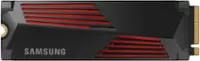
    Over 80c during light file transfer and under a giant heat sink.

    No, I would not recommend this to a friend
    • Brand response from Samsung
      Posted .

      Aybee:

      The 990 PRO is designed to reach max performance with PCIe 4.0 and experience longer-lasting, opponent-blasting speed. The in-house controller's smart heat control delivers supreme power efficiency while maintaining ferocious performance that always keeps you at the top of your game.

      To better address your heat concerns, please contact Samsung Customer Support Samsung Customer Support directly so that we can better investigate your issue and assist you towards a resolution.

      1) Call: 1-800-SAMSUNG (ask for Memory or press #, then 6 for Memory products)
      Available 9AM – 9PM EST (Mon-Fri)
      2) Email: samsungmemorysupport@sea.samsung.com
      3) Or visit us on the Samsung website and click on the SUPPORT link in the upper right corner of the homepage for:
      a) Chat with Us/Product Help: To begin a chat or find solutions, choose ‘Computing – Memory & Storage’ and select your model & topic.

      Samsung is committed to providing the best possible product experience, quality, and value, and we are always here to help with any of your questions or concerns.

      ~ Samsung Memory Samsung

  • Rated 5 out of 5 stars

    Affordable and fast

    Posted .
    This reviewer received promo considerations or sweepstakes entry for writing a review.

    Fast, affordable, and easy to install. Make sure you have the appropriate spacer to install it into your motherboard, not included.

    I would recommend this to a friend