Customer Ratings & Reviews










- Model:
- HW-B650/ZA
- SKU:
- 12378060
Rating by feature
- Value
Rating 4.7 out of 5 stars
- Quality
Rating 4.6 out of 5 stars
- Ease of Use
Rating 4.7 out of 5 stars
Awesome
||Posted . Owned for less than 1 week when reviewed.This reviewer received promo considerations or sweepstakes entry for writing a review.Very good sound. I have a samsung and this helps a lot
I would recommend this to a friendsound bar
||Posted . Owned for 1 month when reviewed.This reviewer received promo considerations or sweepstakes entry for writing a review.like the quality an sound that comes thru it very satisfied
I would recommend this to a friendSound bar
||Posted . Owned for 2 weeks when reviewed.This reviewer received promo considerations or sweepstakes entry for writing a review.Excelent sound , I love it . Installation super easy .
I would recommend this to a friendDecent for the money.
||Posted . Owned for 1 month when reviewed.This reviewer received promo considerations or sweepstakes entry for writing a review.Overall a pretty good soundbar. The remote could be more user friendly and intuitive but decent sound for the money. Subwoofer is very good and projects well.
I would recommend this to a friendRemote controller size, control and readability.
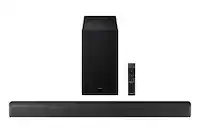
||Posted . Owned for 1 month when reviewed.This reviewer received promo considerations or sweepstakes entry for writing a review.Hi, we have not properly set up the sound bar and so we are not yet sure about its potentials. However, the remote controller is not user friendly. ie, it is small, dark and difficult to read and switches are too small in our estimate. Also the illuminated settings on the bar are small and not easy to read.
No, I would not recommend this to a friendBrand response from Samsung
Posted .Hello CarlG,
Thank you for taking a moment to review the HW-B650 Soundbar.
Please know that many of the buttons on your remote have multiple functions. For example, the Volume button is moved UP/DOWN to adjust volume, and to MUTE the sound, you need to PRESS it in. Pressing it a second time will unmute.
Please refer to the Full Manual for details on using the remote, including buttons with more than one function.
If we can further help with any other issues, please know we are here for you. Just call us at 1-800-SAMSUNG (Ask for Soundbars), 8 AM – 12 AM EST, 7 days a week. Or visit us on the Samsung website and click on the ‘Support’ link for:
• Live Chat with an agent
• Manuals, Software, & Warranty Info
~ Samsung Solutions
Samsung sound bar
||Posted . Owned for 3 weeks when reviewed.This reviewer received promo considerations or sweepstakes entry for writing a review.Great sound for the price with a stylish sleek look
I would recommend this to a friendThe best
||Posted . Owned for 1 month when reviewed.This reviewer received promo considerations or sweepstakes entry for writing a review.Good Sound, excelente equipo, Samsung good job....
I would recommend this to a friendExactly what I was looking for!
||Posted . Owned for 3 weeks when reviewed.This reviewer received promo considerations or sweepstakes entry for writing a review.Been looking to get a soundbar for a while, very happy with my purchase.
I would recommend this to a friendSound booming
||Posted . Owned for 9 months when reviewed.This reviewer received promo considerations or sweepstakes entry for writing a review.My favorite sound bar system! Quality like your sitting in the movies at home !
I would recommend this to a friendLove this!!!
||Posted . Owned for 3 weeks when reviewed.This reviewer received promo considerations or sweepstakes entry for writing a review.Awesome soundbar! Makes a big difference! Looks nice too..
I would recommend this to a friendGood product
||Posted . Owned for 11 months when reviewed.This reviewer received promo considerations or sweepstakes entry for writing a review.I love the sound quality. Everything works as advertised
I would recommend this to a friendGood system with a great price
||Posted . Owned for 3 weeks when reviewed.This reviewer received promo considerations or sweepstakes entry for writing a review.Great base with this sound bar. Love that I can play my music though this system. Great system for the price.
I would recommend this to a friendSamsung 3.1 sound bar & woofer
||Posted . Owned for 3 weeks when reviewed.This reviewer received promo considerations or sweepstakes entry for writing a review.Excellent, a nice full sound and well set up by Geek Squad. Definitely worth it on sale !
I would recommend this to a friendINSTALL
||Posted . Owned for 2 weeks when reviewed.This reviewer received promo considerations or sweepstakes entry for writing a review.BOUGHT BECAUSE OF SOUND ISSUE WITH TV AND MY EARS SEEMED TO FIX PROBLEM I LIKE THE SIZE WAS EASY INSTALL
I would recommend this to a friendHappy
||Posted . Owned for 3 weeks when reviewed.This reviewer received promo considerations or sweepstakes entry for writing a review.Both TV's work great sound system too! The mounting of both TV's ate perfect
I would recommend this to a friendWonderful purchase
||Posted . Owned for 3 weeks when reviewed.This reviewer received promo considerations or sweepstakes entry for writing a review.This speaker meets all the need of a home theater system. The sound quality is great, the subwoffer provides a solid base line, the system out of the box was super easy to set up. Only downside to my purchase, I bought it as an open which was excellent in geek Squad standard and it came without out the remote even though they stated that the item has all its original parts.
I would recommend this to a friendBrand response from Samsung
Posted .Hello Nibbs,
Thank you for purchasing the Samsung HW-B650 Soundbar. We appreciate you sharing your feedback regarding parts missing from your recent purchase.
We recommend contacting Best Buy directly for assistance. We hope your issue is resolved in a timely manner.
If you ever need help with product features, specs, or operation, please contact Samsung Soundbar Support at: Call us at 1-800-SAMSUNG (ask for Soundbars), available 8 AM – 12 AM EST, 7 days a week.
LiveChat with an agent by clicking the ‘Support’ link on the Samsung website.
~Samsung Solutions
Works for us
||Posted . Owned for 1 month when reviewed.This reviewer received promo considerations or sweepstakes entry for writing a review.Excellent sound when using the HDMI Arc feature. Subwoofer is not powerful but sufficient. Not much as far as EQ response but it works for us.
I would recommend this to a friendFelix
||Posted . Owned for 1 month when reviewed.This reviewer received promo considerations or sweepstakes entry for writing a review.Very good and excellent product. I will get it again
I would recommend this to a friendAwesome
||Posted . Owned for 5 months when reviewed.This reviewer received promo considerations or sweepstakes entry for writing a review.Sounds great, easy to pair with tv. Excellent deal
I would recommend this to a friendSoundbar Issue or Geek Squad Issue or Both
||Posted . Owned for 7 months when reviewed.This reviewer received promo considerations or sweepstakes entry for writing a review.Great sound for about two months and then the auto-start stopped working. I tried to reset the factory settings and the auto-start still didn’t work. I went into our local Best Buy and I was told that I need to have a Geek Squad repair person to come to my house. So I called the local Geek Squad and they told me that I had to bring it into the store. I called the Geek Squad again and I was told to bring it in. So on February 20, 2023 I took it in and they told me that they don’t repair soundbars in the store. Finally, the associate said that they will take it and have to ship it out for repair and I agreed to it. On March 5, 2023, I received an email stating that they didn’t find any issues with it and they were sending it back. It’s March 13, 2023 and we still don’t have our soundbar back. I really wished that we bought another brand that put out great sound.
No, I would not recommend this to a friendBrand response from Samsung
Posted .Doug,
Thank you for sharing your review of Samsung’s HW-B650 Soundbar. We’re sorry your experience didn’t match your expectations. Your feedback is very important to us as we continuously strive for best-in-class product and service. We are always here to help and would have been happy to assist in providing settings adjustments to resolve any issues you were experiencing.
In all configurations (Optical, Bluetooth, and ARC) when the TV is turned ON, the Soundbar will turn ON. If your soundbar is not turning on, it could be due to another reason. For example, if the Soundbar was used to connect to another device (say a smart phone), then it will remember the last device (smart phone) and wait for a command from that device (the smartphone) and ignore the TV ON command.
You may want to try using a HDMI-ARC connection to the TV. When the TV turns ON, it will send a command to turn on the Soundbar and forces the source on the Soundbar to change to HDMI-ARC. This would make the Soundbar change the source from the prior state it was in.
Additionally, you can try the troubleshooting steps below to ensure the proper settings are enabled on your Soundbar.
If your soundbar and Samsung TV are connected by an optical cable, Auto Power Link will turn your soundbar on automatically when you turn on the TV.
1) Connect your soundbar to your TV with an optical cable.
2) Set the soundbar to BT READY mode by pressing Source on the remote or soundbar.
3) Press and hold the left direction on the direction pad on the remote for more than 5 seconds or until Auto Power Link appears on the soundbar display to activate or deactivate Auto Power Link.
Note: Auto Power Link only works with an optical connection and should be turned on by default.
If you have the soundbar connected with an HDMI cable to the Samsung TV, Anynet+ will turn the soundbar on automatically.
1) Connect an HDMI cable from the HDMI OUT port on your soundbar to your TV's HDMI (ARC) port.
2) Set the soundbar to D.IN mode by pressing Source on the remote or soundbar. After about 2 seconds, the source will automatically change to TV ARC.
3) Press and hold the right direction on the direction pad on the remote for more than 5 seconds or until Anynet+ appears on the soundbar display to activate or deactivate Anynet+.
Note: Anynet+ only works with an HDMI connection when connected using ARC (audio return channel), and should be turned on by default.
If we can help with anything else, please call us at 1-800-SAMSUNG (Ask for Soundbars), 8 AM – 12 AM EST, 7 days a week. Live Chat with an agent as well as manuals, software, and warranty info can be found at the ‘Support’ link on our Samsung website.
~ Samsung Solutions