Customer Ratings & Reviews
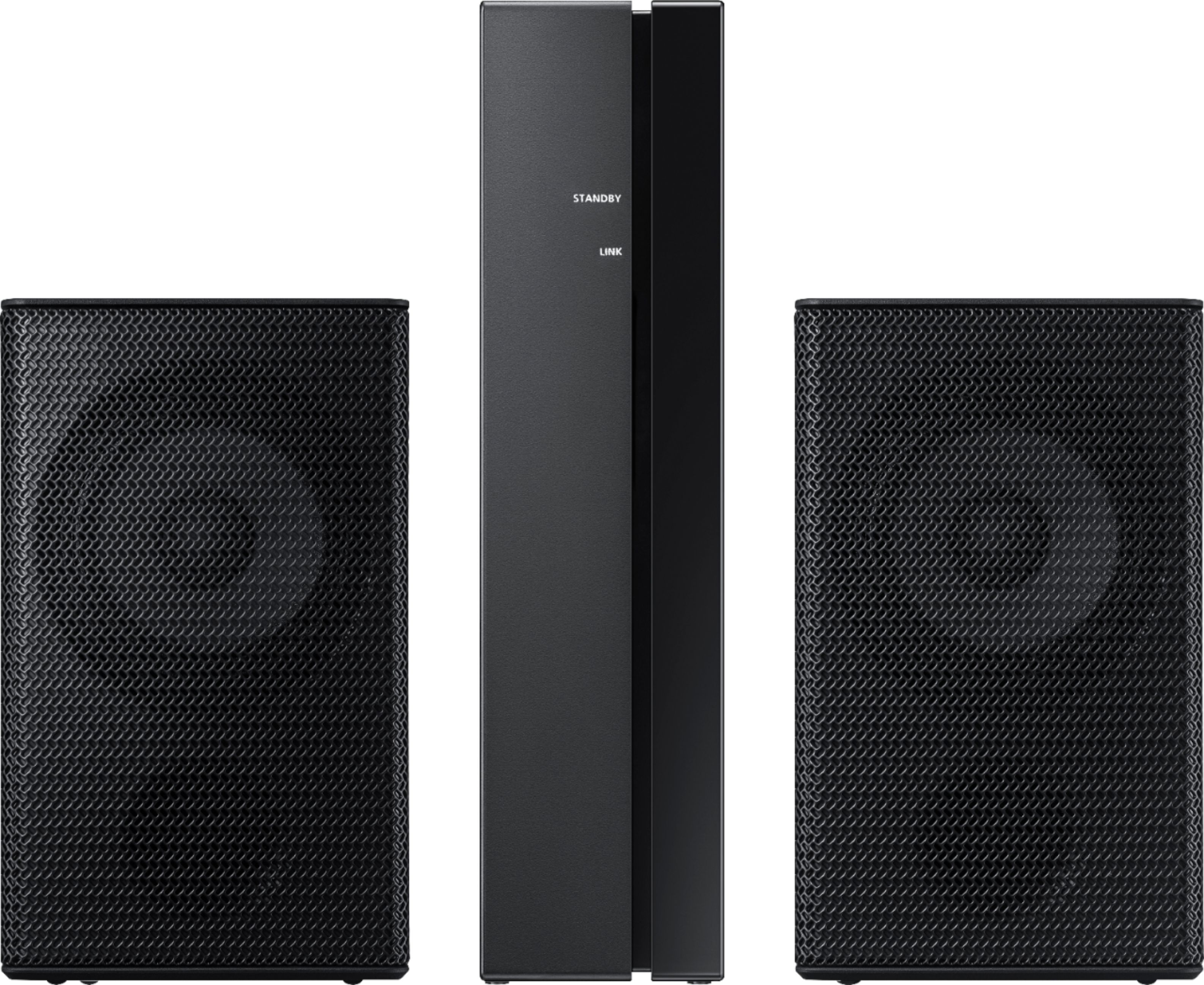
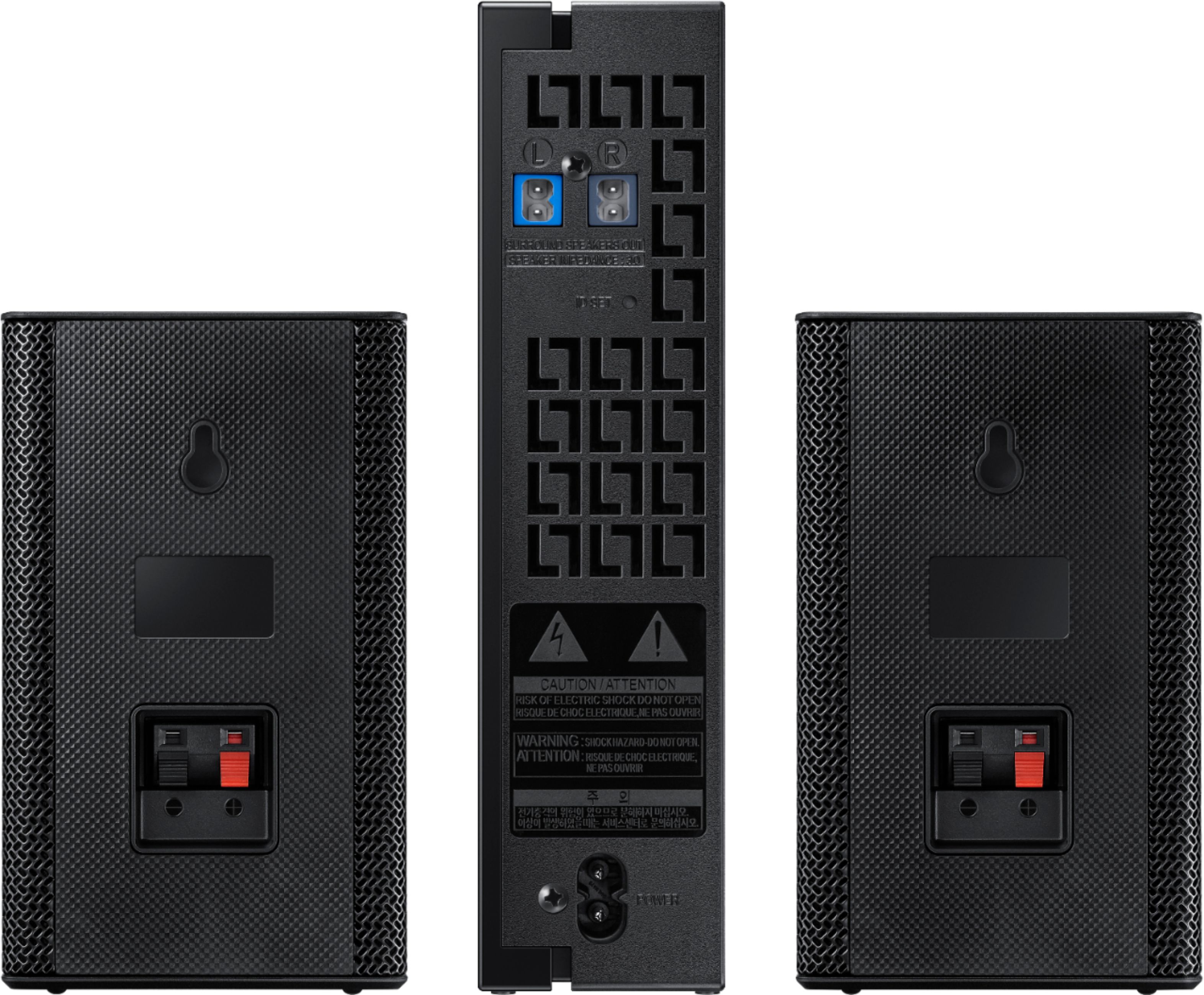
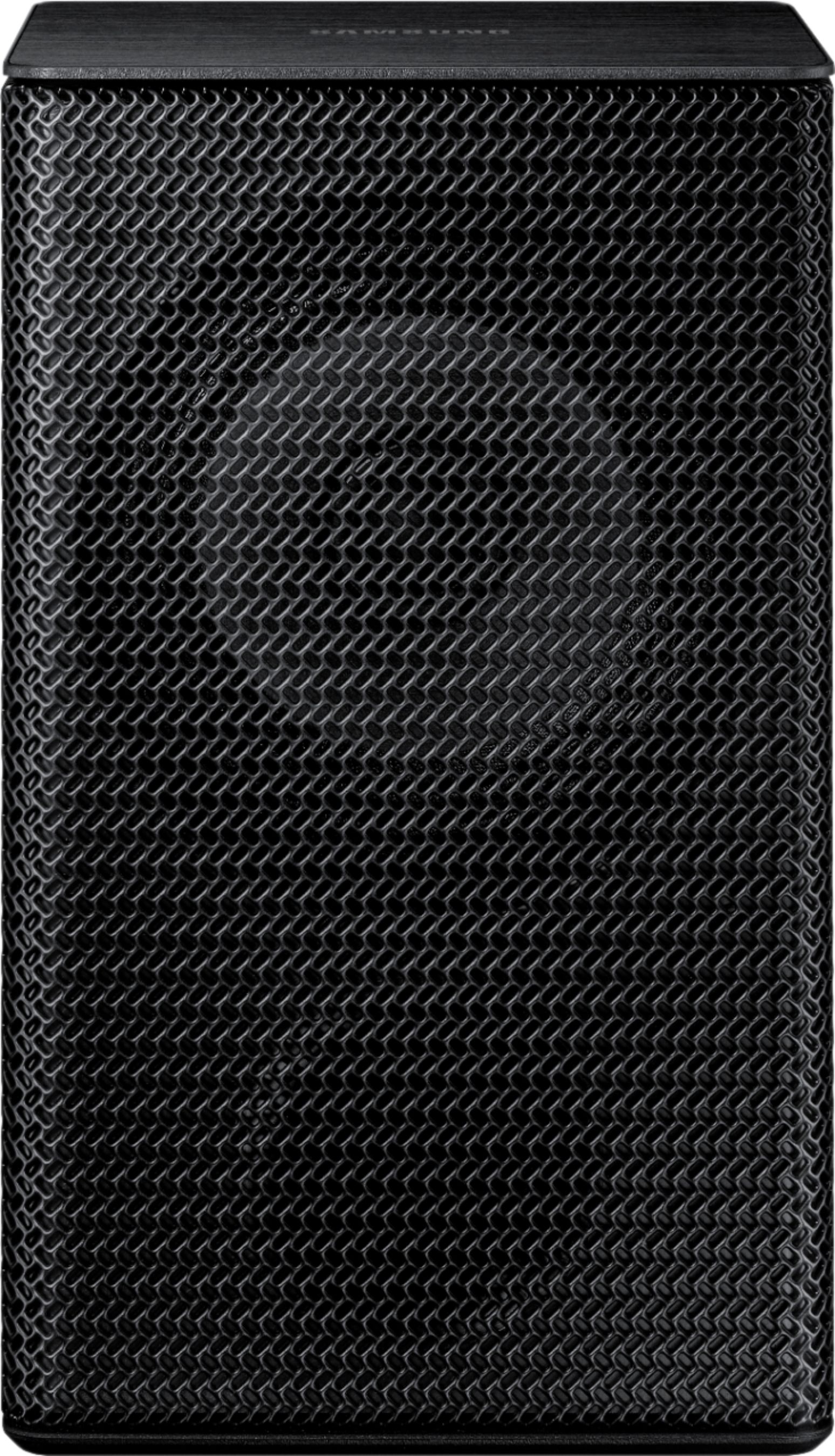
- Model:
- SWA-9000S/ZA
- SKU:
- 5754515
Rating by feature
- Value
Rating 4.1 out of 5 stars
- Quality
Rating 4.3 out of 5 stars
- Ease of Use
Rating 4.2 out of 5 stars
Customers are saying
Customers enjoy the sound quality of the wireless rear speakers, often forgetting they are there and mistaking sounds for real-life occurrences. The easy plug-and-play setup is also appreciated. However, some customers have concerns about the volume not being loud enough and compatibility issues with certain center speakers.
This summary was generated by AI based on customer reviews.
Rear speaker
||Posted .This reviewer received promo considerations or sweepstakes entry for writing a review.Good sound quality very easy to instal also great price
I would recommend this to a friendBrand response from Samsung
Posted .xsanti:
I’m so glad to see that you were able to easily set up these Wireless Rear Speakers.
If you ever have questions or need assistance, please know that Samsung is always here to help. You can reach us via any of the following options:
1) Phone: 1-800-SAMSUNG (ask for Soundbars)
Available 8AM - 12AM EST (Mon-Fri) / 9AM - 11PM EST (Sat-Sun)
2) LiveChat or Email: https://www.samsung.com/us/support/#contact_us_for_support
3) Facebook Messenger: https://www.facebook.com/samsungsupport
4) Twitter: https://twitter.com/SamsungSupport
5) The Samsung Home Theater & Home Audio Community is also a great resource for getting help from Samsung moderators and customers: https://us.community.samsung.com/t5/Home-Theater-Home-Audio/bd-p/hometheaterhomeaudio
Thank you for choosing Samsung.
- Samsung Solutions
for background audio only
||Posted .This reviewer received promo considerations or sweepstakes entry for writing a review.not very loud if that's what you want then buy something else. great for background audio.
I would recommend this to a friendBrand response from Samsung
Posted .Bill12:
I am sorry to hear that you did not experience the full potential of the surround sound system.
Please know that by design, the surround speakers are supposed to simulate sounds happening behind the viewer. Therefore, most of the time the surround channels are only used for ambient sounds, which are naturally lower in volume.
However, there are a few settings you can change to adjust the surround effect to your preference:
1. Make sure that the source (e.g. TV output) is sending surround channels to the Soundbar. If the source is not surround, then set the Surround mode to OFF on the Soundbar by pressing the Surround button on the remote.
2. If the source has surround channels, select the desired Sound Mode from the Soundbar remote. Choices are STANDARD, MUSIC, CLEAR VOICE, SPORTS, or MOVIE.
3. Turn off Dynamic Range Control. This is done by pressing and holing the Sound Mode button while the Soundbar is in standby mode.
4. Increase the volume level of the surround speakers using the Sound Control button on the Soundbar remote control.
I hope these tips help to enhance your audio enjoyment.
Should you need further assistance with this issue or other features, please contact Samsung Customer Support via any of the below options:
1) Phone: 1-800-SAMSUNG
2) LiveChat or Email: https://www.samsung.com/us/support/#contact_us_for_support
3) Facebook Messenger: http://m.me/samsungsupport
4) Twitter: https://twitter.com/messages/compose?recipient_id=18768513
- Samsung Solutions
Easy to use
||Posted . Owned for 3 weeks when reviewed.This reviewer received promo considerations or sweepstakes entry for writing a review.Real nice and easy to set up. Would definitely recommend
I would recommend this to a friendAverage
||Posted . Owned for 1 month when reviewed.This reviewer received promo considerations or sweepstakes entry for writing a review.Average performance with surround sound not good for music
No, I would not recommend this to a friendBrand response from Samsung
Posted .Rowdyphill68:
Thank you for sharing your user experience with this Samsung rear speaker kit. This addition to your soundbar is designed to bring an additional dimension to your home audio experience.
If there is anything we can do to improve your enjoyment -- such as helping to optimize settings for your specific usage scenario -- please let us know. You can reach Samsung Soundbar Support at:
1) Phone: 1-800-SAMSUNG, Available 8AM -12AM EST (7 Days a Week)
2) LiveChat: https://www.samsung.com/us/support/#contact_us_for_support
3) Facebook Messenger: https://www.facebook.com/samsungsupport
4) Twitter: https://twitter.com/SamsungSupport
5) The Samsung Members Community is also a great resource for getting help from Samsung moderators and customers: https://us.community.samsung.com
If you have not already done so, we invite you to register your new Samsung product at:
https://www.samsung.com/us/account/signin/?redirect=https%3A%2F%2Fwww.samsung.com%2Fus%2Fsupport%2Fregister%2F&user=dsr-registration
Registering your product gives you access to easy warranty support, convenient opt-in to special promos and offers, faster troubleshooting and service, and quick notification of system updates.
~ Samsung Solutions
Not effective
||Posted . Owned for 2 months when reviewed.This reviewer received promo considerations or sweepstakes entry for writing a review.Paired with HW80T sound bar and 75” H80T QLED TV. Under powered and not really effective for Dolby Atmos. Did connect to bar easily. Returned bar and rear speakers for Denon AVR-S960H receiver that is well worth the price and recommended over this system.
No, I would not recommend this to a friendNo crazy about it
||Posted . Owned for 1 month when reviewed.This reviewer received promo considerations or sweepstakes entry for writing a review.They only have one volume and can’t be controlled. Don’t recommend.
No, I would not recommend this to a friendBrand response from Samsung
Posted .Tony:
Thank you for purchasing the Samsung SWA-9000S Wireless Rear Loudspeaker Kit. Please know that once this kit is connected to a compatible Samsung soundbar, the soundbar remote is then used to control the volume level of the rear kit.
For example, if you are connected to the Samsung Harman Kardon HW-Q80R, you would press the Sound Control button on the Q80R remote (looks like a gear), then select REAR LEVEL and use the Up/Down buttons to adjust the volume within a -6 to +6 range.
I hope these tips help to improve your audio experience with the system. Please feel free to reach out to us for further assistance via any of the below options:
1) Phone: 1-800-SAMSUNG (ask for Soundbars)
Available 8AM - 12AM EST (Mon-Fri) / 9AM - 11PM EST (Sat-Sun)
2) LiveChat or Email: https://www.samsung.com/us/support/#contact_us_for_support
3) Facebook Messenger: https://www.facebook.com/samsungsupport
4) Twitter: https://twitter.com/SamsungSupport
The Samsung Members Community is also a great resource for getting help from Samsung moderators and customers: https://us.community.samsung.com/t5/Get-Help/ct-p/get-help
To optimize your product experience, we encourage you to register your new Samsung Soundbar at: https://www.samsung.com/us/support/register/
…and gain access to easy warranty support, convenient opt-in to special promos & offers, faster troubleshooting & service, and quick notification of system updates.
Average Sound
||Posted .This reviewer received promo considerations or sweepstakes entry for writing a review.Sound is ok for the price but would suggest putting out the extra cash for better sound.
No, I would not recommend this to a friendAverage
||Posted . Owned for 2 months when reviewed.This reviewer received promo considerations or sweepstakes entry for writing a review.Not as good as we hoped but definitely working well for now
I would recommend this to a friendBrand response from Samsung
Posted .Dwfroggie:
Thank you for sharing your review of the Samsung SWA-9000S Rear Speaker Kit. By design, the surround speakers are supposed to simulate sounds happening behind the viewer. Therefore, most of the time the surround channels are only used for naturally lower ambient sounds.
However, there are a few settings you can change to adjust the surround effect to your preference:
1) Make sure that the source (e.g. TV output) is sending surround channels to the Soundbar. If the source is not capable of surround, then set the Surround mode to OFF on the Soundbar by pressing the Surround button on the remote.
2) If the source has surround channels, select the desired Sound Mode from the Soundbar remote.
3) Turn off Dynamic Range Control. This is done by pressing and holing the Sound Mode button while the Soundbar is in standby mode. Depending on your soundbar model, you may or may not have DRC.
4) Increase the volume level of the surround speakers using the Sound Control button on the Soundbar remote control.
a. For example, if you are connected to the Samsung Harman Kardon HW-Q80R, you would press the Sound Control button on the Q80R remote (looks like a gear), then select REAR LEVEL and use the Up/Down buttons to adjust the volume within a -6 to +6 range.
I hope these tips help to enhance your audio enjoyment.
Should you need further assistance with this issue or have any questions, please contact Samsung Customer Support via any of the below options:
1) Phone: 1-800-SAMSUNG (ask for Soundbars)
Available 8AM - 12AM EST (Mon-Fri) / 9AM - 11PM EST (Sat-Sun)
2) LiveChat: https://www.samsung.com/us/support/#contact_us_for_support
3) Facebook Messenger: https://www.facebook.com/samsungsupport
4) Twitter: https://twitter.com/SamsungSupport
5) The Samsung Members Community is also a great resource for getting help from Samsung moderators and customers: https://us.community.samsung.com
If you have not already done so, we invite you to register your new Samsung product at: https://www.samsung.com/us/account/signin/?redirect=https%3A%2F%2Fwww.samsung.com%2Fus%2Fsupport%2Fregister%2F
Registering your product gives you access to easy warranty support, convenient opt-in to special promos and offers, faster troubleshooting and service, and quick notification of system updates.
~ Samsung Solutions
well tv is great but the sound bar 650 i dont like
||Posted .This reviewer received promo considerations or sweepstakes entry for writing a review.sundbar has very very little bass sound and have traded it in from the beginning
No, I would not recommend this to a friendStatic Sounding
||Posted . Owned for 1 month when reviewed.This reviewer received promo considerations or sweepstakes entry for writing a review.I purchased this on line through Best Buy and it sounds terrible. First of all I do not consider it wireless if you have wire each speaker to the tall power supply box. The sound has static in it and the speakers cut in and out. Can't wait to return them.
No, I would not recommend this to a friendBrand response from Samsung
Posted .TcowIndy:
Thank you for purchasing the Samsung SWA-9000S Wireless Rear Speaker Kit. I am very sorry for any confusion about the wireless description.
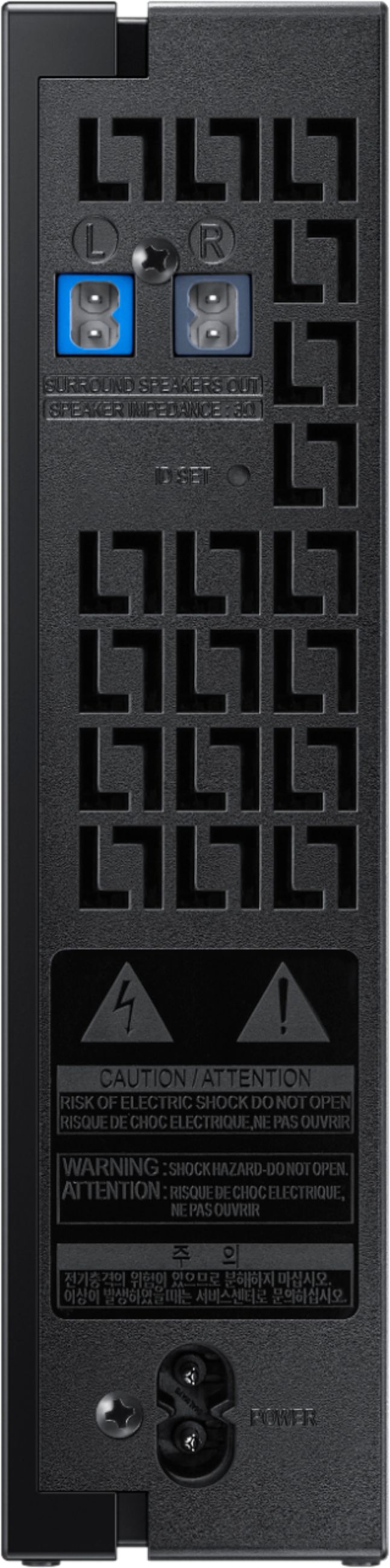
Often times, customers have trouble hiding and running speaker wires from the front of the room (where their soundbar is) to the back of their room (where they have their rear speakers). This kit eliminates that hassle. Connect the rear speakers kit to its wireless module and place these three in the back of your room. One wire is required to connect each rear speaker to the wireless module. Then plug in the power cable to the module. The “wireless” convenience is in connecting your soundbar and any other speakers at the front of the room to the rear speakers – this can now be done via Wi-Fi through the wireless module, eliminating any clutter of long wires running the length of your room.
Please contact Samsung Customer Support regarding the static sound you are hearing so we can assist you further:
1) Phone: 1-800-SAMSUNG, available 8AM - 9PM EST, Mon - Fri
2) LiveChat: https://www.samsung.com/us/support/#contact_us_for_support
3) Facebook Messenger: https://www.facebook.com/samsungsupport
4) Twitter: https://twitter.com/SamsungSupport
5) The Samsung Members Community is also a great resource for getting help from Samsung moderators and customers: https://us.community.samsung.com
If you have not already done so, we invite you to register your new Samsung product at: https://www.samsung.com/us/account/signin/?redirect=https%3A%2F%2Fwww.samsung.com%2Fus%2Fsupport%2Fregister%2F
Registering your product gives you access to easy warranty support, convenient opt-in to special promos and offers, faster troubleshooting and service, and quick notification of system updates.
~ Samsung Solutions
- Cons mentioned:Compatibility
Not compatible with soundbar
||Posted .This reviewer received promo considerations or sweepstakes entry for writing a review.Me and the sales lady looked all over the box to determine compatibility. You'd think the smart minds at Samsung would place compatibility on the box. They didn't and I returned it the next day. The USB connection was not compatible.
No, I would not recommend this to a friendBrand response from MrSamsung
Posted .Mike,
Thank you for purchasing the Samsung Wireless Rear Loud Speakers.
I am sorry to hear that it did not work out for you.
Please know that the SWA-9000S works with all Samsung Sound+ series soundbar systems, including HW-MS650/MS6500/MS750.
Should you ever decide to give Samsung audio products another try and have concerns or questions, please know we are always here to help. You can contact Samsung Customer Support toll-free at 1-800-SAMSUNG or via LiveChat or email. Please copy-paste this link into your browser: https://www.samsung.com/us/support/#contact_us_for_support
We are likewise reachable via Facebook Messenger at: http://m.me/samsungsupport, or via Twitter at https://twitter.com/messages/compose?recipient_id=18768513
Again, thank you for taking the time to share your experience and provide us with information that helps improve our products and service. We hope to regain you as a customer in the near future.
-Samsung Ambassador
Pricey but good
||Posted .This reviewer received promo considerations or sweepstakes entry for writing a review.These speakers work great with my MS650 sound bar.
I would recommend this to a friendBrand response from Samsung
Posted .Nickname:
I’m so glad to see that you were able to easily set up these Wireless Rear Speakers with your HW-MS650 Soundbar.
If you ever have questions or need assistance, please know that Samsung is always here to help. You can reach us via one of the below options:
1) Phone: 1-800-SAMSUNG (ask for Soundbars)
Available 8AM - 12AM EST (Mon-Fri) / 9AM - 11PM EST (Sat-Sun)
2) LiveChat or Email: https://www.samsung.com/us/support/#contact_us_for_support
3) Facebook Messenger: https://www.facebook.com/samsungsupport
4) Twitter: https://twitter.com/SamsungSupport
5) The Samsung Home Theater & Home Audio Community is also a great resource for getting help from Samsung moderators and customers: https://us.community.samsung.com/t5/Home-Theater-Home-Audio/bd-p/hometheaterhomeaudio
Thank you for choosing Samsung!
~ Samsung Solutions
Not backwards compatible!
||Posted . Owned for more than 2 years when reviewed.This reviewer received promo considerations or sweepstakes entry for writing a review.Feel kind of duped after purchasing my Samsung Soundbar w/ subwoofer because current Samsung rear speaker kits (this one) are NOT compatible with the slightly older K-series soundbars that were still being sold, even though the older version of the rear wireless speakers were no longer sold. Absolutely ridiculous. I would not have purchased that soundbar if I had known this, but didn't realize it until it was too late to return the soundbar. I'm sure Samsung easily could've made these compatible with the older soundbar but simply chose not to so you have to buy a new soundbar if you want to also use the only rear wireless speakers they sell now.
No, I would not recommend this to a friendBrand response from Samsung
Posted .DT40:
I am very sorry to see that you were not aware of with which K Series Soundbar the SWA-9000S Rear Kit is compatible.
Complete specs, including compatible soundbar and TV models, can be found on the product page for the SWA-9000S on Samsung.com: https://www.samsung.com/us/televisions-home-theater/television-home-theater-accessories/home-theater/rear-wireless-speaker-kit-for-sound--soundbars-swa-9000s-za/#compatible
The SWA-9000S is compatible with the HW-K850.
If we can be of help with any other questions on features, specs, or product operation, please know we are here to help and can be reached at:
1) Phone: 1-800-SAMSUNG
Available 8AM - 12AM EST (Mon-Fri) / 9AM - 11PM EST (Sat-Sun)
2) LiveChat or Email: https://www.samsung.com/us/support/#contact_us_for_support
3) Facebook Messenger: https://www.facebook.com/samsungsupport
4) Twitter: https://twitter.com/SamsungSupport
The Samsung Members Community is also a great resource for getting help from Samsung moderators and customers: https://us.community.samsung.com
If you have not already done so, we invite you to register your new Samsung product at: https://us.community.samsung.com
Registering your product gives you access to easy warranty support, convenient opt-in to special promos and offers, faster troubleshooting and service, and quick notification of system updates.
Speaker not loud enough for surround sound
||Posted . Owned for 1 month when reviewed.This reviewer received promo considerations or sweepstakes entry for writing a review.I m disappointed because it's no way to turn the sound up. I tried everything including changing the settings on my soundbar. Even turning the volume up on my new Samsung 65 inch tv
No, I would not recommend this to a friend- Cons mentioned:Volume
Dissatisfied
||Posted . Owned for 8 months when reviewed.This reviewer received promo considerations or sweepstakes entry for writing a review.Terrible set of speakers and they have the nerve to call them loud speakers!! Cant hear anything coming out of them.
No, I would not recommend this to a friend - Cons mentioned:Compatibility
Not compatable with sound bar
||Posted .This reviewer received promo considerations or sweepstakes entry for writing a review.Sales people had no idea of what they were selling. Rear speakers were not compatible with sound bar purchased
No, I would not recommend this to a friendBrand response from Samsung
Posted .Two30doc:
I am sorry to hear that you were not satisfied with your purchasing experience and this SWA-9000S Rear Speakers model was not compatible with your Soundbar.
Please know that the SWA-8500S works with Samsung HW-M360/M450/M4500/M550 soundbar systems.
Our customer care representatives are always here to help you find out which speaker set works with your soundbar.
1) Phone: 1-800-SAMSUNG
2) LiveChat or Email: https://www.samsung.com/us/support/#contact_us_for_support
3) Facebook Messenger: http://m.me/samsungsupport
4) Twitter: https://twitter.com/messages/compose?recipient_id=18768513
Again, I am very sorry for the inconveniences you have had and hope that we will hear from you soon.
- Samsung Solutions
Do not buy!
||Posted . Owned for 3 months when reviewed.This reviewer received promo considerations or sweepstakes entry for writing a review.Not worth the money. Can’t really hear much come out of it except for IMAX movies. Just save your money and get a wired set-up of speakers.
No, I would not recommend this to a friendRear speakers
||Posted . Owned for 11 months when reviewed.This reviewer received promo considerations or sweepstakes entry for writing a review.Very seldom hear them. I think they were a wast of money. Maybe most movies just just were not broadcast at the sound level to use them. Not sure.
No, I would not recommend this to a friendSound is always fluctuating
||Posted .This reviewer received promo considerations or sweepstakes entry for writing a review.Every time I connect to soundbar the speakers are hardly ever working I need to reset the soundbar and reconnect everything all over again
No, I would not recommend this to a friendBrand response from Samsung
Posted .Monkeh08:
Thank you for your review of this Samsung Rear Speakers. I am sorry to hear that you are experiencing issues.
Samsung products are engineered to the highest standards of performance and quality and we back the speakers with a 1-year limited manufacturer's warranty, if purchased brand-new directly from an authorized seller.
Please reach out to us so that we can provide troubleshooting or begin warranty service.
You can call Samsung Customer Support via any of the below options:
1) Phone: 1-800-SAMSUNG
2) LiveChat or Email: https://www.samsung.com/us/support/#contact_us_for_support
3) Facebook Messenger: http://m.me/samsungsupport
4) Twitter: https://twitter.com/messages/compose?recipient_id=18768513
We hope to hear from you soon.
- Samsung Solutions
Disappointing
||Posted . Owned for more than 2 years when reviewed.This reviewer received promo considerations or sweepstakes entry for writing a review.Setup is difficult and required each time the bar is turned off. I haven’t used the rear speakers in several months and would have returned them if I had the receipt
No, I would not recommend this to a friendBrand response from Samsung
Posted .EdJoseph:
I am very sorry you are experiencing issues setting up your rear speakers. You should not need to set up your rear speakers each time you use them.
For complete setup instructions, please refer to your User Manual or go to this link: http://downloadcenter.samsung.com/content/UM/201808/20180816102449631/AH68-02989C-04_SWA-9000S_ZC_ENG_FRA_180731.pdf
Additional tips and troubleshooting can be found here: https://www.samsung.com/us/support/answer/ANS00049236/
For further assistance, please contact Samsung Customer Support:
1) Phone: 1-800-SAMSUNG
- Available 8AM - 12AM EST (Mon-Fri) / 9AM - 11PM EST (Sat-Sun)
2) LiveChat: https://www.samsung.com/us/support/#contact_us_for_support
3) Facebook Messenger: https://www.facebook.com/samsungsupport
4) Twitter: https://twitter.com/SamsungSupport
5) The Samsung Members Community is also a great resource for getting help from Samsung moderators and customers: https://us.community.samsung.com
~ Samsung Solutions