Customer Ratings & Reviews
- Model:
- SWA-9000S/ZA
- SKU:
- 5754515
Rating by feature
- Value
Rating 4.1 out of 5 stars
- Quality
Rating 4.3 out of 5 stars
- Ease of Use
Rating 4.2 out of 5 stars
Customers are saying
Customers enjoy the sound quality of the wireless rear speakers, often forgetting they are there and mistaking sounds for real-life occurrences. The easy plug-and-play setup is also appreciated. However, some customers have concerns about the volume not being loud enough and compatibility issues with certain center speakers.
This summary was generated by AI based on customer reviews.
No good
||Posted .This reviewer received promo considerations or sweepstakes entry for writing a review.Don’t waste your time buying this wireless rear speaker
No, I would not recommend this to a friendBrand response from Samsung
Posted .Dun1718:
I am sorry to hear that you are not completely happy with your Wireless Rear Speakers.
Please give us the opportunity to better understand your usage environment and troubleshoot towards a solution.
You can reach Samsung Support via any of the following options:
1) Phone: 1-800-SAMSUNG (ask for Soundbars)
Available 8AM - 12AM EST (Mon-Fri) / 9AM - 11PM EST (Sat-Sun)
2) LiveChat or Email: https://www.samsung.com/us/support/#contact_us_for_support
3) Facebook Messenger: https://www.facebook.com/samsungsupport
4) Twitter: https://twitter.com/SamsungSupport
The Samsung Home Theater & Home Audio Community is also a great resource for getting help from Samsung moderators and customers: https://us.community.samsung.com/
Again, I am very sorry for the inconveniences you have had, and hope that we will hear from you soon.
- Samsung Solutions
- Pros mentioned:Sound quality
Update Prior Negative Review to Essential Item
Posted .This reviewer received promo considerations or sweepstakes entry for writing a review.I want to update my May 2017 negative sounding review. Over time my ears wanted full surround sound. So I repurchased the 9000S and paired them to the Samsung 650 Sound Bar. Voila! Crystal clear full throated surround sound. The quality of the sound bar experience is significantly enhanced by this system. This inexpensive addition turns 3.1 channel 2D sound into 5.1 channel 3D sound. It is an essential addition to fully flesh out the sound of the sound bar.
I would recommend this to a friend - Pros mentioned:Sound quality
Great surround sound
Posted .This reviewer received promo considerations or sweepstakes entry for writing a review.Great quality sound and I often forget they are there, thinking I’m hearing something in my house. I laugh every time.
I would recommend this to a friend - Pros mentioned:Easy setup, Price
Subtle gamechanger
Posted .This reviewer received promo considerations or sweepstakes entry for writing a review.I didn't really have the money for a huge home theater system, but I knew I needed just a little extra something to be more envelope with the movies and shows I was watching. These speakers were a fantastic addition to my sound+ bar and subwoofer, connected quickly, and I'll never be able to go back. Yes, they aren't exactly "wireless" as they connect to the bluetooth and power base, but c'mon, you can hide the cords easily enough.
I would recommend this to a friend Great rear speakers for the price
Posted .This reviewer received promo considerations or sweepstakes entry for writing a review.These are still great speakers even after 5 years. I am looking to upgrade but these have not let me down.
I would recommend this to a friend- Pros mentioned:Easy setup, Sound quality
Great Speakers for the Price...
Posted .This reviewer received promo considerations or sweepstakes entry for writing a review.I was skeptical on getting these after reading some of the reviews but I am glad I did they were easy to setup and they work great good sound.I have the HW-MS6500 Sound+, With which these Speakers Work well.no problems with volume like some others have had.
I would recommend this to a friend - Pros mentioned:Wireless
Dont get dicouraged
Posted .This reviewer received promo considerations or sweepstakes entry for writing a review.Many folks claim they cannot make these work. I hooked mine to HW-N850 Samsung/Harman Kardon bar. No wireless dongle was required. NOTE; You will not get sound from these speakers if it doesn't see Dolby, THX or DTS. One reason people don't like them or can't make them work.
I would recommend this to a friend - Cons mentioned:Volume
Save Your Money
Posted .This reviewer received promo considerations or sweepstakes entry for writing a review.I bought this to pair with my Samsung HW-N850 soundbar. Unfortunately I couldn't afford to upgrade to the N950 with the rear Dolby Atmos speakers included when I bought my soundbar, and Samsung won't let you upgrade later on. Anyways, I was hoping these speakers would fill the gap, which they sort of do. First, these speakers only play any kind of audio when you have movies/games with Dolby Atmos, DTS:X, or some other quality surround audio. You get absolutely no sound from them watching TV, YouTube, most of Netflix, etc. When watching a movie, they do produce a quality audio and complement the soundbar well. If you can hear them. They have extremely low volume. I have the rear volume setting maxed out on my soundbar and it can be difficult to hear the rear speakers, which are only 3-5 feet behind me. There is no volume on the wireless receiver. My recommendation: Save your money. Unless you have a dedicated home theater that you only watch movies with high quality audio, you won't get much use out of these. If you have a dedicated home theater, you probably forked out the money to install a quality wired surround system anyways. These speakers will be nothing more than decoration for the average person most of the time.
No, I would not recommend this to a friendBrand response from Samsung
Posted .Mark:
Thank you for purchasing the Samsung Wireless Rear Loud Speakers. I am sorry to hear that you did not experience the full potential of the surround sound system.
Please know that by design, the surround speakers are supposed to simulate sounds happening behind the viewer. Therefore, most of the time the surround channels are only used for ambient sounds, which are naturally lower in volume.
However, there are a few settings you can change to adjust the surround effect to your preference:
1. Make sure that the source (e.g. TV output) is sending surround channels to the Soundbar. If the source is not surround, then set the Surround mode to OFF on the Soundbar by pressing the Surround button on the remote.
2. If the source has surround channels, select the desired Sound Mode from the Soundbar remote. Choices are STANDARD, MUSIC, CLEAR VOICE, SPORTS, or MOVIE.
3. Turn off Dynamic Range Control. This is done by pressing and holing the Sound Mode button while the Soundbar is in standby mode.
4. Increase the volume level of the surround speakers using the Sound Control button on the Soundbar remote control.
I hope these tips help to enhance your audio enjoyment.
Should you need further assistance with this issue or other features, please contact Samsung Customer Support via any of the below options:
1) Phone: 1-800-SAMSUNG (ask for Soundbars)
Available 8AM - 12AM EST (Mon-Fri) / 9AM - 11PM EST (Sat-Sun)
2) LiveChat or Email: https://www.samsung.com/us/support/#contact_us_for_support
3) Facebook Messenger: https://www.facebook.com/samsungsupport
4) Twitter: https://twitter.com/SamsungSupport
The Samsung Home Theater & Home Audio Community is also a great resource for getting help from Samsung moderators and customers: https://us.community.samsung.com/
- Samsung Solutions
More like Low speakers than loud.
Posted .This reviewer received promo considerations or sweepstakes entry for writing a review.I got these to pair with the Samsung N850 and I'm very disappointed with the results. These at times during more would just go mute, dead silence I'm like there is always background noise to be projected in every movie. You will notice it trust me then they just kick into gear and will be great then just go off again. If your trying to pair these up with the Samsung N850 I would suggest upgrading to the N950 or give the sony ht-z9f a look with the rear speakers they will not disappoint.
No, I would not recommend this to a friendOk But Not Necessary
Posted .This reviewer received promo considerations or sweepstakes entry for writing a review.Purchased these along with the Samsung MS 650 sound bar but returned the surround speakers as they reduced the sound quality of the sound bar's clarity, perceived bass response and spatial sound distribution. The surround speakers are inferior to those in the sound bar. The mixture of the sounds therefore reduces the ability to perceive the quality of the sound bar.
No, I would not recommend this to a friendBrand response from MrSamsung
Posted .KAS2
Thank you for purchasing this Samsung Rear Speaker System
I am sorry to hear that you were not completely satisfied with its performance.
Your user feedback is also important to us and will be shared with our product team for future improvement.
Should you need assistance with features or usage, please contact Samsung Customer Support toll-free at 1-800-SAMSUNG and a representative will gladly help you.
You can also contact Samsung via LiveChat or email. Please copy-paste this link into your browser: http://www.samsung.com/us/support/contact
We are likewise reachable on our Samsung Support Facebook page at: https://www.facebook.com/samsungsupport/app/158125230916392/
-Samsung Ambassador
Works with the HW-N850 sound bar.
Posted .This reviewer received promo considerations or sweepstakes entry for writing a review.I went with the N850 Samsung sound bar and bought these rear speakers to save several hundred dollars. The N960 sound bar rear speakers have a extra ceiling facing driver but these sound great too! Press and hold the volume or mute button while the sound bar is powered off to sync.
I would recommend this to a friendSamsung Wireless Rear Speakers
Posted .This reviewer received promo considerations or sweepstakes entry for writing a review.Low sounding but good rear speakers that matches with my HW-MS750/ZA soundbar.
I would recommend this to a friendPoor sound
Posted .This reviewer received promo considerations or sweepstakes entry for writing a review.Do yourself a favor and save your money and time by not purchasing these rear speakers. You really can't hear any sound unless your soundbar is turned up to 45. Invest your money in a set of Bose.
No, I would not recommend this to a friendBrand response from Samsung
Posted .XBaller:
Thank you for purchasing the Samsung Wireless Rear Loud Speakers. I am sorry to hear that you did not experience the full potential of the surround sound system.
Please know that by design, the surround speakers are supposed to simulate sounds happening behind the viewer. Therefore, most of the time the surround channels are only used for ambient sounds, which are naturally lower in volume.
However, there are a few settings you can change to adjust the surround effect to your preference:
1. Make sure that the source (e.g. TV output) is sending surround channels to the Soundbar. If the source is not surround, then set the Surround mode to OFF on the Soundbar by pressing the Surround button on the remote.
2. If the source has surround channels, select the desired Sound Mode from the Soundbar remote. Choices are STANDARD, MUSIC, CLEAR VOICE, SPORTS, or MOVIE.
3. Turn off Dynamic Range Control. This is done by pressing and holing the Sound Mode button while the Soundbar is in standby mode.
4. Increase the volume level of the surround speakers using the Sound Control button on the Soundbar remote control.
I hope these tips help to enhance your audio enjoyment.
Should you need further assistance with this issue or other features, please contact Samsung Customer Support via any of the below options:
1) Phone: 1-800-SAMSUNG (ask for Soundbars)
Available 8AM - 12AM EST (Mon-Fri) / 9AM - 11PM EST (Sat-Sun)
2) LiveChat or Email: https://www.samsung.com/us/support/#contact_us_for_support
3) Facebook Messenger: https://www.facebook.com/samsungsupport
4) Twitter: https://twitter.com/SamsungSupport
The Samsung Home Theater & Home Audio Community is also a great resource for getting help from Samsung moderators and customers: https://us.community.samsung.com/
Samsung is committed to providing the best possible product experience, quality, and value, and we are always here to help with any of your questions or concerns.
- Samsung Solutions
NOT WIRELESS!!!!
Posted .This reviewer received promo considerations or sweepstakes entry for writing a review.Don’t call this wireless rear speakers when you CLEARLY have wires that go to the receiver to the speakers. False advertisement!
No, I would not recommend this to a friendBrand response from Samsung
Posted .Jason:
Thank you for purchasing the Samsung SWA-9000S Wireless Rear Speaker Kit. I am very sorry for any confusion about the wireless description.
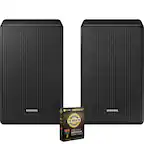
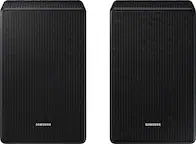
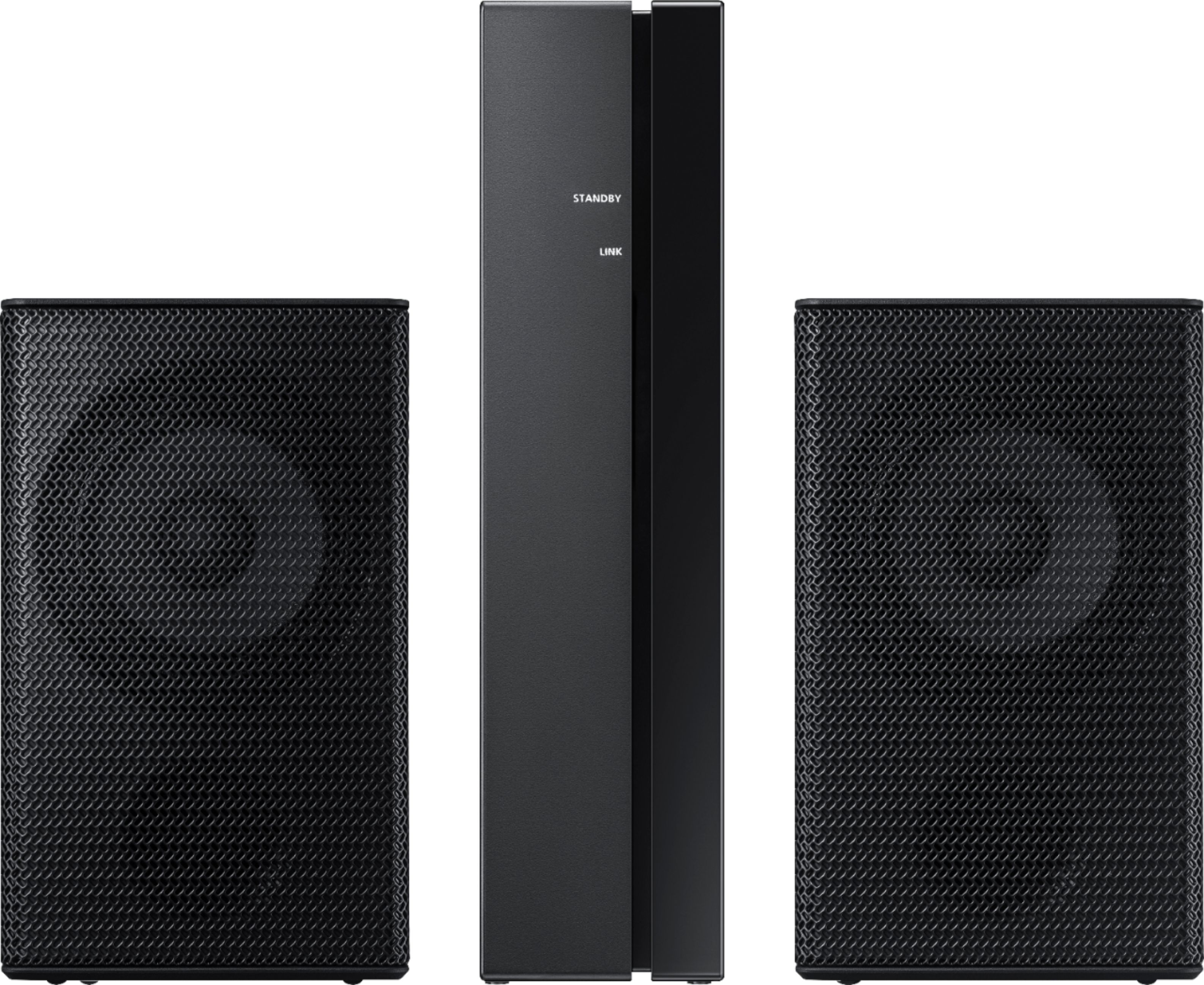
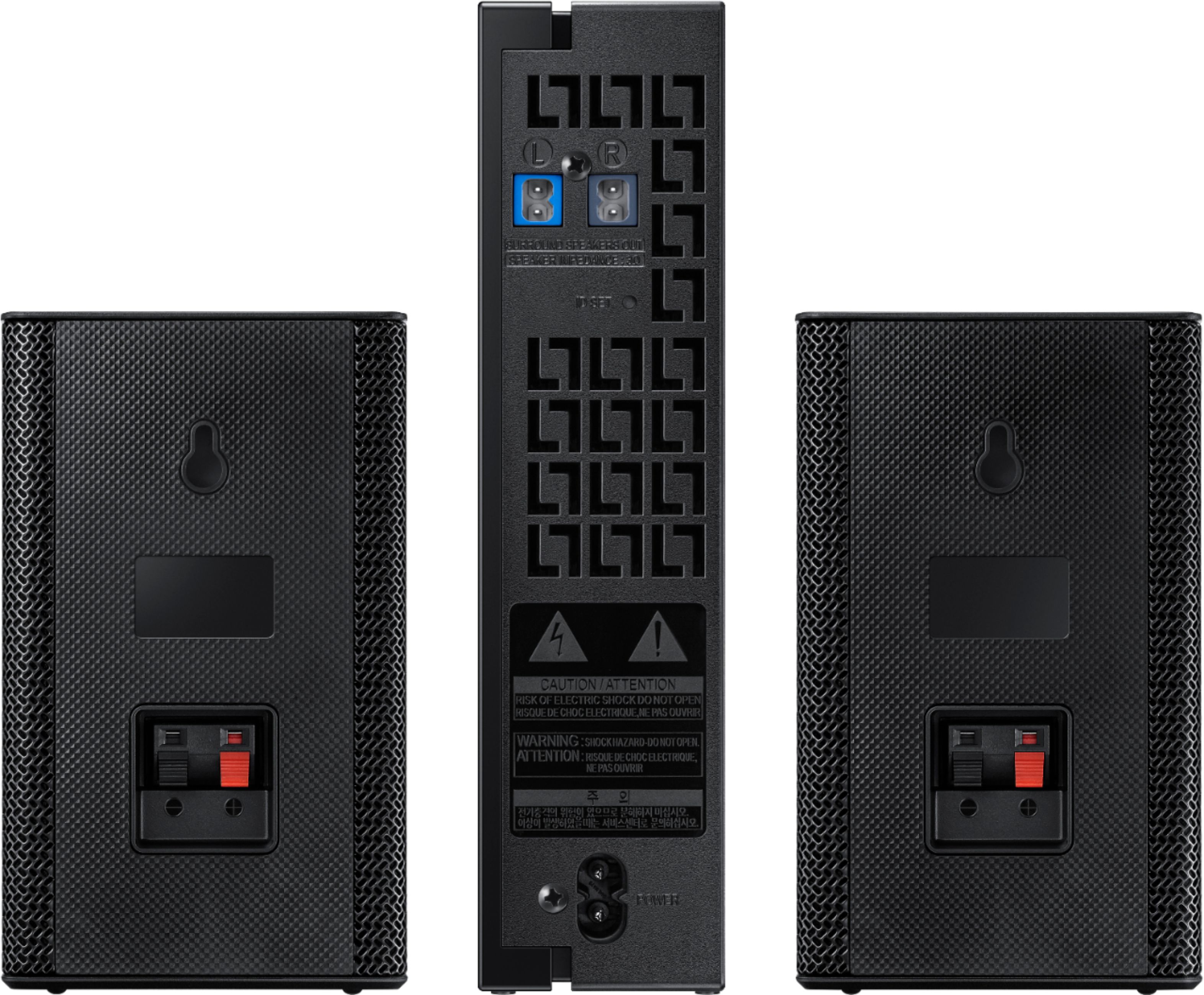
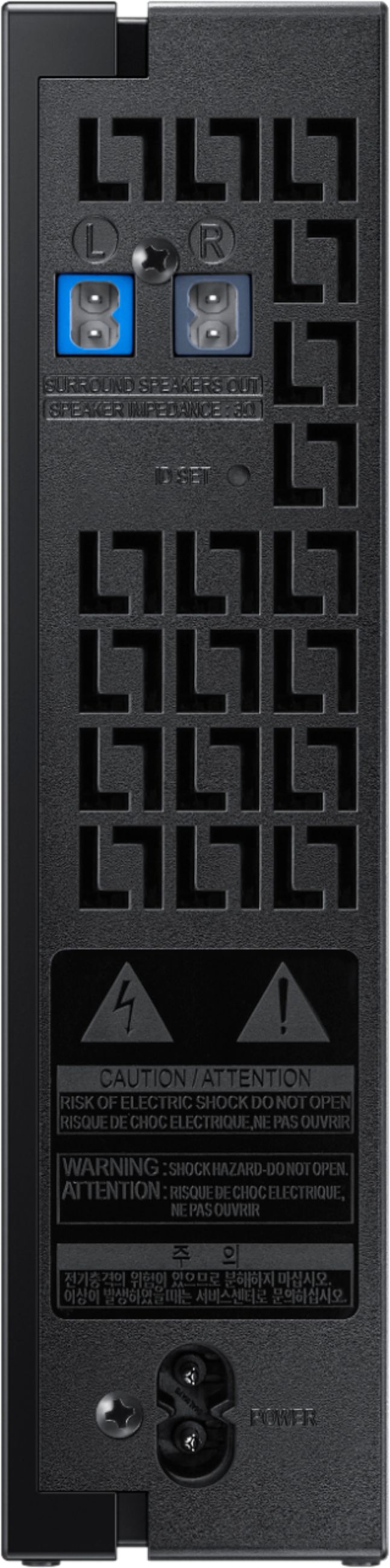
Often times, customers have trouble hiding and running speaker wires from the front of the room (where their soundbar is) to the back of their room (where they have their rear speakers). The Rear Speaker Kit eliminates that hassle. Connect the rear speakers to its wireless module and place these three in the back of your room. One wire is required to connect each rear speaker to the wireless module. Then plug in the power cable to the module. The “wireless” convenience is in connecting your soundbar and any other speakers at the front of the room to the rear speakers – this can now be done via Wi-Fi through the wireless module, eliminating any clutter of long wires running the length of your room.
For complete setup instructions, please refer to your User Manual or go to this link: http://downloadcenter.samsung.com/content/UM/201808/20180816102449631/AH68-02989C-04_SWA-9000S_ZC_ENG_FRA_180731.pdf
If you need further assistance or have questions, please feel free to reach Samsung Support.
1) Phone: 1-800-SAMSUNG, (available 8AM to 12AM EST - 7 days a week)
2) LiveChat: https://www.samsung.com/us/support/#contact_us_for_support
3) Facebook Messenger: https://www.facebook.com/samsungsupport
4) Twitter: https://twitter.com/SamsungSupport
5) The Samsung Members Community is also a great resource for getting help from Samsung moderators and customers: https://us.community.samsung.com
If you have not already done so, we invite you to register your new Samsung product at:
https://www.samsung.com/us/account/signin/?redirect=https%3A%2F%2Fwww.samsung.com%2Fus%2Fsupport%2Fregister%2F&user=dsr-registration
Registering your product gives you access to easy warranty support, convenient opt-in to special promos and offers, faster troubleshooting and service, and quick notification of system updates.
~ Samsung Solutions
Garbage
Posted .This reviewer received promo considerations or sweepstakes entry for writing a review.I tried two separate units and both had the same problems. It required too much time getting the receiver to link to the sound bar and once they were linked, the speakers did not work simultaneously nor consistently.
No, I would not recommend this to a friendBrand response from MrSamsung
Posted .Marcques,
Thank you for purchasing the Samsung Wireless Rear Loud Speakers.
I am sorry to hear that you are experiencing issues.
Samsung products are engineered to the highest standards of performance and quality and we back the soundbar system with a 1-year limited manufacturer's warranty, if purchased brand-new directly from an authorized seller.
Please reach out to us so that we can provide troubleshooting or begin warranty service.
You can call Samsung Customer Support toll-free at 1-800-SAMSUNG.
Or insert this link into your browser to LiveChat or Email us: https://www.samsung.com/us/support/#contact_us_for_support
We are likewise reachable by Facebook messenger at: http://m.me/samsungsupport .
You can also tweet us at https://twitter.com/messages/compose?recipient_id=18768513.
Again, thank you for taking the time to share your experience. We hope to hear from you soon.
-Samsung Ambassador
No Sound
Posted .This reviewer received promo considerations or sweepstakes entry for writing a review.Bad product. Contacted Samsung twice about volume issues. Both times I got the runaround and excuses. Awful!
No, I would not recommend this to a friendBrand response from Samsung
Posted .Nzawmon:
I am sorry to hear that you are experiencing volume issues with your Samsung Rear Loudspeakers I apologize for the unfortunate experience you had in trying to fix this issue.
Please allow us a chance to better investigate your issue and assist you towards a resolution or replacement.
You can call Samsung Customer Support via any of the below options:
1) Phone: 1-800-SAMSUNG
2) LiveChat or Email: https://www.samsung.com/us/support/#contact_us_for_support
3) Facebook Messenger: http://m.me/samsungsupport
4) Twitter: https://twitter.com/messages/compose?recipient_id=18768513
We hope to hear from you soon.
- Samsung Solutions