Customer Ratings & Reviews

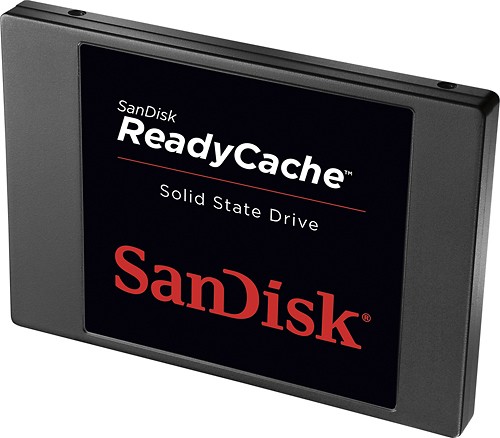

- Model:
- SDSSDRC-032G-G26
- |
- SKU:
- 6750575
Customer reviews
Rating 4.9 out of 5 stars with 9 reviews
(9 customer reviews)to a friend
Customers are saying
Customers appreciate the speed and performance improvements offered by the ReadyCache 32GB Internal Serial ATA Solid State Drive. Many comments highlight the significantly faster boot times and application load speeds resulting from the SSD technology. The drive's overall functionality is praised as flawless and superior to previous experiences. Positive feedback consistently points to a marked improvement in system responsiveness.
This summary was generated by AI based on customer reviews.
- Pros mentioned:Boot time
Rated 5 out of 5 stars
Top Notch for the Price
Posted .This reviewer received promo considerations or sweepstakes entry for writing a review.Overall I have to say this is a really great product. It really sped up my pc , after a day I had 26gb already cached. Bootup's are faster , applications load faster, and takes the load off the hardrive for cached items. It works with AMD which is really awesome, because it uses the express cache software.For the price you can't get any better.
I would recommend this to a friend Rated 5 out of 5 stars
good deal all around
||Posted .This reviewer received promo considerations or sweepstakes entry for writing a review.After reading others reviews, I decided to take a shot at it. Seemed easy enough to install and no real computer programming to attack. It was on sale here, so I ordered it. Installing the unit into the mounting box in the cabinet can require some innovation, as my cabinet is different than the typical setup, I guess. Anyway, I got it in ok, and turned everything back on. As one fellow already mentioned, you will not see an improvement until your system cycles a few times. After a few startups, (over a couple of days),(one of the videos tells you this, but it does not say how many or over what period of time) it works way better than new. Very happy with the purchase. The video on installation is accurate and easy to follow.
I would recommend this to a friendRated 5 out of 5 stars
For under $50, can't complain
Posted .This reviewer received promo considerations or sweepstakes entry for writing a review.Well, it obviously does what it says, it caches regularly used stuff to help speed everything up. I am already running 8.1 Pro on my custom PC so everything is already fast. No SSD yet so I was hoping it'd be even better, but, maybe because everything is already lickity split I don't notice much of a difference. I have used a 32GB USB 2.0 Flash drive and by right-clicking on the folder/drive you can use it for "ReadyBoost Cache" through Windows itself (on Windows 7&8) and essentially does the same thing. Both the Sandisk SSD and USB drive idea are the same concept but like I said I don't notice much of a speed improvement. Boots just as fast, and after a few days I've cached about 25GB. I do heavier use at home on my desktop including heavy, high-end gaming and also have VS 2012 I use several times a week so I know it's being put to good use so far! I also like that you can clear the cache if it's filling up (which I haven't tried yet) and besides my old 500GB OS HDD SATA III port 1, this is running on SATA III port 0 to be sure it's as fast as can be. Overall, like I said, for >$50, it's a great buy and maybe it'll be even better when I clear the cache and run some games.
I would recommend this to a friend- Pros mentioned:Boot time
Rated 5 out of 5 stars
Must Have
||Posted .This reviewer received promo considerations or sweepstakes entry for writing a review.Low price, simple install, great benefits. Reduces the workload on your SSDs and HDDs therefore extending their lifespan. Boot time is decreased and programs, web pages and everything overall load like lightning. If, in relative terms, turbo was as affordable for cars then everyone would be zooming around the highway. Super investment and huge upgrade at a tiny cost. NOTE: If you don't want the software to always pop up on boot, make sure you check the appropriate box when you install the software. After you restart for computer as instructed it will no longer pop up but the software and cache will still automatically run in the background.
I would recommend this to a friend Rated 5 out of 5 stars
It's Great!
||Posted .This reviewer received promo considerations or sweepstakes entry for writing a review.The SanDisk "ReadyCache" really helped increase the performance of my older WIndows 7 PC. The only problem was that the mounting hardware wasn't designed for my tower case, so I had to "rig it" to mount it. Nevertheless, I'm happy with my purchase, and would buy this product again.
I would recommend this to a friend- Pros mentioned:Boot time, Ssd
Rated 5 out of 5 stars
32 Gb SSD
Posted .This reviewer received promo considerations or sweepstakes entry for writing a review.I bought this Solid State Drive and when I got it I decided I would just install windows onto the drive before using it and keep it as my main OS and that i would install every program but firefox onto another drive, And Figured out that by deleting the drives partition and remounting the drive and formatting it, It acts like a normal SSD, After installing windows on this drive it booted up instantly, fastest ive seen before, and my laptop has a 3 month old Kingston 60gb ssd!!! This drive is amazing, and really is waay better than anything I couldave imagined Sandisk coming out with! The drive installed windows 7 completely with restart and everything in a little over 13 minutes. For a deskop that you dont want to pay 80$ or more for a SSd in, this is Absolutely worth it!!!
I would recommend this to a friend - Pros mentioned:Ssd
Rated 4 out of 5 stars
Flawless function, but hard to install
Posted .This reviewer received promo considerations or sweepstakes entry for writing a review.Can't get over the improved performance of my ole HP Pavilion m9040n PC after installing the SSD and associated software. Adding the unit to the crowded interior of that PC was difficult and frustrating. A 6-inch 4-Pin Molex to SATA Power Cable Adapter was needed to connect the power cable. Needed to jury-rig the mounting bracket inside the available HD slot. Accessing the SATA connector on the motherboard required disconnecting a few other devices' connectors to reach through the wire jumble to make a secure connection. Once physically installed and connected, the software download and installation was a breeze. The SSD functioned flawlessly.
I would recommend this to a friend - Pros mentioned:Ssd
Rated 5 out of 5 stars
Good solution for speeding up most systems.
Posted .This reviewer received promo considerations or sweepstakes entry for writing a review.This is an excellent value for money cache drive solution for many people who do not want the hassle or expense of upgrading to a regular SSD. SSD's are becoming popular because of their superior speed. But a full SSD install is a giant hassle and expense since even now the cost of an SSD is still many times more than a regular drive per gigabyte, so people are forced to install windows on one small SSD drive and manage everything else on a regular drive, expensive and time consuming upgrade. So I chose this cache SSD for a good enough drop in upgrade this cache solution works good enough. Basically it automatically builds and holds a copy of your most recently accessed data, and since most people run the same applications each day over and over, it will speed up your system for your most commonly performed tasks. Of course the first time you load something there will be no speed up, but subsequent operations are much faster. The only current bugs are that sometimes if you have the express cache gui loaded it will give you a cache flush indicator pop up even when it has not cleared the the entire cache, apparently the threshold for the popup was set too low so when it automatically clears some old data to make space it sometimes gets triggered, its safe to ignore and it will probably be fixed in a software update. But all in all, its an easy upgrade, I have several terabyte drives so migrating to an SSD is impractical. Its just 50 bucks for a clean easy upgrade to any system. If anyone needs to see performance benchmarks and review of said drive, just google "readycache hardocp" Storage is the slowest thing on pc's these days, so these upgrades make a huge difference.
I would recommend this to a friend Rated 5 out of 5 stars
Amazing!
Posted .This reviewer received promo considerations or sweepstakes entry for writing a review.For the sub $50 price point this hits the mark! instead of having to spend hundres on upgrading to a boot SSD, this allows my multiple HDD based systems, the near SSD speed for fractions of the cost!
I would recommend this to a friend