Customer Ratings & Reviews
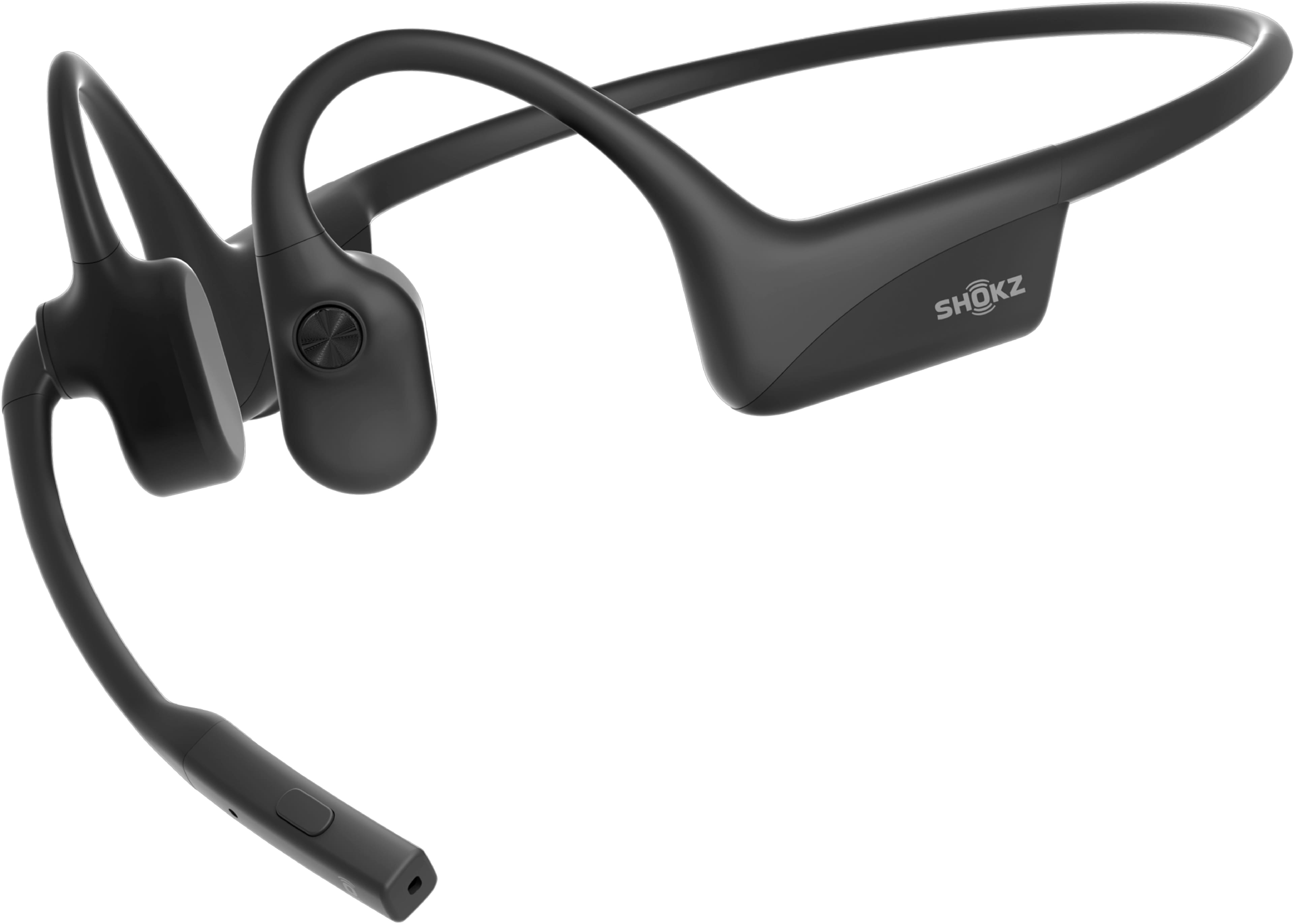





- Model:
- C120-AN-BK-US
- SKU:
- 10872501
Rating by feature
- Sound Quality
Rating 4.5 out of 5 stars
- Battery Life
Rating 4.7 out of 5 stars
- Connectivity
Rating 4.5 out of 5 stars
Good investment
||Posted .This reviewer received promo considerations or sweepstakes entry for writing a review.I use this headset daily and they’re great and durable.
I would recommend this to a friendWorks great
||Posted . Owned for 1 month when reviewed.This reviewer received promo considerations or sweepstakes entry for writing a review.Great performance works great with my job that I do
I would recommend this to a friendShokz
||Posted . Owned for 1 month when reviewed.This reviewer received promo considerations or sweepstakes entry for writing a review.These shocks are the best pair ever… very satisfied!
I would recommend this to a friendShockz 2
||Posted . Owned for 2 months when reviewed.This reviewer received promo considerations or sweepstakes entry for writing a review.Not the best headset. In loud environments it’s difficult to hear
No, I would not recommend this to a friendBrand response from Shokz
Posted .Hi there- Shokz here! We're sorry to hear this has been your experience. If using your OpenComm2 with a phone, there is a phone setting that may resolve any low volume issues.
1. Turn Off Volume Limit Settings
For iPhone: Go to Settings > Sounds & Haptics > Headphone Safety, switch off the Reduce Loud Audio feature.
For Samsung: Go to Settings > Sounds and Vibration > Volume, click More, and turn off Media Volume Limit.
For other Android phones: Go to the Bluetooth Settings on the phone, find the headphones and make sure that the Absolute Volume feature is switched on for them.
If you decide these are not a good fit for you, please reach out to BestBuy Customer Service directly to learn of their return policy. Thank you!
Not very happy with this Version of Shoks
||Posted .This reviewer received promo considerations or sweepstakes entry for writing a review.I previously owned a pair that performed beautifully and never failed. However, this new version has caused numerous issues. People cannot hear me during calls, requiring me to repeatedly disconnect and reconnect the headphones. This is incredibly frustrating.
No, I would not recommend this to a friendBrand response from Shokz
Posted .Hi Karla - Shokz here! We're sorry to hear you are experiencing issues with your Shokz. In this case, we'd suggest a manual reset of the headphones. If the reset doesn't resolve the issues, all Shokz come with a 2-year warranty. Please reach out to us if you need further assistance. Thank you!
Bad quality
||Posted .This reviewer received promo considerations or sweepstakes entry for writing a review.These were very uncomfortable. I thought they vibrate way too much on the side of your head very annoying to wear. i’ve had ones that cost 30 bucks. That sounded way better than these did.
No, I would not recommend this to a friendPoor Outcome
||Posted . Owned for 2 weeks when reviewed.This reviewer received promo considerations or sweepstakes entry for writing a review.unable to connect output portion of device. Shokz customer service was an absolute absurdity
No, I would not recommend this to a friendBrand response from Shokz
Posted .Hi there- Shokz here! We're very sorry to hear this has been your experience. In this case, we'd suggest a manual reset of the headphones.
Please check the Audio Output Settings (Computer/Phone)
The device may be paired but not selected as the active output device.
Windows: Click the speaker icon in the taskbar and ensure "Headset (OpenComm by Shokz)" is selected, not "Headphones (OpenComm)".
Zoom/Teams: Open the app audio settings and explicitly select the OpenComm2 for both input and output.
If the reset doesn't resolve the issues, all Shokz come with a 2-year warranty. Please reach out to us if you need further assistance. Thank you!
Not a good mic
||Posted . Owned for 2 weeks when reviewed.This reviewer received promo considerations or sweepstakes entry for writing a review.Mic wasnt good for video calls Connects easier with iphone, morr than with android
No, I would not recommend this to a friendBrand response from Shokz
Posted .Hi Maria-Shokz here! We're sorry to hear this has been your experience. We highly recommend purchasing the USB adapter for the best connection with your computer. Please reach out to our Customer Happiness Team if you have any questions. Thank you!
Unable to update firmware
||Posted .This reviewer received promo considerations or sweepstakes entry for writing a review.The company asked me to spend an additional $50 to perform a firmware update on my PC.
No, I would not recommend this to a friendBrand response from Shokz
Posted .Hi there- Shokz here! We're very sorry to hear this has been your experience. While the USB adapter costs $50, standard firmware updates for existing Shokz devices via the Shokz Connect app on a computer are free. The adapter is not required for use with a computer, however, it is recommend for the best connectivity. Please reach out to our Customer Happiness Team if you have any questions. Thank you!
Headphone mic.
||Posted . Owned for 1 month when reviewed.This reviewer received promo considerations or sweepstakes entry for writing a review.Kept disconnecting from computer do not recommend it
No, I would not recommend this to a friendBrand response from Shokz
Posted .Hello - Shokz here! We're sorry to hear you are experiencing issues with your OpenComm2. In this case, we'd suggest a manual reset of the headphones. If the reset doesn't resolve the issues, all Shokz come with a 2-year warranty. The Loop 110 adapter is highly recommended for use on a computer for the best connectivity :) Please reach out to us if you need further assistance. Thank you!
2Checks
||Posted . Owned for 1 month when reviewed.This reviewer received promo considerations or sweepstakes entry for writing a review.TERRIBLE NOT A GOOD PRODUCT. I word not purchase ever again
No, I would not recommend this to a friendBrand response from Shokz
Posted .Hi Johnny- Shokz here! We're very sorry to hear this has been your experience. We kindly ask that you reach out to BestBuy Customer Service directly to learn of their return policy, or reach out to our Customer Happiness Team directly so we may assist you. Thank you!