Customer Ratings & Reviews
- Model:
- DVPSR510H
- SKU:
- 11003865
Rating by feature
- Value
Rating 4.7 out of 5 stars
- Quality
Rating 4.6 out of 5 stars
- Ease of Use
Rating 4.6 out of 5 stars
- Cons mentioned:Display
Need more features
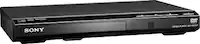
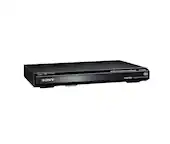
||Posted . Owned for 1 week when reviewed.This reviewer received promo considerations or sweepstakes entry for writing a review.The DVD player doesn't have any screen digital to show you if the device is working or no there is no light or nothing Plus it doesn't have the replay button that can make start over automatically
No, I would not recommend this to a friend Inexpensive DVD player.
||Posted .This reviewer received promo considerations or sweepstakes entry for writing a review.This is a serviceable DVD player but lacks two desirable features: 1. There are no lights to indicate that the unit is on or a readout to indicate its status, e.g., playiing, stopped or paused. 2. There is no S-video output.
No, I would not recommend this to a friend- Pros mentioned:Hdmi
Home dvd
||Posted . Owned for 6 months when reviewed.This reviewer received promo considerations or sweepstakes entry for writing a review.DVD player to watch British comedy at home!!!!!!!!
I would recommend this to a friend - Pros mentioned:Ease of use
Dvd
||Posted . Owned for 1 week when reviewed.This reviewer received promo considerations or sweepstakes entry for writing a review.Great dvd player. Easy to set up and easy to use.
I would recommend this to a friend - Pros mentioned:Price
Great Dvd player
||Posted . Owned for 2 weeks when reviewed.This reviewer received promo considerations or sweepstakes entry for writing a review.Definitely worth the price, I'm very happy with it
I would recommend this to a friend sony dvd player with hdmi
||Posted . Owned for 3 weeks when reviewed.This reviewer received promo considerations or sweepstakes entry for writing a review.i have bought 2 of this dvds and they are amazing
I would recommend this to a friendDVD player
||Posted . Owned for 1 week when reviewed.This reviewer received promo considerations or sweepstakes entry for writing a review.Description said dvd was excellent. Player was banging around box and had a scratch on front. Seems to play ok. I thought excellent was like new?
I would recommend this to a friendpick up
||Posted .This reviewer received promo considerations or sweepstakes entry for writing a review.There was a miscommunication. When we first drove by they said I have to park instead of a drive by. So we parked I walked to the door. Then someone carried the player to the car.
I would recommend this to a friendNever Used
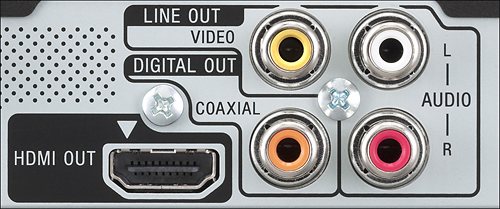
||Posted .This reviewer received promo considerations or sweepstakes entry for writing a review.Returned because couldn't figure out how to connect with our older plasma TV, stereo system and cable box. It only had 3 connections whereas our old DVD player had about 6 going into all components. Would recommend for a simple TV connection.
I would recommend this to a friendBrand response from SonyListens
Posted .Hello shoelady60! It is unfortunate that the unit had to be returned, we appreciate the time you have taken to share your feedback with us, we will forward this information to the proper department.~ Jeannette

- Pros mentioned:Ease of use
I love my TV sound
||Posted .This reviewer received promo considerations or sweepstakes entry for writing a review.I like the setting menu for easy instructions and step by step guide on how to connect to Wi-Fi & all of the sound options
I would recommend this to a friend Poor Audio
||Posted .This reviewer received promo considerations or sweepstakes entry for writing a review.Volume for DVDS I at a minimum level even after adjusting audio/sound settings in menu. I believe I may return the DVD and select a different model. I have always been satisfied with prior Sony purchases but not this model.
No, I would not recommend this to a friendBrand response from SonyListens
Posted .Hi LuckyStar34, We regret to hear that your device's performance failed to meet your needs. We'll make sure that this feedback reaches a relevant team if ever changes are needed as we want our consumers to have the best user experience. Thank you very much for your input. ~Ralph

It's okay
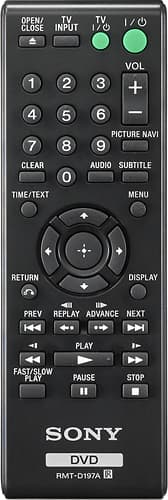
||Posted . Owned for 3 weeks when reviewed.This reviewer received promo considerations or sweepstakes entry for writing a review.I suppose it's okay, the remote doesn't work. Ya get what ya pay for.
No, I would not recommend this to a friend- Pros mentioned:Hdmi
Not a happy customer
||Posted . Owned for 1 month when reviewed.This reviewer received promo considerations or sweepstakes entry for writing a review.I bought 2 one was good. The other not what I ordered. Needed with HDMI and didn't receive the one I choose. Also no remote.
No, I would not recommend this to a friend No display screen
||Posted .This reviewer received promo considerations or sweepstakes entry for writing a review.Price is great but there are two things about this product which i dont like it does not have repeat option and second there is no screen display
No, I would not recommend this to a friendOkay for an inexpensive DVD player
||Posted . Owned for 6 months when reviewed.This reviewer received promo considerations or sweepstakes entry for writing a review.Quirky. Remote not easy to use. Sometimes freezes up.
I would recommend this to a friendInexpensive but..
||Posted . Owned for less than 1 week when reviewed.This reviewer received promo considerations or sweepstakes entry for writing a review.It works for standard dvd’s. Very old school, cheaply made. Spend a little more money and get something better.
No, I would not recommend this to a friendItem to satisfy grandkids
||Posted . Owned for 1 week when reviewed.This reviewer received promo considerations or sweepstakes entry for writing a review.I haven't used it yet and won't until mid September after I've moved so this is the best review I can give it for now
I would recommend this to a friendIts okay for the price
||Posted .This reviewer received promo considerations or sweepstakes entry for writing a review.Thought it would be faster than my old non progressive scan DVD. Cannot tell much difference. Use it for teaching which requires clip to clip. After discussing a clip it is slow moving to the next screen. Controls are awkward..
No, I would not recommend this to a friendBrand response from SonyListens
Posted .Hello Kevin! Thank you for sharing your feedback with us, we will forward this information to the proper department for further review.~ Jeannette
DID NOT MEET MY NEEDS
||Posted .This reviewer received promo considerations or sweepstakes entry for writing a review.This DVD player probably will be most effective for most people but for me as being deaf, I could not get this DVD player to play closed captioning on to my TV screen.
No, I would not recommend this to a friendBrand response from SonyListens
Posted .Hello MIKE, thank you for your message. Closed caption (CC) information is not available from a cable set-top box, satellite receiver, DVD player, or Blu-ray Disc® (BD) player connected to the TV using an HDMI® cable. When using this type of connection, use the subtitle feature of the source device instead of the CC of the TV or connect the source device to the television using a component or composite video cable. CC is only supported when using an analog output that is 480i. NOTE: Using a component video connection will only work if the output setting is set to 480i. -Oscar.
- Pros mentioned:Picture quality
Great Picture
||Posted . Owned for 1 month when reviewed.This reviewer received promo considerations or sweepstakes entry for writing a review.A very nice product, gives you a great picture on older DVD.
I would recommend this to a friend