Customer Ratings & Reviews
- Model:
- 4469026
- SKU:
- 6495643
Rating by feature
- Value
Rating 4.2 out of 5 stars
- Quality
Rating 4.3 out of 5 stars
- Ease of Use
Rating 4.3 out of 5 stars
Customers are saying
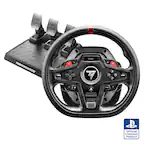
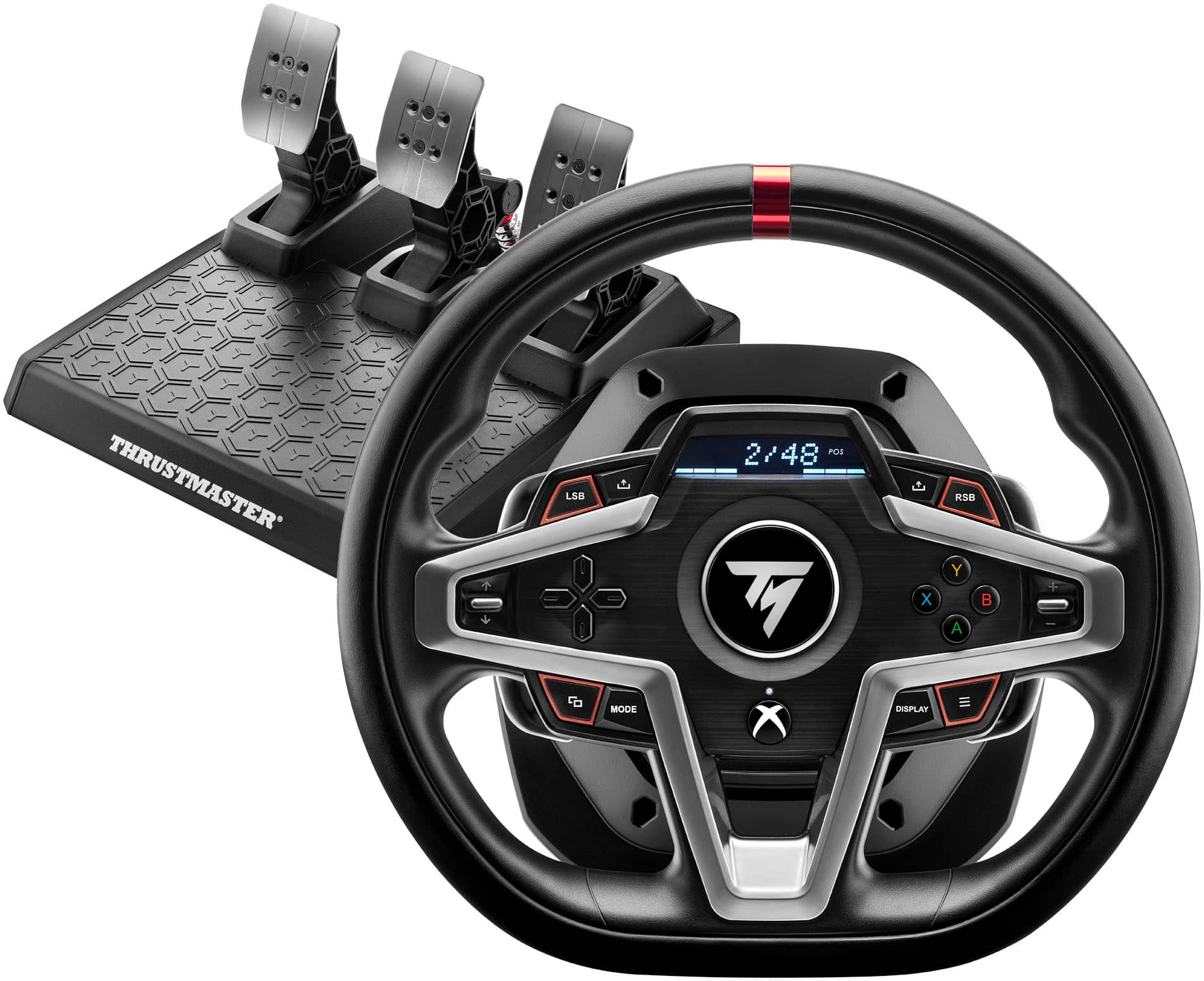
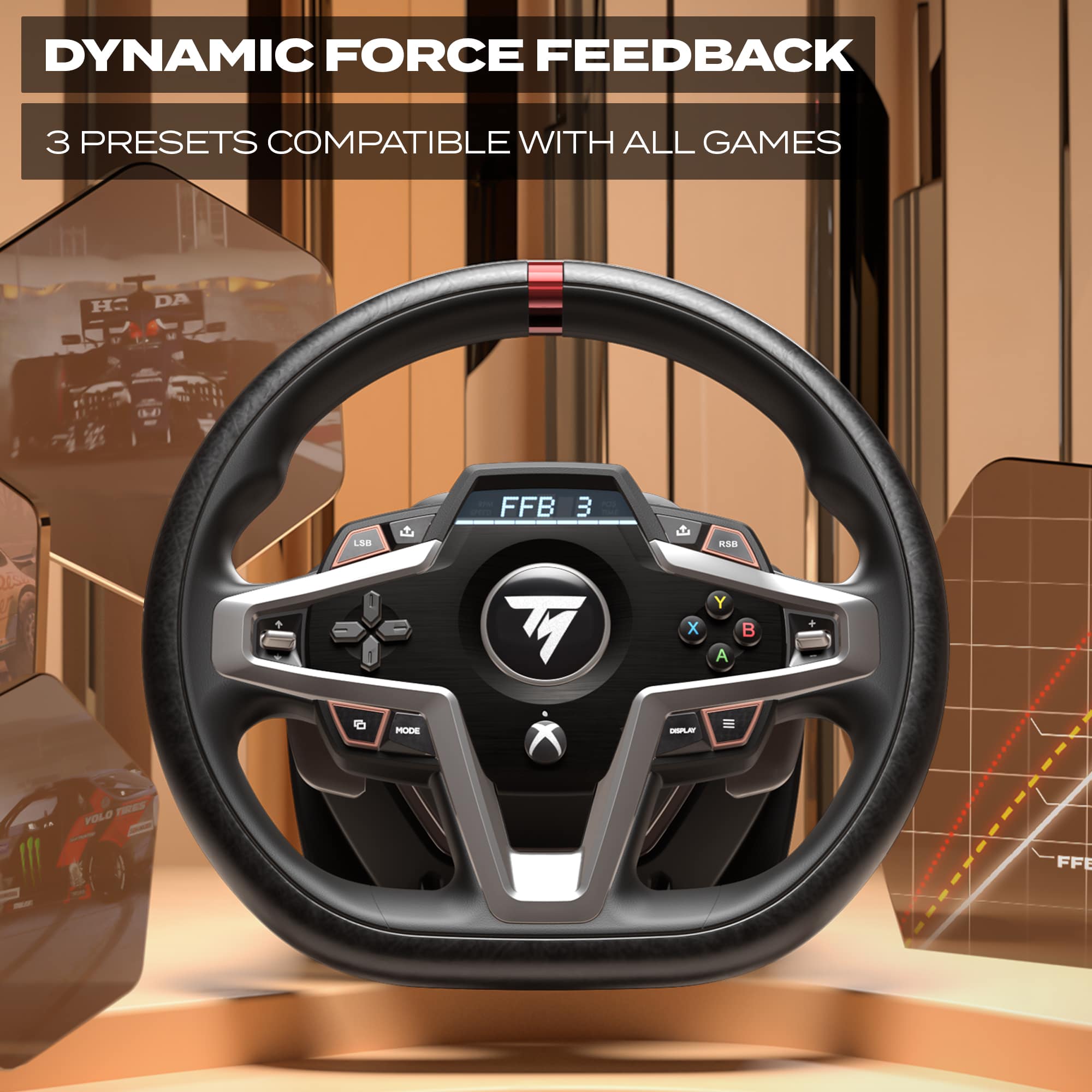
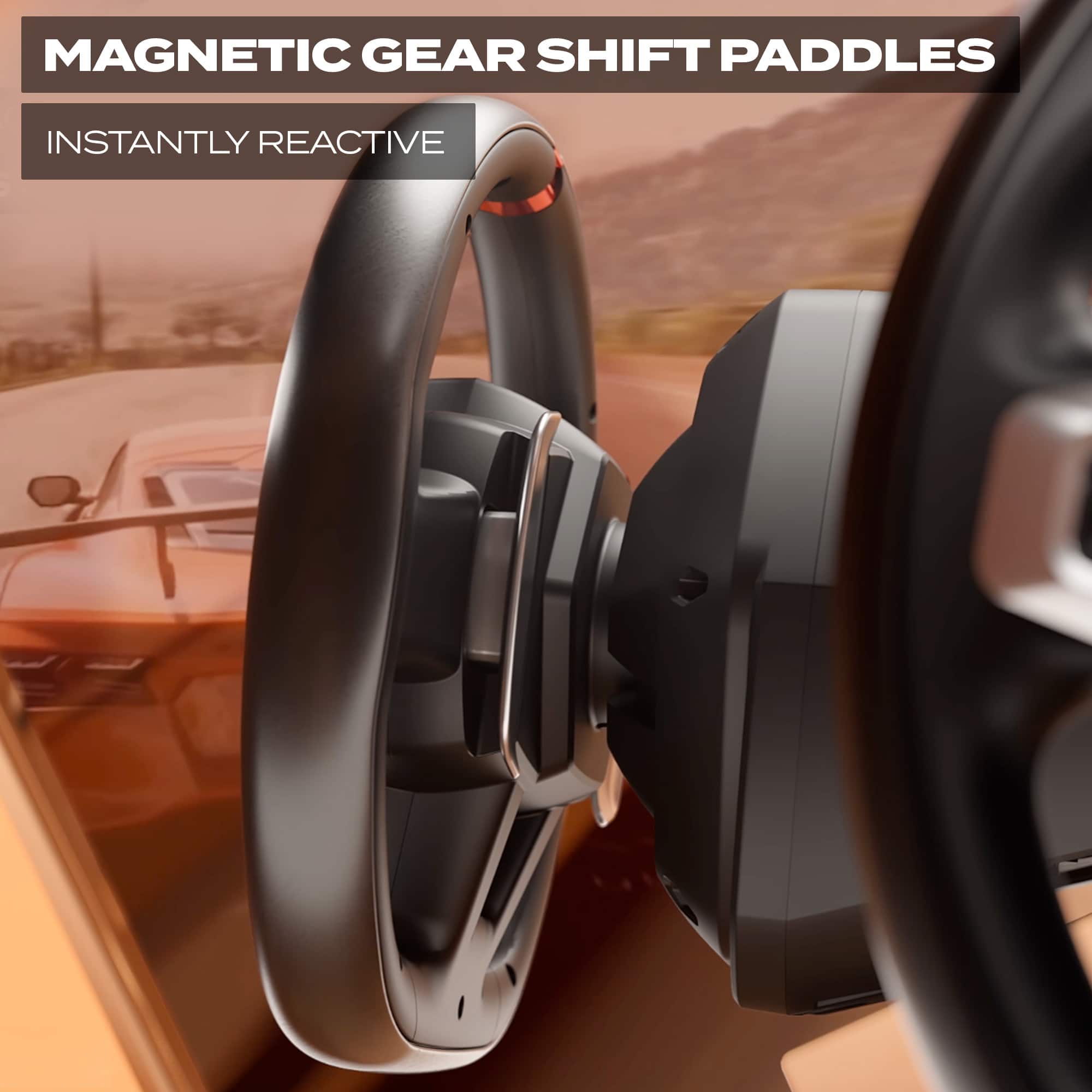
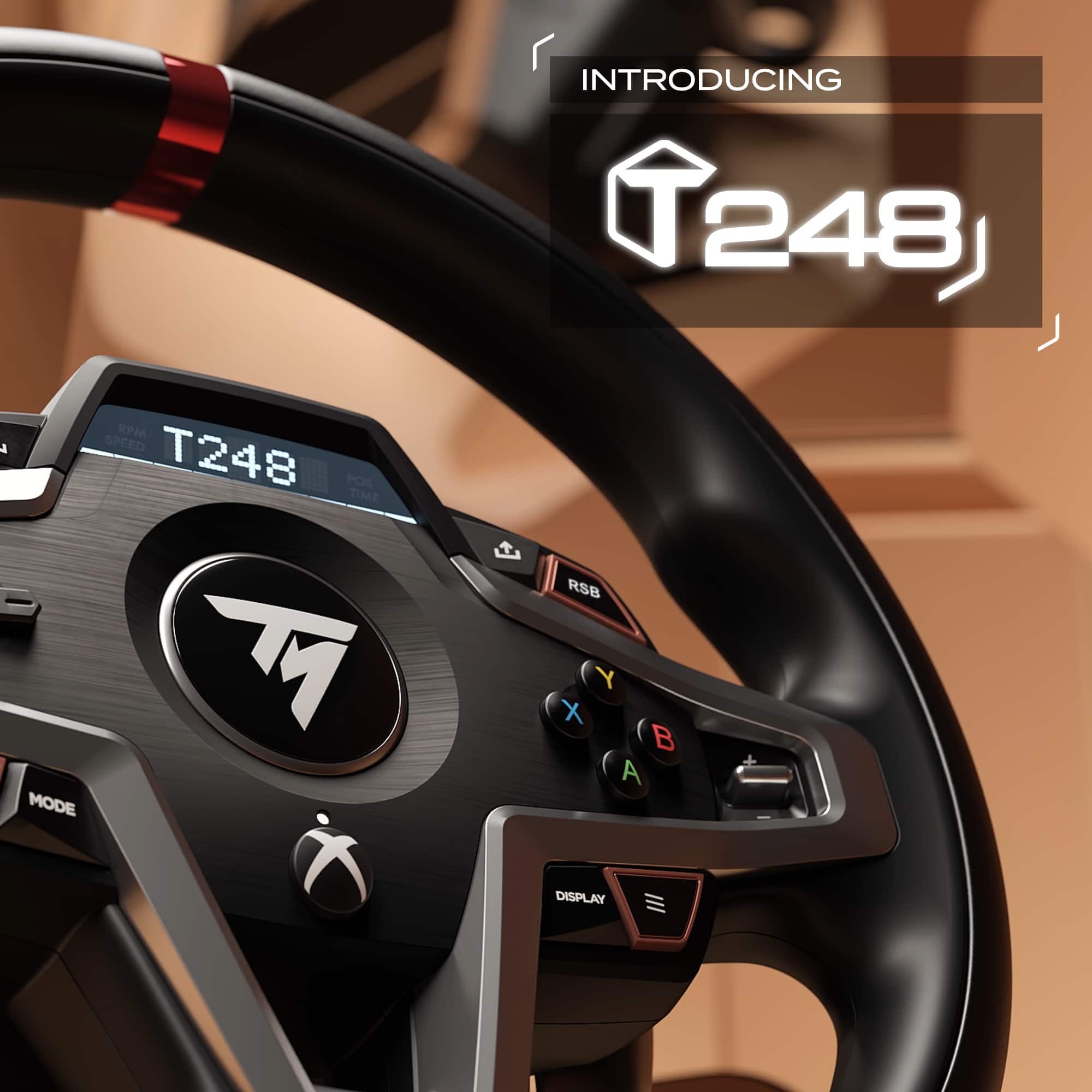
Customers are positive about the T248 Racing Wheel's force feedback, realistic pedal feel, and excellent build quality. Users also appreciate the easy setup and fast magnetic paddle shifters. However, some customers have expressed concerns regarding the limited compatibility of the wheel with certain Xbox games.
This summary was generated by AI based on customer reviews.
Thrustmaster T248 VS Logitech G923!
||Posted . Owned for less than 1 week when reviewed.This reviewer received promo considerations or sweepstakes entry for writing a review.I originally bought the Logitech G923 and the Logitech Shifter. I used it for about an hour on Forza Horizon 5. The G923 was super loud and raddled a lot. The pedals were also so close together that every time I would do gas or clutch, I would end up hitting the brake. The shifter was ok, but no 7th gear. The wheel was the best, the only nice part. The wrap was very comfortable. So, i returned it and got the Thrustmaster T248. I was concerned about the wheel feel. Once i got it all set up and got into Forza, I could immediately tell a difference. The T248 feels way, way better. Like not even a comparison. The wheel does feel ok. The build quality feels alright. It does have an outer pleather feel, although the kind that will make your hands sweaty. The desk clamp isnt as good as the Logitech, but it works. The Logitech felt better, but this performs way nicer. It's very smooth, quite, and overall feels amazing. The pedals, WOW what a difference. They are absolutely fantastic. They are spaced and the pedals are all adjustable. The brake is also very adjustable. I have the Thrustmaster Shifter on order. If you're looking for a very nice setup to get you started, or even as an upgrade, I highly recommend the Thrustmaster T248. I was so worried at 1st that i wasn't going to like it. Now I cant stop playing! Amazing!
I would recommend this to a friend- Pros mentioned:Force feedback
Great job thrustmaster!.!.!.
||Posted . Owned for 3 weeks when reviewed.This reviewer received promo considerations or sweepstakes entry for writing a review.Great addition to my sim it up. Upgraded from tmx pro to t248 and can’t complain about anything with this product highly recommend for average sim racer that wants the experience of racing without breaking the bank !
I would recommend this to a friend - Pros mentioned:Force feedback
Great wheel and pedal combo
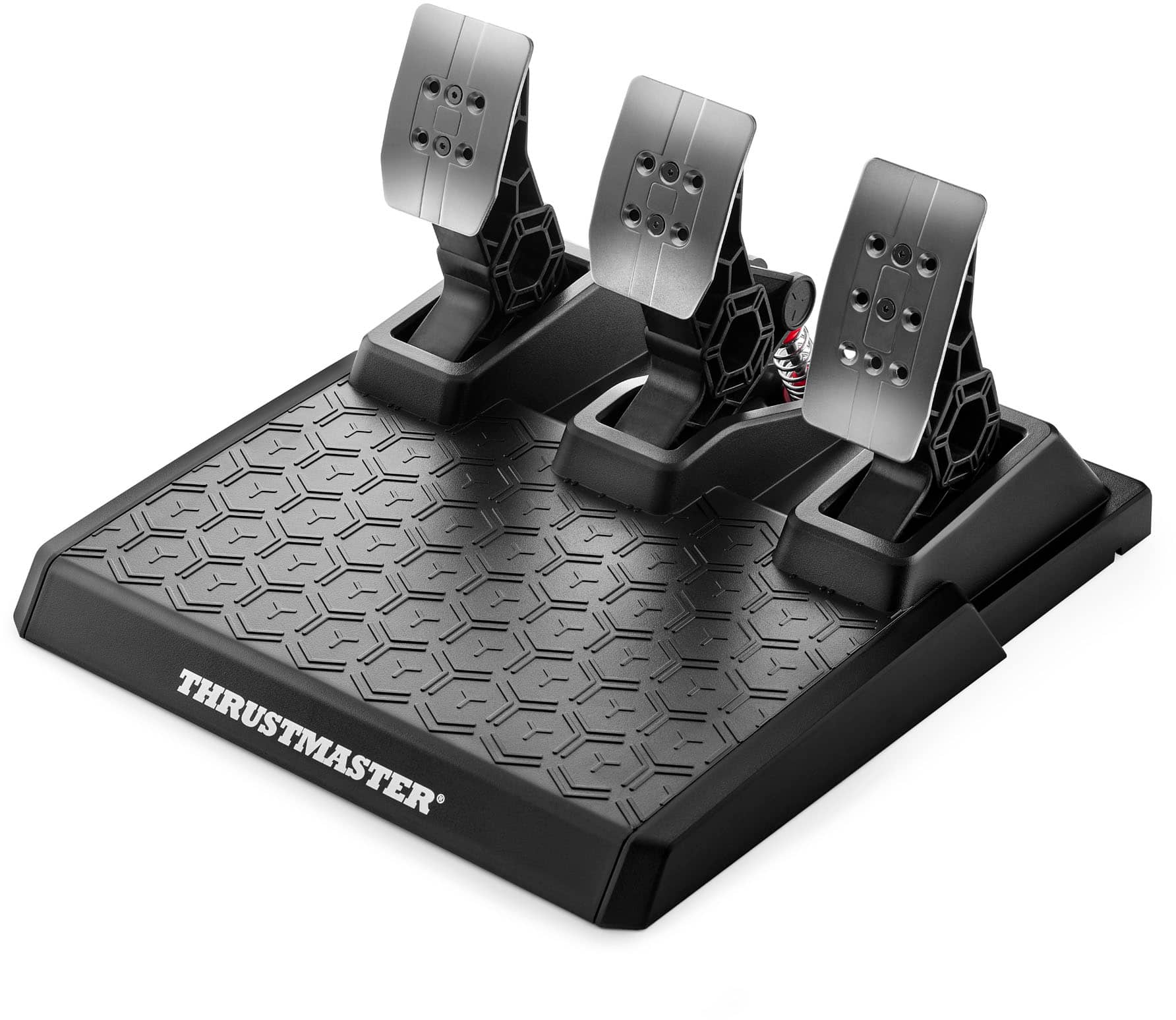
||Posted . Owned for 4 months when reviewed.This reviewer received promo considerations or sweepstakes entry for writing a review.Easy to set up, great force feed back. I was easily able to clamp it onto my desk and have the peddles below the desk. I would recommend putting something anti slip under the pedals because it does slide alittle on the carpet. Also, changing the spring on the break pedal takes a little force, so expect that.
I would recommend this to a friendBrand response from Thrustmaster Expert
Posted .Thank you for your very positive feedback !

- Pros mentioned:Build quality
Good value
||Posted . Owned for 2 months when reviewed.This reviewer received promo considerations or sweepstakes entry for writing a review.Good Entry/Intermediate racing simulation steering wheel with good build quality for the price
I would recommend this to a friend - Pros mentioned:Build quality
Love this wheel
||Posted . Owned for 1.5 years when reviewed.This reviewer received promo considerations or sweepstakes entry for writing a review.Very well made racing wheel. I’ve had it for 2 years and still works great
I would recommend this to a friend Perfect racing wheel
||Posted .This reviewer received promo considerations or sweepstakes entry for writing a review.This item completes my racing gaming room setup for my new xbox series x system excellent product an price
I would recommend this to a friendBrand response from Thrustmaster Expert
Posted .Hello, thank you for your feedback! We appreciate your feedback, and we're delighted that you like the product. If you have any questions about your product, please don't hesitate to contact our technical support team. We'll be happy to help ! Sébastien from the Technical Support team.
Good not Great
||Posted . Owned for 1 month when reviewed.This reviewer received promo considerations or sweepstakes entry for writing a review.For the price its not bad. Its better than using a controller. However, its not the most user friendly thing to setup or update firmware on pc. Some games work with the force feedback some do not. Build quality is ok for plastic. Wheel is too small (diameter) in my opinion. Ended up returning and going to the Thrustmaster T598.
No, I would not recommend this to a friendI'm just sharing my experience, it's not a bad pro
||Posted . Owned for 2 weeks when reviewed.This reviewer received promo considerations or sweepstakes entry for writing a review.I didn't like how it feels, setting it up isn't easy, the accelerators and brakes are hard, you have to stick them to the wall or put something on the back so they don't move, it's a good product, it does what it should.
No, I would not recommend this to a friend- Pros mentioned:Build quality, Force feedback, Paddle shifters

Excellent Way to Play
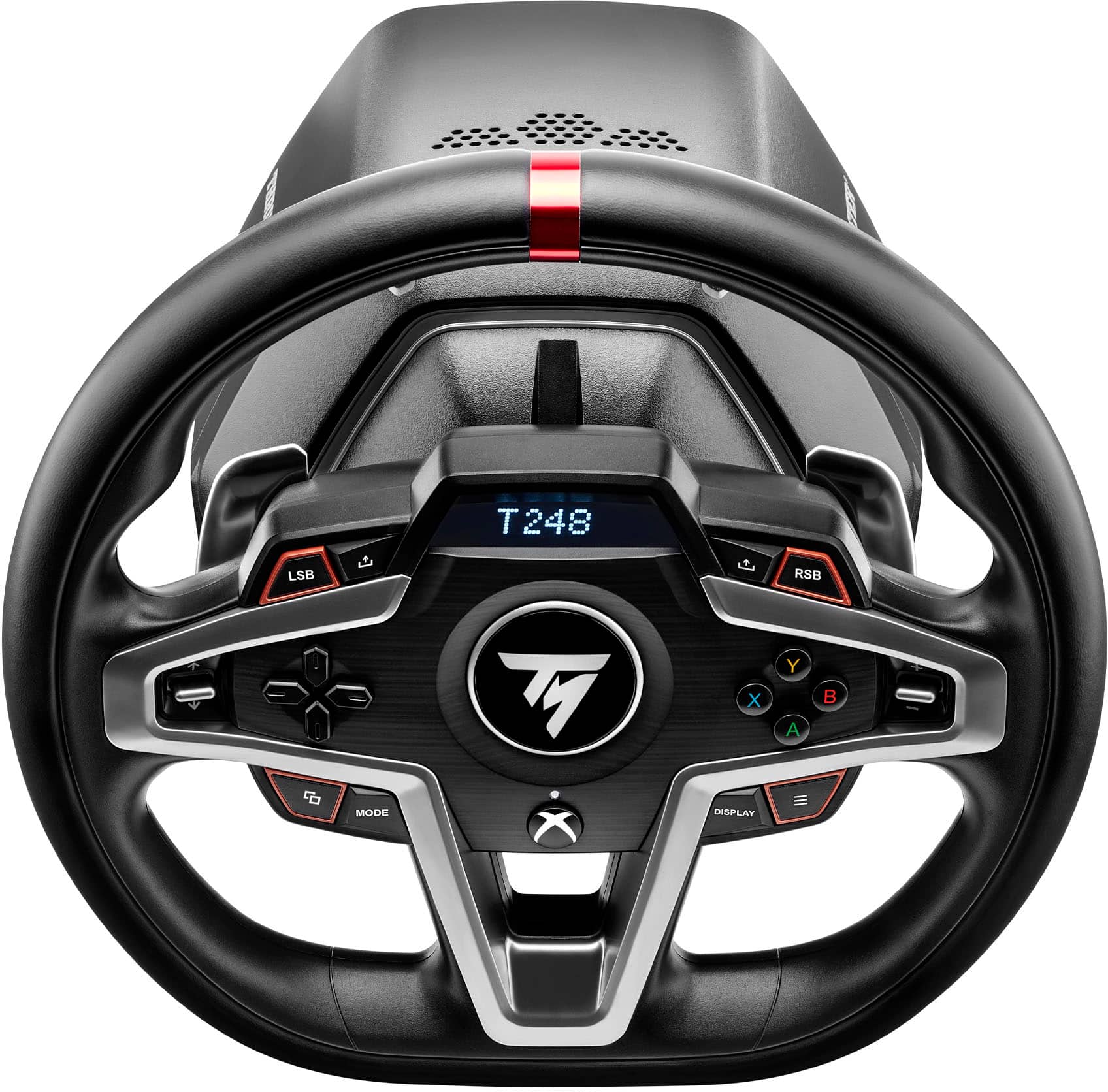
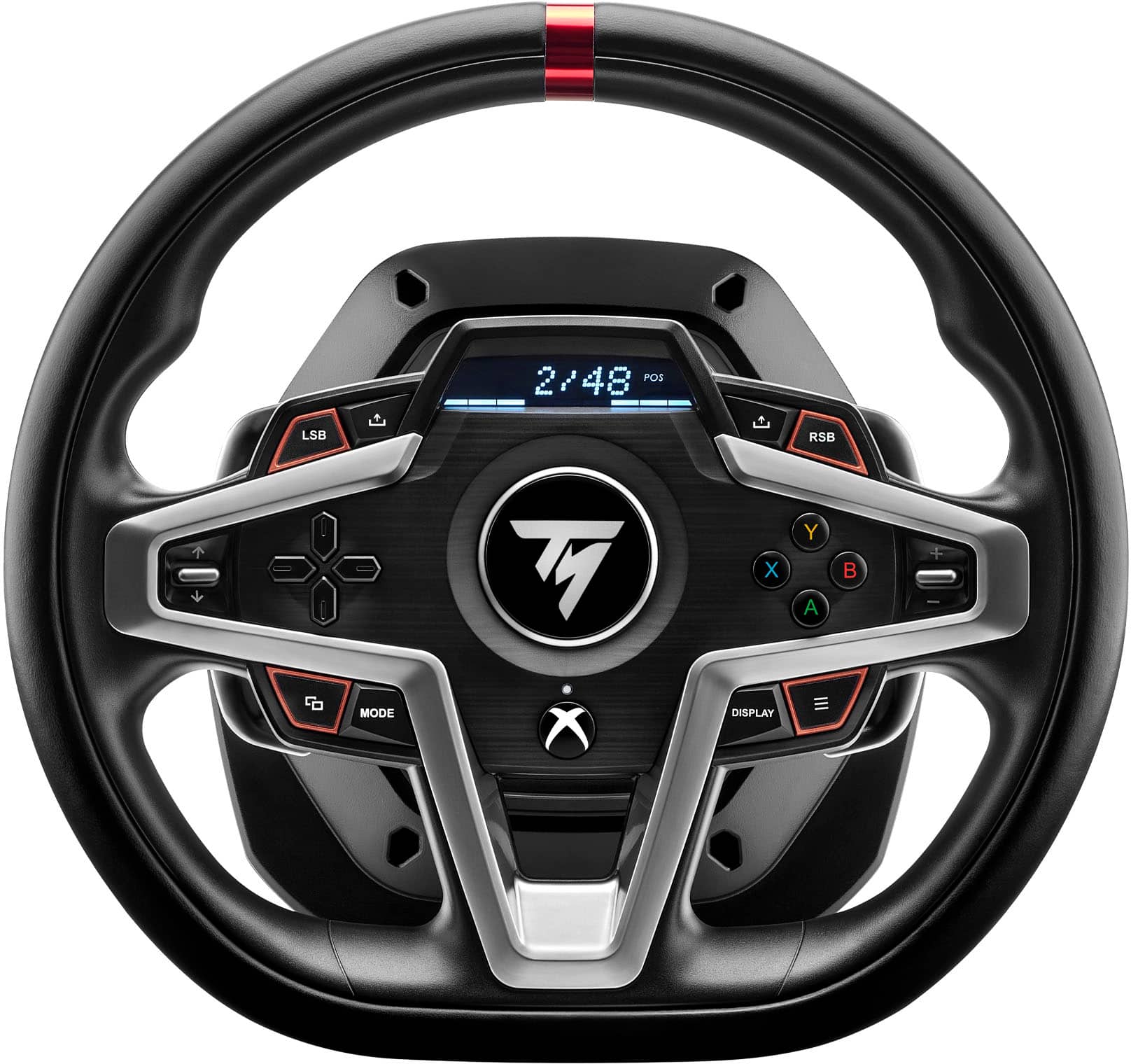
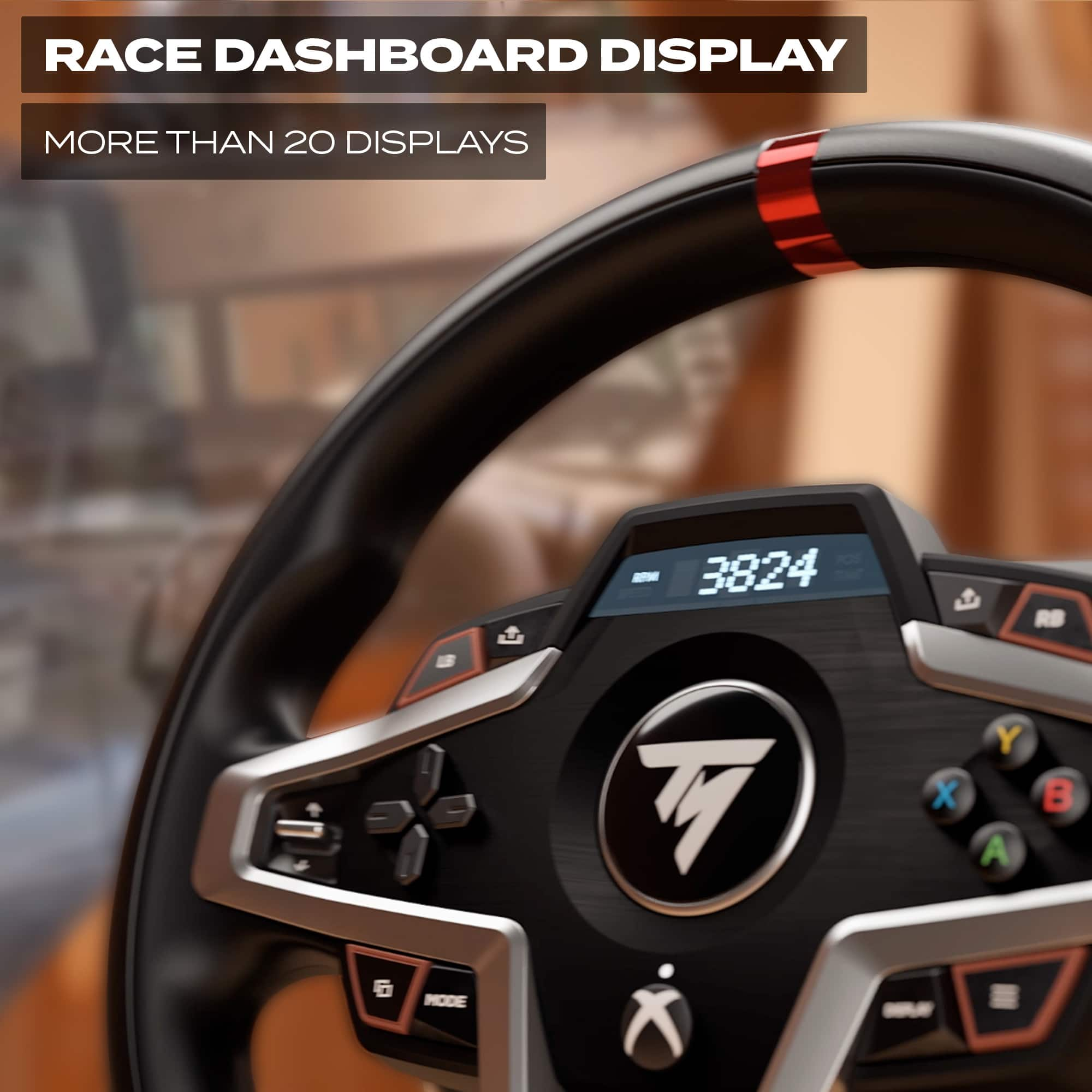
|Posted .This reviewer received promo considerations or sweepstakes entry for writing a review.This racing wheel has thoroughly impressed me. Especially it’s force feedback. It really feels like you’re driving on rough roads or impacting other vehicles. The wheel and pedals have a very nice feel to their build quality. The wheel itself feels great in the hands, with a soft, but great gripping material. The button layout feels very well thought-out and easily accessible with your thumbs. The paddle shifters have a very responsive “click” when tapping them, although they can be a bit loud. The display on the wheel is very cool too, with games showing useful information there at a glance (if they support it, and only on PC at the moment, it seems), freeing up some screen space if you want. The clamp for the wheel is also easy to use and secures it very well to your desk or stand. Just be sure to not over-tighten it causing any damage to your desk. The pedals are very responsive and feel like they’re built to last. Although they may be a bit too stiff for my liking (more on that in a moment). There’s a decent weight to the pedal platform, and it has some grips on the bottom. However, I had a lot of trouble trying to keep the whole platform from moving/sliding when pressing the pedals, due to how stiff they are. I ended up placing some boards behind them to keep it from moving. I think a good piece of advice before purchasing this wheel, would be to make sure you have a space for it. The clamp needs a couple inches to be secured to a desk or table, and it probably shouldn’t be more than a couple inches thick. The pedals need something to be against, at the very least. But would be better suited mounted to something. I’m going to upgrade my setup to a collapsible stand for the controller and pedals. Overall, this exceeded my expectations and performs very well in games. Setup was easy as well. On the Xbox, it’s pretty much plug and play. On the PC, you just need to download some drivers, then you’re set.
I would recommend this to a friend - Pros mentioned:Build quality, Force feedback, Paddle shifters
Didn't Love It, But I Certainly Liked It.
|Posted .This reviewer received promo considerations or sweepstakes entry for writing a review.I used the Thrustmaster T248 Racing Wheel (Xbox/PC) on my PC primarily playing Forza Horizon 5. The T248 sits above Thrustmaster's entry level offering, but a bit below their mid-level tier force feedback (FFB) wheel. It has very good FFB effects, but I found that I couldn't quite get the feel I liked. It worked pretty well for driving on a track, but felt a bit overmatched when on dirt surfaces like in rally games. Perhaps some more fine-tuning on my part might achieve better results. The paddle shifters are very precise and I never missed a shift. Neither did anyone else in my house as the shifters are ridiculously loud. I guess I'll take the precise shifts over the noise, but my wife in the room may not, especially if I'm playing late at night. Installation was fairly painless, although I had the wheel/hub sitting on my desk upside down, and plugging it in caused it to immediately auto-calibrate and the wheel was sent spinning across my desk. I barely caught it before it hit the floor! The wheel and housing is primarily plastic, though it offers a solid feel and build quality appears high on initial inspection, with the exception of the clamping mechanism, as the wheel came loose from my desk multiple times while driving. The plastic wheel, which does not offer a quick-swap mechanism for different wheels has a padded, simulated cover over the outer half, but is hard plastic on the inner half, leaving a weird contrast in the feel -- the outer half being grippy and the inner half feeling weirdly hard. Seems short-sighted not to simply cover the whole wheel. There's a digital display on the wheel, and offers the very nice feature of being able to select from three pre-set settings of FFB without having to access software. The hub offers cable management, which is a nice touch. The T248 comes with pedals, and they are fantastic in terms of feel and response. Not so great was trying to keep it from sliding all over the place, despite it's rubber grips. Overall, there's a lot to like while trying to overcome some obvious shortcomings. I'm not sure that it offers the best value, at least at its suggested retail price. Perhaps spending a little more to get into the next tier may yield better results. If you get on sale the value question is a lot less relevant. I will say this though, driving sims are a helluva a lot of fun using a FFB wheel and provides a far better experience than a simple controller.
I would recommend this to a friend Great product
||Posted . Owned for 3 weeks when reviewed.This reviewer received promo considerations or sweepstakes entry for writing a review.I highly recommend to my friends and families. I have been enjoying so much!
I would recommend this to a friend- Pros mentioned:Force feedback, Paddle shifters, Pedal feel
Strong force feedback with excellent pedal feel.
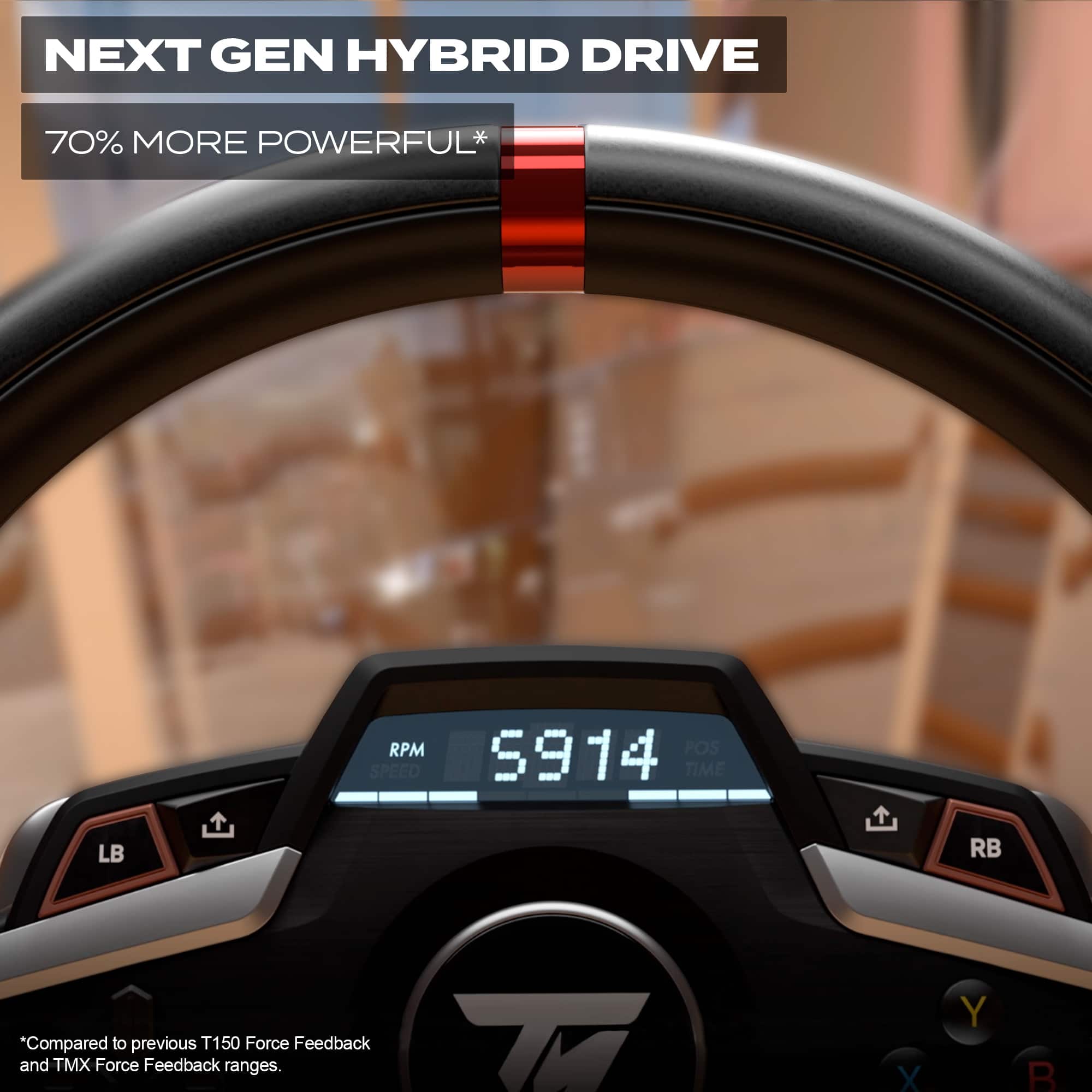
|Posted .This reviewer received promo considerations or sweepstakes entry for writing a review.I love this Thrustmaster T248 kit. Designed to be a new offering that’s a step above entry level, the T248 features a new hybrid force feedback system, magnetic pedals, responsive paddle shifters, and a customizable LCD readout display. It’s not perfect, but it offers strong wheel force feedback with excellent pedal feel at a relatively reasonable price. Overall, it feels more like a high end arcade peripheral than a simulation rig, but I’m hoping a few tweaks can help fix that. The steering is half wrapped in “leather” which looks nice and I guess helps grip the palms, but the inner rim of the wheel has a cheap plastic feel and it’s noticeable under the fingertips. I think doing a leather steering wheel wrap will go a long way in making it feel more realistic, because the strength of the feedback is great. I especially like how stiff the pedals feel and the smooth response they give. Between Forza Horizon 5 and F1 2019 for PC, the wheel and pedals offered a great sense of control, feedback, and predictability. As a gaming peripheral, it’s a step below entry level simulation rigs, but it gets all the important things right. It’s even compatible with Thrustmaster’s metal 6 speed shifter, which should really amp up the experience. My computer desk has a 4” edge so I couldn’t use the supplied desk clamp, but I picked up a foldable half rig for about $100 that’s solid and mates to the T248 perfectly. A longer bolt for the desk clamp wouldn’t work in my case, but if you’re looking, you’ll want an M10 bolt with a 1.5 thread pitch. And as much fun as I have with the T248, it could certainly be better. The paddle shifters work great, but are distractingly loud. I’m going to see if a thin strip of vinyl tape or felt will soften the sound. The LCD display is a really cool concept, but so far I haven’t been able to get it working. It also doesn’t seem to work with games over EA Connect on PC for some reason. Trying to play Grid Legends, I can see the wheel displayed as a controller option, but it has an exclamation mark and won’t let me choose it. It says I need to calibrate the wheel, but won’t offer a way to do so. I also couldn’t get it to work with Need For Speed: Hot Pursuit over EA Connect. Either I need to change some settings or there needs to be a software update, but it works great with Forza Horizon 5 and F1 2019 over Xbox Game Pass for PC. And as long as it works with Forza and F1, that’s all I really need. Overall, if you’re looking for a fun wheel kit that’s a step above entry level and offers strong force feedback with excellent pedal feel, I highly recommend the Thrustmaster T248. PROS - Good steering wheel feedback - Pedals feel great. Excellent stiffness - Plug and play with Windows 10 - Game Pass compatible - Simulates bumpy roads well - Strong steering wheel feedback - Display screen - A step above entry level steering wheel kits - Fits many custom rig frames on the market - Major upgrade over racing with a controller - Mid level steering wheel kit - 6 speed manual shifter available CONS - Plastic feeling steering wheel - Loud paddle shifters - Table clamp is limited - Pedals a bit slick - Steering wheel looks like a video game peripheral - Problems with EA Connect
I would recommend this to a friend Broke quickly
||Posted .This reviewer received promo considerations or sweepstakes entry for writing a review.Broke after very little use. I took it apart and there’s a small plastic gear on the belt drive that melted (photos attached). $.02 piece caused the whole unit to fail.
No, I would not recommend this to a friendBrand response from Thrustmaster Expert
Posted .Hello ! We are sorry to hear about your experience. If your product is under warranty, please don't hesitate to contact our technical support team. We'll be happy to help ! Sébastien from the Thrustmaster team.
- Pros mentioned:Force feedback, Setup
Amazing Force Feedback & Outstanding Pedals
|Posted .This reviewer received promo considerations or sweepstakes entry for writing a review.This was the first time using a wheel to play my PC racing titles and I'll never not play them without one. This wheel came with everything you need to get started although there are a few flaws to be aware of. Setup was very easy but I do highly recommended taking a quick look at the manual before setup in order to get familiar with how to adjust the pedals and wheels to your liking. As seen in my pictures, my desk is exactly 1 inch thick and it's 30 inches deep. The bottom lip of the Thrustmaster T248 that sits flush on the desk extends about 4 inches out into the desk. The clamping mechanism that comes with the steering wheel has a tensioner that you tigten to clamp the wheel to your desk. It does a very solid job of staying put. There were only a couple of times during rough handling where I noticed the wheel slightly slip out of position. In terms of mounting, I do think that this wheel works best with a slightly thicker desk of maybe 2 to 4 inches (although you should be fine with something thinner). Upon initial setup, I highly recommend downloading the drivers from Thrustmaster's website in their "support" section. In the same support section, I also highly recommend watching the video on how to adjust the resistance on the brake pedal. I did not have a "plug and play" experience. Windows did detect the wheel as a gaming peripheral but it did not automatically download and install the necessary drivers so my games were not detecting my steering wheel at first. It wasn't until I manually downloaded the drivers that it detected it right away. It also installs the 'Thrustmaster Control Panel' which allows you to customize things like your gain settings, damper, and allows you to test that your wheel is working properly. The software also checks to make sure you always have the most up to date drivers. Once plugged into your PC via USB, the wheel will self calibrate itself without you having to do anything. Playing racing games with this thing is an incredible experience. I paired it with a 35 inch ultrawide curved monitor and it is such an immersive experience. I played a lot of Forza Horizon 5 and Dirt Rally 2.0 with this wheel with no in-game issues. Both games detected the wheel instantly and I was able to map and customize my d-pad mappings as well as the buttons in order to navigate and do everything directly from the steering wheel. The force feedback on this wheel is simply amazing. It needs to be experienced. It feels very accurate to whatever terrain I'm driving on and to whatever objects I'm hitting or crashing into. The feedback also changes depending on the vehicle I'm driving. The LCD display on the upper-center area of the wheel can be customized to display things like RPMs and gear changes. It truly provides a very engaging experience and completely changes the dynamic of playing a racing video game. I'm hooked and I'm now even looking at racing sim cockpits. And that leads me to my first con. While the pedals are of very high quality (combination of metal and high quality plastic), I wish that the bottom of the pedal board came with carpet spikes or some way to help fasten the pedal board to the floor. Unless I have the pedals up against the wall, which doesn't work for my setup, or I have several books anchoring the back of the pedals, the pedals move all around my carpet. This also leads into my next minor con. The brake seems to have quite a bit of resistance. Even by adjusting the resistance to the lightest setting by taking off the white stop cushion, it still feels a bit stiff. If the pedal board is not anchored properly to the floor, this again causes it to move all around the carpet. For now, I've rectified this by anchoring the pedals against some books but I'm already looking for a longer term solution (maybe a cockpit!). In terms of construction, build quality, and form factor, overall this Thrustmaster T248 feels like a well built wheel. However, I must admit that the wheel does look a bit more premium than it actually feels. Although the wheel does have a thin & soft leather outer lining, the inner part of the wheel feels a bit cheap due to the light shallow plastic. Ergonomically though, the wheel feels great. I really wish Thrustmaster would have made the wheel feel a bit more substantial and either use metal construction all the way around or at least cover the inner plastic lining in leather as well. On a positive note, I never found that any of this detracted from the immersive driving experience in any way. The paddle shifters are built really well and provide great tactile feedback. My only qualm with the paddle shifters is that they are loud; excessively loud in my opinion. Lastly, my final con is that I wish Thrustmaster would have made the wheel just slightly bigger. The steering wheel is certainly a bit smaller than steering wheels I've used in real life but it could just be that this steering wheel is modeled after smaller high performance vehicles. Despite the aforementioned cons, I'm loving this wheel and I've never been so eager to play my racing games as soon as time permits. The engaging experience takes me back to fond memories at the arcade when 'Cruis'n USA' was the hit racing blockbuster. I love that I can have a bit of that experience right at home again. If you're into racing games and you've only ever played with a d-pad, I think the Thrustmaster T248 is a great entry level to advanced wheel that will elevate your racing experience when it comes to arcade and sim racers.
I would recommend this to a friend - Pros mentioned:Build quality, Pedal feel
The whole family loves it!
|Posted .This reviewer received promo considerations or sweepstakes entry for writing a review.We are having a blast with the Thrustmaster - T248 racing wheel and magnetic pedals. Out of the box the first noticeable thing is how well built everything is. The steering wheel feels authentic and perfectly replaces a steering wheel from a sense of feel. The pedals not so much but still genuinely nice and they feel like they will be able to handle a bunch of left turns. The manufacture did send out an additional spring for the brake pedal so maybe they know something I do not there. The hardest part about the setup process was how to mount to the steering wheel properly. I was thinking from the instructions that you could put the feet on and have a go. This is not the case! Mount the steering wheel. We move the setup to my son's desk from IKEA. We disassembled the pull drawer, and we were able to mount it easily and conveniently. From there everything else was simple for XBOX and PC to get it up and going. Once playing, I will note that the slap shift paddles as well as the gas pedal are more arcade like and not as responsive as say an Audi A8 shifting paddles. The Audi A8 is not forgiving, and the paddles feel one with the car (obviously), the T248 does not exactly sim that feel but it is still very enjoyable since the clutch to slap timing is spot on. The coolest part of the unit is the steering feedback. I was playing a game in simulation mode while driving a 2021 Corvette. I was at a part in the course where the street was a series of left and right snakes. I was able to execute the S pattern driving flawlessly because I would down clutch high and up clutch low on the curve. I was able to listen to the sound of the engine and feel the road tell me how much play I had. It was quite an experience to say the least. No one witnessed it but I burned through there like I was doing it for family. {some will get that reference, some will not lol}. I am hoping that one of the other contributions to our family is going to be if even only slightly to help familiarize my two teenage children with the concepts and feels of real driving while playing on simulators. Instead of jeopardizing the family’s cars right out of the gate. Ten out ten in mine and my family’s book. I highly recommend if you have place to mount the wheel.
I would recommend this to a friend - Pros mentioned:Force feedback
Needs some tweaking for ease of PC use; worth it!
|Posted .This reviewer received promo considerations or sweepstakes entry for writing a review.This Thrustmaster T248 Racing Wheel and Pedals setup must be one of the best values in the market right now if you enjoy excellent feedback, customizability, and versatility from your setup. This steering wheel and pedals combo has already provided hours upon hours of enjoyment for my cousins and I! My review perspective is from that of a PC owner, and my first recommendation hear to Thrustmaster as well as potential buyers is that the instructions on setup, driver downloads, and key mapping could do well to be a lot clearer. Perhaps we were just being a little to careless and excited to get the steering wheel physical setup, but it took us a solid half an hour just to dig through the Thrustmaster website and follow the somewhat confusing instructions to get the control panel for the steering wheel downloaded, drivers updated, and keys mapped optimally in games Like Forza Horizon 5. However, once this has been completed, you are in for an incredible treat. As for the build quality of the steering wheel and pedals, I am generally going to give it a big thumbs up. The steering wheel could be a little more plush and less plastic feeling, but that is a small compromise when considering how good the feedback and haptic motors feel through it. These haptic motors can honestly feel like an earthquake is happening when they are turned up! This whole pedal setup does require an AC power adapter as it is so strong. The pedal shifters are strong, clicky, and feel built to last. A feature my cousins and I are all admiring is the ability on the steering wheel screen to quickly check the temperature to make sure you aren’t overstressing the steering wheel components. Altogether, this new setup from Thrustmaster gets 5 out of 5 stars from me. It could use some polishing in the PC setup side of things, but this is otherwise going to provide hours upon hours of enjoyment for you and truly feels built to last. Thanks for reading and good luck with your purchase decision!
I would recommend this to a friend - Pros mentioned:Force feedback
Adds a new level of immersion and control for cons
|Posted .This reviewer received promo considerations or sweepstakes entry for writing a review.This is the first racing wheel/pedal set I have ever tried. I love F1 and downloaded the “F1 2020” game on my Xbox Series X a few weeks back. Upon playing with the Xbox controller, I really struggled with corners and found the whole experience very disappointing. I am a very casual gamer so don’t have hours to devote to games. Therefore, I shelved the game for some time. Enter the Thrustmaster T248 Wheel and Pedal set. The box contains a wheel (and desk mounting clamp), a set of three pedals, a power brick and cables and a USB-C to USB A cable. There is also a proprietary cable to connect the pedals to the wheel. Once I unboxed the equipment, it was pretty obvious that I would struggle to use this equipment in my theater chair I game from. For those who game at a desk and have a wall to push the pedal set up against, they should be fine but for me, this was not going to work. Fortunately I figured this going in so quickly ordered a purpose built, adjustable, foldable metal frame from a speedy shopping site and 36 hours later, had bolted my wheel and pedals to it and set it up so I could play from my chair. This wheel was originally designed for the PC (and Playstation) so the Xbox flavor is new. I connected it all up to power and then plugged the USB A side of the cable to the USB port on the front of my Series X and the steering wheel began to turn itself quickly, as a self-calibration it runs each time it starts up. The first noticeable issue for me was that the USB cable was too short. I believe it shipped with a 6’ cable but my Xbox is in a cabinet, with the seats set the appropriate distance back from a 75” TV so this cable was too short for me. Another quick online shopping trip got me a 10’ cable which worked great and let me sit more comfortably in my seat, rather than the neighboring seat my wife usually watches movies in. My next issue, which is probably a noob thing, was that I could not get my F1 game to recognize the steering wheel even existed. None of the buttons worked in the game and on checking settings, it only recognized my Xbox controller. After about 20 minutes of head scratching and random button pushing, I found the Mode button and noticed that the built-in display on the steering wheel was saying PC. When I figured out how to change that to Xbox, it was a “Halleluiah” moment and things started to happen. I was happy to be able to navigate around the game with just the steering wheel controls and not need to grab my controller. I soon fired up some laps on the Paul Ricard track in France and tried to get used to the new control method. I have to say that as my lap times got better and I felt more comfortable with the steering wheel and pedals, it felt like a joy to have an intuitive and realistic way to drive in a console racing game. Unfortunately I can’t say this set is any better or worse than an existing set but as a brand new racing wheel owner, I was so impressed and got a lot of enjoyment out of just blasting around the track, trying to beat my personal bests and other similar players who had recorded times around mine. For the seasoned console racers who already own a wheel out there, I hope the following information is helpful. The pedals are adjustable in various ways so that you can get them feeling exactly the way you need for muscle memory braking, clutching or heel-toe. The pedal set ships with an extra spring and instructions on how to adjust the tension in the brake, if the default setting doesn’t work for you. The wheel itself is a little smaller than any steering wheel I have ever used in the real world but I can’t decide if that is just space saving or if there are any racing wheels out there which are deliberately small. Either way, it still works great. It has a red stripe at the top which gives a visual clue as to when it is at position “0”. Attaching these to the GT Omega frame I own was very easy. The frame came with a selection of bolts that worked and it was possible to adjust the pedals up or down to match how far from the chair I wanted them. The wheel attached in one place but could be tilted on the frame up or down and the frame itself let me raise or lower so you don’t need to tilt the wheel itself, just what it attaches to. The ports to connect power, USB-C, the pedals and an optional gear shifter are hidden underneath the wheel base. This would make it difficult to get to them after the wheel is attached to a frame. They do include a USB-C to USB-C extender so you can unplug that cable if necessary but otherwise, anything connected is hidden until you unbolt the wheel. The force feedback on the wheel is fantastic! I got a real kick out of knowing when I was going over bumpy track, rumble strip or occasionally understeering into gravel or grass! You can adjust the settings across three levels but I just left them on default for now, which was great in F1 2020. I was able to go into the settings on my game and adjust the wheel and pedal settings in detail. I felt the wheel turned too much for an F1 car when I first started playing so went in and reduced the turn radius from about 900 degrees to 360. This helped get some much tighter driving and the wheel onscreen then matched the wheel I was turning. You should be able to do this in just about every driving game so this one set should work great for the different games you own. The game I was testing in did not make use of the built-in display. The included manual says this currently only works for PC gaming but it would be amazing if they could have this work for Xbox as well. PC gamers can have some of the instrumentation show up on this LCD screen above the hub of the wheel and there are various customization options to show the telemetry or information you want at that moment. I would have liked it to help time gear changes but it doesn’t work on console yet, if ever. The paddle shifters seem unnecessarily noisy – I don’t have those in my real-world car, just a semi-automatic gear shifter but if I had paddle shifters as noisy as this, I would not want to use them much. I don’t know why the T248 paddles click so loudly up and down – perhaps there was a reason but it does detract slightly from the experience and I wouldn’t think I was in a Ferrari with that amount of clicking going on. There are yet more buttons and clickers within thumb range so you can customize these in most games. The clickers will let you shift to various pre-sets you might have set up before a race or session which is a great addition for those who want more realism. I was hoping to test this with other games like Forza 4 & 5 but haven’t got those to run successfully yet on this Xbox (it just replaced a One X about 2 weeks ago). I would imagine it will make those games even more immersive as they were already fun to play on the controller. I would definitely recommend this set with a few caveats for more casual, console gamers. You will need a place to more permanently attach the wheel and pedals, as the wheel won’t work in your lap and the pedals will slide on most surfaces, without anything to backstop them. The supplied cables may be a bit short if you game in a media room but as you only need to run power and a USB cable, it should be fairly cheap and easy to swap for longer cables. I have to say that playing a driving game with a realistic wheel and pedals is much more tiring than using the controller. You really get into it and after a few sessions, I am starting to notice it’s like a mini-workout. It is still nothing like the G-force the real F1 drivers feel but it definitely helps to put you in the right frame of mind to drive cars fast. As a final tip of the hat to Thrustmaster, my wife who is not interested in gaming in the slightest, asked if she could have a go, so once I get a less technical game than F1 up and running, like Forza, she can try it out and hopefully enjoy the immersion and fun we all remember from driving games at the arcades.
I would recommend this to a friend - Pros mentioned:Build quality, Pedal feel
Decent for the money
||Posted .This reviewer received promo considerations or sweepstakes entry for writing a review.Everything in this bundle is better quality than I expected. Not really anything for adjustment on the apps. It has worked flawless so far. The main thing I don't really care for it the gear drive. It feels notchy but I'm starting to get used to it. If I had to do it over again I'd buy a moza r3 or a pxn vd 4. Pedals are the best part of the bundle. The pedals are not good on carpet you'll need something to secure them. I've only used it for iRacing mostly dirt oval. Gets the job done. For the money it's good but there is definitely a lot better options on the market for the price.
I would recommend this to a friend - Pros mentioned:Force feedback, Pedal feel
I recommand this product
||Posted .This reviewer received promo considerations or sweepstakes entry for writing a review.Picked up the Thrustmaster T248 for my Xbox Series X, and honestly, it’s blown me away. The force feedback is super immersive—you can really feel the road, tire grip, and every little bump. It’s a big upgrade from my old wheel. The built-in display is a cool bonus too—being able to tweak force feedback settings mid-race is surprisingly useful. The magnetic pedals feel solid and responsive, especially the brake—way more realistic than I expected. And while the paddle shifters are a bit loud, they snap quickly and add to the realism. Set up was easy, and I was racing within minutes. If you’re looking for a serious sim racing experience without going full pro-level price, this is 100% worth it. It’s turned my casual gaming setup into something that feels legit.
I would recommend this to a friendBrand response from Thrustmaster Expert
Posted .Hello, thank you for your feedback! We appreciate your feedback, and we're delighted that you like the product. If you have any questions about your product, please don't hesitate to contact our technical support team. We'll be happy to help ! Sébastien from the Technical Support team.
Ok accessory that needs MORE accessories
|Posted .This reviewer received promo considerations or sweepstakes entry for writing a review.It is possible I missed this in the description when agreeing to review this product, but the Thrustmaster T248 is only packaged with part of what you need to make this a successful experience. The Steering wheel itself has a bracket you can use to clip to the edge of a desk, IT DOES NOT have something you can use to free stand it or sit it on your lap. Not that you would necessarily WANT to sit this on your lap, but not having a dedicated driving simulator cockpit laying around my house, nor a peddle and steering wheel stand and no ability to use this thing without those, I was immediately limited in usability. This rules out the XBOX X|S which is couch and TV ready, not at a desk. The instructions are also clearly aimed at both the wheel and peddles being installed on additional, extra purchase necessary accessories. Connecting to my PC was easy, plug in and attach all the cables. Mount to edge of desk, sit peddled on the floor. I installed the correct divers from the website. My unit needed a firmware update as well, which I applied easily. I booted up Forza 5 and away I went. Immediately when pressing the gas, the car started taking off, steering wheel rumbled, things felt pretty awesome. A few moments later, I had to apply the brakes, I heel toed over to the brakes and the ENTIRE peddle unit flew off the floor, tiled back and became completely unusable. This was due to the fact the peddles were not bolted to the floor. The brake spring is so tight, the entire peddle system moves!!! I had to strategically press on the top edge of the peddle to force it to kind of work. Once I got used to dealing with the shortcomings, and never really got over the peddle pressing brake frustration, I was able to play a couple hour of Forza. Having a true gas peddle to control acceleration was great. The peddle was responsive and the game recognized the input no problem. Steering was precise and shifting with the paddle shifters in manual mode was a lot of fun. When I would occasionally go off the track, or drive on dirt roads, the forced feedback was a nice feature, however, it was a bit aggressive, and didn't feel overly natural. No more realistic than using a controller at least. The XBOX style buttons on the controller, along with menu selection was nice to navigate menus, pause screen, etc. This eliminates the need for an extra controller or use of the keyboard. Overall, the steering wheel felt very cheap. It's mostly plastic with a super fake feeling "leather" around the wheel itself. The red shiny top indicator looks as though it is just a sticker, though I didn't pull on it to find out. I'd have wanted far better quality of this product for the advertised MSRP price tag. It felt like I was using a fisher price child's toy. I feel this product should have red flags ALL over it. First it needs additional, very involved products such as a racing wheel / driving simulator cock pit, or, a free standing, dedicated driving simulator stand. The peddled need to be bolted down to work properly. The overall product feels cheap and overly plastic. While this did make my driving game experience a bit more realistic and fun, I have to make the decision to invest far more money into make it a proper use scenario, or look for alternatives.
No, I would not recommend this to a friend