Customer Ratings & Reviews
- Model:
- TomTom GO Discover 7"
- SKU:
- 6470861
to a friend
Customers are saying
Customers frequently mention the screen size, ease of use, and map updates as positive aspects of the GO Discover 7" GPS. Many appreciate the device's Bluetooth connectivity and included mounting hardware. However, some users find the voice search functionality to be limited in its capabilities. Overall, the positive feedback on features like screen size and map updates outweighs the concerns about voice search.
This summary was generated by AI based on customer reviews.
- Pros mentioned:Ease of use
Quality product
||Posted . Owned for 1 month when reviewed.This reviewer received promo considerations or sweepstakes entry for writing a review.Good quality, easy to use. Very good value. Would recommend to a friend
I would recommend this to a friend - Pros mentioned:Bluetooth, Screen size

I like the electric car info available
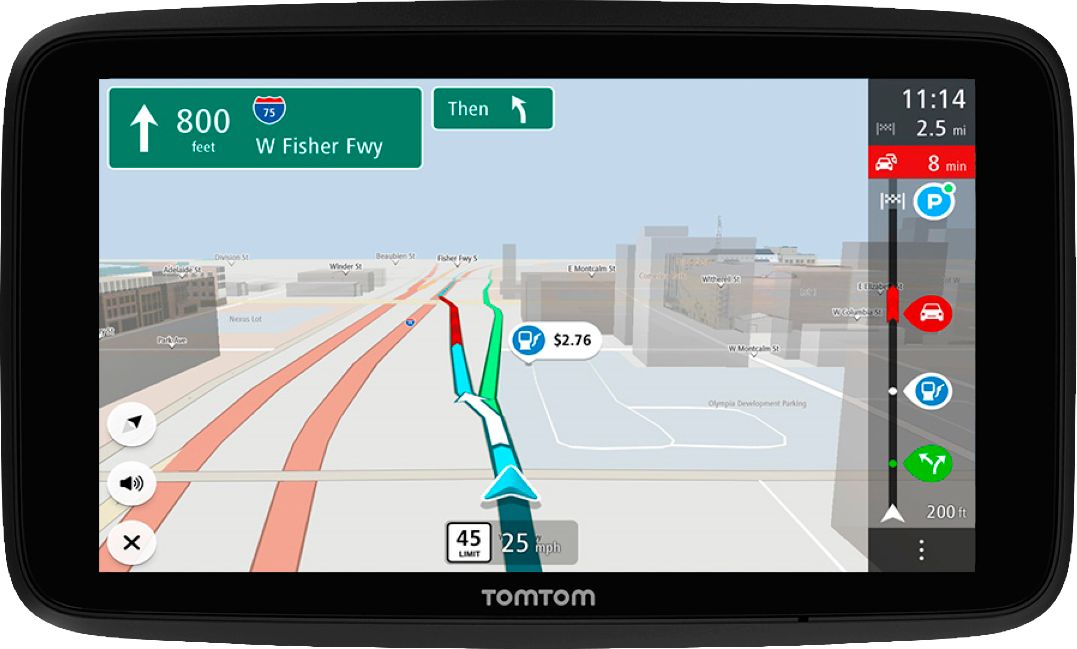
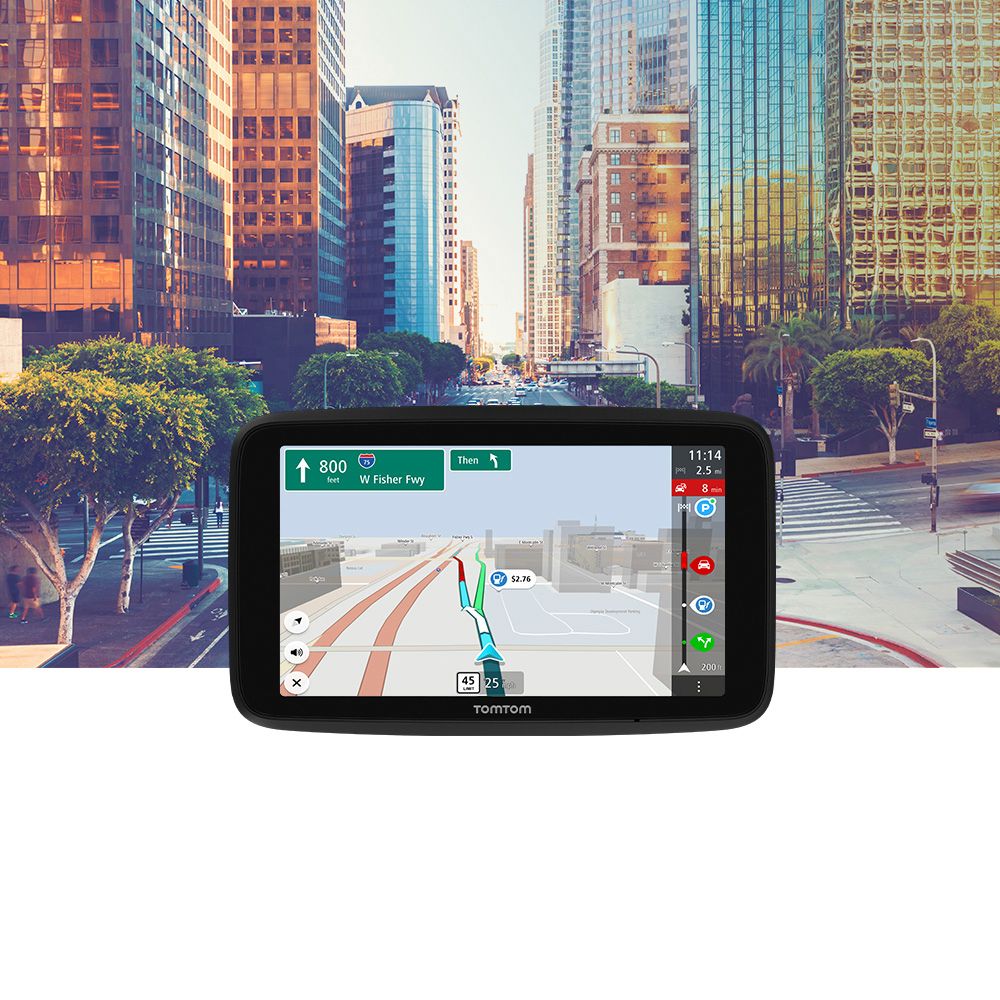
|Posted .This reviewer received promo considerations or sweepstakes entry for writing a review.This review is from someone that last used a dedicated GPS in about 2012, also I drive an electric car that is older and doesn’t have a built-in navigation to chargers, so I was excited about the prospect of this GPS that says that it has electric charging information integrated as I haven’t found an app that I works how I want to use it at this point. First off, I love how big and bright the display is and by bright, I mean viewable when it is bright out. I also love that the touch screen is responsive and there isn’t a ton of thinking that it has to do with every command like the GPSs of old. I love the bar on the side of the screen that is a percentage meter that shows the approximate distance of where chargers are (or gas stations) at what point in the route, this is especially useful for chargers as there are far fewer currently in existence than gas stations. I also love that when you search for chargers instead of giving the price it gives the charging speed in little lightning bolts (I would prefer kwhr numbers but this got the job done too). I had to check the speed with other apps just because I’m me and it did pickup correctly that a DC faster charger with a 12kwhr output was slow, I love that it did this and doesn’t see all DC fast chargers as equal. Setting up your car as electric in the settings is critical for all this to work. The first thing I noticed is that there was no j1772 option, I guessed that Yazaki was that and I was correct, but there is a good list of connector options, I think an improvement could be to call it j1772 as that is the more commonly known name. I also had to choose in this menu if I wanted Yazaki and CHAdeMO or just one or the other. Now most of the time I charge at home and only use a j1772 connector at work or if I see on that is convenient. Other than that, I rely on DC fast chargers (CHAdeMO for me) I really wish there was a fast button to turn off and on j1772 connects so that when I am near a destination I can see if one is nearby but otherwise keep on just the CHAdeMO filter only otherwise they get lost in the sea of j1772 available that would be crazy to stop and charge at. All said I really like the electric charger implementation of this but the few improvements that mentioned I believe would make it much better experience for EV folks. A real bonus would be getting the number of open stalls as well since I’ll usually check whichever app that charger belongs to, to see if the charger or chargers are currently being used. The ability to have this automatically Bluetooth tether to your phone when you get in the car is key to an easy user-friendly experience, especially since you need ‘Wi-Fi’ to get live traffic updates which is critical in my area. It is also worth putting in your favorite spots that you drive to a bit as voice search can’t seem to identify anything except an address, but type search does work with the name of the place. All in all, I was surprised with how much I enjoyed a dedicated GPS unit with a nice large screen and with how close they got to how I want my electric charger information delivered to me.
I would recommend this to a friend - Pros mentioned:Bluetooth, Ease of use, Screen size
Works perfectly!
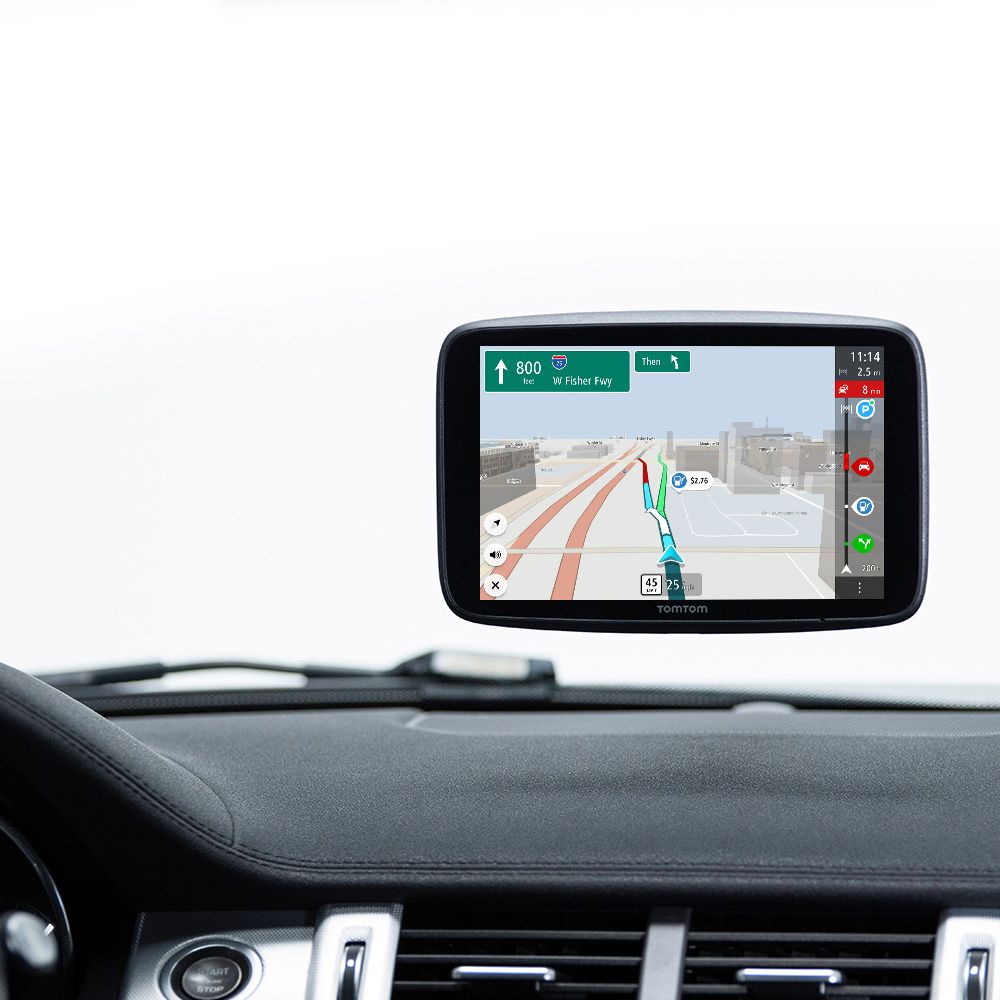
|Posted .This reviewer received promo considerations or sweepstakes entry for writing a review.We were just about to take a long weekend road trip and were happy that this arrived just in time! I do have a new car and it does have the GPS display on the radio screen like most cars do have nowadays. The only problem is that you have to take your eyes off the road and look down in order to see it. The main reason I wanted one of these is that I could mount it on my dash so its more in line of sight of where my eyes normally are when I’m driving. I find this to be a much safer way to use a navigation screen and it keeps your eyes on the road where they belong. This is a very simple and intuitive device to use. In the box you will get the GPS, a start guide as well as a suction cup mount and the cigarette lighter charger and USB cable. This unit does have a battery in it so you don’t need to have it plugged in all the time. Another great feature of this is that you don’t have to have cords running all over your car getting in the way of your driving. There are a ton of different customization settings so you can have the layout just as you want. I always prefer the night mode so I have it switched to be on that all the time. You can also customize the brightness, sound, Bluetooth, Wi-Fi, the side bar and many other options to make it the most useful for you. Using the GPS is very easy. There is search on the screen and you can type in whatever you are searching for, as well as an exact address. You can add items to your favorites as well to easily bring them up if it’s a place you go to often or want to remember. Once you are ready to go, you tap drive and it will go and plan out your route for you. Like a lot of GPS units it gives you a few different options and tells you roughly how long each of them will take. You can also do things like avoiding tolls or certain types of roads and things like that which is very useful as well! Once you’ve selected your route and hit drive then the map comes up on the screen and shows you the route on the map just like any other GPS you have used. You have optional traffic and voice command that you can use as well as showing gas prices and a bunch of other very useful features. Note that those do cost a separate fee, bot you do get a free trial with your purchase to see if its right for you or not. On our maiden voyage we did roughly a 600-mile round trip to places we have never been before. Not once did we get lost or feel like the GPS wasn’t guiding us in the right direction. It worked absolutely perfectly! Overall, I love this unit. Yeah, I know a lot of us already have something like this in our cars, but I love having a separate unit, and one that I can move around and position perfectly to make sure I can see the GPS and keep my eyes on the road instead of having to look down where my radio screen is. I would highly recommend it to anyone looking for a GPS device.
I would recommend this to a friend - Pros mentioned:Screen sizeCons mentioned:Voice search
Great Size and Fast Response
|Posted .This reviewer received promo considerations or sweepstakes entry for writing a review.If you don’t have Carplay or Google Car prebuilt in your vehicle, and you are stuck with a small phone screen, which depends on cell coverage, this Tom Tom GPS won’t let you down. The screen size is decent, and it works even where there is no Wi-Fi or cellphone coverage. When Wi-Fi and internet are available, it updates its offline maps and gas price information, so you can rely on it even in the middle of nowhere. My experience with it has been mostly pleasant. It’s very responsive, with a clean and crisp screen. You know exactly on what lanes you need to be on roads and bridges with lots of turns and exists, such as in Portland Oregon where some bridges split into 4 or more different directions. Tom Tom will show you in advance which one to take, so you have a bit of time to change lanes as needed. The pictures make it very clear. What I liked the least was the limitation of voice commands. Maybe I’m used to always connected GPS systems that probably process commands online and thus allows you to use a much wider vocabulary than you can with this one, but I felt it was limited in that respect. They do recommend turning your phone hotspot on all the time. In some ways, it does depend on that to keep maps and other information current, although you can do most updates using your home Wi-Fi before you hit the road. The good news is that if you have no cell phone coverage, it will work with its offline database. Even if you only drive where there is coverage, the bigger dedicated screen of the Tom Tom Discover is a lot more comfortable to use. The included mount is adjustable enough to work on any windshield, and the cord to keep it charged is long enough to plug to either a USB port or to the lighter adaptor. During the two trips that I used it, I had no issues whatsoever. It was a lot more fun than using a phone and to an extent, I kind of liked it better than the built-in GPS in my other car, which has a bigger screen but a so-so navigation system, which I rarely use because it’s frustrating. If it didn’t support CarPlay, this Tom Tom would replace it too. I really like it. I would recommend it, even with the voice command limitation, which you can get over very quickly. You just need to remember that you’re not talking to Siri, Google, Alexa, or other digital assistants. It’s not even fair to remove a star from my review just because of that, considering how good it is in my opinion.
I would recommend this to a friend - Pros mentioned:Map updates, Screen size
A new and better way to road trip!!!!
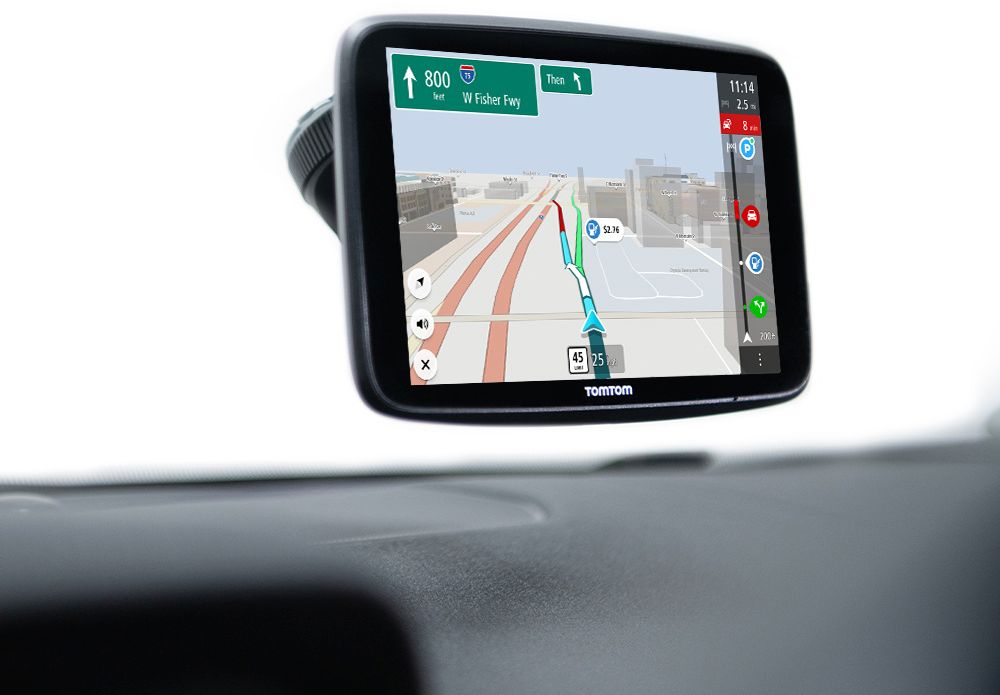
|Posted .This reviewer received promo considerations or sweepstakes entry for writing a review.TomTom GO Discover 7in GPS navigation device is a game-changer for travel. I've got to say I've been an Android Auto/ Apple Carplay person for a couple of years. But when I saw TomTom Go, I had to try it. And I've got to say they've added everything I was looking for in a GPS device. The factory-installed GPS is fine, but when you're on the go and getting calls to interrupt your guidance, you need this option. Updates via Wi-Fi also have parking availability when syncing through your phone fuel prices and an easy click Drive Mount. You even get a sidebar that alerts you of nearby gas stations on your current route. It tells you the current speed limit in your location. It even has the gas prices for your area, and that's important for the times we're in now. There's a fee after the one-year trial, but I'm enjoying it now. The touch screen is very responsive with no lag at all. And with included lifetime maps, you'll always be in the know. Even have access to real-time traffic. This one is a must-have, and I love the new charging snap-in mounting bracket. I have owned TOM TOM in the past, and it's gotten way better.
I would recommend this to a friend - Pros mentioned:Battery life, Screen size
A very nice GPS, if you want a stand-alone GPS
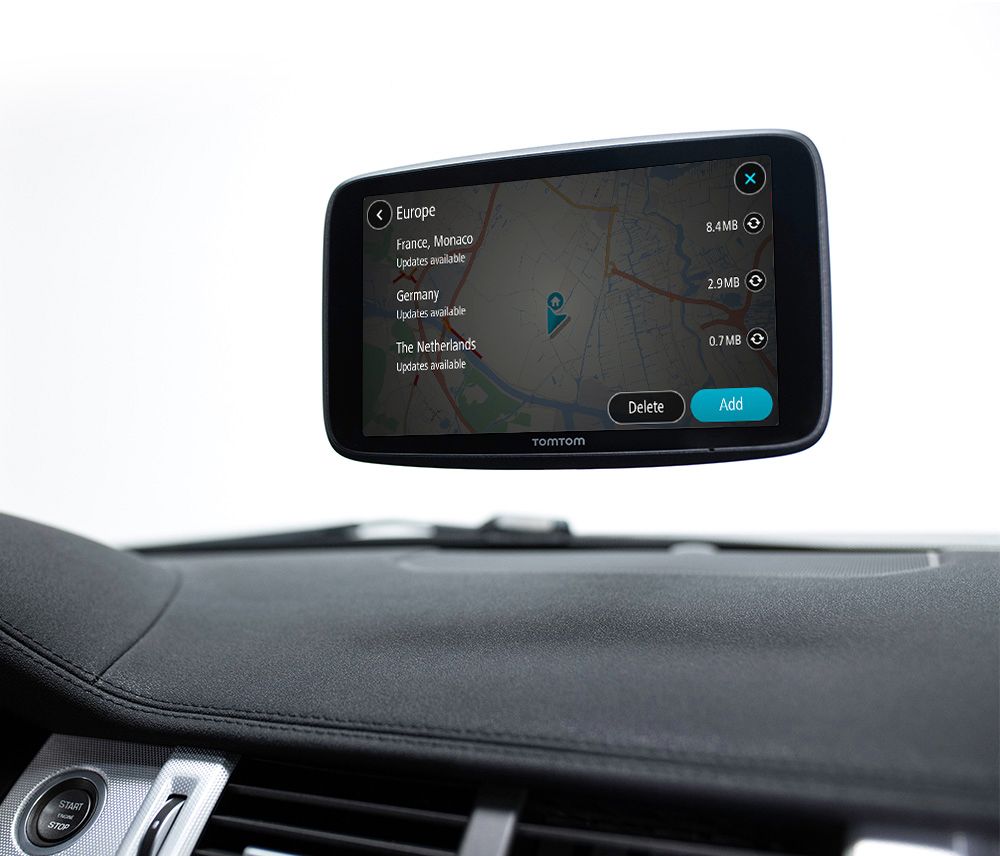
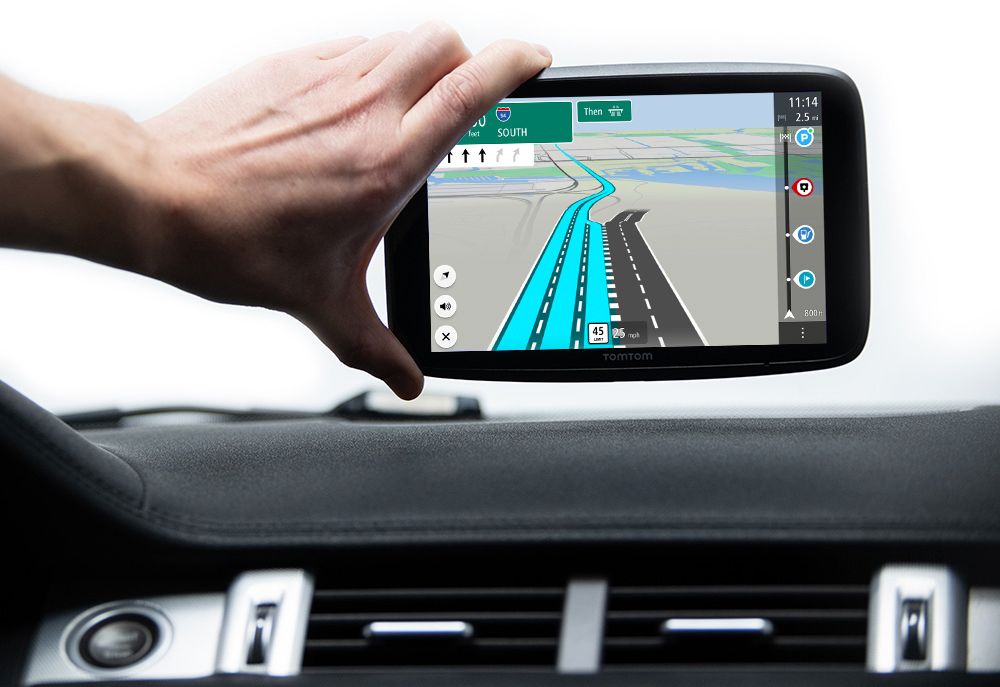
|Posted .This reviewer received promo considerations or sweepstakes entry for writing a review.The TomTom Go Discover is a very nice GPS, if you want a stand-alone GPS. As with any battery-powered device, you should always start by fully charging the Go Discover. The first thing you’re likely to notice is that it does not use a USB-C connector, which is the current standard, but instead relies on an older mini-USB port. While there’s not a performance difference, it may mean one more cable to carry, particularly if you want to charge it before hitting the road. The reason for doing this rather than leaving it connected to the car’s power source is to eliminate the ugly and potentially distracting wires hanging down from your dash. Powering on the Go for the first time prompts you to connect to WiFi. This is a simple process with an easy-to-understand interface. The next thing it wants you to do is to update the maps on the device. Over a 65MB connection, this process took over an hour. If you want the latest maps, then you’ll have to plan ahead. The Go Discover also wants to connect to your phone as a hotspot, and some services (noted below) require this connection to function. This could be a problem for a number of reasons. Not every mobile plan has a tethering option, and you cannot connect without it. Not everyone has an unlimited data plan, so you’ll have to pay attention to how much data it’s using. Every time you power up the unit, even in your home, it will automatically connect to your cell phone, which disconnects your phone from WiFi. Operating your phone as a hotspot does run down the phone battery, although not as quickly as the internal GPS chips and display would. Installation in the car is easy, with a standard suction cup and swivel arrangement. While you can plug it into the car’s power outlet, this does leave cables hanging down; of course, the nice images on the packaging show it without the ugly cables, and I found the battery to have more than enough reserve to power the Go for hours, at least for trips around town. One of the biggest problems with previous generation GPS units was the amount of time it took them to locate the cell signals. While TomTom says this unit has “4x faster responsiveness,” it still took a while to locate the satellites compared to the instantaneous response of the map apps on my iPhone. The 7” screen is great, with excellent resolution and good day/night color schemes. It was easy to read the map at all times. What is missing here is a street view option, where you can see what the street should look like as you approach your destination. It can show general building shapes from a bird’s-eye view, which is useful but is not the same as being able to see what the street looks like from a driver’s-eye view. Navigation was generally good, although it sometimes did have an address slightly off and took me a half block or so past my destination. Running Apple Maps and Google Maps for a comparison, only the TomTom had this issue. It would also sometimes take what seemed a circuitous, if logical, route compared to my phone-based apps (e.g., a left, three stop signs, a right instead of left then left at the first light). The Go Discover does support voice commands, which worked well and was quite helpful. The Go Discover can show you where to find available parking, what the current traffic is like (rerouting accordingly), EV charging stations, and where to get gas. All of these services except TomTom Traffic are subscription-based, meaning you’ll have to shell out more money to keep using them after the first year. Whether this is worthwhile to you is a matter of preference, as phone-based apps show these things for free. TomTom Traffic did seem reasonably accurate, although it seemed to take longer to update to changing conditions than Waze or Google Maps. Note that using any of these services requires the use of your cell phone or other WiFi hotspot, and are therefore subject to the potential issues noted above. Which leads to the big question – why would you purchase a stand-alone GPS instead of just using the one on your phone? There are reasons. The screen is much larger and a lot easier to use. If you’re in a jurisdiction that prohibits touching your phone while driving, a stand-alone GPS may work better for you, particularly if you need to glance to make sure your voice command was interpreted correctly. You can use the GPS unit without draining your phone’s battery (although remember the hotspot is active and will use some power). Overall, if you find yourself in need of a stand-alone GPS, the TomTom Go Discover is a very good choice. Just pay attention so you don’t overshoot the driveway.
I would recommend this to a friend - Pros mentioned:Battery life, Bluetooth, Screen size
Nice responsive screen with some quirky navigation
|Posted .This reviewer received promo considerations or sweepstakes entry for writing a review.The TomTom Go Discover has a 7” touch screen and many features. There is a companion app called MyDrive that you can download and use to set up trips, places, and plan routes ahead of time. The device, in my opinion, takes a long time to boot up from a cold start, but there is a sleep option that will let it boot up much faster and once it does boot up, it gets the GPS signal quickly. However, in order to use this to the full extent of the features, such as traffic alert (1 year free then subscription needed) and gas prices (same subscription model) then you have to link it to Wi-Fi on your phone or your car via a hotspot. At least you have a full year to try out those features to see if you want to keep them or not. I do wish there was a dash mount included in this model or at least a disk that you could use the window mount on for a dash option. I have a Honda ridgeline and the slope of the windshield does not make mounting this way a good option for my taste. I am currently on a trip as I write this from Northern Nevada to Southern California and around my area, the navigation works great, but here in So. Cal, with the number of freeways there are, it can be confusing. For example, heading south on the 22 FWY, we had to make a change onto the I-5 and our I found the TomTom did not give us enough notice that our turn was coming up, the 22 FWY was slightly turning to the right and the TomTom told us to keep right, but there was no other option since that was the way the freeway was built anyway. As it turned out, our Exit was right after that turn right and we only had ¼ mile to make the move from three lanes over. I feel TomTom has some work to do on this sort of thing. I don’t recall my Waze doing that at all. Battery life has been good, and I have noticed that it will last about 3 hours with the screen on the whole time. Navigation volume has been good as well, but I wish there was a way to tie it into your BT of your car. Overall, it’s a decent unit but I probably would not recommend it to friends unless the mounting situation worked for them, and they were ok with a subscription model after a year.
No, I would not recommend this to a friend - Pros mentioned:Screen sizeCons mentioned:Voice search
Good Option
|Posted .This reviewer received promo considerations or sweepstakes entry for writing a review.It’s been awhile since I’ve used a stand alone GPS Navigation system having gotten used to using Apple CarPlay built into all of the vehicle head units that I drive. The attraction of using a dedicated device for navigation is not needing to rely completely on my smartphone via CarPlay to make long trips (even though to be fair I haven’t had any issues doing so even in questionable coverage areas). I was able to test this out on a road trip from west central Georgia to Kentucky. It was fairly simple to setup and the mount held up better than expected from past experience (although I would prefer to find a mount that I could use in a different location). My smartphone wasn’t completely off the hook…I had to tether to it in order to use some of the features with this GPS such as the traffic updates (or if you have a vehicle that offers its own Wi-Fi you can connect to that). The screen size is perfect for me and the brightness along with the graphics is amazing. Voice recognition could be better but it’s not terrible. Overall this does what you need it to do pretty well…gets you where you want to go. It’s not as feature rich as another brand unit that I have but honestly….those features are pretty much fluff that rarely gets used by the average user.
I would recommend this to a friend A must for a daily commuter
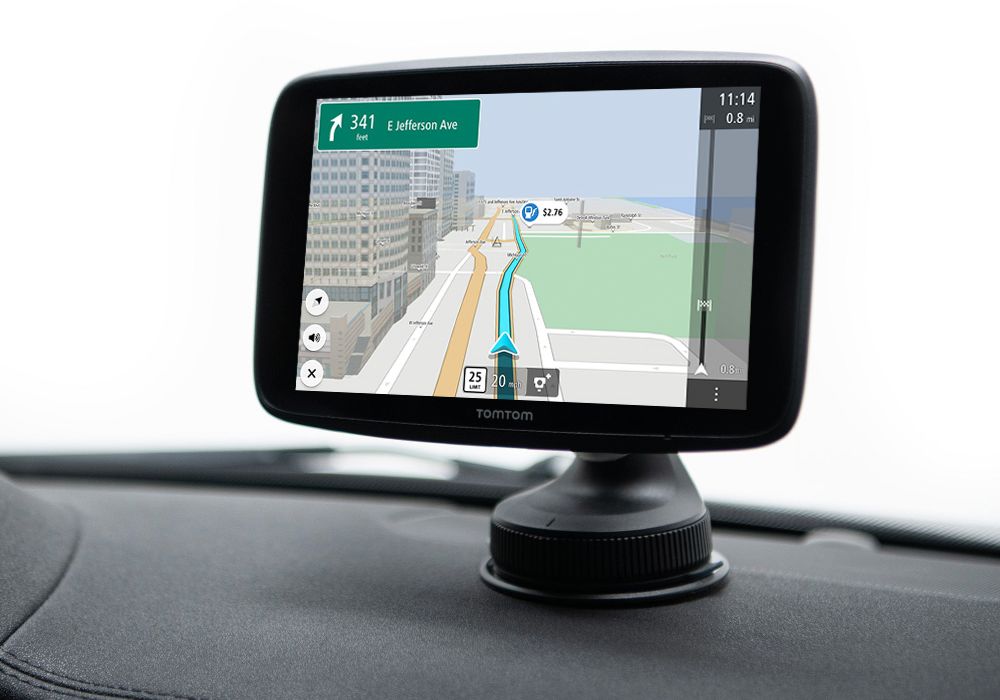
|Posted .This reviewer received promo considerations or sweepstakes entry for writing a review.I really enjoyed using this GPS unit thoroughly. It comes with the main unit (TomTom), mounting bracket with a suction cup, USB cable, and a car charger. You can sign up to use the app and pay the fee but I didn’t find any use for it. I mainly enjoyed this because of the fact that I sometimes, scratch that, most times lose signal when I least expect it and I e ran into some dangerous situations trying to find my way in the road while maneuvering my phone. There’s quite a few apps that are free, with ads, that can do what this does and you don’t need to buy any additional equipment. While this is true, most of the apps don’t let you have the comfort of downloading all of the maps on the go. I was worried that The maps weren’t going to be accurate but driving around Los Angeles relying solely on this TomTom, I wasn’t disappointed at all. It shows you gas stations on your way to your destination and allows you to add stops too. It also allows you to map your progress and upload it automatically to your account. You can pop the unit off of its mount, it’s magnetic, and you can safely store it. It also Sleeps automatically once taken off. One of the bad things that I thought would cause issues is that it constantly connects to my Bluetooth. I didn’t realize it but I was sharing my data while downloading maps in the background and I’ve used all of my hot spot. Maybe I didn’t figure it out but there should be a feature where it stops loading on your data. I know you can download the maps via WiFi but once I got the text about going over I knew where it came from. Great piece of equipment and it hasn’t faltered once in this hot desert heat.
I would recommend this to a friendA sturdy friend to guide the way
|Posted .This reviewer received promo considerations or sweepstakes entry for writing a review."I Just use MAPS on my phone" is the answer I receive when I ask people in my age range (35-45) what their preferred navigation aid was. I must admit, that was my answer too until I discovered the TomTom - GO Discover 7" GPS. First, the TomTom - GO Discover 7" GPS relies on decades of proven technology to get you to your destination. Sure, mount your smart phone... But use your phone to do phone things. Leave the navigating to the TomTom - GO Discover 7" GPS. Opening the box, you are greeted by the massive 7" screen. Power cord, and car mount. Setting up the TomTom - GO Discover 7" GPS was a breeze, as the unit came fully charged and connected to both my phone and Wi-Fi with ease. If I can do it, you can do it! Answer a few questions on the GPS itself, and you are good to go. I input the usual (work, home, friends' houses, Dr's office's etc.) into my favorite destinations. TomTom has you covered for everything else. I was delighted by the instant recall that the GPS would either recognize the destination by either typing in the first few letters of the name, or the first few numbers of the address. It is, at times, a bit creepy as if it can read your mind! That is how instantly fast the results now come up! Mounting this bad boy was simple as well. The mount connects to the back of the GPS via what seems to be an extraordinarily strong magnet. I am incredibly pleased TomTom has gone this route instead of the usual "snap in" type. And then we have the suction cup! It is awesome! Depending on your vehicle - this will safely and securely adhere to your dashboard. But it will ALWAYS adhere to your windshield like you wouldn't believe. And it will not come off if you hit bumps in the road!! Returning from a 400mi round trip excursion today, the TomTom - GO Discover 7" GPS performed extraordinarily well. It even knows where the gas stations are (and the gas prices!). Another thing that I am overly impressed by is the speedometer. It is a mirror of what my vehicle reports at any moment in time. I find this to be a safety feature as my eyes do not need to scan additional areas, when it is all concise in the TomTom - GO Discover 7" GPS. Traffic and re-routing are accurate and instant. I had a much older model and was impressed by the TomTom - GO Discover 7" GPS performance in this regard. It seems as if the TomTom - GO Discover 7" GPS "has your back". When planning a trip, it gives you multiple options. Even during the trip, if it notices there is a delay ahead, it will route you around it. There are also voice commands, which I have unfortunately yet been able to play with. But the general feeling one gets from a TomTom and, especially this model, is that it has your back, that it will get you to your destination, and it will guide the way if you are lost. You can ask much more from a GPS device. I would recommend the TomTom - GO Discover 7" GPS to anyone that DRIVES A CAR!
I would recommend this to a friendFull featured GPS, great for city driving.
|Posted .This reviewer received promo considerations or sweepstakes entry for writing a review.Well packaged and arrived with nearly a full charge. It was plug and play with only a few set up screens to go through - easier than programming a phone. The mounting suction cup and arm was a good size for my windshield and the rotating lock for the suction cup was a bonus. I travel through and between a number of large cities for work and the TomTom has been a huge relief. It always seems like I end up in the wrong lane exiting or entering a main road; finally, I know which lanes of the ramp to take well in advance. It is also nice if you are making a 200 mile trek to have weather and gas stations at a touch. and a 7" screen that I can move from rental to truck to car and keep all of the directions without the hassle of pairing/sharing my phone is also a great reason for a dedicated GPS screen. Recharge was fairly rapid and I didn't have to do that for days. Free and regular updating of maps via internet came in handy a few times as did construction alerts and road hazard detection. I had not had a dedicated GPS unit for years (opting for just using an app on the phone) and now I am so glad to have one again. Especially as full featured as this one.
I would recommend this to a friendNo live anything without tether or wifi
|Posted .This reviewer received promo considerations or sweepstakes entry for writing a review.If this were advertised as just a "dumb" GPS it would easily get 5 starts. But TomTom decided that this device needed extra features for marketing. It's not made clear that you have to the capability to supply those extra features on your own. The 7" screen is beautiful, bright, and easy to view from normal driving distance. The touch response can be a little laggy at times, but overall it's responsive enough to make navigation in the menu a frustration free job. First boot required an update for the maps at a bit over 12GB. If you have a slow connection you'll need to do this overnight. After updating, the Go Discover still didn't update my location. I put it in the car for an hour, still no update. Did a soft boot (hold the power for 20s) and it finally updated. I put it to sleep for 3 hours and laid it down. I then began my drive and it wouldn't update agian. Another soft boot and it started updating.again. So now I just shut it down instead of sleeping to avoid the no signal from wake. First drive took me through a construction area. For the last two years the speed limit on the interstate was set to 60. I've alerted multiple GPS services for all the two years with no change and they still tell users it's 70MPH through a construction zone. Only one has actually fixed their speed and they only took a month of alerting. Sad thing is their parent company who offers another GPS service hasn't made any changes and still reports 70. Sad to say that TomTom must use their same database because it's incorrectly reporting the speeds at the exact same spots. So pay attention to the posted limits because some of these companies refuse to take real user input on traffic data. This is where the two stars get knocked off. The advertise unlimited traffic data, camera data, etc. They do, but you're the one who has to foot the bill by tethering off you phone's data. Some of us have some low data tethering caps so forget sharing my precious data when I could just use my phone itself as a GPS and save the tethering data for real use. One of the reasons to have the standalone GPS was to free up battery on my phone, and tethering chews up battery life along with using up my data. The suction cup holds firm, but as some of us have gotten accustomed to, it won't stick to a dash. It has to be on the window or a completely smooth surface. Back to details of my first drive. Since I know the route, I know where to get off to go around the construction or accidents when they happen. I did allow tethering for this drive to keep things equal. I take a route that goes around the traffic that GPSs tell people to use to go around the main slow down, so I take a further out backroad. My main GPS hounds me over and over to take U-turns until it reroutes and gets the idea that I'm not turning around. The GO Discover seems to avoid u-turns but opted for me to take a three mile circle to get back to the highway. At first I though it was smarter than my other GPS service since it was taking me to the intersection I was heading to, but it turns out it was worse by adding more time and distance. The time estimation was pretty close and was the same 47min drive that my other service reported taking the backroads without accidents. If there weren't any promises of anything other than an offline GPS service, this would easily hit 5 stars. But giving promises of more that require the user to use a device that can already do what this GPS does really doesn't make any sense.
I would recommend this to a friendNot very acurate
Posted .This reviewer received promo considerations or sweepstakes entry for writing a review.First, the screen is not really bigger than the Garmin. Yeah I'm old but I just got my eyes fixed and looked very closely. The border makes it look bigger. I live off I 95 in FL and when coming home it want to take me off I 95, go 30 miles out of my way when in fact it is not necessary. When going across the state it sends me on a direct route but on the way back it sends me up to Tampa and then across to I 95 adding 60 miles to the trip. I'm not that stupid so I disregard it. I just don't feel that I can trust where it is taking me when I don't happen to know the exact way I should go.
No, I would not recommend this to a friend