Customer Ratings & Reviews


---
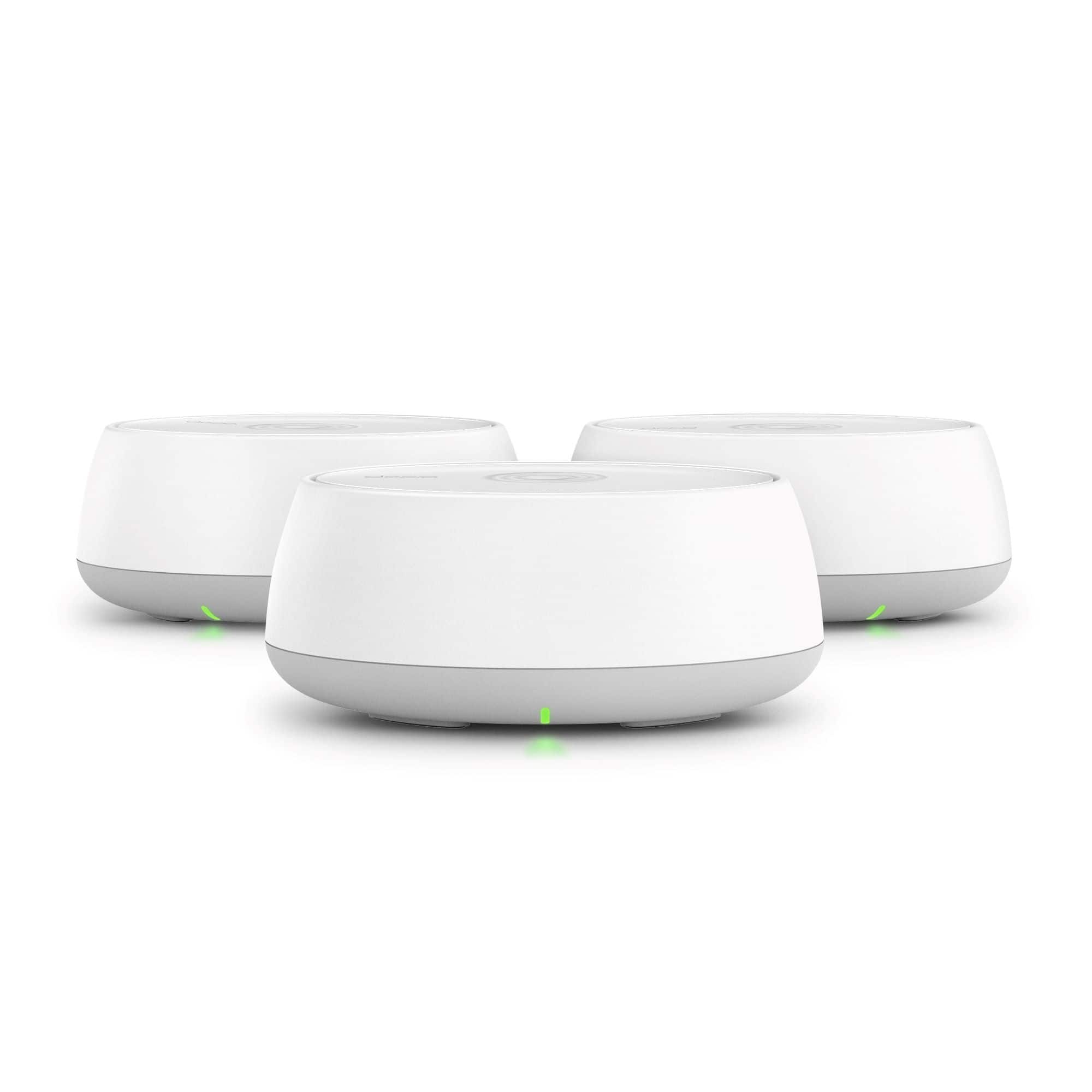
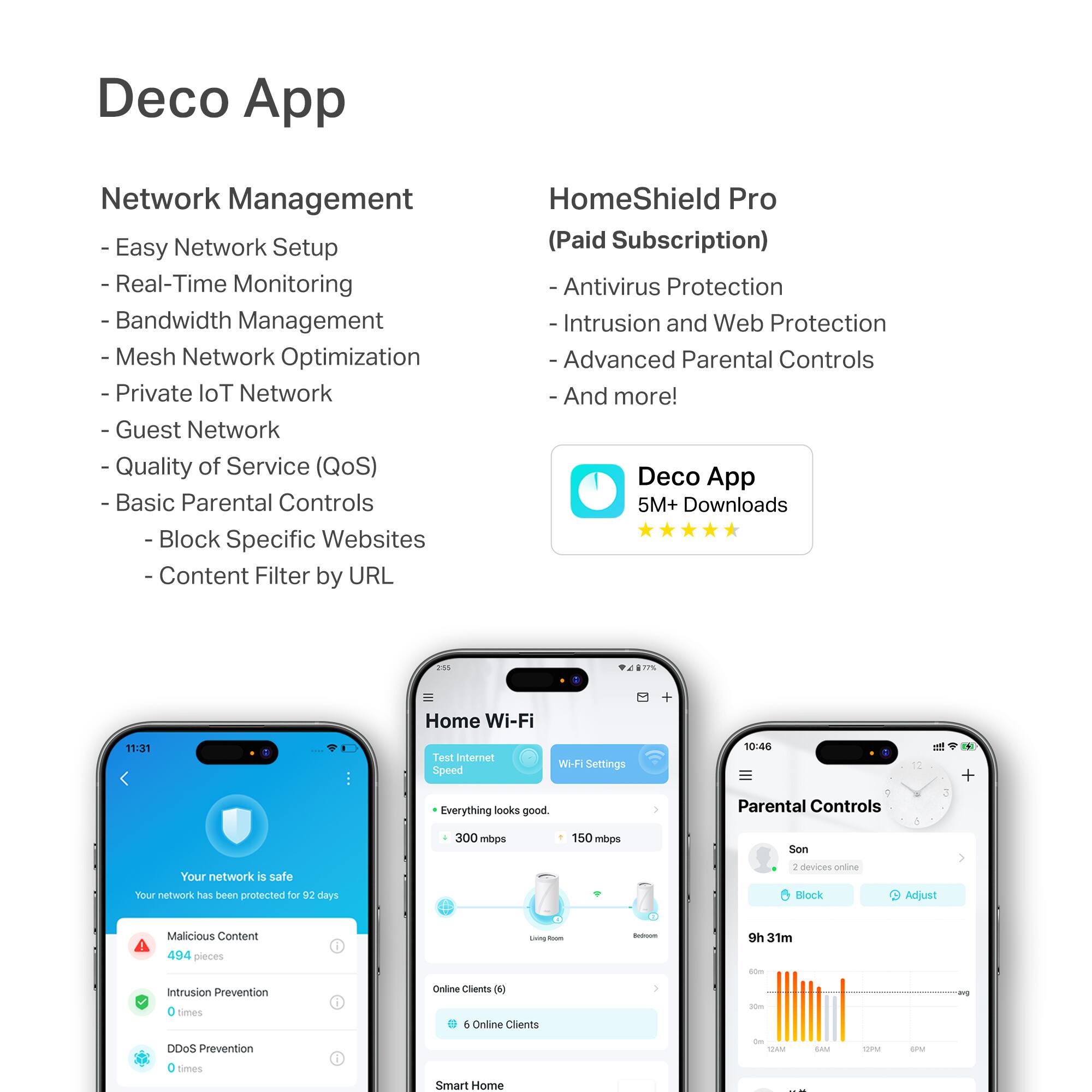
**HomeShield**
HomeShield is a built-in service, available in all HomeShield routers and Deco mesh products.
- Router Security Scan
- Wireless Security Scan
- IoT Device Identification
- Basic Parental Controls
- IoT Protection*
- Web Protection*
- Intrusion Prevention*
- Antivirus Protection*
*Included with HomeShield premium subscription service](https://pisces.bbystatic.com/image2/BestBuy_US/images/products/6b28137d-c0c0-4dd5-8a70-f516315f423f.jpg)

- Model:
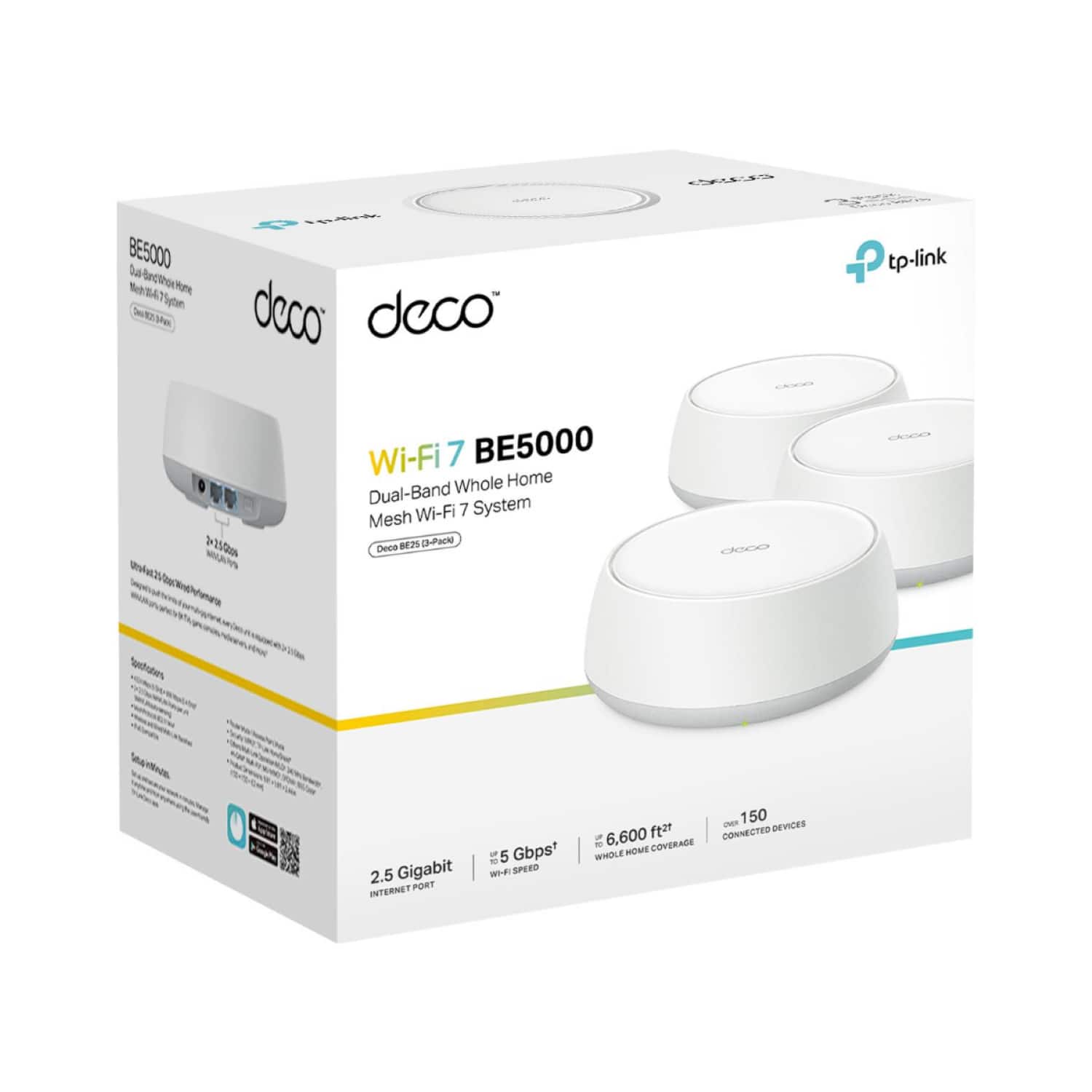
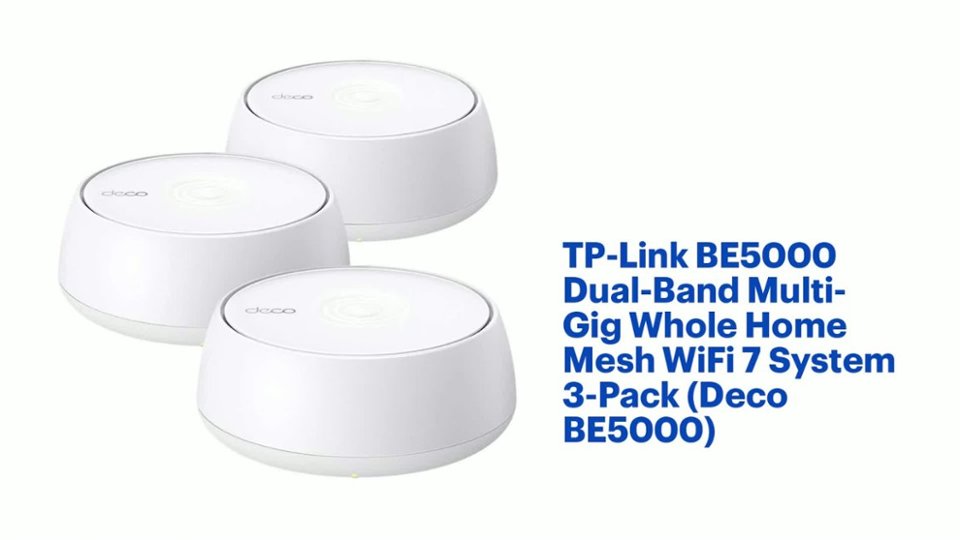
- Deco BE5000(3-pack)
- SKU:
- 6578377
Rating by feature
- Setup
Rating 4.6 out of 5 stars
- Range
Rating 4.5 out of 5 stars
- Signal Strength
Rating 4.5 out of 5 stars
Customers are saying
Customers often highlight the Deco BE5000's super fast speeds and easy setup process. Reviewers also appreciate the great coverage provided by the mesh system and its overall performance. Additional features like the user-friendly app, parental controls, and available Ethernet ports on each node are also well-received.
This summary was generated by AI based on customer reviews.

Affordable Wi-Fi 7 Lite
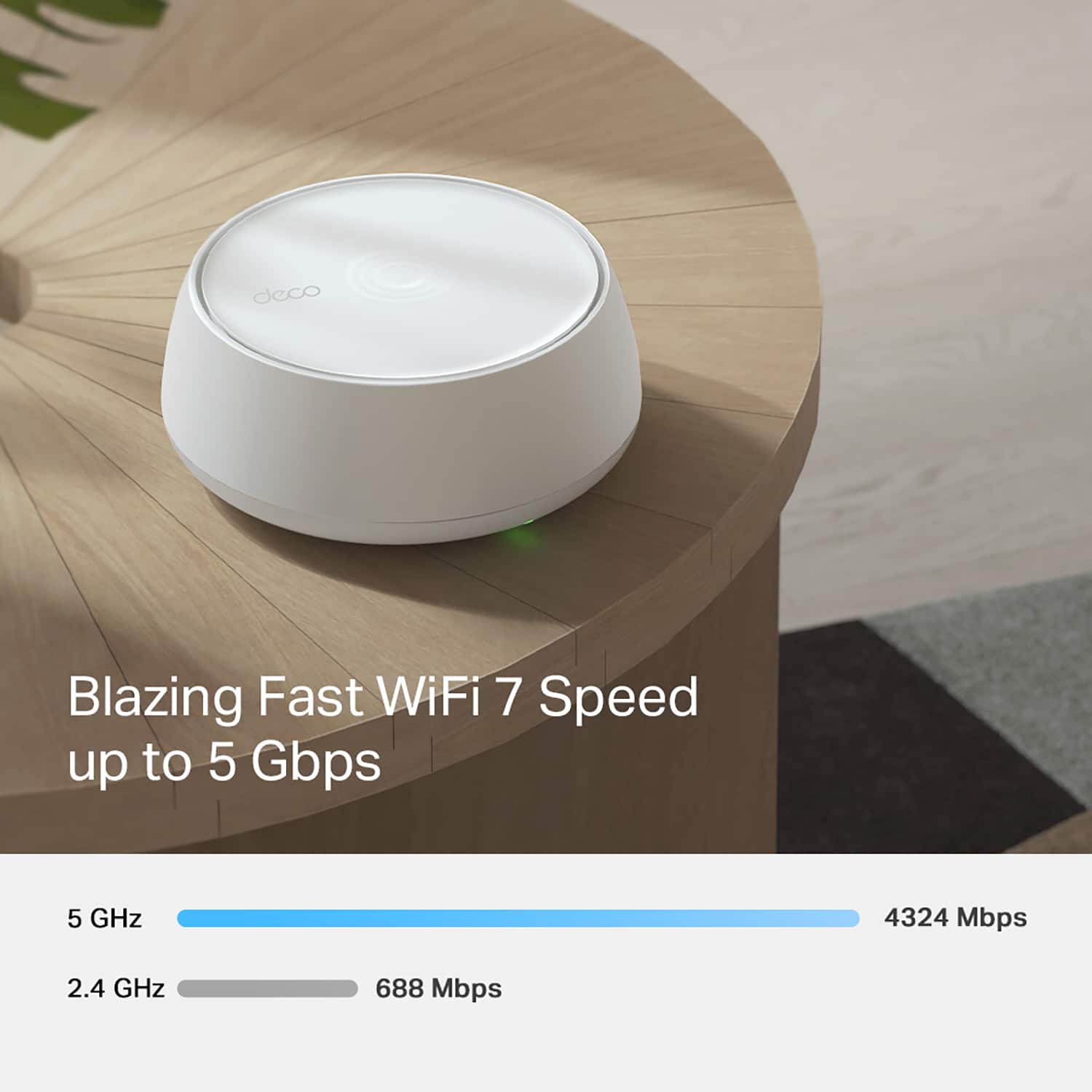
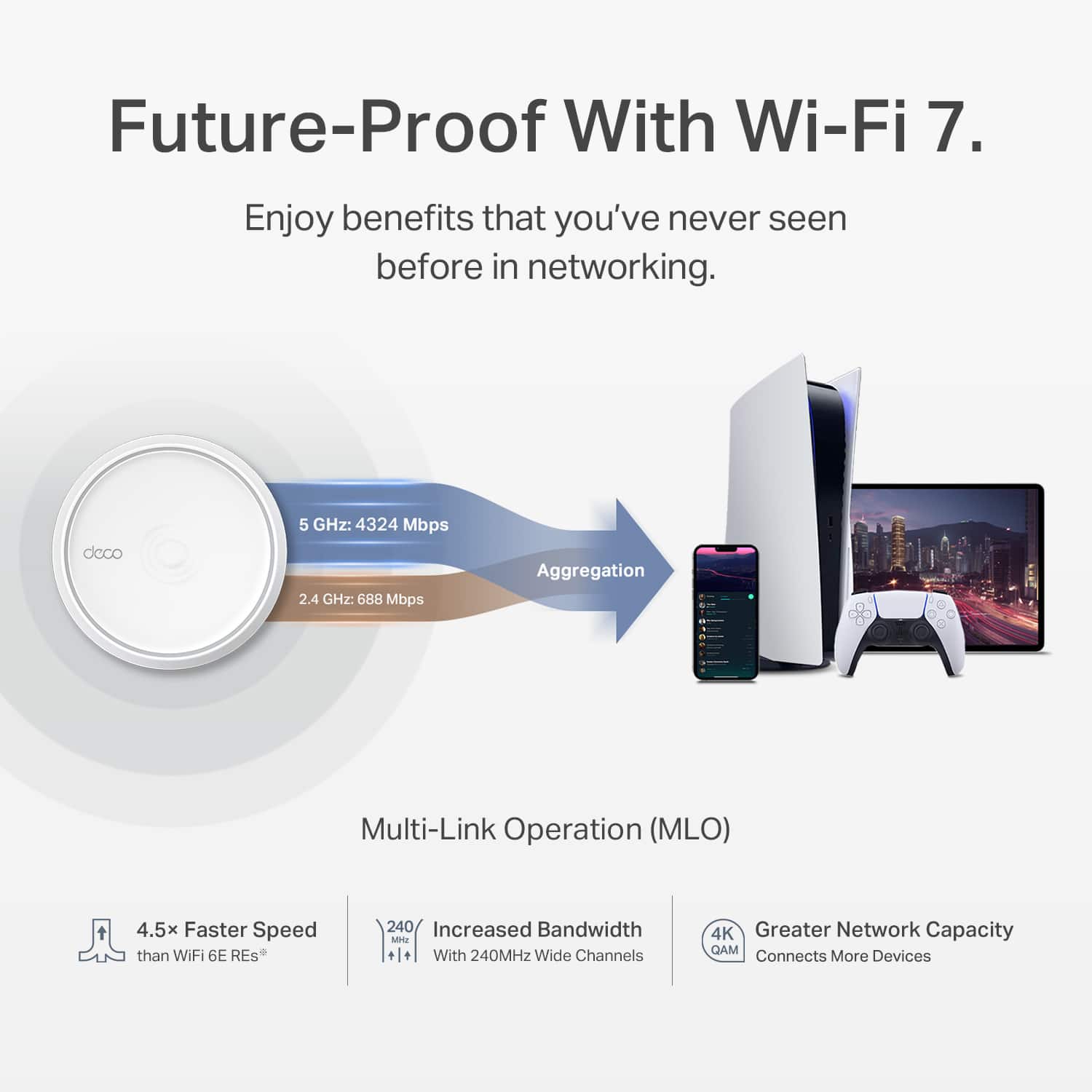
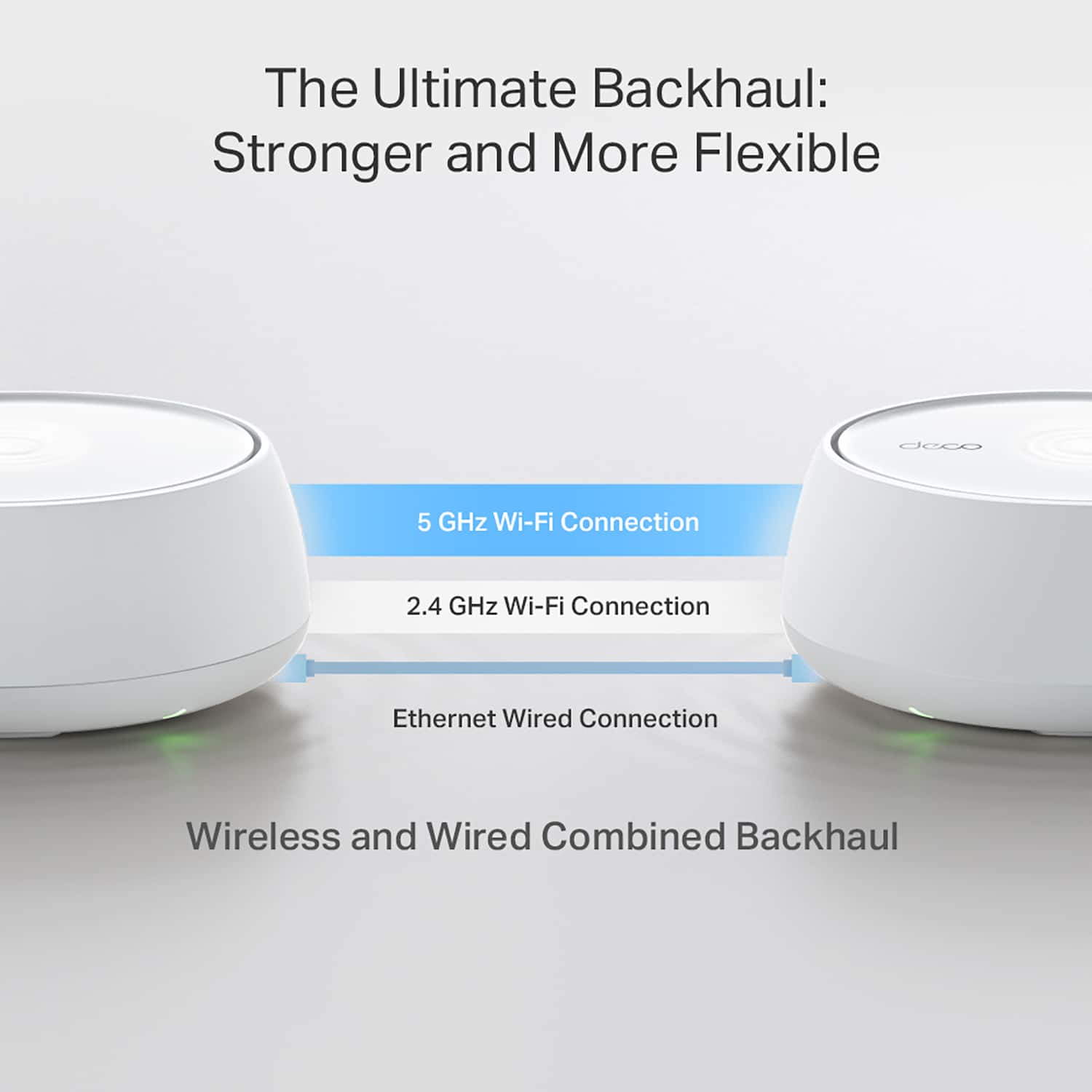
|Posted .This reviewer received promo considerations or sweepstakes entry for writing a review.The price for a three-node Wi-Fi 7 Mesh network is great, and there is a lot to like, until I realized that these although are Wi-Fi 7, do not have the 6 Ghz radio. W-Fi 7 allows for three simultaneous bands: The slower, more crowded and longer range 2.4 Ghz, the shorter range and faster 5 Ghz and the even faster 6 Ghz at much shorter distances. This router set lacks the 6 Ghz radio. However Wi-Fi 7 makes better use of the available frequencies by packing data frames more close together. So this explains the relatively low price for a three-set. This is my first TP-Link router after using a different brand for many years, and I like what I see. The configuration is done via the Deco app for phones or tablets. For a consumer router it has everything it needs. One can configure different Wi-Fi security settings, internal network address and reservations, port forwarding, IPv6, DNS and everything I'd expect. It can also be set to act as a VPN client (For whole-house VPN) or VPN server, to use the home IP address while traveling. Didn't get to use this but it's there and can come in handy. Each node has two Ethernet ports, and both are 2.5 Gigabits, so it can support Internet connections higher than 1 Gigabits. The main node recognizes automatically which node is connected to the internet provider and which one is local. This worked just fine. Additionally, the other nodes can use Ethernet for backhaul. For Backhaul, each node will prioritize Ethernet, if connected and will simultaneously use available Wi-Fi channels for extra bandwidth. It's all automatic and reconfigures itself on the fly. I have a complicated network with over 70 devices at a given time, some on Wi-Fi and some on Ethernet, with several Ethernet switches in between. Due to an unrelated issue, one Ethernet switch went offline, and the satellite nodes switched automatically to Wi-Fi and even served the local Ethernet clients. They again reconfigured when the issue was addressed. I'm impressed how reliable this has been. I prefer using a Desktop to configure the router, and the web interface is fairly basic, used mostly for monitoring, and not much to configure from it. However I was able to use the iPad app on macOS and worked well enough to set what I needed from the comfort of my keyboard. I also like it doesn't need to reboot when making most changes. It also supports Wi-Fi 7 MLO (Multi-Link) network however this runs on a separate WiFi network label. What this does is that it allows Wi-Fi 7 clients to utilize different bands concurrently. TP-Link also offers additional security filters through optional paid services, which I did not try. Regardless it also supports setting up a separate IoT Wi-Fi, Guest Wi-Fi, basic parental controls and IP camera filters. The main interface shows where every device connects to, on which bands and real-time bandwidth utilization. The deco app can also control other TP-Link home automation devices and it can act as a Matter server. This seems to need more work and doesn’t seem to support Thread but the Overall, if one doesn't need the short-range 6 Ghz band, this is an excellent choice, and the price is much more reasonable than other routers. I'm impressed at how logical the configuration is and overall how stable it's been since installing it.
I would recommend this to a friendExcellent Entry Level Wi-Fi 7 Mesh System
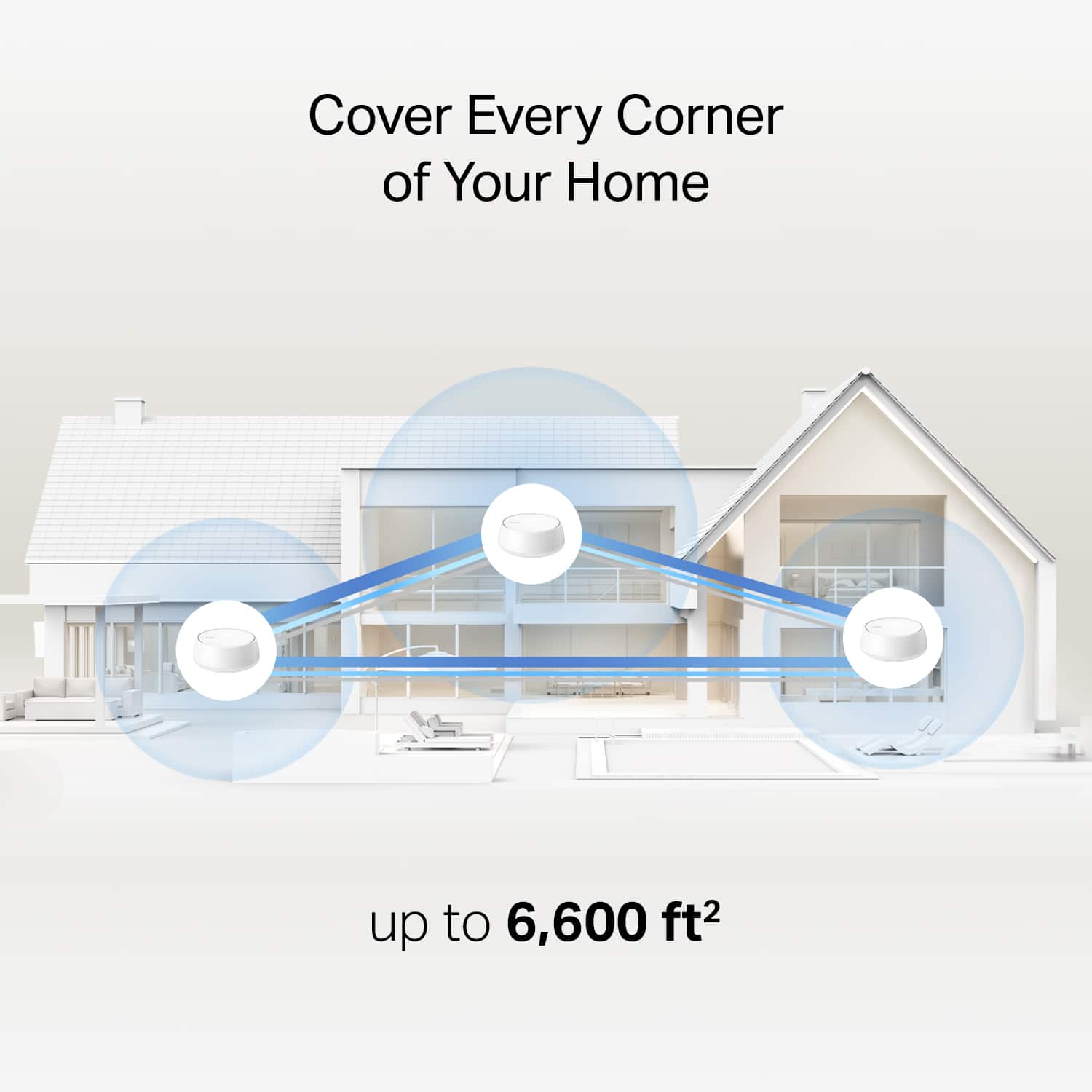
|Posted .This reviewer received promo considerations or sweepstakes entry for writing a review.The TP-Link BE5000 Dual Band Whole Home Mesh Wi-Fi 7 system comes with 3 Deco BE5000 units, 3 power adapters, an ethernet cable and a quick installation pamphlet. Each BE5000 unit comes with two 2.5 Gbps ethernet ports and a WPS button. I considered this to be an entry level Wi-Fi 7 system because it lacks support for the 6 Ghz band. This wasn’t a problem in my case. Setup Setup was very simple using the Deco app. In my case, as I was upgrading from an older and reliable TP-Link Wi-Fi 6 mesh system (which I loved), the upgrade process was able to minimize any disruptions to my home network (which has over 50 connected devices). The upgrade process transfers all my current network settings (such as IP address reservation for my 4 NAS devices) from my home network to the new BE5000 unit. This saves me a lot of time and hassle. When upgrading to a newer TP-Link mesh system, there is an option in the Deco app to replace the main router with a newer (BE5000) unit. To do this, you attach an ethernet cable between the old main router and the new BE5000 unit. You then power up the BE5000 unit and the app will start searching for it. I had to attempt this a couple of times before the Deco app found the BE5000 unit. After finding the BE5000 unit, the Deco app sets up the new BE5000 unit as the main router and the settings of the previous main router were transferred to the new BE5000 unit. You can then remove the old main router from your network using the Deco app. I then used the option in the Deco app to manually add the other BE5000 units to my network and remove the older units. While I was doing this, there was no disruption to my network (except for the brief moment when I was replacing the main router). One really cool thing about this is that I could have used the older units from my previous mesh system as additional nodes in my new network. The older TP-Link units are compatible with the newer BE5000 units. For my 1400 square ft 3 level townhouse, 3 nodes are enough to cover my whole house with excellent wi-fi. I have a node on each floor of my townhouse. Performance During my 5 days of use, the TP Link BE5000 has been rock solid and super fast. I have not encountered any issues with any of my devices. All my wi-fi devices (whether using the 2.4 Ghz or 5 Ghz bands) seem to be functioning perfectly. The coverage is also excellent as I get full strength signals in all 3 floors of my townhouse. On my Wi-Fi 7 enabled laptop (using the Mediatek MT7925 adapter) I am getting the fastest link speed (2882/2882 Mbps) I have ever seen on the 5 Ghz band. With my previous TP-Link Wi-Fi 6 system, this same laptop reported a link speed of 2402/2402 Mbps. The TP-Link BE5000 Mesh Wi-Fi system can also perform Backhaul Aggregation where it can combine the wireless Wi-Fi and wired Ethernet connections between two nodes to improve speed and throughput. I am currently using MOCA as a wired backhaul for the units in my network. The MOCA units I am using are limited to 1 Gbps transfer rate. With Backhaul Aggregation, the connection speed between each node should now be greatly improved. Using Speedtest, I am getting 924.41 Mbps download and 23.23 Mbps upload speeds on Xfinity. Overall, browsing the web and doing anything online feels very zippy. The TP-Link BE5000 Mesh Wi-Fi system has been rock solid, provides excellent range and great compatibility with all my Wi-Fi devices, and is also very fast. The Deco app has a good user interface, visually displays useful information about your network while also providing access to advanced options and features such as Operation Mode, MAC Cloning, NAT Forwarding, IP Address Reservations, QoS, adding a VPN server, adding a MLO and dedicated IoT Network, etc. In summary, I can easily recommend the TP-Link BE5000 Dual Band Mesh Wi-Fi 7 system to anyone who is looking for a low-cost entry point to upgrading their network to Wi-Fi 7.
I would recommend this to a friendSimple and easy Wi-Fi 7 Setup for your home
|Posted .This reviewer received promo considerations or sweepstakes entry for writing a review.I was curious about upgrading my Wi-Fi 6 mesh home network and when the Deco BE5000 Mesh Wi-Fi 7 system was recently introduced by TP-Link, I figured it would be an easy and affordable introduction to the latest in Wi-Fi home networking. I should state that I am basically at the entry level of fully understanding home networking, and I prefer to rely on simple and easy networking devices and software to get turn-key results. Being very familiar with TP-Link as a leader as the owner of several smart wi-fi plugs and wall switches, I was excited to give this new Wi-Fi 7 mesh network system a try. I sense that what you don’t know about networking can and will hurt you, but I found TP-Link takes most of the guesswork out of setting up a simple, secure, and reliable home network. I wasn’t so much concerned about connectivity speeds, as that seems more dependent on the internet service provider you have access to. However, as more and more home devices require networking connectivity to work, a fast and reliable network like the BE5000 Deco does begin to make a difference. Here’s where the advantage of utilizing Wi-Fi 7 network features comes more into play. After setting up the Deco BE5000 Mesh system following mostly default settings, I was up and running quickly. At first setup, it did require a brief firmware update and then the Deco smartphone app walks you through the basic installation. Wanting to know more about what I was actually installing, I did several internet searches lo learn about some of the unfamiliar terms, such as MLO (Multi-Link Operations) and IoT (Internet of Things) networks, just to name a few. TP-link’s website contains lots of useful information to help you to make informed networking choices. I could already see that I needed to go back and make several improvements to my “default” home setup armed with a little better understanding. For example, I created a separate IoT network to handle my smart home devices like the wall switches and plugs I mentioned earlier. I didn’t realize I had so many until you find they no longer work after removing them from the old network! It makes perfect sense to set up multiple networks for better control and safety. Speaking of safety, TP-Link does offer a security plan subscription to add extra layers of security to your networking, and that includes a free 30-day trial. My only Wi-Fi 7 clients in our home are two newer laptops. When I switched over to the newly installed network using the faster MLO option, I got a message on my laptop congratulating me for adding a fast and more secure network. It was also quick and easy to set up a guest network for when family visits, basically the flip of a switch in the app. I have noticed as I go around changing networks on all my devices, the Deco BE5000 provides strong Wi-Fi coverage throughout our home. I still feel I have a lot to learn but feel the Deco BE5000 at least gets my foot in the door of Wi-Fi 7 networking. It is no doubt an entry level system and expect to pay twice as much or more to get all the bells and whistles of Wi-Fi 7. In fact in its legal disclaimer, it states “This Deco may not support all the mandatory features as ratified in IEEE 802.11be specification.” For example, I’m aware that it lacks the 6Ghz band found in more high-end Wi-Fi 7 routers. I suspect that for home use, the TP-Link Deco BE5000 will be more than adequate to enjoy improvements from what Wi-Fi 7 has to offer, one that’s affordable and easy to set up.
I would recommend this to a friend- Pros mentioned:Overall performance, Wifi range
Great addition to 5-person house.
||Posted .This reviewer received promo considerations or sweepstakes entry for writing a review.Upgraded our router to this one. Based on our needs with a two story house, a net based system was needed. This worked great through walls and the second story floor. Using multiple TVs with streaming services plus a gaming console and other devices. No more lag or kids complaining.
I would recommend this to a friend - Pros mentioned:Coverage, Speed
Great mesh wifi
||Posted .This reviewer received promo considerations or sweepstakes entry for writing a review.This product was easy to install and configure and works great in our home. We live in a one story home with a walkout basement and the coverage is great everywhere. We get faster wifi than the router wifi and it's even around the whole house. The app not only makes the setup easy, but allows monitoring of the wifi. This was my first experience with a mesh wifi and I love it.
I would recommend this to a friend - Pros mentioned:Coverage, Wifi range
Great Wifi Coverage For Large Homes
||Posted .This reviewer received promo considerations or sweepstakes entry for writing a review.This mesh Wi-Fi system has definitely improved my Wi-Fi coverage around the house. When I first moved into my home, I was experiencing very weak/little Wi-Fi signals as I went into my kitchen and bedrooms with my router/modem I had at the time. I tried using wifi extenders to improve the wifi signals since they are relatively cheap but I didn't observe any changes. So my kids and I had poor connection with the Wi-Fi resulting in lagging while gaming or streaming. Lagging is now a thing in the past since this purchase. I even have signal when I'm outside in the front yard.
I would recommend this to a friend - Pros mentioned:Overall performance
Better than "so far, so good"!
||Posted . Owned for 3 weeks when reviewed.This reviewer received promo considerations or sweepstakes entry for writing a review.I've been using TP Link products for many years, but this Deco WiFi7 Mesh system is my experience yet! We are running this system in line with our fiber-optic ISP gateway (the ONT). The mesh system replaces the fiber company's supplied router. We did have some initial frustration with the setup because the mesh software asked for technical information we did not have. Happily, after doing a basic on/off of the ONT and the main mesh unit, the system fixed itself and we were off and running. Performance is solid and consistent.
I would recommend this to a friend - Pros mentioned:Coverage, Overall performance
Whole house wifi
||Posted . Owned for 2 weeks when reviewed.This reviewer received promo considerations or sweepstakes entry for writing a review.Works great! This whole house wifi is perfect for our multi level home
I would recommend this to a friend - Pros mentioned:Wifi range
Easy Mesh Setup with Great Coverage
||Posted .This reviewer received promo considerations or sweepstakes entry for writing a review.The TP-LINK Deco BE5000 is a great mesh setup that offer dual-band connectivity for 2.4 and 5 GHz. It might be a draw back that there's no 6 GHz band for a WiFi 7 Product. Each mesh has two 2.5 Gbps port for backhauling and/or running hardwired connects directly. The TP-Link mesh offers fast roaming which is nice for modern devices to connect smoothly and quickly. I have my TP-Link mesh configured with AT&T 1 Gig Fiber and their BGW320-505 Router Model and setup was super simple by setting up the deco mesh and switching to access points.
I would recommend this to a friend - Pros mentioned:Wifi range
Coming from a Linksys Mesh
||Posted . Owned for 1 year when reviewed.This reviewer received promo considerations or sweepstakes entry for writing a review.I haven't had any issues during setup. Setup was smooth and easy. The communication between nodes helps a ton getting internet throughout my home. I went overboard with the amount of nodes I need, but feel it was totally worth it. I get anywhere between 90% to full speeds on my devices that are capable of taking advantage of the wifi 7 feature. As long as quality and functionality remains the same I'd buy again.
I would recommend this to a friend - Pros mentioned:Overall performance, Wifi range
Easy to install
||Posted .This reviewer received promo considerations or sweepstakes entry for writing a review.Very easy to install and work great!! My house has three floors and know I can have wi-fi in all of them.
I would recommend this to a friend - Pros mentioned:Coverage
Small but powerful
||Posted . Owned for 2 months when reviewed.This reviewer received promo considerations or sweepstakes entry for writing a review.I recently upgraded to the TP-Link Deco BE3600 WiFi 7 system, and the difference is huge. The coverage is strong, stable, and fast throughout my entire home. Dead zones I used to have in the kitchen, backyard, and bedroom completely disappeared. Setup was extremely easy — the Deco app walks you through every step, and it only took a few minutes to get everything connected. The network has been very reliable, even with multiple devices streaming, gaming, and working at the same time. Since it’s wifi 7 the speed it so much better than the older devices i had!
I would recommend this to a friend - Pros mentioned:Wifi range
Game Changer
||Posted .This reviewer received promo considerations or sweepstakes entry for writing a review.Had a few dead spots in the house which were no big deal until I started working from home. Once I started dropping every single meeting, I knew it was time for a change. I've only connected two of the three units, but have not dropped a call since. Well worth the investment!
I would recommend this to a friend - Pros mentioned:Coverage, Overall performance
Router
||Posted . Owned for 1 week when reviewed.This reviewer received promo considerations or sweepstakes entry for writing a review.Love this. Works great! Easy to set up and great coverage.
I would recommend this to a friend - Pros mentioned:Signal strength
Lives Up To The Hype
||Posted .This reviewer received promo considerations or sweepstakes entry for writing a review.This router was everywhere the other reviews said. It was so simple to setup and the signal reached the backhouse which previously had a very poor signal. I highly recommend it!
I would recommend this to a friend - Pros mentioned:Coverage
Works as advertised
||Posted .This reviewer received promo considerations or sweepstakes entry for writing a review.This is actually the second group of these that I have purchased. The first ones worked really well but left a few deadspots int he house, I know have 5 of these guys up and running with much better coverage.
I would recommend this to a friend - Pros mentioned:Speed
Wonderful, Fast, Easy to Use
||Posted . Owned for 1 month when reviewed.This reviewer received promo considerations or sweepstakes entry for writing a review.Incredibly fast to set up, easy to use. Remote management is wonderful for helping my family reset while I am away. 10/10 recommend.
I would recommend this to a friend - Pros mentioned:Overall performance
The best Mesh
||Posted . Owned for 3 weeks when reviewed.This reviewer received promo considerations or sweepstakes entry for writing a review.I had purchased this mesh router and it was much better than expected. We had a router from our ISP but this leave their router in the dust. We have not had any problems and it was easy to setup plus we can add additional units beyond 3
I would recommend this to a friend - Pros mentioned:Coverage, Speed
Great Entry Level Mesh To WiFi 7!
||Posted . Owned for less than 1 week when reviewed.This reviewer received promo considerations or sweepstakes entry for writing a review.I've only used it for about one night. I didn't even know this existed. Was browsing through my local Best Buy store and stumbled upon it. Speeds will drastically improve on devices that support WiFi 7. As far as ones that don't, coverage should improve on those as well but only time will tell. I do like that these have TWO multi gig ports as opposed to only one. Huge pro. Other than that. Not that different than WiFi 6e mesh.
I would recommend this to a friend Great Mesh System!
||Posted . Owned for 3 weeks when reviewed.This reviewer received promo considerations or sweepstakes entry for writing a review.This is an excellent mesh system! I purchased this as part of my switch to fiber internet and am very pleased with the performance. The system was easy to setup, and the app shows who is connected so I can monitor the network in real time. I have a 2200 square foot two story house and the signal strength is optimal in every room. I would purchase this system again, and recommend it to anyone.
I would recommend this to a friend