Customer Ratings & Reviews
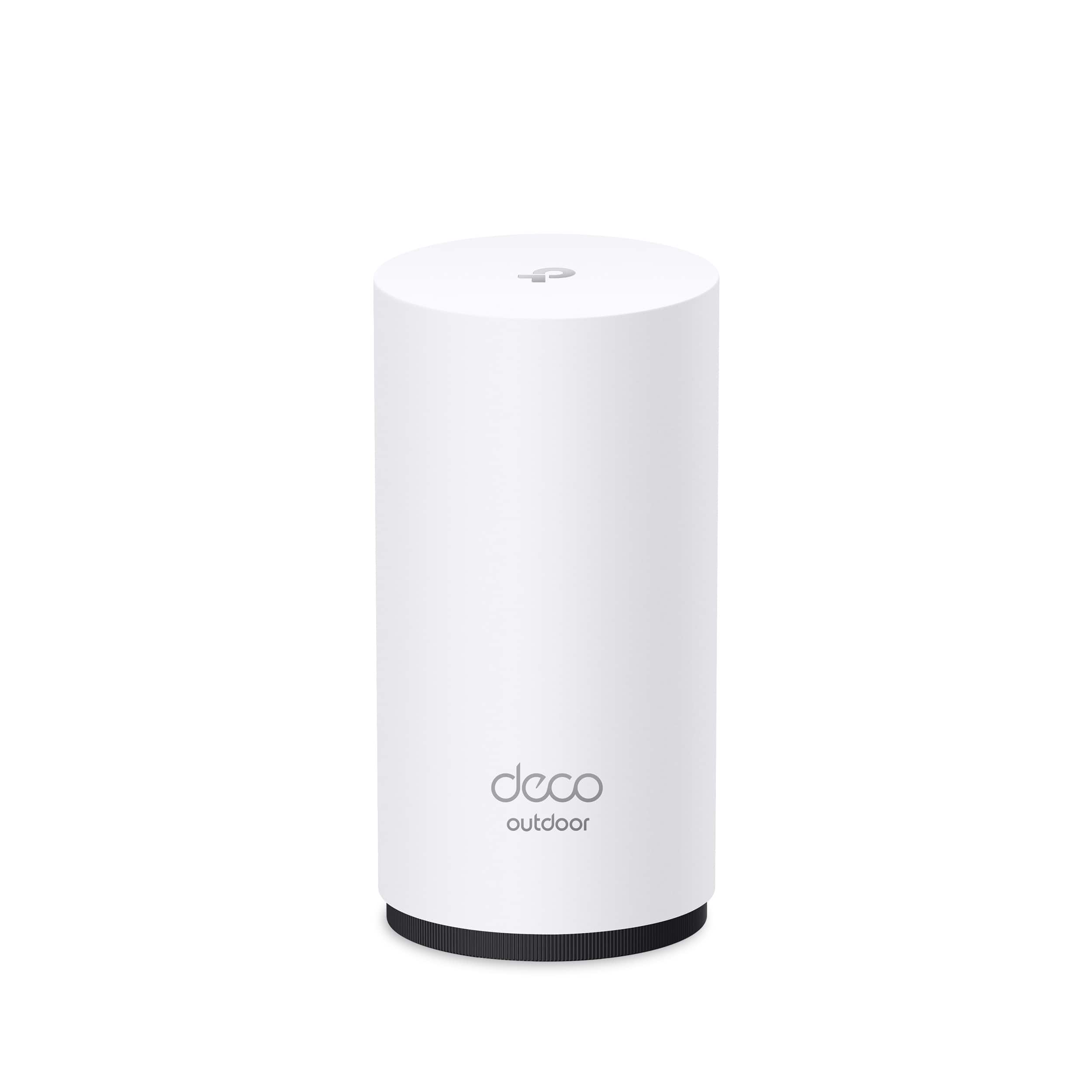


*Included with HomeShield premium subscription service](https://pisces.bbystatic.com/image2/BestBuy_US/images/products/0e214438-35b3-4d77-8e06-50a12a1ca686.jpg)
- Model:
- Deco BE65-Outdoor(1-pack)
- SKU:
- 6623604
Rating by feature
- Setup
Rating 4.7 out of 5 stars
- Range
Rating 4.7 out of 5 stars
- Signal Strength
Rating 4.8 out of 5 stars
Customers are saying
Customers often highlight the Deco BE65 Outdoor router's easy setup and solid build quality. The router's tri-band Wi-Fi 7 connectivity and weather resistance are also frequently praised. Users appreciate the strong signal strength, good coverage, and the usability of the app.
This summary was generated by AI based on customer reviews.
Amazing outdoor performance
||Posted . Owned for 2 weeks when reviewed.This reviewer received promo considerations or sweepstakes entry for writing a review.This mesh node extends wifi across my whole yard with high speeds
I would recommend this to a friendTP Link not Bambu Lab 3D printers
||Posted .This reviewer received promo considerations or sweepstakes entry for writing a review.Why such a low rating, because TP Link blocks certain protocols TP Link Deco do not seam to be compatible with Bambu Lab 3D printers
No, I would not recommend this to a friend- Pros mentioned:Build quality, Weather resistance

Versatility with Superior Performance
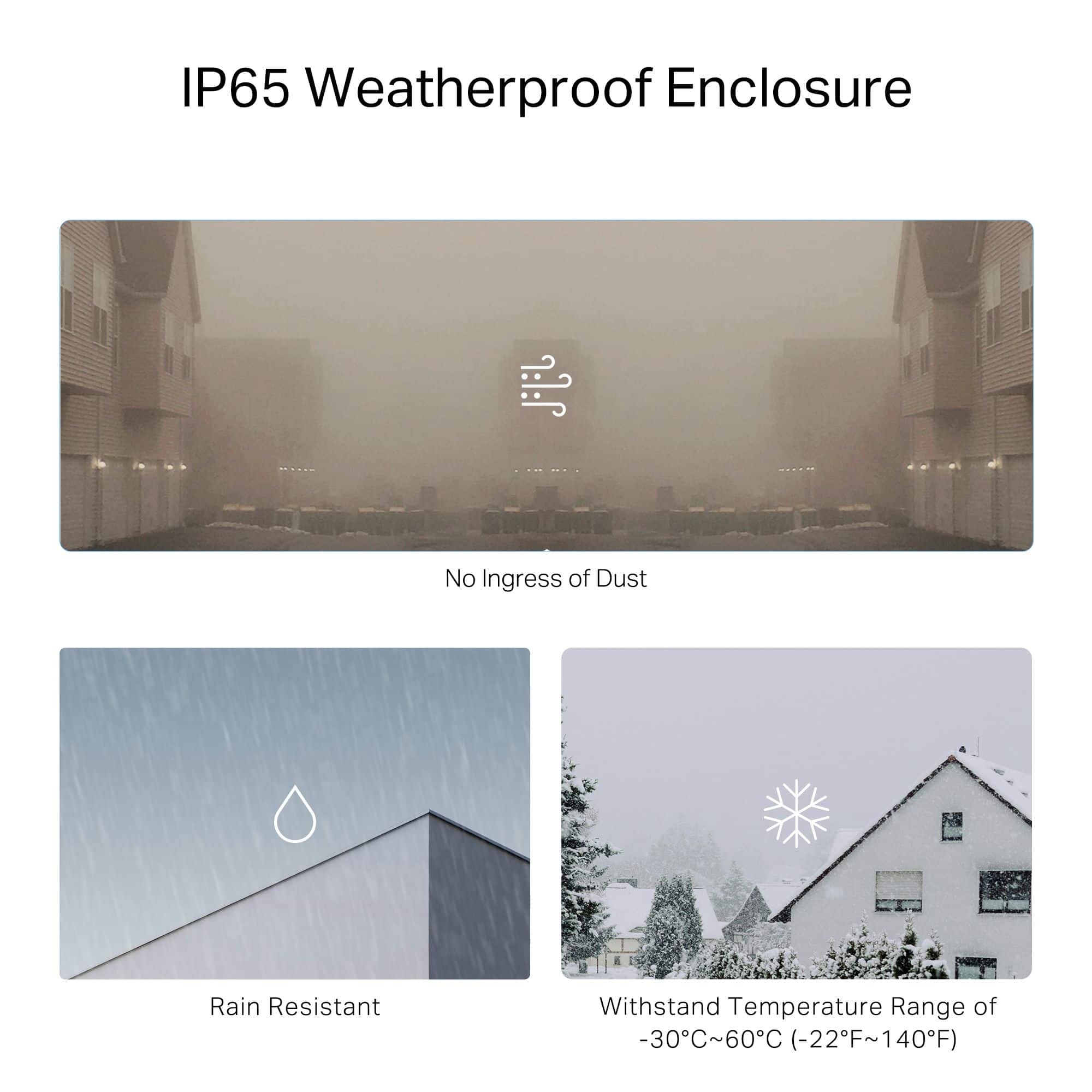
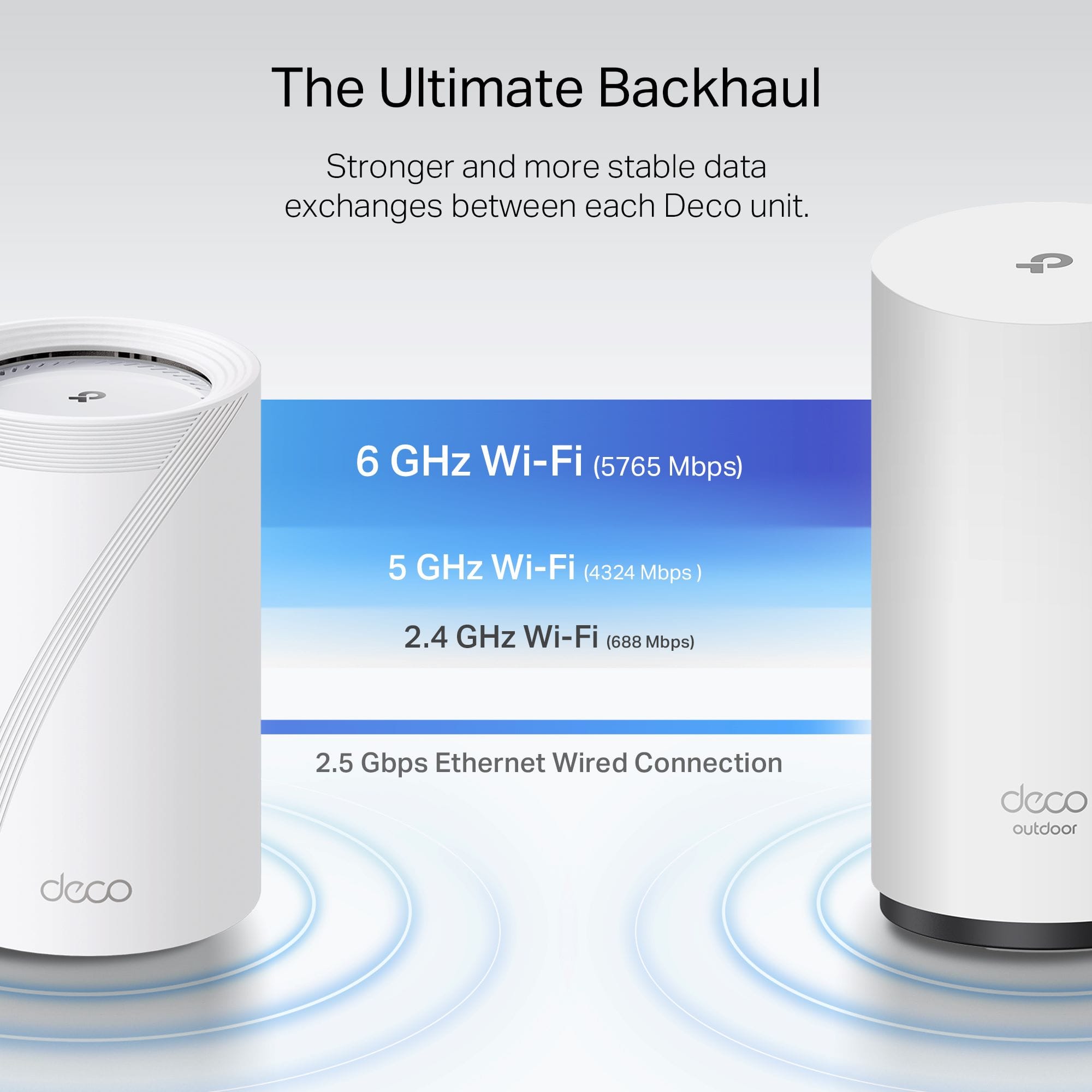
|Posted .This reviewer received promo considerations or sweepstakes entry for writing a review.Routers and range extenders today are a dime a dozen where it is difficult to distinguish what you really need. TP-Link has definitely set out to check all the boxes here though as they have covered the entire gamut of use cases with this product! First right out of the box the premium build quality is evident in its robust design, particularly with the IP65 weather resistance, ensuring it can withstand dust and water, making it genuinely suitable for all-season outdoor use. However, it also has that refined look that would combine well with any upscale interior decor you may have. The mounting was especially convenient as it includes a bracket that can be mounted for a variety of use cases. Performance is right on par with the build quality as it again hits everything you could need from a performance standpoint. Its standout feature from a performance standpoint is undoubtedly the Wi-Fi 7 support, which puts out speeds up to 11 Gbps across all three bands (2.4 GHz, 5 GHz, and 6 GHz). When streaming in 4K everything was extremely smooth and then while gaming I was completely lag-free. Also the inclusion of two 2.5 Gbps Ethernet ports is a big plus since it allows for high-speed wired connections or if you're integrating it into an existing network. Then the power over ethernet support is also a convenient feature, simplifying installation by allowing both data and power to be delivered through a single cable. What makes this unit particularly versatile is its dual functionality. It can operate as a standalone router, providing a complete Wi-Fi network as the primary internet connection if you're running directly from a modem. Alternatively, it excels as a mesh unit. It seamlessly integrated with my other TP-Link Deco router setup as I had a current dead spot in my indoor pool area and this fit the bill perfectly, especially with the waterproof component. Overall, this router offers Wi-Fi 7 performance, robust outdoor durability, and flexible deployment as either a standalone router or a component of a mesh network. Its strong feature set, including weather resistance, multi-gigabit Ethernet, and power over ethernet makes it a perfect choice either as a standalone router or for extending your current network and thus I would highly recommend it!
I would recommend this to a friend - Pros mentioned:Build quality, Connectivity
Outdoor PoE AP with 6Ghz bandwidth and good range
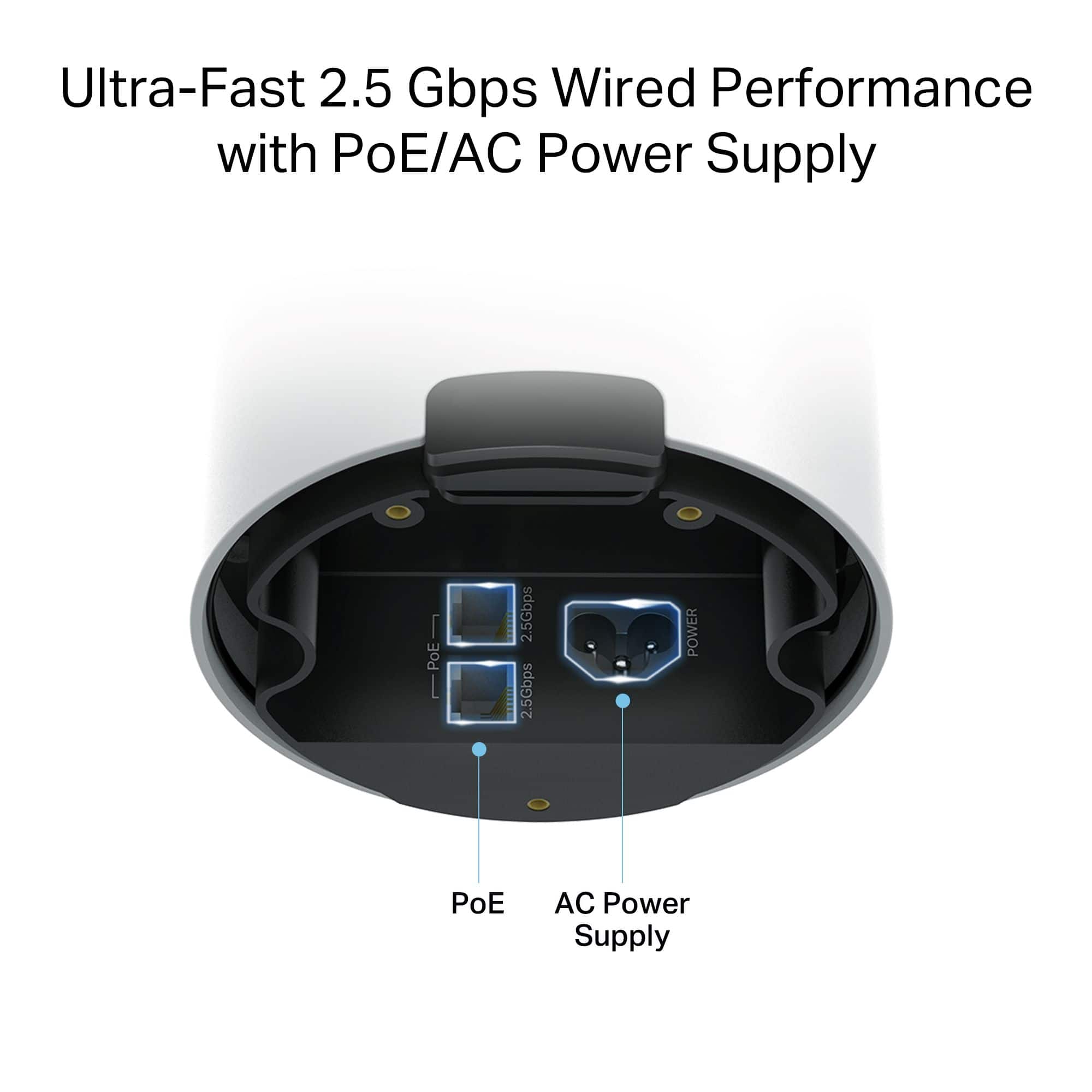
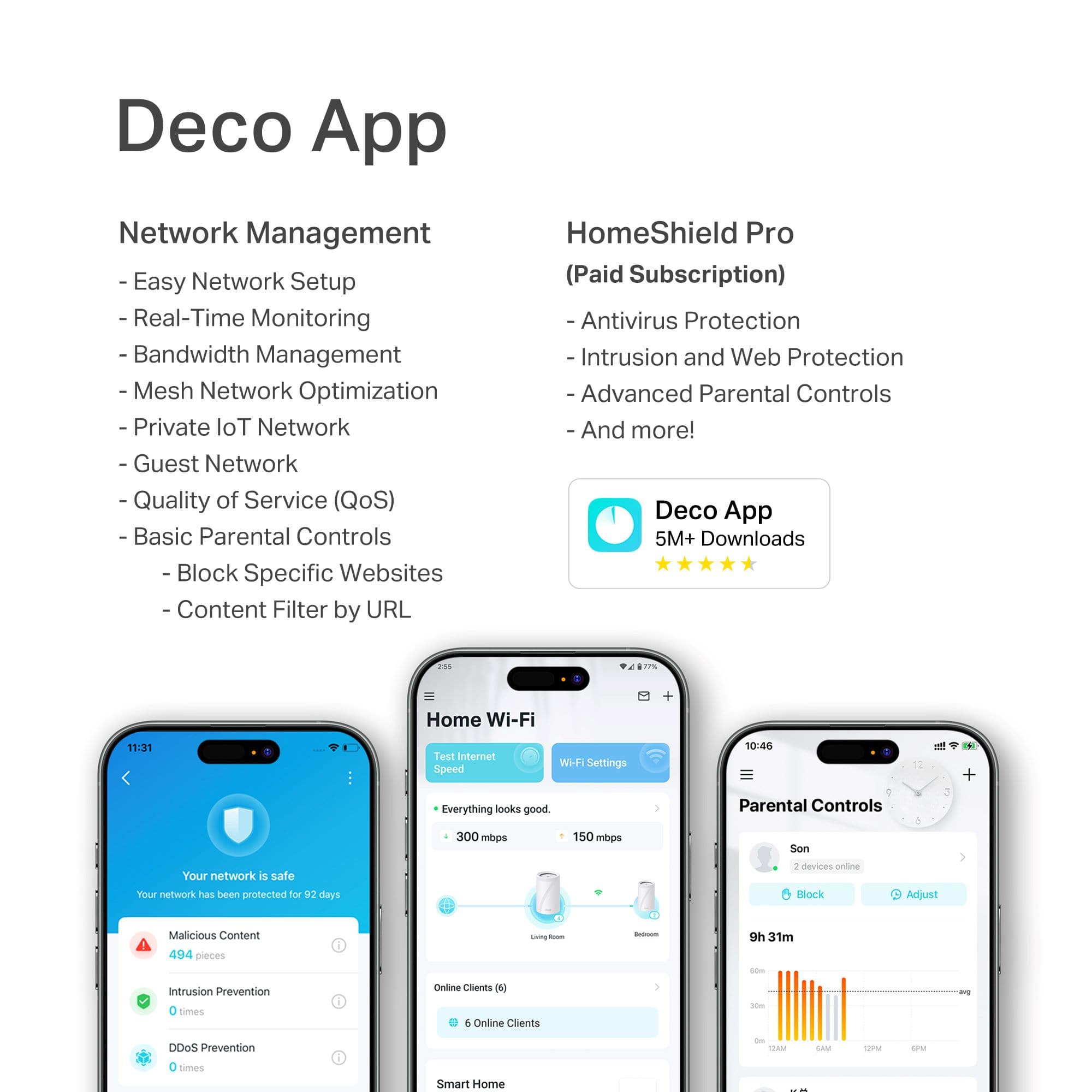
|Posted .This reviewer received promo considerations or sweepstakes entry for writing a review.TP-Link’s BE-65 Outdoor is the outdoor version of the BE-65 Pro, bringing tri-band WiFi 7 and IP65 rating together. What does TP-link bring to the table beyond some rubber seals? Let’s dig in. Out of the box, you’ll find the BE65 fairly unassuming at first. There is a 10ft power cable and an oddly short 6ft Ethernet cable. On first inspection of the unit, you’ll find no external ports. Instead on the bottom of this thermos shaped object, is a rotatable rubber clad cover. This rotates to reveal the bottom of the device cavity, where dual 2.5Gb ports, and AC power connects are. A flexible rubber gasket has grooves for 3 cables: one for each Ethernet port and one for the power cable. Once a cable is routed, the bottom screws back on with a quarter turn locking everything in place. This is essentially the basis of the IP65 rating, keeping the rather sensitive ports well protected from the elements. This is the essence of the BE65 Outdoor. Its secured enclosure allows mounting in the elements. This is a great type of device for anyone trying to bring WiFi to a larger yard, or property that would otherwise tail off. Mounting WiFi outdoors is almost always better than in home due to the reflective nature of WiFi signals. The closer your WiFi router is to walls, objects, and anything that reflects radio waves, the more noise, and issues the WiFi signaling has to deal with. Putting it away from all this means that beam forming, and other more advanced tech to operate at peak performance. Of course some of this is academic, as my outdoor installation wasn’t quite ready when I wrote this review, but no doubt this device can handle the target weather. For those attempting to power this device in more remote areas, I would highly recommend PoE. The native support for standard PoE with this device means that you can run a Cat 5E or 6 cable, and with either a PoE switch, or in my case a recycled UniFi PoE injector, you can power the router without a power cable. This means you can run a simple low voltage wire, wherever you need, and both provide a high speed back haul, and power from a single cable. The 2.5Gb Ethernet does work as intended, easily maxing out my 1.2Gb internet connection and allowing me to hit over 150MB/s transfer to my NAS. Keep in mind this is also NATing in router mode (as I’m testing this unit double NAT’ed while I’m waiting for another BE65 to complete my mesh network). This unit does support being used in AP only mode, which would probably increase the performance even higher. Speaking of AP mode, the TPLink Deco app is fairly easy to use. I’ve used several other manufacturers mesh apps to various ends. Some push too far into traditional router depth, while others keep to too easy mode. I found the Deco app to be closer to the easy mode, but also offer some depth of configuration. MLO settings, and AFC 6Ghz are exposed, and the app is good about prompting for potential issues or optimizations. That said it took 4 tries to get AFC to establish a 6GHz channel. For those of you that don’t know, AFC is Automatic Frequency Coordination, and is required for outdoor 6Ghz operations (as some of the bands can be in licensed use in your area). The app offers 4 main sections: Internet, Security, Parental Controls, and More. More is where you will find the majority of normal settings and tweaks you’d expect. WiFi networks, guest networks, IoT networks, and VPN settings are found here. Parental controls are nifty, with individual user profiles tied to devices. These profiles allow you to specify things like ‘bedtime’ where the internet is blocked for that profile in a time range. It offers ‘At Home’, which is free and based on the capabilities of the device, and ‘On the go’ which promises to deliver centralized management of internet and screen time usage no matter where a device is connected. It does this through TPLink’s KidShield app, which is free in beta. I believe this will be a VPN style connection that can be managed from TPLink’s cloud. The Parental Controls that are build in the ‘At home’ mode are pretty basic, with the more advanced (like screen time control) hiding behind a paywall. Overall these are helpful features, but nothing you won’t find from competitors. Security provides a scan of potential security issues. Most of the settings here are applications of VLAN tagging (at least that’s based on what I’m seeing in descriptions). Network Isolation keeps devices from talking together on the network; allowing things like IoT devices to do their jobs without having access to the rest of your network. There is a list of ‘Cameras’ which allow you to specify devices that shouldn’t have access to the network, but should be accessible (preventing those cameras from ‘leaking’ on the Internet). WiFi mac blocking is also found here, along with a security report that provides basic things, like analysis of WiFi password strength. The device also supports both VPN clients and hosting a VPN server. Each of these use cases are valid, with VPN clients allowing you to route all your internet traffic to a VPN host, avoiding your ISP’s snooping eyes. The VPN Client supports big names like NordVPN, Surfshark, IPVanish and PureVPN. It also supports industry standards like WireGuard, OpenVPN, PPTP, and L2TP/IPSec. The VPN Server can host using WireGuard, OpenVPN, PPTP, and L2TP/IPSec. I didn’t have a VPN to test with, but the L2TP/IPSec seemed to work as a server just fine. Using AP Mode disables much of these features - focusing on raw bandwidth through the device as an access point. Switching is pretty easy, and I found that in AP mode, performance was similar. Speaking of performance, the 6GHz band, with line of site was providing 900Mbs easily enough. I was able to peak out SMB transfers at around 120MB/s (similar 900Mbs). Moving a few walls and rooms over I was seeing 400-600Mbps. The 5Ghz network was similar in that it provided 600Mbps line of sight, and around 300-400Mbps 30ft away with a couple walls. Overall these aren’t bad speeds for 2x2 MIMO. I did not try to use MLO, because that kill compatibility with older devices. Internet wired at 2.5Gb was able to hit my 1.25Gbps fiber up and down. Overall, I found the BE65 outdoor to be ready for its mission. The inclusion of PoE here at this price point is amazing. Running a single cable to a remote station like this is a great bit of flexibility you don't’ always see in consumer grade devices. The app, while limited, was still quite solid and hit on all the high points. While I wish the parental controls, and the security could be a bit more transparent and not tied to extra services, the basics here do hit most people’s needs. I’m excited to continue to build out my mesh network with outdoor units!
I would recommend this to a friend Price doesnt Match Feature Set - too expensive
||Posted . Owned for 1 month when reviewed.This reviewer received promo considerations or sweepstakes entry for writing a review.TP link has a lot pf feature limitation. I was hoping I could do a Wifi to Wifi repeater mode but i suppose the hardware doesn't have the power to do that, so the web ui had no option to do so. For the price is not justified. You can get an industrial grade extender with more features for same or less.
No, I would not recommend this to a friendBrand response from TPLinkSupport
Posted .Hi Kevin,
Thank you for your review. Our Deco Mesh Wi-Fi systems are designed to provide robust, seamless Mesh Wi-Fi for your whole home. In your case, we first recommend ensuring your Deco app and firmware are both fully up to date and your Deco units are optimally positioned within your home and in proximity to each other.
Our support team is always happy to help answer any questions you may have about our products. Please feel free to reach out using any of the resources included with the product, or from our official website, and we'll gladly have a Support Agent follow up with you directly.
Thank you,
TP-Link Systems Support
- Pros mentioned:Coverage, Setup ease, Weather resistance
Indoor Speed...Outdoors!
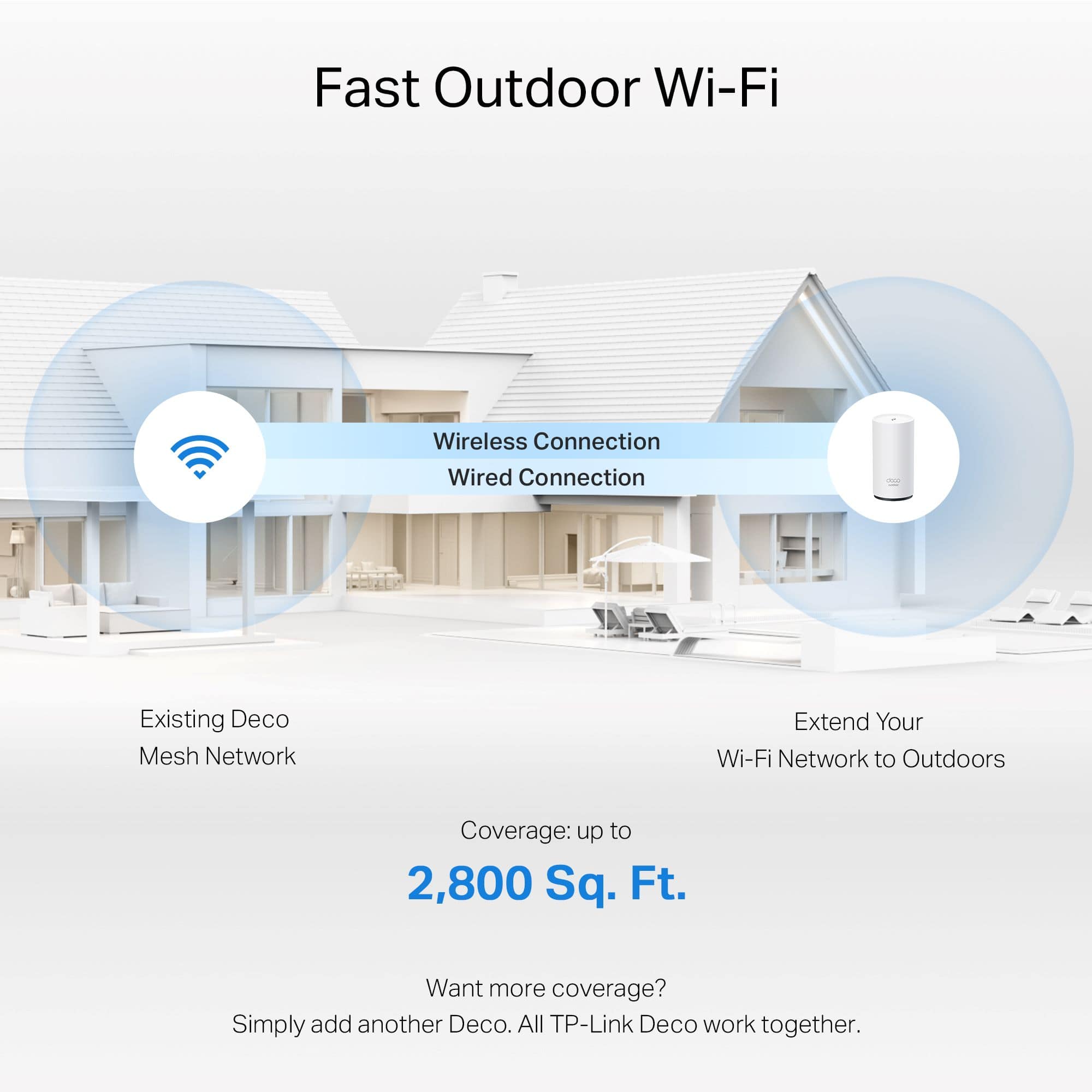
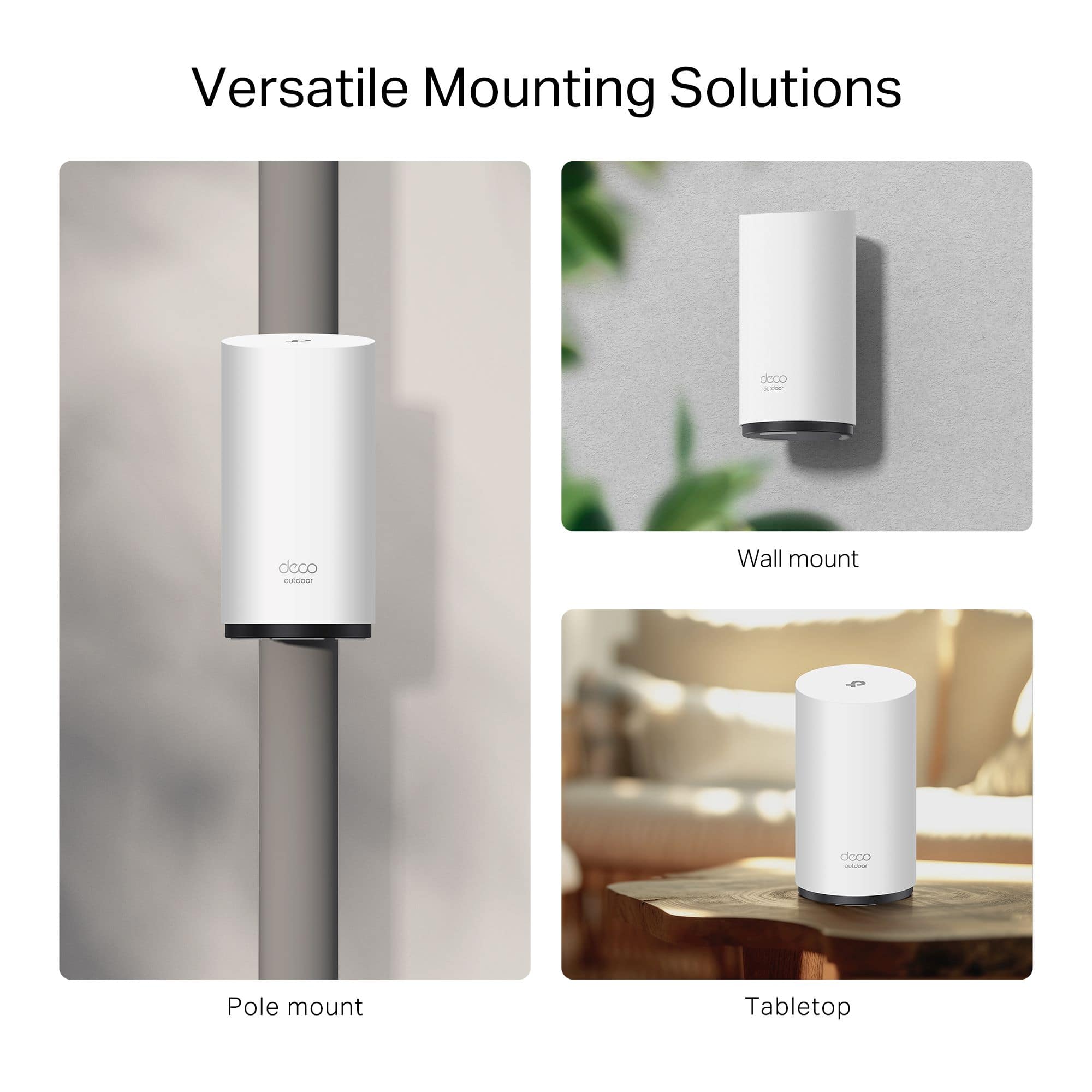
|Posted .This reviewer received promo considerations or sweepstakes entry for writing a review.I just added the TP-Link Deco BE65 Outdoor BE11000 Tri-Band Mesh Wi-Fi 7 Router to my home network: I was looking for better Wi-Fi coverage on my back deck area. Im a fan of working outside in nice weather and do it every chance I get, but I need a reliable to make calls in MS Teams and keep productive, I needed something that just worked. Performance and Reliability Outdoors: I installed the Deco BE65 Outdoor unit and my outdoor connection is now dramatically better. Equipped with IP65 weatherproof rating, the device can work well under the harsh outdoor conditions to keep working 'under the weather’. The router provides tri-band Wi-Fi speeds covering 2,800 sq. ft., plenty big to surround my deck and backyard. Integration and Experience: It was a cinch to connect the Outdoor Deco BE65, thanks to the Deco app. The app walked me through installation and gave me the mounting versatility I desired — wall, pole or tabletop — to fit my outdoor space needs. (I chose wall) After adding to my previous Deco mesh, no matter where I am or how large my home is, TP-Link’s Deco P9 always ensures that I’m working without any interruption and at same speed (which is a very important thing when there are video calls and online collaboration). Further Functions, Features and Security: This router also supports Multi-Link Operation (MLO) and concurrently sends and receives data on multiple bands, increasing your throughput and reducing your latency. This feature is very useful when multiple devices are connected, guaranteeing smooth and high quality connections. Furthermore, TP Link’s HomeShield feature ensures that your network is safe at all times, complete with real-time IOT protection and parental controls. Conclusion: If you need to expand your Wi-Fi connection to an outdoor space, the TP-Link Deco Outdoor BE11000 remains a good option. It is a high-speed performance and weather-resistant solution for connectivity.
I would recommend this to a friend - Pros mentioned:Build quality, Setup ease
Deco-mesh router only!
|Posted .This reviewer received promo considerations or sweepstakes entry for writing a review.So, I got this because I really wanted to extend my TP-Link EasyMesh system outside. I get wifi outside, but it can be a bit temperamental and spotty. Having a mesh node outside seemed like it could solve all my problems. However, just because it's TPLink, and because it's a "Mesh" system, DOES NOT mean it will work with your existing TP-Link Mesh system. It's actually a bit frustrating and confusing. This also defaults to Router mode, meaning it expects to be connected directly to a modem, and all other devices connect to this for internet access. I don't know who wants their outdoor access point to be a router, but TP-Link seems to think that is a need, so that's how this defaults. Once you set it up, you can change it to Access Point mode. But AP mode is not the same as mesh, which is even more frustrating. A device in Access Point mode acts with it's own wifi settings (SSID, password, etc...) and does not communicate with other APs or Mesh modes. That means a separate SSID and wifi signal, and connection needs to be managed at each client (phone, laptop, doorbell, etc...) device, as opposed seamlessly by the mesh network. Those frustrations aside, it has two ethernet ports, and a 120v power port (meaning it has an integrated power supply, e.g. no power brick to worry about). It also supports Power-over-Ethernet, so if you have a router or switch that supports that, getting power to this is super easy. Otherwise, you can get a PoE injector, so you only need to run one low-voltage wire to this AP. The connectors seem to be well-sealed through a gasket at the bottom (remember to pull up the rubber plug to run the wires through!), so intrusion of weather shouldn't be a concern. Mounting is also easy, as this has a mount that can be strapped or screwed to a pole, and then this just slides on. It doesn't "lock" into place, still feels secure for most installations. It's speed and reliability seem very good, and definitely nothing to complain about. But, this makes a better access point than as a member to ANY mesh system. Hopefully TP-Link can issue a firmware update to make this compatible to at least EasyMesh, but until then, this has little compatibility with existing mesh systems.
No, I would not recommend this to a friend - Pros mentioned:Setup ease
Great wi-fi, big price tag
|Posted .This reviewer received promo considerations or sweepstakes entry for writing a review.The TP-Link Deco BE65 Outdoor BE11000 Tri-Band Mesh system is a well thought out and put together system with its IP65 rating. Start up and connection was one of the easiest I have come across. Although I do not have a current TP-Link mesh system I have this set up as a separate outdoor network which has worked well, but is not seamless in my case. If you own a TP-Link system it would make much more sense. I am getting consistent speeds of 944 download and 557 upload through my fiber ISP, enough for every task outside. I will really enjoy the POe once I get that set up since I have wired access outside. I will have the freedom to locate this away from an outlet as long as I have a cat cable, which I do. The app is very user friendly and has a ton of great features, the parental controls are great. It will very easily connect to other TP-Link branded items from the app and will even look for them. I have connected several other wi-fi items with no problems. It is also home compatible with the major players. One thing I didn't consider is the operational temperatures which are (32 °F~104 °F), this will give some consideration where I put this as it can easily get that hot in Michigan in the summer in direct sunlight, not to mention the cold but I doubt I will be out on my porch in January streaming music. Mounting options are wall and pole with the provided hardware. This seems flexible enough for me to find a suitable spot. I also like the fact you can turn off all the system lights so it doesn't stick out and ruin my feng shui...LOL I also like the MLO and I am trying the free Homeshield trial, possibly another good thing to come out of this purchase. There are not many items to utilize the 6 Ghz band yet, but with all new tech, there is a waiting period for things to catch up. I live in suburbia so there are wi-fi networks galore, in my association there are 40+ that I can connect to. Interference has been an issue so the 4K-QAM, which is supposed to improve bandwidth usage and resist interference will be very useful. If you can afford the entire TP-Link set up, it is a great mesh system.
I would recommend this to a friend - Pros mentioned:Build quality, Setup ease
Carefully designed and painless to use
|Posted .This reviewer received promo considerations or sweepstakes entry for writing a review.This thing was definitely designed to be an outdoor piece of equipment. The body appears to be weatherproof, with no openings anywhere save for the seal at the bottom that comes off to allow access to the ports. The cables themselves have a gasket to prevent water ingress. While you can power it with the included cable (which, by the way, is grounded and doesn’t have an exposed brick at the end of it - a nice touch for something designed to be exposed to the elements), you can also just use PoE. The light shines through the chassis, and there isn’t an opening or seam for it. Overall, this was a very thoughtfully designed piece of equipment. As far as operation goes, it runs pretty smoothly. Nothing I did while connected to this router had any issues (I watched some YouTube videos, did some voice calls, and played some online games). Of course, I only had two things connected - my phone and laptop - so your mileage may vary. Setup was also nice and painless through the Deco app - nothing failed even once, which in the world of WiFi setup experiences is honestly shocking to me. I think I spent a total of three minutes getting this thing up and running (not including time spent plugging it in). It’s never that fast and painless, so I’m impressed. Overall, this is a pretty nice piece of equipment that would slot very neatly into an existing Deco installation. Or, if you’re setting up a network in a garage or something, it honestly makes for a decent main router as well. I would definitely recommend this - just make sure it matches your use case, since it is kind of a specialized system.
I would recommend this to a friend - Pros mentioned:Connectivity, Setup ease
Great router once the bugs are fixed
|Posted .This reviewer received promo considerations or sweepstakes entry for writing a review.Lets face it...we ALL hate WiFi dead-spots around our home. I hate going to the other side of my home and finding that my internet connection is extremely laggy. With many homes having so many smart devices nowadays, it is extremely important to have a reliable connection. This is especially true if you have security cameras around your home. This is why, when the opportunity came up to try the TP-Link Deco BE11000 Tri-band router, I immediately went for it. I wanted something that could provide a strong signal throughout my home. One thing that was a bit of a pain was the initial setup connection. l followed the instructions on the app, but kept getting error messages when attempting to connect the internet. After doing some research, I managed to update the firmware on the device and got the TP-Link Deco BE11000 router running fairly quickly. One very cool feature with the TP-Link Deco BE11000 router is that you have the ability to mount it up high (bracket included). This was perfect because a higher mounting position helps to put out a better signal. So, I mounted the TP-Link Deco BE11000 on a post with two simple screws and was up and running in no-time. My internet connection is strong around the house. No more dead-spots. My garage doorbell/camera now has a strong signal. I am able to be in my garage and enjoy streaming without any issues. I would definitely recommend the TP-Link Deco BE11000.
I would recommend this to a friend - Pros mentioned:Build quality, Setup ease
Can be hung
|Posted .This reviewer received promo considerations or sweepstakes entry for writing a review.The TP-link Deco BE65 Outdoor Wi-Fi router will not disappoint you. If you already have a Deco set up this will be very simple to install and intergrade with your set up to make it even bigger and better. The tower can be a little too big but it can be set up and hung up on a pole, wall you name it. The mounting hardware comes with it and makes mounting simple. The outer case looks to be well built and weatherproof. The bottom base will twist off and will make cable management so much easier and neater. The Deco app makes set up and management such an easy task. I would highly recommend this product to anyone looking to expand their WiFi needs further outside their home. Theo ne issue i did have was that i needed to reset the Deco tower before my current set up could detect it so it would be added to the mesh. While during the set up you will be prompted to turn on AFC on this device in order to allow the use of the 6Hz band. other than that it is a great product, simple to use and best of all very adaptable to your needs.
I would recommend this to a friend - Pros mentioned:Connectivity
Get one if you already mesh.
|Posted .This reviewer received promo considerations or sweepstakes entry for writing a review.I have a fairly deep yard, by suburb standards and thought I’d give this a try. Already had mesh Deco’s in the house. Used this to extend the range outside as I get towards the back of the property. I have a shed 100’+ from the house. Door to door, not counting actual router locations in the house, so my wifi signal would always drop off once I got around or in the shed. Shed is ran off the grid so just zipping an ethernet cable up to the shed was ideal. I put this on the shed, and it runs off the shed system. Doesn’t seem to consume a lot of power, though I haven’t measured actual consumption. So far, it’s been helping me stay connected to the house wifi and now when I stream music and other data heavy activities, up in the shed, I don’t have to worry about it dropping out or my phone switching over and consuming cellular data that I don’t want to be doing. I cannot get about 360+ Mbps around the shed. Not bad. In and immediately around the house I get 900+Mbps so there is a drop off speed wise, but for what I use it for, definitely not and issue and a far improvement from network drops. Time will tell how it holds up to weather. It’s been fine after a week of heavy ran. Just curious about long term sun exposure and how the body will hold up. I did try to put in where it would get some shade during the day. Overall, I’m happy with it.
I would recommend this to a friend - Pros mentioned:Build quality
Great for RVs, restaurants, churches, and offices
|Posted .This reviewer received promo considerations or sweepstakes entry for writing a review.I’m very used to using mesh systems nowadays. This is being used as a range extender and not a network access point or router both of which you could easily use this for. My range has significantly increased after installing this as a range extender. I have noticed my overall network speed has improved and I can honestly say that this range extender does what it says it’s going to do. I do wish I had something that was Wi-Fi 7 to test the true throughput but that will have to wait until I update my notebook and other equipment. The bill quality is excellent as it will need to be because this is designed be outside for its lifetime. I haven’t had it long enough outside to see if the sun causes any short term fading, but I’m sure overtime, the sun will take its toll so I would advise placing this unit somewhere where there is shade at least part of the day. Everything is included to mount it and set up was very simple. The hardest part is running the power as is the case with all things ran outside but it was very much worth it! Highly recommended if you need more range.
I would recommend this to a friend - Pros mentioned:Build quality
Great outdoor router
Posted .This reviewer received promo considerations or sweepstakes entry for writing a review.Good quality, works well and software is pretty good.
I would recommend this to a friend Wifi 7 Router - hit or miss speeds
|Posted .This reviewer received promo considerations or sweepstakes entry for writing a review.I decided to replace my old mesh system with this wifi 7 router. My old routers seemed like they are not up to the task anymore. I really wanted to love this new router. I knew it wouldn’t cover my 2200 square foot home, but was hoping it would cover half of my home. I have it in the basement on the far end of my house. It does cover roughly half of my house pretty well and sometimes covers most of my house. When it is working well, I get far faster speeds than my old router. Up to 6 times faster than my old router. The strange thing is that it seems to go in cycles. It will be really fast, then it will struggle to get 1 Mbps. Yes, barely 1 Mbps. It just isn’t consistent. I have a strong wifi signal from the router, but sometimes the speed is horrible. Since my old mesh is not reliable at all, I’m going to add one more node to this one and put it in the middle of my home. Two units should easily cover my 2200 square foot home. Would I get this one again, I’m not sure. When it is working the speeds are incredible, but when it isn’t they are abysmal.
No, I would not recommend this to a friendBrand response from TPLinkSupport
Posted .Hello Tyeske,
Thank you for the review. We would like to help address this. Please reach out to support at [email protected] or 866-225-8139. Support is free and available 24 hours a day.
Best Regards
TP-Link System Support