Customer Ratings & Reviews


- Model:
- HS210 KIT
- SKU:
- 6214316
Rating by feature
- Value
Rating 4.7 out of 5 stars
- Quality
Rating 4.8 out of 5 stars
- Ease of Use
Rating 4.7 out of 5 stars
Customers are saying
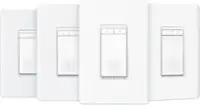
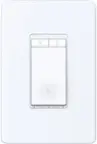
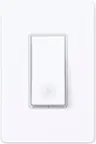
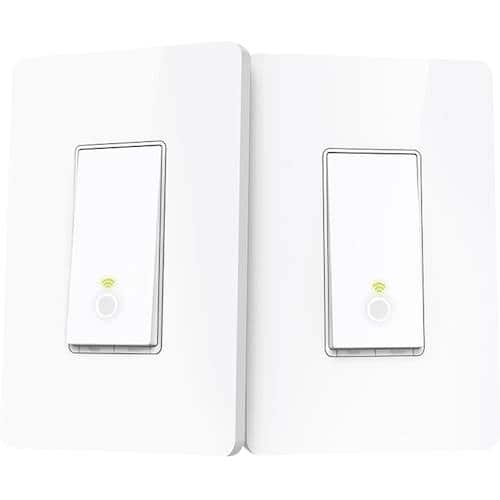
Customers recognize the Kasa Wi-Fi Smart Light Switch 3-Way Kit for its ease of use, simple installation, and compatibility with Alexa and Google Home. The app is intuitive, and the price is competitive, but some customers have noted the lack of dimming capability and the size of the switch as potential drawbacks.
This summary was generated by AI based on customer reviews.
perfect for smart home
||Posted .This reviewer received promo considerations or sweepstakes entry for writing a review.TP-Link and the Kasa App work very well with Alexa.
I would recommend this to a friendswitck
||Posted . Owned for 3 weeks when reviewed.This reviewer received promo considerations or sweepstakes entry for writing a review.the only thing bad is that is does not work with alexa
I would recommend this to a friend- Pros mentioned:Ease of useCons mentioned:Dimming

Works but not as I would like it to
|Posted .This reviewer received promo considerations or sweepstakes entry for writing a review.This light switch works as advertised but I was frustrated by two aspects. First, the light does not support dimming. Since almost all of my 2 way switches are on dimmers, I would be losing functionality by installing this. I did read that you can install just one side of the 2 way switch with the smart switch and use the other as is. I tried doing this with a dimmer as the other switch and it worked until the light was set to dim, and then the smart switch got confused, probably because of the low voltage. The second issue I had was that the Wi-Fi connection needs to be secured. I have an open Wi-Fi network and keep all of my files behind security. I also have over 40 other devices connected to my network, so I was unwilling to change the security settings on my mesh network to accommodate one switch. This was very frustrating. I did setup a guest account with security and used that to connect, but if I wasn't also connected to that account then it didn't work. For this reason, I uninstalled the switch and will not be using it. Despite my indifferences, there are a lot of positives to this switch. It is easy to install and the app works pretty well. It also has a cool design and offers settings to automate your lighting by hooking up to Alexa. The app is smart enough to use your location to lookup sunrise and sunset times so that you can have the switches turn on from dusk to dawn.
I would recommend this to a friend So far so good
||Posted . Owned for 3 weeks when reviewed.This reviewer received promo considerations or sweepstakes entry for writing a review.A little pricey, but so far so good!!!!!!!!!!!!!!!
I would recommend this to a friend- Pros mentioned:Compatibility, Ease of useCons mentioned:Dimming
Works as intended but missing one key feature
|Posted .This reviewer received promo considerations or sweepstakes entry for writing a review.This works as advertised - you can switch your 3-way lights on and off using all the various smart-home interfaces available. However, these switches do not function as dimmers. Some of the other models in this line-up do offer that functionality, and I would choose one of those instead. But if all you need is the ability to switch the lights on or off this will do it for a few dollars less than the models that also do dimming. Installation was pretty easy in a newer house with up-to-date wiring. I did it myself no problem. You really only need to replace one of your 3-way switches with one of these devices, so you can use this pack of two to control two 3-way switch systems if you don't care that the switches don't match cosmetically.
I would recommend this to a friend Requires a "nutral wire"
||Posted . Owned for 1 month when reviewed.This reviewer received promo considerations or sweepstakes entry for writing a review.Did not know a "nutral wire" is require for it to work. So, had to return it. If you do not have 3 wires plus ground, it will not work.
No, I would not recommend this to a friend- Pros mentioned:App, Ease of use
Smart light switch for every room
|Posted .This reviewer received promo considerations or sweepstakes entry for writing a review.The TP-LINK - Wi-Fi Smart Light Switch makes your home feel more futuristic. It’s extremely convenient to control your lights with you voice if your hands are full or the switch is out of reach. Installation of the switches is easy. There may be challenges if your existing switches are a different size. Syncing up with Amazon echo and Google assistant is simple. There is also an app that works really well for remote control. Before you know it, you can control you lights from anywhere in you home or even when you’re away. I would recommend.
I would recommend this to a friend Eh
||Posted .This reviewer received promo considerations or sweepstakes entry for writing a review.Returned as it didn’t work for my set up. Check to make sure it will work with yours before purchasing.
No, I would not recommend this to a friend- Cons mentioned:Dimming
Limited capability
||Posted .This reviewer received promo considerations or sweepstakes entry for writing a review.Did not have dimming capability--switch only. Was not able to get it to work in my configuration.
No, I would not recommend this to a friendBrand response from TPLinkSupport
Posted .Hi Ranalf,
Thank you for your feedback. Our HS210 3-Way Smart Wi-Fi Light Switch is not designed, intended, or advertised for dimming. While we do have a smart dimmer switch (HS220), it is not a 3-Way switch. We appreciate your feedback and we'll share your interest in this feature combination with the appropriate team. If you have any questions in the future, please feel free to e-mail [email protected] and we'll gladly follow up.
Best Regards,
TP-Link Support
- Pros mentioned:App, Ease of use
Another option for home automation
|Posted .This reviewer received promo considerations or sweepstakes entry for writing a review.As I continue to make my home "smart" I will try a variety of products. I currently have three different platforms controlling everything from door locks to interior and exterior lights plus video. These switches fit the bill for the room I usually watch movies in. As with any project that involves dealing with electricity follow the instructions exactly! Although these are pretty simple to install for someone who has done 3-way switches before, it can be confusing. This has nothing to do with the product and all to do with who 3-way switches work. Again, if you are uncomfortable with dealing with electricity find someone who is comfortable with doing the install. It took all of 30 minutes for me to be up and running. Installation is actually easier than installing a standard 3-way switch since all connections are clearly marked. Connection up to WiFi was as simple as following the instructions on the downloaded app. The app has some neat features where you can setup schedules, start a timer or define times when you are away to either have the lights on or off. It even give you a total run time over the day week or month. Overall a good product with decent functionality. The app also supports other devices in the line from cameras to sensors and smart bulbs.
I would recommend this to a friend - Pros mentioned:Ease of use, Price
Works well once you find the App
|Posted .This reviewer received promo considerations or sweepstakes entry for writing a review.The switch works great and Kasa app is easy to use. Couple of minor problems with one being my fault. The first issue was finding the app to begin with as the instructions in the box are pretty paltry and direct you to load the app in order to get further instructions. I was installing on an Ipad and had a hard time locating the correct app by searching the Apple App Store directly. There were several Kasa apps but not none of them the correct one. I first installed a Kasa by Veho Smart Home app as it seemed the most compatible. Do not try this one because it will not work. You want the Kasa by Tp-Link App, however, the only way I was able to get to it in the app store was via the app link on the tp-link web site. The other issue was due to me not utilizing the install instructions, which are pretty good and provided in the app, because I thought I knew exactly what I was doing. I neglected to realize that the first 3-way switch I tried to replace did not have a common wire which is required by the switch. It got power and I was able to add the switch to the app and connect it to wifi but it would not turn the light on. If I had followed the app's instructions I would have noticed that. Ended up replacing the other switch only. Little secret is that you only need one of the 2 HS210 switches on a 3-way circuit for it to work. When going through setup you just keep hitting next when it prompts you to setup the second switch You can then use the other switch on another 3-way circuit and have 2 wifi controlled 3-way switches.
I would recommend this to a friend - Pros mentioned:Ease of use
Great option for smart three way switch
|Posted .This reviewer received promo considerations or sweepstakes entry for writing a review.The TP Link smart three way switch works exactly as advertised. You can easily control your three way switch with your smart phone, google home, or amazon echo. The switch was easy to install, if you know how to wire a normal three way switch. After that I went through the setup process, which was pretty easy and I was up and running. It works pretty well, I haven’t ran into any huge issues. It works well with my google home, I can turn the hall light off from the other room, which is nice. My only complaint is the lack of SmartThings support. I’m a big smart things user and I’d love to get these switch’s in the loop with the rest of my smart home devices. However, looking at the app (the kasa app), it seems like they are looking to compete directly with SmartThings, so it makes sense for this omission. The app is easy to use and intuitive. Once it supports more devices I could definitely see this being a competitor in the smart home space. I’m interested to see how it turns out. Overall, if you want to control a three way switch via WiFi from your phone, google home, or amazon echo, look no further.
I would recommend this to a friend - Cons mentioned:Dimming, Face plate
NOT as easy as you may think
|Posted .This reviewer received promo considerations or sweepstakes entry for writing a review.I have a 15 year old house, some switches come with a neutral wire and some do not. I looked and one end of the hallway had a neutral and the other did not. My house not having this is not the fault of TPLINK just my wacky builder. If you know a decent amount about wiring, this is not terribly difficult. My original plans for this switch was a long dark hall that would be great for a smart 3 way switch. I have put other switches in the house and they were all fine. After some help from an electrician (and new wires) I did get this working. It does work as advertised, I have several other TPLINK devices I use and they all work well with the Kasa app. You need to remember to set an on AND an off time. My WiFi connected pretty well, for some reason the first couple of tries it only saw my guest network (which it would not connect to for security reasons?) and not the main secured network. Eventually I got it. I personally hate the face plate. It does not sit well (flush) against the wall. I have moved it several times and no help. I do not like it does not have a dimmer, seems like that should just be a default thing all switches have. I know these all need a neutral. With so many home builders putting a neutral in some outlets and not others this is going to be a hindrance for future smart devices. some kind of workaround that does not involve an electrician? Yes I will recommend this, but take apart each switch (even on the same circuit) and visually verify for the neutral.
I would recommend this to a friend - Pros mentioned:Compatibility, Ease of use
Nice Addition to Kasa Setup
|Posted .This reviewer received promo considerations or sweepstakes entry for writing a review.We added this to control a fan in our family room that was controlled by 2 different switches. The setup was super easy since we've already got other Kasa devices in our smart home setup. Here's some installation tips: 1- Turn off your breakers. This should go without saying, but you cannot safely replace a light switch or outlet with the breaker still on. If you don't know what a breaker is, then look it up or call an electrician. 2- Check your wires. Most homes built recently will have a white / neutral wire. You'll need to connect the wires correctly and ensure that you have a neutral wire, otherwise the smart aspect of the switch won't work. 3 - Make sure the switch fits before you screw back in the cover plate. I was able to add this to an existing 3-switch plate, but as someone who's replaced all the basic switches with the wider flat ones, take it from me and make sure they're positioned correctly before you tighten them in. Once we were up in running, our Kasa app and Echo found this right away. Very happy with this!
I would recommend this to a friend - Pros mentioned:Installation
Easy install, great for a smart home
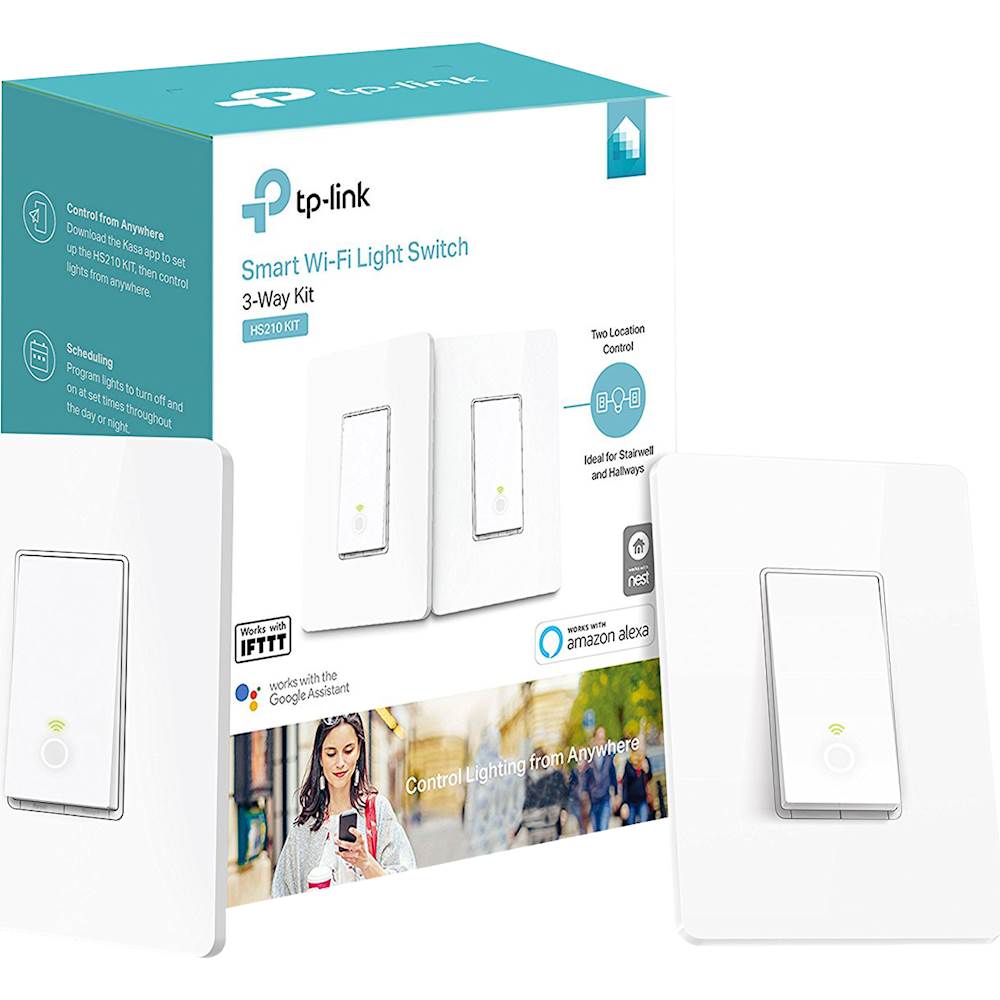
|Posted .This reviewer received promo considerations or sweepstakes entry for writing a review.I recently installed these smart 3-way switches to better assist me in making my home a bit more 'smart' and I have to say it was quite a nice experience. From the second you open the box you can tell it's a premium experience. The switches themselves are already pre-wired with jumper leads and come with wire nuts for easy connectivity. In addition they have wire labels and face plates, all well packaged together. Getting up and running was a very smooth experience, though there is one caveat as there is with most of these smart switch systems. You do need a neutral wire in order to use it. Once connected, it was just a matter of getting the TP-Link app, finding the wifi network and setting up the skill on Alexa. For anyone looking to step into the smart home experience, this definitely makes one of those first steps very easy. I can recommend these to anyone that has even the most rudimentary handyman capabilities.
I would recommend this to a friend - Pros mentioned:Ease of useCons mentioned:Face plate
Simple to install
|Posted .This reviewer received promo considerations or sweepstakes entry for writing a review.Installation in my case was very simple and straight forward. It was a simple 3-way setup in my living room. I replaced both switches in about 10 minutes. There was an update for the firmware, and that took a few more minutes. I had already registered an account on Kasa, so the registration of the devices went quickly. Once the switches were setup up, I could easily turn them on or off with the app, but since I use Google assistant on many of my other devices, I setup the switches through Google Home. Now I simply say "ok google, living room on", and the lights come on. This will come in handy when I'm carrying groceries, or sitting on the couch and don't want to get up, lol. Side note as to why it's not 5*, The wall plate would not fit properly after I installed it. It was too "snug" around the switch, so the switch would not work manually. It would not allow the switch to rebound/rest back to normal. It would stick in the pressed down position. I went and bought some wall plates from the local hardware store, and they corrected this issue and look better IMO.
I would recommend this to a friend - Pros mentioned:Ease of use, Installation
3-Way Kit Works 3-Way Well
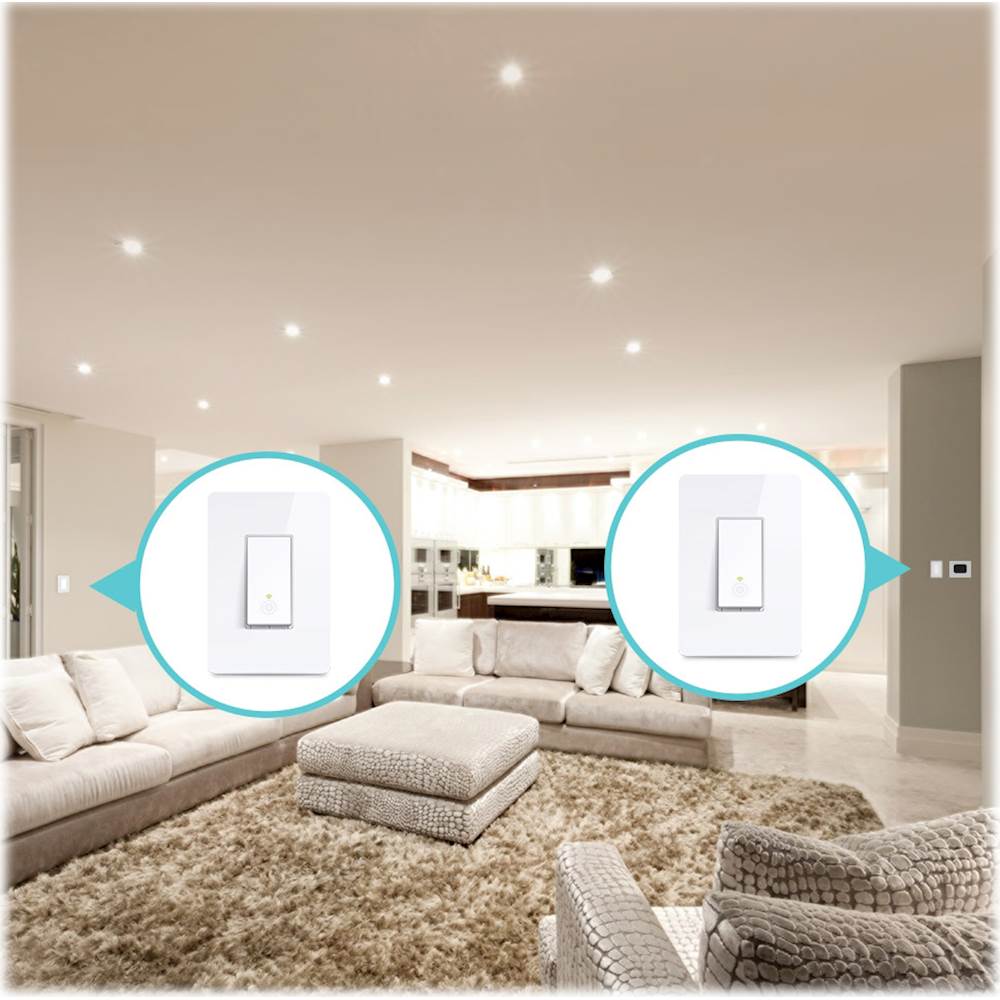
|Posted .This reviewer received promo considerations or sweepstakes entry for writing a review.1. With general competence and knowing how to follow instructions provided by the KASA app, the installation for both switches shouldn't take more than 30 min. Some people have gripes that you have to follow instructions using the app since no instructions are included, but don't consider the fact that to use an Amazon Echo or Google Home Mini with the switches, a smartphone is needed anyway. 2. Installing is actually educational if you've never replaced a light switch before as the instructions aid you in putting labels on the wires so that you (hopefully) don't mess up during the install. 3. The switch is not your conventional switch where one side is on and one is off. The bottom part of the switch is the main button that you press to toggle on and off.
I would recommend this to a friend - Pros mentioned:Compatibility, Ease of use
Excellent for your smart home
|Posted .This reviewer received promo considerations or sweepstakes entry for writing a review.Don't be discouraged to by this awesome product! You don't have to be an electrician to install this great product! Remember for older homes, to check your current wall switch wiring first before buying this product to get the correct switch! In the box is two wall switches, 2 wall (face) plates and four wire nuts. There are also two additional pieces of hard foam as well. Download the app, install the switches and start using! It's that simple! The app provides instructions and is simple to use as well! The best part for me is it is compatible with Google Home and Alexa and it also works with Nest and IFTTT. This is a great addition to my continuously growing smart home!
I would recommend this to a friend - Pros mentioned:Compatibility, Ease of use
Easy to install and works great
|Posted .This reviewer received promo considerations or sweepstakes entry for writing a review.This light switch was really easy to install. It is also really energy efficient. I use it with Google home without any issues. You can set it to function off of any schedule or use your Alexa or Google home to control it with those with your phone or voice. The install took about 10-15 minutes. Then it took about 2 minutes to set up the app and pair it with my wifi. There are several known issues that have been fixed in the firmware update so be sure to download that.
I would recommend this to a friend 5 wire installation with neutral required!
|Posted .This reviewer received promo considerations or sweepstakes entry for writing a review.I initially wanted to rate this product with 2 stars. The are no wiring requirements in the product description and the product web page misleads you to think that you can install anywhere there is a 3-way switch when it says "No need to understand complex 3-way switch wiring or master vs. auxiliary switch configurations." and "...makes it easy to replace 3-way switches...". In reality, the product requirements should inclue a 5 wire installation with neutral. I wanted to find instructions prior to opening the box, but there were none to be found. There are no significant instructions in the box, instead the Kasa app leads you through the instructions. While the Kasa app does a decent job, it failed to address my configuration. In my configuration, I have 4 wires (which I input into the Kasa app and it misled me further). Ground (bare copper), Common (black), and two travelers (white and red). One one side of my hallway, there are no other wires. In the end, I found out I could not set up this smart switch on that side of the hallway. On the other side of the hallway, I have the original 3-way switch in the same receptacle with a normal 2 way switch that controls a separate set of lights. I'm lucky that I have that because I was able to splice into the neutral (white) bundle that was in there. Once I cleared the wiring hurdle, setup in the Kasa app was pretty easy. Just know that the Kasa app expects both HS210 smart switches to be connected to the same light fixture. Since I only connected it on one side, I just clicked "Next/OK" buttons through the rest of the setup and everything works. Having a plain (non-smart) 3 way switch at the other end of the hallway is fine, no function loss. In fact, I find very little reason to dedicate 2 smart switches on the same light fixture. Knowing that the two Smart Switches in the HS210 kit are functionally identical and being able to separate them onto different fixtures is what redeems the major wiring requirement gaffe. I further tested this by installing the second HS210 switch in another location where I have 3-way switches for my stairway. Everything works. My Kasa app now has two switches that control different fixtures. Response time for both fixtures in the Kasa app is immediate. Setup on both Google Home and Alexa was quite easy. Response time for both fixtures to voice commands on either platform is immediate. Another shortcoming on this is that the flanges that allow you to secure the switch to the electrical box and to the switch plate are rather thick. So using a normal Decora switch plate tends to sit away from the drywall. I think you're probably fine if you only have the switch installed in single gang configuration as TP-Link includes two single gang switch plates that seem to account for the thick flanges. But since I was installing them in a double gang configuration, the switch plate sits about a millimeter away from the wall. The switch looks like a rocker switch that is always in the 'on' position. On and off functions are both toggled on the bottom half of the switch. I would prefer the whole button to be popped up and the ability to press anywhere to toggle the on/off function, but I'll get over it. There is a faint light circle within the switch to help locate it in the dark. I wish there were a way to disable that, but again, I'll get over it. Would I buy this again? Surprisingly, yes. It comes down to getting two discrete switches for the price of one. I've got a couple more 3-way switch locations and now that I understand the true wiring requirements of the HS210 kit, the ability to separate the two smart switches in this kit, comparing competitor requirements and their price points, I would not hesitate to run HS210 kits where needed. It is a great value.
I would recommend this to a friend