Customer Ratings & Reviews


- Model:
- HS210 KIT
- SKU:
- 6214316
Rating by feature
- Value
Rating 4.7 out of 5 stars
- Quality
Rating 4.8 out of 5 stars
- Ease of Use
Rating 4.7 out of 5 stars
Customers are saying
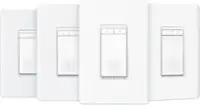
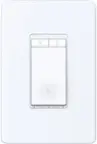
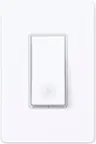
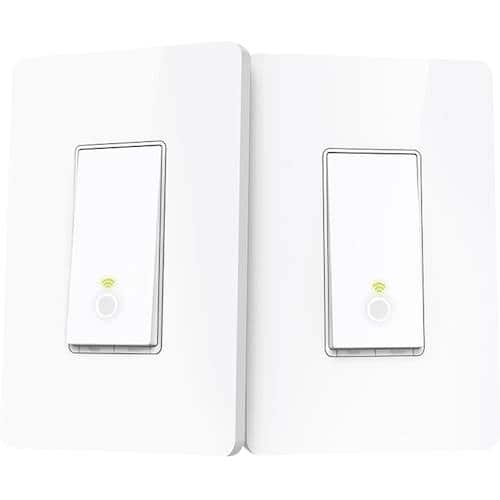
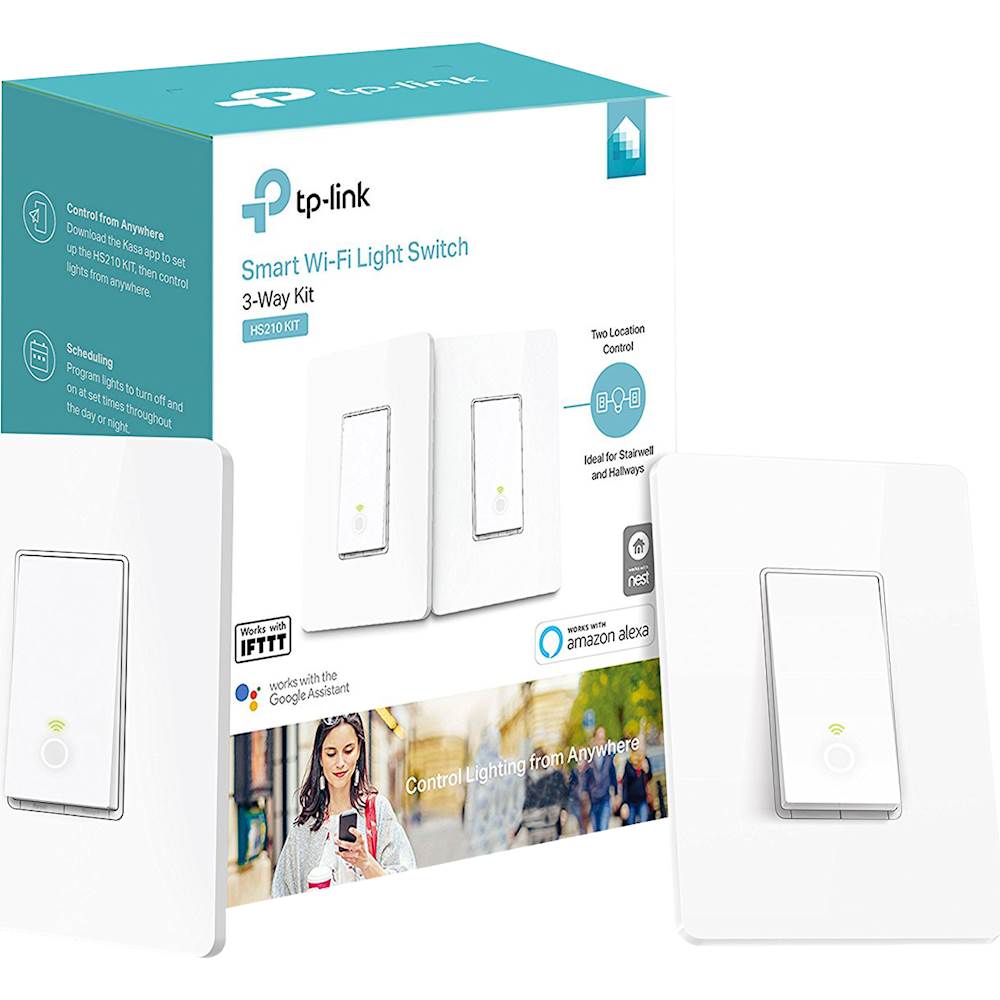
Customers recognize the Kasa Wi-Fi Smart Light Switch 3-Way Kit for its ease of use, simple installation, and compatibility with Alexa and Google Home. The app is intuitive, and the price is competitive, but some customers have noted the lack of dimming capability and the size of the switch as potential drawbacks.
This summary was generated by AI based on customer reviews.
- Pros mentioned:Ease of use

Great addition to my home
|Posted .This reviewer received promo considerations or sweepstakes entry for writing a review.This works exactly as advertised. It replaces the toggle switches that were in my basement and it now functions as a push button switch. The installation was complicated by my wiring, so it took longer than I had hoped. This is NOT the fault of the product. If you have an iPhone 10 with iOS 12, the location function will not work with the phone application. I had to set it up from a device with an older OS. Once it was initially set up, it worked just fine. The application will walk you through the WiFi setup. The smart phone needs to connect to the wireless source provided by the switches and then the application will tie them to your existing network upon completion of setting up the first switch. Both switches are set up separately but will be tied together by the application upon completion. The application is nice for turning off the light remotely and the switches have a dim light on the bottom to help find them in the dark. Finally, the finishing plates can be difficult to keep in place unless the switch housing extends outside of the sheet rock. I ended up using spacers when mounting the switch for one of my electrical boxes. My house is becoming more and more wireless and this was a great addition.
I would recommend this to a friend - Pros mentioned:Ease of use, Installation
Simple way to smarten up your home
|Posted .This reviewer received promo considerations or sweepstakes entry for writing a review.Really a nice and simple way to upgrade your place without too much investment. I got these since I wanted the ability to turn lights on/off whenever I'm travelling. With this, it's pretty simple and easy to install. biggest benefit to this is that there's no need to purchase a separate hub in order for the lights to work. Simple install and configuration through the app and you're good to go.
I would recommend this to a friend - Pros mentioned:Compatibility
Makes it so easy
|Posted .This reviewer received promo considerations or sweepstakes entry for writing a review.So I wanted a modern look light switch for my kitchen and it had to be three way and also compatible with Alexa and these switches work flawlessly. Not much else to say about it. I think they work with Google too but just what I expected to add to my smart home.
I would recommend this to a friend - Pros mentioned:Compatibility, Ease of use
Best 3 Way Smart Switch Out There
|Posted .This reviewer received promo considerations or sweepstakes entry for writing a review.First of all, I highly recommend to get a electrician or someone who is familiar with wiring to install this. After this is installed the setup is very easy. This does the job and the app is straightforward. I have a 3 way switch from another company that was way more complicated to setup. This tp link 3 way switch is the way to go.
I would recommend this to a friend - Pros mentioned:Installation
Easy to install and use, Voice control Alexa!
|Posted .This reviewer received promo considerations or sweepstakes entry for writing a review.Not too much to say here. For me, installation was easy and the app guidance was all I needed. These switches are in the kitchen to control the lights over our island where we do most of our food prep. So a lot of times, we'll get started and our hands will be dirty, we'll realize we need the lights on and we'll have to wash up to turn on the light, or find a clean knuckle to hit the switch with. The switches can be a bit of a reach and often have other things in front of them, making it a bit more of a pain. So my favorite thing about this kit is the Alexa compatability. We have an Alexa device in the kitchen, so now we can just say "Alexa, turn on Kitchen Island" and voila, let there be light! No washing up, no moving things out of the way. Not too many 3-way wifi smart switch options out there right now, so this kit fits the bill nicely.
I would recommend this to a friend - Pros mentioned:Ease of use
Easy Setup Great Expansion of Smart Home
|Posted .This reviewer received promo considerations or sweepstakes entry for writing a review.Things that are setup with phone apps may not be for everyone but I thought this set of switches was a fun project with the instructions for the wifi and smart home functions pretty easy to understand. It made the time from unpacking to using them shorter. You still have to be at least slightly handy around the house--if you don't know how to find and shut off the breaker for the switches you are replacing with the TP Link set, get help before you try. The switches are seemingly decent quality and easy to use. It's fun asking Alexa or Google to turn off the "hallway light" or turn it back on. Also easy to turn off and on with your app on the phone or tablet. The timers are also a way cool addition to the usefulness of these switches. On or off at certain times. A plus for us home security nuts.
I would recommend this to a friend - Pros mentioned:Ease of use
Check your 3-way switch wiring BEFORE buying
|Posted .This reviewer received promo considerations or sweepstakes entry for writing a review.First, and foremost, take my 3-star rating with a grain of salt. I was not able to install the switches, and for a reason I will soon detail. This rating has NOTHING to do with the product, itself. It has to do with the fact that TP-Link hasn’t bothered to inform purchasers, or potential purchasers, of the wiring requirements. Furthermore, TP-Link presents FALSE information on their website. If you go to TP-Link’s webpage for this product, officially HS210 KIT, near the top of the page, the second bullet-point starts out “No need to understand complex 3-way switch wiring or master vs. auxiliary switch configurations.” Further down, it indicates “Simply replicate the wiring from old switches and the Kit will take care of the rest.” Unfortunately for TP-Link, these two statements are NOT the truth. So, you are probably asking yourself, “What am I referring to?” To provide some very basic electrical information, when it comes to 3-way switches, they can be wired in any one of three different ways – the first utilizes 3 wires, the second 4 wires, and the third (yes, you guessed it) 5 wires. The 3-wire configuration is really a “jerry-rigged” configuration, and consists of a black “common” wire, plus two “traveler” wires (typically one red, & one white). This is the most common configuration. The 4-wire configuration adds a “neutral” wire, the color of which could be green, gray, brown, or some other color (green & gray are the most common). Finally, the 5-wire configuration has two “neutral” wires (typically one green & one gray). So, getting back to TP-Link’s false information about how simple installation is, they “ignore” the fact that ONLY the 5-wire configuration will work with the HS210 KIT Smart 3-Way Wi-Fi Light Switch. If you have the 3-wire, or 4-wire, configuration, you can NOT use the HS210 KIT. Making matters worse, you don’t find out this extremely important piece of information until you first download & install the app on your smartphone, then create an account, then log into your account, then add the 3-way switch to your app’s configuration, then select “NOT YET” when the app asks if you’ve already installed the switches, and finally getting halfway through the step-by-step installation instructions that the app walks you through. Now, if one has a 5-wire configuration, as REQUIRED by this kit, then, yes, installation would be as simple as TP-Link claims it to be. However, if you don’t know, for certain, whether or not you have a 5-wire configuration, and you only discover that you don’t when you reach the step involving connecting the HS210 switches to your in-wall wiring, then, no, installation is NOT “simple”…in truth, it is 100% impossible to install. If TP-Link wanted to be completely honest about the product, they should indicate that a 5-wire configuration is REQUIRED to install, and operate, their Smart W-Fi 3-Way Light Switch kit. Failing to disclose this information, combined with their publishing the statements I mentioned in the first paragraph, is not only misleading, it is lying to customers. In my case, I didn’t discover this until I reached the “install switches” step…after wasting 30 minutes. After that, I had to spend another 15 minutes putting everything back to how it was before I started. In the end, after wasting 45 minutes, I am, needless to say, NOT happy. If you know, for certain, that your 3-way switches utilize a 5-wire configuration, then I might recommend this…however, in saying that, understand that I am ONLY saying this because, having had other TP-Link products over the years, I have never had any problems with any of those previous products. On the other hand, if you are uncertain of the wiring configuration of your 3-way switches, then it would behoove you to find out BEFORE purchasing this. If you discover, or are told (possibly/probably by an electrician), that your 3-way switches utilize a 3-wire, or 4-wire configuration, then, no, I cannot recommend this. As to my overall “not recommended”, this is because TP-Link appears to have (possibly) purposely failed to inform people, prior to purchase, that installation REQUIRES 3-way switches with a 5-wire configuration. Disclaimer: This product was provided free, or at reduced cost, for the purpose of reviewing the product. Nevertheless, the above review, be it positive, negative, or somewhere in-between, is a 100% honest review, and the price paid played absolutely no part in my review.
No, I would not recommend this to a friend - Pros mentioned:Ease of use
Inexpensive Smart Home Light Switch
|Posted .This reviewer received promo considerations or sweepstakes entry for writing a review.The TP-LINK Smart Light Switch 3-Way Kit is a sold, inexpensive way to "upgrade" your lighting to a smart system. The KASA installation apps guides you through the process very cleanly. But make sure you understand how this pack of 3-way switches works. This particular pack will work ONLY if you have two individual switches that control the same light. If you have that, you're golden; but don't try to install in any other setup. The switches themselves seem reasonably well constructed and durable. They work with the KASA app and also with Alexa and Google Assistant.
I would recommend this to a friend Light switch
||Posted . Owned for 9 months when reviewed.This reviewer received promo considerations or sweepstakes entry for writing a review.Wasn't able to get them to work. Wouldn't recommend.
No, I would not recommend this to a friendBrand response from TPLinkSupport
Posted .Hi,
Thank you for your review. The HS210 3-Way Smart Light Switch Kit is designed to provide convenient, smart automation features to your home's lighting. Please note that the HS210 Kit has specific wiring requirements including Neutral, Line/Load, and Traveler wires, and must be a 3-way scenario. If your wiring does not meet these requirements, we suggest reaching out to our support team to determine which product is best suited for your particular needs, or contacting a licensed electrician to discuss any potential modifications to your existing wiring.
Our support team is always happy to answer any questions you might have about our products. Please feel free to reach out to our free support team using any of the resources included with the product, or from our official website, and we'll gladly have a Support Agent follow up with you directly.
Thank you,
TP-Link Support
- Pros mentioned:App
Efficient
|Posted .This reviewer received promo considerations or sweepstakes entry for writing a review.I really really like these switches. I chose to put one in my front porch and one in my living room. for the reason of (front porch) being able to turn it on and off while I am not home to make it seem like I'm home and to turn it off remotely when I forget to turn off during the day. the living room switch is different, it's in a hard to reach spot, so this switch is for convienence. I had to hire an electrician because I'm afraid of getting zapped. the app works great and also with my google home. cons, hiring someone to install, pros makes your home electrically efficient. oh and there is a weird portion also, the switch doesn't move, you click the bottom to turn on and off. it doesn't go up and down. WEIRD LOL
I would recommend this to a friend - Pros mentioned:Ease of use
Great switch if...
|Posted .This reviewer received promo considerations or sweepstakes entry for writing a review.First, know what type of wiring you have BEFORE you buy. Don't assume, download the app and go through the steps or get on TP-LINKS site. Once you are sure installation is a snap if you are just a little bit handy. The app guides you through the installation and the kit contains all the labels etc. you will need. After installation, turn the power back on and voila. Connects to Alexa and you are all set. I am not a fan of the switch cover so if you have decorative covers this is also something to consider. I like these switches so I would recommend.
I would recommend this to a friend - Pros mentioned:Ease of use
CLEAVER LIGHT CONTROLLER
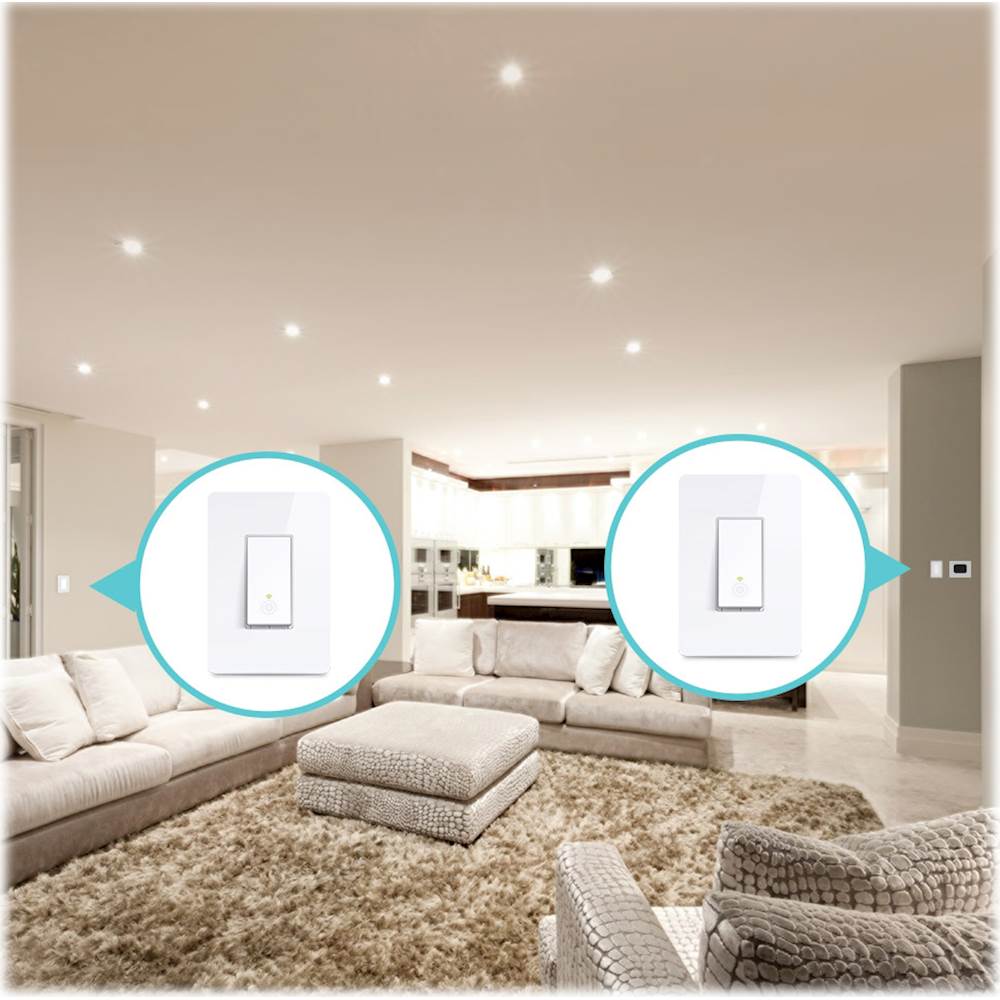
|Posted .This reviewer received promo considerations or sweepstakes entry for writing a review.The pair of light switches were easy to install. The hardest part was finding 1 "lite" area that had 2 switches, since you have to install BOTH for the same light. Most of my rooms only have 1 switch controlling the lights. Once installed and the app downloaded to my Android phone, it was easy to control the lights. I wish the switch would work in rooms where there is only 1 light switch, so I had more flexibility on where it was installed.
I would recommend this to a friend - Pros mentioned:Ease of use
Easy to Install - Works Great
|Posted .This reviewer received promo considerations or sweepstakes entry for writing a review.This 3-way switch is very simple to install. The app walks you through the setup step by step. Installation took about 45 minutes total. You can easily turn on and off the switch from the app very easily. The only downside to the switch is that TP Link didn't include Apple's Homekit support. Hopefully this is something they can add in the future to make the switch more compatible with other smart home platforms.
I would recommend this to a friend - Pros mentioned:Ease of use
Great if you're already in TP-Link land
|Posted .This reviewer received promo considerations or sweepstakes entry for writing a review.Otherwise it just adds yet another app to your smartphone in order to use them. There's no SmartThings integration either. Overall they were easy to install & use and work great, just am hating this lack of a "standard way" to do all things home automation and having to install app after app after app for those that don't support SmartThings
No, I would not recommend this to a friend - Cons mentioned:Face plate
Ehh not as easy as they say
|Posted .This reviewer received promo considerations or sweepstakes entry for writing a review.Loved the idea of this product.... I've been slowly adding smart products to my him...thermostat, Echo, cameras, now lighting...first, you must have a 5 wire configuration with a neutral wire... so right away most beginners wont understand that.... and i don't suggest digging around electrical wires if you're not familiar... anyway, bottom line is it works as advertised one you get it installed. But instillation isn't as easy as they say... also, i wish it came with more face plate options... ex... my bedroom has a bank of 3 switched and a face plate with covers them all together... i cant add these switches to that bank of switches because i don't have the proper face plat... id have to go and buy a new face plate.
I would recommend this to a friend Great 3 Way Switch...
|Posted .This reviewer received promo considerations or sweepstakes entry for writing a review.Reading the reviews for this switch, I was a bit concerned that when I went to actually install this, I was going to find that I didn't have the 5 wire setup that is required. Luckily, that was not the case, and installing the switch was pretty straightforward, following the directions on the app. Like other reviewers noted, I was able to install one 3 way switch on two different circuits, as opposed to both switches on the same circuit. This was an unexpected benefit, and definitely makes it a good buy. I'm not sure why anyone would want to install both of these on the same circuit, as I can't seem to find any advantage of doing so. Overall, the entire setup probably took me an hour for both switches (removal of old, install of new). Someone more experienced can probably do it much quicker. This was my first attempt at installing a 3-way switch.
I would recommend this to a friend- Pros mentioned:App
It works, Instructions are fairly detailed but...
|Posted .This reviewer received promo considerations or sweepstakes entry for writing a review.Home automation excites me. I have several smart switches, devices, and appliances in my home. Technology is amazing. This switch, however, is the first smart device that has underwhelmed me. I have bought similar switches and was very impressed with their wiring diagrams, quality components, and versatility of the switch. This switch doesn't check any of those marks. The install instructions for this device are completely through the app designated for the device. Although I prefer paper, these instructions are pretty detailed and helpful, but it is semi problematic if your switches are on the same circuit as your wifi modem when you have to kill the power. The install instructions are well oriented towards the novice electrician and anyone can do it. Don't be afraid. This package only comes with the specified color, which was also unique in my experience with smart switches. Every other switch I have purchased has come with both a white and an almond or light almond. When installing this switch, all I could keep thinking was how cheap this switch felt. The screws on the switch back all the way out, the button feels flimsy, and just overall leaves a sour taste in my mouth. But even with these characteristics that disappointed me, the switch works quickly and reliably. The app is friendly, however I typically never use the app again after enabling the skill for my smart assistants. Yes, this switch works with Alexa. Would I recommend this to you? No, I would not. But if they run an amazing sale on it and don't mind the cheaper feel, then this may find its way into your home.
No, I would not recommend this to a friendBrand response from TPLinkSupport
Posted .Hi,
Thank you for sharing your experience with our product. We're happy to hear you were able to easily install the device and you're enjoying its features, including Alexa integration. We appreciate your feedback regarding the physical design and aesthetic aspects of the smart light switches, and we'll gladly share it internally with the appropriate team. If you have any questions or concerns about your Kasa experience, please feel free to e-mail [email protected] and we'll gladly follow up.
Thank you,
TP-Link Support
- Pros mentioned:Ease of use
Good Smart Switches
|Posted .This reviewer received promo considerations or sweepstakes entry for writing a review.These are very good smart switches. They function really well and the set up is easy but the app could use a little work, doesn't cause much of an issue though
I would recommend this to a friend Neat
|Posted .This reviewer received promo considerations or sweepstakes entry for writing a review.Truth be told when I requested this for testing, I thought it was something else. My mechanical side is very limited and these were above my personal comfort level for installation. A call to an electrician later and we were up and going. These switches are just the next logical step in high tech homes. It is cool to talk to the lights or control them remotely via the app. I will be slowly changing out every applicable light in my home.
I would recommend this to a friendNot What I Expected
|Posted .This reviewer received promo considerations or sweepstakes entry for writing a review.Honestly, from the description given on these switches, I was expecting a quick, simple install process. Turns out, not so much. Took quite a bit of effort to get these installed because the wiring was different than expected. Now that they're in place, I have a couple of issues. 1) I think they look cheap. I was expecting a modern, contemporary type upgrade to my house to go along with some of my other smart devices (thermostat, doorbell, etc.). Instead I got a cheap looking switch that seems out of place. 2) I have dimmer switches already installed that I use ALL the time. Can't use them with these switches in place. Because of the issue with the dimmer switches, I decided to take out the switches from my kitchen and family room and put them in the hallway (one upstairs and one downstairs). I feel like these locations make life a little bit easier (I know, first world problems), and I don't care quite as much about the aesthetic issues. That's why this is a 3 and not a 2 star review. Once the switches were finally installed, they do work on my Wifi network, and I'm able to control them with my Google Home. Overall they work and I'm using them, but they still were not what I expected. Be prepared for likely wiring issues and make sure you have a good location to use them first. If those issues are covered, I'd still recommend them because they are a cheaper option for home automation.
I would recommend this to a friend