Customer Ratings & Reviews
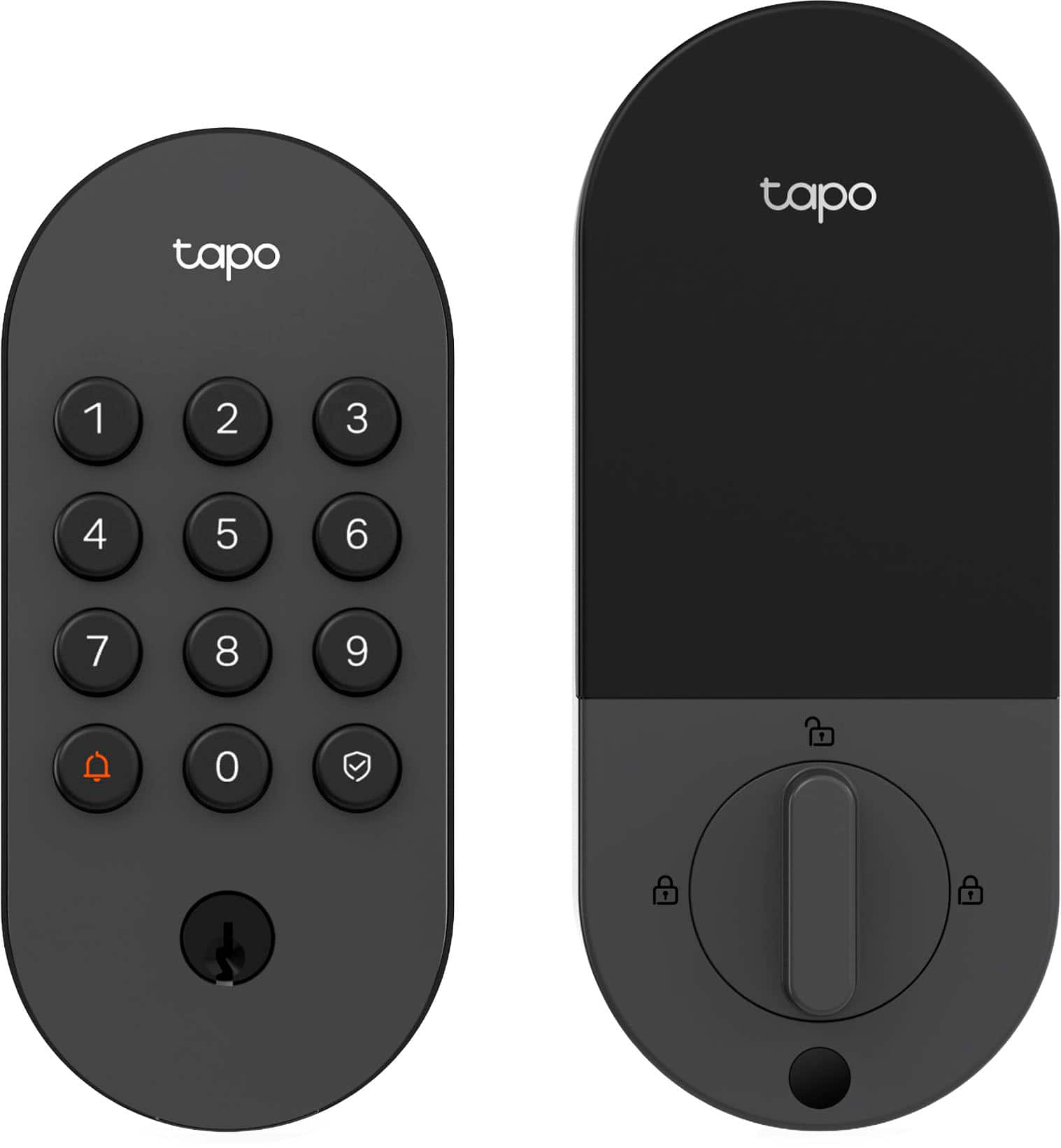
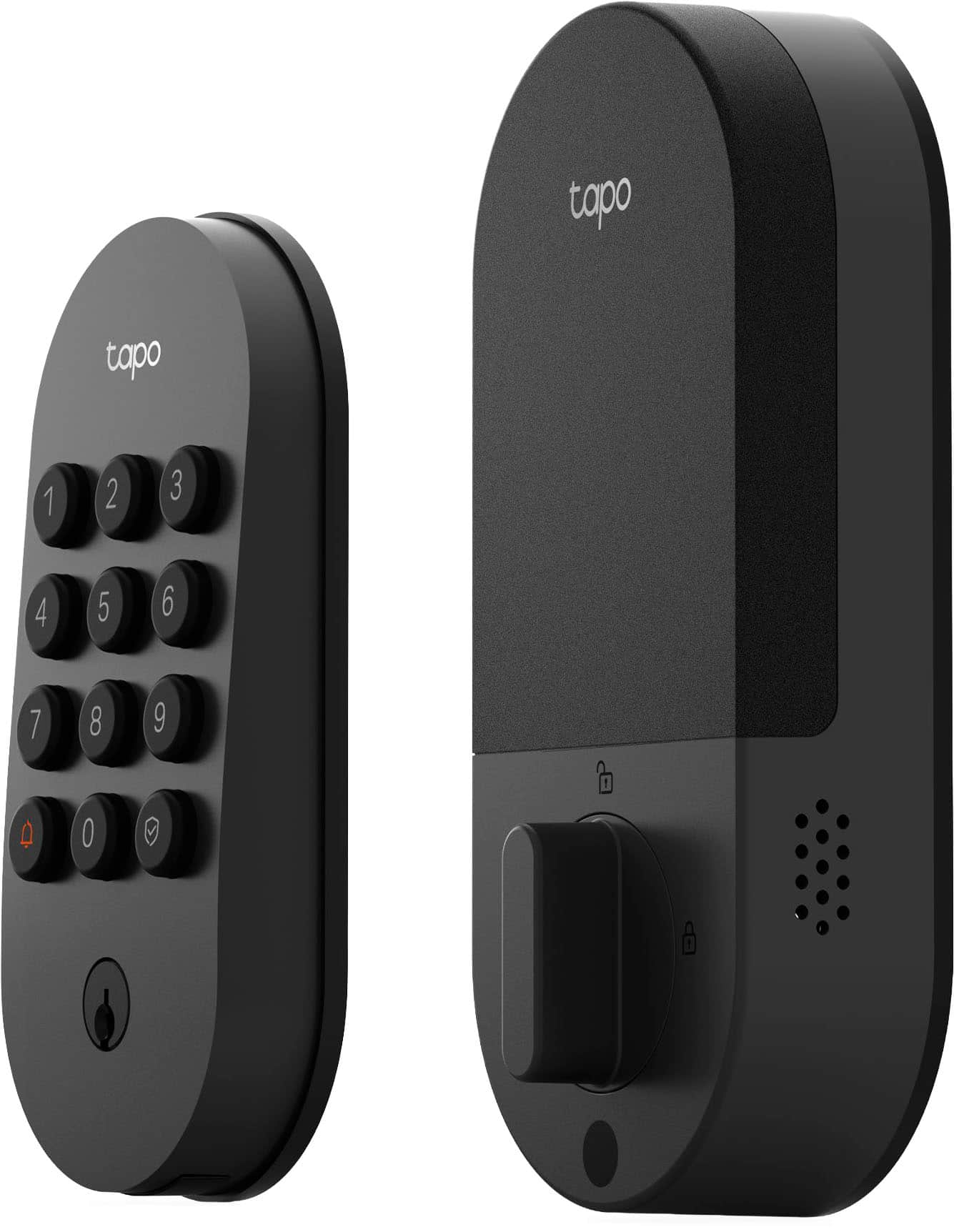
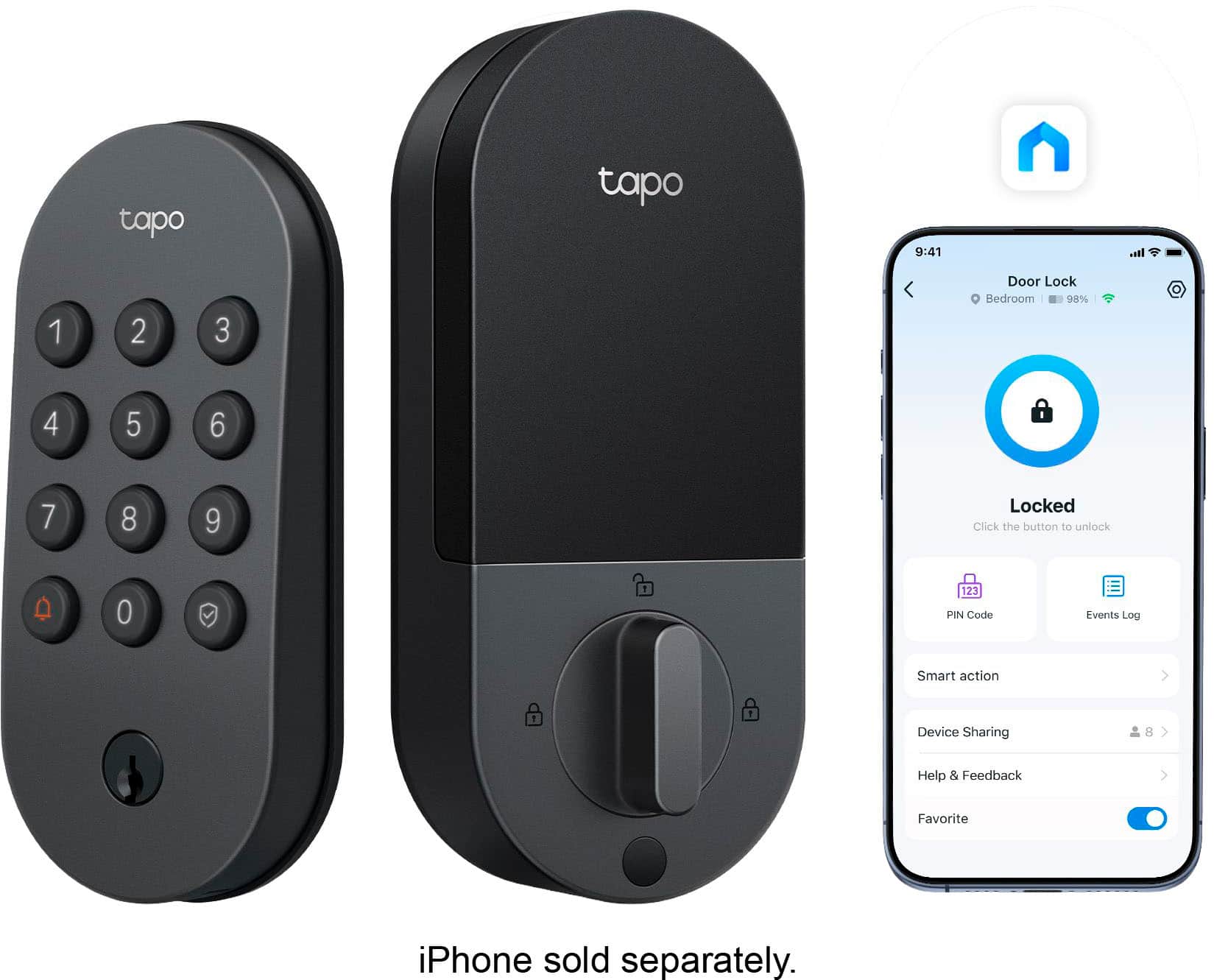
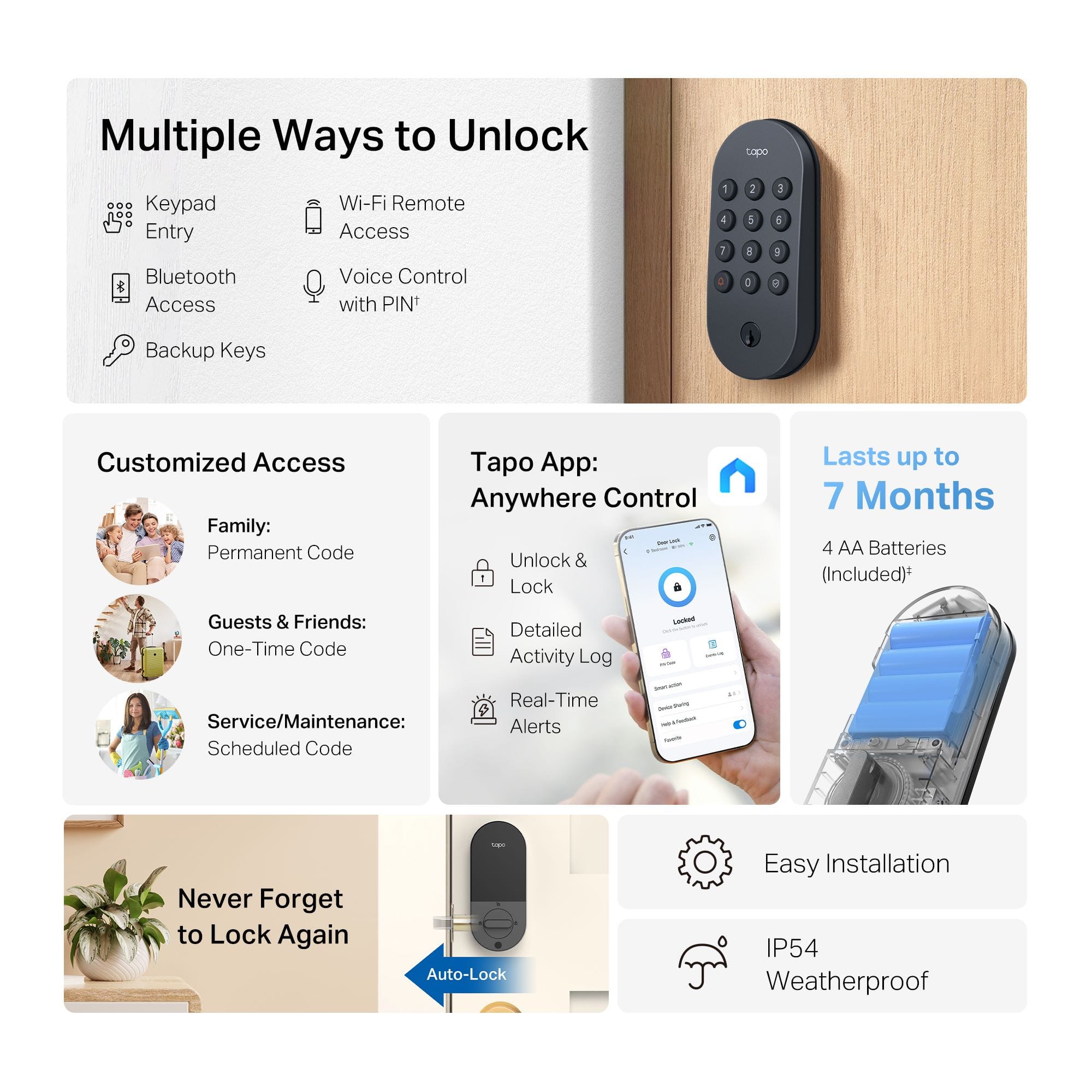

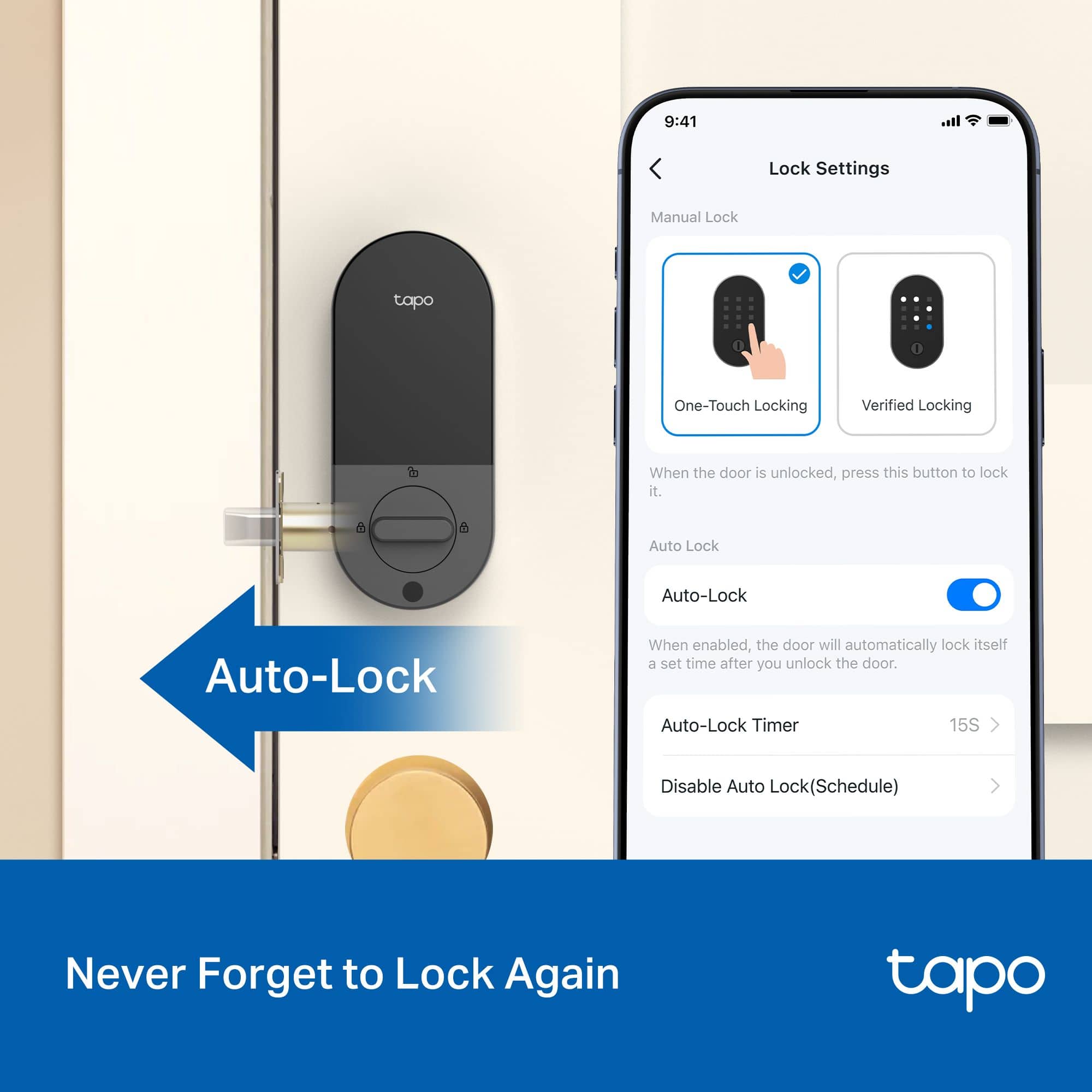
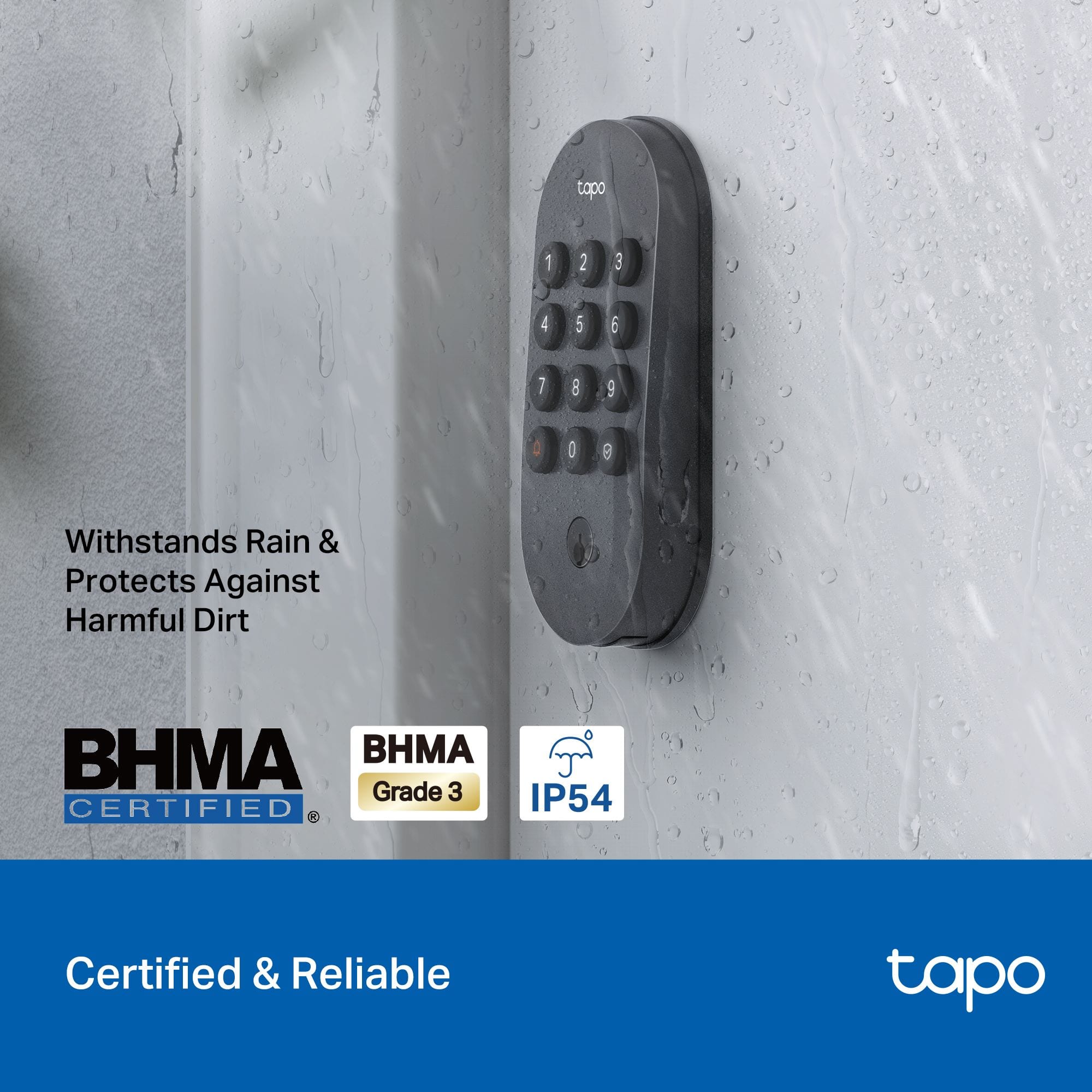
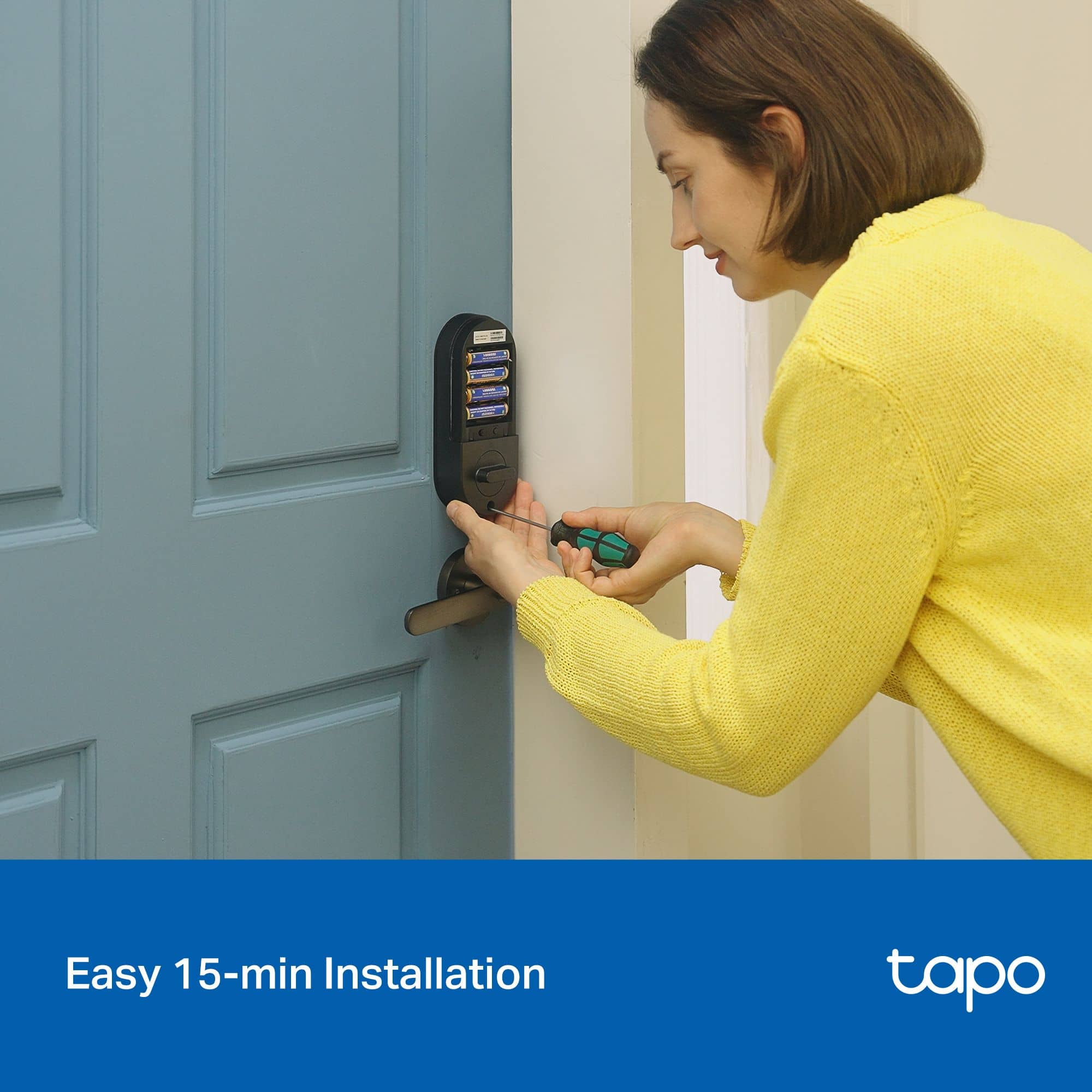
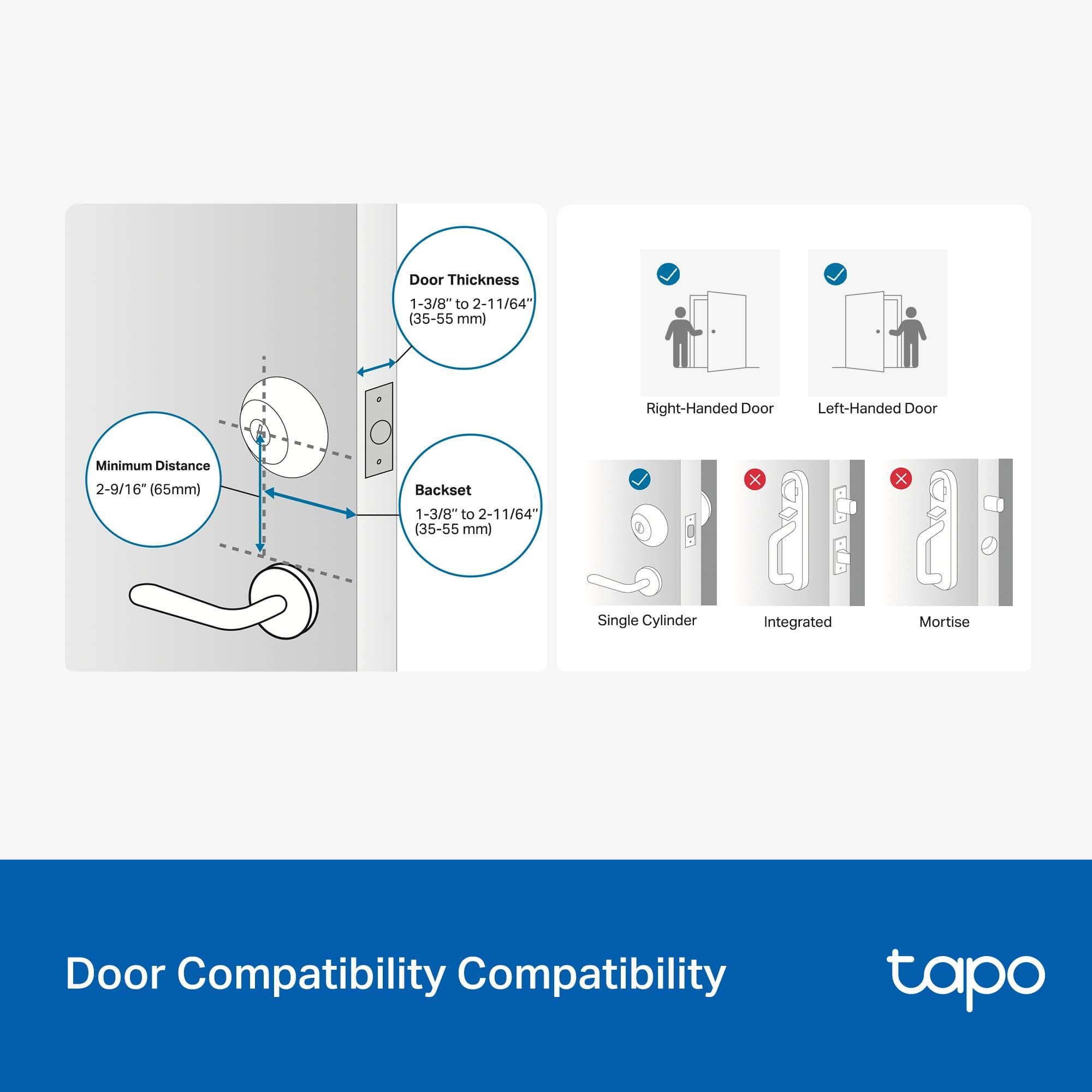
![P tp-link tapo Wi-Fi Door Lock Deadbolt Smart Tapo DL100 topo Multiple Ways to Unlock, 1 2 3 Key-free Access 5 Physical Key Lock or Unlock from via the Tapo App 4 5 6 Anywhere Stay Informed with Real-time Alerts 7 8 9 BHMA CERTIFIED . tapo Control from With Anywhere, Anytime the User-friendly All-in-one Ta Smart App tapo - 0 Lock Unlack I Check Status Instant Alerts Lacked Detailed Activty Log Sann Never Forget to Lock with Smart Auto Lock Powered by AA Batteries. Lasts up to 7 Months' 0 0 0 - Irrad eit - Seebe ie Smp Replaces Standard Deadbolt. Easy Installation Sala I Password One-time Entry Guest Code Remote App Bluetooth Voice Control Physical Key Control Access with PIN Backup works alexa with works - Google Home SmartThings Smart Auto-Lock Automaticaly engages ar use tv customizable tne intervals leg. 15 seconds] ensuring seamless security and convenience.](https://pisces.bbystatic.com/image2/BestBuy_US/images/products/85f39231-9e4c-4c70-95af-d506d760d732.jpg)
- Model:
- Tapo DL100
- SKU:
- 6625576
Rating by feature
- Value
Rating 4.7 out of 5 stars
- Quality
Rating 4.7 out of 5 stars
- Ease of Use
Rating 4.8 out of 5 stars
Customers are saying
Customers appreciate the Tapo DL100 Smart Lock for its easy installation and overall performance, noting its attractive design. They also value the connectivity features, which allow access through a cellphone, and the reliable battery life. Additionally, users find the button layout and app integration to be well-designed and user-friendly.
This summary was generated by AI based on customer reviews.
- Pros mentioned:Battery life, Button layout, Connectivity

Nice smart door lock
|Posted .This reviewer received promo considerations or sweepstakes entry for writing a review.I wanted a smart lock for my second door and this is a good one. I was sick of fumbling with my keys all the time and this deadbolt helps make life simpler. If your going to be unloading groceries and carrying a lot of stuff, you can unlock the door from your car! Even punching in a code is easier than using the key. (Which it still has in case the batteries die or in case of malfunction.) You can even set up different codes for friends instead of making more keys. The Tapo lock locks and unlocks quickly and I haven't had any issues so far. It uses AA batteries that should last about 6 months, I like that they chose this common size of battery instead of some odd ones you have to special order. Locking it when leaving couldn't be easier. Just one button press and it's locked. And the ability to check the door on your phone to make sure it's locked is great! Installing it was a breeze. If you can handle a screwdriver, you can install this lock. It even has a doorbell button that notifies your phone if someone rings it. The price point is great, coming in at the same price as some regular deadbolts. I highly recommend this Tapo smart door lock!
I would recommend this to a friend - Pros mentioned:Battery life, Button layout, Installation ease
Best keypad I've had a on a door lock
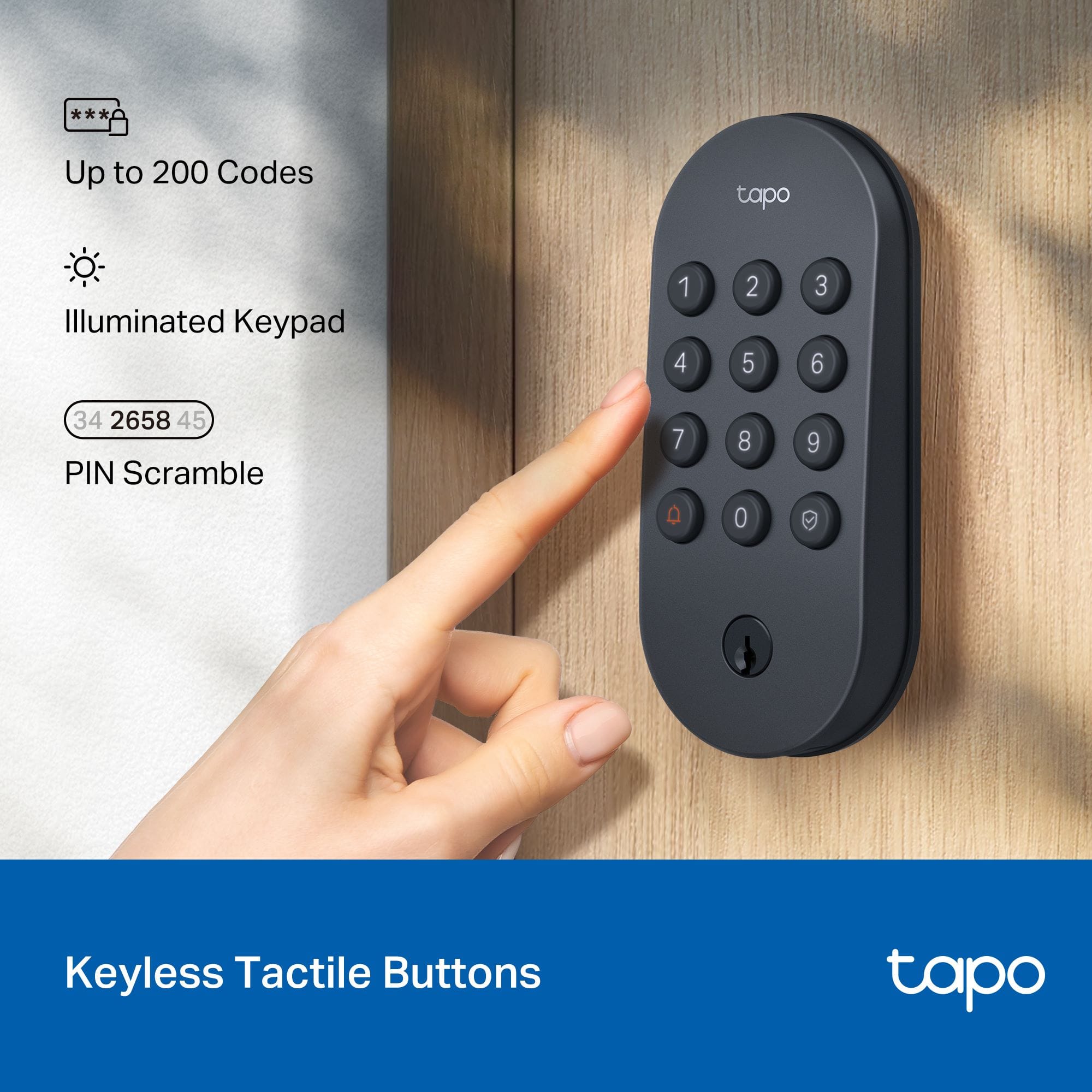
|Posted .This reviewer received promo considerations or sweepstakes entry for writing a review.I think the keypad is my wife’s favorite part. Our first smart lock had real buttons which was awesome, but a button was two numbers which reduces the real combinations by quite a bit. The next few smart locks we have tried all had awesome features, however for my wife they all had a fatal flaw, the keypad, all the buttons were capacitive, some with haptic feedback and some with just beeping feedback. It was easy enough for me to deal with however, she would complain the number pad never worked, for the neighbors as well. I think they would brush a different button and as they usually go between houses carrying entirely too much as multiple trips just isn’t fun. These buttons are perfect, the lock this replaced is much smaller and looks like a regular door lock but she wants to keep this one as the keypad is just better. So if the basic keypad functionality is the most important to you, this one is the clear winner in my mind as it has security and really good buttons. It has Alexa, Google, smartthings, Siri, and ifttt integration for those of you that are interested in those things. Inviting family members or neighbors to use the app is annoying, they need to have a Tapo account before you can email them, this is really really annoying, just send an invite to create an account if they don’t have one. The app itself is more of a whole home app with a camera tab, vacuums tab, smart tab, home tab, and an account tab. When you go into the lock itself you can lock or unlock directly from the app or create a pin for someone. Because the keypad is so nice the only people you are really going to invite are admins to the door (like my wife) the rest you will just assign a permanent or temporary code to and then there is no trying to help people use an app. Next you can go into the security function of the lock which has some nice features, there is an unlock attempt limiter that can lock out the lock for a set amount of time if the wrong code is entered a user set amount of time as well as being able to add a random number in front of and behind your code, if someone is staring over your shoulder this could be useful… or if you don't want the code numbers to be the only ones worn out eventually. This is probably one of my favorite features, not necessarily because I am worried about security where I live and someone seeing my code (half our neighbors have a code to our door) but because I know for a fact the door is awake when I walk up to it if I start with just a random number and I don’t have to re enter the code, not that that has been an issue on this one, i’m just so used it being a problem on other ones, the ability to circumvent it even being an issue is just super nice. The feature is called “Scramble PIN Code” Overall, this is a solid lock choice and if you care about the keypad or have quite a few users of the keypad this may be the best choice. Pros: Keypad “Scramble PIN Code” Smart integrations App works well Easy to set up Easy to install Long battery life door code history schedulable door codes Cons: User invites must have an existing TP-link account
I would recommend this to a friend Lock died within a month
||Posted .This reviewer received promo considerations or sweepstakes entry for writing a review.Wish I could give this zero stars. My lock entirely died within a month. Within 2 weeks of install, the batteries were at 8% battery life. A week later, I replaced the batteries, and now the lock is completely unresponsive, even with brand new batteries, even with putting the old almost-dead ones back in. Tapo's online live chat was awful. BestBuy's return policy is extremely stingy. Within a month the product completely died and they won't take it back. Stand by your products, BestBuy - you're a $14B corporation.
No, I would not recommend this to a friendBrand response from TPLinkSupport
Posted .Hi aep123,
Thank you for your review. We regret to hear about your unusual experience with your Tapo Door Lock. The device comes with a manufacturer's warranty, and our TP-Link Support Team would like another opportunity to help you with your concerns. At your convenience, please reach out to us via phone, live chat, or email using the Support Portal on our official TP-Link website, and a support agent will be happy to assist you.
Best Regards,
TP-Link Systems Support
- Pros mentioned:Battery life, Installation ease
Reliable and Convenient Smart Lock
|Posted .This reviewer received promo considerations or sweepstakes entry for writing a review.I have owned the TP-Link Tapo DL100 Smart Wi-Fi Deadbolt for about one month and it has been a solid addition to my home security system overall. The installation process was fairly simple. Everything included was here and it took no more than an hour to mount it to my door (standard) without needing to drill any additional holes. From a functional perspective, I appreciate the versatility this offers. I prefer to use the keypad for entry and the jog buttons have an acceptable feel and responsiveness. I liked the backlit keys and the ability to hide my code in random numbers to enter during the darker times of the night too. I, also, like that I can remotely unlock or lock my door using the Tapo app. When family and guests arrive, I can easily create and delete different access codes to keep track of access management. The battery life seems good, since I've used Wi-Fi mode, I have not had to change the batteries. The alerts in real-time and activity logs are a great benefit when away from home. I used the voice assistant for Alexa and this worked well, but I tend to use the app more. My only minor dislike is that occasionally, my remote command might take a few seconds longer, but this is so small it does not make me dissatisfied in anyway. Overall, I feel the DL100 is a decent balance of security, convenience, and smart features at a great price.
I would recommend this to a friend Piece of garbage
||Posted . Owned for 4 months when reviewed.This reviewer received promo considerations or sweepstakes entry for writing a review.Batteries don’t last more than 2 weeks, Talked to company, big run around,
No, I would not recommend this to a friendBrand response from TPLinkSupport
Posted .Hi JohnP,
Thank you for your review. We regret to hear that your support experience was anything less than satisfactory, and we would appreciate another opportunity to help you with your Tapo Deadbolt Door Lock. At your convenience, please email [email protected] referencing this email and your existing Support Ticket ID (TKID). One of our Support Agents will gladly follow up and assist you.
Best Regards,
TP-Link Systems Support
- Pros mentioned:Installation ease
Easy Install, Quiet Operation, Sharp Looking
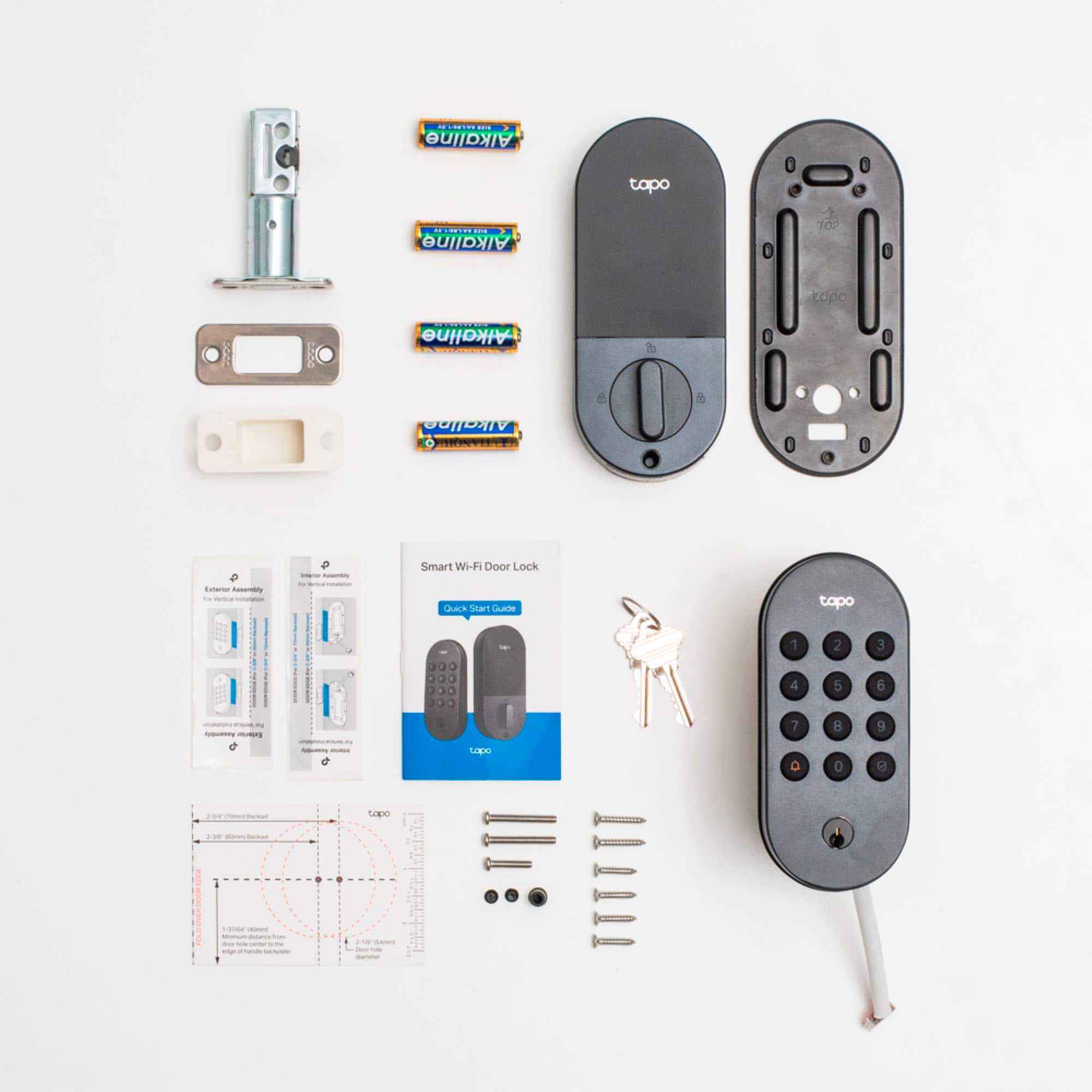
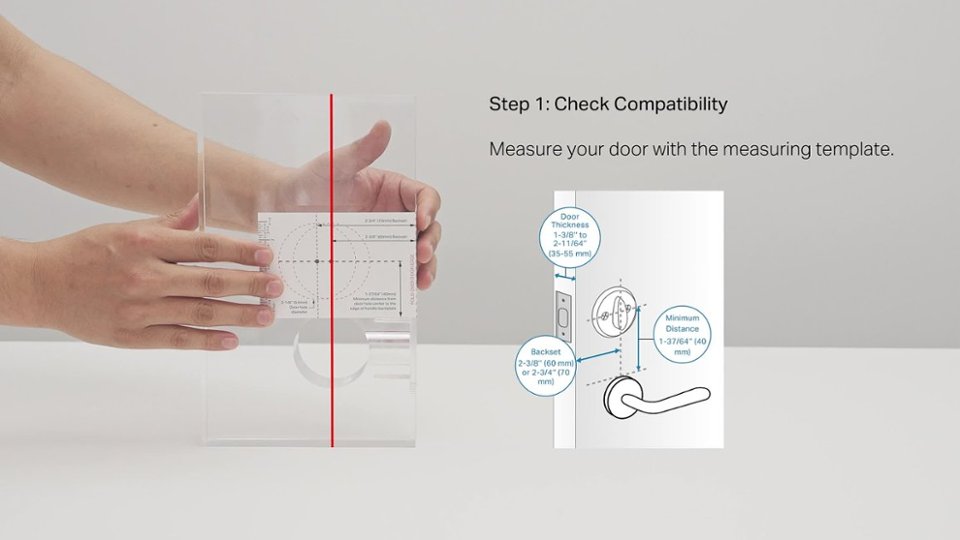
|Posted .This reviewer received promo considerations or sweepstakes entry for writing a review.I replaced my older, larger, and much heavier "smart" deadbolt with this TP Link DL100 deadbolt. This new lock has been great so far. It was super easy to install, the app was a breeze to configure, and the look and use are sharp and easy. The device is an easy plug & play install if you have a previous standalone deadbolt that you're replacing. Even if that previous deadbolt wasn't "smart" you'll generally be fine. You'll want to of course do a quick measurement of your door just to ensure it will fit in the already drilled holes. If you're starting new, then it's up to you to drill the holes yourself with the provided measuring templates. My previous deadbolt was a much older version of a smart lock that would pretty much only work with z-wave security systems. This new TP Link device was super easy to setup using the app to integrate with my Google Home ecosystem. I can now issue commands to the Home speakers to lock or unlock the door. The app even has some functionality to allow it to auto-lock after a configurable period of time. Handy for when your kids leave the door unlocked all the time. Setup in the app was quite painless, and connected to my WiFi with little effort or trouble. You can use the app to program in extra access codes and set schedules for when those codes are valid or even when the lock should sleep to conserve battery power. The build quality is pretty good. The backplate has a little rubber gasket on it that matches the finish and provides some weather protection and keeps the lock assembly from scratching your door. Nice touch! Install really consisted of about 5 total screws, and maybe 10 mins of effort. The finish is a nice smooth black near-matte that looks real good on my dark stained door. Now I just need to snag a doorknob to match. The buttons have a nice feel and are easy to use. I like this lock a lot better than my previous one. I would definitely recommend this one to others.
I would recommend this to a friend - Pros mentioned:Connectivity, Installation ease
Worth the switch
|Posted .This reviewer received promo considerations or sweepstakes entry for writing a review.I finally decided to give a digital keypad deadbolt lock a try and I have no regrets. This has been so much nicer to have than a traditional lock and key deadbolt. Setup within the app was super easy. I like the different settings and options available within the app, such as setting up individual codes to unlock the door. Installation of the TP Link DL 100 Basic Keypad Door Lock was surprisingly as easy as it is advertised to be - I was very surprised by that. The instructions are very clear, with enough detail to quickly walk anyone through the installation process. They even include some helpful installation stickers to help make sure the keypad is straight and, while a nice touch, I found it easier to just use a small level. The design of the latch hub/ bolt piece is very clever in that it can be extended to allow for the installation of the lock within a range of precut doors. With the latch hub extended, the lock fit perfectly in the existing hole for the door I installed it on. The lock was super easy to set up within the app after being installed, and I have had zero connection issues with the lock - it works perfectly. The app also works perfectly which is a huge plus because buggy apps are a pet peeve of mine when purchasing products that require the use of their specifically designed app. The lock works smoothly as it should too, and I love that I have an easier way to open and lock the door because I'm often carrying multiple items when accessing the door I installed it on. It has definitely been worth the upgrade from a traditional manual key lock, I highly recommend getting one.
I would recommend this to a friend - Pros mentioned:Connectivity, Installation ease
An easy way to upgrade your home security
|Posted .This reviewer received promo considerations or sweepstakes entry for writing a review.TP-Link has really upped their smart home device catalog in recent years with their Kasa and Tapo product lines. And this smart deadbolt is a great addition to the Tapo line - and an easy upgrade to the overall security and "smartness" of your home. Installation of the deadbolt is generally quite easy - in my case, I was replacing an existing deadbolt, so the holes and all were already in place and I didn't have to do any cutting or drilling (which would be needed if you were adding this to a door that DIDN'T have an existing deadbolt). I already had the Tapo app for my other devices and adding the deadbolt was a piece of cake so I was up and running very quickly. The operation of the deadbolt couldn't be more simple. Of course you can use key on the outside and the lever on the inside if you want (I'll use the lever quite a bit on the inside to lock / unlock the door, though I don't klnow that I'll use the key very much). Beyond the key though, you get two other ways to unlock the deadbolt - with the keypad and a code that you set (and you can set temporary codes if you want someone to be able to open the door for a specific time) or over wifi using the Tapo app. And it all just works - smoothly and easily. And it's great to be able to tell remotely if the door is closed and locked - or not! So if you're in the market for a new deadbolt or a way to make your home a bit more smart and a bit more secure, this is a great option. Give it a try today!
I would recommend this to a friend - Pros mentioned:Connectivity, Installation ease
Very easy to install and has many functions
|Posted .This reviewer received promo considerations or sweepstakes entry for writing a review.Just received my Tapo DL100 today. Packaged very well. All hardware is included. You will need a Phillips screwdriver to install. Total time from unboxing to finished installation was approx. 30 minutes. Instructions are very easy to follow and well illustrated.Works very well. I already have other TP-Link devices in my home and have been very happy with them. To enable, you need to download the Tapo app which automatically integrates all your Kasa/TP-Link devices to the app. There are various ways to actuate the lock. 1st is a simple PIN, 2nd is by the app, 3rd is to link it to Alexa or Google home and then you can lock and unlock by voice commands. As an extra security feature you do have to give your PIN to unlock, but locking the door is as simple as saying Alexa lock back door and it is done. If you want someone to have a one-time code you can create it in the app. You can also set the lock to automatically relock by itself after unlocking, that feature I am not using. There is also a log that tracks what method is used to lock and unlock in the app and of course you can sign up to for a subscription to retain the log in the cloud like everything nowadays. You can also add this to a routine within Alexa or Google Home. Overall this could not be easier to install and use and I am very satisfied.
I would recommend this to a friend - Pros mentioned:Connectivity, Installation ease
Easy to use and convenient smart lock
|Posted .This reviewer received promo considerations or sweepstakes entry for writing a review.This keypad door lock was easy to install, straightforward to set up, and now allows me convenient access via PIN, app, or smart assistant. I've replaced a couple of deadbolts before, but I'm hardly an expert. I had the DL100 out of the box and fully installed in about 15 minutes using just a Phillips head screwdriver. The instructions were easy to follow, and all of the parts connected smoothly and easily. I will note that before ordering the DL100, I confirmed my current door measurements were compatible, and recommend others do the same. Once I had the lock installed, I downloaded and set up the companion app. I already had a TP-Link account and had the app running and connected to the app in just a few more minutes. From there, I was able to add a PIN for each member of the household. There is an option to allow other household members to administer the lock, provided they're willing to download the app and set up a TP-Link account. The app allows you to enable an auto-lock feature, which locks the door a set amount of time (between 30 seconds and 5 minutes) after it is unlocked. It also supports linking to several popular home automation platforms, like Amazon Alexa, Google Home, and SmartThings. I linked mine to Google Home, was able to control the lock using Google Assistant right away (it does prompt for a pin for added security). The DL100 uses standard double-A batteries, and I was pleased to see there's a USB-C port (power only, no data) that lets you temporarily power up the lock if the batteries are dead and you need to get in. There are a few features that I was a bit surprised to not find: First, there is no option to schedule the door to lock at a certain time of day. Second, there’s no sensor to determine whether the door is open or closed, so if you leave the door open while auto-lock is enabled, you might find that the deadbolt is engaged, but the door isn’t really closed. Finally, I don’t see an option to choose to get notifications only when certain users unlock the door (in other words, when certain PINs are used). That would be helpful for keeping track of kids, contractors, etc. All that said, this is still an easy to use and convenient option to replace an existing deadbolt with one that has quite a few smart capabilities.
I would recommend this to a friend - Pros mentioned:Installation ease
Simple, Smart, and Seamless
|Posted .This reviewer received promo considerations or sweepstakes entry for writing a review.From the moment I unboxed the TP-Link Tapo DL100, I was impressed by its simplicity. The packaging is minimal, with very few components—nothing overwhelming or complicated. It even includes a compact, easy-to-understand installation manual that makes setup a breeze, even for those who aren’t particularly tech-savvy. I installed the lock using the existing holes from my old door lock, which meant no drilling was necessary. The instructions were crystal clear, and although I consider myself techy, I believe anyone could follow them without issue. I managed the entire installation solo, but having a second person to hold the lock while connecting the wires and aligning the parts would make it even easier. Still, it’s totally doable on your own. From start to finish, it took me just 15 minutes to remove the old lock and install the new one. After that, I downloaded the Tapo app from the Apple Store, registered my email, and followed the prompts to connect the lock. The app setup took about 12–15 minutes, and once connected, I was able to configure door codes and explore a variety of useful settings. After a week of use, I can confidently say I love this smart lock. It’s been completely reliable with zero issues. Sharing access with family members through the app was also incredibly easy, allowing them to control the lock remotely without any hassle. Final Verdict: The TP-Link Tapo DL100 is a fantastic smart lock that combines ease of installation, intuitive app integration, and reliable performance. Whether you're tech-savvy or not, this lock is a smart upgrade for any home.
I would recommend this to a friend - Pros mentioned:Installation ease
Absolutely love it!
|Posted .This reviewer received promo considerations or sweepstakes entry for writing a review.We have a bunch of Tapo smart switches throughout our house to schedule lights and things to come on and off at certain times, and we have always loved them. We also have other brands of smart locks on other exterior doors of our house, but I have always wanted to get one for our door leading out into the garage. When I saw this one, it was a no-brainer, I had to give it a try. Out of the box you can tell it’s a solid, and well-built lock. I had installed many of these in my day, so installation was a breeze. From the time I took it out of the box, till I was ready to connect it to the app was less than 10 minutes. Your experience may vary depending on if you already have a deadbolt installed or if you have to do any extra drilling or things like that. But if you already have a deadbolt installed and you have just a turning knob style handle, you will most likely be good to go! As far as I know, black is the only available color, so it clashes a little bit with our silver handles, but we’ll get used to it. Maybe Tapo should look into offering a few different color options in the future. I love the buttons on it. They have a nice rubberized texture and light up so you can easily see them in the dark. I definitely prefer this over the ones that are more like a touchscreen that you are always having to clean. Once I got it installed, I put the batteries in and was easily able to connect it to the app. I already had the app and an account set up so it took seconds to get up and running. It might take a little bit longer if this is your first Tapo product. The app is fairly simple. You can lock and unlock the lock. You can set up different codes for different people in your house so you can get notifications of exactly who is unlocking the door. You can also set certain times that those codes will work if you choose as well. One thing I am not able to do, but I hope they can add it in the future is the ability to lock the door at a certain time of day. We usually leave our door unlocked most of the day, but I will lock it around 10 at night before I go to bed. It would be nice if I was able to set up an automation to have it automatically lock at 10PM every day. I wasn’t able to find a way to do that in the app. You can have it auto lock after either 15sec, 30sec, 60sec, 5 min, or 15 min though after it has been unlocked. So, that a nice feature, especially if you have a house full of kids who always forget to lock the door. One other thing I loved is called scramble pin code. This allows you to enter any random numbers before and after your actual code and the door will still unlock. That way if someone is watching over your shoulder, you can use different numbers and they most likely wont know what your code is. For example, if my code is 4083, I could enter 30567 4083 21345 if I wanted to, and it would still unlock the door, just as long as the 4083 is in the middle somewhere. I remember on our front door lock whenever our son would come home with a bunch of their friends they would always see the code, so any one of them could easily get in their house whenever they wanted. This alone sold me on this lock! This lock also has a key hole and comes with 2 keys if you ever want to unlock it manually as well. That’s something a lot of other smart locks don’t have. Apart from a couple small features that could easily be updated with an app update, I absolutely love this lock. I would highly recommend it!
I would recommend this to a friend - Pros mentioned:Connectivity, Installation ease
Good option for Google Home
|Posted .This reviewer received promo considerations or sweepstakes entry for writing a review.What I liked • Easy and fast setup, it only took 20m to get this up and running. • Google Home integration worked without a hitch making it easy to control remotely. • Sturdy buttons and design What to keep in mind • You’ll need a strong Wi-Fi connection near the door • It doesn’t support Apple HomeKit, so not ideal for Apple households I received this product from Best Buy to review and used it at our cabin, where we’ve got a pretty minimal smart setup. I was looking for something simple that wouldn’t require a bunch of extra gear or setup time. The TP-Link Tapo DL100 Smart Wi-Fi lock was a great fit. Setup was quick and easy, maybe twenty minutes from unboxing to fully working. It connected to Google Home right away without needing any extra steps, which made the whole experience feel seamless. I really appreciated being able to check the lock status from my phone and unlock it remotely when needed. That came in handy a few times when someone got there before us. The lock itself feels solid and looks clean on the door. It doesn’t scream “tech gadget,” which I liked. Overall, I was really happy with how simple it was to use and how well it fit into our space at the cabin.
I would recommend this to a friend - Pros mentioned:Installation ease
Easy to install WiFi deadbolt
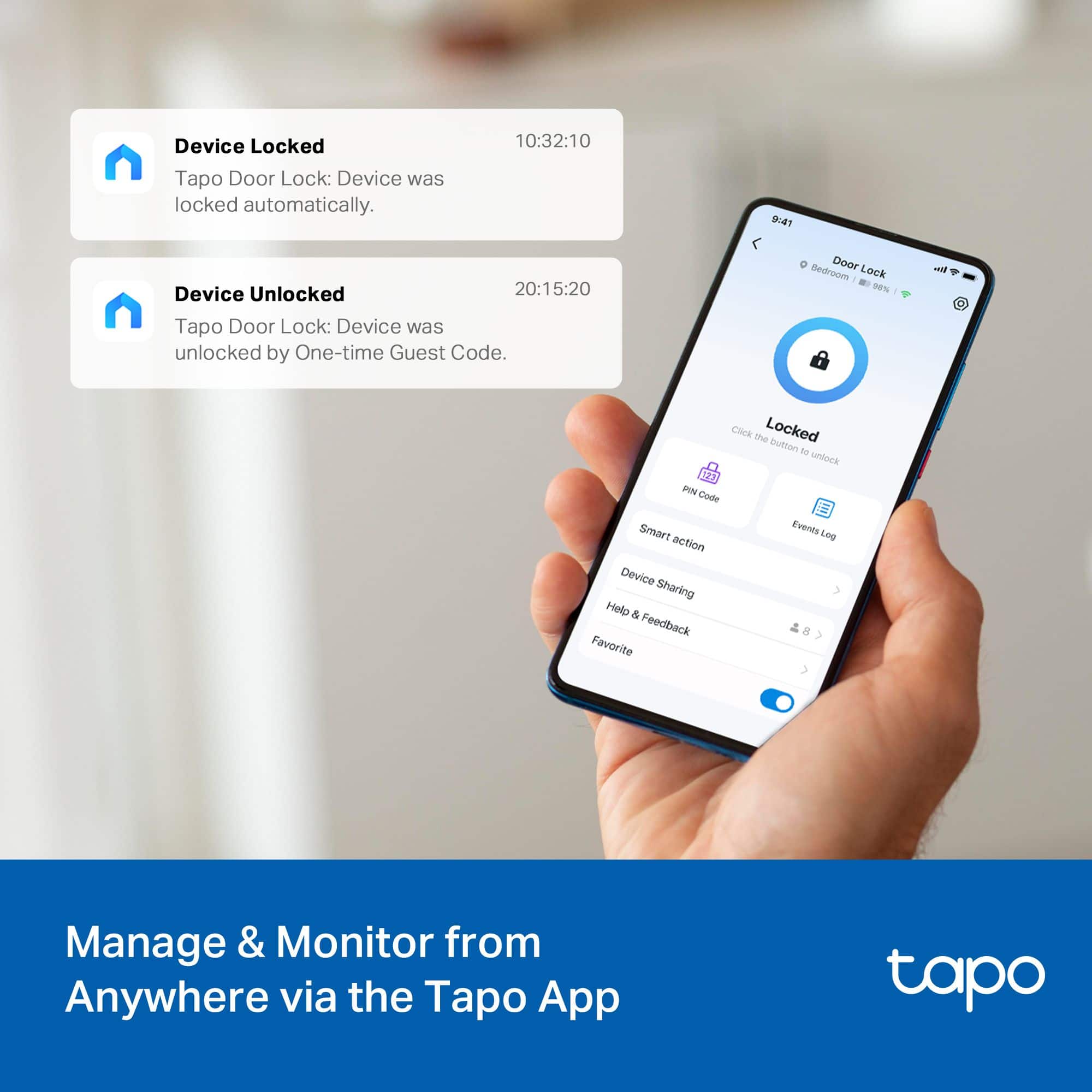
|Posted .This reviewer received promo considerations or sweepstakes entry for writing a review.The TP Link Wi-Fi deadbolt door lock is a nice upgrade if you don’t have a Wi-Fi deadbolt lock. This unit is not too big and actually pretty easy to install. To install the unit you will need to have the holes drilled for a deadbolt. My door already had a deadbolt lock installed so all I had to do was to remove the existing deadbolt lock and install this one. Once I removed the old deadbolt lock, installing this unit was pretty straightforward. There is one cable that goes from the outside part of the lock to the inside. The lock mechanism has to be installed with the right side up. There is a little bump on the flat shaft that goes through the locking mechanism. It is important that the bump is up. When I went to put the inside part of the lock over the flat shaft, it appeared that it was upside down. No worries, just turn the lock knob 90 degrees. At first it didn’t seem to move. It will move but requires a bit of resistance. Once I had the bump in the right position, I could slide the inner part of the lock over the shaft and put the two screws in to secure it. That was the hardest part of the install. I have an iPhone 15 and actually already had the Tapo app. From the app you need to add a new device. Follow the instructions and it sets up easily. When the lock is locked or unlocked I get a message almost immediately on my phone letting me know that the lock has been locked or unlocked. You can also lock or unlock the door remotely using the app and have the ability to set up pin's that can only be used during certain times. If you are interested in a wifi deadbolt, this one is pretty easy to install and use.
I would recommend this to a friend - Pros mentioned:Installation ease
Excellent Budget Smart Lock
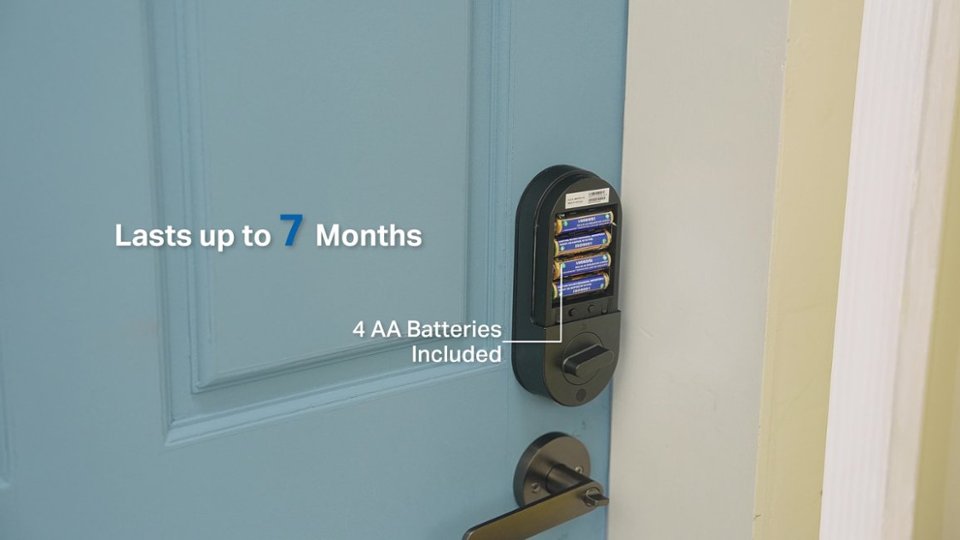
|Posted .This reviewer received promo considerations or sweepstakes entry for writing a review.I've tried a few different smart locks through the years with varying degrees of success. The Tapo line seems to be some of the better ones on the market and the DL100 is excellent at the price point. The DL100 is very budget friendly and saves money by using 4 AA batteries (included) vs a rechargable lithium-ion battery. It also isn't supported by HomeKit, which also keeps the cost down. The install is very easy and if you've ever changed out a door knob you'll have no issues with this. Download the Tapo app and it will scan for devices. It was able to detect mine without issue. The DL100 will integrate with Alexa, Google Home and SmartThings. TL-Link also included an illuminated keypad if you want to leave your keys or phone behind (does anyone really leave their phone at home anymore?) One of my favorite features is the auto-lock feature that will automatically lock the door after a period of time so you don't have to worry about leaving the door unlocked. TP-Link claims the batteries will last for 7 months while connected to WiFi and 10 months if using Bluetooth. All in all, this is a great budget smart lock that has a ton of useful features.
I would recommend this to a friend Great Smart Lock!
Posted .This reviewer received promo considerations or sweepstakes entry for writing a review.This lock is freat! The buttons feel a little soft, like the numbers could wear off, but so far so good! Very easy fitment on all of my random doors.
I would recommend this to a friend