Customer Ratings & Reviews
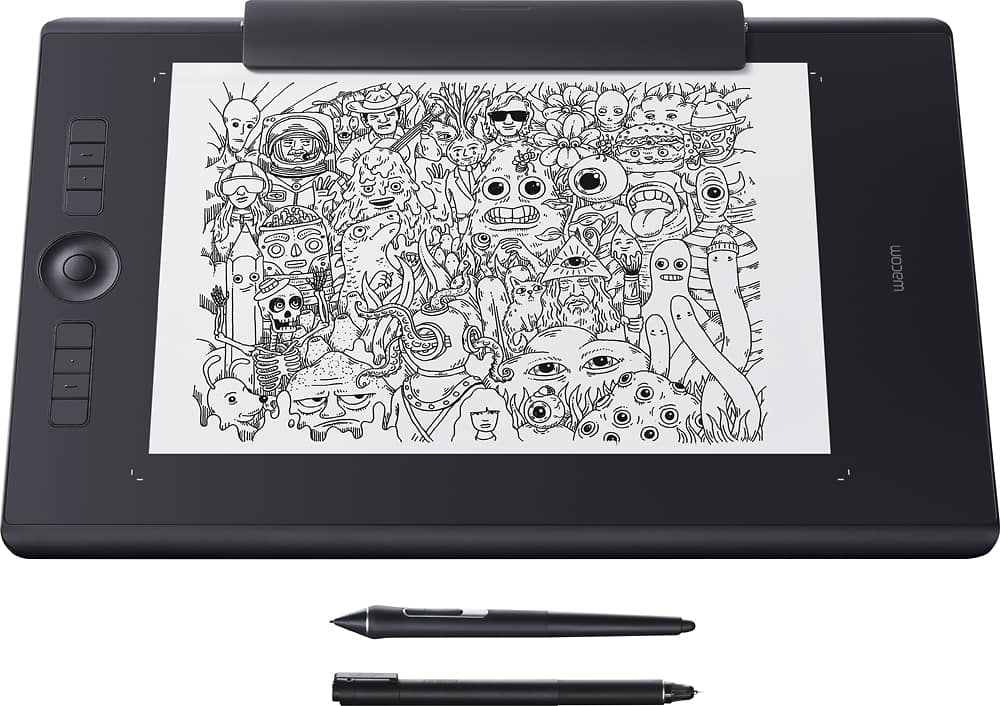
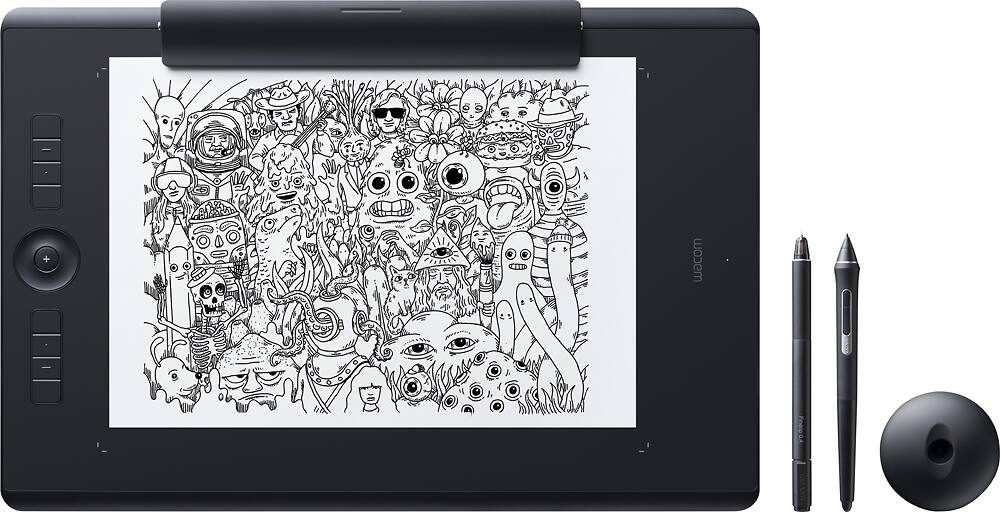
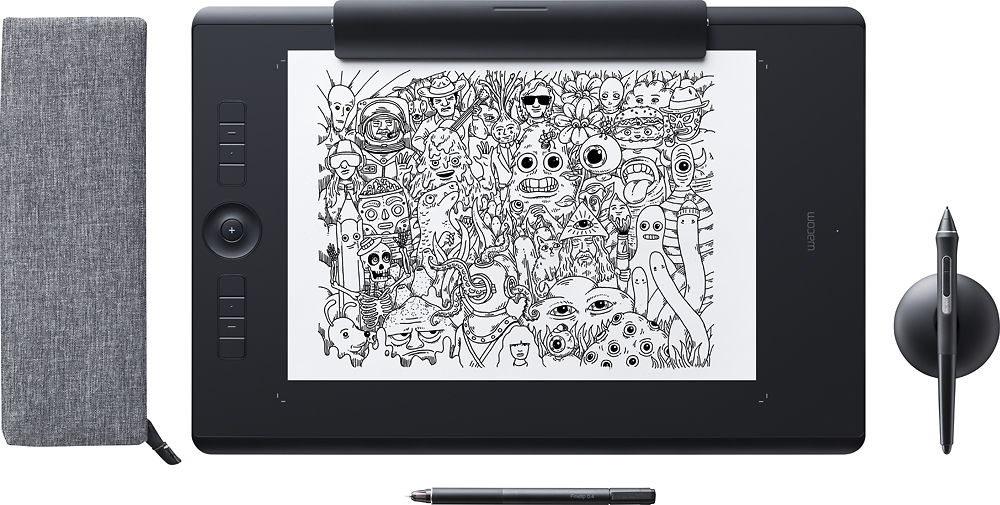

- Model:
- PTH860P
- |
- SKU:
- 5708933
Customer reviews
Rating 4.5 out of 5 stars with 22 reviews
(22 customer reviews)to a friend
Customers are saying
Customers enjoy the Intuos Pro Paper Edition Pen Tablet (Large) for its ease of use and quality. Many appreciate the intuitive design, noting how easy it is to use for both basic and advanced features. The organic feel of pen on paper is also frequently praised. Users report feeling that the tablet helps them create professional-quality artwork.
This summary was generated by AI based on customer reviews.
Rated 3 out of 5 stars
Wacom Intuos Pro
||Posted . Owned for less than 1 week when reviewed.This reviewer received promo considerations or sweepstakes entry for writing a review.Had issues with this tablet. Had to change the ink in the pen because it was depleted. The paper clamp broke as soon as it was attached to the tablet. Other than those hiccups. The tablet feels premium. The software worked seamlessly with the ink stylus pen and changing the ink cartridge in the stylus was a lot easier than expected. It is a huuuuge tablet. I bought the large version and is seriously considering exchanging it for the medium. The tablet has Bluetooth functionality and the Bluetooth works flawlessly on my Macbook Pro and Windows Desktop. My rating is not based on the functionally of the tablet but more on the fact of the defective parts when I purchased it new.
I would recommend this to a friendRated 4 out of 5 stars
Great With Quirks
||Posted .This reviewer received promo considerations or sweepstakes entry for writing a review.So after using a few generations of the Intuos line as well as having had a Cintiq 24HD and now a Cintiq 27QHD at work, I'm no stranger to Wacom devices. I purchased this on 01/19/2017. I've used it daily and a few things I can comment on: 1. It's an absolute dream to draw on. The jump from 2K to 8K is subtle, but for anyone that has drawn on a digital tablet, you know the 'feel' of drawing on paper and when you first get on a digital pad, there's a disconnect. I think that at 8K the subtle levels really help fill this gap. The natural gestures and nuances of drawing on paper is all captured and light wisp strokes are registered perfectly to a hairline precision. 2. Like any Wacom product, you will have driver issues, this is with any if not all of them, and you MUST clear out your old drivers and install the new software. For anyone wanting to use the wireless Bluetooth function, do yourself a favor and just buy a new dongle for cheap on AMZ. With this tablet you still have the usual quirks of sometimes the tablet not registering when you plug it in and out, or the dreaded stair-stepping on Photoshop from time to time. If you know and are used to the usual Wacom issues and how to get around them, then you'll enjoy this tablet. 3. This tablet ABSOLUTELY eats through nibs.. I couldn't give it a 5 star review for this factor. Wacom says they're coming out with different surfaces, that you can replace the current one with, but the default one is like sawtooth. I've gone through 3/4 of a nib in less than 3 weeks of daily use! Even my Intuos 4 didn't eat that fast and I beat that thing up! 4. Medium is the perfect size IMO. I bought a large because I wanted to draw on 8.5 x 11 paper, but in terms of weight, size and portability, the medium is the way to go. 5. This is built like a tank.. the back is now an aluminum finish and it does add a tad bit of weight (not the medium). They reduced the form factor of both the Large and Medium significantly and so the Large is manageable to take with you. 6. Paper feature is fantastic! It does have limitations, you can only use the Wacom felt tip pen.. It doesn't register thick to thin lines. However, it makes up for it by the fact you can draw in layers, every time you hit the + sign on the tablet you can add another layer so you can effectively draw an illustration in paper that will import in layers for post work. 7. It comes with 3 extra ink cartridges an a few options for nibs. I've emailed Wacom in terms of the nib ware, honestly though I'm not sure how they can rectify this issue without changing the face of the tablet itself. I like the rougher feel but wow it definitely does bite. 8. It uses the new standard USB-C and comes with a nice L-shaped USB-C cable. Overall I think this is a good buy if you're looking for that extra levels of pressure, like I said it's subtle and most people won't notice it, but if you paint or do any kind of sculpting or modeling in ZBrush, you'll notice ever so slightly in that it just 'feels' natural. If you're on the fence of spending the extra $$$ for the Paper feature, do it.. it's worth it.
I would recommend this to a friendRated 4 out of 5 stars
Great option for traditional & digital artist
||Posted . Owned for 1 week when reviewed.This reviewer received promo considerations or sweepstakes entry for writing a review.I am an artist who loves a sketchpad and who loves to draw in illustrator (without tablet). Upon opening the box, my paper clip had somehow got damaged. One end doesn’t close all the way. I was able to use it but at $50 for a replacement, I hope it can be fixed. I’ve only used the tablet once with paper and it works as described. This is my very first tablet so I’m still figuring out the technology side of it. It’s definitely nice to not have to scan a drawing to the computer. This will just upload your images. I’m excited to use it more. (Minus one star for the broken paper clip).
I would recommend this to a friend- Pros mentioned:Ease of use
Rated 5 out of 5 stars
Design UPGRADE
||Posted .This reviewer received promo considerations or sweepstakes entry for writing a review.Great for your illustration needs. Being a graphic designer, having the ability to have the organic feel of pen and paper when I'm drawing and then simultaneously having it update on my design program is a BIG plus. The built in Bluetooth is a plus, too. If you are a illustrator, get this! It's awesome! Best...purchase... EVER!
I would recommend this to a friend Rated 5 out of 5 stars
Wacom is the best
||Posted .This reviewer received promo considerations or sweepstakes entry for writing a review.Nice design, features, enjoy drawing with it. Wacom is the best, forget the rest.
I would recommend this to a friendRated 4 out of 5 stars
Big
||Posted . Owned for 1 month when reviewed.This reviewer received promo considerations or sweepstakes entry for writing a review.Believe I could have use the medium size one. It is pretty big. Have yet to master using it. I purchased this so I could learn to digitize. Learning curve is a bit daunting. Beautifully packaged. The case for the pens could be a bit bigger.
I would recommend this to a friendRated 5 out of 5 stars
Great Tablet
||Posted .This reviewer received promo considerations or sweepstakes entry for writing a review.I love this tablet. It has all the features I needed and more. The packaging was also nice, it included lots of little extras. I am glad I got the large, so that I can use standard size (8.5" x 11") copy paper for sketching on it.
I would recommend this to a friend- Pros mentioned:Quality
Rated 5 out of 5 stars
good
||Posted . Owned for 1 month when reviewed.This reviewer received promo considerations or sweepstakes entry for writing a review.Works As described. Kinda big but Good. Still trying to get the knack of it. Still learning
I would recommend this to a friend Rated 5 out of 5 stars
Great product.
||Posted .This reviewer received promo considerations or sweepstakes entry for writing a review.Product works as advertised with Photoshop and other Adobe apps. Inkspace app is jittery with Bluetooth and works best through the USBC cord. Battery last about 9 hours. And the stylus is much more comfortable than a mouse.
I would recommend this to a friendRated 5 out of 5 stars
Great drawing tool
||Posted .This reviewer received promo considerations or sweepstakes entry for writing a review.Great tool for drawing. You can draw directly onto the computer screen or draw on paper and later plug into the computer to sync to the computer.
I would recommend this to a friend- Pros mentioned:Ease of use
Rated 5 out of 5 stars
Fun to use
||Posted . Owned for 1.5 years when reviewed.This reviewer received promo considerations or sweepstakes entry for writing a review.Purchased for my daughter thats interested in graphic design. Basic features are easy to use but the more detailed stuff is a little harder with little to no instruction. Still a neat concept.
I would recommend this to a friend - Pros mentioned:Quality
Rated 5 out of 5 stars
Bought for my artist daughter.
||Posted . Owned for 7 months when reviewed.This reviewer received promo considerations or sweepstakes entry for writing a review.Christmas gift for my high schooler when she was in Art 3, she had something like this and this was just the next step up, I will get her another one - a step up again - when she signs up for college.
I would recommend this to a friend - Pros mentioned:Ease of use
Rated 5 out of 5 stars
Awesome for every artist
||Posted .This reviewer received promo considerations or sweepstakes entry for writing a review.This product is awesome for every artist and it easily links with your Mac. Plus a Best Buy shipped in directly to our door I’m 24 hours.
I would recommend this to a friend - Pros mentioned:Quality
Rated 5 out of 5 stars
Awesome tool for true artist
||Posted .This reviewer received promo considerations or sweepstakes entry for writing a review.I have been using intro for years. This new version is amazing if you don’t have a budget to buy cintique
I would recommend this to a friend - Pros mentioned:Quality
Rated 5 out of 5 stars
Good prict
||Posted .This reviewer received promo considerations or sweepstakes entry for writing a review.My child loves this device. She draws like a professional.
I would recommend this to a friend - Pros mentioned:Ease of use
Rated 5 out of 5 stars
Christmas Gift my daughter loved it.
||Posted .This reviewer received promo considerations or sweepstakes entry for writing a review.my daughter loved the tablet, has used it every day
I would recommend this to a friend - Pros mentioned:Ease of use
Rated 5 out of 5 stars
Love working on my art. It’s a lot of fun.
||Posted .This reviewer received promo considerations or sweepstakes entry for writing a review.Lots of fun, easy to use, and a great way to learn.
I would recommend this to a friend Rated 5 out of 5 stars
Big and beautiful!
||Posted . Owned for 1 month when reviewed.This reviewer received promo considerations or sweepstakes entry for writing a review.This is an awesome drawing tablet! It’s huge and the flow of the pen is magical. The size is very helpful when drawing. I also really enjoy the paper edition part it’s so fun! I can just doodle and it shows up in ink it’s awesome!
I would recommend this to a friendRated 4 out of 5 stars
Good product.
||Posted .This reviewer received promo considerations or sweepstakes entry for writing a review.I've been looking for a good device to use when drawing and creating other artworks. This works pretty well to make sure I can create everything as precise as possible.
I would recommend this to a friendRated 5 out of 5 stars
Perfect for Graphic Arts
||Posted .This reviewer received promo considerations or sweepstakes entry for writing a review.I love this tablet. It is so accurate with the pressure and angle !
I would recommend this to a friend