Customer Ratings & Reviews
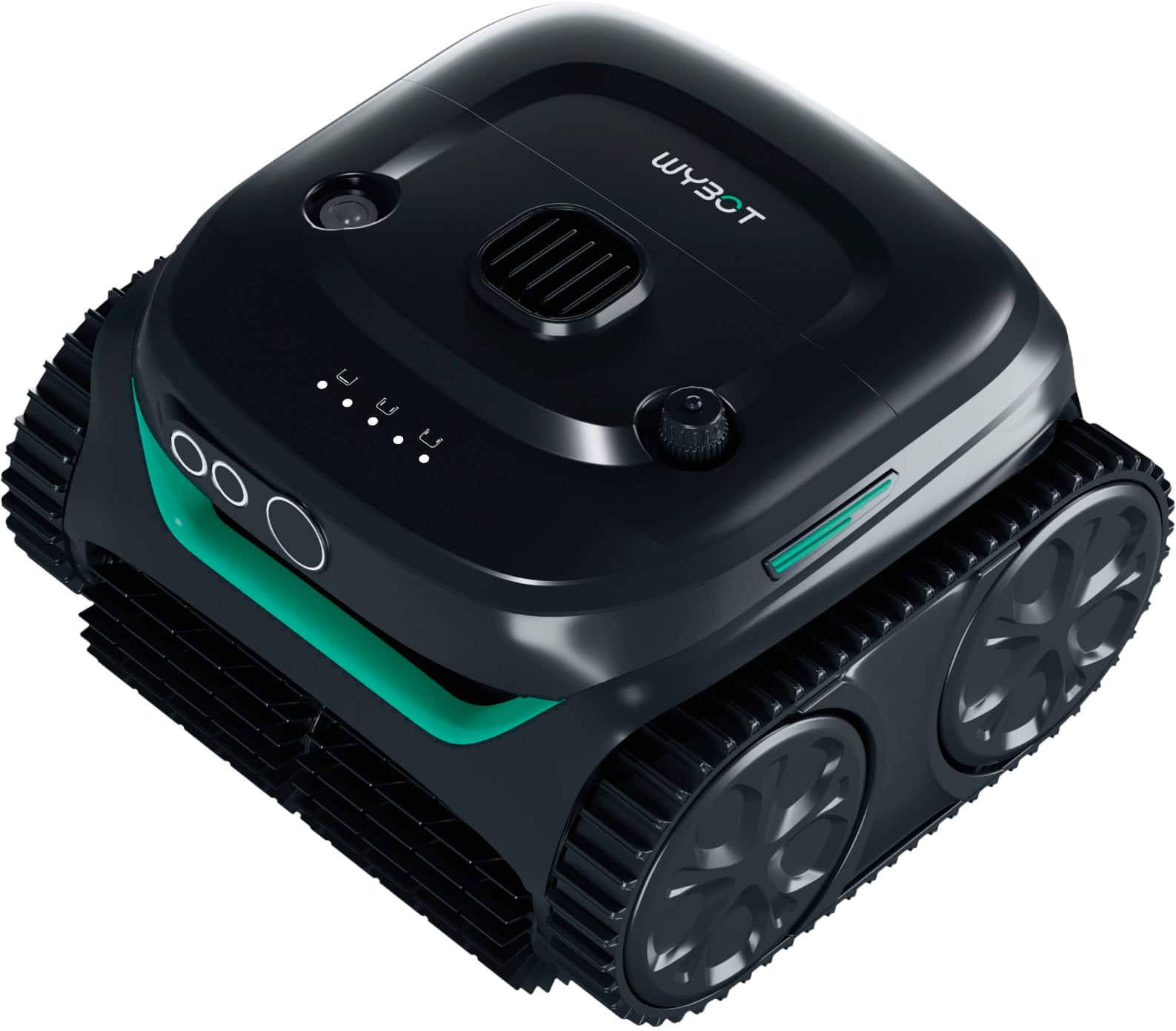
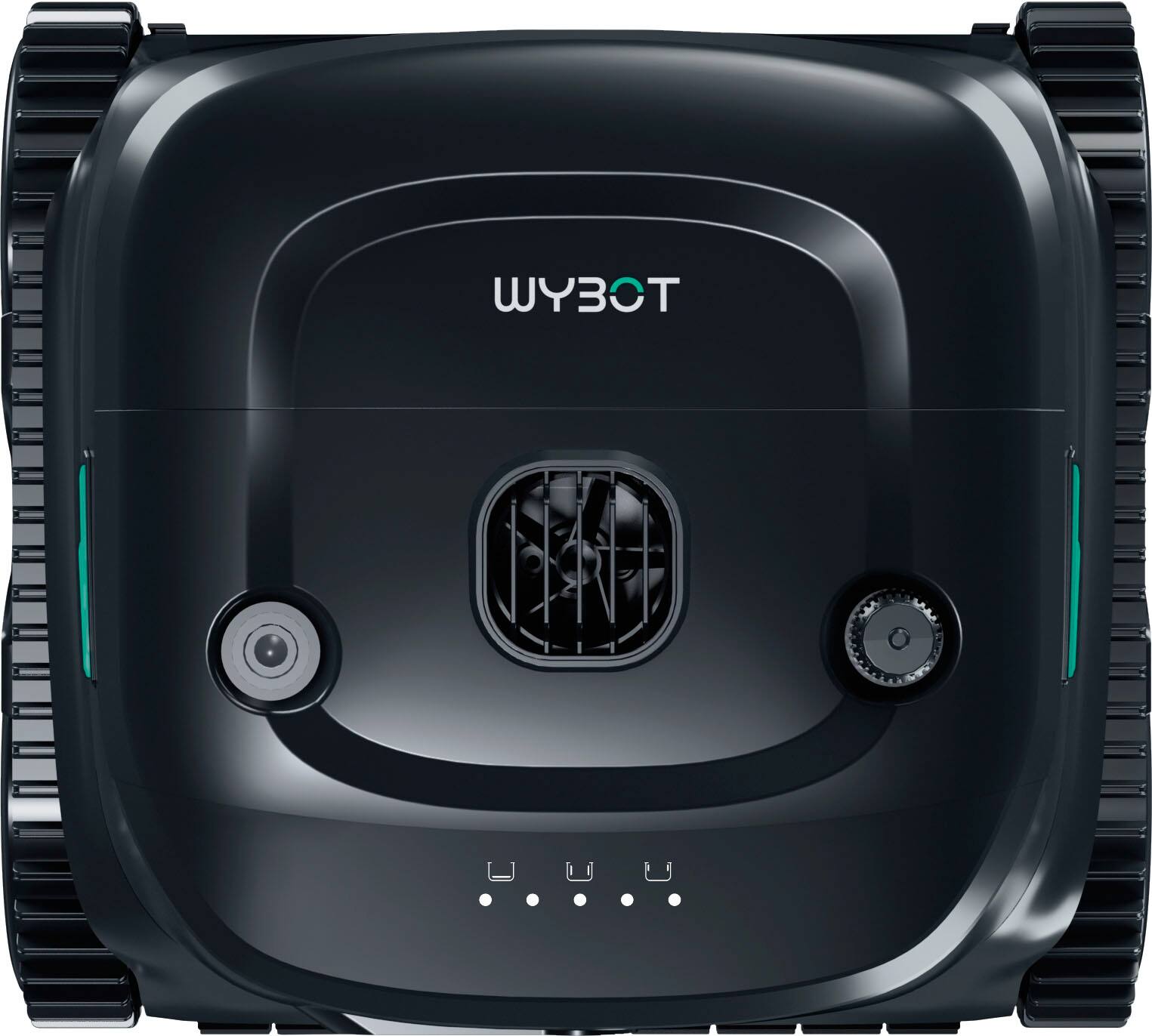
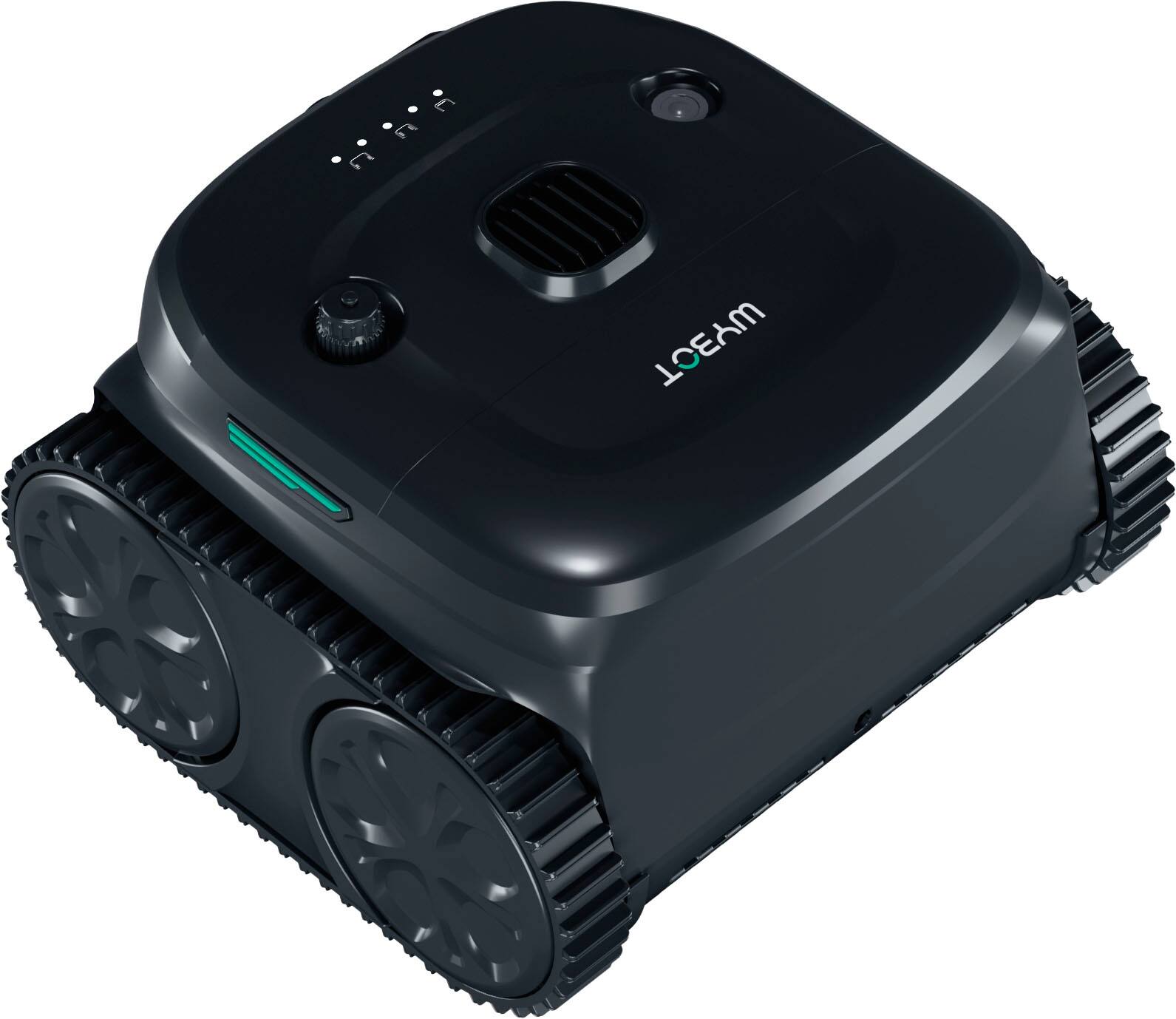
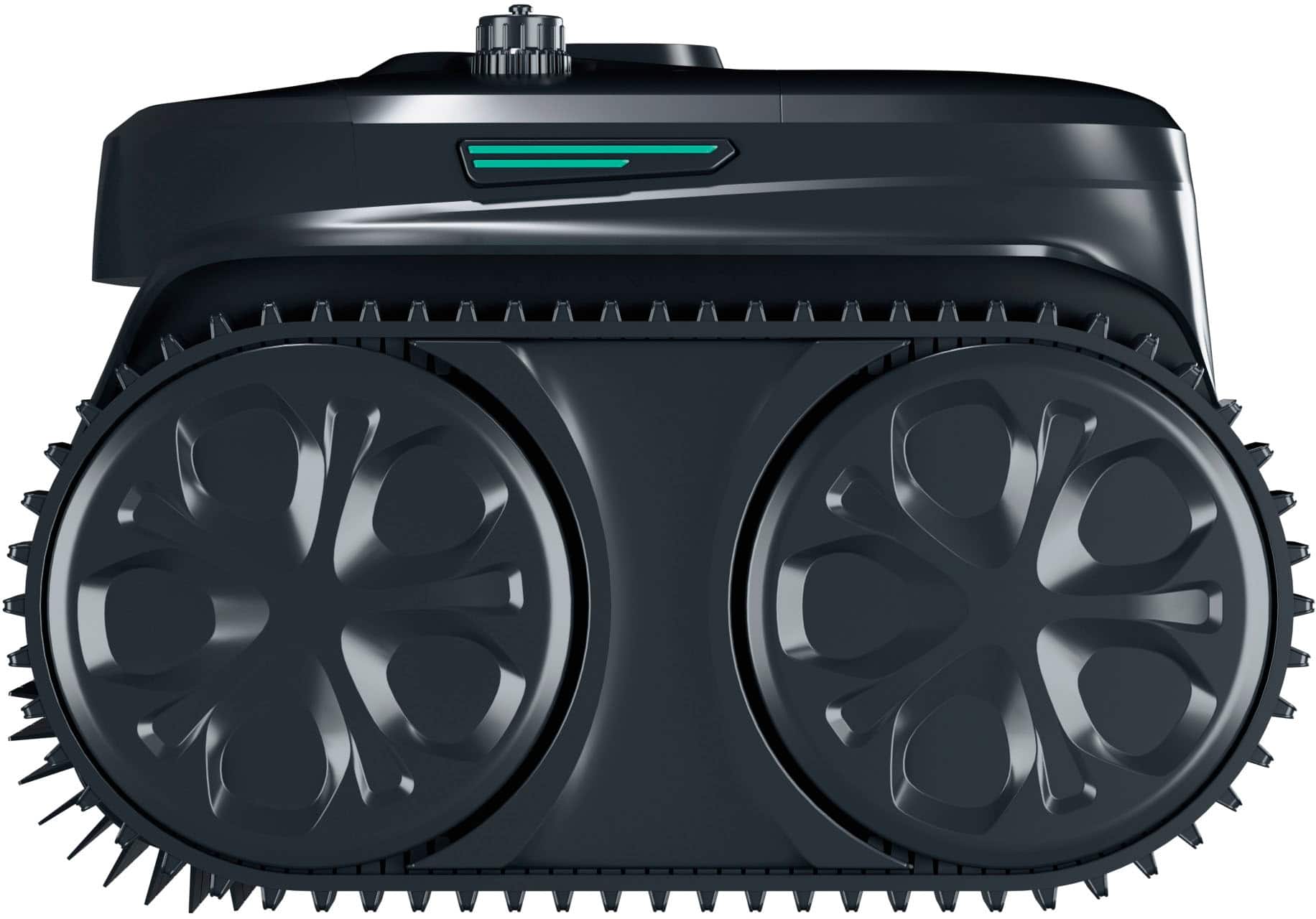
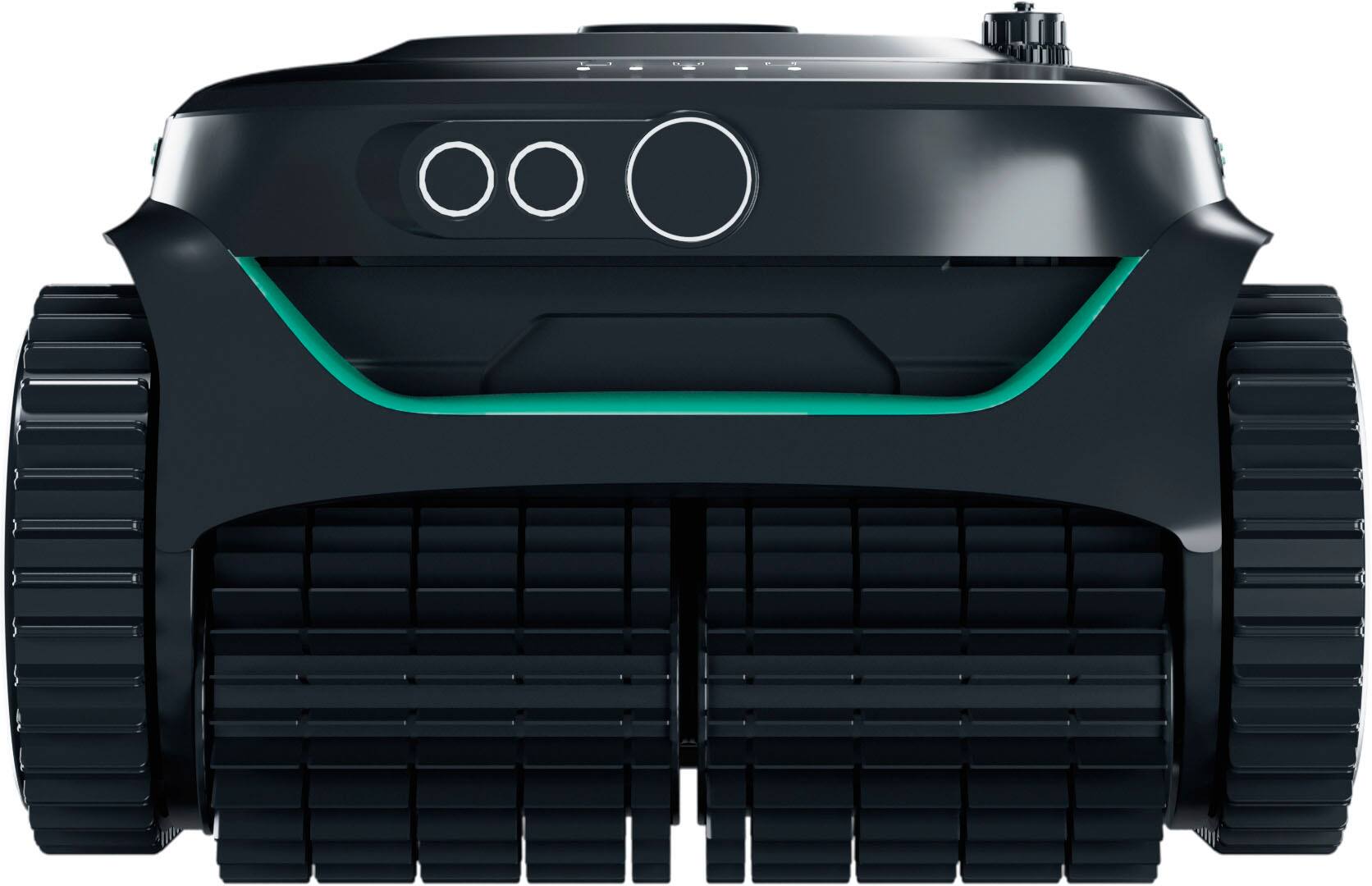
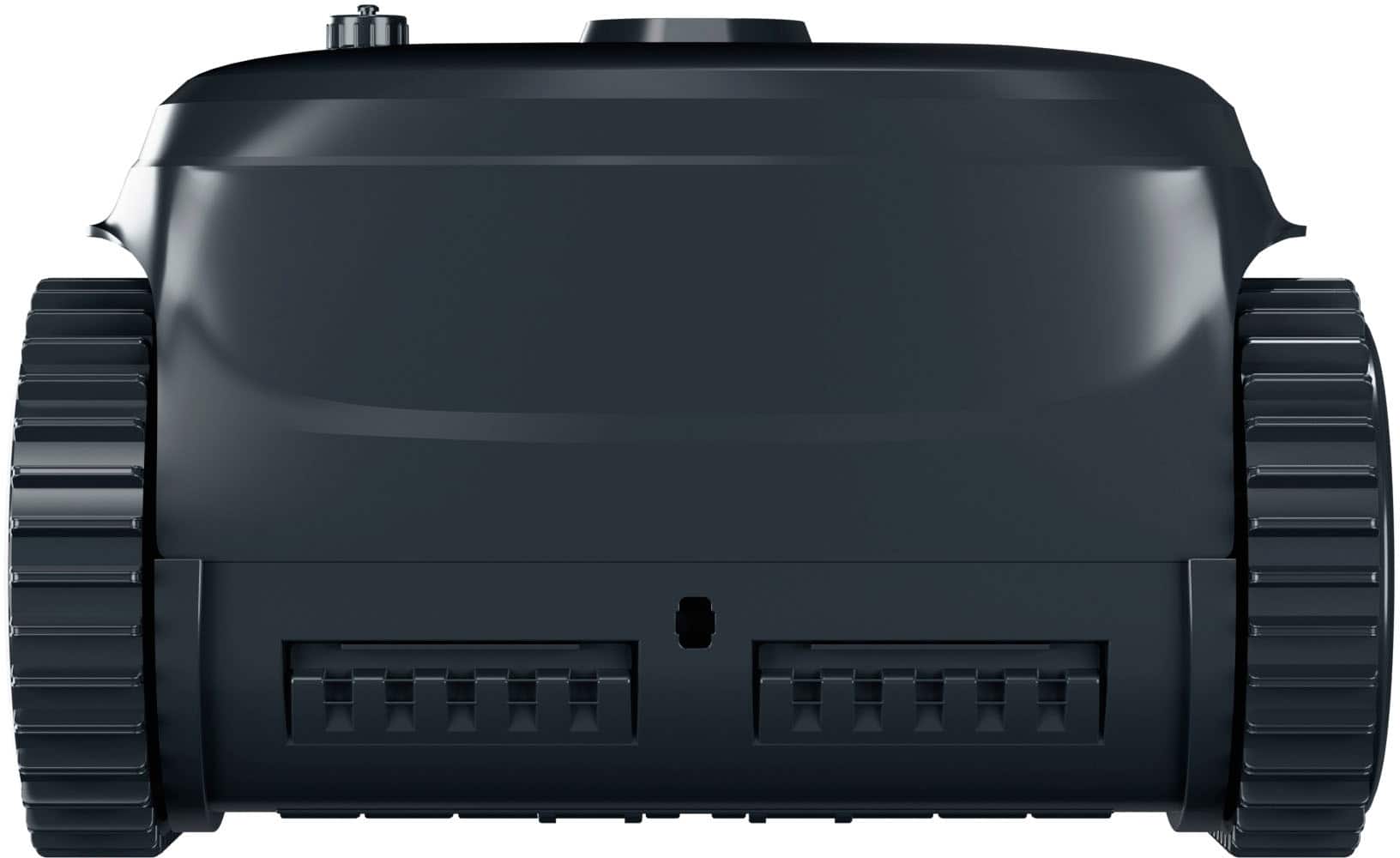
- Model:
- WYBOTC2P
- SKU:
- 6633746
to a friend
- Pros mentioned:App usability, Battery life, Cleaning performance

Bye-bye Pool Maintenance
|Posted .This reviewer received promo considerations or sweepstakes entry for writing a review.Having just recently gotten a pool installed in my backyard, I desperately needed something to help supplement manual cleaning. Cue the Wybot C2 Pro. This little guy is a great addition to my pool-cleaning regimen to help keep my backyard oasis clean. Unboxing, the C2 Pro is an attractive cleaner, putting it up there with other competitors in the price range. It comes with a fine-debris filter, but being winter in my area of the U.S. and leaves STILL falling, I have not yet used it. Charging is a must, like any device, and once I did that I was able to connect that to the Wybot App. The Wybot app is pretty simple and straight-forward to use. I didn't have any issues connecting the C2 Pro to my phone via Bluetooth. Once connected, you can set the robot to clean your pool in various modes, including floor only, floor and walls, waterline, etc. One interesting quirk I found is that you need to keep the robot out of the water while fiddling with the app. Otherwise, you will not be able to connect to it and will have to fish it out of the water. It's a downside of Bluetooth, I suppose. Yes, that means once you set it, you will have to wait for it to do its thing. I never seemed to be able to summon it back once it was in the water, or at least it has not yet been clear to me. I just have to use the hook to fish it out of the pool once cleaning cycles were complete. Cleaning-wise, I was relatively impressed with how the C2 Pro performed being a cordless cleaner. While it did have to go over some areas various times, it did eventually clean the pool. I just wish that it could do a little more efficient job at how it navigated the pool. It did seem to get stuck on one of my steps. While it happened once thus far, I am hopeful it is not something that happens often. Otherwise it is going to be a problem for me. Overall, having never owned a cordless pool cleaner, I am very impressed with the C2 Pro. My previous suction-based vacuumed got stuck every 45 minutes or so, and I had to aways watch it. The C2 Pro was anything but. It did a great job thus far on its own having only got stuck once on the stairs. The debris cleaner is also very easy to pop-open to empty/clean, which is ALWAYS an appreciated design feature. When it comes to aesthetics, while not necessarily as important as cleaning ability, the C2 Pro does look pretty nice. Props to Wybot for that! :) Cleaning the pool in one charge is always nice, so that is never going to be an issue. You should probably empty the filter/debris bin each run anyways. Would I recommend this to you? Yes. Having never owned any other cordless pool cleaner, I think the Wybot C2 Pro does a great job at what it's supposed to do. Can it be better and is there room for improvements? Of course. Regardless, it's one that I think should high on your list.
I would recommend this to a friend - Pros mentioned:Battery life, Cleaning performance, Ease of use
A very effective time saving bot
|Posted .This reviewer received promo considerations or sweepstakes entry for writing a review.The Wybot C2 Pro is my first non-floor cleaning robot. It seems to be a great time saver on one of the worst aspects of owning a pool - keeping it clean. I'm hopeful that it will prove to be as effective and convenient over the long course of ownership as it was to get up and running for my first clean. #Unboxing and first impressions# The Wybot arrived in a nice retail friendly box. Most of the packaging materials inside are recyclable - Wybot used cardboard inserts for shipping and there were only a few slips of plastic, plus a plastic bag around the robot itself which is almost unavoidable these days. Also included in the box were the charger, the second stage filter, some float blocks (which weren't necessary for me), a hook attachment for your pool pole to easily yank the Wybot out of your pool, the manual, and a separate, colorful Quick Start guide. #Using the Wybot C2 Pro# I followed the directions to give the robot a full charge as soon as I unboxed it. The manual and quick start guide have QR codes to direct you to download the Wybot app, so I went ahead and did this right away as well. From the app, it was pretty easy to get the firmware updated for the Wybot, though I did have to go searching for the option to do this on my own - I wasn't prompted to update by a notification or anything. Using the Wybot is pretty simple. For my first cleaning, I set the robot to the turbo setting and dropped it in the pool. It sunk to the bottom and got to work. In the floor-only modes, it uses sonar to detect walls and won't try to climb them on its own. After an hour cleaning in turbo mode, it managed to suck up a ton of leaves and sand (and a surprising number of worms) from my winterized pool. In the eco mode, you can get up to 3 hours of cleaning per charge, and it takes about 3.5 hours to fully charge. I did not use the second stage filter when cleaning, as the manual advised that this wasn't necessary in most situations and can adversely affect performance when it's not needed. The filter basket was pretty easy to clean. Just a light tap to dump the debris into a trash can and then I rinsed it in the sink. #Final thoughts# This robot will likely save dozens of hours during pool season. It works well enough that I'm also considering one of Wybot's solar powered skimmers to make things even easier to keep clean.
I would recommend this to a friend - Pros mentioned:Cleaning performance, Cordless design
Great pool cleaner!
|Posted .This reviewer received promo considerations or sweepstakes entry for writing a review.I have been using this Wybot C2 Pro Robot Pool Cleaner for a few weeks now, and seriously, it has made pool cleaning way less of a chore than it used to be. Firstly, I love that it is cordless so no messy wires, no untangling, no worrying about where the cord getting stuck. The only thing I do is, just charge it, drop it in the pool, and let it do the cleaning. The cleaning power is impressive as well. It easily picks up leaves which is the most work during the Fall and Winter seasons. It even picks up dirt, sand, and even the fine debris that usually settles at the bottom. The impressive cleaning is achieved by the dual brushes which scrubs the pool floor, and it climbs the walls and cleans the waterline as well. My pool looks visibly cleaner after each cleaning. In eco mode, it runs long enough to clean my entire pool. The battery take about 3 hours to charge it completely and the LED indicators make it easy to know when it’s ready to use. The other important aspect is the cleaning the filters which is quick and easy. You just need to open the top, remove the filters, rinse them with a hose, and put them back in. The navigation enables the cleaning process to make it effective. It doesn’t move randomly like the older pool robots that I have used in the past. It’s using sensors to follow a proper and defined path to cover the whole pool without missing spots. The app allows what level of cleaning is required and I am able to select from different cleaning modes like floor, walls, waterline, or full pool depending on the pool’s condition. It is easy to set before placing it in the water, so there’s no hassle and is easy. Overall, the Wybot C2 Pro feels well built and dependable. It saves time, & reduces manual effort. If you’re looking for a cordless, easy-to-use robotic pool cleaner, this is a very good option. I’m very satisfied with the performance and would recommend it to anyone with an in-ground pool.
I would recommend this to a friend - Pros mentioned:Battery life, Cleaning performance
Excellent RoboVac For LARGE Pools
|Posted .This reviewer received promo considerations or sweepstakes entry for writing a review.Excellent RoboVac for LARGE pools... This is not my first foray into the Wybot RoboVac pool cleaning family. Last spring, my wife purchased a Wybot C1 RoboVac pool cleaner. It is a great little RoboVac. It does a fine job cleaning both the pool bottom and walls. The only problem (and it's not the C1 RoboVac's fault), is that it cleaned about 2/3'rds of our large4 pool, and thenm ran out of charge. End of the day, no huge deal, we just pulled it out, recharged it for a few hours, and ran it again in the area's it missed. No biggie, but a little more work than really necessary... That said, when the opportunity came up for the Big Brother of our C1 (Wybot - C2 Pro Robot Pool Cleaner), I jumped on it. Knowing the pedigree, history, and efficacy of the Little Brother, I jumped on it. Out of the box, we charged it for a few hours while we ran errands. When we returned, we already had the Wybot App and account, adding the C2 was fast and simple. My wife is the Wybot Power User, so after it was charged and added tio the app, she dropped it in the pool and away she went. This being a larger version of the C1, it did as good a job at cleaning, but also having the larger battery and capacity, it was able to clean our relatively large pool in one charge, with plenty left over. Now that we have this Wybot C2, we gave our C1 to our son, as he has a smaller pool, more appropriately sized for the C1. End of the day, this is a great choice for those who have poole with a larger footprint. I can, and would, reccomend to a friend.
I would recommend this to a friend - Pros mentioned:Cleaning performance
Cleans the pool really good.
|Posted .This reviewer received promo considerations or sweepstakes entry for writing a review.I was really impressed with this Robot Pool Cleaner from Wybot. It has been such a joy to use, especially as we are experiencing a lot of windy days that causes many leaves to fall into our pool. After a few weeks of usage, I must say that this is an impressive device. Our pool is shaped like a kidney and ranges from 4ft at the shallow end, and then the bottom drops about midway to the deepest at 9 ft. It is not rectangular shaped like an Olympic Swimming Pool, and the sides are curved at the bottom where the wall meets the floor. This layout has been advantageous for the Wybot. After setting up on the app, I decided to utilize the factory settings for it to clean the pool. I dropped it into the deep end like any good parent wanting their child to learn how to swim, and it sank slowly to the bottom. There it began processing what it needed to accomplish and began moving at the bottom and then suddenly started climbing up the wall. Remember that the bottom of the pool curves at the wall, so the Wybot easily started climbing up the wall. Then as it crested the water, it sprouted out water like a whale. Then it sank again and began sucking up the leaves that had settled at the bottom. I was not certain if it was going to pick up larger leaves (bigger than a person's palm), but it did easily. It worked down there for about 20 minutes before I had to pick it. This came with a hook, similar to a crozier, which I attached to my pool cleaner. It was hard to grab it at the handle because of the refraction from the water. Once out of the pool, I had to empty out the bin which was already full of leaves. I was impressed at how much it grabbed. I did this again a second time in order to retrieve all of the leaves. Overall, this is a really good pool cleaner. It does the job and requires a few emptying which can be taxing.
I would recommend this to a friend - Pros mentioned:Cleaning performance
Give it some time...
|Posted .This reviewer received promo considerations or sweepstakes entry for writing a review.I’ve had the Wybot - C2 Pro Robot Pool Cleaner for a few days now, and it gets the job done — eventually. I imagine that any product like this can try someone’s patience — “I see leaves right there! Why isn’t it getting those leaves?!” Be patient. It’ll get them. Eventually. We have a very large in-ground pool. I have now realized that such a pool can take 2 or 3 cycles to get the job done. That pretty much translates into 2 or 3 days for me since it takes a good 3-3 1/2 hours to fully charge after running down. (Note: the Wybot C2 Pro did last about 3 hours, scurrying back and forth, sucking up anything in its path.) My point here is that your results may very. Most of our friends have much smaller pools that might only take 1-2 cycles. When the Wybot was delivered, we had had some recent Santa Ana winds, so it made for a perfect testing ground. Leaves all over the place. In the pictures, you can see the before, during and after. One of the pics shows you how the Wybot has climbed completely to the top of the tiles, scrubbing away any loose debris. In the same pic, you can see the forceful water flow coming out as ‘the exhaust’ of the Wybot while it’s doing its thing. You are going to want to download the app. Play around with the app for a while, with part of the time being right next to the powered-up Wybot with the purple LED lit (out of the water, the motors will not run, so don’t worry.) When the app recognizes that the Wybot is there, you are able to dive deeper into the customization of what your robot can do for you. While you’re doing all of this, your Wybot may shut off after about 3 minutes. That’s okay. Just turn it back on and continue once you see that purple LED again. You can adjust the style/build of your pool, the surface type, and you can enter the expert mode to choose different patterns for your robot to follow. Get ready to take a few days and find what works best for you. Once you have selected the desired settings, slowly immerse the Wybot and let it go (you have 3 mins once the purple LED comes on). Your Wybot will sit at the bottom of the pool for a bit before it comes to life. You may think something’s wrong, but as long as you can still see the LED, everything will be fine. Be patient. Without the app, you can still use the Wybot. You can manually choose between 3 basic modes — walls only, floor only, or floor and walls — using the power button to scroll through. Or, you can not do a thing, and the Wybot will default to the last setting that you programmed. The Wybot C2 Pro does come with a sturdy hook that you can attach to the end of your telescopic skimmer or brush pole (not included). Some advice when retrieving the robot after it stops — once the Wybot is near the surface, take your time and lift VERY slowly. This will allow the robot to gradually drain…and not weigh as much as you slowly, and vertically, lift it out of the water (not like a fishing pole, but with the pole sticking straight up towards the sky). This last part would even be better if you have good knees and back and can do the final extraction by hand, instead of putting stress on the hook and pole. If you happen to live in an area with a lot of dirt or sand that ends up in your pool, the Wybot - C2 Pro Robot Pool Cleaner also comes with a special additional filter meant to catch those smaller particles. Pretty cool. Have fun with your new toy! Remember to take your time…and be patient.
I would recommend this to a friend - Pros mentioned:Cleaning performance
A nice robot vac - with an app too
|Posted .This reviewer received promo considerations or sweepstakes entry for writing a review.The guy that comes around to handle the chemicals always compliments me on how clean the pool is … even if it’s covered by a screen, and I attribute it to my robot vacuum. Now, I’m trying the new Wybot C2 Pro vacuum and have high hopes.. TL;DR first, then the review below. Good: Smart Phone integration Handle Hook attachment Cleaning options Accessories Not Great: Have to force submerge it Meh: Tough to clean around the bucket Not a GFCI or Grounded Charger Adhesive Blocks I used another brand of rechargeable pool robot, though I do have the hose port if I wanted one to just stay in all the time & clean; I opted for the rechargeable because I don’t want to deal with that hose. This other robot was - press a button to turn it on, hit it a few more times to find the icon I wanted to select (matching a cleaning mode), toss it into the pool and it sank and started cleaning. Now, in unpacking this - it’s pretty sharp looking. I saw the cord (just like my other robot) isn’t GFCI or grounded and I feel it’s weird seeing it’s meant to be around water. For me, it’s not a big deal as all of the outlets are protected and maybe they assume it’s that way for everyone? A sturdy handle plus the included accessory hook to submerge and remove the robot is included, along with some floating blocks - and what’s weird - is they don’t tell you how to use them; the manual says if there’s an issue with the wall cleaning to: “Stick adhesive blocks (Contact after-sale team for instruction).” It comes with an expected filter basked AND another filter to catch any larger particles before being blown back into the pool. Replacement parts seem to be available online after a quick search. With the Wybot, you’re required to force submerge it to the bottom, vs dropping it in and letting it sink and that’s a bummer as if you don’t - it stays on top of the water and just tries to clean but never sinks. Unlike with my other robot, the C2 Pro has an App that lets me pick which of the 7 modes I want to have the cleaner execute. Though just like the other robot, you can also just keep pressing the power button to select which of the 7 modes you want. A downside to this however, is that you do need to remember the position as there are limited icons telling what the mode is. Also, once in the water, the App can’t talk to the robot - so select the mode before submerging the C2P. After a full bottom clean, the pool does look like it’s had the visible particles removed and even some large pine needles. An interesting charging requirement is included - when to charge it, how long, etc - something I didn’t have with the other robot. And, cleaning the inside below the basket and before the filter (where everything enters) - is a pain, as some of the sand/salt picked up from the floor - I included a picture. I would have liked for them to include a brush or something as it’s just going to put that stuff back in the pool the next time it goes into the water. As of now, I haven’t had any mechanical or cleaning incidents and the robot has been just fine - given it’s been below freezing where I live, it hasn’t had all that much time in the water. All in all, a 4-star product given some of the things that I now need to do, compared to the other robot I own.
I would recommend this to a friend - Pros mentioned:Ease of use
A Nice Robot Vacuum for Cleaning your Pool
|Posted .This reviewer received promo considerations or sweepstakes entry for writing a review.I’ve been using the new Wybot C2 Pro Robot Pool Cleaner, and overall it has been a nice addition to my pool maintenance routine. Setup could not be easier and is pretty much plug and play. All I had to do was take everything out of the box and just charge the unit with the included charger, download the Wybot app and pair it via Bluetooth, and it was ready to go. Once paired, everything is controlled directly through the app, which makes the entire experience feel modern and straightforward. One of the standout features of the C2 Pro is the flexibility of the cleaning modes available in the Wybot app. There are 7 different settings to choose from depending on what your pool needs at the time. It has Floor Cleaning for 2 hours, Wall Cleaning, Wall Cleaning followed by Floor, Standard Full-Pool, Water Line, Turbo Floor “1 hour”, and Eco Floor “3 hours”. I really like the ability to select the cleaning cycle that suits my needs at the moment instead of running the same generic mode every time. So once it's fully charged, open the app, tap the Pro C2 icon on the home page and then select the cleaning setting you want. Then you just throw it into the pool. At first I didn't think it was on and after it sank to the bottom of the pool it sort of just sat there for a couple of seconds and then it was on its way. After about an hour I came back out and used the provided “hook” that came in the box that attaches to a standard Pool net and just hooked the C2 Pro out of the pool. I was honestly surprised with just how much dirt, debris, leaves and fine gunk it pulled from the pool floor. I also found it extremely useful for cleaning the deep end of the pool. This is because the way my pool is built it’s surrounded by trees so getting a good angle is difficult, so with this vacuum it takes away the stress of potentially falling into the pool (which has happened before). Once it's done cleaning just empty the waste basket out and it's recommended to spray off the dust filter after every cleaning. That said, while the Wybot C2 Pro does a good job at cleaning, I don’t think it will fully replace traditional pool cleaners in every scenario. In my situation, I have sweet gum trees around my pool, and they drop those annoying spiky seed balls that always end up in the pool. Unfortunately, the Wybot just can’t pick those up, which is understandable given their size and shape. For everyday dirt, leaves, and smaller debris it does a great job, but I still found myself needing to manually use the net to get those bigger pieces out of the pool. As far as the app experience goes, it works well for selecting modes and starting cycles, but I do wish it offered some more advanced tracking features. Ideally, I’d like to see some sort of pool mapping similar to what some of the higher end robot vacuums offer, where you can see exactly where the robot has been, where it currently is, and how much of the pool is left to be cleaned in real time. Since Bluetooth doesn’t communicate well underwater (and is stated in the app), once the robot is submerged, real time monitoring isn’t really possible. It would also be nice if it had a timer feature in the app, so you know just how long the vacuum has been running, since it can't give you real time information. In the future, I’d love to see a Wi-Fi enabled version that allows for live tracking and better visualization of cleaning coverage. One spot where Wybot definitely needs improvement is the manual documentation. The vacuum comes with these foam pads that are referenced in the instruction manual, but the manual doesn’t clearly show where or how they should be installed on the robot. There is a little piece of paper with a QR code included, that when scanned links to a YouTube video for installation, but unfortunately that video is for a completely different older Wybot model, which makes it not very helpful. So, clearer instructions and an updated video specific guide to the C2 Pro would definitely help in improving the out of box experience. Pros: Extremely easy setup and true plug-and-play operation Simple charging and Bluetooth pairing process 7 versatile cleaning modes for different pool needs Strong debris pickup for dirt, sand, and fine particles Cordless design with no connection to pool equipment required Cons: Cannot pick up large or spiky debris like sweet gum balls No pool mapping or real time tracking in the app Bluetooth connectivity limits underwater communication Instructions are unclear and not up to date Overall, the Wybot C2 Pro is a solid for my first robot pool vacuum, it's easy to setup, excels at routine cleaning for everyday leaves and debris. While it has some limitations and there is room for improvement particularly with the app features. It's still a worthwhile upgrade for anyone looking to reduce the time and effort spent manually cleaning their pool, but just know you this will not be fully replacing your pool cleaner.
I would recommend this to a friend - Pros mentioned:Cleaning performance
Amazing! Much improved over other pool cleaners!
|Posted .This reviewer received promo considerations or sweepstakes entry for writing a review.I have several properties in the past that have pools and have used multiple solutions; getting pool cleaners to come by, vaccums, robots, etc. You name it I've tried it. The problem with my previous robotic cleaners was over time they are not able to sustain their performance. Over time I notice the pool is just not quite as clean, despite maintaining the robo cleaners. Even opening the box and using it right away, I often noticed spots it misses, or not suctioning up as much as I'd like it to. There's still debris everywhere and I still have to get a pool cleaner to come by. In come this little guy, and I've used it over 2 weeks now and I am quite amazed. The amount of cleansiness, the thoroughness, this is the first time my pool cleaner says he's impressed. I didn't tell him I have a new bot! He thought I manually cleaned it myself! Can see the images I've submitted, the robot has kept my pool crystal clear, has shortened the time my pool cleaner does his maintenance, I'm even considering having my cleaner come by less often because of how thorough this thing is. It auto charges but I wish it lasted more than an hour (I think the website said 90 minutes but I'm seeing more like 40-60 minutes, I think 90 minutes may be the eco mode). You can set the scheduling on an app which is nice. I'm thoroughly impressed with the performance, see images. Highly recommended!
I would recommend this to a friend DO NOT BUY UNTIL YOU READ THIS
|Posted .This reviewer received promo considerations or sweepstakes entry for writing a review.DISCLAIMER: why did this guy rate this 5-stars yet do NOT recommend purchase ? Read on … I have had 2 models of competing brand robot pool cleaner for 2 years now, (family named Aquaman (Btw, Superman and a Wonder Woman are the 2 solar surface skimmers) Last summer we ordered a set of sand-filled underwater stools for a swim-up bar. Well one of the stools did not have a tight seal on it and once submerged we noticed a great deal of sand on the pool bottom. We removed what we could manually, and presumed Aquaman on turbo mode could get the rest. Well he didn’t, even after repeated attempts. He got some of the sand, but not all as the finer particles stayed there literally for the past 5 months (no heater and atlanta winter still quite cold to swim). Enter the Wybot C2 Pro. Setup could not be simpler, unbox, initial charge took under 2 hours, scan QR code to download the Wybot app, update FIRMWARE near your WiFi router / access point and your’e set to drop it in the water. On its first cleaning my suspicions were true. Considering he compact size of this robot (nearly HALF THE SIZE of Aquaman) it was able to get much closer in and around the swim-up pool bar stools, but not only that, …I could visually see the SAND DISAPPEARING from around the defective stool !! The C2 did only get most , but not all, of the waterlogged leaves that had fallen to the pool floor. I had it set to do 2 cleanings, 60 minutes each and removed it with the J-hook on the 3rd day. It was immediately evident that the C2 is far more efficient than my other brand that is 2x as heavy, with a cord, and dual baskets. The C2 container was jam packed pretty tightly, and as I suspect had sucked up much of the sand that Aquaman had tried but failed to remove, and THIS WAS NOT EVEN TURBO MODE. After some experimentation I found the “star pattern” seemed to work best for my oval shaped above ground 30x15 pool because it seems to get the corners and edges best. With the 120-minute battery it’s also very nice being able to charge once and divide the battery life over multiple cleanings, and over multiple days, 1, 2, 3 or 4 times — i.e 1st, 3rd, 5th, and 7th day at 30 minutes each so you only have to drag it out of the water once per week and let Wybot do its thing. There are so many things this gets right. I admit I was originally a little disappointed by NOT having a cord with a tag along control brain on the surface to make extracting the unit after a cleaning convenient bc you can reach it from just about anywhere in the pool, an advantage when the water is 34 degrees F like it has been during this cold snap. Fortunately I’ve not had to physically enter the water to retrieve, as he’s either died or managed to get near and edge or the stairs where the plastic J hook is able to latch on when it’s done. Cleaning modes *economy mode *regular mode *turbo mode *extra dirty *expert mode Floor Patterns: *Star pattern *Cross pattern *S pattern Wall Patterns: *H pattern *N pattern Pros: +cordless +lightweight +compact size +easy storage +charges quickly +strong TURBO suction +standard polarity adapter +incredibly simple operation Cons: -short charging cable -no pool mapping vision -lacks guidance corrections -did not pick up large leaves -single debris collection basket -lightweight plastic J-hook to extract Conclusion: If you absolutely need a Robotic Pool Cleaner this year, this product or one of Wybot’s variants seem hard to beat. For the cost of the unit, though it’s works much better than my other robot. BUT if you have the luxury of time and can wait it out perhaps just one more season, I personally would suggest waiting. CES 2026 just ended last week where a number of advanced AI driven models were demonstrated. Robots with vision, LiDAR, precise mapping technologies, , mechanical arms and charging docking stations to automate the entire cleaning process; charging, submerging, and retrieval, albeit at expected much higher costs for that level of convenience but for near $1000 purchases I feel that Robots, of all varieties, are set to truly make large advances to simplify our life chores even more.
No, I would not recommend this to a friendNot a replacement for cleaning, but a great tool.
|Posted .This reviewer received promo considerations or sweepstakes entry for writing a review.This is my first time owning a pool robot. I've tried a few home robots, which seem to operate on a similar principle, so I'm not entirely foreign to the concept. Unboxing was fairly simple, there's not a whole lot of excess packaging. I left it overnight to charge, and then downloaded the app and ran setup, which was also quick and easy. Dropped it in the water and let it do it's thing. It isn't particularly smart, despite claims of sonar sensors and pool mapping, it doesn't seem to actually use these if it has them. It just sort of wanders around aimlessly picking up debris, and I can't find any sort of mappings to view in the app. There is apparently a version of this machine with vision, which will allow it to see dirt, leaves, etc, and target them, but this is not that machine. It took several days of operation and tinkering around with settings to find ones that worked best for me, and I'm still not sure they are, in fact, the best, but they're working pretty good. My pool is large and rectangular, and it does wind up eventually hitting the whole thing, or it would if the battery could last the entire time. It doesn't, though, and it doesn't have any way of remembering where it left off, so it's sort of a gamble as to whether or not the next round will get full coverage. And so I don't really see this being a complete replacement for other forms of pool cleaning, but it definitely helps, and dramatically reduces the amount of stuff I have to manually clean, and that's more than I'd hoped for. Pros: Simple to operate, it's ready to go with very little setup. Lots of cleaning pattern options to fit your needs. I like the fact that it's cordless and charges quickly. It's not unreasonable to run it twice in one day. It's relatively small and lightweight, which makes it easy to retrieve. Has great suction and a good filter basket, no problems picking up small objects Cons: Not intelligent, just seems to randomly wander about. Has some issues picking up larger leaves, but those are easy enough to manually clean. Run time of 180 minutes in eco mode is incredibly optimistic Overall, I'm pretty impressed with the C2's performance, it produces solid results and dramatically reduces the amount of manual cleaning I need to do, so I'll be chucking it into the pool 2-3 times a week at least. Definitely recommended.
I would recommend this to a friend- Pros mentioned:Battery life, Cleaning performance, Cordless design
Excellent Robot Pool Cleaner!
|Posted .This reviewer received promo considerations or sweepstakes entry for writing a review.I have owned my pool for over 14 years, and cleaning it has always been a routine task every week. That changed when I got the Wybot C2 Pro Robot Pool Cleaner. I can honestly say it has been one of the best upgrades I have made for pool maintenance. Out of the box, the C2 Pro feels sturdier than I expected. It is not flimsy and it is well-built. The design looks like something that was engineered with real pool problems in mind. Setup took about 5 minutes. I have installed the WYBOT app, charged, press the button, and it’s ready to go. No hoses, no tethering, and no confusing programming menus. This robot does not just skim the surface and it is actively scrubs. I have noticed it is picking up Fine dust and pollen that usually cloud the water in the morning, Leaves and small bits of debris that sink to the bottom and Slimy buildup along the steps and corners. I am surprised to see how well it climbs walls and deals with uneven surfaces. I honestly did not expect much from a cordless unit, but the navigation seems intelligent. It covers the entire pool, not just random patches. The filter basket is well designed. It is easy to remove and clean, and it holds more debris than I thought it would. I used to empty my old cleaner in mid cycle. With C2 Pro, I empty it after the cycle, which makes maintenance much smoother. The fine mesh traps stuff I didn’t even think it would, which has improved my water clarity noticeably. Battery life is solid. For my medium-to-large pool, one full charge gets a complete cleaning cycle done with some power left over. It also automatically rises to the surface and parks itself near the edge when it is done, which makes retrieving it so effortless. This robot pool cleaner is quiet enough that you can run it while hanging out in the backyard without it being distracting. The Wybot C2 Pro has made my weekly pool cleanups shorter, easier, and more effective. It is not just a nice gadget and it is a legitimate tool that delivers real results. From build quality to cleaning performance, it feels like a premium device without the premium price tag and deliver exceptional results.
I would recommend this to a friend - Pros mentioned:Cleaning performance
Perfect Pool Vacuum
||Posted .This reviewer received promo considerations or sweepstakes entry for writing a review.Amazing little pool vacuum. Keeps my pool clean with minimal effort. Works on vinyl in ground pools, climbs walls, and hunts for debris in the bottom of the pool.
I would recommend this to a friend - Pros mentioned:Cleaning performance
Good robot
||Posted .This reviewer received promo considerations or sweepstakes entry for writing a review.So far so good, my pool has a table inside the pool and the robot has a hard time going around it. I figured that would happen. Other than that, the robot does a really good job cleaning leaves and even dirt.
I would recommend this to a friend - Pros mentioned:App usability, Battery life, Cleaning performance
Amazing pool cleaner
|Posted .This reviewer received promo considerations or sweepstakes entry for writing a review.I have used and owned the Wybot C1 and was really happy with that robotic pool cleaner. So my expectations of the C2 Pro was high and was curious to see if the features made up for the cost difference. Well, the short is, absolutely. I have a older pool that is in a kidney shape with a few steps and a baja shelf. Surprisingly, the C2 actually got to the shelf which I have never seen the C1 be able to do. The other upgrades are, a longer battery life, which I can attest to. Longer run time means better cleaning. Especially near the coping area where all that build up happens. I see a much better result with the C2 pro. The longer battery life really helps because my pool is pretty big letting the C2 make multiple runs. Also has a dual filter which captures more finer debris. Gotta just go with this because I can't tell. The Wybot app gives you numerous options to schedule cleaning and patterns in cleaning. Easy to setup and easy to use. Running the C2 Pro in my pool, I can tell that this is an upgraded robotic pool cleaner. You can physically see that it does everything just better. FYI, I have a pool man that comes once a week to do the upkeep on my pool, but being able to throw the Wybot C2 Pro in the pool before any backyard event we have, is so convenient.
I would recommend this to a friend - Pros mentioned:Battery life, Cleaning performance, Cordless design
Strong Performance few limitations
|Posted .This reviewer received promo considerations or sweepstakes entry for writing a review.I’ve been using the Wybot C2 Pro robotic pool cleaner for a while now, and it’s been a solid upgrade to my pool maintenance routine. Setup was extremely easy—charge it, pair it through the Wybot app, and drop it in the pool. The cordless design makes the whole process simple and hassle‑free. Cleaning performance is impressive. The suction power and dual brushes pick up dirt, sand, leaves, and fine debris very well. It also handles the deep end of my pool without any issues, which is normally tough to reach. The dual filtration system keeps the water looking noticeably clearer after each run. The app offers seven different cleaning modes, which is one of my favorite features. Being able to choose between Floor, Wall, Waterline, Full Pool, Turbo, or Eco modes makes it easy to match the cleaning cycle to what the pool needs that day. Battery life is strong too—Eco mode can run up to three hours on a full charge. There are a few downsides. The robot struggles with larger debris, so I still need to manually net those out. The app doesn’t offer real‑time tracking or mapping, and Bluetooth can’t communicate underwater, so you can’t monitor progress once it starts cleaning. I’d love to see a future Wi‑Fi version with better tracking. The included instructions also need improvement—the foam pad installation isn’t clearly explained, and the QR code links to an outdated video. Overall, the C2 Pro is a powerful and convenient cleaner that handles everyday debris extremely well. It won’t replace manual cleaning completely, but it definitely cuts down the workload and keeps the pool looking great with minimal effort. Pros - Very easy setup - Strong suction and great fine‑debris pickup - Seven cleaning modes - Long battery life - Cordless and simple to use Cons - Struggles with larger debris - No real‑time tracking or mapping - Bluetooth limits app communication - Instructions need updating
I would recommend this to a friend - Pros mentioned:App usability, Cleaning performance, Cordless design
Awesome Robot for your Pool
|Posted .This reviewer received promo considerations or sweepstakes entry for writing a review.I am extremely impressed with the WYBOT cordless robotic pool cleaner. With ongoing construction behind my home and frequent winds, my pool seems to be dirty all the time. Before trying out the WYBOT, my pool had a moderate layer of dust and debris on the bottom. I placed the cleaner in the pool, and in less than 30 minutes it had the pool floor looking absolutely sparkling clean. I was truly amazed. One of the best features of this robot cleaner is that it’s completely cordless—no hoses, no connection to the skimmer, and no hassle. You simply drop it in and let it do the work. The unit is lightweight, easy to handle, and removing and cleaning the debris basket is quick and effortless. Our pool, obviously, has an areas with steps, but it also has a long seat at one end. The robot was able to climb up the wall to the seat, and clean the entire seat. I found the app to be very user-friendly and appreciated the various programming options for the controlling the robot's cleaning plan. Overall, this cleaner exceeded my expectations in performance, convenience, and ease of use. If you’re looking for an efficient, no-fuss pool cleaner, I highly recommend the WYBOT.
I would recommend this to a friend - Pros mentioned:Cleaning performance, Cordless design
I can’t see myself owning a pool w/o my new Wybot.
|Posted .This reviewer received promo considerations or sweepstakes entry for writing a review.The Wybot C2 Pro Robot Pool Cleaner is a cordless robotic pool cleaner that will make your pool cleaning life a lot easier. You’ll be able to spend more time in your pool and a lot less time cleaning it. Those windy and rainy days that bring in a lot of dirt, sand, and leaves, that inevitable fall to the bottom of your pool and are so difficult to get out, will no longer be intimidating. The Wybot C2 Pro Robot Pool Cleaner (I may refer to it as Wybot or Wybot C2 moving forward) is a pool cleaner that I didn’t know I needed, but now I can’t see myself owning a pool without it. The Wybot C2 arrived well packaged, nothing was damaged and I was able to find everything easily. The quick start guide was right on top and you’re able to see it as soon as you open the box. The instructions in the quick start guide is kinda out of order. It has you start one way and then later advises you to download the app. I believe it would have been easier to actually download the app right after you plugged in the Wybot for charging. Nevertheless, the manual has things laid out correctly. I recommend downloading the app at the same time that your’e reading the quick start guide. The app connected to my phone easily via bluetooth (I needed to do an update, but did not get the notice until after I ran it the first time). You don’t have to use a phone to use the Wybot C2, but you will not be able to use the many custom features without it. Thus you won’t be taking full advantage of your new pool cleaner. The signal cannot transmit through the water so you need to preset things via the app before you place it in the water. I wish the app described the various types of swimming pools. I can determine the shape of my pool, but when it comes to slopes and terminology, for example; standard hooper bottoms, Etc. It’s very confusing so I had to do some research on Google. Also, in the description on the website, on the side of the box, and the included written material there were various types of pool you can use the Wybot but my pool type wasn’t mentioned. I have a fiberglass pool. However, in the app it mentioned fiberglass as a selection to choose. I almost didn’t select this cleaner because I didn’t know if it would work for my pool. I’m glad I took a chance on my assumption that the Wybot would work in most pool types. I noticed in the app after I created a custom name for my pool, it switched from my custom name to just “swimming pool” so I had to use the drop down menu to select the one I wanted. However, that may be useful in the future as I could set up various modes for my pool with the settings I like. It is recommended to charge the Wybot before you use it. Although it comes partially charged, it is recommend to charge it completely before using it the first time. I suggest reading the instructions entirely while you’re waiting for it to fully charge. It didn’t take long to achieve a full charge since it was partially charged. The status lights blink while charging, and once fully charged the green lights are solid. However, it takes about 3 ½ hours to fully charge after being discharged. The Wybot runs for about 3 hours in standard mode, but the time you get may vary based on the mode you choose to clean your pool. The Wybot is a nice size. I assumed it to be a little smaller, but it’s a nice large size for larger pools. The Wybot weights about 17 and a half pounds, so it is light enough to move around easily. And there are no cords or hoses that can get tangled so it’s easier to use. Please be aware that the quick start guide fails to mention anything about the four gel silica packs inside the filter basket. I wasn’t sure if I should remove them or keep them in? I didn’t know if they were there just for the packing or if they needed to stay in the Wybot filter basket. I have been using my new Wybot C2 for about a week now and I absolutely love it. I have tested it in my pool using just about every feature available on the Wybot. I previously owned three different vacuum pool cleaners that worked pretty well so I continued to purchase them over and over every two years or so. The price seemed reasonable and I wasn’t willing to pay three times the amount for a robotic cleaner. I realize now that I may have wasted a lot of money on cheaper models that I needed to replace every couple years that only met about 60% of my needs. Additionally, I still had to deal with hoses and a second pool pump skimmer. I also had to clean the pool line weekly and occasionally move it from areas where it was trapped on the drain. Furthermore, I also had to manually brush the walls and sweep the small fine dirt at the bottom. But now with my new Wybot C2, I have a professional smart robot pool cleaner that allows me to clean my pool without cords and hands free. I don’t have to worry about as much maintenance, and simply need to wash out the filter basket and filter and recharge it so that it will be ready to use the next time. The first time I ran the Wybot it did not go up my stairs, although it tried several times. It finally tried to climb the stars after about 30 minutes of running, but couldn’t make it up so it just moved back to the floor and went in a different direction. It could be because my pool is fiberglass. I transitioned from a concrete lining to fiberglass because it lasts longer and requires less maintenance. But I may have to brush the few sections it could not climb or clean. I plan to keep an eye on it to see if it eventually learns how to climb the walls in areas where it’s slightly curved. After a couple runs, around the third time, it began to climb the island and reached to top. It was actually kinda fun watching the Wybot go to work. I used standard mode because I wanted my floor and walls to be cleaned, but you can choose other modes. The app allows you to use customize modes, set schedules, and choose cleaning paths. Now that I’ve used it a few times, I guess I’ll use standard once a week to endure my walls are cleaned and the floor only mode on other occasions. Although it appeared to randomly run across the pool floor and wall, it didn’t appear to have a pattern, but I know that it does because I chose the pattern via the app. There doesn’t appear to be a front driving mode as it moved and cleaned going forward and backwards. It hits a wall or comes down from a wall and it doesn’t need to turn around to the front to continue moving. It maps the pool so I believe that’s why the cleaning improved after each cleanning. My older pool vacuum would do a 180 degree turn and then move. The Wybot went around the lights, jets and floor suction filter without getting stuck. It definitely goes all the way up to the water line and about a half inch above cleaning the tile. It’s very quiet and with the pool running at the same time, I didn’t even hear it running. Even when it gets to the water line it’s still quiet as you can only hear the rollers turning as it scrubs the water line, and water shooting out the top. I also ran the Wybot in turbo floor mode. It goes up the wall slightly, which I like because there’s always a little dirt there and the walls have a slight curve before it becomes vertical. I wish it indicated whether the pool should be running at the same time the Wybot is running. I like that it pushing a lot of water up to the top and therefore makes a lot of waves. For that reason I ran my pool at the same time so that the water that blew up to the surface circulated to the skimmer. I was able to see water thrust to the top when the Wybot was as deep as five and a half feet. But you can still see the water being thrust up to the top as deep as nine feet, which is the deepest section of my pool. The Wybot isn’t a perfect robotic pool cleaner and I don’t know if one exist. It left a couple areas in my pool, that are close to the stairs and island, with a little dirt near the bottom of both. I think I’m going to have to sweep the dirt in those areas a little further out, before I run it, so that the Wybot can pick it up. But that will only take a minute or two. I liked that the Wybot returned back to the same spot where I placed it to start and parked itself. The included hook comes in very handy when taking the Wybot out of the pool. The Wybot is easy to clean. The Wybot has an easy to open compartment to take the filter out. Everything appears to be well made and snaps in place. I wish the Wybot let you know when it was fully charged via the app. so that I didn’t have to keep checking the lights every hour or so to see that it is fully charged. The Wybot didn’t fully clean the bottom of my pool the first time so I ran it again using the turbo floor. I used the second included filter that collects fine dirt, along with the basket and used a different floor pattern. It worked and the bottom of my pool was as clean as it’s been in years. As I mentioned, it’s not perfect, but it cleaned at least 90% of the floor. During one of the run times, I found it with yellow flashing lights which indicates low battery and it needs to be recharged. It was only after about an hour and a half at most. I didn’t know it stopped since it doesn’t send a signal. It stopped in a deepest part of the pool and was more difficult to get it, but it was still against the wall. So be aware that different modes use different levels of power. You can expect to get anywhere from 90 to 180 minutes of constant cleaning from a single charge. Overall, I am pleased with my new Wybot robotic pool cleaner and I am looking forward to many effortless pool cleaning sessions for years to come. I highly recommend the Wybot C2 Pro Cordless Robotic Pool Cleaner without reservations.
I would recommend this to a friend - Pros mentioned:Battery life, Cleaning performance, Ease of use
No more hoses or cords for me! Love this robot.
|Posted .This reviewer received promo considerations or sweepstakes entry for writing a review.The WYBOT C2 Pro is a cordless robotic pool cleaner that delivers strong cleaning performance that was easy to set up and use compared to more expensive models with the bells and whistles. Setup was quick and straightforward - charge it, drop it in, and it starts cleaning with no hoses or external equipment required. Suction was powerful enough to handle leaves, dirt, and fine debris, and it reliably climbed the walls and scrubed along the waterline. Battery life was sufficient to clean out our 18x36 vinyl inground pool end to end. It’s compatible to use on multiple surfaces (tile, gunite and fiberglass) as well. The app was very user friendly offering multiple cleaning settings, if you just want the surface cleaned or include the walls. Also, when you set up the Wybot you select the shape and surface type. The wybot filter was so easy to clean, just remove, empty and rinse. It come with a fine filter as well to capture fine debris. I gave 5 stars because this is a great, powerful cordless pool cleaner at this price point. The pool looks noticeably cleaner after first use. Pros: Cordless design, strong suction, wall & waterline cleaning, easy maintenance Overall, it’s a smart, easy to set up and use robotic cleaner that offers excellent value and strong performance. Set it and forget it until it’s pool time. Highly recommend this robotic pool cleaner, no more hoses or electrical cords for me!!!
I would recommend this to a friend - Pros mentioned:Cleaning performance, Cordless design
No hoses is great.
|Posted .This reviewer received promo considerations or sweepstakes entry for writing a review.I’ve been considering going with a battery-powered pool cleaners instead of a traditional suction and corded models for my gunite, irregular oval pool. I wanted something easy to drop in whenever the pool needed a quick cleaning, without dealing with hoses or cords. The Wybot C2 has been a great fit for that. Setup was simple: unbox, charge, and it was ready to go. The instructions and the app aren’t the best, but they’re good enough to get you running. Since I don’t need wall cleaning every time, I switched the unit to Floor Mode in the app. One tip: when you first power it on, leave the cleaner on the pool deck to make any adjustments. The instructions tell you to put it in the water after turning it on, but the app can’t connect over Bluetooth once it’s submerged. My first cleaning cycle was about 90% thorough and it picked up everything in its path. For some reason, the default floor pattern is set to “Star” (misspelled as “Start” in the app), which didn’t seem ideal, so after the first run I changed it to the Cross pattern for the floor and the N pattern for wall cleaning. Because I have a screened enclosure, I mainly deal with pine needles and dirt, no heavy leaf debris. The unit ran for about two hours before it returned to a wall, where I could easily hook it with the included attachment for my pool pole. The filter basket removes effortlessly and is simple to clean. After another full charge, I tested it in wall-and-floor mode. The cleaner climbs the walls all the way up to the tile line with ease, which was genuinely impressive. Overall, I’m very happy with the Wybot C2. It’s simple, effective, and best of all, no hoses or wires to mess with.
I would recommend this to a friend