Samsung - 32” ViewFinity UJ590 UHD Monitor - Dark Gray/Blue
More Buying Options
Related Item

Highlights
- Key Specs
- Refresh Rate: 60Hz (The number of frames per second the device can produce natively without enhancement. Higher rates help produce smooth, seamless pictures.)
- Maximum Resolution: 3840 x 2160 (Maximum resolution refers to the highest number of pixels that a screen can process and display. Higher resolution signals produce more detailed images.)
- Response Time: 4 milliseconds (The speed at which pixels can change colors is called response time. It is measured in milliseconds (ms).)
- Panel Type: VA (Technology that affects response time and image quality.)
- Synchronization Technology: FreeSync (AMD Adaptive Sync) (Generally, these technologies allow syncing between a computer/console game's frame rate and the device's refresh rate for a smoother display without tearing.)
- Screen Size: 32 inches (Size of the screen, measured diagonally from corner to corner.)
- Display Connector(s): 1 x DisplayPort 1.2, 1 x HDMI 1.4, 1 x HDMI 2.0 (The number and type of connectors used to connect to an external display.)
- General
- Brand: Samsung
- Model Number: U32J590
- Product Name: 32” ViewFinity UJ590 UHD Monitor
- Color: Dark Gray/Blue
- Operating System Compatibility: Windows, Mac
- Display
- Refresh Rate: 60Hz (The number of frames per second the device can produce natively without enhancement. Higher rates help produce smooth, seamless pictures.)
- Maximum Resolution: 3840 x 2160 (Maximum resolution refers to the highest number of pixels that a screen can process and display. Higher resolution signals produce more detailed images.)
- Native Resolution: 3840 x 2160 (Native resolution of a screen refers to its single, fixed resolution. Sometimes screens must scale an image up or down in order to fit the native resolution. This can cause a loss of resolution or detail.)
- Contrast Ratio: 3000:1 (Measured difference between a displayed image's brightest whites and darkest blacks. The larger the first number, the more detail and color that can be displayed.)
- Response Time: 4 milliseconds (The speed at which pixels can change colors is called response time. It is measured in milliseconds (ms).)
- Display Type: LED
- Panel Type: VA (Technology that affects response time and image quality.)
- Synchronization Technology: FreeSync (AMD Adaptive Sync) (Generally, these technologies allow syncing between a computer/console game's frame rate and the device's refresh rate for a smoother display without tearing.)
- Aspect Ratio: 16:9 (The measurement of the width of a screen compared to the height of a screen, expressed as a ratio.)
- Curved Screen: false
- Brightness: 270 candela per square meter (A measure of the total light output.)
- Screen Size: 32 inches (Size of the screen, measured diagonally from corner to corner.)
- High Dynamic Range (HDR): false (An HDR-compatible 4K TV or other HDR-compatible product displays HDR video content when it's available from sources like 4K Ultra HD Blu-ray Discs and 4K streaming services.)
- Horizontal Viewing Angle: 178 degrees (The maximum angle at which the display can be viewed with acceptable visual performance from either side.)
- Vertical Viewing Angle: 178 degrees (The maximum angle at which the display can be viewed with acceptable visual performance from above or below.)
- Touch Screen: false (Touch-screen devices make navigating more intuitive. Using a touch-screen display, you can do things such as tap to select, hold and drag to move items, swipe to scroll, and pinch to zoom.)
- On-Screen Display Languages: English (The available language options for displayed text.)
- Display Surface: Anti-glare
- Connectivity
- Number of DisplayPort Inputs (Total): 1
- Number of HDMI Inputs (Total): 2
- Number of VGA Ports: 0 (VGA (Video Graphics Adapter or Video Graphics Array) is a display standard that transmits via analog signals. This type of interface is typically used to connect a computer to a display device such as a monitor, projector, or TV.)
- Number of DVI Inputs: 0 (The number of digital cables carrying analog (VGA) video signals that can be connected to the product.)
- Number of Mini DisplayPort Inputs: 0
- Number of Thunderbolt Ports (Total): 0
- Display Connector(s): 1 x DisplayPort 1.2, 1 x HDMI 1.4, 1 x HDMI 2.0 (The number and type of connectors used to connect to an external display.)
- Number of USB Ports (Total): 0
- Headphone Jack: true (The device features an interface that allows for the connection of headphones.)
- Compatibility
- Wall Mountable: true (The product is able to be secured to a wall. Some products are designed ready to mount, while others may require additional hardware/accessories for installation.)
- VESA Wall Mount Standard: 100mm x 100mm (VESA wall mount standards refer to the spacing of screw holes built into a TV in order to fit with standard TV wall mounts. These standards are implemented into most TVs and monitors.)
- Voice Assistant Built-in: No (A digital assistant built into the device that uses voice commands to answer questions and control smart devices.)
- Features
- Tiltable: true
- Adjustable Stand Height: false
- Anti-Glare: false (Product has features, such as a matte finish, that reduce the likelihood for screen glare.)
- Eye Relief Features: Low blue light, Flicker free
- Built-In Webcam: false
- Integrated Speaker(s): false
- Smart Capable: false (Smart, or smart-capable devices are able to connect directly to your home network in order to stream content from the Internet, run Internet-based apps, or connect to other smart devices.)
- Dimensions
- Product Height With Stand: 21 inches
- Product Height Without Stand: 21 inches
- Product Width: 28.7 inches (The out of box width of the item. Width is measured as the horizontal distance from one side of the item to the other as it would be primarily used or placed.)
- Product Depth (With Stand): 9.9 inches
- Product Depth Without Stand: 9.9 inches
- Product Weight: 13.9 pounds (The out of box weight of the item.)
- Stand Included: true
- Cord Length: 60 inches
- Power
- Power Consumption: 59 watts
- Power Saving/Off Mode: 0.3 watts (This mode will turn the display and/or the device off, or into a standby mode, after a preset length of time with no activity to conserve power.)
- Certifications Listings & Approvals
- ENERGY STAR Certified: false (Devices carrying the ENERGY STAR service mark, such as computer products and peripherals, kitchen appliances, and other products, generally use 20% to 30% less energy than required by federal standards.)
- EPEAT Qualified: false (The Electronic Product Environmental Assessment Tool (EPEAT) was designed to provide an environmental assessment tool for purchasers. In order to qualify for EPEAT, a product must meet all 23 required criteria.)
- Warranty
- Warranty - Parts: 1 year
- Warranty - Labor: 1 year
- Other
- UPC: 887276263533
Enjoy enhanced viewing with this 32-inch Samsung monitor. The widescreen display lets you browse multiple windows and applications comfortably, and the upscaling technology boosts the clarity of lower resolutions to match UHD-level picture quality. This Samsung monitor uses AMD FreeSync technology to maintain a consistent refresh rate for smooth visual performance.
Supporting a billion shades of color, the UJ59 delivers incredibly vivid and realistic images. Its greater accuracy means colors appear more natural and true to life, making the UJ59 ideal for photo, video and graphics applications.
- 4K Ultra HD 3840 X 2160 Resolution: Outstanding detail that's ideal for watching high-resolution videos and playing games with settings maxed out.
- 4 Ms Response Time: Delivers solid performance for precise gaming and video work.
- 60 Hz Refresh Rate: Provides smooth video and good refresh rates for everyday use.
- 32" LED Monitor: Efficient screen type uses leds to provide precise backlighting to pixels.
- Freesync Technology: Adaptive synchronization technology that matches the frame rate of the monitor to any compatible AMD graphics card.
- 2 HDMI And Displayport Inputs: Allow you to set up DVD players and other AV sources for a clear, high quality audio and video signal.
- 178° Horizontal And Vertical Viewing Angles: Allow you to view the screen from a wide range of angles.
- 3,000:1 Contrast Ratio: Ensures images are crisp and clear with deep blacks and bright highlights.
- 270 Cd/M² Brightness: Ensures images are clear and can be seen across the room.
- Magicbright Technology: Features 4 separate brightness modes that are designed specifically for PC, Internet and entertainment applications.
- Picture-In-Picture Mode: View a small inset box overlaid on the full screen to watch 2 programs at once.
- 4K Ultra HD 3840 X 2160 Resolution: Outstanding detail that's ideal for watching high-resolution videos and playing games with settings maxed out.
- 4 Ms Response Time: Delivers solid performance for precise gaming and video work.
- 60 Hz Refresh Rate: Provides smooth video and good refresh rates for everyday use.
- 32" LED Monitor: Efficient screen type uses leds to provide precise backlighting to pixels.
- Freesync Technology: Adaptive synchronization technology that matches the frame rate of the monitor to any compatible AMD graphics card.
- 2 HDMI And Displayport Inputs: Allow you to set up DVD players and other AV sources for a clear, high quality audio and video signal.
- 178° Horizontal And Vertical Viewing Angles: Allow you to view the screen from a wide range of angles.
- 3,000:1 Contrast Ratio: Ensures images are crisp and clear with deep blacks and bright highlights.
- 270 Cd/M² Brightness: Ensures images are clear and can be seen across the room.
- Magicbright Technology: Features 4 separate brightness modes that are designed specifically for PC, Internet and entertainment applications.
- Picture-In-Picture Mode: View a small inset box overlaid on the full screen to watch 2 programs at once.
Whats Included
- Samsung UJ59 Series U32J590UQN 32" LED 4K UHD FreeSync Monitor
- HDMI cable
- Samsung UJ59 Series U32J590UQN 32" LED 4K UHD FreeSync Monitor
- HDMI cable
Q: What is the response time on this monitor?
A: This monitor has a response time of 4 milliseconds.
Q: Does this monitor have built-in speakers?
A: No, this monitor does not come with built-in speakers.
Q: Does this monitor have a built-in USB hub?
A: No, this monitor does not have a built-in USB hub.
Q: What type of synchronization technology does this monitor use?
A: This monitor utilizes AMD FreeSync technology for smooth visual performance.
Q: How many HDMI ports does this monitor have?
A: This Samsung monitor is equipped with 2 HDMI ports.
Q: What is the contrast ratio of this Samsung monitor?
A: This Samsung monitor boasts a contrast ratio of 3000:1.
A: 720p = HD 1080p = FHD 1440p = QHD 2160p = 4k = UHD
A: Need external speakers
Compare similar products
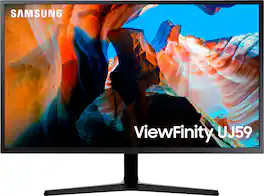
Enjoy enhanced viewing with this 32-inch Samsung monitor. The widescreen display lets you browse multiple windows and applications comfortably, and the upscaling technology boosts the clarity of lower resolutions to match UHD-level picture quality. This Samsung monitor uses AMD FreeSync technology to maintain a consistent refresh rate for smooth visual performance. Supporting a billion shades of color, the UJ59 delivers incredibly vivid and realistic images. Its greater accuracy means colors appear more natural and true to life, making the UJ59 ideal for photo, video and graphics applications.
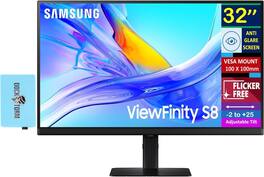
The 32-inch 4K UHD (3840 x 2160) display delivers exceptional clarity and detail with a 16:9 aspect ratio and VA panel technology, offering deep contrast and vibrant visuals. With a 3000:1 contrast ratio, 350 nits brightness, and 99% sRGB color gamut, it ensures rich color reproduction and excellent picture quality. The monitor supports 1.07 billion colors and features a 5ms (GTG) response time, providing smooth visuals for both work and entertainment. Designed with a flat, anti-glare screen, it offers comfortable viewing from any angle with a 178° vertical and horizontal viewing range. The ergonomic stand allows tilt (-2° to +25°), swivel (-30° to +30°), and pivot (-92° to +92°) adjustments for optimal positioning. Built in black, the monitor includes Flicker-Free technology to reduce eye strain and supports a 100 x 100 mm VESA mount for flexible installation. Connectivity options include 1 x HDMI, 1 x DisplayPort, 2 x USB-A, 1 x USB-B, 1 x USB-C, 1 x RJ45, and a 3.5 mm audio jack. Measuring 28.1 x 23.03 x 8.7 inches and weighing 15.2 lbs, it combines performance and versatility. Additionally, it comes with a Docztorm USB HUB (Special Edition Portable Docztorm Data Hub) offering super-speed data transfer rates up to 5Gbps, enhancing productivity and connectivity.
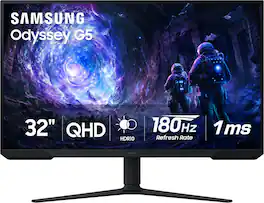
Samsung’s 32” Odyssey G5 G51F Gaming Monitor boasts incredibly detailed, pin-sharp images with QHD resolution (2560x1440). HDR10 provides brighter highlights, improved contrast and color accuracy, making every scene feel more vivid and realistic. 180Hz Refresh Rate and near-instant 1ms Response Time (MPRT) captures all your moves with reduced lag for ultra-smooth gameplay. AMD FreeSync Premium Pro reduces choppiness, screen lag, and image tears. Black Equalizer allows you to adjust dark areas in games, so you can locate opponents hiding in the deepest shadows. Virtual Aim Point allows you to hit your marks with next-level accuracy, giving you the optimal aim with crosshairs on the screen. Auto Source Switch+ instantly switches to a new source signal when connected devices are turned on, without having to use multiple inputs. Ergonomic stand makes it simple to tilt and adjust the monitor for total gaming comfort.

Dell 32 Plus 4K Monitor - S3225QS. Whether you're watching movies or playing games, enjoy an immersive viewing experience with improved eye comfort on a 4-star certified monitor.
| Pros for Samsung - 32” ViewFinity UJ590 UHD Monitor - Dark Gray/Blue | |||
|---|---|---|---|
| Screen Size, Resolution, Overall Performance, Price, Ease of use | There were no pros for this product— | Overall Performance, Screen Size, Refresh Rate, Resolution | Refresh Rate, Screen Size, Resolution, Sound Quality, Port Count |
| Cons for Samsung - 32” ViewFinity UJ590 UHD Monitor - Dark Gray/Blue | |||
| Speakers, Viewing Angle, Refresh Rate, Stand | There were no cons for this product— | Speakers, Connectivity, Black Levels, HDR Performance | Viewing Angle, Connectivity |
Specs
Reviews
Customers are saying
Customers express satisfaction with the 32” ViewFinity UJ590 UHD Monitor's screen size and high resolution. Many appreciate its overall performance, especially considering the price, and find it easy to use with HDMI and Display Port connectivity. However, some customers have expressed concerns regarding the refresh rate and viewing angle, while others have commented on the speakers and stand.
Customer Images
The vast majority of our reviews come from verified purchases. Reviews from customers may include My Best Buy members, employees, and Tech Insider Network members (as tagged). Select reviewers may receive discounted products, promotional considerations or entries into drawings for honest, helpful reviews.
- Rated 4 out of 5 stars
Very good but not perfect.
For the price this is a very good monitor. My only slight complaint is the viewing angles are a little limited causing some darker areas at certain positions. Clarity of the 4K is good. I just wish that companies would put the 60hz connection on HDMI-1 rather than HDMI-2. I pretty much always forget that and start to complain that the screen is sluggish when it's the port and not the screen. So far I am happy with its performance for the price. I have used much nicer monitors as a Graphic Designer, but this one does nicely on a budget for working from home from time to time. If I did more work at home though, I would defiantly upgrade to a better monitor.
AppleGuy Posted
- Rated 4 out of 5 stars
Good all purpose 4k monitor
Bought it for my MacMini rig. Works perfectly. Lots of real estate. Bright, good color. Viewing angles aren’t horrible. Refresh isn’t horrible. Doesn’t make weird high-pitched noises like some lower end monitors do. Not a gaming monitor by any means, but great as a main monitor for an IT professional. Even more than sufficient to edit photography or make/view digital art with Adobe products. Great all around 4k monitor that won’t break the bank.
Edwario Posted
- Rated 4 out of 5 stars
Good quality resolution monitor
Im not disappointed for what I get for the money. The quality resolution is amazingly beautiful. I’m careless about swirling stand. It’s not that big off a deal. No speaker equip, no problem. Who cares. It’s the monitor resolution that’s what I’m shooting at.
AppleWatchUser Posted