AirPlay Monitor
-
Topteng - G2 1080P WiFi Display Dongle - Wireless TV Stick with DLNA/Airplay/Miracast, No Mode Switch, for iOS/Android/Windows - Black
SKU: J3R9F7YYLRSee all Streaming DevicesProduct Description
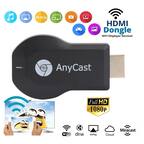
A compact black wireless dongle that mirrors devices in 1080P HD via AirPlay, Miracast, and DLNA.Your price for this item is $16.99Save $13The previous price was $29.99 -
Topteng - 1080P Wireless Display Dongle with AirPlay & Miracast - HD TV Stick for iOS/Android - Black
SKU: J3R9F7YYLGSee all Streaming DevicesProduct Description
A compact black wireless dongle that mirrors devices in 1080P HD using AirPlay, Miracast, and DLNA.Your price for this item is $15.99Save $14The previous price was $29.99 -
LG - 34SR65QC-B 34" Smart Curved Monitor 100Hz UltraWide QHD 3440x1440, Streaming TV webOS Remote Height Adjustable Speakers - Black
SKU: JJ8VPZHZVH[This review was collected as part of a promotion.] i love this thing. you can watch tv and play on your...I love it! My first curved monitor and it looks great....great features...Great picture
See all Curved Gaming MonitorsProduct Description
A black curved WQHD monitor with 100Hz refresh rate, webOS, HDR10, and tilt/height adjustable stand.Your price for this item is $349.99


Best Sellers
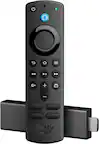
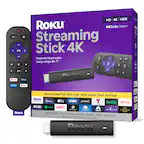

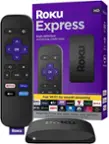
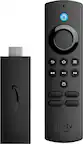

Related Pages





FAQ
An AirPlay monitor is a display screen that supports Apple's AirPlay technology, allowing you to wirelessly stream content such as videos, photos, and presentations from your Apple devices directly to the monitor.
Most AirPlay monitors have built-in AirPlay support, so you can connect your Apple devices directly without the need for extra adapters or dongles. Always check the product specifications for compatibility details.
AirPlay monitors are optimized for Apple devices, but some models may also support other wireless streaming protocols. Refer to the monitor's compatibility list for details on supported devices and platforms.
Key features to consider include AirPlay version support, resolution, refresh rate, connectivity options, built-in speakers, and additional smart features like voice control or integrated apps.
To set up AirPlay, ensure your monitor and Apple device are connected to the same Wi-Fi network. Then, select the AirPlay icon on your Apple device and choose your monitor from the list of available devices. Follow any on-screen prompts to complete the connection.