Best 32 Inch TV For Computer Monitor
-
Cozyla - 32" Smart TV on Wheels, Movable Touchscreen Monitor with 4K Camera, Battery Powered Android Rolling TV
SKU: J3XQSP79JTGreat for Homw office...Honestly one of the best buys for my home office and family!...The 4K camera works amazingly well for Zoom calls, and I love that I can rotate the screen into portrait...The wheels...
See all Portable TVsProduct Description
A portable smart TV with a rolling stand, built-in battery, 4K camera, and full swivel touchscreen.Your price for this item is $1,099.99 -
LG - 32UR550K-B 32" 4K UHD Monitor, HDR10, HDMI/DP, Adjustable Stand - Black
SKU: JJ8VPZKSRYSee all All MonitorsProduct Description
A 32-inch black LED monitor featuring 4K UHD resolution, HDR10 support, and an adjustable stand.Your price for this item is $349.99Save $28The previous price was $377.99 -
Lenovo - ThinkVision T32UD-40 32" Class 4K UHD LED Monitor - 16:9 - Eclipse 31.5" Viewable - In-plane Switching - Black
SKU: JJGH3YYKQH(This review was collected as part of a promotion.) great colour; 4K definitely produces better images
See all All MonitorsProduct Description
A 32-inch 4K UHD IPS monitor in Eclipse Black with 1.07 billion colors and adjustable stand.Your price for this item is $479.99Save $20The previous price was $499.99 -
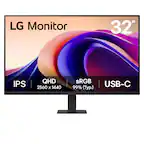
LG - 32" Monitor QHD IPS 100Hz with HDR10 (HDMI USB-C) - Black
SKU: JJ8VPZT536My Best Buy store has the Best Buy’s...Love my new large monitor because I sit at my desktop and watch movies occasionally....LG is best. No complaints, really. Has been a year and working pretty well....Contrast...
See all All MonitorsProduct Description
A black QHD IPS monitor with HDR10, 100Hz refresh rate, USB-C connectivity, and borderless design.Your price for this item is $249.99 -
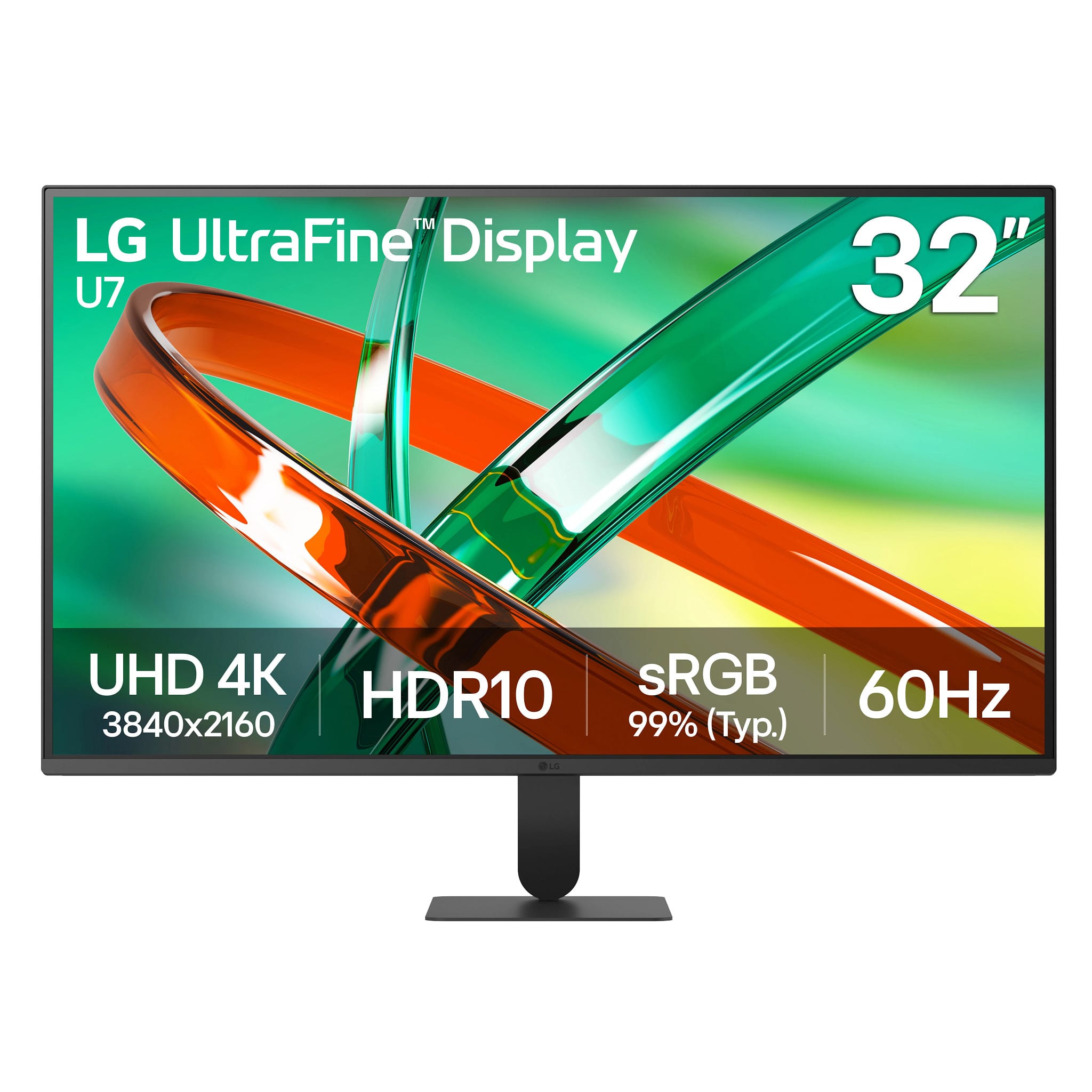
LG - UltraFine 32" 4K UHD 60Hz Monitor HDR10 (HDMI, DisplayPort) - Black
SKU: JJ8VPZZGQZGreat 60Hz Display
See all All MonitorsProduct Description
A black 4K UHD monitor with HDR10, 60Hz, VA panel, HDMI, DisplayPort, and headphone connectivity.Your price for this item is $249.99 -
ViewSonic - VA3209M 32" IPS LED FHD Monitor (HDMI, VGA) - Black
SKU: J37H88VS9PSee all All MonitorsProduct Description
A black IPS LED monitor with 32" FHD display, HDMI and VGA ports, and integrated speakers.Your price for this item is $149.99Save $33The previous price was $182.99 -
Acer - EK321QK 32" Class 4K UHD LED Monitor - 16:9 - 31.5" Viewable - Vertical Alignment (VA) - LED Backlight - Black
SKU: JJ8V8HLTFRSee all All MonitorsProduct Description
A black LED monitor featuring 4K UHD resolution, VA panel, 1.07 billion colors, and Adaptive Sync.Your price for this item is $247.61Save $18The previous price was $265.99




Best Sellers

Related Pages




FAQ
Yes, many 32 inch TVs can be used as computer monitors for gaming. Look for models with low input lag, high refresh rates, and features like Game Mode for the best experience.
Key features include a high resolution (preferably 1080p or 4K), HDMI ports compatible with your computer, low input lag, and adjustable picture settings. An IPS or VA panel can also provide better viewing angles and color accuracy.
Many modern 32 inch TVs with 1080p or 4K resolution offer good text clarity, especially when used with proper scaling settings on your computer. For the sharpest text, a 4K TV is recommended.
Yes, enabling 'PC Mode' or 'Game Mode' on your TV can reduce input lag and improve image quality. You may also need to adjust sharpness, overscan, and color settings for optimal display.
Most 32 inch TVs feature multiple HDMI ports, which are compatible with most modern computers. Some models may also offer USB or VGA inputs, but HDMI is the most common and recommended connection.