Black Friday is hereNew Doorbusters added. Ends 11/29.Shop now

Main Content

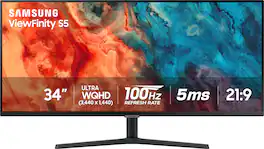
Samsung - 34” ViewFinity S5 Ultrawide QHD 100Hz AMD FreeSync Monitor with HDR10 (DisplayPort, HDMI) - Black

Model: LS34C502GANXZA
SKU: 6532277
Black Friday Deal
Black Friday Deal
$209.99
Save $120
Comp. Value: $329.99
or
Finance OptionsView your offers
Special OffersOn related products
Standard Geek Squad Protection
Availability
Fulfillment Options
Pickup at
Sold by Best Buy

More Buying Options

Highlights

  • Key Specs
    • Refresh Rate: 100Hz (The number of frames per second the device can produce natively without enhancement. Higher rates help produce smooth, seamless pictures.)
    • Maximum Resolution: 3440 x 1440 (Maximum resolution refers to the highest number of pixels that a screen can process and display. Higher resolution signals produce more detailed images.)
    • Response Time: 5 milliseconds (The speed at which pixels can change colors is called response time. It is measured in milliseconds (ms).)
    • Panel Type: VA (Technology that affects response time and image quality.)
    • Synchronization Technology: FreeSync (AMD Adaptive Sync) (Generally, these technologies allow syncing between a computer/console game's frame rate and the device's refresh rate for a smoother display without tearing.)
    • Screen Size: 34 inches (Size of the screen, measured diagonally from corner to corner.)
    • Display Connector(s): 1 x DisplayPort 1.2, 2 x HDMI 2.0 (The number and type of connectors used to connect to an external display.)
  • General
    • Brand: Samsung
    • Model Number: LS34C502GANXZA
    • Product Name: 34” ViewFinity S5 Ultrawide QHD 100Hz AMD FreeSync Monitor with HDR10 (DisplayPort, HDMI)
    • Color: Black
    • Operating System Compatibility: Windows, Mac
  • Display
    • Refresh Rate: 100Hz (The number of frames per second the device can produce natively without enhancement. Higher rates help produce smooth, seamless pictures.)
    • Maximum Resolution: 3440 x 1440 (Maximum resolution refers to the highest number of pixels that a screen can process and display. Higher resolution signals produce more detailed images.)
    • Contrast Ratio: 3000:1 (Measured difference between a displayed image's brightest whites and darkest blacks. The larger the first number, the more detail and color that can be displayed.)
    • Response Time: 5 milliseconds (The speed at which pixels can change colors is called response time. It is measured in milliseconds (ms).)
    • Display Type: LED
    • Panel Type: VA (Technology that affects response time and image quality.)
    • Synchronization Technology: FreeSync (AMD Adaptive Sync) (Generally, these technologies allow syncing between a computer/console game's frame rate and the device's refresh rate for a smoother display without tearing.)
    • Aspect Ratio: 21:9 (The measurement of the width of a screen compared to the height of a screen, expressed as a ratio.)
    • Curved Screen: false
    • Brightness: 300 candela per square meter (A measure of the total light output.)
    • Screen Size: 34 inches (Size of the screen, measured diagonally from corner to corner.)
    • High Dynamic Range (HDR): true (An HDR-compatible 4K TV or other HDR-compatible product displays HDR video content when it's available from sources like 4K Ultra HD Blu-ray Discs and 4K streaming services.)
    • High Dynamic Range Format: HDR 10 (There are a few HDR formats that tell the TV or other HDR-compatible product how to best utilize its capabilities to display HDR content. HDR technology can support one or multiple formats, each with various benefits to picture quality.)
    • Horizontal Viewing Angle: 178 degrees (The maximum angle at which the display can be viewed with acceptable visual performance from either side.)
    • Vertical Viewing Angle: 178 degrees (The maximum angle at which the display can be viewed with acceptable visual performance from above or below.)
    • Touch Screen: false (Touch-screen devices make navigating more intuitive. Using a touch-screen display, you can do things such as tap to select, hold and drag to move items, swipe to scroll, and pinch to zoom.)
    • Color Gamut (NTSC): 0.72 percent
    • Color Gamut (Standard RGB): 0 percent
  • Connectivity
    • Number of DisplayPort Inputs (Total): 1
    • Number of HDMI Inputs (Total): 2
    • Number of VGA Ports: 0 (VGA (Video Graphics Adapter or Video Graphics Array) is a display standard that transmits via analog signals. This type of interface is typically used to connect a computer to a display device such as a monitor, projector, or TV.)
    • Number of DVI Inputs: 0 (The number of digital cables carrying analog (VGA) video signals that can be connected to the product.)
    • Number of Mini DisplayPort Inputs: 0
    • Number of Thunderbolt Ports (Total): 0
    • Display Connector(s): 1 x DisplayPort 1.2, 2 x HDMI 2.0 (The number and type of connectors used to connect to an external display.)
    • Number of USB Ports (Total): 0
  • Compatibility
    • Wall Mountable: true (The product is able to be secured to a wall. Some products are designed ready to mount, while others may require additional hardware/accessories for installation.)
    • VESA Wall Mount Standard: 100mm x 100mm (VESA wall mount standards refer to the spacing of screw holes built into a TV in order to fit with standard TV wall mounts. These standards are implemented into most TVs and monitors.)
    • Voice Assistant Built-in: No (A digital assistant built into the device that uses voice commands to answer questions and control smart devices.)
  • Features
    • Tiltable: true
    • Adjustable Stand Height: false
    • Anti-Glare: false (Product has features, such as a matte finish, that reduce the likelihood for screen glare.)
    • Eye Relief Features: Flicker free, Low blue light
    • Built-In Webcam: false
    • Integrated Speaker(s): false
  • Dimensions
    • Product Height With Stand: 18 inches
    • Product Height Without Stand: 14.2 inches
    • Product Width: 32.1 inches (The out of box width of the item. Width is measured as the horizontal distance from one side of the item to the other as it would be primarily used or placed.)
    • Product Depth (With Stand): 8.7 inches
    • Product Depth Without Stand: 1.4 inches
    • Product Weight: 10.8 pounds (The out of box weight of the item.)
    • Stand Included: true
  • Certifications Listings & Approvals
    • ENERGY STAR Certified: false (Devices carrying the ENERGY STAR service mark, such as computer products and peripherals, kitchen appliances, and other products, generally use 20% to 30% less energy than required by federal standards.)
    • EPEAT Qualified: false (The Electronic Product Environmental Assessment Tool (EPEAT) was designed to provide an environmental assessment tool for purchasers. In order to qualify for EPEAT, a product must meet all 23 required criteria.)
  • Warranty
    • Warranty - Parts: 1 year
    • Warranty - Labor: 1 year
  • Other
    • UPC: 887276724881

Samsung's 34" ViewFinity S50GC offers a wider workspace featuring a 21:9 ratio and lifelike detail with Ultra-WQHD resolution. AMD FreeSync and 100Hz refresh rate allow an ultra-smooth user experience. Avoid eyestrain with TUV-certified Intelligent Eye Care that automatically adjusts brightness. With HDR10 that displays over 1 billion colors compared to 16.7 million for typical SDR technology, dark colors are darker and the brightest are even brighter.
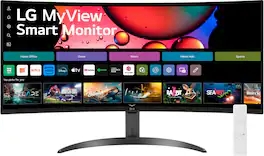
  • 21:9 Ultra-WQHD: See more than before. Whether working on a project or enjoying a movie during downtime, see every detail on the wider display featuring a 21:9 aspect ratio.
  • 100Hz Refresh Rate: Smooth action with less lag and blur. A faster than average refresh rate updates the image on screen more often every second.
  • HDR10: Enjoy any content in stunning accuracy. With HDR10 that displays over 1 billion colors compared to 16.7 million for typical SDR technology, dark colors are darker and the brightest are even brighter.
  • AMD FreeSync: AMD Radeon freesync keeps the refresh rate of your monitor and graphics card in sync to reduce image tearing for a superfluid entertainment experience. Watch movies and play games without interruptions. Even fast scenes look seamless and smooth.
  • Picture By Picture/Picture In Picture: Multiply the ways you work, chat and play. With PBP, view input from two simultaneous sources at native resolution, allowing you to review two projects or run two programs.
  • Borderless Design: Minimal bezel brings maximum concentration. The virtually bezel-less screen shows you the full picture and looks almost gapless when used in a dual-monitor setup so you can see more at once with no distractions.
  • TUV-Certified Intelligent Eye Care: Keep your eyes comfortable. An ambient light sensor on the monitor detects lighting in your workspace and automatically adjusts brightness. Eye Saver Mode minimizes excessive blue light, and Flicker Free relieves eye strain.
Whats Included
  • Power Cable
  • HDMI Cable
  • DP Cable
  • Install CD

Q: Does this monitor have a built-in camera?

A: No, this monitor does not have a built-in webcam.

Q: Does this monitor include speakers?

A: No, this monitor does not have integrated speakers.

Q: What is the refresh rate of this monitor?

A: This monitor has a refresh rate of 100Hz.

Q: Can I mount this monitor to a wall?

A: Yes, this monitor can be mounted to a wall using the VESA standard 100mm x 100mm mounting pattern.

Q: What is the response time of this Samsung monitor?

A: This monitor has a response time of 5 milliseconds.

Q: How does the monitor help with eye strain?

A: This monitor is equipped with TUV-certified Intelligent Eye Care that automatically adjusts the brightness based on the ambient lighting in your workspace. It also features Eye Saver Mode to minimize blue light and Flicker Free technology to reduce eye strain.

Q: Is this one a split screen monitor as well ? I need it for working on photos as well. Thank you.

A: Yes, it is. It has 2 independent HDMI inputs. Alternatively, you can use the whole screen with only one input. You have to select picture by picture in the setting options if you want to split it.

Q: How can I daisy chain my Samsung to another monitor? Your photo shows a customer with three monitors. Which Display Ports do you recommend??

A: no you cant you need a video card or a motherboard that supports to outputs for monitors

Sponsored

Compare similar products

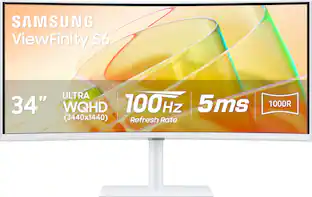
Samsung - 34” ViewFinity S5 Ultrawide QHD 100Hz AMD FreeSync Monitor with HDR10 (DisplayPort, HDMI) - Black

Samsung's 34" ViewFinity S50GC offers a wider workspace featuring a 21:9 ratio and lifelike detail with Ultra-WQHD resolution. AMD FreeSync and 100Hz refresh rate allow an ultra-smooth user experience. Avoid eyestrain with TUV-certified Intelligent Eye Care that automatically adjusts brightness. With HDR10 that displays over 1 billion colors compared to 16.7 million for typical SDR technology, dark colors are darker and the brightest are even brighter.

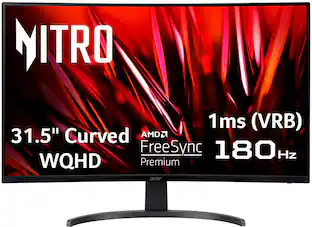
Acer - Nitro ED340CUR Gaming 34” 1500R 21:9 Curved QHD 120Hz 1ms FreeSync Premium Gaming Monitor with HDR10 (DisplayPort, HDMI) - Black
4.7(3)

Acer's Nitro ED340CUR 34" curved panel monitor with Ultra Wide QHD resolution delivers the incredible. Through AMD FreeSync Premium technology, the game’s frame rate is determined by your graphics card, not the fixed refresh rate of the monitor, giving you a serious competitive edge. Smooth, tear-free gameplay!! Crisp, true-to-life colors come alive with the amazing 3440 x 1440 resolution, allowing you to enjoy High-Definition entertainment in the comfort of your home. The wide view angle technology lets you share what's on your screen with friends and family as colors stay true no matter what angle you're viewing from. Incredible 100,000,000:1 contrast ratio and rapid response time ensure your games, work and movies are smooth and look as epic as possible.

LG - 34" WQHD 100Hz 5ms Smart Monitor with HDR10 (HDMI, USB-A) - Black

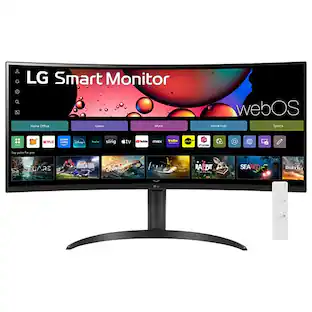
One screen. Endless possibilities. The 21:9 ultra-wide 34” curved Smart monitor offers stunning widescreen visuals and a sleek design that's perfect for work, play, cinematic viewing, and everything in between. Experience vivid color with up to sRGB 99% coverage, HDR10 support and impeccable clarity with the 21:9 WQHD (3440x1440) screen, bringing every detail to life. Thanks to LG’s streaming platform webOS23¹, find your favorites fast with built-in access to Netflix, Prime Video, the Apple TV app, Disney+, HBO Max and instant access to over 300+ free LG Channels with everything from comedy to movies to sports. Apple AirPlay 2 & HomeKit compatibility² allow you to wirelessly control your monitor plus cast and mirror content from iOS or MacOS devices, no Apple TV necessary. Gaming on the monitor’s wide screen with the 100Hz refresh rate assures ultra-smooth action.

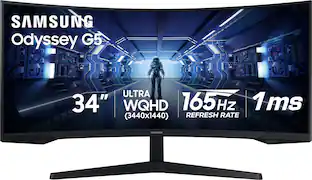
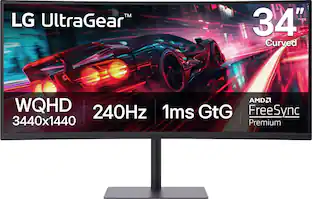
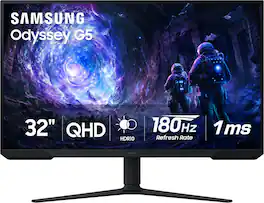
Samsung - 34” Odyssey G5 1000R Curved 1ms 165Hz QHD FreeSync Prem Gaming Monitor - Black

Odyssey G5’s lightning-fast 165Hz refresh rate ensures flawlessly smooth action scenes even in games with high frame rates. The Odyssey G5 range allows you to make the most out of the games you love to play, at a fantastic price point.
Pros for Samsung - 34” ViewFinity S5 Ultrawide QHD 100Hz AMD FreeSync Monitor with HDR10 (DisplayPort, HDMI) - Black
Screen Size, Overall Performance, Resolution, Ease of use, PriceThere were no pros for this productScreen Size, Overall Performance, Resolution, Refresh Rate, Smart FeaturesScreen Size, Refresh Rate, Resolution, Quality, Curvature
Cons for Samsung - 34” ViewFinity S5 Ultrawide QHD 100Hz AMD FreeSync Monitor with HDR10 (DisplayPort, HDMI) - Black
Speakers, Stand, CurvatureThere were no cons for this productThunderbolt PortStand, Speakers, Connectivity, Ghosting, HDMI

Specs

Reviews

Customers are saying

Customers praise the 34” ViewFinity S5 Ultrawide monitor's large screen size, ease of use, and excellent picture quality, specifically noting the vibrant colors and high resolution. Many appreciate its high refresh rate, making it ideal for gaming and multitasking. However, some users point out the lack of built-in speakers and a less-than-ideal stand as drawbacks.

This summary was generated by AI based on customer reviews.

Customer Images

The vast majority of our reviews come from verified purchases. Reviews from customers may include My Best Buy members, employees, and Tech Insider Network members (as tagged). Select reviewers may receive discounted products, promotional considerations or entries into drawings for honest, helpful reviews.

  • Rated 5 out of 5 stars

    Great work monitors

    Great monitor! Easy to set up and works great. I use two of these for business, not gaming and they work well. Perfect screen size to split into 4 screens, 2K picture quality, 100hz refresh rate.

    Posted by DougyTeeths

  • Rated 5 out of 5 stars

    Exceptional Monitor with Top-Tier Features

    I am thoroughly impressed with this monitor! The size is perfect, offering an immersive viewing experience without overwhelming my desk space. The picture quality is simply outstanding—vivid colors, sharp details, and deep contrasts make everything look fantastic. One of the standout features for me is the Picture-in-Picture (PiP) functionality. It allows me to multitask effortlessly, making my workflow much more efficient. The high refresh rate is another highlight, providing smooth visuals that are especially noticeable during fast-paced activities. Connectivity is a breeze, particularly with my Mac. The monitor integrates seamlessly, and setting it up was hassle-free. Overall, this monitor combines top-tier performance with user-friendly features, making it a fantastic investment.

    Posted by YoganandL

  • Rated 5 out of 5 stars

    Great all-around monitor for the price

    I use my computer for both work and for gaming. My job virtually requires either an ultrawide or two screens, and I have found 21:9 1440p to be the sweet spot for both productivity and entertainment. I previously had a used Viotek curved display of the same size and resolution, but replaced it with this because colors and contrast were severely limited and the backlight was very inconsistent and splotchy in places. This Samsung is significantly sharper, with great color accuracy and contrast. Samsung claims 72% NTSC gamut, which is roughly equivalent to 99% sRGB, and while I have no instruments to confirm this, colors do look very vibrant. Viewing angles are also quite nice for a VA panel as well. My computer is in a room that does not get a lot of natural light, so it’s plenty bright to serve my needs. Samsung states that minimum brightness is 250 nits and “typical” is 300, so it’s difficult to determine what the maximum is. However, the backlight appears to be very consistent to my eyes and. HDR content doesn’t exactly “wow,” given the somewhat low brightness measurement, but the support is much appreciated. As long as the display is not in an overly bright location, such as facing a window with sunlight coming through, it should be very viewable. Gaming and entertainment performance is generally quite solid, as well. “Game” mode with the fastest response time produces a very crisp, bright, vibrant image with very little lag or blur at higher framerates. 100hz is a fairly slow refresh rate for gaming, but large, ultrawide, high resolution monitors are typically better suited to immersive single player experiences rather than competitive gameplay. With Freesync enabled on an AMD GPU, 60-100 FPS gaming is very smooth and looks fantastic. This is a good budget choice if you prioritize good color reproduction, size, and FOV over raw performance. On the subject of FOV: I prefer a wider FOV on a flat over a curved display, because the curvature seems to emphasize lens distortion at your peripheral vision and appears more natural on a flat display. Note that some games still don’t take full advantage of ultrawide resolutions, so be forewarned that there may be visual oddities. Older games that don’t support 21:9 may appear very, very stretched in fullscreen mode and may require being run in a window instead. Just something to be aware of if you primarily play older games. 1080p and 1440p 16:9 video also looks just fine on this display, although it understandably cannot use all of the screen real estate. If your needs are for competitive gaming, console gaming, or film/video content, then I would steer towards a 16:9 display with a higher refresh rate. Longevity remains to be seen, but I have no reason to predict any issues with this display within the next 5-10 years based on my experience with other Samsung displays. Overall, it’s a solid multi-use display that looks great doing just about anything at a great price.

    Posted by Cliff

No content
Sponsored

Similar products from outside of Best Buy

sponsored

Finance Options

My Best Buy® Credit Card
10% back in rewardson your first day of purchases when approved for the My Best Buy® Credit Card.
Buy Now, Pay Later
4 payments starting at $52.50
Lease to own
Apply today with no credit needed and enjoy flexible payment options.

Special Offers

Included with Purchase
Free 6-month security software: $29.99 value