Deals for every list.Start early, save early.Shop now

Main Content
Skip to contentGo to Product Search

Deals for every list.Start early, save early.Shop now

Main Content

Headset With Noise Cancelling Microphone

A headset with a noise-canceling microphone helps reduce background sounds picked up by the mic during calls, video meetings, or game chats. Compare options by device compatibility, connection type, and fit to find a setup that suits your needs. Check microphone noise reduction separately from headphone noise cancellation: one helps others hear your voice clearly, while the other reduces the background noise you hear.

Categories & Filters
Results
Main Results

Headset With Noise Cancelling Microphone

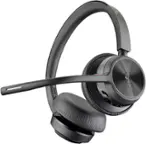
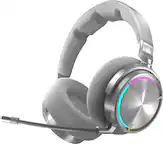
A headset with a noise-canceling microphone brings listening and voice communication together for video meetings, online classes, gaming sessions, and everyday calls. Microphone noise reduction is designed to reduce unwanted background sound in the outgoing audio, helping the person on the other end hear your voice more clearly. That can be useful in a shared home office, a busy household, or another setting where nearby conversations and everyday activity compete with your speech. Microphone noise cancellation serves a different purpose from active noise cancellation in the earcups: one helps improve what others hear, while the other reduces surrounding noise for the wearer. Depending on your routine, outgoing voice clarity, a quieter listening experience, or both may be priorities. A boom microphone can position the pickup closer to your mouth, while an integrated microphone offers a less prominent design. Microphone positioning, directional pickup, and audio processing all contribute to how a headset handles speech and background sound.

Connection type and device compatibility help distinguish headsets for different uses. Wired designs connect through options such as USB or a 3.5 mm audio jack, providing a straightforward setup without a headset battery to recharge. Wireless designs offer more freedom to move around, with Bluetooth or a dedicated wireless connection serving different devices and applications. Compatibility involves more than the shape of the connector: computers, phones, gaming consoles, and workplace calling software can support different audio connections and microphone controls. For gaming, connection latency and support for both game sound and voice chat are useful considerations. For work, easy access to meeting controls and dependable microphone operation may matter more. People who alternate between a laptop and a phone may value support for multiple device connections, while those who spend long stretches on calls may prioritize wireless battery life and convenient charging. The right connection depends on where the headset will be used and how it fits into the devices already in your setup.

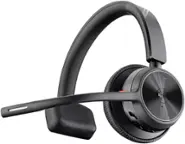
Comfort and accessible controls make a meaningful difference when a headset stays on through back-to-back meetings or extended play. Over-ear designs surround the ears, while on-ear designs rest against them; overall weight, headband adjustment, earcup depth, and cushioning can all affect the fit. A single-ear design leaves one ear uncovered for awareness of nearby conversations, while a two-ear design delivers audio to both ears. An adjustable microphone boom can help maintain a consistent speaking position, and accessible volume and mute controls make it easier to manage calls without reaching for an on-screen menu. Where supported, microphone monitoring lets you hear some of your own voice through the headset, which can help you keep your speaking volume comfortable. Storage and portability also deserve consideration for a headset that travels between home, an office, and a classroom. A headset with a noise-canceling microphone is most useful when its fit, connection, and communication features suit the way you work, learn, or play.

FAQs