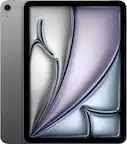
iPad Air 4th Generation
Shop iPad Air 4th Generation tablets and compare available listings by storage capacity, connectivity, and condition. Check each listing for included accessories and compatibility with any Apple Pencil or keyboard you plan to use, so you can choose a tablet that fits your needs.



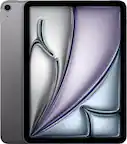

iPad Air 4th Generation
FAQs
An iPad Air 4th generation tablet can be used for browsing the web, checking email, streaming entertainment, reading e-books, taking notes, and using creative or productivity apps. Individual app features depend on the app’s requirements and the installed iPadOS version.
Check the app’s listing in the App Store for its required iPadOS version and device compatibility. You can find your tablet’s installed software version under Settings > General > About.
Look for accessories that explicitly list compatibility with the iPad Air 4th generation. For keyboards, headphones, and other connected accessories, check whether they use Bluetooth, USB-C, or another supported connection. Cases and styluses require model-specific compatibility checks.
Many activities work offline, including writing notes, viewing saved files, and using apps that support offline access. Some entertainment apps also let you download content while connected for later viewing or listening. Streaming, web browsing, and syncing generally require an internet connection.
Sign in to the same Apple Account on each device and enable iCloud for the information you want to sync, such as photos, notes, contacts, and files. Syncing requires an internet connection, and availability depends on your settings and available iCloud storage.