PDF Editing Software For Mac
-
Adobe - Acrobat Standard PDF Software - Mac OS, Windows [Digital]
SKU: J3KZ6LY7QXLove it...I love it! Exactly what we need it for our small business....Acrobat Standard for a great Black Friday price...Digital download code from Best Buy worked liked a charm....Adobe account (I already...
See all Business & Office SoftwareProduct Description
A digital PDF solution for Mac and Windows that lets you create, edit, sign, and track documents.Your price for this item is $179.88 -
Adobe - Acrobat Pro PDF Software - Mac OS, Windows [Digital]
SKU: J3KZ6LYPVYThis software is the best I LOVE IT... it covers everything!!!!...Best functionality tool
See all Business & Office SoftwareProduct Description
A comprehensive digital suite for creating, editing, securing, and e-signing PDFs on Mac OS and Windows.Your price for this item is $249.88 -
Adobe - Acrobat Pro 2024 PDF Software Student & Teacher Edition (3-Year License) - Mac OS, Windows [Digital]
SKU: J3KZ6LPS6LBest of the best...PDF editing is the best thing and digital signature are the best thing....If you are someone like me who love to editing creations then this is going to be your best friend....Best!!!...
See all Office Software SuitesProduct Description
An offline PDF solution for students and teachers to create, edit, and protect documents on Mac or Windows.Your price for this item is $85.68 -
Adobe - Acrobat Pro 2024 PDF Software (3-Year License) - Mac OS, Windows [Digital]
SKU: J3KZ6LPSJ4subscriptions or just need a solid, offline-friendly PDF tool, Acrobat Classic is still one of the best...It’s great for office use. I have a MacBook and it’s compatible....Great Software
See all Office Software SuitesProduct Description
An offline PDF solution for Mac and Windows to create, edit, convert, and protect documents digitally.Your price for this item is $324.00 -
Adobe - Acrobat Studio PDF Software - Mac OS, Windows [Digital]
SKU: J3KZ6LSVHGGreat Product, could miss the AI
See all Business & Office SoftwareProduct Description
An all-in-one digital PDF workspace with AI tools, content creation, and collaboration for Mac and Windows.Your price for this item is $299.88 -
Adobe - AI Assistant for Acrobat - Mac OS, Windows [Digital]
SKU: J3KZ6LS7X8Best for processing large files, but would hold ou...However, when it does work, this thing is pretty great....All in all, it’s not the best for a paid AI model, it could be better....[This review was...
See all Office Software SuitesProduct Description
An AI-powered digital assistant that summarizes, answers questions, and simplifies PDFs on Mac and Windows devices.Your price for this item is $62.88
![Adobe - Acrobat Standard PDF Software - Mac OS, Windows [Digital]](https://pisces.bbystatic.com/image2/BestBuy_US/images/products/6433/6433436_sd.jpg)
![Adobe - Acrobat Pro PDF Software - Mac OS, Windows [Digital]](https://pisces.bbystatic.com/image2/BestBuy_US/images/products/e3450e91-6882-4ba6-87f5-e292a962354e.jpg)
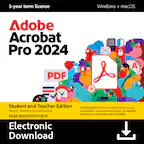
![Adobe - Acrobat Pro 2024 PDF Software Student & Teacher Edition (3-Year License) - Mac OS, Windows [Digital]](https://pisces.bbystatic.com/image2/BestBuy_US/images/products/b3717816-d38e-41ff-91d9-70b85bd330d4.jpg)
![Adobe - Acrobat Pro 2024 PDF Software (3-Year License) - Mac OS, Windows [Digital]](https://pisces.bbystatic.com/image2/BestBuy_US/images/products/5e48b230-e879-449b-b8a2-c9f42b04576a.jpg)
![Adobe - Acrobat Studio PDF Software - Mac OS, Windows [Digital]](https://pisces.bbystatic.com/image2/BestBuy_US/images/products/e1ab1302-27bc-4ef5-b50e-60c32835eaab.jpg)
![Adobe - AI Assistant for Acrobat - Mac OS, Windows [Digital]](https://pisces.bbystatic.com/image2/BestBuy_US/images/products/d68019a0-3d95-413b-a6b1-33275fb12ae5.jpg)
Best Sellers
![Microsoft - Office 365 Personal (1 Person) (12-Month Subscription) - Activation Required - Windows, Mac OS, Apple iOS, Android [Digital]](https://pisces.bbystatic.com/image2/BestBuy_US/images/products/fa90dd84-caf2-4bbe-86e9-18b037ea6563.jpg;maxHeight=144;maxWidth=200?format=webp)
![Microsoft - 365 Family (Up to 6 People) (12-Month Subscription) - Activation Required - Windows, Mac OS, Apple iOS, Android [Digital]](https://pisces.bbystatic.com/image2/BestBuy_US/images/products/aaf8b64f-0db7-413a-af56-a7fe371b3451.jpg;maxHeight=144;maxWidth=200?format=webp)
![Microsoft - Office Home 2024 (1 Device) - Windows, Mac OS [Digital]](https://pisces.bbystatic.com/image2/BestBuy_US/images/products/db93a30a-fb3a-4dcc-9d6b-8e0735752dbb.jpg;maxHeight=144;maxWidth=200?format=webp)
![Microsoft - Office Home & Business 2024 (1 Device) - Windows, Mac OS [Digital]](https://pisces.bbystatic.com/image2/BestBuy_US/images/products/4fc8f9d2-673d-4b88-9f99-d7c7a8bb0761.jpg;maxHeight=144;maxWidth=200?format=webp)
![Microsoft - 365 Business Standard (1 Person) (12-Month Subscription) - Activation Required - Windows, Mac OS, Chrome, Apple iOS, Android [Digital]](https://pisces.bbystatic.com/image2/BestBuy_US/images/products/6402/6402558_sd.jpg;maxHeight=144;maxWidth=200?format=webp)

Related Pages






FAQ
When choosing PDF editing software for Mac, look for features such as text and image editing, annotation tools, the ability to merge or split PDFs, form creation and filling, OCR (Optical Character Recognition) for scanned documents, password protection, and cloud integration for easy file sharing.
Yes, many PDF editing software options for Mac allow you to convert PDFs to various file formats, including Word, Excel, PowerPoint, and image formats like JPEG or PNG. This makes it easier to repurpose or edit your documents in other applications.
Most leading PDF editing software for Mac are regularly updated to ensure compatibility with the latest macOS versions. Always check the software's system requirements to confirm it supports your current operating system.
Most PDF editing software for Mac can be used offline after installation. However, some advanced features, such as cloud storage access or online collaboration, may require an internet connection.
Yes, many PDF editing software programs for Mac include digital signature tools that allow you to sign documents electronically. Some also offer options for requesting signatures from others and managing signed documents securely.